
World_Gamerz's Wishlist
-
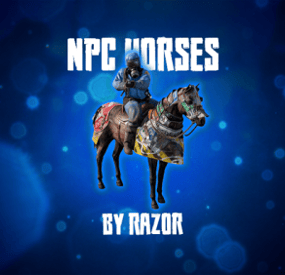
$15.00$12.00Npc Horses
Bring roaming mounted enemies to your Rust server. Armed NPC riders patrol the map, detect and chase players, fight from horseback, and drop configurable loot when killed.
FEATURES
• Three ready-to-use profiles and support for additional custom profiles
• Automatic population management and queued spawning
• Configurable biomes, rider names, health, weapons, and horse equipment
• Random loadouts with individual item skin IDs
• In-game configuration editor with save, discard, and delete confirmations
• Support for Rust’s legacy and newer navigation systems
• Optional Kits and AlphaLoot integration
PROFILES AND LOADOUTS
Set rider and horse health, horse breed, roaming and chase speeds, vision, hearing, weapon damage, targeting rules, spawn biomes, and population limits for each profile. Available biomes are All, Temperate, Arid, Tundra, and Arctic.
Create reusable loadouts with rider weapons and clothing, horse armor, horseshoes, saddlebags, and other supported equipment. Assign multiple loadouts to a profile and one will be chosen at random when a pair spawns.
COMBAT AND DETECTION
Riders aim, shoot, reload, and pursue targets while mounted. Configure accuracy, firing intervals, attack distance, target-loss distance, reserve ammunition, and damage scaling. They can detect players through sight, hearing, and player-generated noise, and respond when either the rider or horse is attacked.
Riders do not attack players inside safe zones and drop their target if the player enters one.
NAVIGATION AND PERFORMANCE
Spawn checks avoid water, monuments, Tool Cupboard areas, player bases, deployables, rocks, cliffs, and steep terrain. Horses avoid deep water and can return to their last safe land position. Dismounted riders can return to their horse and remount.
When no eligible players are nearby, the plugin can suspend combat, navigation, target scanning, and horse input processing. Pairs wake when a player approaches or attacks them.
DEATH AND LOOT
Riders leave corpses containing their inventory. AlphaLoot can optionally populate rider corpses. Horses create their own corpses, and horse corpse containers can optionally be locked.
COMMANDS
/npchorsespro config — Open the in-game configuration editor.
/npchorsespro spawn [profile] — Spawn a pair at the position you are viewing. Uses Set1 if no profile is given.
/npchorsespro — Short command to spawn Set1.
/npchorsespro remove — Remove all active pairs managed by the plugin.
/npchorsespro status — View active and sleeping pairs, population by profile, and navigation counts.
PERMISSION
npchorsespro.admin — Access all commands and the configuration editor. Server administrators have command access automatically.
Grant a player: oxide.grant user STEAMID npchorsespro.admin
Grant a group: oxide.grant group admin npchorsespro.admin
Revoke a player: oxide.revoke user STEAMID npchorsespro.admin
OPTIONAL INTEGRATIONS
Kits supplies rider kits. AlphaLoot supplies rider corpse loot profiles. Neither plugin is required.
INSTALLATION
Place NpcHorsesPro.cs in oxide/plugins, let it load, grant the admin permission, then run /npchorsespro config. The default configuration includes three example profiles and loadouts.
-
$8.50
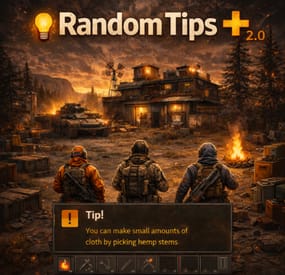
RandomTipsPlus
By Krungh Crow in Plugins
Send Gametip messages on a timed interval to online players, and recieve queued Gametips.
Features:
Simple configuration. Sends Gametip messages on a configurable timed interval and duration (seconds). Can use a permission to ignore a player to get the messages. API support for other plugins to use its simplified queue system. Support for SignArtist, NTeleportation , TownTeleport Vanilla messages are built in set gametip.server_event_tips to false in your servers setup to better use the vanilla event notifications Support has been added to show deepsea events (2.0) Permissions Exclude: Global Timed Random messages
randomtipsplus.exclude : To exclude the player from getting the Random Global Gametips sent by this plugin. Permissions Triggers: Assign these to make the players recieve messages on each function
randomtipsplus.hackcrate : When starting to hack a Hackable crate. randomtipsplus.vehiclestart : When player starts a modular car randomtipsplus.substart : When player starts a solo or duo submarine. randomtipsplus.boatstart : When player starts a motorrowboat or a rhib randomtipsplus.tugboatstart : When player starts a tugboat randomtipsplus.minihelistart : When a player starts a minicopter randomtipsplus.scraphelistart : When player starts a scraphelicopter randomtipsplus.excavator : After player fuells the Excavator randomtipsplus.signartist : After player uploaded a image to a sign randomtipsplus.toolcupboard : When player places a Toolcupboard randomtipsplus.recycler : When player finishes recycling randomtipsplus.sleepingbag : When player placed a sleepingbag/bed/towel
New Permissions added in 2.0
randomtipsplus.attackhelistart : Starting a attackheli randomtipsplus.motorbikestart : starting a motorbike randomtipsplus.bicyclestart : started peddeling a bike randomtipsplus.snowmobilestart : started a snowmobile Permissions NTeleportation :
randomtipsplus.nteleportationhome : On using /home commands randomtipsplus.nteleportationtpa : On using /tpa command randomtipsplus.nteleportationtpat : On using /tpat command randomtipsplus.nteleportationtpb : On using /tpb command randomtipsplus.nteleportationtpc : On using /tpc command randomtipsplus.nteleportationtpr : On using /tpr command randomtipsplus.nteleportationtown : On using /town command randomtipsplus.nteleportationoutpost : On using /outpost command randomtipsplus.nteleportationbandit : On using /bandit command randomtipsplus.nteleportationisland : On using /island commands Permissions TownTeleport :
randomtipsplus.townteleportotp : On using /otp command randomtipsplus.townteleportbtp : On using /btp command randomtipsplus.townteleportttc : On using /ttc command Configuration Main :
Debugg : Is disabled by default but can be activated if needed Show Messages is set to false by default so it will not run the standard messages on plugin install. If you don't want to use a prefix, then you can leave it empty. Global Tip Duration : Lifetime of the Global random sent messages Warning tips (RED) have a max lifetime of 5 seconds Messages : have a 2 line size , (/n) and (<color=orange>[view webpage]</color>) can be used Text is always sent as UPPERCASE. Configuration Vanilla :
Only a true or false setting. Save Warning : Gives a warning each time the server saves to all players Messages can be changed in the language file Configuration Event :
Various settings on certain triggers Includes triggers on placing Bags and Toolcupboards Configuration Teleports :
(Important) if not using this feature then leave both Use NTeleportation triggers & Use TownTeleport triggers
false so the plugin unsubscribes the hooks used for these (performance) { "Use Debug": false, "Show Messages": true, "Prefix": "[Your Server] ", "Interval (seconds)": 60, "Global Tip Duration (seconds)": 15.0, "Show as warning (max 5 sec)": false, "Messages": [ "Join our Discord ,Click <color=orange>[view webpage]</color> button.", "We run several cool Plugins !", "Grab one of our kits using /kit .", "<color=red>Color</color> code is supported" ], "QueuedPopups": { "Use QueuedPopups (if installed)": true, "Duration (seconds)": 15.0, "Icon Sprite": "assets/icons/info.png", "Background Color (RGBA)": "0 0 0.65 0.6", "Text Color (RGBA)": "1 1 1 1", "Icon Color (RGBA)": "1 1 1 1", "Height (Pixels)": 38.0, "Font Size": 14 }, "Vanilla Events": { "Save Warning": true, "Attack Helicopter": true, "Airdrop": true, "Bradley": true, "Cargoship": true, "CH47": true, "Excavator": true, "Small oilrig": true, "Large oilrig": true, "Mining Quarry": true, "Deepsea": true }, "Event Settings": { "Excavator fuelling": { "Use Profile": false, "Tip Duration (seconds)": 5.0, "Show as warning (max 5 sec)": false, "Messages": [] }, "Hack Lock": { "Use Profile": true, "Tip Duration (seconds)": 5.0, "Show as warning (max 5 sec)": false, "Messages": [ "Started your hack", "Good luck getting nice loot." ] }, "Recycler panel close": { "Use Profile": true, "Tip Duration (seconds)": 10.0, "Show as warning (max 5 sec)": false, "Messages": [ "Thank you for recycling" ] }, "Bag placement": { "Use Profile": true, "Tip Duration (seconds)": 5.0, "Show as warning (max 5 sec)": false, "Messages": [ "Your bed has been made." ] }, "Toolcupboard placement": { "Use Profile": false, "Tip Duration (seconds)": 5.0, "Show as warning (max 5 sec)": false, "Messages": [] }, "Vehicle Start": { "Use Profile": true, "Tip Duration (seconds)": 5.0, "Show as warning (max 5 sec)": false, "Messages": [ "Vroom vroom" ] }, "Boat Start": { "Use Profile": false, "Tip Duration (seconds)": 5.0, "Show as warning (max 5 sec)": false, "Messages": [] }, "Submarine solo Start": { "Use Profile": false, "Tip Duration (seconds)": 5.0, "Show as warning (max 5 sec)": false, "Messages": [] }, "Submarine duo Start": { "Use Profile": false, "Tip Duration (seconds)": 5.0, "Show as warning (max 5 sec)": false, "Messages": [] }, "Tug Boat Start": { "Use Profile": false, "Tip Duration (seconds)": 5.0, "Show as warning (max 5 sec)": false, "Messages": [] }, "Mini Copter Start": { "Use Profile": false, "Tip Duration (seconds)": 5.0, "Show as warning (max 5 sec)": false, "Messages": [] }, "Scrap Heli Start": { "Use Profile": false, "Tip Duration (seconds)": 5.0, "Show as warning (max 5 sec)": false, "Messages": [] }, "SignArtist Paint finished": { "Use Profile": false, "Tip Duration (seconds)": 5.0, "Show as warning (max 5 sec)": false, "Messages": [] }, "Attack Heli Start": { "Use Profile": false, "Tip Duration (seconds)": 5.0, "Show as warning (max 5 sec)": false, "Messages": [] }, "Motorbike Start": { "Use Profile": false, "Tip Duration (seconds)": 5.0, "Show as warning (max 5 sec)": false, "Messages": [] }, "Bicycle Start": { "Use Profile": false, "Tip Duration (seconds)": 5.0, "Show as warning (max 5 sec)": false, "Messages": [] }, "Snowmobile Start": { "Use Profile": false, "Tip Duration (seconds)": 5.0, "Show as warning (max 5 sec)": false, "Messages": [] } }, "Use NTeleportation triggers": false, "Use TownTeleport triggers": false, "NTeleportation (/home)": { "Use Profile": false, "Tip Duration (seconds)": 5.0, "Show as warning (max 5 sec)": false, "Messages": [] }, "NTeleportation (/tpr)": { "Use Profile": false, "Tip Duration (seconds)": 5.0, "Show as warning (max 5 sec)": false, "Messages": [] }, "NTeleportation (/tpa)": { "Use Profile": false, "Tip Duration (seconds)": 5.0, "Show as warning (max 5 sec)": false, "Messages": [] }, "NTeleportation (/tpb)": { "Use Profile": false, "Tip Duration (seconds)": 5.0, "Show as warning (max 5 sec)": false, "Messages": [] }, "NTeleportation (/tpc)": { "Use Profile": false, "Tip Duration (seconds)": 5.0, "Show as warning (max 5 sec)": false, "Messages": [] }, "NTeleportation (/town)": { "Use Profile": false, "Tip Duration (seconds)": 5.0, "Show as warning (max 5 sec)": false, "Messages": [] }, "NTeleportation (/outpost)": { "Use Profile": false, "Tip Duration (seconds)": 5.0, "Show as warning (max 5 sec)": false, "Messages": [] }, "NTeleportation (/bandit)": { "Use Profile": false, "Tip Duration (seconds)": 5.0, "Show as warning (max 5 sec)": false, "Messages": [] }, "NTeleportation (/island)": { "Use Profile": false, "Tip Duration (seconds)": 5.0, "Show as warning (max 5 sec)": false, "Messages": [] }, "NTeleportation (/tpat)": { "Use Profile": false, "Tip Duration (seconds)": 5.0, "Show as warning (max 5 sec)": false, "Messages": [] }, "TownTeleport (/otp)": { "Use Profile": false, "Tip Duration (seconds)": 5.0, "Show as warning (max 5 sec)": false, "Messages": [] }, "TownTeleport (/btp)": { "Use Profile": false, "Tip Duration (seconds)": 5.0, "Show as warning (max 5 sec)": false, "Messages": [] }, "TownTeleport (/ttc)": { "Use Profile": false, "Tip Duration (seconds)": 5.0, "Show as warning (max 5 sec)": false, "Messages": [] } } Localization :
English language file included to use a diffrent language just make a new file in the language folder.
{ "AttackHeli": "The attack heli is patrolling the sky.", "Bradley": "A Bradley started roaming the roads.", "CargoPlane": "Airdrop inbound !", "CargoShip": "The Cargoship Has Entered the Waters.", "CH47": "A ch47 started its round.", "Excavator": "The Excavator just started digging !", "OilSmall": "Small Oilrig just came online !", "OilLarge": "Large Oilrig just came online !", "Quarry": "Someone started running a quarry!", "ServerSave": "Saving server entity's You might experience some lag !", "NotActive": "N/a Tell admin to check cfg", "OnDeepSeaOpened": "The Deep Sea has opened its waters.", "OnDeepSeaClosed": "The Deep Sea has closed its waters." }
- #krunghcrow
- #gametip
- (and 3 more)
-
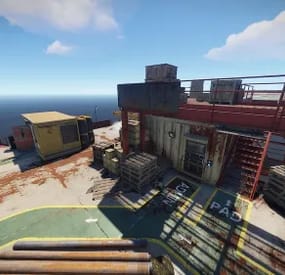
$15.00$12.00Oil Rig Drilling
This plugin introduces a generator system for Rust’s oil rigs, allowing players to activate drills that extract specific items. Easily customizable through the config, players can start the oil extraction process and receive items directly from the rig. Watch the demo video and explore the configuration options for complete customization!
Config
{ "Large Oil Settings": { "Generator Fuel Item": "lowgradefuel", "Running Tick Time Per Fuel": 10.0, "Amount Of Fuel To Use Per Runing Tick": 10, "Oil Tick Time InSeconds": 10, "Amount Of Oil To Output Per Oil Tick": 5, "Oil Item To Output": "crude.oil", "Oil Item Output DispalyName": "", "Oil Item Output Skin": 0, "Disable Toast Message": false, "Disable Spawning. Will need to manualy ent kill entitys": false }, "Small Oil Settings": { "Generator Fuel Item": "lowgradefuel", "Running Tick Time Per Fuel": 10.0, "Amount Of Fuel To Use Per Runing Tick": 10, "Oil Tick Time InSeconds": 10, "Amount Of Oil To Output Per Oil Tick": 5, "Oil Item To Output": "crude.oil", "Oil Item Output DispalyName": "", "Oil Item Output Skin": 0, "Disable Toast Message": false, "Disable Spawning. Will need to manualy ent kill entitys": false }, "Version": { "Major": 1, "Minor": 0, "Patch": 5 } }
- #extraction
- #automation
- (and 3 more)
-

$24.99
NPC Dancers
What is it?
Transform your server into an unforgettable experience with this innovative plugin! Whether you want to host epic dance parties or add immersive NPC actions to your RPG adventures, this plugin is designed to bring life and fun to your community. Let your players team up with their new animated companions and turn mundane gameplay into extraordinary moments. Perfect for dance parties and roleplay events; there's no limit to the creativity this plugin enables!
Usage
Make yourself or let players make the BEST dance parties ever!
Also can be used for various actions for example on RPG servers (You can make NPC keep pointing somewhere etc..)
Commands
Main command /npcd -- Opens the menu (user friendly, contains/has the same or even better abilities than all the other chat commands) Spawn options: /npcd spawn (id) -- Spawns certain group /npcd despawn (id) -- Despawns certain group Group options: /npcd create -- Creates certain group /npcd remove (id) -- Removes certain group /npcd manage (id) -- Start managing certain group /npcd list -- Displays all dance groups Group Manage options: /npcd dancer add -- Adds new dancer with your current position and rotation to the group /npcd dancer remove (id) -- Removes certain dancer /npcd dancer list -- Displays all the dancers from the managed group /npcd group name (name) -- Changes managed group's name to the new one --Dancer's settings-- /npcd dancer manage (id) name (New Dancer's name) -- Changes dancer's name /npcd dancer manage (id) random (true/false) -- Turn ON or OFF to make dancer use random dance /npcd dancer manage (id) dance (Dance Name) -- Set's dance for the dancer Available: The Twist, Cabbage Patch, Raise the Roof, Clap, Friendly, Hurry, Ok, Point, Shrug, ThumbsUp, ThumbsDown, Victory, Wave, Chicken, Drink, Push, Kick /npcd dancer manage (id) clothing add (clothing name) -- Adds new clothing for the dancer /npcd dancer manage (id) clothing remove -- Removes clothing from the dancer /npcd dancer manage (id) god (on/off) -- Turns ON or OFF god for the dancer /npcd dancer manage (id) hp (amount) -- Set's the spawn HP for the dancer
Permissions
npcdancers.use -- Gives player permission to use the plugin npcdancers.god -- Gives player permission to turn ON or OFF godmode for dancers npcdancers.hp -- Gives player permission to change dancer's spawn HP npcdancers.admin -- Has all permissions, bypasses all limits in config + can manipulate with other's dance groups
UI Features
Dance Groups
Owner OwnerID Amount of Dancers Group name Add Dancer button Spawn/Despawn button Remove button Dancers
Name HP God Random Dance Clothing Remove button
Config
{ "Max groups per player": 3, "Max dancers per group": 5 }
Localization
{ "Syntax": "----- Spawn Options -----\n/npcd spawn (id) -- Spawns the group\n/npcd despawn (id) -- Despawns the group\n----- Manage Options -----\n/npcd create -- Creates new group\n/npcd remove (id) -- Removes the group\n/npcd manage (id) -- Let's you manage the group\n/npcd list -- Displays all dance groups", "Created": "Successfully created dancers group: {0}", "Removed": "Successfully removed dancers group: {0}", "NotFound": "Couldn't find a dance group with this id.", "NoGroups": "There are not any groups yet.", "NoDancers": "There are not any dancers yet.", "GroupList": "ID:{1} {0} - {2} dancers", "Managing": "----- Managing {0}'s group -----\nID: {1}\nGroup name: {2}\nDancers: {3}\n----- Manage Group -----\n/npcd dancer add -- Adds new dancer\n/npcd dancer remove (id) -- Removes the dancer\n/npcd dancer list -- Shows current dancers for this group\n/npcd group name (name)\n----- Dancer's settings -----\n/npcd dancer manage (id) name (Set Dancers Name)\n/npcd dancer manage (id) random (true/false) -- Dancer will choose random dance\n/npcd dancer manage (id) dance (Dance Name) -- Available: The Twist, Cabbage Patch, Raise the Roof, Clap, Friendly, Hurry, Ok, Point, Shrug, ThumbsUp, ThumbsDown, Victory, Wave, Chicken, Drink, Push, Kick\n/npcd dancer manage (id) clothing add (clothing shortname) -- Add specific clothing to the dancer\n/npcd dancer manage (id) clothing remove -- Removes all clothes from dancer\n/npcd dancer manage (id) god (on/off)\n/npcd dancer manage (id) hp (amount)", "NoManaging": "You are not managing any group right now.", "DancerAdded": "Successfully added new dancer:\nName:{0}\nID:{1}\nDance name:{2}\nRandom dance? {3}\nPos: X:{4} Y:{5} Z:{6}", "DancerRemoved": "Successfully removed Dancer: {0}(ID:{1})", "DancerNotFound": "Couldn't find dancer with that id", "DancerRename": "Renamed dancer:{0} to {1}", "DancerChangeDance": "Changed {0}'s dance to: {1}", "InvalidDance": "Invalid dance name! Changed {0}'s dance to: {1}", "NoPerms": "You don't have permissions to manipulate with other's groups!", "NoGodPerms": "You don't have permissions to toggle dancer's godmode", "NoDancersSpawn": "There are no dancers to spawn!", "GroupNotSpawned": "This group is not spawned", "GroupDespawn": "Group despawned", "SpecifyClothing": "You must specify the clothing", "SpecifyGod": "You must specify on or off for god mode", "SpecifyHp": "You must specify the amount of hp", "ToggleGod": "Dancer's godmode: {0}", "NoHpPerms": "You don't have permissions to set dancer's hp!", "SetHp": "Dancer's hp set to: {0}", "AddedClothing": "{0} added to the dancer", "RemovedClothing": "Removed dancer's clothes", "ClothingList": "Dancer's clothes: {0}", "GroupLimit": "Cannot create new dancer group! (Group limit reached!)", "GroupName": "Group name changed to: {0}", "DancerLimit": "Cannot add new dancer! (Dancer per group limit reached!)", "CUI YourGroups": "Your\nGroups", "CUI AllGroups": "All\nGroups", "NotExistWear": "{0} is non existing or not wearable item!", "NoMoreClothing": "This dancer can't take any more clothing!", "CUI SelectDancer": "Select Dancer", "CUI SelectedDancer": "Selected Dancer:\nID: {0}\nName: {1}", "CUI Name": "Name:", "CUI Random": "Random:", "CUI Dance": "Dance:", "CUI HP": "HP:", "CUI God": "God:", "CUI Owner": "Owner:", "CUI OwnerId": "OwnerID:", "CUI DancersAmount": "Amount of Dancers: {0}", "CUI Add": "Add Dancer", "CUI Remove": "Remove", "CUI NoDancers": "There are not any dancers yet", "CUI Spawn": "Spawn", "CUI Despawn": "Despawn", "CUI Dances": "The Twist, Cabbage Patch, Raise the Roof, Clap, Friendly, Hurry, Ok, Point, Shrug, ThumbsUp, ThumbsDown, Victory, Wave, Chicken, Drink, Push, Kick", "CUI ClothingAdd": "Add clothing:", "CUI ClothingList": "Current clothing:", "CUI CreateGroup": "Create\nGroup" }
-
$49.99
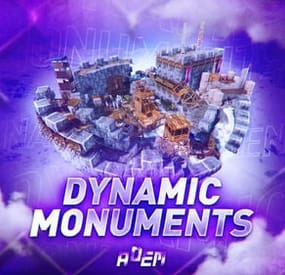
Dynamic Monuments
DynamicMonuments is a groundbreaking plugin for Rust servers that breathes new life into your maps!
Say goodbye to tedious manual map editing or relying on RustEdit.
With just a few clicks, your server will be transformed, featuring 18 unique monuments that blend seamlessly into any environment.
Key Features:
Dynamic Spawning:
- Monuments can spawn randomly during wipes or with each server restart (optional)
- Customize spawn frequency and zones through the plugin's configuration
- A variety of monument complexities, ranging from cozy hideouts to sprawling fortresses
18 Unique Monuments:
- Water Monuments
- Coastal Monuments
- River Monuments
- Roadside Monuments
- Modifications for Standard Monuments: (Metro entrances, power line towers, substations, quarries, and more).
Personalization:
- Give players personal monuments
Versatility:
- Compatible with both custom and procedural maps.
- Automatically adapts to terrain, water, and roads.
- No RustEdit required! Everything is managed through the plugin's configuration.
Giving a monument to a player
9 out of 18 monuments can be given to players for personal placement.
The dynamic monument is represented as a flare with a unique skin, which can be given to players in any way, such as through an in-game store.
To spawn the monument, the player must hold the flare and find a suitable location, receiving instructions in the chat and notifications.
Once placed, the monument is locked to the player, and only they can loot it.
Chat commands (admin only)
/killmonument - destroys the DynamicMonument you're looking at /replacecrate NewCratePresetName - replaces the crate you're looking at on the location with NewCratePresetName /spawnmonument PresetName - spawns a monument in a random position /spawnmonumentmypos PresetName - spawns the monument in your position /killallmonuments - destroys all DynamicMonuments on the server /respawnmonuments - forcibly launches automatic respawn of DynamicMonuments /givemonument PresetName - give the monument to yourself /addprefabspawnpoint PresetName — adds a crate or static NPC spawn point to a monument at your current position (only for Static Npc and crates) /removemonumententity command — removes entity spawn point you're looking at. (only for StaticNpc/crates/Entities for respawn) Console commands (RCON only)
spawnmonument PresetName - spawns a monument in a random position killallmonuments - destroys all DynamicMonuments on the server respawnmonuments - forcibly launches automatic respawn of DynamicMonuments givemonument PresetName userID - give the DynamicMonument to the player Plugin Config
en – example of plugin configuration in English ru – example of plugin configuration in Russian
Check out the rest of my work: Adem's Codefling Library
You can reach out to me in Discord: Adem's Discord Profile
Join the Mad Mappers Discord!