
Vinni_TV_'s Wishlist
-
$9.99
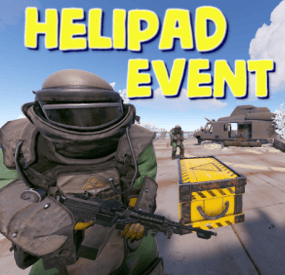
Helipad Event
Adds an event for the Lunchsite monument to your server. A crate with valuable loot will spawn on the helipad. The crate is protected by NPC guards and a patrol helicopter. The event is completely ready for use immediately after installation, you can flexibly configure it at your discretion
Features:
Easy to set up. Excellent customization options in the config
You can customize the contents of the box:
in the config file, set up a list of items that will be inside also you can use kits (you need Kits plugin), just set the name of the kit in the config file, you can use the list of kits and choose them randomly also you can use loot tables (you need SimpleLootTable plugin) You can customize the NPCs:
you can set the health of the npc you can set NPC damage multiplier on players you can give kits for NPCs (you need a Kits plugin)
Commands(admin only):
hpestart - force the event to start
hpestop - force stop the event
Hooks:
void LaunchSiteHelipadEventStarted() // called when the event starts
{
}
void LaunchSiteHelipadEventEnded() // called when the event has ended
{
}
Config file:
{ "Triggering an event by timer (disable if you want to trigger the event only manually)": true, "Minimum time to event start(in seconds)": 900, "Maximum time to event start(in seconds)": 10800, "PVE mode (A dome will be created inside which everyone except the owner and his teammates will be poisoned by radiation)": false, "Ownership time (after how long will the owner be removed if he leaves the dome or server)": 300, "Radius of the dome": 100, "Dome offset": { "x": 0.0, "y": 0.0, "z": 0.0 }, "Effect of radiation on players inside the dome, except owners": 10, "Dome color(0 - default, 1 - blue, 2 - green, 3 - purple, 4 - red)": 0, "Dome entry message": "You have entered the helipad event zone on the launch site", "Dome exit message": "You have exited the helipad event zone at the launch site", "Message about player's entry if he is not the owner of the event": "Leave this area immediately, you are not the owner of the event!", "Message about player leaving dome if he is the owner of the event": "If you do not return to the dome within 5 minutes, then you will no longer be the owner of this event!", "Box lifetime(in seconds)": 1800, "Time the box is closed(in seconds)": 900, "Box skin": 0, "End the event immediately after someone loots a crate": false, "NPCs lifetime(in seconds)": 3600, "NPCs amount(maximum 20)": 2, "NPCs type, 0 - tunneldweller; 1 - underwaterdweller; 2 - excavator; 3 - full_any; 4 - lr300; 5 - mp5; 6 - pistol; 7 - shotgun; 8 - heavy; 9 - junkpile_pistol; 10 - oilrig; 11 - patrol; 12 - peacekeeper; 13 - roam; 14 - roamtethered; 15 - bandit_guard; 16 - cargo; 17 - cargo_turret_any; 18 - cargo_turret_lr300; 19 - ch47_gunner": 8, "NPCs health(0 - default)": 0, "NPCs damage multiplier": 1.0, "List of kits for each NPC(requires Kits plugin)": [ "kit1", "kit2", "kit3" ], "List of displayNames for each NPC(for SimpleKillFeed/DeathNotes plugin)": [ "LaunchSite NPC1", "LaunchSite NPC2", "LaunchSite NPC3" ], "Give NPC names randomly from the list (if false, names will be assigned according to the list one by one)": true, "Event start message(if empty, no message will be displayed)": "The helipad event has started! Find the crate located on the helicopter pad at the Launch Site", "Message when box is unlocked(if empty, no message will be displayed)": "The crate on the helicopter pad at the Launch Site is unlocked", "Message that someone has looted the crate(if empty, no message will be displayed)": "Someone found the box on the helipad at the launch site first", "Spawns a helicopter right on the launchsite(if false, then the helicopter will arrive from afar in a few seconds)": false, "Patrol helicopter spawn chance (0 - 100%)": 50, "Helicopter patrol range": 150, "How long the helicopter will patrol the launchsite (in minutes)": 5, "Helicopter damage multiplier": 1.0, "Helicopter health": 10000.0, "Helicopter main rotor health": 900.0, "Helicopter tail rotor health": 500.0, "The patrol helicopter will not patrol the helipad if it has found a target": false, "Make helicopter fly away after end of patrol time": false, "Event marker on the map(will spawn a marker immediately after the start of the event)": false, "Event marker name": "LaunchSite helipad event", "Event marker lifetime(in seconds)": 3600, "Event marker transparency(0-1)": 0.75, "Event marker radius": 0.5, "Event marker color.R(0-1)": 1.0, "Event marker color.G(0-1)": 0.0, "Event marker color.B(0-1)": 0.0, "Use box kit(need a plugin Kits)": false, "Messages list - messages that players will see, depending on how much time (in seconds) is left before the box is opened": [ { "message": "The crate on the helicopter pad at the Launch Site will open in 15 minutes", "time": 900 }, { "message": "The crate on the helicopter pad at the Launch Site will open in 10 minutes", "time": 600 }, { "message": "The crate on the helicopter pad at the Launch Site will open in 5 minutes", "time": 300 }, { "message": "The crate on the helicopter pad at the Launch Site will open in 3 minutes", "time": 180 }, { "message": "The crate on the helicopter pad at the Launch Site will open in 1 minute", "time": 60 } ], "List of items in the box": [ { "shortname": "ammo.rocket.basic", "minAmount": 1, "maxAmount": 3, "skinID": 0 }, { "shortname": "explosive.timed", "minAmount": 1, "maxAmount": 3, "skinID": 0 }, { "shortname": "explosive.satchel", "minAmount": 5, "maxAmount": 10, "skinID": 0 }, { "shortname": "explosives", "minAmount": 40, "maxAmount": 100, "skinID": 0 }, { "shortname": "ammo.rifle.explosive", "minAmount": 64, "maxAmount": 128, "skinID": 0 }, { "shortname": "rocket.launcher", "minAmount": 1, "maxAmount": 1, "skinID": 0 } ], "Kit list": [ "111111111", "222222222", "333333333" ], "Use random kit(if false, then the first Kit in the list is always used": false, "Box simple loot table name(plugin SimpleLootTable is required)": "", "Minimum number of items in the box(plugin SimpleLootTable is required)": 1, "Maximum number of items in the box(plugin SimpleLootTable is required)": 3, "SteamID for chat message icon": 0, "Use Notify plugin for messages": false, "Notify message type": 0 }
-
$15.99
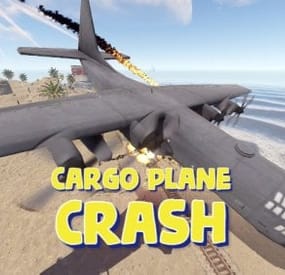
Cargo Plane Crash
Adds a cargo plane crash event to your server. The crash site is guarded by NPCs that patrol the area and can chase players.
You can also set up custom loot using the "SimpleLootTable" plugin.
Features:
Support for third-party plugins Great customization options in the config
Console commands:
callcargoplane - force the event to start callcargoplane {steamID/name} - the event will be reserved for one player crashcargoplane - force a cargo plane to crash cpc_stop - force the event to end
Chat commands(need admin privileges):
showcrashzone - displays the crash area setcrashzonecenter - set the center of the crash zone to where the player is callcargoplane - force the event to start callcargoplane {steamID/name} - the event will be reserved for one player crashcargoplane - force a cargo plane to crash cpc_calltome - force an event to start (the cargo plane will go to the player's coordinates) cpc_stop - force the event to end cpc_add_crashzone - adds a new zone at the location where the player is, can be used if you use multiple zones(you can set the name and radius - /cpc_add_crashzone "name" "radius") Hooks:
void CargoPlaneCrashStarted() // called when the event starts
void CargoPlaneCrashCrashed() // called when a cargo plane crashes
void CargoPlaneCrashEnded() // called when the event ends
CargoPlaneCrashEventWinner(BasePlayer player) // called at the end of the event, returns the event winner
CargoPlaneCrash config:
{ "PVE mode (crates can only be looted by the player who first dealt damage to the NPC)": false, "Give event ownership to the owner's teammates if he is no longer the owner. Only if teammates are within the event radius (for PVE mode)": true, "Radius for event(for PVE mode)": 380, "Create a dome for PVE mode": false, "Dome transparency (the higher the value, the darker the dome, recommended 4)": 4, "Time after which the owner of the event will be deleted if he left the dome or left the server (for PVE mode)": 300, "Message when a player enters the event dome(only for PVE mode if there is a dome)": "You have entered the Cargo Plane Crash Event", "Message when the event owner leaves the event dome (only for PVE mode if there is a dome)": "Return to the event dome, otherwise after 300 seconds you will no longer be the owner of this event", "Do not allow other players into the event(only for PVE mode if there is a dome) Be careful, if the crash site is near the player's base and the player is not the owner of the event, he will be ejected from his base outside the dome": false, "Message when a player is ejected from the event dome(only for PVE mode if there is a dome)": "You cannot be here, you are not the owner of this event", "Allow admin to be in event dome (only for PVE mode if there is a dome)": true, "Triggering an event by timer (disable if you want to trigger the event only manually)": true, "Time to event start(in seconds)": 3600.0, "Random time to event start": false, "Minimum time to event start(in seconds)": 600, "Maximum time to event start(in seconds)": 10800, "CargoPlane speed(recommended 4 to 6)": 5.0, "Minimum amount of online players to trigger the event": 1, "Minimum crates amount(spawn after crash)": 1, "Maximum crates amount(spawn after crash)": 1, "Crate simple loot table name(plugin SimpleLootTable is required)": "", "Minimum number of items in a crate(plugin SimpleLootTable is required)": 0, "Maximum number of items in a crate(plugin SimpleLootTable is required)": 0, "Crates lifetime(in seconds). The crate will not be destroyed if it has been activated": 3600, "Crates timer(in seconds)": 900, "Remove crates after being looted by a player(in seconds)": 300, "Minimum airdrops amount(spawn after crash)": 1, "Maximum airdrops amount(spawn after crash)": 1, "Airdrop simple loot table name(plugin SimpleLootTable is required)": "", "Minimum number of items in an airdrop(plugin SimpleLootTable is required)": 0, "Maximum number of items in an airdrop(plugin SimpleLootTable is required)": 0, "Airdrops lifetime(in seconds)": 3600, "Fireballs amount(spawn after crash)": 5, "Passengers amount(spawn after crash)": 2, "Explosion marker on the map(spawn after crash)": true, "Explosion marker lifetime(in seconds)": 300, "Enable signal smoke(spawn after crash)": true, "Signal smoke lifetime(in seconds, max 214)": 214, "Map size(crash zone size), you can see the zone, use the chat command /showcrashzone": 4500.0, "Starting altitude, defaults to map size, can be increased if cargo plane hits high ground(no more than 10000 recommended)": 4500.0, "Crash zone center. Use chat command /setcrashzonecenter to set to player position. You can check crash zone center, use the chat command /showcrashzone": { "x": 0.0, "y": 0.0, "z": 0.0 }, "Use multiple zones": false, "Select a zone from the list sequentially(if false, then the crash zone will be chosen randomly)": false, "Zones list": [ { "name": "0", "radius": 300, "center": { "x": -300.0, "y": 0.0, "z": 0.0 } }, { "name": "1", "radius": 200, "center": { "x": 100.0, "y": 0.0, "z": 0.0 } } ], "Event message(if empty, no message will be displayed)": "CargoPlane event started", "Crash message(if empty, no message will be displayed)": "Cargo plane crashed", "Event end message(if empty, no message will be displayed)": "CargoPlaneCrash event ended", "Message about coordinates(will display the coordinates of the crash site. If empty, no message will be displayed)": "", "Kit name(you can use kits for passengers if you have Kits plugin)": "", "Passenger name": "Mister bot", "Use NPC prefab for passengers": false, "Minimum NPCs amount(spawn after crash)": 2, "Maximum NPCs amount(spawn after crash)": 2, "NPCs lifetime(in seconds)": 3600, "NPCs type(NPCs prefab, experimental setting, it is not known how the NPCs will behave) 0 - tunneldweller; 1 - underwaterdweller; 2 - excavator; 3 - full_any; 4 - lr300; 5 - mp5; 6 - pistol; 7 - shotgun; 8 - heavy; 9 - junkpile_pistol; 10 - oilrig; 11 - patrol; 12 - peacekeeper; 13 - roam; 14 - roamtethered; 15 - bandit_guard; 16 - cargo; 17 - cargo_turret_any; 18 - cargo_turret_lr300; 19 - ch47_gunner": 8, "NPCs health(0 - default)": 0, "NPCs damage multiplier": 1.0, "NPCs accuracy(the lower the value, the more accurate, 0 - maximum accuracy)": 2.0, "NPCs attack range": 75.0, "Radius of chasing the player(NPCs will chase the player as soon as he comes closer than the specified radius, must be no greater than the attack range)": 60.0, "Minimum distance to NPC damage": 75.0, "Message if the player attacks far away NPCs": "NPC is too far away, he doesn't take damage", "Kit for NPCs. The NPC will use the weapon that is in the first slot of the belt(requires Kits plugin)": "", "Default displayName for NPC(for SimpleKillFeed/DeathNotes plugin)": "Crashsite NPC", "List of displayNames for each NPC(for SimpleKillFeed/DeathNotes plugin)": [ "Crashsite NPC1", "Crashsite NPC2", "Crashsite NPC3" ], "Will NPCs attack zombies": true, "Remove NPC corpses": false, "Prohibit building near the crash site": false, "Building prohibition radius": 20.0, "How long construction is prohibited near the crash site(in seconds)": 1800, "Event marker on the map(spawn an event marker at the crash site)": false, "Display approximate end time of event on marker": false, "Event marker name": "Cargo plane crash site", "Event marker lifetime(in seconds)": 3600, "Event marker transparency(0-1)": 0.75, "Event marker radius": 0.5, "Event marker color.R(0-1)": 1.0, "Event marker color.G(0-1)": 0.0, "Event marker color.B(0-1)": 0.0, "Do not spawn crates and NPCs when a cargo plane falls under water (if the water depth is greater than)": 0.5, "Do not choose a crash site near monuments": false, "If possible, the crash site will not be chosen near player bases": true, "SteamID for chat message icon": 0, "Complete the event if all crates were destroyed after looting": false, "Use Notify plugin for messages": false, "Notify message type": 0 }- #event
- #cargoplane
- (and 18 more)
-
$7.99
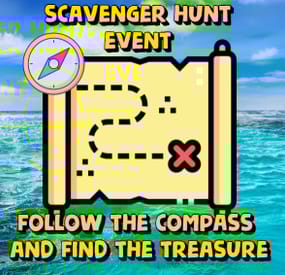
Scavenger Hunt Event
Adds an exciting event to your server. The loot crate spawns in a random location on the map. Players must find it using a special compass. Whoever finds this crate first will get all the loot.
The plugin is easy to set up and has great customization.
The ImageLibrary plugin is required!
Commands (admin only):
/sch_start - starts an event
/sch_stop - ends an event
Hooks:
void ScavengerHuntStarted() // called when the event starts
void ScavengerHuntEnded() // called when the event ends
Config:
{ "Autostart event": true, "End the event immediately after someone finds a crate": false, "Minimum time to event start(in seconds)": 3000, "Maximum time to event start(in seconds)": 5000, "Minimum amount of online players to trigger the event": 1, "Crate prefab": "assets/prefabs/deployable/large wood storage/box.wooden.large.prefab", "Crate skin": 0, "Event duration": 600, "Minimum number of items in a crate": 6, "Maximum number of items in a crate": 12, "Simple loot table name": "exampleTable", "Pre-event message time(in seconds)": 60, "Icon AnchorMin": "0.02 0.92", "Icon AnchorMax": "0.07 0.994", "North icon": "https://www.dropbox.com/scl/fi/dmlczi87fw4ux0o20ms0q/n.png?rlkey=maq5ekwcntoeqd0t937m5wu83&dl=1", "South icon": "https://www.dropbox.com/scl/fi/vyoox8pfq5b1lmz0bndlo/s.png?rlkey=2tt0w8316ocdw0i1coa1mf5a5&dl=1", "West icon": "https://www.dropbox.com/scl/fi/xutae5br16r7exu4zh6hw/w.png?rlkey=gl5flroo8qyjr51jzy8uvjsnz&dl=1", "East icon": "https://www.dropbox.com/scl/fi/fcr2098qkogvsszqvx3sz/e.png?rlkey=ggpa9s5b365whylal3fvhbj2e&dl=1", "NorthWest icon": "https://www.dropbox.com/scl/fi/wzjw4j9ibqu12hrk8512w/nw.png?rlkey=brghws41sce0hzrr6uegmfesb&dl=1", "NorthEast icon": "https://www.dropbox.com/scl/fi/fn81s0hu7m04jnqahy4h6/ne.png?rlkey=knj8jm0irj2twpxy5oe37zadu&dl=1", "SouthWest icon": "https://www.dropbox.com/scl/fi/lfwonxiy1t8rycv2hn6wg/sw.png?rlkey=wz54crb9mxg4wqtpe8mkqo6xm&dl=1", "SouthEast icon": "https://www.dropbox.com/scl/fi/ih3hmg54zne0nx5ekrsed/se.png?rlkey=vrkb07b50i1tanz5y4wuryt0j&dl=1", "The number of points the player will receive if he opens the crate first (only for ServerRewards plugin)": 0, "Maximum water depth at which a crate can spawn": 0.5, "Display distance to crate": true, "Distance panel font size": 14.0, "Distance panel font color": "1 1 1 1", "Distance panel AnchorMin": "0.02 0.9", "Distance panel AnchorMax": "0.07 0.92", "Notification type for messages(only for Notify plugin, -1 do not use Notify)": -1, "SteamID for chat message icon": 0, "Own loot table for crate": { "useOwnLootTable": true, "minAmount": 2, "maxAmount": 4, "itemsList": [ { "name": "metal.fragments", "dropChance": 100, "minAmount": 50.0, "maxAmount": 300.0, "displayName": "", "skinID": 0 }, { "name": "metal.refined", "dropChance": 100, "minAmount": 5.0, "maxAmount": 10.0, "displayName": "", "skinID": 0 }, { "name": "scrap", "dropChance": 100, "minAmount": 10.0, "maxAmount": 20.0, "displayName": "", "skinID": 0 }, { "name": "techparts", "dropChance": 50, "minAmount": 1.0, "maxAmount": 2.0, "displayName": "", "skinID": 0 } ] } }
-
$9.99
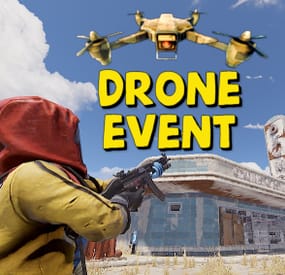
Drone Event
Adds drones to your server. Drones can attack with grenades and shoot at players, you can destroy drones, they have loot. Drones spawn near monuments, also you can add custom spawn points.
Features:
Easy to set up. Excellent customization options in the config. You can customize the monuments where the drones will spawn.
You can customize the contents of the drone in the config file:
you can set up a list of items that will be inside you can choose drop chance (1 - 100%) you can choose skins for items You can also customize the health and respawn time of the drones.
Commands(admin only):
dreshowpoints - displays all spawn points on the map dreshowdrones - displays all drones on the map dreshowzone - displays nearby areas with drones drerespawndrones - respawn all drones on the map forcibly dreremovedrones - removes all drones from the map dre_removepoint - removes custom spawn point (you need to be close to it) dre_addpoint - adds a custom spawn point (at the place where you are). You can also enter the command with arguments: /dre_addpoint "name" "flightRadius" "use" Developer API:
(void) DroneCustomSpawn(Vector3 position, int aggressiveness, int radius, int attackRange, int health, float speed, bool grenade, float grenDmg, bool light, string turWpn, float turDmg)
Spawns a drone at the coordinates "position"
aggressiveness - drone aggressiveness from 0 to 100 radius - flight radius attackRange - attack range health - drone health speed - drone speed (0.5 - 1 recommended) grenade - if "true", then the drone will attack with grenades grenDmg - grenade damage scale (0-1) light - if "true", then a spotlight will be added to the drone turWpn - short name of the weapon for the turret, if empty, the turret will not be added to the drone turDmg - turret damage scale (0-1)
Hooks:
void DroneEventDroneKill(BasePlayer player) - called when a drone is destroyed. BasePlayer player- is the last one to deal damage to the drone
Config file:
{ "Minimum respawn time(in minutes)": 15, "Maximum respawn time(in minutes)": 30, "Drone health (hits amount)": 2, "Drone speed(0.5 - 1 recommended)": 0.7, "Grenade damage scale": 1.0, "Attack range": 40, "Drone aggressiveness, from 0 to 100 (the more, the more often the drone attacks)": 10, "Adds a searchlight for drones": false, "Adds a turret for drones": false, "Turret damage scale": 1.0, "Turret weapon short name": "pistol.revolver", "The drone will throw grenades at players": true, "Do not calculate collisions while the drone is just flying (set to true if you have problems with your server performance)": false, "Monument settings": [ { "name": "gas_station", "flightRadius": 15, "offset": { "x": 17.0, "y": 30.0, "z": 0.0 }, "use": true }, { "name": "supermarket", "flightRadius": 15, "offset": { "x": 0.0, "y": 15.0, "z": 0.0 }, "use": true }, { "name": "warehouse", "flightRadius": 15, "offset": { "x": -5.0, "y": 15.0, "z": 0.0 }, "use": true }, { "name": "water_treatment", "flightRadius": 15, "offset": { "x": -60.0, "y": 20.0, "z": 0.0 }, "use": true }, { "name": "junkyard", "flightRadius": 15, "offset": { "x": 0.0, "y": 15.0, "z": 0.0 }, "use": true }, { "name": "lighthouse", "flightRadius": 15, "offset": { "x": 0.0, "y": 35.0, "z": 40.0 }, "use": true }, { "name": "sphere_tank", "flightRadius": 15, "offset": { "x": 60.0, "y": 30.0, "z": 40.0 }, "use": true }, { "name": "harbor_1", "flightRadius": 15, "offset": { "x": 20.0, "y": 15.0, "z": 90.0 }, "use": true }, { "name": "harbor_2", "flightRadius": 15, "offset": { "x": -100.0, "y": 20.0, "z": -20.0 }, "use": true }, { "name": "desert_military_base", "flightRadius": 15, "offset": { "x": -15.0, "y": 20.0, "z": -5.0 }, "use": true }, { "name": "excavator", "flightRadius": 15, "offset": { "x": 65.0, "y": 20.0, "z": -10.0 }, "use": true }, { "name": "swamp", "flightRadius": 15, "offset": { "x": -10.0, "y": 30.0, "z": -15.0 }, "use": false }, { "name": "radtown_small", "flightRadius": 15, "offset": { "x": -5.0, "y": 30.0, "z": -5.0 }, "use": true }, { "name": "water_well", "flightRadius": 15, "offset": { "x": 0.0, "y": 30.0, "z": 0.0 }, "use": true }, { "name": "mining_quarry", "flightRadius": 15, "offset": { "x": 0.0, "y": 25.0, "z": 0.0 }, "use": false }, { "name": "satellite_dish", "flightRadius": 15, "offset": { "x": -40.0, "y": 25.0, "z": -20.0 }, "use": false }, { "name": "cave_small", "flightRadius": 15, "offset": { "x": 0.0, "y": 30.0, "z": 0.0 }, "use": false }, { "name": "cave_medium", "flightRadius": 15, "offset": { "x": 0.0, "y": 30.0, "z": 0.0 }, "use": false }, { "name": "cave_large", "flightRadius": 30, "offset": { "x": 0.0, "y": 35.0, "z": 0.0 }, "use": false }, { "name": "airfield", "flightRadius": 25, "offset": { "x": -75.0, "y": 20.0, "z": 0.0 }, "use": false }, { "name": "launch_site", "flightRadius": 15, "offset": { "x": 0.0, "y": 20.0, "z": 130.0 }, "use": false }, { "name": "powerplant", "flightRadius": 25, "offset": { "x": -75.0, "y": 20.0, "z": -40.0 }, "use": false }, { "name": "trainyard", "flightRadius": 15, "offset": { "x": -70.0, "y": 20.0, "z": 0.0 }, "use": false }, { "name": "arctic_research_base", "flightRadius": 25, "offset": { "x": 10.0, "y": 15.0, "z": -25.0 }, "use": true }, { "name": "ice_lake", "flightRadius": 15, "offset": { "x": 0.0, "y": 20.0, "z": 0.0 }, "use": false }, { "name": "military_tunnel", "flightRadius": 15, "offset": { "x": 20.0, "y": 25.0, "z": -15.0 }, "use": false }, { "name": "power_sub_big", "flightRadius": 10, "offset": { "x": 0.0, "y": 20.0, "z": 0.0 }, "use": false } ], "Custom spawn points settings": [ { "name": "point1", "flightRadius": 15, "position": { "x": 0.0, "y": 100.0, "z": 0.0 }, "use": false }, { "name": "point2", "flightRadius": 15, "position": { "x": 0.0, "y": 200.0, "z": 0.0 }, "use": false } ], "Drop items list": [ { "name": "metal.fragments", "dropChance": 100, "minAmount": 50.0, "maxAmount": 300, "skinID": 0 }, { "name": "metal.refined", "dropChance": 100, "minAmount": 5.0, "maxAmount": 10, "skinID": 0 }, { "name": "scrap", "dropChance": 100, "minAmount": 10.0, "maxAmount": 20, "skinID": 0 }, { "name": "techparts", "dropChance": 50, "minAmount": 1.0, "maxAmount": 2, "skinID": 0 } ] }
-
$9.99
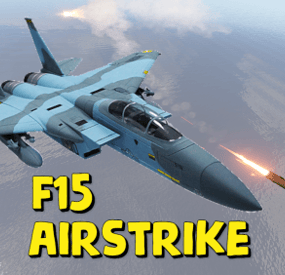
F15 AirStrike
Adds the ability to call an airstrike, the player throws a supply signal in the place where he wants to call an airstrike.
This plugin uses the default supply signal, but the item skin must be 2982472774. Please use only default stack size for supply signal. This is the only way the plugin will work properly.
Since this is not an item that players can usually get through loot, you can use a plugin like BetterLoot to insert a supply signal with skin 2982472774 into your loot tables, and then that player-picked item can be used as a signal to call an airstrike.
There is also support for the plug-in HomingMissiles
Commands (admin only):
/GiveF15AirStrikeSignal <Player or steamID> <number of items> - give the player a supply airstrike signal
/GiveF15AirStrikeSignalToAll <number of items> - give to all players a supply airstrike signal
/adminCallF15 - causes an airstrike to a point with the player's coordinates
Developer API:
(void) CallF15AirStrike(Vector3 pos, BasePlayer player) - launch an airstrike on a point with coordinates pos, player - airstrike initiator(null can be specified)
This plugin uses the permission system
Permissions:
f15AirStrike.use - required to use airstrike
f15AirStrike.vip - for VIP permissions, the "Cooldown time for VIP” setting is available
To assign a permission, use: oxide.grant <user or group> <name or steam id> f15AirStrike.use
To remove a permission, use: oxide.revoke <user or group> <name or steam id> f15AirStrike.use
Config:
{ "F15 flight altitude": 250.0, "Rockets speed": 150, "Attack radius": 150, "Damage scale (1 = 100%)": 1.0, "Rate of fire(number of shots per second)": 2.5, "Time to trigger a signal grenade": 3.0, "Cooldown time": 1.0, "Cooldown time for VIP": 1.0, "Supply signal display name": "SUPPLY SIGNAL F15", "Grenade throw force scaling": 1.0, "Damage to buildings": false, "Always deal damage to Raidable Bases": false, "Attack the initiator": true, "Attack the players": true, "Attack NPCs": true, "Attack the place where the signal supply was thrown (attacks only in the area, not aiming at players and NPCs)": false, "F15 will only attack at right angles above the center of the impact area (only for area targeting)": false, "Attack accuracy (used only when attacking in an area)": 30, "Use homing missiles(need HomingMissiles plugin)": false }