
AppleJuice's Wishlist
-
$5.00
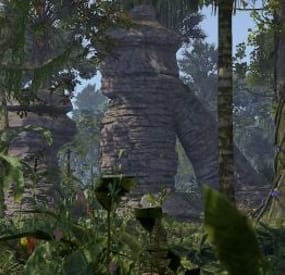
Jungle Rock Formations
This pack has been treated with jungle assets to create lush formations that can be placed in heavily forested areas. Shrubs and grasses have been kept tight and close to the rock formations to ensure terrain snapping when integrating into your maps.
Included:
7 Jungle Rock Formations
- #jungle.
- #rock formation
- (and 1 more)
-
$5.00
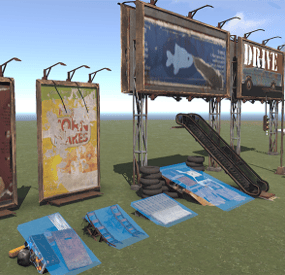
City Props
This city prop pack has been created to help you create a convincing city setting for your players.
Props:
Billboard A
Billboard B
Billboard C
Billboard D
Billboard E
Billboard F
Jump Makeshift A
Jump Makeshift B
Jump Makeshift C
Jump Makeshift D
Escalator
Fountain Tall
Cul De Sac Plain - Roundabout With Centerpiece
Cul De Sac With Fountain - Roundabout with fountain
Cul De Sac With Tree - Roundabout with tree
Grave A - Concrete grave marker
Grave B - wood cross grave
Jump Truck Carrier - Truck carrier with ramps down for jumps
Street Light - Meant to include in initial release - has light on one side
Lot For Sale Sign - More signs to come(more billboards too)
Pipeline Heater - Has heat volume to simulate a pole heater for pipelines
Street Light Double - Meant to include in initial release - has light on both sides
-

$9.99
PlayerPings
PlayerPings is a convenient plugin that enhances communication and tactical gameplay for your players in Rust. It features a user-friendly interface and dynamic object type detection—whether it's ore, a building, or loot objects, each will have a unique marker.
Players can choose their own marker color and toggle automatic object type detection on/off.
The plugin has an adaptive interface and supports localization in multiple languages.
Markers can be set through several options:
Binding via console command - playerping.set Aiming + key use (E) Clicking mouse wheel To open the settings menu, use: /pingmenu
To access usage, the playerpings.use permission needs to be granted. You can grant it via console command:
oxide.grant <user or group> <name or steam id> playerpings.use
Config Example
{ "Basic setup": { "Color(0-yellow,1-blue,2-green,3-red,4-purple,5-blue)": 3, "Maximum number of pings per player": 5, "Maximum distance": 300.0, "Ping display time": 3.0, "Enable ping metod Aiming + key use (E)": true, "Enable ping metod Center mouse wheel": true, "Delay between pings (seconds): 0.2 seconds as standard": 0.2, "Command to set ping": "playerping.set", "Menu Open Command": "pingmenu" }, } -
Free
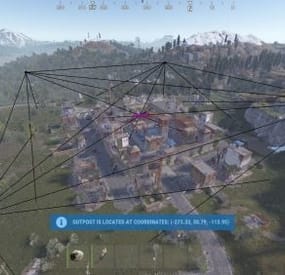
Monuments Watcher
An API plugin which helps interact with players, NPCs, animals, and other entities inside monuments.
More detailed information can be found in the GitHub repository.
-
$4.99
Zone Command Blocker
What is it?
Zone Command Blocker is a tool which prevents using specific commands (in data folder) in specific zones
Permissions:
zonecommandblocker.bypass - None of your command will be blocked in any zone zonecommandblocker.clear - Access for the /zcb.clear command
Commands:
/zcb.clear - Clears/wipes the data folder which contains zones with saved permissions etc..
Features:
Zone Command Blocker will make your life easy and will on load take all zones and add them into it's data file where you can just add blocked commands
Multiple blocked commands - Supports multiple blocked commands for specific zone
Data file:
Data of all reports and staff's statistics are being saved into a data file.
Path: Your_Server\oxide\data\ZoneCommandBlocker\ZoneCommandBlocker.json
Localization:
{ "CommandBlocked": "This command cannot be used in zones!", "DataFileClear": "Cleared data folder" }
- #zone
- #zone manager
- (and 13 more)