

crash
-
Posts
394 -
Joined
-
Last visited
-
Days Won
3
Content Type
Profiles
Warranty Claims
Downloads
Forums
Store
Services
Downloads Plus Support
DOWNLOADS EXTRA
Reels
Everything posted by crash
-
Changed Status from Work in Progress to Fixed Changed Fixed In to Next Version
-
Changed Status from Pending to Work in Progress
-
Hello, Ill take a look
-
 Hello, ill have a test version ready, if you want to try it out add me in discord: craaaash
 -
 Hello! Good suggestion, ill take a look on adding it
 -
 Ill take a look anyways sir
 -
Changed Status from Pending to Fixed Changed Fixed In to Next Version
-
Hello sir, will take a look shortly
-
Version 2.0.4
146 downloads
$24.99- 3 comments
- 1 review
-
- 1
-

-
- #antiteam
- #automatic
- (and 12 more)
-

Version 3.1.1
26 downloads
[ ! ] The zip contains a DLL extension that goes into RustDedicated_Data/Managed. Some hosts do not allow uploading DLLs - check with your host before buying. [ ! ] LotteryUI is a daily card lottery for Rust. Every player gets nine face down cards, each hiding a random prize from your reward list, and a ticket flips one of them: a free daily ticket, or one bought with scrap. Every prize carries its own win chance, so a flip is a real gamble. A win turns the card green with the real item icon and drops the prize into a lottery inventory, to claim whenever the player likes. A miss locks that card behind its own countdown. The whole set reshuffles at server midnight, so there is always a reason to come back tomorrow, and every bought ticket burns scrap at the price you set. You control the prize table, the odds, the ticket item and its price, the cooldowns, the daily win limits and the VIP tiers that soften all of it. No image pack to install and no Image Library, on Oxide and Carbon. Features of LotteryUI Nine face down cards per player, each hiding a random prize with its own win chance, reshuffled at server midnight with a RESET IN countdown above the grid Any item can be the ticket, workshop skin included: with a skin set only that skin counts, and tickets from the plugin cannot be opened like a loot bag A free daily ticket by permission, and a BUY TICKET window with a quantity picker, MAX, the scrap cost and the player's balance before they spend Winnings wait in a lottery inventory: claim them one by one or with CLAIM ALL. Items arrive in normal stacks, and whatever does not fit in a full inventory stays there for later Item prizes with the game's own icon, or console command prizes (a rank, a kit, currency) with your own name, description and artwork A hover tooltip on every prize: name, amount, win chance and rarity A live status bar: READY, the win cooldown or the post wipe lock with a ticking countdown, today's wins and the player's tier An INFORMATION view: how it works in three steps, each player's own numbers and a rarity legend built from your reward list VIP tiers by permission with shorter cooldowns, more wins a day and more free tickets, and admins with no cooldown at all A post wipe lock, a lock on a card after a miss, a cooldown after a win and a daily win limit, every number in the config Optional HumanNPC support: the NPCs you list open the lottery Smooth slide and fade animations, sounds only the player who clicked can hear, and every string in the language file Commands /lottery - open the lottery panel /closelottery - close the panel /buyticket [amount] - buy tickets with scrap from chat, up to 100 at once /claimdailyticket - claim the free daily ticket (needs lotteryui.freetickets) Admin /lotteryreset [player] - clear a player's cooldowns, daily wins and daily ticket claim, and deal a fresh set of 9 cards. The target has to be online; omit the name to reset yourself lottery.reset <player> - the same reset from the server console or RCON lottery.resetdata confirm - delete every stored player file, unclaimed winnings included, then re-deal. Without the word confirm it only prints what would be lost Permissions lotteryui.freetickets - claim the free daily ticket. Grant it to your default group: oxide.grant group default lotteryui.freetickets lotteryui.admin - no cooldowns, no daily limit, skips the post wipe lock, and the reset commands lotteryui.vip - VIP tier: 10 wins a day, shorter cooldowns, 2 free tickets a day lotteryui.vip.plus - VIP+ tier: 15 wins a day, 3 free tickets a day lotteryui.vip.premium - VIP++ tier: 25 wins a day, 5 free tickets a day lotteryui.mvip - MVIP tier: 50 wins a day, 10 free tickets a day No permission is needed to play. The four VIP tiers are the ones that ship: rename them, add more or delete them in the config. Included Rewards It ships as a working lottery. The percentage is the win chance of a card that holds that prize: Common (80%) - 1000 Wood, 500 Stones, 300 Metal Fragments Rare (60%) - Assault Rifle, Bolt Action Rifle Epic (40%) - Rocket Launcher, LR-300 Assault Rifle Legendary (20%) - Metal Chest Plate, Metal Facemask UltraRare (5%) - an Assault Rifle with a workshop skin Swap them for anything: any item, amount and skin, or console command prizes with their own name, description and artwork. The list is as long as you like. Showcase Every screen below is the plugin running in game Nine cards, the prize pool and the live status bar Hover any prize for its win chance and rarity Won cards turn green with the real item icon The lottery inventory: claim one by one or all at once HOW IT WORKS, with each player's own numbers Video LotteryUI-trailer.mp4 Configuration Everything lives in oxide/config/LotteryUI.json: Ticket System - the ticket item (Ticket Item Shortname, the item ID should name the same one), its display name and Custom Workshop Skin ID, tickets per flip, the free daily ticket and its amount, the ticket chip, and the scrap purchase with its price. It ships as the Large Loot Bag, which also drops during Halloween: set a skin and only skinned tickets count Cooldown Settings - the post wipe lock and its hours, the cooldown after a win, the lock on a card after a miss, the admin cooldowns (0 by default) and Reset Cards Daily Usage Limits - the daily win limit (3 by default, -1 unlimited for admins), the admin and free ticket permissions, and the VIP tiers with their own limits, cooldowns and free tickets Data Management - Clear Data On Wipe (on: the lottery wipes with the map), the autosave interval and the save on disconnect Sound Settings - one effect prefab per event (win, miss, claim, open, switch view, page, buy, daily reset), each one silent with an empty string; a bad path warns once at load HumanNPC IDs That Open The Lottery - optional, empty by default Lottery Rewards - the prize pool, as long as you like: item, amount, skin, rarity name and color, its own Drop Chance (%), and for command prizes the console commands, a display name, a description and an optional image URL Out of the box a ticket costs 100 scrap, the free daily ticket is one ticket, and a player can win three times a day, with an hour between wins, five minutes on a card they missed and a 24 hour lock after a wipe. FAQ Q: Do I need an economy plugin? A: No. Tickets are bought with scrap straight from the inventory, and the plugin hands out every prize itself. The only extra file is Oxide.Ext.CrashExtensions.dll, in the zip, the same shared file every Venux plugin uses. No Image Library either, and HumanNPC is optional. Q: How do win chances work? A: Every player has their own board. Each card is dealt a random prize from your list and keeps it until that player flips it. A flip spends a ticket and rolls that prize's own Drop Chance (%), so a 5 percent prize really is a 5 percent flip, and players see the exact number in the tooltip. A miss locks that one card for a while; only a win starts the cooldown and counts toward the daily limit. Q: Can a reward be lost? A: A win waits in the lottery inventory until it is claimed and survives disconnects and restarts: wins, claims and the daily ticket are saved the moment they happen. If the inventory is full, whatever does not fit stays for the next claim. The one limit: Clear Data On Wipe (on by default) clears unclaimed prizes with the map; turn it off to carry them across a wipe. Q: Can players buy tickets with something other than scrap? A: The built-in purchase is scrap. The ticket itself is any item you name, so you can also sell or grant that item through your shop, kit or currency plugin and turn the built-in purchase off. Q: Does it contact any external service? A: No. The only web request it can make is the Custom Image URL of a command prize, and only if you set one: the server downloads that image once and keeps it cached. Nothing about your server or your players is sent anywhere. Q: I run 2.0.0. What changes when I update? A: Install the DLL from the zip, restart once and replace LotteryUI.cs. Then grant the free daily ticket: oxide.grant group default lotteryui.freetickets (2.0.0 never checked that permission, 3.x does). Your config and player data carry over, unclaimed winnings included. If your ticket has a workshop skin, only skinned tickets count now. Image Library is no longer needed and the language file has new keys. The changelog and the README inside the zip have the details. Q: Can I translate it? A: Yes. Copy oxide/lang/en/LotteryUI.json to oxide/lang/<code>/LotteryUI.json and translate it: every player facing text is there. Q: Does it work on Carbon? A: Yes. The extension goes into carbon/extensions instead of RustDedicated_Data/Managed, and everything else is the same. Questions, ideas or bug reports? Join our Discord.$12.99 -
No problem sir, glad you liked it
-
Changed Status from Work in Progress to Fixed Changed Fixed In to Next Version
-
Added sir!
-
Changed Status from Pending to Work in Progress
-
Sure ill take a look on adding it sir
- 107 comments
-
- 2
-
-

-
- #restart
- #rustplugin
- (and 18 more)
-
Hello! Upcoming update will introduce a custom UI to change the offsets of each notification you have in config!
-
A vote to postpone the restart for another hour, for example?
-
Hello! Is something that i haded in mind! Ill look forward on adding a similar feature to it!
-
Version 1.4.7
792 downloads
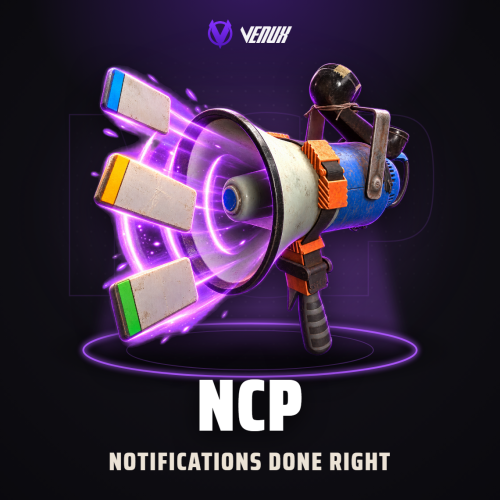
NCP is a notification system for Rust servers. Your plugins call one method and the player gets a clean toast in the vanilla Rust style: an icon plate, a title, the message and an accent colour per type, sliding or fading in at the corner you choose. Every notification type has its own screen anchor, colours, icon, sound, timing and animation, and types that share a corner stack instead of overlapping. Four types ship ready (Information, Warning, Error and Success) and you can add as many as you want. Everything can be tuned without touching a file: /ncp.edit opens an in-game editor with a live preview, and every change applies to all players at once. Notifications never take the mouse, so the map, the inventory and every other window keep working while they are on screen. Works on Oxide & Carbon One .cs file, nothing else to install 4 notification types + unlimited custom All 13 game UI layers Jump to: Features · Screenshots · Live editor · UI layers · Commands · Permissions · Install · Configuration · FAQ · API Features For players Clean, vanilla-style toasts. An icon plate, a title and the message, with an accent colour per type, at the corner each type is set to. Never in the way. Notifications are click-through: the map, buttons and every other window keep working while they are on screen. No overlap. Types that share a corner stack in order, each type shows up to its own limit at once and the rest wait in a queue. A sound per type. Each type can play its own game sound, heard only by the player who gets the notification. For server owners Live editor. /ncp.edit <type> opens an editor with tabs for the basics, the style, the position and the size, next to a live preview. Changes reach every player at once and the save button writes them to the config. Anchors and stacking. Six anchors (top left and right, bottom left and right, middle left and right), offsets from the corner, and the spacing between notifications and between types. Animations. Slide in and out from eight directions (the four sides and the four diagonals) with their own distance and duration, or a native fade. Colours with opacity. Background, gradient, icon plate, border, title and text, plus the gradient sprite and material. All 13 UI layers. Notifications can draw over or behind the HUD, over the open map and the inventory screens, or only while the inventory, crafting, contacts, clans, tech tree or map is open. Unlimited types. Four ship ready and you add your own in the config. For developers One call. SendNotify for one player (a BasePlayer, a SteamID string or a ulong) and SendNotifyAllPlayers for everyone, see the API. Console and RCON commands. ncp.player and ncp.allplayers work from the server console, RCON and other tools. Screenshots Every screen below is NCP running in Rust. The four default types The editor with its live preview Transparency and visual effects Notifications over the open map Live Editor No file editing needed. /ncp.edit <type> opens the editor for that type with a notification preview that updates as you change it: the anchor grid, how many show at once and their spacing, offsets, font sizes, timing, the slide animation, opacity, the container size, the position of the icon, title and message, and the sound. Changes reach every player at once, and the save button writes them to the config. Who can open it: players with ncp.edit, and server owners always. Nothing in the editor works for anyone else, even from the F1 console. UI Layers UI Layer in the config sets where notifications draw. NCP accepts every layer the game offers. Always shown Hud (default) - over the HUD. It shares the open map's drawing order, so either can end up on top Hud.Menu - over the HUD, the open map and the inventory screens Under - behind the HUD; the open map and the inventory screens cover it UnderNonScaled - like Under, ignoring the player's UI scale setting Overlay - over the open map and the inventory screens OverlayNonScaled - like Overlay, ignoring the player's UI scale setting Overall - above every other layer in this list Only while their screen is open Inventory, Crafting, Contacts, Clans, TechTree and Map - over that screen, so notifications show only while the player has it open Tip: to keep notifications on top of the open map, pick Hud.Menu, Overlay or Overall. To keep them hidden under it, pick Under. Commands /ncp.show <type> <message> - show a notification to yourself, to test a type (needs ncp.notify) /ncp.edit <type> - open the live editor for a type (needs ncp.edit) /ncp.player <player> <type> <message> - send a notification to one player (needs ncp.player) /ncp.allplayers <type> <message> - send a notification to every online player (needs ncp.allplayers) All four also run from the server console and RCON, without the slash. <player> is a SteamID64 or a player name, and <type> is 0 Information, 1 Warning, 2 Error, 3 Success or the number of a custom type. Permissions ncp.notify - /ncp.show ncp.player - /ncp.player ncp.allplayers - /ncp.allplayers ncp.edit - the live editor. Staff only ncp.see - seeing notifications, only checked when the config's "Permission" is not empty Server owners and the console can always use every command. A typical setup gives your staff group the commands: oxide.grant group admin ncp.notify oxide.grant group admin ncp.player oxide.grant group admin ncp.allplayers oxide.grant group admin ncp.edit Install Install the plugin. Copy NCP.cs into oxide/plugins. It compiles on its own and creates oxide/config/NCP.json. Grant the permissions above to your staff. Tune the look with /ncp.edit <type> in game, or edit the config and reload the plugin. Updating from 1.4.2 or 1.4.5? Replace NCP.cs. Your config keeps its values and a UI layer you picked in 1.4.5 carries over. The default Error and Success positions move fully on screen once, only if you never changed them, and since 1.4.4 every command checks its permission, so grant them to your staff. Configuration Everything lives in oxide/config/NCP.json, and the live editor changes the same settings in game. Permission - leave it empty and every player sees notifications; set any value to require ncp.see UI Layer - where notifications draw, see UI layers Config Version - written by the plugin, leave it as it is Notification Types - one entry per type number: 0 to 3 ship ready, add 4, 5 and up for your own Defaults: Information top right (5 s), Warning top right (7 s), Error bottom left (8 s), Success bottom right (5 s). Settings of each type (click to expand) FAQ Q: Do notifications block the map or other windows? A: No. Notifications are click-through: the map can be dragged, zoomed and clicked while they are on screen, buttons behind them included. Q: Can I keep notifications over the open map, or under it? A: Yes, with "UI Layer": Hud.Menu, Overlay or Overall keep them on top of the map, and Under keeps them hidden under it. Hud, the default, shares the map's drawing order, so either can end up on top. Q: Can I add my own notification types? A: Yes. Copy an entry under "Notification Types" in oxide/config/NCP.json, give it a new number (4, 5, ...) and its own look, then reload. A plugin that asks for a type that does not exist gets type 0's look. Q: How do my other plugins send notifications? A: With one call, see the API section below. Any plugin can use it; nothing needs to be installed besides NCP. Q: Who sees notifications? A: Every player while "Permission" is empty. Set it to any value and only players with ncp.see get them. Q: Can players use the commands? A: Only with the matching permission. Server owners and the console always can. Q: Does it need a DLL or another plugin? A: No. NCP is a single .cs file. It needs an Oxide build from the August 2026 update or newer. Q: Does it contact any outside service? A: No. It uses the game's own icons and sounds and sends nothing anywhere. Q: Can the titles be translated? A: The title of every type is a config value, so write it in your language. The message text comes from the plugin or command that sends it. API [PluginReference] private Plugin NCP; NCP?.Call("SendNotify", player, 0, "Welcome to the server!"); // BasePlayer NCP?.Call("SendNotify", "76561198000000000", 1, "Low health!"); // SteamID as string NCP?.Call("SendNotify", 76561198000000000UL, 2, "Access denied."); // SteamID as ulong NCP?.Call("SendNotifyAllPlayers", 3, "Event starting in 5 minutes!"); // every online player Types: 0 Information, 1 Warning, 2 Error, 3 Success, or any custom type number from the config. Questions, ideas or bug reports? Use the Support tab of this file or join our Discord.Free