


Code Brothers
-
Posts
77 -
Joined
-
Last visited
Content Type
Profiles
Warranty Claims
Downloads
Forums
Store
Services
Downloads Plus Support
DOWNLOADS EXTRA
Everything posted by Code Brothers
-
 Sí.
Sí. -
.thumb.gif.a5dd2051dfc13a163ec11b83505a4088.gif) For sure.
For sure. -
It was for loot.
-
I will look into this.
-
 I will work on this!
 -
This is intended in some areas, I plan on working around this.
-
I will look into this.
-
Can you list them?
-
That is intended.
-
.thumb.gif.9711c5501eb4c2618751dd62cab87818.gif)
Version 1.0.0
1 download
Improve the functionality and accessibility of Rust’s monuments with the Server Utility Prefab Bundle, a collection of quality-of-life upgrades designed to streamline travel, recycling, and monument access across the map. This bundle enhances several commonly used monuments and locations by introducing helipads, recyclers, and streamlined monument layouts that make server navigation and progression more convenient for players. Rather than changing Rust’s core gameplay, these prefabs focus on practical improvements that feel natural within the game’s environment while reducing unnecessary travel time and improving monument usability. From upgraded stables and fishing villages to placeable helipads and a clean Outpost–Bandit Camp merge, each prefab is designed to integrate smoothly into vanilla Rust while offering meaningful improvements to everyday gameplay. Every system in this bundle is built to remain vanilla-friendly, performance-aware, and visually consistent with Rust’s design, ensuring that monuments feel like natural extensions of the world rather than intrusive modifications. Included Prefabs Better Stables All stable monuments are upgraded with additional infrastructure, including a helipad and recycler. These improvements transform stables into more functional travel hubs where players can easily recycle items and access aerial transport. Better Helipads A simple placeable helipad prefab that can be positioned anywhere on the map. Each helipad includes a safe zone and allows players to purchase helicopters directly from the location, giving server owners the flexibility to create new travel hubs or event locations. Better Fishing Villages Fishing villages across Tier A, B, and C locations are enhanced with added helipads and recyclers. These upgrades improve the usefulness of coastal monuments, giving players more strategic travel and recycling options along the shoreline. Outpost–Bandit Merge A clean and simple merge of Outpost and Bandit Camp into a single monument. This streamlined layout combines the functionality of both monuments while maintaining Rust’s natural monument design and balance. Bundle Features • Quality-of-life monument upgrades • Added helipads and recyclers to key locations • Placeable helipad prefab with safe zone helicopter purchasing • Enhanced coastal monuments and travel routes • Streamlined Outpost and Bandit Camp integration • Vanilla-friendly monument design • Performance-optimized prefabs • Easy placement and server integration Designed For This prefab bundle is ideal for servers that want: • Improved monument convenience • Faster travel across the map • Better recycling accessibility • More functional coastal monuments • Streamlined monument layouts • Vanilla-friendly quality-of-life improvements By enhancing Rust’s existing monuments and infrastructure, the Server Utility Prefab Bundle provides a smoother and more efficient gameplay experience while preserving the feel of vanilla Rust.$9.99 -
I will look into this, for now try just using the in-game admin panel.
-

download the new update but when you updated it's only 1.0.0
Code Brothers replied to wiress67's Support Report in Support
It's only like this because I made small changes for approval of the plugin, there is virtually no changes between the two. -
Version 1.4.0
105 downloads
Establish dynamic military control points across your Rust server with tactical checkpoint deployments. Military Checkpoints delivers armed guard forces and defensive infrastructure to strategic locations, creating high-stakes combat zones that challenge players to breach fortified positions. Watch as military forces establish a defensive perimeter complete with armed scientists and protective barriers. Players must eliminate all defending forces to claim access to the checkpoint's secured loot and resources. Features Spawn checkpoints on raods Armed Scientists with defensive AI behavior Configurable deployment radius and guard count Automated checkpoint spawning with time intervals Randomt selection Automatic cleanup and despawn system Performance-optimized spawn validation Admin commands for manual control Fully customizable configuration values Chat Commands (Admin Only) /checkpoint - Manually spawn a Military Checkpoint at a random location Permissions militarycheckpoints.admin - Required to manually spawn checkpoints and access admin commands Configuration { "Plugin Enabled": true, "Checkpoint Settings": { "Cleanup Delay After Clear (seconds)": 300.0, "Barricade Prefabs": [ "assets/prefabs/deployable/barricades/barricade.concrete.prefab", "assets/prefabs/deployable/barricades/barricade.sandbags.prefab" ], "Min Barricades Per Checkpoint": 6, "Max Barricades Per Checkpoint": 8 }, "Scientist Settings": { "Min Scientists": 3, "Max Scientists": 6, "Scientist Health": 100.0, "Scientist Prefab": "assets/rust.ai/agents/npcplayer/humannpc/scientist/scientistnpc_roam.prefab", "Scientist Sense Range": 50.0, "Scientist Target Lost Range": 60.0, "Scientist Attack Range Multiplier": 1.5, "Scientist Max Roam Distance": 50.0 }, "Loot Settings": { "Min Regular Crates": 2, "Max Regular Crates": 4, "Locked Crate Chance (0.0 - 1.0)": 0.25, "Military Crate Prefab": "assets/prefabs/deployable/chinooklockedcrate/codelockedhackablecrate.prefab" }, "Spawn Settings": { "Max Active Checkpoints": 5, "Spawn Interval (seconds)": 600.0, "Min Distance Between Checkpoints": 200.0, "Road Detection Radius": 10.0 }, "UI Settings": { "Main Color (RGBA)": "0.1 0.1 0.1 0.95", "Panel Color (RGBA)": "0.15 0.15 0.15 0.9", "Button Color (RGBA)": "0.25 0.45 0.25 1", "Button Hover Color (RGBA)": "0.35 0.55 0.35 1", "Text Color (RGBA)": "0.9 0.9 0.9 1", "Success Color (RGBA)": "0.3 0.7 0.3 1", "Danger Color (RGBA)": "0.7 0.3 0.3 1" } } Default values are balanced for tactical gameplay and server performance. Notes This plugin creates authentic military checkpoint encounters that blend seamlessly with Rust's combat mechanics. Perfect for servers seeking territorial PvP hotspots and contested loot zones. Feedback, suggestions, and feature requests are always welcome. Created by CodeBrothers Check out our other work on Codefling$14.99 -
 Fixed
Fixed -
Yes, versatile for monuments, also weird that the crates are empty, I will look into Alphaloot compatibility!
-

Version 1.3.0
22 downloads
Turn any monument or custom location into a high-intensity PvP battleground. King Of The Hill creates a capture-based event where players must fight waves of hostile scientists while holding control of the zone to claim powerful rewards. Watch as a glowing capture sphere appears, scientists flood the area in escalating waves, and a locked crate spawns at the center — creating a fast-paced, competitive event that feels native to Rust rather than scripted. Players must eliminate all enemies and maintain control of the zone until the capture timer completes to secure victory and loot the crate. Features • Spawn KOTH events anywhere on the map • Monument or custom-position support • Progressive capture system • Escalating scientist waves • Hackable Locked Crate rewards • Dynamic zone bubble and map marker • Server-side UI capture progress • Automatic wave spawning • Auto-start mode with cooldown timers • Full admin UI panel • Automatic cleanup and despawn handling • Fully configurable values Chat Commands (Admin Only) /koth Opens the King Of The Hill admin UI panel Permissions koth.admin Required to configure, start, or end King Of The Hill events Configuration { "Auto": false, "AutoCooldown": 2700, "Radius": 30, "CaptureTime": 600, "Duration": 2700, "SpawnRadius": 25, "UIRadius": 100, "Waves": [5, 8, 10, 13, 15], "CrateEnabled": true, "MapMarker": true, "ZoneBubble": true, "ScientistGearTier": "Heavy", "WaveDelay": 5 } Default values are optimized for performance and competitive balance. Notes This plugin is designed to feel vanilla-friendly, competitive, and performance-aware. It works especially well on servers that want fast-paced PvP objectives without relying on static monuments or predictable events. Feedback, suggestions, and feature requests are always welcome. Created by CodeBrothers Check out our other work on Codefling$24.99 -
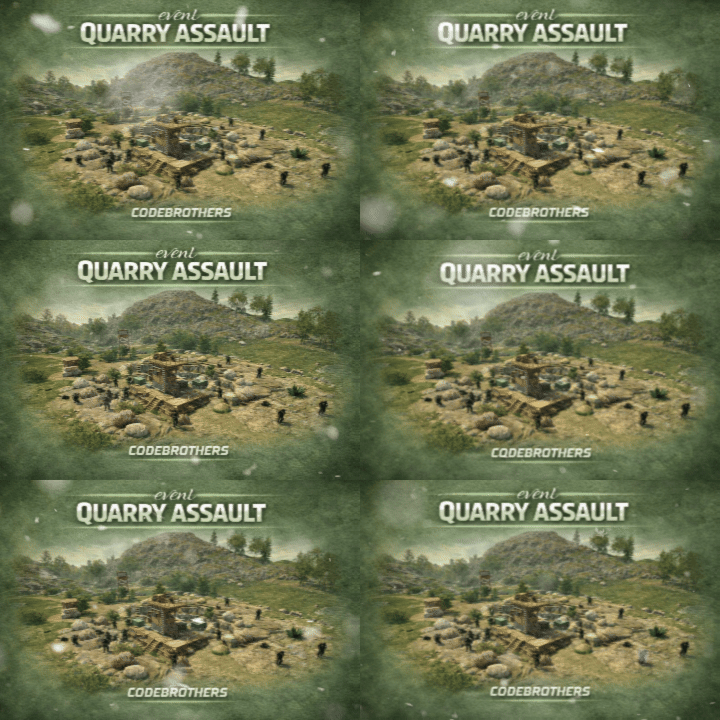
Version 1.1.0
13 downloads
Transform quarry monuments into contested PvP hotspots with dynamic resource spawns and hostile defenders, without disrupting vanilla quarry functionality. When a quarry is activated, resource-rich ore nodes emerge around the monument while scientists and guard dogs materialize to defend it. Players must fight through NPC resistance while competing with rivals, naturally creating intense PvP encounters and contested monument control. Rather than creating a separate event system, Quarry Assault reacts directly to quarry activation, making these monuments feel dangerous, alive, and worth fighting over. Designed to feel fully integrated with Rust’s mechanics, Quarry Assault automatically starts when quarries turn on, respawns resources periodically, and cleans up when the quarry shuts down or all defenders are eliminated. Features • Automatic activation when any quarry starts running • Enhances (does not replace) vanilla quarry behavior • Resource-rich ore node spawns (metal, sulfur, stone) • Hostile scientist NPCs with AK-47s and hazmat suits • Guard dog patrols for additional defensive layers • Intelligent quarry type detection (Stone, Sulfur, HQM) • Cinematic spawn animations — nodes and NPCs rise from the ground • Configurable spawn radius and density • Periodic node respawning while the quarry is active • Clean despawn when quarry stops or defenders are eliminated • Modern in-game admin control panel • Server-wide event alerts and UI notifications • Performance-aware spawning logic with staggered delays • Fully configurable spawn counts, timings, and distances Chat Commands (Admin Only) /quarry Opens the Quarry Assault control panel to view active events and adjust settings Permissions quarryassault.admin Required to start, stop, or configure Quarry Assault events Configuration { "NodeCount": 25, "NPCCount": 30, "DogCount": 10, "EventRadius": 50, "MinNodeDistance": 5, "MinNPCDistance": 3, "MinNodeToNPCDistance": 4, "NodeRespawnTime": 300, "NodeSpawnDelay": 0.15, "NodeRiseTime": 1.5, "NPCSpawnDelay": 0.2, "NPCRiseTime": 1.0, "DogSpawnDelay": 0.15 } Default values are tuned for balanced risk, server performance, and rewarding PvP encounters. How It Works When a quarry activates: • The plugin detects the quarry type (Stone, Sulfur, or HQM) • Resource nodes spawn in a radius around the quarry with rising animations • Scientists materialize to defend the resources • Guard dogs patrol the perimeter • Server-wide alerts notify all players During the event: • Nodes respawn periodically (configurable) • NPCs roam within the event radius and engage players • The event continues as long as the quarry is powered When the event ends: • If defenders are eliminated: NPCs despawn, nodes remain • If manually stopped: All entities are removed cleanly • The quarry returns to vanilla behavior Notes Quarry Assault is built to enhance vanilla Rust, not override it. Quarries function exactly as expected , this plugin simply raises the stakes and increases monument contestation. Ideal for PvP-focused servers, progression-based gameplay loops, and servers looking to make monuments feel more alive. Multi-quarry support: Stone Quarry, Sulfur Quarry, and HQM Quarry supported simultaneously. Performance optimized: Staggered spawning prevents server lag even with large entity counts. Created by CodeBrothers Check out our other work on Codefling$14.99 -
I will definitely look into these things, thank you!
-
Version 1.5.0
68 downloads
Transform the Giant Excavator monument into a high-risk, high-reward dynamic hotspot, without replacing or disrupting vanilla gameplay. When the excavator is fueled or activated, resource-rich ore nodes spawn around the monument and hostile scientists roam the area to secure it. Players must push through NPC resistance while competing with others, naturally encouraging PvP, counter-play, and contested control of the site. Rather than turning Excavator into a scripted event, this plugin reacts directly to existing excavator usage, making the monument feel alive, volatile, and worth fighting over. Designed to feel fully integrated with Rust’s systems, Excavator Event automatically starts and stops with the excavator itself and cleans up when activity ends. Features • Automatic activation when the excavator starts • Enhances (does not replace) vanilla excavator behavior • Resource-rich ore node spawns (metal, sulfur, stone) • Hostile scientist NPCs with controlled roaming • Configurable spawn radius and density • Periodic node respawning while active • Clean despawn when the excavator shuts down • Modern in-game admin control panel • Server-wide event alerts and UI notifications • Performance-aware spawning logic • Fully configurable values Chat Commands (Admin Only) /excavator Opens the Excavator Event control panel Permissions excavatorevent.admin Required to start, stop, or configure the Excavator Event Configuration { "NodeCount": 30, "NPCCount": 50, "EventRadius": 80, "MinNodeDistance": 5, "NodeRespawnTime": 300, "NodeSpawnDelay": 0.15, "NodeRiseTime": 1.5, "NPCSpawnDelay": 0.2, "NPCRiseTime": 2 } Default values are tuned for balanced risk, server performance, and rewarding gameplay. Notes Excavator Event is built to enhance vanilla Rust, not override it. The monument functions exactly as expected — this plugin simply raises the tension, increases contesting, and makes excavator runs more meaningful. Ideal for PvP-focused servers, progression-based gameplay loops, and servers looking to make monuments feel more alive without immersion-breaking mechanics. Created by CodeBrothers Check out our other work on Codefling$19.99 -
Definitely something I will work on, thank you!
-
The default config is in the description.
-
Just added Carbon support!
-
Yes, it can be set to spawn automatically every 1 hour, and it is fully configurable.
-
Version 2.0.0
60 downloads
Bring Rust monuments to life with cinematic, high-intensity combat events. Armed Deployment dynamically delivers a Bradley APC, heavy scientists, and a hackable locked crate to any location you choose, all inserted by an immersive Chinook deployment sequence. Watch as a Chinook approaches the target zone, descends, deploys hostile forces, and extracts — creating a truly memorable server event that feels built into the game rather than scripted. Players must eliminate all threats and destroy the Bradley APC before they can claim the locked crate and its rewards. Features • Spawn deployments anywhere on the map • Cinematic Chinook delivery and extraction • Heavy Scientists with controlled roaming • Bradley APC with movement blocking • Hackable Locked Crate rewards • Dynamic deployment radius and map marker • Server-side UI progress tracking • Automatic cleanup and despawn timers • Admin-controlled start and cancellation • Automated deployments with configurable intervals • Fully configurable values Chat Commands (Admin Only) /adpanel Toggles the Armed Deployment admin UI panel Permissions ArmedDeployment.admin Required to start, cancel, or automate Armed Deployments Configuration { "Auto": false, "AutoMin": 60, "RandMon": true, "ManLoc": { "X": 0, "Y": 0, "Z": 0 }, "Mons": { "airfield": true, "trainyard": true, "powerplant": true, "military_tunnel": true, "launch_site": true, "water_treatment": true, "dome": true, "satellite": true, "junkyard": true, "excavator": false, "harbor": true, "arctic_base": true, "lighthouse": false, "gas_station": false, "supermarket": false, "mining_outpost": false, "sewer_branch": false, "oil_rig_small": false, "oil_rig_large": false }, "SciCnt": 12, "BradCnt": 1, "EvtRad": 150, "MaxAttempts": 10, "ChApproachH": 80, "ChApproachD": 400, "ChSpeed": 25, "ChHoverH": 15, "ChDescentH": 50, "ChExitD": 500, "MinClearH": 40, "ObstacleRad": 30, "MonSearchRad": 80 } Default values are optimized for performance and cinematic impact. Notes This plugin is designed to feel vanilla-friendly, cinematic, and performance-aware. It works especially well on servers that want high-risk, high-reward PvP encounters without relying on random world events. Feedback, suggestions, and feature requests are always welcome. Created by CodeBrothers Check out our other work on Codefling$24.99 -

Version 1.0.0
2 downloads
An icy arena where players can fight it out.$1.99

