T-Nuts
-
Posts
243 -
Joined
-
Last visited
-
Days Won
2
Content Type
Profiles
Warranty Claims
Downloads
Forums
Store
Services
Downloads Plus Support
DOWNLOADS EXTRA
Reels
Everything posted by T-Nuts
-
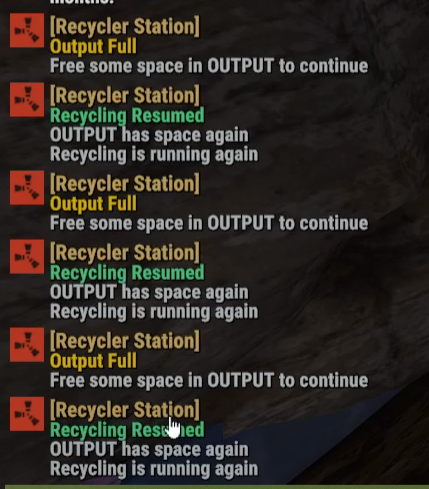
Players are getting spammed still in game chat with the recycler. It would be nice to have an on/off command or something in the config to turn off all messages from this plugin.

-
 Option to have a command so players can buy multiple signals at once instead of buying one at a time. I use the commands to buy signals but don't see anything to buy multiple. For instance, instead of doing /hsbuy easy ten times they could just do /hsbuy easy 10 and get 10 signals
 -
Also is there a way to speed up the resources coming out of the recycler to the output box? We can adjust the speed at which items recycle but it gets jammed up because the recycler is moving resources out at Vanilla speed it seems. Once it gets full on the Output side, it stops running until all resources are moved out of the Output side in the Recycler. On a 5x server this can get filled quickly and be a bottleneck
-
Thanks, I'll jump on to double check but just had to ask. I was sure that it would work with the rest of the industrial items in game
-
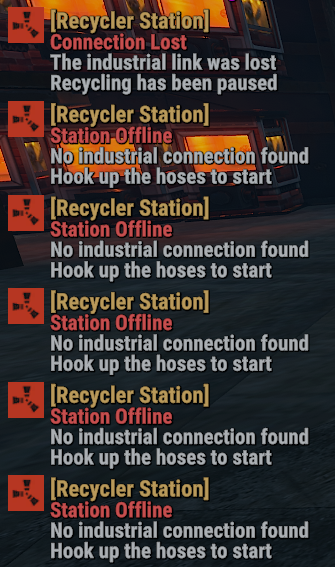
Players are reporting game chat spamming if the recycler is not connected to the boxes. Players would also like to connect to another box as the small boxes aren’t big enough but can’t. Is there a way to have resources after item is recycled to move faster? As in move from recycler to box? Bought this yesterday but wasn’t able to fully test myself
-
Yes, everything is good. Thank you. You can close them
-
Thanks boss
-
Ok, figured it out. The attack radius has to be increased but was trying to slim that down some
-
Threw one down and it show 2 MLRS Rockets. Had it set in the config to fire 10 per second. Changed to 15 and it fired nothing. Changed to 20 per second and nothing again. Changed to 5 and it fired 1 MLRS Rocket. Am I doing something wrong or is this not working like it should? Sorry for another support ticket. F15AirStrike.json
-
Working. Thanks
-
Thanks, also tried the Admin command and got another error. Not sure if this also has to do with the first error I mentioned Failed to call hook 'AdminCallF15' on plugin 'F15AirStrike v1.1.9' (NullReferenceException: Object reference not set to an instance of an object.) at UnityEngine.Bindings.ThrowHelper.ThrowNullReferenceException (System.Object obj) [0x00018] in <7ef4b7e39e5e4212acadbf6d2e50d7fa>:0 at UnityEngine.Component.get_transform () [0x00006] in <7ef4b7e39e5e4212acadbf6d2e50d7fa>:0 at Oxide.Plugins.F15AirStrike.CallF15AirStrike (UnityEngine.Vector3 pos, BasePlayer player) [0x00225] in <e14c8c7a11544559ae18772d9978afa8>:0 at Oxide.Plugins.F15AirStrike.AdminCallF15 (Oxide.Core.Libraries.Covalence.IPlayer iplayer) [0x00029] in <e14c8c7a11544559ae18772d9978afa8>:0 at Oxide.Plugins.F15AirStrike.DirectCallHook (System.String name, System.Object& ret, System.Object[] args) [0x00836] in <e14c8c7a11544559ae18772d9978afa8>:0 at Oxide.Plugins.CSharpPlugin.InvokeMethod (Oxide.Core.Plugins.HookMethod method, System.Object[] args) [0x00079] in <42f9bedc659b4f4786eb778d3cd58968>:0 at Oxide.Core.Plugins.CSPlugin.OnCallHook (System.String name, System.Object[] args) [0x000de] in <15f61ddda771464d8246ebdce8ff4811>:0 at Oxide.Core.Plugins.Plugin.CallHook (System.String hook, System.Object[] args) [0x00060] in <15f61ddda771464d8246ebdce8ff4811>:0
-
Just bought and installed this. Tried to throw one down to test and got this in the console Failed to run a 2.90 timer in 'F15AirStrike v1.1.9' (NullReferenceException: Object reference not set to an instance of an object.) at UnityEngine.Bindings.ThrowHelper.ThrowNullReferenceException (System.Object obj) [0x00018] in <7ef4b7e39e5e4212acadbf6d2e50d7fa>:0 at UnityEngine.Component.get_transform () [0x00006] in <7ef4b7e39e5e4212acadbf6d2e50d7fa>:0 at Oxide.Plugins.F15AirStrike.CallF15AirStrike (UnityEngine.Vector3 pos, BasePlayer player) [0x00225] in <e14c8c7a11544559ae18772d9978afa8>:0 at Oxide.Plugins.F15AirStrike+<>c__DisplayClass27_0.<OnExplosiveSpawn>b__1 () [0x00024] in <e14c8c7a11544559ae18772d9978afa8>:0 at Oxide.Core.Libraries.Timer+TimerInstance.FireCallback () [0x00018] in <15f61ddda771464d8246ebdce8ff4811>:0
-
 Dumb question but want to make sure I do it right. I want to include Rocket Launchers now that it was added back. I haven't changed this in years but how would I go about adding that to this for my Nightmare baes?
 -
I do have a plugin that manages the speed and another that lets you craft a recycler. Figured that wasn't the issue as the recyclers anywhere else were working fine. Plus if you placed the recycler that you craft down it would work but as soon as you hooked up the storage adapter that is auto placed on the recycler to stuff, it stopped working. Thanks boss, I'll look into these other plugins as well
-
Thanks, I will give this a try. Hopefully soon
-
Disregard, I'm the idiot
-
Wanting to run multiple commands, sometimes, when a player/after a player prestiges but not sure how to do that. Do I just copy this line and paste it under it? Or do I need to put a " ; " or a " | " after the first command? Basically I want to add another one or two commands after this first command.
-
Disregard, I did move it and it's better now. Thanks boss
-
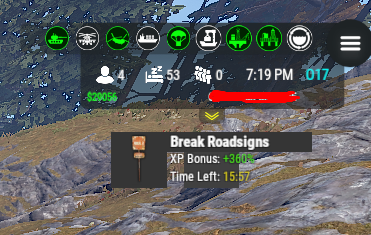
Now it's back in it's original position but covering my hud now. Can I now use /stemoveui and move it where I want it and it still look like this?
-
I will change to this and see what I get
-
}, "UI anchor settings": { "anchor_min": "1 1", "anchor_max": "1 1", "offset_min": "-154.865 -148", "offset_max": "-111.135 -104" },
-
I'm sorry if this was brought up already. It's been awhile since I've adjusted prices in my shop. I was wanting to set prices for components/resources and then have it automatically calculate the price. How do I go about this? I thought there use to be a button when editing the shop to calculate price.
-
Works now, thanks boss and thanks for the quick fix
-
-
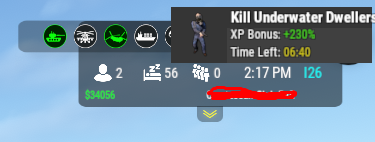
I did move it. I have the Hud plugin which is located in the top right of the screen. I moved the xp event to be under that some