-
Posts
80 -
Joined
Content Type
Profiles
Warranty Claims
Downloads
Forums
Store
Services
Downloads Plus Support
DOWNLOADS EXTRA
Reels
Everything posted by aomuu
-
 Is it not possible to modify the loot table of the default Scientist that was added in RustEdit?
 -
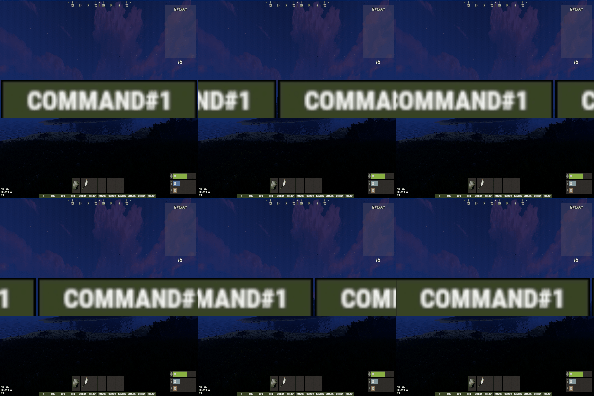 If a chat command contains a space, the command will not execute correctly.
 -
It seems the problem was that the POS settings were still set to the previous map's settings. It's all fixed now! Sorry about that!
-
When I tried to use the BOSS settings I had used around November of last year by pasting them into the “Bosses” folder within the data file, the error code shown above appeared.
-
 Failed to run a 10.00 timer in 'BossMonster v2.1.8' (NullReferenceException: Object reference not set to an instance of an object) at Oxide.Plugins.BossMonster.CanSendDiscordMessage () [0x0000b] in <6029dd805de8414dba1965b1c812cc84>:0 at Oxide.Plugins.BossMonster.AlertToAllPlayers (System.String langKey, System.Object[] args) [0x00000] in <6029dd805de8414dba1965b1c812cc84>:0 at Oxide.Plugins.BossMonster.SpawnRandomBoss () [0x001b7] in <6029dd805de8414dba1965b1c812cc84>:0 at Oxide.Plugins.BossMonster.CheckSpawnBoss () [0x00029] in <6029dd805de8414dba1965b1c812cc84>:0 at Oxide.Core.Libraries.Timer+TimerInstance.FireCallback () [0x00018] in <15f61ddda771464d8246ebdce8ff4811>:0
 -
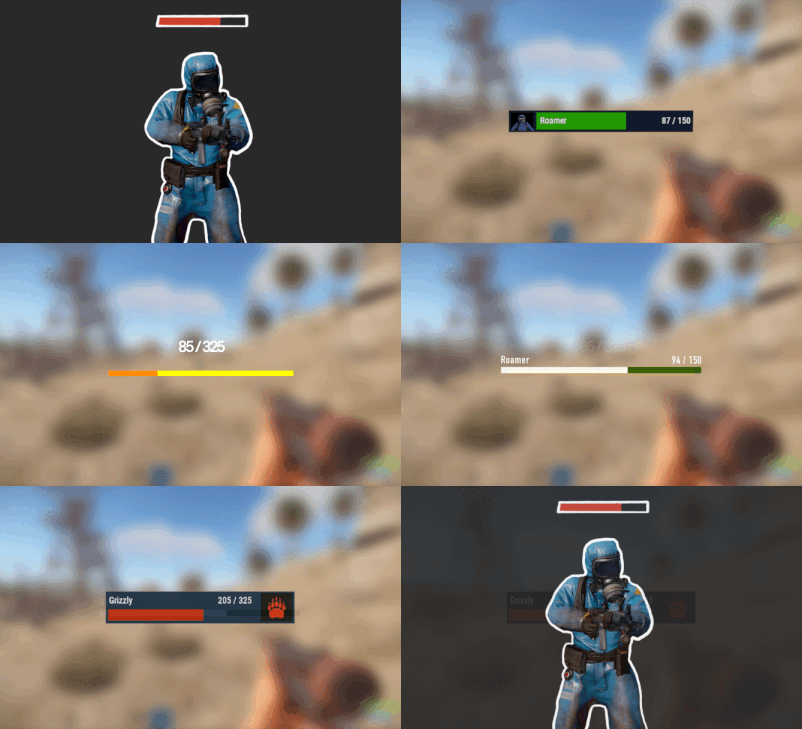 If it were possible to configure it so that the health bar only appears when attacking Boss Monsters, that would be a huge help.
 -
I tried using /quest.saveposition, but it returns "Unknown". The plugin appears to be loaded correctly. As far as I know, there aren't any permission requirements for this command, right? Also, does this feature work even without an Outpost on the map? Or is an Outpost required for it to function?
-
 I don't really understand what these settings mean. Also, it seems like the Delay, Interval, and Amount settings aren't loading correctly.
 -
 This plugin was primarily designed to limit the number of item stacks inside the TC to fewer than those on the server. However, in the current version, it is also possible to configure the TC to allow more item stacks than the server.
 -
 It's frustrating that when adjusting boss difficulty or adding new bosses while running the server, we have to reload the plugin itself and respawn all bosses. If we could do this individually instead of for all bosses, it would make operations much easier!
- 524 comments
-
- 2
-

-
- #abilities
- #boss
- (and 16 more)
-
I'm eagerly awaiting the feature to reload bosses individually.
-
 Is it compatible with https://codefling.com/plugins/techtree ?
 -

Version 1.5.0
33 downloads
GachaPon is a high-performance gacha system plugin for Rust servers. Players can use designated items to obtain random rewards of various rarities, ranging from Common to Legendary. All gacha content is fully customizable, including obtainable items, drop rates, item durability, and notification settings. Server owners can configure the required items and amounts to perform a pull, apply discounts for 10-pull bundles, and enable a Daily Gacha system with customizable attempt limits and reset times. The daily free gacha system helps maintain player engagement. GachaPon is the perfect solution for servers looking to add a reward distribution system, ensuring that players keep coming back every day! Key Features Animated Gacha UI - Visually engaging capsule spinning and opening animations with rarity-specific visual effects 5-Tier Rarity System - Common, Uncommon, Rare, Epic, and Legendary categories with customizable colors and drop rates 10-Pull System - Bulk pull option with configurable discount rates Daily Free Gacha - Permission-based daily free pulls with configurable reset time (UTC) Global Announcements - Server-wide announcements for rare item drops Blueprint Support - Rewards can be configured as blueprints Item Condition System - Configure item durability/condition ranges for weapon rewards Skin Support - Apply custom skins to reward items High Performance - Object pooling, image caching, and optimized UI rendering Auto Config Migration - Automatic configuration updates while preserving user settings Multi-Language Support - Built-in English and Japanese localization Use Cases Server Economy - Create an engaging currency sink for your server's economy Event Rewards - Special gacha events with limited-time items VIP Perks - Daily free pulls as VIP benefits Player Engagement - Gamification element to increase player retention Loot Distribution - Alternative to traditional loot crates with more excitement Commands Player Commands /gacha - Perform a single gacha pull /gacha 10 - Perform 10 pulls at a discounted cost /gacha daily or /gacha free - Claim the daily free gacha (permission required) /gacha info - Display gacha rates and costs /gacha reload - Reload configuration (admin permission required) Admin Commands /gachaadmin reload - Reload the configuration files /gachaadmin give <player> [amount] - Give currency to a player /gacha test or /gacha test 10 - Test single pull (no cost, admin only) /gachaadmin reset <player | all> - Reset player data or all data /gachaadmin status - Display plugin status and statistics Permissions gachapon.use - Allows players to use basic gacha commands gachapon.daily - Allows players to claim the daily free gacha gachapon.admin - Allows access to admin commands and config reload Configuration "Categories": { "Legendary": { "Enabled": true, "Display Name": "LEGENDARY", "Chance %": 3.0, // Drop rate percentage for this category "Color (HEX)": "#FFD700", // Category color for UI display "Is Rare": true, // Mark as rare (triggers special effects) "Global Announce": true, // Broadcast to server when obtained "Rewards": [ { "Enabled": true, "Item Shortname": "rifle.ak", "Skin ID": 0, "Is Blueprint": false, "Amount Min": 1, "Amount Max": 1, "Chance %": 5.0, "Use Condition": true, "Condition Min (%)": 80.0, "Condition Max (%)": 100.0, "Display Name": "AK-47" } } }$20.00 -
 The display appears, but the switch does not function.
 -
 done.
done. -
ok Looking forward to it!
-
Thank you for the update. Even in 1.2.8, it seems the kits haven't been applied to some NPCs yet (likely not applied to new NPCs).
-
sure
-
Just to be sure, I'm reporting this. I've discovered other NPCs besides the JunkpileNPC where equipment doesn't apply. To work around this issue, you need to reload regularly, but that's extremely cumbersome.
-
Reloading will retrieve them, but it seems there are a certain number of NPCs that cannot be retrieved.
-
After switching to the latest version, I started seeing NPCs where the kit isn't applied, even though they're supposed to be JunkPileScientists. However, not all NPCs are like this; occasionally I see JunkPileScientists where the kit isn't applied.
-
I would like to be able to configure the loot for various fish and Pinatas. Thank you.