
Dr.D.Bug
-
Posts
202 -
Joined
-
Last visited
-
Days Won
1
Content Type
Profiles
Warranty Claims
Downloads
Forums
Store
Services
Downloads Plus Support
DOWNLOADS EXTRA
Reels
Support Center
Everything posted by Dr.D.Bug
-
Hi there unfortunately i get this error while starting the Plugin v2.0.0 [Oxide] 21:21 [Error] Error while compiling PersonalHeli: The type or namespace name 'Plugin' could not be found (are you missing a using directive or an assembly reference?) | Line: 19, Pos: 17
-
I think removing and creating a new config file should not work unless you will not provide your Version 1.5.1 for download. The download Version is still 1.4.6: Releasenotes: Current Downloadversion:
-
Ah, you have made an update to 1.5.1 but the download version is still 1.4.6:
-
Where can i modify the Strength? I see no entry for this in the config file. Even though the Loot content. { "AnnounceLocation": true, "Cooldown": 3600.0, "DiscordWebhook": "", "ScrapCost": 250 }
-
 Will there be an update soon?
 -
Is it possible to add some configuration, that we can modify the strength of the patrol heli and also the loot content?
-
I guess he mentioned that only the player/team/friends who called the heli can damage it and other cant damage the heli
- 21 comments
-
- 1
-

-
- #heli
- #personal heli
- (and 17 more)
-
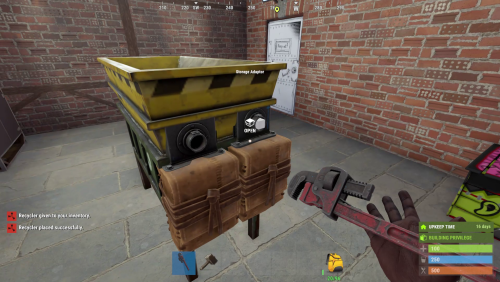
The recycler disappears immediately if you remove the floor or foundation beneath the recycler. Can this be prevented?
-
Plugin may need an update: UnderwaterGuard - Failed to compile: 'UnderwaterGuard.PatrolNpc.MovableBaseMountable.GetDismountPosition(BasePlayer, out Vector3)': no suitable method found to override | Line: 1434, Pos: 38
-
 You are genious, it just works fine!!!!
 -
Is it possible to import a list of skins? Currently im also using another skin plugin where i have lots of nice and well known skins for my players and it is quiet hard to add about 100 and more skins by command.
-
Having good Food, enjoying some nice holidays and meet the family
-
 Hi there, is it possible to add the level of the current running Bradley when someone uses the command /bt info ? Most players did not see when the events start, which level is the currend Bradley.
- 232 comments
-
- 1
-
-
- #bradley
- #krunghcrow
- (and 4 more)
-
 Unfortunately i still got the same error after server restart: [Oxide] 04:10 [Warning] [UpdatesChecker] Codefling has an update available for FerryTerminalEvent.
 -
If this is okay for Yac Vaguer i think it should work. After reloading the plugin, i currently still get the same message. I'll try it again tomorrow and let you know.
- 53 comments
-
- 1
-
-
- #updates
- #steenamaroo
- (and 5 more)
-
Hi there, unfortunately there are two Plugins at Codefling with exact the same name "Ferry Terminal Event". I am currently using the plugin from "KpucTaJl" and not by "Yac Vaguer". Although i set the config for these developers to: "Authors": { "KpucTaJl": true, "Yac Vaguer": false } i always got the message: [Oxide] 17:43 [Warning] [UpdatesChecker] Codefling has an update available for FerryTerminalEvent. Allthough the plugin from "KpucTaJl" which i use is up to date. ...of course same message also via Discord (attached) Any idea what to do? pls. help
- 53 comments
-
- 1
-
-
- #updates
- #steenamaroo
- (and 5 more)
-
Need Update for December Rust Update: [Oxide] 20:41 [Info] [CSharp] Started Oxide.Compiler v successfully [Oxide] 20:41 [Error] Error while compiling BradleyTiers: 'PhoneController' does not contain a definition for 'PositionToGridCoord' | Line: 968, Pos: 76
- 232 comments
-
- 1
-
-
- #bradley
- #krunghcrow
- (and 4 more)
-
 Tnx @Marte6
 -
Is it possible to offer the recycler to players only against an in-game payment? For example 1000 scrap or against a list of materials / resources e.g. pipes, gears, high-quality material.
-
 Yes it's the newest version1.3.1 This is what i get in the console: [Oxide] 01:56 [Info] Unloaded plugin BotReSpawn v1.3.1 by Steenamaroo [Oxide] 01:56 [Info] [BotReSpawn] Automatically Harmony patched 'ScientistNPC.get_displayName_Patch1' method. (DisplayName) [Oxide] 01:56 [Info] Loaded plugin BotReSpawn v1.3.1 by Steenamaroo
 -
Hi there, i have tested the new feature "Give_Scarecrow_Loadout". So far it works great. When i set the RUST loot source to ScarecrowNPC, also the loot is just fine. The only thing i have to mention is that the bots unfortunately have no individual names. They are all called scientist.
-
Finally linking and unlinking works fine and the discord role would be assigned and revoked. So far so good, but got this message now:
-
 Hi @Mals, no problem at all. I'll send you my config and the List of Plugins soon. Maybe there will be some conflicts with Everlight and No Decay. . I forgot to mention; in the current constellation with all these plugins the torches won't disappear. But at least I wouldn't keep Everlight as additional plugin just for the torches.
 -
Thanks, i'll try this soon and let you know