

MeventSupport
-
Posts
2,001 -
Joined
-
Last visited
-
Days Won
9
Content Type
Profiles
Warranty Claims
Downloads
Forums
Store
Services
Downloads Plus Support
DOWNLOADS EXTRA
Reels
Everything posted by MeventSupport
-
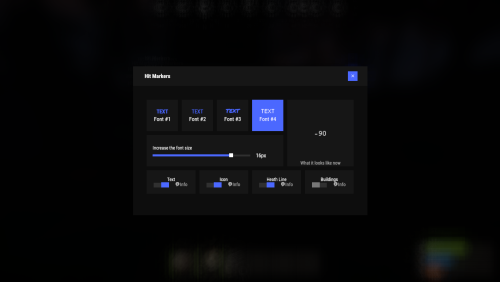 The HitMarkers plugin is very lightweight compared to HitAdvance. It uses minimal memory, efficiently handling UI elements by creating and destroying them only when necessary. It stores only the player’s essential settings in memory and uses optimized image processing. Yes, the plugin displays actual damage values from the combat log. It takes the raw damage value directly from the in-game hit information without using any custom calculations, so you’ll see the same numbers as in the combat log. The plugin includes several display options that can be customized: Text-based damage numbers Hit markers (with different colors for headshots) A health line showing the remaining health of the enemy Damage indicators for structures All of these features can be enabled in the plugin’s UI menu, and you can also customize the font size and style to your preference.
 -
Please send me the config and player data
-
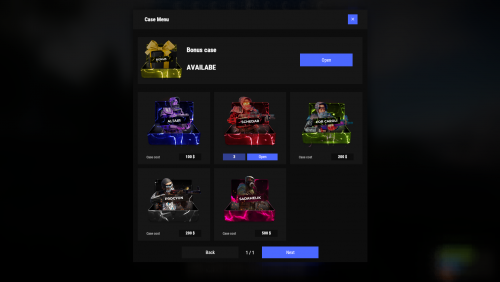 Hi! Yes, this is already implemented in Cases V2, we are preparing the plugin for release
 -
you need to use the Notify plugin
-
What version of the plugin are you using ?
-
Download the latest version
-
Yes, the plugin supports Carbon. What happened to you?
-
I don't know, I don't have the Skinner plugin. Ask the developer of the Skinner plugin to tell you this
-
You can see the example config on the plugin description pages
-
At the moment, there is no such functionality in the plugin
-
Yeah, we'll try to fix that
-
We'll be releasing an update soon with the ability to enable offline mode for images
-
We have already know about this problem. We are working on it
-
You need to add skins from the VehicleBuy plugin to the ignore list in the Skinner plugin
-
-
.thumb.gif.30bb4fb1ad6b9cbba98fad72b9533086.gif) You need to enable "Show all?" in the config
You need to enable "Show all?" in the config -
Are you sure you are using the latest version of the plugin?
-
what exactly is the problem? What's wrong?
-
Hola! Podría explicar su problema?
-
If you have any more questions or need further assistance, feel free to ask. Happy gaming!
-
You don't need to restart the server. check if you get any errors in the console?
-
Please send me a video of what actions get the error
-
installation is done with the right mouse button, not the left one
-
We have recorded your problem and put it on the task list. We haven't had time to test it yet, we'll text you when we have news. Thank you
-
 We tried to optimise it as much as possible. in any case, yes, you are right, frequent tracking of a large number of hooks is quite heavy on the server. but it is important to note - you can disable some of the tracked data to reduce the load.