

MeventSupport
-
Posts
2,001 -
Joined
-
Last visited
-
Days Won
9
Content Type
Profiles
Warranty Claims
Downloads
Forums
Store
Services
Downloads Plus Support
DOWNLOADS EXTRA
Reels
Everything posted by MeventSupport
-
Glad to hear you figured it out! If you have any more questions or need further assistance, feel free to ask. Happy gaming!
-
 Thanks for the idea. We'll think about how to implement it
 -
After each reload of the plugin, it will increase.
MeventSupport replied to DuGe's Support Report in Support
Please, send me your config -
Hello, we will do it
-
The creation of a new category has already been implemented (see screenshot) Easy movement of items between categories will be available in the next update using the command
-
it is best to add and change items through the admin menu, since the plugin automatically deletes unnecessary data for different types of items, but if you do not know the algorithm of operation, then you can add unnecessary parameters, as well as specify incorrect links to the item, and an error may appear.
-
After each reload of the plugin, it will increase.
MeventSupport replied to DuGe's Support Report in Support
Are you sure you have the latest version of the plugin, is the config loaded correctly, check the errors -
No, there's no such option
-
We will be releasing a big update to the plugin soon!
-
Wdym?
-
You just need to install ShopConverter on the server and run the conversion command — the plugin uses default paths.
-
What exactly isn't saved? Can you send me a video of what you are editing and how it is not saved?
-
Thanks, we've put it on our todo list.
-
wdym?
-
 Crafting or buying an ATM is not provided within BankSystem. There are plugins like Shop, Crafts, ServerRewards and others for that
 -
Can you send me a video? It's necessary to understand why this is happening
-
You can do this in the config, here's an example of the image setup (-32 and 32 are width, and -75 and -11 are height)
-
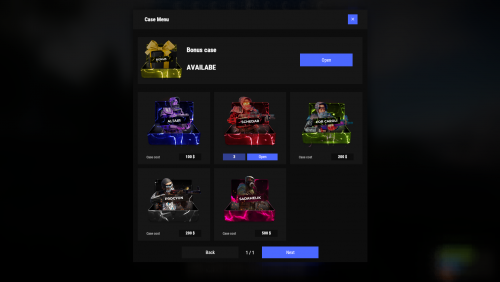 Yes, we want to do it sooner ourselves. But there are big redesign issues there right now that make the plugin not ready to use
 -
Why should EventsManager be integrated into ServerPanel?
-
After what does the error appear?
-
Yes
-
.thumb.gif.30bb4fb1ad6b9cbba98fad72b9533086.gif) You need to either remove the permission from the kit settings, or give all players the set permission
You need to either remove the permission from the kit settings, or give all players the set permission -
Are you getting any errors from ImageLibrary?
-
What is ServerManager?
-
Glad to hear you figured it out! If you have any more questions or need further assistance, feel free to ask. Happy gaming!

