Jump to content
Community collections
Collections curated by the community
Explore curated groups of files assembled by the community to help you discover tools and resources that work well together.
View Collections
$29.99
Basements lets players build underground rooms beneath their bases. Place a hatch on your foundation and dig straight down into a hidden basement with walls, ceilings, and full building privileges. Great for stashing loot, setting up secret bunkers, or just adding extra space. Readme Link - Click Here for Instruction and Documentation 👆Highly recommend reading the FAQ section! BUILD Build basements easily from your tool cupboard. Just place an entrance to get started.  EXPAND Expand your basement by drilling underground. But don't forget to bring a headlamp - its dark down there! TRAVERSE Place multiple entryways, building out your labyrinth of tunnels beneath your base.  DECORATE All deployables, electricity, and storage items can be placed in your basement. Take advantage of your new space! RAID Nothing is safe in Rust, including your basement. If all the entrances are destroyed, then the basement is too. Any loot below will float to the surface. Protect the entrance at all costs! API METHODS (For Plugin Developers) // Returns true if the given entityId is part of a basement. bool IsBasementEntity(ulong entityId) // Returns the building ids of the basements connected to a given surface building id. uint[] GetBasementBuildingIds(uint surfaceBuildingId) // Returns the building ids of the surface buildings connected to a given basement building id. uint[] GetSurfaceBuildingIds(uint basementBuildingId) Extension Plugins These are free plugins that add additional functionality to Basements. BasementsManager Provides a UI for admins to view and manage the basements on the server. Useful for debugging & fixing issues. Use with the /bm command, requires the basements.admin permission to use. BasementsManager.cs
4.9
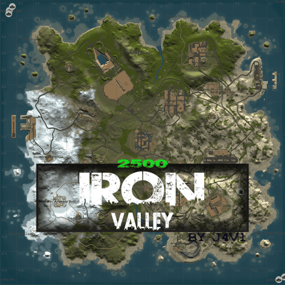
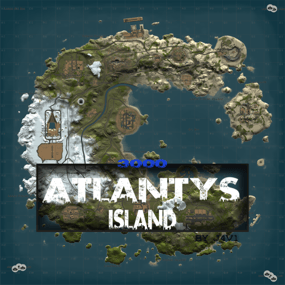
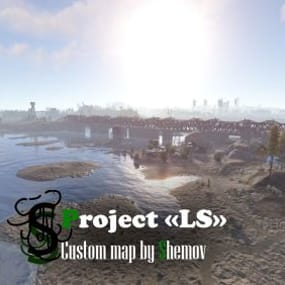
FEATURES Map size: 4500; Prefab count: ~54k; A lot of attention was paid to nature, and each section of the map was designed in detail; Most of the rocks are hand-crafted, which makes them look much better. The custom config for the BetterNpc plugin is set up so that bots are present at all points of interest; Compatible with BetterNPC plugins (Config for bots in the file),  Train Homes and Raidable bases; Underground railway; A large number of small settlements/single buildings not marked on the road map by road; Double-track surface railway with 1 entrance to the metro with separate branches for spawn trains; Ring road (compatible with event plugins); There are custom trawlers; Evenly spaced monuments to spread the FPS load of client; A lot custom building places (X on the minimap); Custom places for building in the subway (XU on the minimap); Bridges are designed for easy tugboat access; A large number of points with access to fresh water for farms. ( Rivers inside the island work like regular game rivers ) CUSTOM MONUMENTS Oil Refinery; Destroyed satellite dishes; Heli towers (1-5); Construction Site; Abandoned Oil Tanks; Oil Tanks; Crash Site; Oil Platform; Deep Seeker ( Trawler ); Northwind ( Trawler ); Storm Trawler ( Trawler ); Sea Wolf ( Trawler ); Silver Catch ( Trawler ); Bering Beauty ( Trawler ); Underwater caves (x2 ) ( Zones for underwater farm ); Sunken Containers (x2 ) ( Zones for underwater farm ); A lots custom places to build a base. ( "X"/"XU"  on map  ); Train Station ( For Train homes plugin ) A lots unmarked buildings. FACEPUNCH MONUMENTS Combined Outpost; Apartment Complex; Launch Site; Military Tunnel; Harbor (2/2); Ziggurat; Ferry Terminal; Radtown; Abandoned Supermarket; Nuclear Missile Silo; Oxum's Gas Station; Airfield; Lighthouse; The Dome; Water treatment plant; Trainyard; Power Plant; Arctic Research Base; Desert Military Base; Giant Excavator Pit; Stone, Sulfur & HQM quarries; Satellite Dish; Small & Large Oil Rig; Large Underwater Lab. My Discord: shemov Discord Server: https://discord.gg/UpUXuxs4Vx A password is attached to the map.  You can edit it.  
5.0
🗺️ Barren BASED ANTARCTICA, 3.8K map of 25,000 prefabs 🎅🎄THE ULTIMATE WINTER MAP! High-concept Based Antarctica drops players into a frozen white wasteland based with 11 grid-sized tropical habitats. Your community can claim and live inside these resource-rich build zones. Each comes with central subway, recycler, carlift, water, powerlines, trees, animals, roadside loot and vehicles. National science stations are represented in relative size and location across the map offering excellent low-tier looting and cover from passing Patrol Helis. Four inland safe-zone bases sit directly on the zipline network for easy access. "I am just going outside, I may be some time." Captain Lawrence Oates, 1912 Antarctic expedition. Rich ore seams lace the mountain tops. A raised railway circuit supports ArmoredTrain plugin or players wanting an ice train experience. A buried road loop is ready for Convoy to go crawling around the wasteland in an improbable route. Facepunch monuments sit around the map like numbers on a clock, linked by bridges and zip-towers complete with comfort shelters. Standout custom monument, 'The Dead Hab', is a tomb-like failed bio-dome (blue/red themed) packed with surface roadside loot. Fierce guards protect the bunker below, where high-tier gear and a hackable crate await the brave and bold. ⚠ 100% TESTED on live humans.  • 11 grid-sized bio-habs to build and live within • Each bio-hab stacked with resources and facilities • Zip-tower network with warm survival shelters • 4 inland safezone bases directly on zip network • Road/railway supports 'Convoy' & 'ArmoredTrain' • Three huge jungle rifts & rich mountain ore nodes • Clock-face layout of monuments w' bridges & zips ⚠ Required dependencies: Umod/Oxide and Rustedit DLL.  Any problems? Please advise.     -- Nomad         🌴LOST in RUST https://discord.gg/THf6dGN8eW  
0.0
Allows both PVE and PVP players to exist on a server at the same time. PVE players will have certain configurable protections and restrictions. You can have players use a command to flag themselves as PVP/PVE or you can assign it to them when they first spawn. If you have ZoneManager you can also designate specific zones to force player's to be PVE or PVP. Plugin is also compatible with SimpleStatus. Note: Video is outdated, see documentation for a full list of new features! Documentation: A full readme including permissions, commands, and config options is available in  this google doc link. Disclaimer: Like all of my plugins - this plugin is sold as is. I will be happy to take feature requests into consideration but make no guarantees about which ones get implemented. Please refer to the feature list before you make your purchase! Developer API: API Methods // Returns the mode of the given entity. Also takes into account if the entity is in a forced mode zone. string GetEntityMode(BaseEntity entity); // Returns the group name for the given mode. For example if given 'pve' will return 'warmodepve' string GetModeGroup(string modeId); // Returns the target type for a given entity. Target types are the category that an entity falls into. // For example, if given a BasePlayer entity, it will return 'players'. If given a horse entity is will // return 'horses'. string GetEntityTargetType(BaseEntity entity); Hooks - place these in your plugin and WarMode will call them. // Called when a player's mode has been updated or config changes have ocurred that may affect the mode. private void WarMode_PlayerModeUpdated(string userid, string modeId) // Used to override WarMode logic for taking damage. // If true/false is returned then WarMode logic will be skipped. Return null to continue WarMode logic. private object CanEntityTakeDamage(BaseCombatEntity target, HitInfo info) // Used to override WarMode logic for targeting. // If true/false is returned then WarMode logic will be skipped. Return null to continue WarMode logic. private object CanEntityBeTargeted(BasePlayer target, BaseEntity attacker, bool skipVendingCheck) // Used to override WarMode logic for triggering a trap. // If true/false is returned then WarMode logic will be skipped. Return null to continue WarMode logic. private object CanEntityTrapTrigger(BaseTrap trap, BasePlayer basePlayer) // Used to override WarMode logic for looting an entity. // If true/false is returned then WarMode logic will be skipped. Return null to continue WarMode logic. private object CanEntityLoot(BasePlayer looter, BaseEntity target, bool skipVendingCheck) FREE Extension Plugins: War Mode Admin Panel Use the /warmode.config or /wmc command to open a panel that allows admins to update mode rules in game without having to reload the pluign. Requires the warmode.admin permission to use. I HIGHLY recommend you use this extension! WarModeAdminPanel.cs War Mode Spawn UI Provides a UI that is shown to players when they first spawn that prompts them to choose whether they want to be PVP or PVE.   Also supports custom modes. Localization and config options available. This can also be configured to appear when players use the /flag command. WarModeSpawnUI.cs     War Mode Rules UI Using the /rules command (which is configurable) players can see a list of what restrictions they have for their current mode. These ruling will update dynamically based on your config settings. WarModeRulesUI.cs   War Mode Badges Customizable UI elements that will appear on the player's HUD to indicate what their current mode is. WarModeBadges.cs  
4.8
$15.00
BoatControl is a Rust server plugin that completely enhances boat handling. When taking the helm, a user-friendly CUI interface appears, allowing players to raise/lower sails and anchors, start/stop engines, and switch navigation direction forward or backward. The plugin also supports automatic reloading when the player has ammunition, cannon firing with configurable cooldown (or bypass via permission), and toggling all torches and lanterns without fuel consumption. Additionally, players can control navigation using W/S and fire cannons with the left mouse click.   Want to try it before you buy it? You can try it by accessing the Staging server: connect staging.rustspain.com (provided the server is online, as it's my test server).     Video Update 1.0.0   Features Displays a CUI interface when taking the helm that allows you to: Raise / lower sails. Raise / lower anchors. Turn engines on / off. Change the navigation direction forward / backward (engines and sails reverse accordingly). Reload (if the player has ammunition in their inventory, with a permission to bypass this). Fire cannons with a cooldown (or without it if you have the bypass permission). Turn all torches and lamps on/off (In the settings you can decide whether you want them to consume fuel or not). Allows enabling boat editing anywhere. Blocks edit mode within safe zones. Blocks the ability to activate the anchor within safe zones. Allows you to view the list of authorized players (similar to BetterTC). Sail Configuration System: Displays a window similar to the config menu showing all sails placed on the boat. Each sail shows its health amount below it. Added a button that allows upgrading sails by levels (thrust power). Everything is configurable, including upgrade costs (in-game resources, RP, or Economy). This allows admins to add as many levels as they want in the config.  Engine Configuration System: Displays a window similar to the config menu showing all engines placed on the boat. Each engine shows its fuel amount and health below it. Added the ability to refuel engines using fuel from the player’s inventory. Added another button that allows upgrading engines by levels (fuel efficiency and engine power). Everything is configurable, including upgrade costs (in-game resources, RP, or Economy). This allows admins to add as many levels as they want in the config. Important: There is a maximum speed limit in the game. I have been testing ways to increase the speed, but I still need to continue researching and testing to find the best way to increase it. Automatic repair system: If damage is received during repair, it will stop. If the player runs out of materials in their inventory, it will stop. If the player disconnects, it will also stop. Note: The boat health system is unusual and does not work like a normal building, so the system simulates repairs at different points on the boat depending on the percentage of health lost. That is why you will not hear the actual damaged entity being repaired. BetterTC Integration: If you have BetterTC installed with version 1.6.2 or higher, the automatic Wallpaper placement system will be enabled. Facepunch will add wallpaper support for Boats starting in March; you can test it meanwhile on staging.   You can also change the navigation direction using the W and S keys, and fire the cannons with the left mouse click. I'm open to further improving this plugin over time. If you'd like to see any features integrated, please mention them in the discussion section. Ideas I've tried but haven't been able to implement: Modifying the build area (net size) to make it larger. It doesn't seem possible to change this. Making the engines work without fuel consumption. I managed to do this in an initial test, but then FacePunch changed something and it's no longer possible. I'll try to see if I can adjust fuel consumption to make it more economical. The maximum number of engines and sails cannot be increased. Or at least not easily; it could be done with commands and strange contraptions, but it wouldn't be entirely convenient.   Permissions boatcontrol.use – Enables the functionality for the player when mounting the boat’s helm. boatcontrol.bypassammo – Allows you to fire cannons without using real ammunition from your inventory. Free ammo! (not recommended to give to regular players) boatcontrol.bypasscannoncooldown – Allows you to fire cannons with no cooldown. Maximum bombardment! boatcontrol.edit allows enabling boat editing anywhere. boatcontrol.cannonuse If the player doesn’t have it enabled, the option to control cannons won’t appear in the interface. Not having this permission will not block manual/vanilla use. boatcontrol.authlist Shows the list of players authorized to the Boat, similar to BetterTC. boatcontrol.deleteauth Allows authorized players to remove player permissions individually. boatcontrol.sailconfig  Allows players to open and manage the Sail Configuration menu for boats. boatcontrol.sailupgrade  Allows players to upgrade sails (thrust power) according to the configured upgrade levels. boatcontrol.engineconfig  Allows players to open and manage the Engine Configuration menu for boats. boatcontrol.engineupgrade  Allows players to upgrade engines (fuel efficiency and engine power) according to the configured upgrade levels. boatcontrol.wallpaper  Allows players to use the wallpaper placement system on boats. (Requires BetterTC version 1.6.2 or higher.) boatcontrol.repair  Allows players to use the automatic boat repair system. boatcontrol.repair.nocost  Allows players to repair boats without consuming materials Dynamic repair permissions (speed adjustment)  Allows admins to grant specific permissions defined in the config to adjust boat speed limits.   Commands It currently has no chat or console commands.   Configuration DEFAULT CONFIGURATION { "Enable WASD Direction": true, "Enable Cannon Fire Key (Left Mouse Button)": true, "Cannon Aim Step (degrees per click)": 5.0, "Cannon Fire Cooldown": 5.0, "Cannon Crew": { "Enable": true, "Names": [ "Seaman", "Deckhand", "Bosun", "Gunner", "Quartermaster", "Navigator", "Sailor", "Crewman", "Mate", "Boatswain", "Cannoneer", "Buccaneer", "Mariner", "Sea Dog", "Old Salt" ], "Health": 100.0, "MaxCannons": 0, "Wear": { "burlap.shirt": 1380044819, "burlap.trousers": 1380047706, "burlap.shoes": 2215057317, "hat.boonie": 965553937 }, "RequireOperate": true, "ToggleCrewCooldown": 30.0, "NoCorpse": true }, "Lights": { "Enable Light Toggle Key (R)": true, "Light Toggle Cooldown": 1.0, "Require Fuel For Lights": false, "Light Items (shortnames)": [ "tunalight", "lantern", "torchholder", "largecandles", "smallcandles", "jackolantern.angry", "jackolantern.happy", "chineselantern", "chineselanternwhite" ] }, "Impact Force Physics": { "Enable Impact Physics": true, "Impact Force (default: 100, range: 50-500)": 100.0, "Enable Debug Logging": false }, "Alert Chat": true, "Alert Notify Plugin": false, "Notify: select what notification type to be used": { "error": 0, "info": 0 }, "Color Prefix Chat": "#f74d31", "GUI": { "GUI Windows Belt": { "BG Color Primary": "0.10 0.15 0.10 1", "BG Color Secundary": "0.2 0.30 0.2 0.80", "Button Active Color": "0.2 0.6 0.2 0.80", "Button Inactive Color": "0.2 0.30 0.2 0.80", "OffsetMin": "-200 15", "OffsetMax": "181 79", "AnchorMin": "0.5 0", "AnchorMax": "0.5 0" }, "GUI Windows Info": { "BG Color Primary": "0.10 0.10 0.10 0.8", "BG Color Secundary": "0.2 0.30 0.2 0.80", "Button Active Color": "0.2 0.6 0.2 0.80", "Button Inactive Color": "0.2 0.30 0.2 0.80", "OffsetMin": "-115 -100", "OffsetMax": "115 100", "AnchorMin": "0.902 0.8104", "AnchorMax": "0.902 0.8104" }, "GUI Windows Cannons Menu": { "BG Color Primary": "0.10 0.15 0.10 1", "BG Color Secundary": "0.2 0.30 0.2 0.80", "Button Active Color": "0.2 0.6 0.2 0.80", "Button Inactive Color": "0.2 0.30 0.2 0.80", "OffsetMin": "-140 85", "OffsetMax": "140 185", "AnchorMin": "0.5 0", "AnchorMax": "0.5 0" } }, "Show Info Window": true, "Boat Edit Damage Cooldown (seconds)": 30.0, "Block Anchor in Safe Zone": true, "Block Boat Edit in Safe Zone": true, "Config Version": "1.2.0", "Repair Cooldown After Recent Damage (seconds)": 30.0, "Cooldown Frequency Repair (larger number is slower)": { "boatcontrol.use": 2.0, "boatcontrol.vip": 1.0 }, "Repair Costs (ItemShortName: Amount per block/component)": { "lowgradefuel": 4, "wood": 75 }, "Engine Upgrades": { "Enable Engine Upgrades": true, "Upgrade Levels": [ { "Level": 1, "Display Name": "Tier 1", "Fuel Efficiency Multiplier (1.0 = normal, 0.5 = half fuel consumption)": 0.9, "Power Multiplier (1.0 = normal, 2.0 = double power)": 2.0, "Upgrade Cost": { "Resource Costs (ItemShortName: Amount)": { "scrap": 100, "lowgradefuel": 50 }, "ServerRewards Points": 0, "Economics Money": 0.0 } }, { "Level": 2, "Display Name": "Tier 2", "Fuel Efficiency Multiplier (1.0 = normal, 0.5 = half fuel consumption)": 0.8, "Power Multiplier (1.0 = normal, 2.0 = double power)": 4.0, "Upgrade Cost": { "Resource Costs (ItemShortName: Amount)": { "scrap": 250, "lowgradefuel": 100, "metal.fragments": 300 }, "ServerRewards Points": 0, "Economics Money": 0.0 } }, { "Level": 3, "Display Name": "Tier 3", "Fuel Efficiency Multiplier (1.0 = normal, 0.5 = half fuel consumption)": 0.65, "Power Multiplier (1.0 = normal, 2.0 = double power)": 8.0, "Upgrade Cost": { "Resource Costs (ItemShortName: Amount)": { "scrap": 500, "lowgradefuel": 200, "metal.fragments": 500, "metal.refined": 25 }, "ServerRewards Points": 0, "Economics Money": 0.0 } }, { "Level": 4, "Display Name": "Tier 4", "Fuel Efficiency Multiplier (1.0 = normal, 0.5 = half fuel consumption)": 0.65, "Power Multiplier (1.0 = normal, 2.0 = double power)": 16.0, "Upgrade Cost": { "Resource Costs (ItemShortName: Amount)": { "scrap": 1000, "lowgradefuel": 300, "metal.fragments": 1500, "metal.refined": 100 }, "ServerRewards Points": 0, "Economics Money": 0.0 } } ], "Currency Type (Resources, ServerRewards, Economics)": "Resources" }, "Sail Upgrades": { "Enable Sail Upgrades": true, "Upgrade Levels": [ { "Level": 1, "Display Name": "Tier 1", "Thrust Multiplier (1.0 = normal, 2.0 = double thrust)": 1.5, "Upgrade Cost": { "Resource Costs (ItemShortName: Amount)": { "scrap": 75, "cloth": 100 }, "ServerRewards Points": 10, "Economics Money": 0.0 } }, { "Level": 2, "Display Name": "Tier 2", "Thrust Multiplier (1.0 = normal, 2.0 = double thrust)": 2.0, "Upgrade Cost": { "Resource Costs (ItemShortName: Amount)": { "scrap": 150, "cloth": 200, "leather": 50 }, "ServerRewards Points": 15, "Economics Money": 0.0 } }, { "Level": 3, "Display Name": "Tier 3", "Thrust Multiplier (1.0 = normal, 2.0 = double thrust)": 2.5, "Upgrade Cost": { "Resource Costs (ItemShortName: Amount)": { "scrap": 300, "cloth": 300, "leather": 100, "metal.fragments": 200 }, "ServerRewards Points": 20, "Economics Money": 0.0 } }, { "Level": 4, "Display Name": "Tier 4", "Thrust Multiplier (1.0 = normal, 2.0 = double thrust)": 3.0, "Upgrade Cost": { "Resource Costs (ItemShortName: Amount)": { "scrap": 600, "cloth": 500, "leather": 200, "metal.fragments": 500 }, "ServerRewards Points": 30, "Economics Money": 0.0 } } ], "Currency Type (Resources, ServerRewards, Economics)": "ServerRewards" } } For any problem, doubt, suggestion or assistance do not hesitate to contact me by Discord ninco90    

5.0
Raid Time Manager  ·  Rust  ·  Oxide  ·  Carbon Your best players get raided at 4am and never log in again You set the hours raiding is open. Outside them the damage, the ladder stacks, the ceiling drops and the turret placements all stop — and everyone can see the schedule on screen. A full week is configured out of the box, and every hour of it is editable from a calendar in game. The HUD Six layouts, one of them fits your screen Switched live from the settings screen — every player's HUD is redrawn on the spot.         How it goes From install to the night before wipe MINUTE ONE It works before you open the config Raid time is set to 18:00–22:00 Monday to Friday, 10:00–22:00 Saturday, 08:00–22:00 Sunday. Every hour outside that is safe time, and the restrictions are already on. Your timezone, by offset or by name, daylight saving included Several raid windows in one day, or none at all for a full safe day Nothing to fill in first — edit the week later, or never EVERY DAY Nobody has to ask when raid time is A HUD shows today's windows as a bar, a marker for where the clock sits inside them, and a green or red dot for whether raiding is open right now. Six positions, switched live. Players can hide it, and it hides itself on cameras and drones Every player reads it in their own language, on a 12- or 24-hour clock An alert on screen the moment raid time opens, and again when it closes An optional Discord webhook warns your players a set time before it opens WHEN THEY TRY Blocking damage alone does not stop a raid Someone who cannot blow a wall will stack ladders, drop a ceiling inside your compound, or park a turret on your door instead. Thirteen switches, so you block what matters on your server and leave the rest alone. Damage. Other people's buildings, your own, twig, boats, tugboats, fire Raids with no player behind them. Patrol helicopter, MLRS, SAM sites and auto turrets, each its own toggle Building tricks. Ladders and ceilings inside someone else's privilege, cupboards and turrets placed next to one They are told why. A blocked shot or placement puts the reason on the player's screen Your own exceptions. A prefab list that stays damageable whatever the clock says, and a separate switch for other people's sleeping bags WIPE DAY The exceptions are where a schedule earns its keep A fixed week is fine until wipe day, a holiday, or the first complaint about being raided ten minutes after joining. All four of those are settings. Set hours for one specific date from the calendar — it beats the weekly rule Safe days after a wipe, written into the schedule for you New players protected for a few hours, if you want them to be Or block offline raids only, with a shorter grace period for your donators   Alongside the rest It fits what you already run All optional, all off until you point at them. ✓  TruePVE — its ruleset is switched with the schedule, so the two never disagree   ✓  ZoneManager — confine the whole thing to listed zones, or apply it everywhere except them ✓  Raidable Bases — event bases stay raidable around the clock, safe time never locks players out   ✓  Your own commands — run any server command the moment raid time opens, and again when it closes   Reference One command, and it is yours to rename Everything else is a screen you click through in game. Chat /rtm Open the raid calendar. Admins also get a settings button on it. Chat /rtm hud Hide the HUD, or bring it back Perm rtm.vip Shorter offline grace period. Rename it or add more groups.     Straight answers Asked before every purchase Do I need TruePVE? No, it blocks the damage itself. TruePVE is optional and only makes the two systems agree if you already run it.   Can I still raid people who are online? Turn on offline-only mode and safe time protects a base only while the owner and their whole team are away. Do I have to edit config files? Not for the schedule. The calendar and settings screens change the hours, the toggles and the HUD position from in game.   Is it English only? No. Days, months, AM/PM and every message are language file entries, so you translate once and each player sees their own. What about NPCs and scripted raids? One switch lets non-player raiders through at any hour, and the prefab list covers anything that must always stay damageable.   Will the HUD annoy my players? Six positions including a compact one, they can dismiss it themselves, and you can switch it off server-wide.   13 actions you can block 6 HUD layouts 3 integrations — TruePVE, ZoneManager, Raidable Bases 1 dependency — ImageLibrary
5.0
$27.00
🗺️ Brutal BATTLE PLANET • high-performance 3.8K map • 8,500 prefabs Hand-crafted, real-world Earth map featuring every major landmass and both polar regions. The entire globe is connected by a network of sea bridges and zip-towers, letting players travel between continents without boats or helis. Popular monuments placed in appropriate locations, leaving pristine shoreline, vast interiors, and remote wilderness for building. A continental ring road runs through Eurasia and into Africa, while a transcontinental railway loops across to the Americas and back - perfect for high-speed chases and train raids. Low object count keeps map clean, giving you plenty of room to add your favorite custom prefabs. ⚠ 100% TESTED on live humans "Practically a planet - any day now!"  Features infamous frozen red-card nightmare 'Ice Station Unicorn' buried deep under Greenland. Deep psychological fear, radiation, disorientation and maximum bi-polar bears. Bring friends along to help feed them. • Handy global zip-tower network to glide about on.  • Four central safe zones on the friendly zipline route.  • Road/railway supports 'Convoy' & 'Armoured Train' mods.  • Many desirable buildable areas on the shore or inland.  ⚠ Required dependencies: Umod/Oxide and Rustedit DLL.  Any problems? Please advise.     -- Nomad        LOST in RUST https://discord.gg/THf6dGN8eW 
5.0
🗃️Configuration 🗃️Lang ✨XP Keys ⚡Permanent Buffs 🎓Skills 🍀Ability 🌐XPPro Editor - Edit the levels, rewards, skills abilities using the website (https://xppro-editor.vercel.app/) ⚙️Languages - Right now I have already translated files you can download and use: German, Spanish, French, Brazilian Portuguese, Russian, Simplified Chinese Translation.zip 📡Live Server for Test before buy (CREATIVE SERVER) client.connect 91.229.114.90:28132  
0.0
The Monument Events plugin creates amazing events on the monument from preconfigured presets from config. It creates CustomNPCs around the monument which will roam the monument during the event. Then it will spawn CH47 Helicopter which will drop Hackable crates & spawn configured Patrol Helicopters which will roam the monument vicinity. When players try to unlock the Hackable Crate there will be a  CH47 Helicopter which will carry NPC and drop on the monument and will give players an amazing raged experience. ⭐ Key Features 10+ Monument  preset preconfigured (Radtown, Oxum's Gas Station, Abandoned Supermarket, Water Treatment Plant, Power Plant, Ferry Terminal, Small Harbor, Large Harbor, Junkyard, The Dome, Airfield, Train Yard, Satellite Dish, Sewer Branch, Launch Site) PVE/PVP support  Easy setup everything is pre-configured, so drag and drop and it will auto start from the selected time Massive configure option for individual  monuments (Except a few not added) Monument Owner control based on damage Editable Monument Setting, Npc Settings, Npc Loottable Amazing event for engaging players with monuments NEW • CUSTOM VITAL STATUS 📌 Commands /mestart Preset_Name | monumentID - Starts any specific event  (Console & Chat command) /mestop Preset_Name | monumentID - Stops the event  (Console & Chat command) /melist - Shows all available monument events on the map /mestartrandom - Starts a random from presets (Console & Chat command) /meadd edit  PRESET_NAME -  Select a monument for editing spawn points (Chat command) /meadd  npcspawn -  Creates NPC spawn points for the selected monument  (Chat command) /meadd  wavespawn -  Creates Wave Npc spawn points for the selected monument  (Chat command) /meadd  cratespawn -  Creates Crates  spawn points for the selected monument  (Chat command) /meadd stopedit -  Deselect the current editing monument  (Chat command) NEW /mestart <preset> [steamid]" now starts the event and assigns that player as the Event Owner (works with all existing Event Owner settings) 📜 Permissions MonumentEvents.admin - Permission required for using commands 🎬 Video Showcase   ⚙️ Configuration 🗃️Monument Settings 🗃️Npc Setting 🗃️Npc Loottable 🗃️Lang  🚀 API & Hooks 💬 Support  
4.9
sale
$45.00 $41.95
UltimateQuests is a quest plugin where the quest is the event. Most quest plugins watch your inventory and tick a counter. Here a step picks a spot on the map, marks it for you, and builds something on it: a patrol helicopter over a cargo drop, six shooters dug in behind a treeline, a shark circling a crate on the seabed. You clear it, take what is inside, and carry it back to the man who sent you. The zone belongs to the player who took the quest and gets placed the moment they take it, so two people running the same quest are not standing in the same field, and the next player who takes it goes somewhere else. Of the 45 quests in the box, 17 stage a zone like that, two put you on a butchering point you have to hold out in the open, and one hands you loot that anyone who kills you can take off your corpse. The rest is the gathering, crafting and hunting work that feeds them. All 45 ship with the plugin in English and Russian, laid out in a tree that opens up as players work through it. How they reach a player is your call: quest givers standing at monuments that you walk up to and talk to, or a menu that hands out the same work without a single NPC on the map. Both tracks sit inside ServerPanel as their own category if you run it. Everything after that is yours too: objectives, dialog, rewards, zones, and where the NPCs stand.     🌟  Features of UltimateQuests Any step can stage its own event: the plugin places a zone, marks it on the map, spawns whatever lives in it and clears the whole thing away when the step ends What goes in a zone: NPC waves built from your own presets, animals, a patrol helicopter, loot containers you fill yourself, and loot that stays locked until the area is cleared or a survival timer runs out Zones place themselves per player and per run. Pick Sea, Land, Beach, Monument or the player's own base, and the plugin searches for a spot that fits near the giver. PlayerBase mode turns the step into a defense, with the crew coming out of the treeline at the player's own walls Two ways to put other players in the way: bounty loot that rides in the carrier's inventory until somebody kills them for it, and butchering points that have to be held for a couple of minutes out in the open 45 quests across three givers, a trader, a farmer and a hunter, written out in English and Russian, laid out in a tree with prerequisites and difficulty where every node reads as available, active, completed, locked or VIP 21 objective types, among them gathering, hunting, fishing, crafting, recycling, card swipes, crate hacks and cargo delivery Two tracks, set by one config field. In Npc mode the givers stand at monuments, the card tells you which grid square to walk to, and a job is offered in a branching conversation and handed in face to face. In Menu mode nobody spawns and the whole thing runs from the panel, quest tree included Either track docks into ServerPanel as its own category, or stands alone on the plugin's fullscreen layout. Four skins in all, fullscreen plus ServerPanel V1, V2 and V4, picked automatically from the template you run A HUD tracker for the current step, plus map markers and in-world waypoints pointing at zones, loot containers and butchering points Rewards as items or console commands, with drop chances, hidden rewards, blueprints, weapon attachments and plant genes Step credit from more than 30 event plugins, so winning Convoy, Caravan, ArmoredTrain or a Raidable Base can finish a quest step Completion logging to console, file, chat and a Discord webhook   🎮  Commands /quest, /quests – open the quest list /questlist – open the quests the player has already taken /questhud – turn the HUD tracker on or off /uq – admin commands. Run /uq help for the full list: create, quest create, start, move, rotate, save, cancel, teleport, spawn, kill, list, reloadnpcs, complete   🛡️  Permissions ultimatequests.admin – admin commands and NPC edit mode A quest can also name a permission of its own. Give it any name you like in the profile, and the plugin registers it on load and marks the quest as VIP in the tree for everyone who lacks it.   🏆  Included Quests Hal Brannigan, Trader – 15 quests. Recovering a sunken shipment, intercepting a rival's cargo, stocking a room and arming the people who guard it. Roy Hatcher, Farmer – 15 quests. Greenhouses, water, chickens and eggs, and the raiders a good harvest brings to the barn door. Wade Kestrel, Hunter – 15 quests. Tracking and butchering game, taking trophies, and running a rival outfit off the delta. Five of them, to show what a quest looks like here: On the Bottom – Hal marks a dive site within 300 m of where he stands: real seabed, at least eight metres of water. A sealed crate goes on the bottom and a shark circles it. Open it down there, then carry the container back and put it in his hands. Under the Sights – a cargo drop on open ground. Nothing happens until you open the container: that arms the zone, starts a sixty-second clock and calls in a patrol helicopter. The loot stays locked for the whole minute, so you have to live through it before you can take anything. They Found the House – two auto turrets on the safehouse first. Then the zone is placed on your own building, and fifteen seconds later six men come out of the treeline in two waves, three rifles and three shotguns. They spawn no closer than twenty-five metres, so you get to see them coming. The Outfit – a rival crew dug into a twenty-eight-metre patch where the treeline breaks. Six shooters in two waves, spawning around you rather than at the middle of the zone. Their elite crate stays sealed until the last one is down, and crates outside the zone do not count. Rendered Down – three bears off the treeline, twenty animal fat off the carcasses, and then Roy's butchering block: an eight-metre circle you have to hold for two to three minutes out in the open. What comes off it rides home in your inventory, and anyone who kills you takes it. The quests live in data/UltimateQuests/Profiles/*.json, one file per NPC. Edit them, add your own, or delete the lot and start over.   🖼️  Showcase Npc mode – the givers stand at monuments and hand out work in person Talking to a quest giver Fullscreen ServerPanel V1 ServerPanel V2 ServerPanel V4 Menu mode – nobody spawns and the whole thing runs from the panel Fullscreen ServerPanel V1 ServerPanel V2 ServerPanel V4 In both modes – the HUD tracker for the current step HUD tracker – pages through the quests you have taken   🎥  Video   🗒️  Visual Editor NPCs are placed in the game, not in a config file. Stand where you want one and run /uq create <name>, then /uq start <id> to enter edit mode and nudge it with /uq move and /uq rotate until it sits right. /uq save writes the spot down as an offset from the nearest monument, so the NPC lands in the same corner of that monument on every map you wipe to. In-game NPC Editor   ⚙️ Web Config Editor Easily manage your UltimateQuests settings with our web-based configuration editor. This tool allows you to adjust plugin configurations through a user-friendly interface, eliminating the need to manually edit files on your server. It loads all three UltimateQuests file types: the main config, an NPC profile with its quests, and the stats file. Quests, steps, rewards, dialog trees, event zones, NPC spawns, tree filters, the HUD, markers, restrictions, sounds, logging and the translations each get their own form, so a quest chain can be built without opening a single JSON file. Web Config Editor P.S. Join our Discord at https://discord.gg/mevent and request the "UltimateQuests" group for access to the web configuration editor.   🧪  TEST SERVER Join our test server to view and experience all our unique features yourself! Copy the IP Address below to start playing! connect 194.147.90.239:28015   📚  FAQ Q: Do I have to use the NPCs? A: No. Quest Mode in the config takes Npc or Menu, and it ships on Menu. On Npc the givers spawn at their monuments, each card in the list shows the grid square to find them in, and taking a job, handing it in, claiming a reward or dropping a quest all have to happen in person. Try it from the menu and the plugin answers "You can only do that in person. Go find the quest giver." On Menu no NPC is spawned at all, the same 45 quests are taken and handed in from the panel, and every giver gets a quest tree button on their card. Q: Does that change how it sits in ServerPanel? A: No, both tracks render as a ServerPanel category, and the plugin reads your template to pick the matching layout. The difference is what the cards show: on Npc a location to walk to, on Menu a progress bar and the tree. Without ServerPanel either track opens on the plugin's own fullscreen layout from the chat command. Q: What happens when ten players take the same zone quest at once? A: Each of them gets a zone of their own, placed separately, with its own NPCs and its own loot. A zone comes down when its step is finished, when the player abandons the quest, when they disconnect, and when the plugin unloads, so nothing is left standing on the map after the fact. Q: My NPCs are standing there with no quests. What went wrong? A: The data folder from the archive did not make it onto the server. The plugin never writes quest content on its own, so copy the whole folder over and the profiles will end up at oxide/data/UltimateQuests/Profiles/*.json (or carbon/data/). A profile file name has to match the NPC name in the config exactly, so if you rename an NPC, rename its file too. Q: Which other plugins do I need? A: ImageLibrary for the avatars and quest icons. NpcSpawn if you want hostile waves inside event zones. Without it a zone still triggers, still runs its timer and still locks its loot, there are just no NPCs in it. MonumentFinder for zones and NPCs placed by monument. Q: How do I add UltimateQuests to the ServerPanel menu? A: In ServerPanel, create a category with Type: Plugin, Plugin Name: UltimateQuests, Plugin Hook: API_OpenPlugin. The layout is picked from your ServerPanel template on its own (t1 and t1_1 give V1, t2 gives V2, t4 gives V4), and anything else falls back to the fullscreen layout. While that category exists, the chat commands open it instead of the standalone interface. Q: Players get "The plugin does not work correctly, contact the administrator!" A: ImageLibrary is not running. Install it, check that it loads with o.plugins, restart the server and read the console for ImageLibrary errors. Q: I see black images, or error 429 while images load. What do I do? A: Turn on Enable Offline Image Mode in the config, drop the contents of PluginsStorage into the TheMevent data folder and reload. Your own images go in TheMevent/ as well and are referenced with the TheMevent/ prefix. Q: Where do I edit the text, or add my own language? A: oxide/lang/en/UltimateQuests.json (or carbon/lang/en/). The English file maps every key to itself, so it doubles as the translation template: copy it to lang/<code>/UltimateQuests.json and translate the values only. Never touch the keys, that is how the plugin finds your translation. Russian is included. Players on any other client language see the English text. Q: What can I put in a command reward? A: Any console command, with %steamid% substituted for the player. That is also how you hand out a rank for finishing a chain, with something like o.grant user %steamid% yourplugin.vip.   🔧  API / Hooks void OnQuestStarted(BasePlayer player, int npcId, int questId) void OnQuestCompleted(BasePlayer player, int npcId, int questId)   Questions, ideas and bug reports go to our Discord.
5.0
Nightmare In Rust 3K [Halloween Custom Map]
0:26
56
2
0
Nightmare In Rust 3K [Halloween Custom Map]
Ionut Shiro
Blue Tears
0:16
70
4
0
Blue Tears
Kimmi
APRemove
0:12
476
2
0
APRemove
VORON
Wallpaper Planner Plus
0:20
95
1
0
Wallpaper Planner Plus
RobJ
Skill System
0:27
164
1
0
Skill System
xNullPointer95
What's New
Fresh uploads, new releases, and recently updated files.
Trending Files
Popular picks members are downloading the most right now.
Great Deals
Discounted picks, limited-time deals, and sale items worth grabbing now.
Recently Updated
Recently improved files with fresh updates, fixes, and new content.

About Us

Codefling is the largest marketplace for plugins, maps, tools, and more, making it easy for customers to discover new content and for creators to monetize their work.

Downloads
3.1m
Total downloads
Customers
12.1k
Customers served
Files Sold
171.5k
Total sales
Payments
3.7m
Processed total
×
×
  • Create New...

Important Information

We have placed cookies on your device to help make this website better. You can adjust your cookie settings, otherwise we'll assume you're okay to continue.