
Xenia87's Wishlist
-

$40.00
BotReSpawn
By Steenamaroo in Plugins
Spawns set numbers of customised npcs at monuments,
various events, supply drops, biomes, custom locations, and 'toplayer'.
Plugin Description.
Highly customisable and intuitive npc plugin, setup exclusively via UI.
See images for an overview of the available options globally, and per npc profile.
Every option in the UI is clickable, showing a detailed description of its use.
Optional dependencies -
Kits (free at uMod.org) CustomLoot
Permissions.
botrespawn.allowed - Required for non-admin use
Chat commands.
/botrespawn - Opens UI. /botrespawn add *profilename* - Adds a custom profile then opens UI. (please don't use spaces or hyphens) /botrespawn remove *profilename* - Removes a custom profile. /botrespawn info - Tells you about the npc you're looking at. Console commands.
bot.count - Gives total number of spawned npcs. bots.count - Gives a breakdown of spawned npcs per profile. botrespawn toplayer NameOrId ProfileName amount(optional) botrespawn enable/disable "Profile name here" botrespawn tempspawn "Profile name here" - Spawns npcs from a profile at random points around that profile's location addspawn - Enabled via UI, in Edit Spawnpoints menu - for keybinding. botrespawn showspawns - Added for binding convenience. botrespawn checknav - Added for binding convenience. * Note = addspawn and showspawns commands require the user to select "Edit with console commands" first, from a profile's spawnpoints menu.
Default locations.
All major monuments are automatically included, plus profiles for the four biomes.
The following events also have default profiles
Airdrop (supply grenade optional) Locked Crate Spawn Locked Crate Hack Start APC Kill PatrolHeli Kill CH47 Kill
Configurable via json, per profile.
BotNames BotNamePrefix Announcement_Text Instant_Death_From_Headshot_Allowed_Weapons (accepts item shortnames) See note at end for weapon list formatting.
Everything else is configurable via UI - All options have a description in UI, accessible by clicking the name/label.
Kits.
Kits are managed, per profile, in UI.
As with BotSpawn, kit probability can be balanced by assigning a number to a kit.
When selecting multiple kits, increasing a kit's number increases its chances of being picked.
Only kits with weapons in the belt are shown in UI.
Most weapons are supported for npc use, including normal bullet and melee weapons,
rocket launchers, bows, crossbows, MGLs, nailguns, flamethrowers, etc.
Throwable explosives can be used but throwable melee (like spears) can be used but will not be thrown.
Spawnpoints.
Adding and managing spawnpoints is done, per profile, in UI,
or by enabling 'add by command' in spawnpoints menu, then using 'addspawn' console command.
You can bind this command for your convenience.
When opting to use the 'addspawn' command, a button will show in UI main page, allowing you to quickly return to the profile you were editing.
A new feature is that each spawn point can have overrides, forcing that specific npc to have different values to the rest of the profile's npcs.
At present you can override
Stationary Kits Health RoamRange
If you choose to use Parent_Monument, you can select it via UI, but do so before you add custom spawn points (if applicable).
Parent_Monument ensures that your profile and its spawn points will relocate after a map change,
so that they are in the same place, relative to that chosen monument.
If a profile uses custom spawn points, but does not have enough custom spawn points to cover the whole population,
it will spawn randomly placed npcs to make up the numbers, in accordance with the profile "Radius" setting.
EG :
Day_Time_Spawn_Amount 10
Number of custom spawn points 5
Result : 5 npcs on custom spawn points, and 5 randomly placed around the area, within the specified radius.
Murderer
Murderer true/false is no longer an option.
Instead, the AI will respond differently based on the weapons you give it.
If you want the AI to run directly at victims and attack, give it melee weapons only.
I believe you can still make murderer-style kits, although you also have Frankenstein clothing options built into the the UI options now.
Peacekeeper
Peacekeeper is now based on whether or not players are marked hostile.
An additional option 'Peacekeeper_Uses_Damage' restores the old behaviour,
where peacekeeper npcs will completely ignore players until attacked by them.
Configuration.
"DataPrefix": "default", (tells BotReSpawn which data files to load),
Allow_Parented_HackedCrates Allow_HackableCrates_With_OwnerID Allow_HackableCrates_From_CH47 Allow_HackableCrates_At_Oilrig Allow_All_Other_HackedCrates
Disable_WaterWells Disable_Substations Disable_UndergroundCaves Disable_UnderwaterLabs
"UseServerTime": Uses server IsNight check, instead of manual day/hour settings, "Show_Profiles_Seconds": 10, "DayStartHour": 8, "NightStartHour": 20, "SuicideBoom": true, (toggles explosion sound for suicide npcs), "Animal_Safe": true, "Supply_Enabled": false, (spawn 'airdrop' bots for user-called supplys), "Ignore_Skinned_Supply_Grenades": true, "Remove_BackPacks_Percent": 100 is always : 0 is never, "Remove_KeyCard": true, (any keycards in bot default loot will be destroyed), "Remove_Frankenstein_Parts": true, (any frankenstein parts in bot default loot will be destroyed), "Ignore_Sleepers": true/false, "Pve_Safe": true, (bots will not be injured by fire/barbs, etc.), "Max_Chute_Fall_Speed": 100, "Chute_Speed_Variation": 100, "Staggered_Despawn": false, "Disable_Non_Parented_Custom_Profiles_After_Wipe": false "Announce_Toplayer": false "RustRewards_Whole_Numbers": true "XPerience_Whole_Numbers: true "NPCs_Damage_Armour": true "Limit_ShortRange_Weapon_Use": false "Allow_Ai_Dormant": false "Prevent_Biome_Ai_Dormant": false "Scale_Meds_To_Health": false (increases npc heal amount relative to npc's max health. "Ignore_Factions": false - Makes all profiles fight all profiles if true. "Reduce_Damage_Over_Distance: false "Deaggro_Memory_Duration: 20 - Number of seconds it takes an npc to forget you outside deaggro range/line of sight. "Ignore_HackableCrates_With_OwnerID" - Makes hackable crate profiles only respond to crates with OwnerID 0 (server spawned) "NPCs_Assist_NPCs" - true/false. When a botrespawn npc is attacked, nearby botrespawn npcs will also respond and defend. "Enable_Targeting_Hook": false "Allow_AlphaLoot": true Can be used to prevent AlphaLoot from giving loot to BotReSpawn npcs. "Parachute_From_Height": 200 "Smooth_Damage_Scale": false "Allow_Oilrigs": false - NPCs here must be custom spawn point and stationary true. "Show_Spawns_Duration": 20, These values are adjustable and described in detail in in-game UI, with the exception of DataPrefix.
Profile values.
Each profile value and description is not listed here, but all (apart from text strings) are now configurable via UI,
and have sensible default values.
Every option has a full in-game description, accessible by clicking an option's name/label.
If any specific setting/value is unclear, please just ask in CF discord, my discord, or the support section here.
Notes :
Durations which used to be in seconds are now in minutes.
"Type" is an internal use variable - Users should not change this option.
Profile copy/paste does not include location, Parent_Monument, or custom spawnpoints.
BotNames, and Headshot weapons should be formatted as follows:
["name1"], for single or ["name1", "name2", "name3"], for many.
["rifle.lr300"], for single or [ "rifle.lr300", "pistol.m92" ], for many.
Faction and Subfaction of 0 means this profile will not fight any other, and will not be attacked by any other.
Faction and Subfaction settings greater than 1 are used for configuring which profiles should be allies / enemies.
API :
string[] AddGroupSpawn(Vector3 location, string profileName, string group, int quantity) string[] RemoveGroupSpawn(string group) string NPCProfile(NPCPlayer npc) (returns "No Name" for non BotReSpawn npcs) object OnBotReSpawnNPCTarget(ScientistNPC npc, BasePlayer player) void OnBotReSpawnNPCSpawned(ScientistNPC npc, string profilename, string group) void OnBotReSpawnNPCKilled(ScientistNPC npc, string profilename, string group, HitInfo info) bool IsBotReSpawn(NPCPlayer npc) bool IsBotReSpawn(ulong id)
For preventing BotReSpawn npc spawns for event profiles.
object OnBotReSpawnCrateDropped(HackableLockedCrate crate) object OnBotReSpawnCrateHackBegin(HackableLockedCrate crate) object OnBotReSpawnAPCKill(BradleyAPC apc) object OnBotReSpawnPatrolHeliKill(PatrolHelicopterAI heli) object OnBotReSpawnCH47Kill(CH47HelicopterAIController ch) object OnBotReSpawnAirdrop(SupplyDrop drop)
Example usage.
[PluginReference] private Plugin BotReSpawn; Vector3 location = new Vector3(0,0,0); string[] Spawn = BotReSpawn?.Call("AddGroupSpawn", location, "The Dome 0", "MadeUpNameHere", 5) as string[]; Puts($"{Spawn[0]}"); Puts($"{Spawn[1]}"); Passing 0 for quantity will spawn the appropriate amount of npcs for the time of day, according to the profile.
Method call OnBotReSpawnNPCSpawned(ScientistNPC npc, string profile, string group, notifies of spawned npcs.
Example.
void OnBotReSpawnNPCSpawned(ScientistNPC npc, string profile, string group) { if (String.IsNullOrEmpty(group)) Puts($"BotReSpawn spawned an npc from profile {profile}"); else Puts($"BotReSpawn spawned an npc from profile {profile} - API group name {group}"); }
FAQ.
Q: My npcs don't move and/or won't attack
A: If you have any PVE plugins or settings please try disabling those temporarily to test.
A: Make sure the server has the following settings.
nav_wait true nav_disable false ai.think true A: If you use Rust Admin, please ensure that the animal AI option is enabled.
A: If you have Vanish installed please try unloading it. If this worked, check you don't have the permission for permanent Vanish.
Q: There's a million options. Where do I start?
A: Open the UI with /botrespawn and set AutoSpawn to true for at least one monument, then click the button to reload that profile.
A: Everything else is preference/user customisation.
A: If the monument has a building/structure near the middle, like Dome, you may need to increase the spawn radius option to get going.
Q: My bots won't die / my bots take damage when attacking people.
A: Make sure Godmode permissions allow you to do damage.
A: Same for vanish ^.
A: Ensure you don't have a PVE plugin which is causing this damage behaviour.
Q: I take damage when attacking my bots.
A: This can also be caused by server, or plugin, PVE settings.
Q: Will X kill my bots?
A: Radiation, drowning, falling, and helicopters should not kill your bots.
A: Turrets targeting bots can be toggled. Bradleys targeting bots can be toggled.
A: Fire (campfires etc) will kill your bots. Damage from barbs, cacti etc will kill your bots, but can be prevented with the 'Pve_Safe' config option set to true.
Q: What weapons can my bots use?
A: As far as I know they should use all weapons except for throwable melee (eg. spears).
A: Flamethrowers, nail guns, rocket launchers, bows, grenade launchers, etc were added in a recent update.
A: Throwable explosives can be used as 'backup' weapons and are thrown when line-of-sight is temporarily broken.
A: All npcs, even those with throwables, must have at least one valid held weapon to use.
Q: Can I have custom profile locations?
A: Yes. Your custom locations are stored in data with a filename of *YourPrefix*-CustomProfiles.json.
Use chat command '/botrespawn add NewNameHere' to create a profile at your present location.
A: Doing so will open the UI, at the page for your new profile's settings.
Q: Can I spawn bots at events.
A: Yes. There are event profiles for aidrop, hackable crate spawn and hack start, and the destruction of CH47, Patrol Heli, and APC.
For the airdrop profile, spawn at user-supply call is an additional option, found in the global config.
Q: Can I have specific custom spawn points? (underground, etc)
A: Yes. Use the built in UI to create custom spawn points and set UseCustomSpawns to true, for some profile..
A: That BotReSpawn profile will now ignore radius settings and use the precise spawn points from your file.
A: Event profiles which can occur underground should work automatically now (crate spawn/crate hack).
A: Even if parachutes are enabled, these profiles should still work with underground-spawning npcs, if the event takes place under ground.
Q: My bot kits aren't working.
A: Kits which don't have a valid weapon in the belt will not be made available in the UI.
A: Please redeem the kit yourself to an empty inventory, to ensure that the expected items are definitely in it.
Q: How can I prove that bots have spawned? I can't find them.
A: Type bot.count into console for a total number, or bots.count for a per-profile breakdown.
A: Respawn timer is taken into account so if you spawn one and kill him, bot.count will show 0 until respawn.
Q: bot.count console command shows that there are 0 bots.
A: Double check that at least one monument is set "AutoSpawn": true in your config, and reload the plugin.
A: Also, don't forget their respawn timer. If they're all dead when you do bot.count, it will show 0.
-

$40.00$31.95Server Panel
ServerPanel adds a player information menu to your server, where you can both share important and useful information with your players and integrate your plugins into it!
🌟 Features
User-Friendly Interface: Intuitive GUI for easy navigation and interaction. Economy Integration: Supports various economy plugins for seamless financial management. Dynamic Menu Categories: Organize functionalities into customizable categories for better user experience. Extensive Configuration Options: Almost every aspect of the plugin can be customized, including messages, colors, sizes, fonts, tion. Auto-Open Menu: Automatically displays the menu upon player connection, configurable per server settings. Block Settings: Control access to the menu during building, raiding, or combat situations to enhance gameplay balance. Multiple Economy Head Fields: Display various economic metrics such as balance, server rewards, and bank information. Permission Management: Fine-tune permissions for different user roles to control access to features. Localization Support: Easily translate and customize all messages for different languages. Performance Optimized: Designed to minimize server lag while providing rich functionality. Customizable Hooks: Integrate with existing economy systems using customizable hooks for adding, removing, and displaying balances. Editor Position Change: Admins can now change editor positions with a simple click, choosing between left, center, or right alignments. Command Enhancements: Commands are now processed with multiple arguments separated by "|", enabling bulk command processing.
🎮 Commands
/info – open menu /sp.install (or) /welcome.install – open installer menu sp.migrations – console command for updating plugin data structure when upgrading to new versions. Automatically creates backups before making changes. sp.migrations list – shows available migrations and whether they need to run sp.migrations run <version> – runs specific migration (e.g., "1.3.0") sp.migrations run <version> force – forces migration even if not detected as needed
🛡️ Permissions
serverpanel.edit – allows players to edit the plugin settings and open the edit menu serverpanelinstaller.admin - required to access the plugin installation functions
🎥 Video
🖼️ Showcase
Templates
Template V1
Template V2
Template V3
Template V5
Editor
Installer
🧪 TEST SERVER
Join our test server to view and experience all our unique features yourself!
Copy the IP Address below to start playing!
connect 155.103.86.38:28015
📊 Update Fields
ServerPanel supports dynamic update fields that can be used in your templates to display real-time information. These fields are automatically updated and can be used in text components, headers, and other interface elements.
Player Information
{online_players} – Number of currently online players {sleeping_players} – Number of sleeping players {all_players} – Total number of players (online + sleeping) {max_players} – Maximum server capacity {player_kills} – Player's kill count (requires KillRecords, Statistics, or UltimateLeaderboard) {player_deaths} – Player's death count (requires KillRecords, Statistics, or UltimateLeaderboard) {player_username} – Player's display name {player_avatar} – Player's Steam ID for avatar display Economy
{economy_economics} – Economics plugin balance {economy_server_rewards} – ServerRewards points {economy_bank_system} – BankSystem balance Note: Economy fields are fully customizable in "oxide/config/ServerPanel.json" under "Economy Header Fields". You can add support for any economy plugin by configuring the appropriate hooks (Add, Balance, Remove). Custom keys can be created and used in templates just like the default ones.
Server Information
{server_name} – Server hostname {server_description} – Server description {server_url} – Server website URL {server_headerimage} – Server header image URL {server_fps} – Current server FPS {server_entities} – Number of entities on server {seed} – World seed {worldsize} – World size {ip} – Server IP address {port} – Server port {server_time} – Current server time (YYYY-MM-DD HH:MM:SS) {tod_time} – Time of day (24-hour format) {realtime} – Server uptime in seconds {map_size} – Map size in meters {map_url} – Custom map URL {save_interval} – Auto-save interval {pve} – PvE mode status (true/false) Player Stats
{player_health} – Current health {player_maxhealth} – Maximum health {player_calories} – Calorie level {player_hydration} – Hydration level {player_radiation} – Radiation poisoning level {player_comfort} – Comfort level {player_bleeding} – Bleeding amount {player_temperature} – Body temperature {player_wetness} – Wetness level {player_oxygen} – Oxygen level {player_poison} – Poison level {player_heartrate} – Heart rate Player Position
{player_position_x} – X coordinate {player_position_y} – Y coordinate (height) {player_position_z} – Z coordinate {player_rotation} – Player rotation (degrees) Player Connection
{player_ping} – Connection time in seconds {player_ip} – Player's IP address {player_auth_level} – Authorization level (0=Player, 1=Moderator, 2=Admin) {player_steam_id} – Steam ID {player_connected_time} – Connection start time {player_idle_time} – Idle time (HH:MM:SS) Player States
{player_sleeping} – Is sleeping (true/false) {player_wounded} – Is wounded (true/false) {player_dead} – Is dead (true/false) {player_building_blocked} – Is building blocked (true/false) {player_safe_zone} – Is in safe zone (true/false) {player_swimming} – Is swimming (true/false) {player_on_ground} – Is on ground (true/false) {player_flying} – Is flying (true/false) {player_admin} – Is admin (true/false) {player_developer} – Is developer (true/false) Network & Performance
{network_in} – Network input (currently shows 0) {network_out} – Network output (currently shows 0) {fps} – Server FPS {memory} – Memory allocations {collections} – Garbage collections count Usage Example:
You can use these fields in any text component like: "Welcome {player_username}! Server has {online_players}/{max_players} players online."
🔧 API Documentation for Developers
ServerPanel provides an API for plugin developers to integrate their plugins into the menu system.
Required Methods
API_OpenPlugin(BasePlayer player) - Main integration method that returns CuiElementContainer OnServerPanelClosed(BasePlayer player) - Called when panel closes (cleanup) OnServerPanelCategoryPage(BasePlayer player, int category, int page) - Called when category changes (cleanup) OnReceiveCategoryInfo(int categoryID) - Receives your category ID Integration Example
[PluginReference] private Plugin ServerPanel; private int _serverPanelCategoryID = -1; private void OnServerInitialized() { ServerPanel?.Call("API_OnServerPanelProcessCategory", Name); } private void OnReceiveCategoryInfo(int categoryID) { _serverPanelCategoryID = categoryID; } private void OnServerPanelCategoryPage(BasePlayer player, int category, int page) { // Cleanup when player switches categories } private CuiElementContainer API_OpenPlugin(BasePlayer player) { var container = new CuiElementContainer(); // Create base panels (required structure) container.Add(new CuiPanel() { RectTransform = {AnchorMin = "0 0", AnchorMax = "1 1"}, Image = {Color = "0 0 0 0"} }, "UI.Server.Panel.Content", "UI.Server.Panel.Content.Plugin", "UI.Server.Panel.Content.Plugin"); container.Add(new CuiPanel() { RectTransform = {AnchorMin = "0 0", AnchorMax = "1 1"}, Image = {Color = "0 0 0 0"} }, "UI.Server.Panel.Content.Plugin", "YourPlugin.Background", "YourPlugin.Background"); // Add your plugin's UI elements here container.Add(new CuiLabel { RectTransform = {AnchorMin = "0.1 0.8", AnchorMax = "0.9 0.9"}, Text = {Text = "Your Plugin Interface", FontSize = 16, Align = TextAnchor.MiddleCenter, Color = "1 1 1 1"} }, "YourPlugin.Background", "YourPlugin.Title"); // Add buttons, panels, etc. using "YourPlugin.Background" as parent return container; } private void OnServerPanelClosed(BasePlayer player) { // Cleanup when panel closes } Header Update Fields
API_OnServerPanelAddHeaderUpdateField(Plugin plugin, string updateKey, Func<BasePlayer, string> updateFunction) - Registers a per-player string provider for a header placeholder. Returns true on success. API_OnServerPanelRemoveHeaderUpdateField(Plugin plugin, string updateKey = null) - Unregisters a specific updateKey for your plugin, or all keys for your plugin when updateKey is null. Returns true on success. Usage Example
[PluginReference] private Plugin ServerPanel; private void OnServerInitialized() { // Register a dynamic header field for each player ServerPanel?.Call("API_OnServerPanelAddHeaderUpdateField", this, "{player_kdr}", (Func<BasePlayer, string>)(player => GetKdr(player))); } private string GetKdr(BasePlayer player) { // Compute and return the value to display in the header for this player return "1.23"; } Using in UI: Place your key (e.g., {player_kdr}) directly in Header Field texts. The value will be updated per player using your function.
📚 FAQ
Q: Why can't I open the menu?
A: Make sure that the plugin is installed and activated on your server. If the problem persists, contact the server administrator.
Q: How do I enable Expert Mode? (disables automatic template updates)
A: In the data file "Template.json", turn on the "Use an expert mod?" option:
"Use an expert mod?": true, P.S. "Template.json” is located in the "oxide/data/ServerPanel" directory (if you use Oxide) or in the "carbon/data/ServerPanel" directory (if you use Carbon)
Q: I see black images with Rust logo or get error 429 when loading images. What should I do?
A: These issues occur when there are problems downloading images from the internet. To fix this, enable Offline Image Mode which will use local images instead:
Enable the mode in config: Open "oxide/config/ServerPanel.json" (or "carbon/config/ServerPanel.json" for Carbon) Set "Enable Offline Image Mode": true Set up the images: Create folder "TheMevent" in "oxide/data" (or "carbon/data" for Carbon) Download PluginsStorage (click "CODE" → "Download ZIP") Extract the ZIP and copy all contents to the "TheMevent" folder Reload the plugin: Type o.reload ServerPanel (Oxide) or c.reload ServerPanel (Carbon) Note: If using a hosting service, you may need to use their file manager or FTP to upload the files.
Q: Does ServerPanel work only with Mevent's plugins?
A: Currently, ServerPanel integrates seamlessly with Mevent's plugins (Shop, Kits, Daily Rewards, etc.). However, other developers can use the provided API to integrate their plugins into the menu system. The plugin system is designed to be extensible for third-party integrations.
Q: Why do integrated plugins (Shop, Kits) have different window sizes?
A: Different plugins may use different templates for integration. Make sure all your integrated plugins use the same template version (V1, V2, etc.) that matches your ServerPanel template. Update the template in each plugin to ensure consistent sizing.
Q: The panel displays differently for different players. How can I make it show the same on everyone's screen?
A: This issue occurs when players have different UI scale settings. To fix this and ensure consistent display for all players:
Open the "Template.json" file located in "oxide/data/ServerPanel" (or "carbon/data/ServerPanel" for Carbon) Find the "Parent (Overlay/Hud)" setting in the "Background" section Change the value from "Overlay" to "OverlayNonScaled" Save the file and restart your server or reload the plugin Q: How can I change the video displayed in the ServerPanel interface to my own custom video?
A: Yes, you can replace the default video with your own! You need to find and modify the command:
serverpanel_broadcastvideo [your_video_url] Replace [your_video_url] with the direct link to your video. For best compatibility, we recommend hosting your video on imgur.com.
Q: My custom images are not loading or show as blank/question marks. What image hosting should I use?
A: For custom images, we recommend using imgbb.com for image hosting. Avoid Imgur and services without direct access to the image. For the most reliable experience, use Offline Image Mode with local images instead.
Q: How can I make plugin UIs open outside of the ServerPanel menu instead of inside categories?
A: You can configure buttons to execute chat commands that open plugin UIs independently. To do this:
In your button configuration, set "Chat Button": true Set the "Commands" field to "chat.say /command" (replace "command" with the actual plugin command) Example: To open the Cases plugin outside the menu:
"Chat Button": true "Commands": "chat.say /cases" This will execute the command as if the player typed it in chat, opening the plugin's interface independently rather than within the ServerPanel menu.
Q: Text in V4 template is shifting or sliding out of place. How can I fix this?
A: This issue occurs when text width isn't properly configured. ServerPanel provides "TITLE LOCALIZATION" settings to control text width for categories and pages:
Open the ServerPanel editor (click the "ADMIN MODE" button to open the edit menu) Select the category or page you want to edit (click to "EDIT CATEGORY" or "EDIT PAGE" button) In the editor, find the "TITLE LOCALIZATION" section For each language (en, ru, etc.), you'll see three columns: LANGUAGE - The language code TEXT - The localized text content WIDTH (px) - The width setting in pixels Adjust the "WIDTH (px)" value to match your text length. Longer text requires larger width values Save your changes and test in-game Tip: Start with a width value around 100-150 pixels for short text, and increase it for longer titles. You can adjust this value until the text displays correctly without shifting.
- #serverpanel
- #info
- (and 33 more)
-
$9.99
Advanced Hit Bar
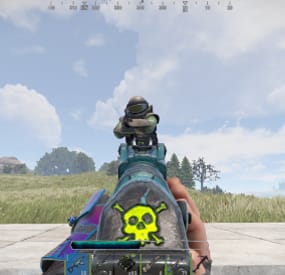
Advanced Hit Bar will show the players the health information of the player or certain entities the player is shooting. This plugins comes with a nice UI and the ability to customize it.
Important: This plugin depends on Image Library
It also works with other plugins that modifies players health like Better Metabolism.
Permissions:
advancedhitbar.use - Players with this permission will be able to see the Hitbar when shooting (If perms are enabled from config). advancedhitbar.edit - Players with this permission will be able to edit the Hitbar color (If perms are enabled from config). Commands:
/hitbar - Opens the Hitbar color config. /hitbar on/off - Enables/Disables the hitbar. /hitbar help - Show brief information on chat. Configuration:
{ "Plugin Settings": { "- Only users with perms can see the alert": false, "- Time alert will be displayed (Seconds)": 3.0, "- UI Anchor Min": "0.356 0.117", "- UI Anchor Max": "0.63 0.158", "- Config Text": "HITBAR SETTINGS", "- Config Color": "#ffffff", "Copter - Enable health bar": true, "Bradley - Enable health bar": true, "Players - Enable health bar": true, "NPC - Enable health bar (Animals, Scientists, Scarecrows, etc.)": true, "Minicopter - Enable health bar": true, "ScrapCopter - Enable health bar": true, "Deployables - Enable health bar": true, "Building Blocks - Enable health bar": true, "All Entities - Enable health bar": false, "Show hitbar when damage type is fire (Not Recommended)": false, "- Accept button text": "ACCEPT", "- Close button text": "CLOSE", "- Config Chat command": "hitbar", "- Config Custom Players Health (ONLY CHANGE THIS IF YOU CHANGED THE DEFAULT PLAYERS HEALTH)": 100, "- Config Custom Players Health (Assign the perm to the the players that have different health)": { // Only assign this perms to the players if you changed their max health (Example: Better Metabolism) "advancedhitbar.vip": 150, "advancedhitbar.vip1": 200 } } }
-
$39.99
Convoy
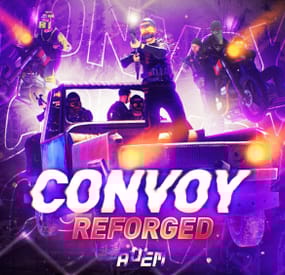
Set your server apart with a roaming mobile event that has nearly endless configuration options! Configure the loot truck as well as the Convoy of protection vehicles ranging from sedans, module cars, Bradley tanks, motorbikes, vendor trucks, to a patrol helicopter! The plugin runs on custom and procedural generated maps, can use custom routes or let the plugin find a random route based on your configuration.
You can make yours an aggressive or a peaceful Convoy, who shoots first? You can set all kinds of parameters regarding the many pieces of the event, how to beat it, whether destroying the loot truck destroys the loot or not for example. There are many compatible plugins like TruePVE, GUIAnnouncements, Notify, DiscordMessages, and RustCord to name a few. The plugin has a built in UI that will give you important information about the event as you are inside it's zone. Check the map to see the location of the event as a marker and even see the timer on the event! All of the ground vehicles are driven and filled with NPCs. Every vehicle, the NPCs, and the loot as well as all timers can be configured to suit your server. A PvP zone can be created within the event area for those of you who use TruePVE to control damage on your servers. The limits are nearly endless!
If you have some players on your server that you want to really send everything you have at, this is the plugin for you. Watch players crap their pants when they first encounter a full Convoy with multiple tanks and a Patrol Heli all attacking at once. Sit back and delight in their fear as all of the vehicles empty their occupants and NPCs swarm them mercilessly!
Required Dependency (must install this free plugin)
NpcSpawn – link is included and can be found in the ReadMe file included with download
Chat commands (admin only)
/convoystart - launches the event using a random preset based on your configuration /convoystart PresetName - add the name of a preset from the configuration to launch a specific preset /convoystop - stops the event /convoyroadblock - the event will not be held on the road where you are standing (clear the Blocked roads section of config when you change maps) /convoypathstart - stand at starting point and enter command to start recording a custom route /convoypathsave RoutePresetName - to save a custom route (enter anything you'd like in place of RoutePresetName) multiple routes can be added to one route preset, one will be selected at random in this case /convoypathcancel - to reset the route
Console commands (RCON only)
convoystart - launches the event using a random preset based on your configuration convoystart PresetName - add the name of a preset from the configuration to launch a specific preset convoystop - stops the event
Plugin Config
en – example of plugin configuration in English ru – example of plugin configuration in Russian
API
bool IsConvoyVehicle(BaseEntity entity) bool IsConvoyCrate(BaseEntity crate) bool IsConvoyHeli(BaseHelicopter baseHelicopter) bool IsConvoyNpc(ScientistNPC scientistNPC) Hooks
void OnConvoyStart() - яalled when a convoy appears void OnConvoyStop() - яalled when a convoy disappears void OnPlayerEnterConvoy(BasePlayer player) - яalled when a player enters the event area void OnPlayerExitConvoy(BasePlayer player) - яalled when the player leaves the event area void OnConvoyEventWin(ulong userId) - called at the end of the event and informs about its winner void OnConvoyStartMoving(Vector3 convoyPosition) void OnConvoyStopMoving(Vector3 convoyPosition) void OnConvoyAttacked(BasePlayer player, Vector3 convoyPosition)
Check out the rest of my work: Adem's Codefling Library
You can reach out to me in Discord: Adem's Discord Profile
Thanks to Jbird for writing, translation, & support: Jbird's Discord Profile
Join the Mad Mappers Discord!
-
$3.99
Instant Airdrop
By rogder dodger in Plugins
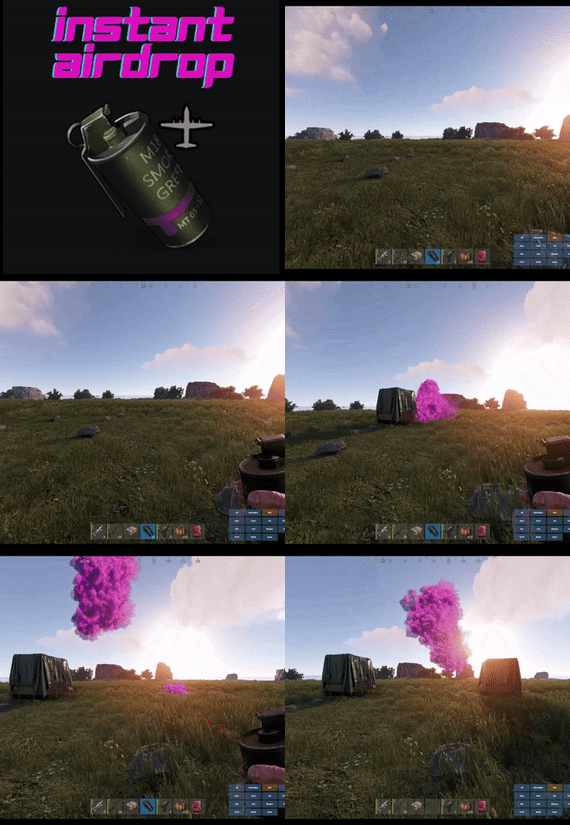
Are your players tired of waiting for Airdrops? This little plugin makes them appear almost instantly, no cargo plane, no parachutes. Airdrop will spawn wherever the supply signal lands. The delay can be modified in the config file. The default is 5 seconds to allow the supply signal to land and smoke briefly.
Config File
{ "Delay Before Spawn": 5.0, "Use Permission": false, "Prevent Deploying Inside (Players will only be able to deploy supply signals outside)": false, "Skin IDs To Ignore": [] }
if "Use Permission" is set true then permission to be set is
instantairdrop.use
If "Prevent Deploying Inside" the Airdrop will be cancelled, the supply signal will be refunded to the player and a message will inform the player that supply signals can only be deployed outside. This is to prevent instant airdrops spawning inside of bases and is optional.
Developer Integration
1. IsInstantAirdrop(SupplyDrop supplyDrop) - Takes a SupplyDrop object and returns true if it's an instant airdrop 2. IsInstantAirdropByEntity(BaseEntity entity) - Takes any BaseEntity and returns true if it's an instant airdrop Usage Examples for Other Plugins: // Check if a supply drop is an instant airdrop var instantAirdrop = plugins.Find("InstantAirdrop"); if (instantAirdrop != null) { bool isInstant = (bool)instantAirdrop.Call("IsInstantAirdrop", supplyDrop); if (isInstant) { // Handle instant airdrop differently Puts("This is an instant airdrop!"); } } // Or using BaseEntity bool isInstantByEntity = (bool)instantAirdrop.Call("IsInstantAirdropByEntity", entity); This integration allows other plugins to: - Prevent their plugin from calling in more airdrops - Apply different loot rules to instant vs regular airdrops - Show different notifications for instant airdrops - Track instant airdrop statistics separately - Apply special effects only to instant airdrops - Modify damage/protection rules for instant drops
Tested to work nicely along side other plugins such as:
Heli Signals
Bradley Drops
Fancy Drop
Loot Defender
Signal Cooldown
Helpful Supply
Supply Lock
Vehicle Airdrops (fix coming soon)
Note: The plugin is designed to operate without causing issues when used with these plugins. However, it does not integrate or alter the functionality of these plugins.
- #rust
- #supply drop
- (and 20 more)