
Nobby's Wishlist
-

$9.99
LuckyBlock
Random events with rarity A crate that owes you nothing Looting is the most predictable part of a wipe: you know what a barrel holds before you break it. Lucky Blocks fix that. Any container on the map can quietly turn into one, wrapped on all six faces in the texture of its rarity, and opening it doesn't give loot — it rolls. A Common block pays a few scrap; a Legendary one drops an airdrop on your head. A Cursed one has nothing good inside it at all, and the player can see that before deciding to touch it.
31 Event types built in 5 Tiers, Common to Cursed 35 Events preconfigured 0 Dependencies ✓Rarity you can read across the field — every tier carries its own workshop decal, colour and name ✓The Cursed tier only hurts — a visible risk your players choose to take, and no competitor has one ✓Hand blocks out as an item — a shop reward the player places where they want and opens when they want ✓Any event is a list of server commands — whatever your other plugins can do belongs on the wheel too ✓Rare blocks announce themselves — chat with a grid reference, a marker on the map, an embed in Discord 01 — Tiers Five rarities, five different wheels A block belongs to a tier from the moment it spawns until somebody opens it. The tier decides how the block looks, how often it appears, who is allowed to open it and which events can come out of it. Common, Rare, Epic, Legendary and Cursed ship configured, with the events already spread across them by weight.
The block tells you what it is Each tier has its own Steam Workshop decal, published with the plugin and set in the config, plus a name in its own colour. A player crossing a field sees a gold block and a black one and knows the difference without opening either. Cursed: the whole point of looking first Ten events, all of them bad: the concrete box with C4 counting down, a patrol helicopter aimed at the opener, meteors, bears, radiation, a wound, an inventory dropped on the ground. Walk past it or gamble that the roll lands on the least painful one. Weights, not percentages Spawn weight per tier, event weight inside a tier. Raise one number and everything else rebalances itself; set it to zero and that tier or event stops appearing. Adding a sixth tier is a copy of a block in the config. A tier can belong to a group Give a tier a permission and only that group can open its blocks. Legendary for VIPs, Cursed for everyone, the rest open to the server — blocks still spawn for all players, they just don't open for the wrong hands. 02 — Events Thirty-one ways it can end An event is a list of server commands with a weight and a description, so the built-in ones and yours sit in the same table and roll against each other. %steamid% in a command is replaced with the player who opened the block.
Reward Money through Economics, ServerRewards, BankSystem or IQEconomic. A kit by name. An item with a skin, a rain of items landing around the player, an airdrop, a blueprint unlocked, every piece of gear repaired, full health with the boosters running, or any vehicle and entity spawned by its prefab name. Chaos A patrol helicopter sent straight at the opener. Meteors falling over the area. Lightning. Bears or scientists in a ring around the player, a wall of fireballs, radiation, a teleport to a random point or to a monument, a swap of positions with the closest player, everything stripped off, or the sealed concrete cube with nine C4 counting down inside it. Trolling The camera spinning for half a minute. An explosion with no damage behind it. Heavy armour that cannot be taken off. Night vision goggles for a while, an inventory dropped at the player's feet. Server wide An airdrop called in for every player online, and Lucky Rain: a ring of fresh blocks around the one just opened, which turns a single find into a crowd within a minute. 03 — Blocks as an item Sell one, let the player open it where they like Fill the item skin id on a tier and that tier becomes a box in the inventory. One console command hands it out, so your shop, your cases and your event plugin can all give lucky blocks as a reward without knowing anything about this plugin.
Placed like any deployable The player deploys the box the usual way, so the game itself checks building privilege, the surface and the slope. The plugin only replaces what was placed with a block of that tier. It waits as long as it has to A block a player placed ignores the despawn timer and comes back after a restart, in the same spot. It is never announced and never appears on the map either, so buying one doesn't paint a target on the buyer's base. One way in A placed block cannot be picked back up. Once it is on the ground the only thing left to do with it is open it. 04 — What the server sees A rare block is an event, not a private find Announcements are set per tier, so Common blocks stay quiet and a Legendary one starts a race. Spawn and opening are separate switches — announce the find without telling everyone what came out of it, or the other way round.
Chat with a grid reference The message names the tier in its own colour and the grid square it landed in, which is enough to send half the server running and not enough to lead them to the exact rock. A marker for as long as it lives A circle in the colour of the tier sits on the map while the block is there and disappears with it, whether it was opened or despawned. The same news in Discord One webhook url in the config and every announcement is mirrored as an embed coloured like the tier, so the players who are not online still see the server is alive. Who opens the most The plugin counts openings per player and per tier and shows the top ten in chat. Statistics reset themselves on a wipe. Reliability Nothing left in the map save ✓Blocks are never written into the save, so a restart leaves no leftovers — only blocks placed by players come back, from the plugin's own data file ✓A block costs seven network entities, and a limit in the config keeps that budget where you put it ✓Configs from 1.x upgrade themselves: the old event list becomes the Common tier and keeps its skin ✓Hooks the setup does not need stay unsubscribed, so a server that gives out no blocks as items never listens for deployables ✓Spawns can be blocked underwater, above the ocean and inside any monument — the monument list fills itself from your map ✓Runs on Oxide and Carbon, needs no other plugin, and every message lives in the language files, English and Russian included Commands and permissions Three commands, and one of them is for players /lbtop Top ten openers on the server. Open to everyone. /lbtest [tier] Puts a block of that tier where you are looking, or a random one. Needs luckyblock.admin. luckyblock.give Console or RCON: luckyblock.give <steamID|name> <tier> [amount], the line your shop calls. luckyblock.admin Spawning blocks and handing them out. luckyblock.<tier> Whatever you write in a tier's permission field, registered on load. Leave it empty and the tier is open to everyone. For developers Four methods, three hooks A tier is always named by its key in the config, Common, Rare, Legendary and so on: that is what the hooks hand you and what every method takes. Everything goes through a plain plugin reference, LuckyBlock?.Call<bool>("GiveLuckyBlock", player, "Legendary", 1), nothing to add as a dependency.
Methods IsLuckyBlock (BaseEntity entity) → bool
True for a live lucky block of this plugin, so your loot or damage rules can step around it. GetLuckyBlockTier (BaseEntity entity) → string
Tier name of that block, null when the entity is not one. SpawnLuckyBlock (Vector3 position, string tier) → bool
Puts a block of that tier at the position, an empty tier rolls a random one by weight. It behaves like a natural spawn: despawns by the timer, gets announced and marked on the map when the tier says so. False when the tier is not in the config, or nothing can roll because every weight is zero. GiveLuckyBlock (BasePlayer player, string tier, int amount) → bool
Hands the block over as an item, amount clamped to 1..100. False when the tier does not exist or has no item skin id, such a tier can only spawn on the map. Hooks OnLuckyBlockSpawned (LootContainer block, string tier)
A block appeared: spawned on the map, placed by a player, or restored after a restart. CanOpenLuckyBlock (BasePlayer player, LootContainer block, string tier) → object
A player is trying to open one. Return anything but null to veto. It runs after the tier permission and before the cooldown and the daily limit, so your refusal shows before the built-in ones. OnLuckyBlockOpened (BasePlayer player, LootContainer block, string tier)
The tier event has already fired, the block is about to vanish. Questions Before you buy I am on 1.x. What happens to my config? It migrates on the first load. Your event list becomes the Common tier with the skin you were using, and the other four tiers arrive next to it, ready to be tuned or deleted. Can I add my own events? That is the main way to use it. An event is a list of server commands with a weight, and %steamid% stands for the player who opened the block. Anything with a console command belongs on the wheel. Can I use my own artwork? Yes. Five decals come with the plugin and are set in the config out of the box; a skin id is just a config value, so your own decal from the Spray Decal Creator takes its place in one line. What does it cost the server? Seven network entities per block, and the block limit in the config caps the total. Blocks replace loot containers that already exist, so nothing is added to the map that wasn't going to be there. Will the deadly events wreck bases? No. The C4 in the concrete cube is a visual: it kills the player who opened the block and leaves the neighbourhood standing. What happens on a restart or a wipe? Spawned blocks are gone and new ones appear as loot respawns. Blocks players placed themselves come back where they were. Statistics start over on a new save.- #luckyblock
- #lucky block
- (and 27 more)
-
$55.00
Raiders Realms
3500 size
54000 prefabs
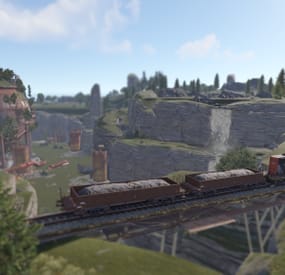
Hey! I made this map over the course of 427 hours. When creating it, I focused on the diversity of colorful landscapes and unique terrain, as well as interesting locations.
The map is divided into 3 tier zones stretching from south to north.
Player spawns are located in the lower, easy part of the map. To get to high-level loot, people will have to make a whole journey from south to north. Through foggy swamps, scorched desert, abandoned bunkers to icy mountains.
The unique terrain of each zone will allow each of your players to choose the perfect place for themselves. Almost all places for construction are marked with stars (*), but there are also those that are hidden from view.
On the map you can see many custom locations. I made them from scratch and put my soul into each of them. From a small farm and an abandoned church to a huge city of scavengers and a terrifying castle of bad guys on high mountains.
Vanilla monuments:
Jungle Ziggurat Arctic research Base Mini Launch site Missile Silo Fishing village x2 Harbor Sewer Branch Junkyard Sulfur Quarry Underwater Lab Abandoned Military Base Large Barn
Custom monuments:
Kaiser's Frontier Deep Oil Inc. Rock Rupture Dread Bunker Raiders Haven Agave Farm Stone quarry+ The Dome+(slightly changed vanilla version) Cursed Village Old Church Stronghold Ruins Swamp House Powersubs+ 1|2|3 Mining Outpost+ Gas Station+
Here's some information about custom monuments:
1. Ruins:
2. Swamp House:
3. Old Church:
4. Stronghold:
5. Cursed Village:
6. Agave Farm:
7. Raiders Haven:
8. Dread bunker:
9. Kaiser's frontier:
If you need help with something like codes, just send me a message!
-
$5.00
SirApesALots Fun Pack
By SirApesALot in Bases
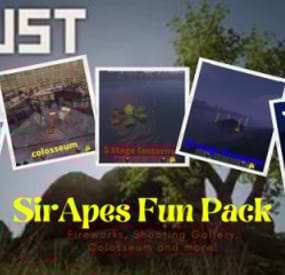
SirApesALots Fun Pack!
Shooting Range, Colosseum, Fireworks Shows and More!
SirApes Fun Pack is a set of awesome activities for you to run with/for your players when hanging out. It includes: A fully automated shooting range / gallery, that keeps score, determines the winner and unlocks the prize for them. A colosseum for up to 6 contestants equipped with door controls, automatic lights and a surprise for the winner. 3 Fireworks shows (20 stage- 10minute, 9 stage- 5 minute and a 5 stage 3 minute) and a Lantern Launcher. Just requires copy/paste to slap it down and have a great time! Great for smaller servers when hanging out with the guys/gals.
Shooting Range / Gallery
Got a couple chads arguing whose spray is better? Or just want to have some fun with players on your server? This Shooting Range might be for you! Once you pull the switch to activate the game, the doors randomly open every 7 seconds for a 2 second period. Automatically keeps score when a target is downed, declares a winner (set to end at 10 by default) sets off fireworks in their stall and automatically opens the doors to the prize room ending the game!
Using the shooting range: Paste down the range, add guns and ammo to the boxes below the tables for participants (make sure to /share if you are a pve server with prevent looting), add prizes into the large boxes in the loot room (also /share if using prevent looting plug in) and gather your players! Once your players are at the stalls, armed and ready, pull the switch between the loot room doors and everything is automated from there. When the game is over and a winner has been declared, turn the switch back off to reset the game and start a fresh one! If you would like to increase the number of points required to win, go to each stall and adjust the counter to the score you wish as the goal "set passthrough”. Occasionally when you paste down the range the counters that keep score will show 1, but it is still counted as zero and when a player takes down their first target it remains at one. That is a game glitch, but usually if you undo and repaste the second one will have all zeros.
Colosseum
Let your players battle it out in this Colosseum! Great for Prim and Pistol PVP battles (also works for larger weapons but a bit small for it). Most aspects of this have been streamlined and automated for the server owner's convenience. Just sit back on the throne, press a few buttons and watch the chaos unfold. Just the push of a button starts the fight, anyone who refuses to leave the cells will be met with an unkind surprise! Once a winner has been chosen he can be granted his freedom with the touch of a button, and you can flip a switch "special prize” for them to be met with an unfortunate fate when they pass through the doors to "freedom”.
Using the Colosseum: Paste down the colosseum, and head up to the throne room (can’t miss it). There are 2 buttons and 2 switches in the throne/control room. The first switch on the left as you look behind the throne (all switches and buttons are also labeled) is to turn on the radio and laser show. The second on the right is the switch that determines if the winner gets met with an autoturret when they leave the arena, leave off if you want the winner to live. As you sit on your throne, you will see a button on the left and a button on the right. The button on the right starts the fight, opening all cell doors. After a winner has been decided, press the button on the left to open both doors allowing the prisoner to exit the arena. If you turned the special prize on once through the exit both doors will slam shut and the garage door with a turret behind it will open.
There is a little setup ahead of time, as you will need to add the weapons/kits to the lockers that you want the contestants to use, and make sure to include a bed in the locker for them to put down for respawns if you wish. Only the cells with door controllers and the clear skinned garage doors in front of the seating are locked, you will need to add any further locks you wish. Make sure to set stability to "false" in copy paste for this build, as the spiral stairs like to collapse when pasted.
20 Stage 10 Minute Fireworks
Just paste, pull the switch in the cage and watch it work! 20 stages, lasts a full ten minute vanilla night!
9 Stage 5 Minute Fireworks
Great for servers with shortened 5 minute nights! Throw it down, pull the switch in the middle of the display and watch it work!
5 Stage 3 Minute Fireworks
Great for when you just want a quick show as a celebration. Paste it down and press the red button at the end of the pier!
5 Stage Lantern Launcher
So this was a better idea in my head then in practice. It works as intended, but has some limitations/drawbacks and was just left in as a novelty for you to play with. Throw it down and pull the switch as soon as you do. Lanterns start despawning after 2 minutes, so it needs to be activated with 30 seconds of setting it down (that being it’s main drawback). Super pretty at night!
- #fireworks
- #shooting range
- (and 7 more)
-
$25.49
Basements
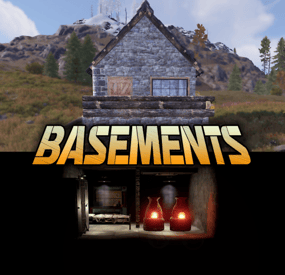
Basements lets players build underground rooms beneath their bases. Place a hatch on your foundation and dig straight down into a hidden basement with walls, ceilings, and full building privileges. Great for stashing loot, setting up secret bunkers, or just adding extra space.
Readme Link - Click Here for Instruction and Documentation
👆Highly recommend reading the FAQ section!
BUILD
Build basements easily from your tool cupboard. Just place an entrance to get started.
EXPAND
Expand your basement by drilling underground. But don't forget to bring a headlamp - its dark down there!
TRAVERSE
Place multiple entryways, building out your labyrinth of tunnels beneath your base.
DECORATE
All deployables, electricity, and storage items can be placed in your basement. Take advantage of your new space!
RAID
Nothing is safe in Rust, including your basement. If all the entrances are destroyed, then the basement is too. Any loot below will float to the surface. Protect the entrance at all costs!
API METHODS (For Plugin Developers)
// Returns true if the given entityId is part of a basement. bool IsBasementEntity(ulong entityId) // Returns the building ids of the basements connected to a given surface building id. uint[] GetBasementBuildingIds(uint surfaceBuildingId) // Returns the building ids of the surface buildings connected to a given basement building id. uint[] GetSurfaceBuildingIds(uint basementBuildingId) Extension Plugins
These are free plugins that add additional functionality to Basements.
BasementsManager
Provides a UI for admins to view and manage the basements on the server. Useful for debugging & fixing issues. Use with the /bm command, requires the basements.admin permission to use.
BasementsManager.cs
-
$29.90
Personal Animal
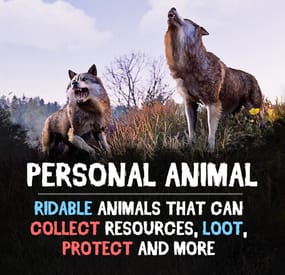
Bring these intelligent animal companions to your server! They can fight, gather resources, carry supplies, and even be ridden. Choose from various customizable animals: bear, boar, chicken, deer, wolf, crocodile, panther, tiger, cow, bull, calf, sheep, lamb, rabbit, squirrel or frog!
Features:
✔️ Resource Gathering & Looting
• Collect essential resources like wood, stone, and ore.
• Automatically gather resources within 50 meters using auto-pickup.
• Loot crates and boxes for valuable items.
✔️ A True Companion
• Command your animal to attack enemies, structures, or objects.
• Ride your animal for faster travel.
• Store items in the animal’s inventory (configurable up to 36 slots).
• Keep your companion healthy with a nutrition system that restores health.
Total Customization & Control
🎯 Animal Settings
• Select your preferred animal: Bear, Boar, Chicken, Deer, Wolf, Crocodile, Panther, tiger, cow, bull, calf, sheep, lamb, rabbit, squirrel, or frog.
• Configure max health, respawn time, and combat abilities.
• Adjust damage rates, player interactions, and looting permissions.
🛠️ User-Friendly Controls & UI
• Assign commands with a customizable buttons.
• Display 3D arrows over targets for better visibility.
• Fully customize the GUI layout, colors, and refresh rate.
• Blacklist specific items from your animal’s inventory bag.
🍖 Feeding System
• Enable nutrition settings to maintain your animal’s health.
• Configure health restoration values for different food items.
Useful Commands:
✅ /panimal – Spawn or despawn your animal.
✅ /panimal follow – Have your animal follow you.
✅ /panimal health – Check your animal’s current health.
✅ /panimal auto-pickup enable/disable – Turn resource auto-collection on or off.
✅ /panimal where – Locate your animal on the map.
📸 See It in Action! Watch the Video
📃 Configuration:
{ "Controls setup": { "Which button will assign tasks to the animal, attack / collect, etc. (MIDDLE_MOUSE, SECOND_MOUSE, E, RELOAD, SPRINT)": "MIDDLE_MOUSE", "Range of action of the assignment button": 25.0, "Display 3D arrows over a target?": true, "Arrow display duration": 2 }, "GUI setup": { "How many seconds to update the GUI?": 6, "Panel layer (Hud, Overlay, Overall, Hud.Menu, Under)": "Overlay", "Panel position": { "type": "RectTransform", "anchormin": "1 1", "anchormax": "1 1", "offsetmin": "-170 -104", "offsetmax": "-10 -10" }, "Second position of the panel (used if the player has a personal bot)": { "type": "RectTransform", "anchormin": "0.0 0.0", "anchormax": "1.0 1.0", "offsetmin": "0.0 0.0", "offsetmax": "0.0 0.0" }, "1 panel color": "#7f8c8d", "2 panel color": "#bdc3c7", "Health bar color": "#2ecc71", "Shortcut buttons": [] }, "Setting up personal animals by permission": { "personalanimal.wolf": { "The name of the animal to be selected through the command when spawning": "wolf", "Animal type (bear, boar, chicken, stag, wolf, polar-bear)": "wolf", "Maximum health": 200, "Animal spawn cooldown": 10.0, "Addons setup": { "Enable the ability to ride an animal?": true, "Add a bag to an animal to store resources?": true, "Number of available slots in the bag (maximum 36)": 12 }, "Functions setup": { "Can the animal attack objects?": true, "Can an animal loot boxes?": true, "Can the animal pick up resources?": true, "Does the animal have to defend itself?": true, "Should the animal protect the owner?": true, "Can an animal collect resources within a radius of 50 meters? (/panimal auto-collect)": true }, "Damage, interactions and loot setup": { "Animal damage rate": 2.0, "Damage rate receive for an animal": 1.0, "Can the animal damage players?": true, "Can players damage the animal?": true, "Despawn animal corpse after death?": false, "Setting up resource pickup rates": { "stones": 5.0 }, "Black list of items that cannot be put in the bag": [ "rocket.launcher" ] }, "Nutrition setup": { "Turn on the animal feeding system?": true, "Setting health for food eaten": { "corn": 5.0 } } }, "personalanimal.bear": { "The name of the animal to be selected through the command when spawning": "bear", "Animal type (bear, boar, chicken, stag, wolf, polar-bear)": "bear", "Maximum health": 200, "Animal spawn cooldown": 10.0, "Addons setup": { "Enable the ability to ride an animal?": true, "Add a bag to an animal to store resources?": true, "Number of available slots in the bag (maximum 36)": 12 }, "Functions setup": { "Can the animal attack objects?": true, "Can an animal loot boxes?": true, "Can the animal pick up resources?": true, "Does the animal have to defend itself?": true, "Should the animal protect the owner?": true, "Can an animal collect resources within a radius of 50 meters? (/panimal auto-collect)": true }, "Damage, interactions and loot setup": { "Animal damage rate": 2.0, "Damage rate receive for an animal": 1.0, "Can the animal damage players?": true, "Can players damage the animal?": true, "Despawn animal corpse after death?": false, "Setting up resource pickup rates": { "stones": 5.0 }, "Black list of items that cannot be put in the bag": [ "rocket.launcher" ] }, "Nutrition setup": { "Turn on the animal feeding system?": true, "Setting health for food eaten": { "corn": 5.0 } } }, "personalanimal.boar": { "The name of the animal to be selected through the command when spawning": "boar", "Animal type (bear, boar, chicken, stag, wolf, polar-bear)": "boar", "Maximum health": 200, "Animal spawn cooldown": 10.0, "Addons setup": { "Enable the ability to ride an animal?": true, "Add a bag to an animal to store resources?": true, "Number of available slots in the bag (maximum 36)": 12 }, "Functions setup": { "Can the animal attack objects?": true, "Can an animal loot boxes?": true, "Can the animal pick up resources?": true, "Does the animal have to defend itself?": true, "Should the animal protect the owner?": true, "Can an animal collect resources within a radius of 50 meters? (/panimal auto-collect)": true }, "Damage, interactions and loot setup": { "Animal damage rate": 2.0, "Damage rate receive for an animal": 1.0, "Can the animal damage players?": true, "Can players damage the animal?": true, "Despawn animal corpse after death?": false, "Setting up resource pickup rates": { "stones": 5.0 }, "Black list of items that cannot be put in the bag": [ "rocket.launcher" ] }, "Nutrition setup": { "Turn on the animal feeding system?": true, "Setting health for food eaten": { "corn": 5.0 } } }, "personalanimal.chicken": { "The name of the animal to be selected through the command when spawning": "chicken", "Animal type (bear, boar, chicken, stag, wolf, polar-bear)": "chicken", "Maximum health": 200, "Animal spawn cooldown": 10.0, "Addons setup": { "Enable the ability to ride an animal?": true, "Add a bag to an animal to store resources?": true, "Number of available slots in the bag (maximum 36)": 12 }, "Functions setup": { "Can the animal attack objects?": true, "Can an animal loot boxes?": true, "Can the animal pick up resources?": true, "Does the animal have to defend itself?": true, "Should the animal protect the owner?": true, "Can an animal collect resources within a radius of 50 meters? (/panimal auto-collect)": true }, "Damage, interactions and loot setup": { "Animal damage rate": 2.0, "Damage rate receive for an animal": 1.0, "Can the animal damage players?": true, "Can players damage the animal?": true, "Despawn animal corpse after death?": false, "Setting up resource pickup rates": { "stones": 5.0 }, "Black list of items that cannot be put in the bag": [ "rocket.launcher" ] }, "Nutrition setup": { "Turn on the animal feeding system?": true, "Setting health for food eaten": { "corn": 5.0 } } }, "personalanimal.stag": { "The name of the animal to be selected through the command when spawning": "stag", "Animal type (bear, boar, chicken, stag, wolf, polar-bear)": "stag", "Maximum health": 200, "Animal spawn cooldown": 10.0, "Addons setup": { "Enable the ability to ride an animal?": true, "Add a bag to an animal to store resources?": true, "Number of available slots in the bag (maximum 36)": 12 }, "Functions setup": { "Can the animal attack objects?": true, "Can an animal loot boxes?": true, "Can the animal pick up resources?": true, "Does the animal have to defend itself?": true, "Should the animal protect the owner?": true, "Can an animal collect resources within a radius of 50 meters? (/panimal auto-collect)": true }, "Damage, interactions and loot setup": { "Animal damage rate": 2.0, "Damage rate receive for an animal": 1.0, "Can the animal damage players?": true, "Can players damage the animal?": true, "Despawn animal corpse after death?": false, "Setting up resource pickup rates": { "stones": 5.0 }, "Black list of items that cannot be put in the bag": [ "rocket.launcher" ] }, "Nutrition setup": { "Turn on the animal feeding system?": true, "Setting health for food eaten": { "corn": 5.0 } } }, "personalanimal.polarbear": { "The name of the animal to be selected through the command when spawning": "polarbear", "Animal type (bear, boar, chicken, stag, wolf, polar-bear)": "polar-bear", "Maximum health": 400, "Animal spawn cooldown": 10.0, "Addons setup": { "Enable the ability to ride an animal?": true, "Add a bag to an animal to store resources?": true, "Number of available slots in the bag (maximum 36)": 12 }, "Functions setup": { "Can the animal attack objects?": true, "Can an animal loot boxes?": true, "Can the animal pick up resources?": true, "Does the animal have to defend itself?": true, "Should the animal protect the owner?": true, "Can an animal collect resources within a radius of 50 meters? (/panimal auto-collect)": true }, "Damage, interactions and loot setup": { "Animal damage rate": 2.0, "Damage rate receive for an animal": 1.0, "Can the animal damage players?": true, "Can players damage the animal?": true, "Despawn animal corpse after death?": false, "Setting up resource pickup rates": { "stones": 5.0 }, "Black list of items that cannot be put in the bag": [ "rocket.launcher" ] }, "Nutrition setup": { "Turn on the animal feeding system?": true, "Setting health for food eaten": { "corn": 5.0 } } } }, "List of prefabs that the animal can loot (useful if the animal attacks loot instead of looting it)": [ "foodbox", "vehicle_parts" ] }