

MNfreakTim
-
Posts
131 -
Joined
-
Last visited
Content Type
Profiles
Warranty Claims
Downloads
Forums
Store
Services
Downloads Plus Support
DOWNLOADS EXTRA
Everything posted by MNfreakTim
-
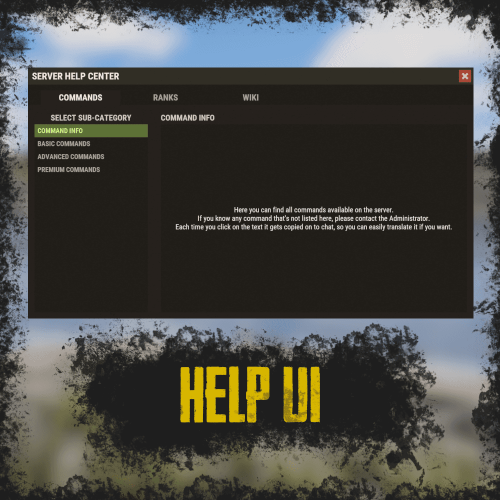 I saw a similar looking plugin on a server that I joined today. Can this plugin be set up to allow for clickable links on the page to open a new tab (think hyperlink).
 -
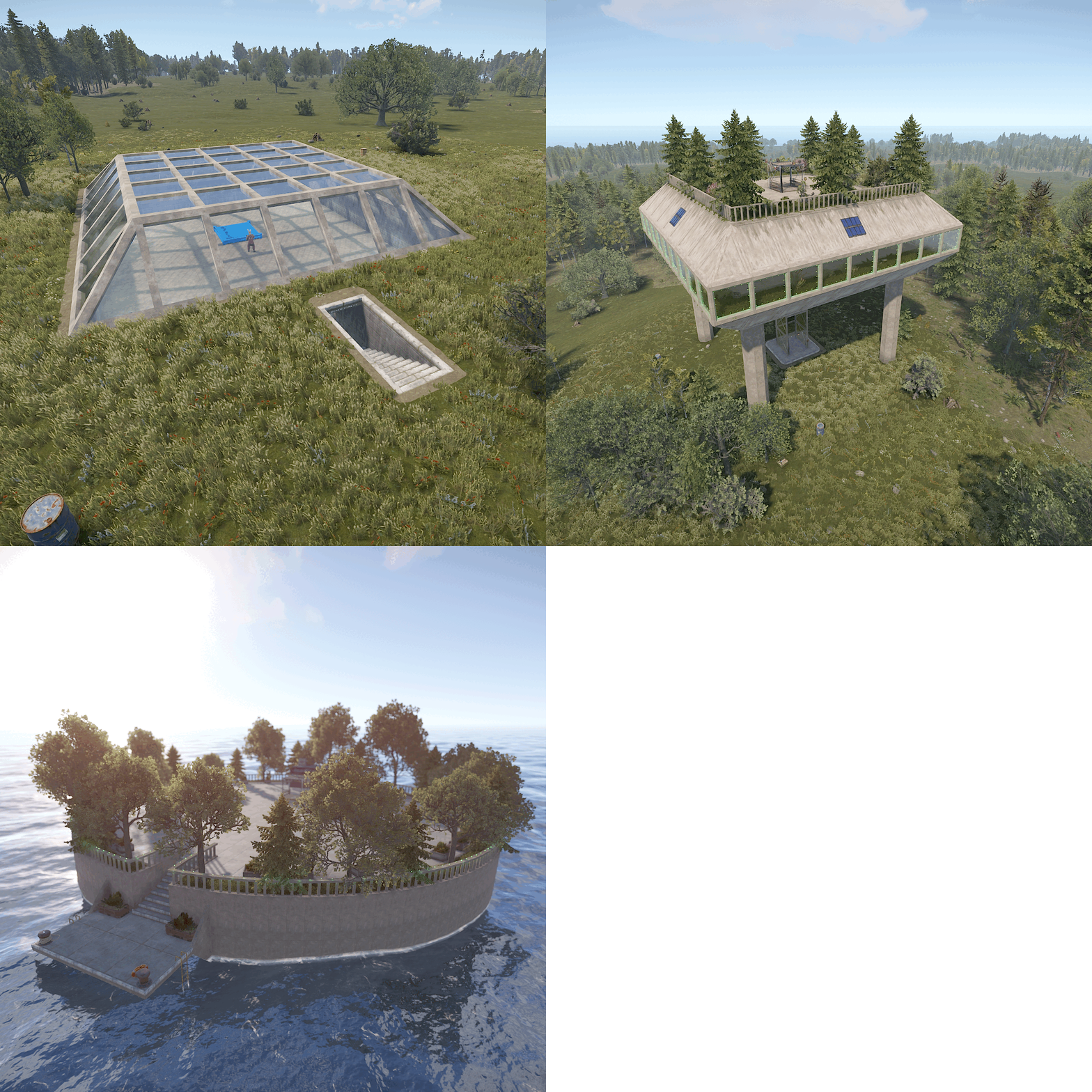
 I rated this package a 4 star review. If I could have I would have given this a 4.5 star review. I am going to break my review down based on a few factors. The islands: The foundation of each island are really well done on 2 of the islands. The third is kind of bland, but there is a reason for that, the build area and detail are really located below ground. So I won't really talk about the details of this island as much. But, the other two have had some considerable time put into them to make then really quite cozy and functional. The topographical flow of each of these two islands is really quite nice. (5 star) The houses: Both of these houses are really exquisite in their "curb appeal". BUT, these are really quite small build areas with all being said. The smaller white house is a 1 story 3x3 square building area, with 1 single door entrance which is secured quite easily. The 2-story house has a bit more buildable area in that it is a 2 story "3x5" build zone. This base has a front entrance and 2 deck entrances. These entrances are a bit tricky to secure properly. This is particularly true on the lower level where there is a 1x2 build exclusion zone by the front door, which is why the 3x5 is in "". To properly utilize the second floor is a little tricky in that you have to really be precise in the placement of the ceilings on the first floor for them to clip through the floor ever so slightly, which allows you to place all objects on the 2nd floor. (curb appeal = 5 star / build zone 3.5 star) Cons: While the houses are stunning, they are quite small for most rust bases. Which means they will not work for a majority of the players who would want these are their own private island on my server. Which is why when everyone picked their locations for next month's wipe these islands were picked by 3 out of 5 players on the server. But, two of them wanted the building to be removed so they could build their own using the normal mechanics in rust. It would also be really nice if the total prefab count for each island was included in the description. (4 star review based on the reviews of the players who visited my test server mainly due to the build area within two of the bases being a bit limiting. Do not be fooled, I am really impressed with the amount of work that went into these islands and the bases. The bases are really quite stunning as are the islands themselves. I feel it is quite telling that 3 of the 5 players who had access to these islands wanted them on the first wipe they were available (including myself). I have dabbled in Rust Edit a fair amount and have created a few nice island prefabs, but this package showed me I need to up my game a bit. I would definitely purchase these again and would consider other items sold by the developer. On that note, the developer gets a 5 star review in my mind based on their customer service provided. They have been quite willing to reach out to see if I had any issues with the prefabs after purchase.
 -
 If I placed these both above the water surface and below the water surface, and the water is not showing. Did I miss a flag I was supposed to add / remove?
 -
 That is what I thought. I tried to do just that and it didn't work. But, I am also not a developer, so it could have easily been something I did. Thanks for the clarification.
 -
Howdy, I had a player who is using this prefab as their base this wipe and they were wondering if it would be possible to add a double door frame to the opening to the elevator at the ground level and at the main building level? It can be quite tricky to get these items placed in game. Thanks in advance,
-
 I actually had after I posted this (about 5 minutes later). I should have updated either that post or added a new one. Thanks for the snark, was running short on that today. I love when developers make reviews easy.
 -
It appears the only 2 permissions assigned for this plugin automatically are for the coop and the admin settings. I tried assigning the gather permissions for the animals and none of them worked.
-
 Thank you so very much. 30 FPS increase instantly. One final question. Do you know if I will need to run this once (or more) daily when the fps becomes and issue and it impacts plugins such as yours?
 -
I can confirm that I am running 3 servers currently, and only 1 of them is having this exact issue as well. I have tried reloading the plugin, waiting for the grid to finish, and it is just not allowing the bases to spawn. Additionally I am using spawns database with 16 raidbase islands for spawn points.
-
 Loaded the plugin on my test server, and when the parent entity moved the NPC's were all over the place (even on the roof of the building). When I attempted to set the new bank name up on my test server, the doors are now spawning on the ceiling. Is there something with the new wipe today that is messing with the loading of the monument and its parts? Fixed in July? = I believe I did not select the same item when breaking the prefab and setting the parent entity name. I will try next month with a new map and make sure to use the same item again as this month.
 -
The following error showed up in my RCON when I was monitoring it and someone was taking the Bank Heist monument. Calling hook CanEntityTakeDamage resulted in a conflict between the following plugins: BankHeist - True (Boolean), NpcSpawn (False (Boolean)) Also a possible suggestion is to have the health of the vault doors show when damaged so that players taking the monument know the health as they are trying to complete the monument. Thanks, Tim
-
 sorry I guess I am still having issues with other groups still maintaining their purchased skills from wipe to wipe. my personal skills not wiping were a result of the admin group having the skills maintain through the wipe. However, someone in the default group just asked before purchasing new skills if the old ones would be wiped. So I was premature in my assumption that it was entirely my error that caused the issue. The berry problem is still there as well. Tim
 -
I just sent it to you. Thanks for looking at it in advance.
-
Howdy MeventSupport, I currently do not offer the option to transfer the skills between wipes. What would happen with the berries after purchasing the skill to max level, is the player would be given 1 berry which would not be able to be consumed, after this they would not get a single berry when farming. The other plants were not impacted when grown in planters, so I was able to identify the culprit pretty quickly. I then manually adjusted my own cfg to remove the berry gather skill and reloaded the skills plugin. This resulted in me being able to harvest berries normally again. I have inactivated that skill from my server at the moment, as it was causing havoc for many players.
-
I have the skills plugin to auto wipe and it did not wipe the player data this wipe. I then attempted to manually wipe the player data, and while it removed the data from the folder, the skills remain at the level prior to me manually wiping them for all players. I also noticed a problem with the /skills plugin and the berry gather mode in that it was causing players to pick up a berry that was bugged and would cause them to no longer be able to harvest ONLY berries after they purchased the skill.
-
 Yeah, that was why I made the suggestion I did. I almost had to remove the plugin from my server as most of the players were confused and those with the DLC were really not happy as it was easy for them to build using the skins before and now it was more complicated.
 -
 This plugin has been a big hit with the players on my server since day 1. The developer of the plugin has always been quite prompt in their responses when I had questions. This plugin has quite a bit of configuration that the server admin can do with permissions, which allows for multiple levels of bags being available for different tiers of players (default/admin/vip). The gather option on the bags can be quite handy for those players who have gather mode set on. The fact that this is configurable on the player side is a nice benefit as well. The developer of this plugin is always willing to go the extra distance to ensure that for me as a server owner, I can always keep this plugin working smoothly. For me, that is something that is quite invaluable. This plugin purchase has been a pleasure for me since day one, and I would easily purchase another plugin made by this developer.
 -
This is a suggestion / request that has come up on my server. Most of my players find the UI interface a bit counterintuitive. The suggestion that was put forth on my server is to have the "apply" button say switch, and to have the skin which is going to be used show in the UI instead of having it say apply and then when clicked the Adobe or Shipping Container picture was showing when that skin would be used instead of being hidden. If that makes any sense at all.
-
 I genuinely had high hopes for this plugin when I purchased it. This was one of the first plugins that was updated to work with the electric furnaces that I was able to find available for purchase. However, upon installing this plugin live on my main server, I quickly became aware of multiple issues within the plugin that made it unusable on my server. I have opened tickets for two of the items, but gave up attempting further inquiries as after my initial conversation with the developer, they have been quite slow to respond. So why am I giving this a 2-star review. The first main issue I noticed is the config file is incredibly sensitive and quite limited when attempting to manipulate the fuel consumption of this plug. The current format of this plugin would indicate that if you attempt to lower the fuel consumption below 10, it will completely reset all changes to the config file. This problem became quite annoying when attempting to set up more than one line on the config file, as you will lose all data which was changed. So you might be asking yourself why lowering the fuel consumption would be important... This was a change I was attempting to make as the fuel consumed when using Furnace Splitter and Quick Smelt, the fuel consumed would be about half of what was indicated as being needed. However, with this plugin and Furnace Splitter the fuel listed as being needed would run out before the ore was processed, and it was showing about half of what was required to process the ore. This quickly became quite annoying to the players on my server. The second main issue I noticed within this plugin is the charcoal produced for players on the server would vary significantly. When setting the config file to give 1 charcoal for every 10 fuel consumed with a 75% chance at charcoal, about half of the players on the server would see a 1.1 to 1.3 fuel:charcoal ratio. However, the rest of the players were split between having either the large or normal furnace produce the rates mentioned previously, but the other sources would be a 10:1 fuel to charcoal ratio, or they had the 10:1 fuel to charcoal ratio as the config file would indicate should happen. So once again, why is this a problem? Well for roughly half of the server if I have the config file set to a 10:8 fuel to charcoal ration at a 75% chance which would be what should be expected in general, they would be receiving an INSANE amount of charcoal. I was personally seeing a 1 to 20 fuel to charcoal ratio, with the 10:8 setting at 75%. As I allow players to sell unused resources for server points, that bug would have broken the economy of my server by leaving it in place at the required rate so that all players should receive 8 charcoal for 10 wood consumed. I gave this plugin a 2-star review as 2.5 was not available. The fact that the electric furnaces worked and could be sped up means to me that it is worth at minimum 2.5 stars. But as there are far too many bugs with this plugin that have yet to be resolved, I have had to remove this plugin entirely from my server. I would suggest checking if this plugin will be impacted by others before installing it on your server. Also, you will need patience if you send in a support ticket. Edit for Author response: If the charcoal output is adjusted so that everyone on the server is getting results similar to the CFG setup, I will increase the rating 1 star. If the fuel consumption can be tweaked by the server admin, I will increase the rating 1 additional star. Ultimately, I am not sure as though I will be able to give this plugin a 5-star review for a few reasons. The main issue I have with the limited function of the CFG file is... Why have items which can be changed that result in the entire CFG file being rewritten as a default CFG? I had to enter the information into the CFG a few times before I realized which field was causing the entire CFG to be rewritten. That is the "limits" of the CFG, not functions which can be changed. I was quite specific in the "Quote" you wrote there as to what I meant. I am not sure what the fuel consumption rates would have had with limiting the plugin/cfg would have caused a server to stall, as it is a value that will be called regardless to consume fuel... As I wrote in the edited response, I will increase my rating of this plugin if it becomes functional from my perspective as a server admin. Fortunately for me at the moment, there is a version of Quick Smelt that works with Electric Furnaces, so I have just switched back to the original plugin my server was using. Charcoal produced appears to be close to default for most / all players potentially so I increased the rating 1 star as I stated I would.
 -
Howdy Kasvoton, You are absolutely correct with the Quick Smelt plugin. It would often consume about half of the "required" fuel. I only ask this question as I am sure there will be someone on my server who complains about the fuel rates, and I figured I would get a step ahead of any potential questions from my players. I am sorry for opening a support ticket for this instance as well. I wasn't sure which of the two options would be best for this issue. Thanks for such a prompt response.
-
Is it possible to change the fuel consumption rates? This plugin seems to use fuel much faster than my last plugin (Quick Smelt). I have adjusted the numbers to 2 fuel per tick and it keeps reverting back to 10 fuel per tick no matter what I do. It does not appear to want to allow me to set the fuel stack size any lower than 10 per and this is causing the furnace to use up the wood before the ore is cooked in either the furnace, large furnace or refinery.
-
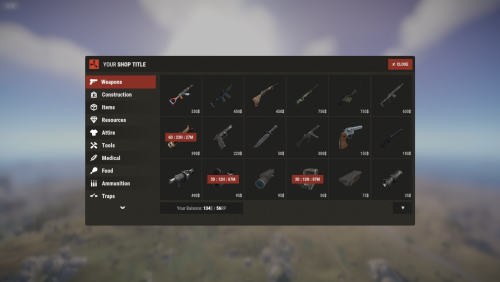 Indeed you are, you click on the item you are wanting to sell and a rotate icon will appear in the top right of the picture which allows you to switch it from buy to sell. It is confusing to some players on my server, but they adjusted pretty quickly.
 -
NVM I read the recent update notice and it answered my question
-
Howdy Nivex, I recently noticed this null reference exception in the RCON on one of my servers. I am not sure if this is of any importance or not, but I figured I would let you know. Failed to call hook 'CanLootEntity' on plugin 'RaidableBases v2.7.2' (NullReferenceException: ) at (wrapper managed-to-native) UnityEngine.Component.get_transform(UnityEngine.Component) at Oxide.Plugins.RaidableBases.CanLootEntity (BasePlayer player, BaseEntity entity) [0x00000] in <237b80332cbf4a3c8b9d4169c72a6485>:0 at Oxide.Plugins.RaidableBases.DirectCallHook (System.String name, System.Object& ret, System.Object[] args) [0x027a5] in <237b80332cbf4a3c8b9d4169c72a6485>:0 at Oxide.Plugins.CSharpPlugin.InvokeMethod (Oxide.Core.Plugins.HookMethod method, System.Object[] args) [0x00079] in <23ba99f131254889867c71f0bd137b1d>:0 at Oxide.Core.Plugins.CSPlugin.OnCallHook (System.String name, System.Object[] args) [0x000d8] in <157a94ee66ab4a7991faecd1eb84be3b>:0 at Oxide.Core.Plugins.Plugin.CallHook (System.String hook, System.Object[] args) [0x00060] in <157a94ee66ab4a7991faecd1eb84be3b>:0 Thanks, Tim
-
I can confirm that the updated version still shows as version 1.31.16 when loaded onto the server

