Mevent
-
Posts
3,532 -
Joined
-
Last visited
-
Days Won
53
Content Type
Profiles
Warranty Claims
Downloads
Forums
Store
Services
Downloads Plus Support
DOWNLOADS EXTRA
Reels
Everything posted by Mevent
-
Changed Status from Pending to Closed Changed Fixed In to 1.2.33
-
Ладно, не обращайте внимания. Сам разберусь
-
Пришлите, пожалуйста, хуки этих плагинов, которое я могу использовать в UltimateLeaderboard.
-
Changed Status from Pending to Fixed Changed Fixed In to 2.2.3
-
I think at this stage, you need to record a video of how you reinstall the plugin, and send me this video so that I can watch and understand what the problem is.
-
Changed Status from Pending to Closed
-
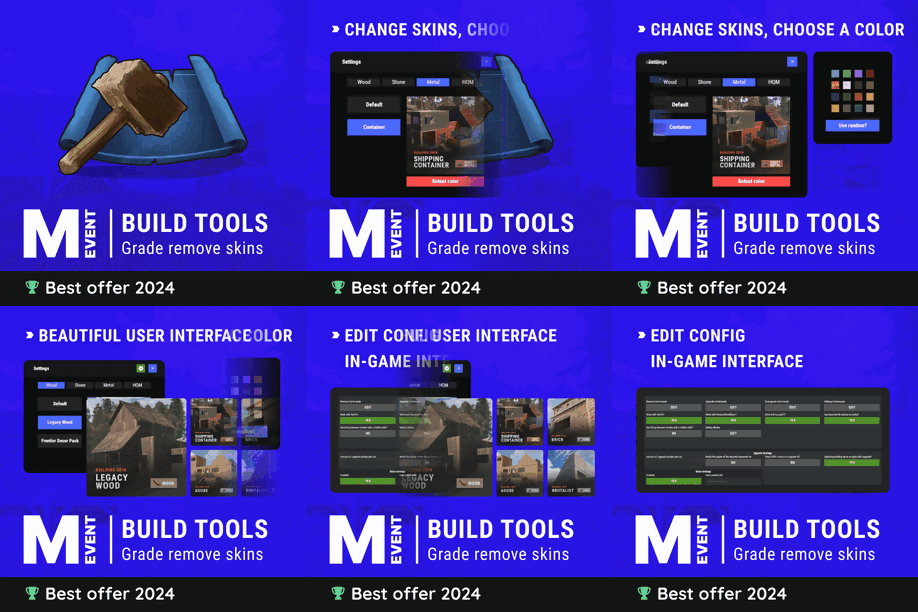 Does the OnHammerHit error appear for everyone?
-
do you have other plugins working normally on your server? do they save data and so on?
-
Hi! Please could you send me the video?
-
These parameters should be changed after installing the plugin via /sp.install
-
 hello! yes, I already know about this bug, and I will fix it during the working week.
- 72 comments
-
- 1
-

-
- #ultimateleaderboard
- #leaderboard
- (and 22 more)
-
 Hi! Not at the moment, but we'll make it possible.
- 23 comments
-
- 1
-

-
- #mutlievents
- #events
- (and 15 more)
-
Version 1.4.8
1,675 downloads
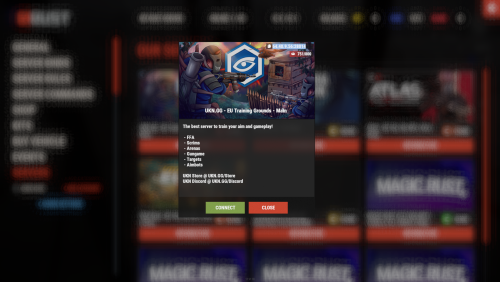
Servers adds a server browser interface to your Rust server. Players browse the servers in your network, view their details and connect to them. Whether you run a single server or a network of several Rust communities, Servers lists them all for your players. ️ Features of Servers Server browser interface Multiple UI template options (Fullscreen, V1, V2) Battlemetrics integration View server details, including player count, description, and status Customizable server banners Automatic server information updates at configurable intervals One-click connection to listed servers Works with ServerPanel Available in English and Russian Showcase Fullscreen V1 Template V2 Template Commands /servers: opens the server browser interface Permissions servers.use: access to the servers command and the interface Web Config Editor Manage the Servers settings in our web config editor. You change the config in a browser form instead of editing files on the server by hand. P.S. The web config editor is open to members of the "Servers" group in our Discord server. Join at https://discord.gg/mevent and ask for the group. FAQ Q: How do I add a server to the list? A: Edit the Servers.json configuration file and add a new entry under "Servers" with the server's IP, port, optional Battlemetrics ID, and scroll height for the description. Q: Can I use Battlemetrics to show server information? A: Yes. Set a Battlemetrics Server ID in the configuration to show server information from Battlemetrics. This helps when the server can't be found by IP and port alone. Q: How often does server information update? A: You can configure the update interval in the Servers.json file under "Interval updates servers info (in seconds, min 30 sec)". The minimum interval is 30 seconds. Q: Does the plugin support custom server banners? A: Yes, the plugin automatically displays server banners from Battlemetrics data. You can also set a default banner to use when images can't be loaded. TEST SERVER Join our test server to try Servers and our other plugins. Copy the IP address below to connect. connect 155.103.86.38:28015$21.00- 4 comments
- 2 reviews
-
- 7
-
-
-
- #servers
- #server list
- (and 3 more)
-
Version 2.4.30
9,178 downloads
MultiEvents is an event management plugin for your Rust server. You create, run and show events to players in a good-looking interface that you can customize. With several event types, integration with other plugins and a visual editor, MultiEvents gives your players a reason to keep coming back. ️ Features of Multi Events Customizable UI with several templates: Fullscreen, ServerPanel V1 and ServerPanel V2. In-game visual editor for building and customizing event interfaces. Changes apply right away, and you don't need to write code. Event categories, descriptions, icons and banners. Built-in notifications tell players about upcoming and running events. Event inventory with configurable permissions that decide who gets access and who can take part. Image library support, so your events can use your own graphics and icons. Multi-language support, and the plugin is easy to translate for players from other countries. ServerPanel integration: players open the events from the ServerPanel menu. API for other plugins, so developers can extend and customize it. Comes with events such as CollectionResources, FoundationDrop, HelicopterPet, HuntAnimal, KingOfHill, LookingLoot and SpecialCargo, each with its own gameplay. Detailed JSON configuration for setting up and managing events. Optimized for performance and runs smoothly with a large player base and a lot of data. Included Events MultiEvents comes with these events, ready to use on your server: CollectionResources: Collect resources and compete with other players! The more resources you collect, the higher your score. Use different tools to get multipliers for your gathering. Top players will receive valuable rewards! FoundationDrop: Players spawn on a platform made of foundations. The foundations begin to degrade and fall away one by one. Players must survive by jumping between foundations. The last player standing wins! When only one foundation remains, players receive weapons and radiation appears to speed up the finale. HelicopterPet: Try to get the attention of the patrol helicopter! The more it focuses on you, the more points you earn. Get points when the helicopter orbits around you and even more when it's attacking. The player with the most points at the end wins! Be careful though: this isn't your friendly neighborhood chopper! HuntAnimal: Hunt animals across the map to earn points! Different animals are worth different amounts: chickens are worth 1 point, while bears are worth 10 points. Wolves, boars, horses, and deer are worth 4 points each. The player with the most points at the end of the event wins! KingOfHill: Race to the highest point! Your score is based on the highest elevation you reach. Stay on solid ground: no flying, swimming or vehicles. The player who reaches the highest point and maintains their position wins! Watch your step and keep climbing! LookingLoot: Search for loot across the map! Earn points by looting containers and barrels. Most items are worth 1 point each, but special items like scrap and gears are worth 2 points. The player who collects the most valuable loot wins! Be quick: containers can only be looted once! SpecialCargo: Deliver the special cargo from one monument to another! A random player will be chosen to carry the cargo. The carrier must reach the destination monument marked on the map while avoiding other players. If the carrier dies, a new random player becomes the carrier. Teleportation is disabled for the carrier. Deliver the cargo to win! You can customize every event in the visual editor, and each one comes with default settings, so it is ready to play right after installation. Expansion Packs & Add‑ons Extend MultiEvents with premium expansion packs and our large‑scale raid framework. They come pre‑configured, can be fully customized and plug straight into your server. MultiEvents Pack 1 Barrels, PvP Player Battle, NPC Missile Silo, Pumpkin Picker, Vehicle Hunter. View on Codefling → MultiEvents Pack 2 Another set of competitive and gathering events to add variety to your rotation. View on Codefling → MultiEvents Pack 3 Corn Collector, Gold Rush (with rare items), Mushroom Madness, NPC Underwater Lab, Patrol Helicopter Hit. View on Codefling → OPERATION FORTRESS Large‑scale PvE raid framework with handcrafted bases, waves and rewards. It works well alongside your events. View on Codefling → Showcase Fullscreen Template ServerPanel V1 Template ServerPanel V2 Template Video Overview Commands /events: Opens the events menu for players Permissions multievents.edit: Permission to edit events Visual Editor MultiEvents has a visual editor for creating and customizing events. You don't need to write code: change settings, colors and text and set up event elements right in the game. Setting up an event this way is quick. Web Config Editor Manage the MultiEvents settings in our web config editor. You change the config in a browser form instead of editing files on the server by hand. P.S. The web config editor is open to members of the "MultiEvents" group in our Discord server. Join at https://discord.gg/mevent and ask for the group. FAQ Q: Can I integrate MultiEvents with other plugins? A: Yes. MultiEvents has an API that lets other plugins register and manage events, and it opens from the ServerPanel menu. Q: How do I add MultiEvents to the ServerPanel menu? A: You can do this directly from the ServerPanel in-game: 1. Open the ServerPanel menu in-game. 2. If you have permission to edit, switch the panel to edit mode so you can see the blue "EDIT CATEGORY" and "EDIT PAGES" buttons. 3. Choose the category where you want MultiEvents to appear and click the "EDIT CATEGORY" button for that category. 4. While you are in this category in the ServerPanel, click the "EDIT PAGES" button to create a new page (or edit an existing one) for MultiEvents. 5. For that page, set these exact parameters: Type: Plugin Plugin Name: MultiEvents Plugin Hook: API_OpenPlugin 6. Save the changes. The MultiEvents button will now appear in the ServerPanel in the category you selected. Q: How do I add custom images for my events? A: MultiEvents supports an image library. Upload your images to your server, and reference them in the plugin configuration or through the visual editor. Q: Does MultiEvents support multiple languages? A: Yes, MultiEvents has built-in localization support. You can customize all text elements in the editor and add translations for different languages. Q: How do I configure rewards in MultiEvents? A: There are two ways. To drop rewards into a custom inventory UI, set up items in the inventory settings, give them unique IDs and reference these IDs in the event configuration. To give rewards straight to the player's in-game inventory, list them in the event settings. Q: How do I set up rewards (Item, Command, Plugin, Kit) and what placeholders are available? A: Types: Item (ShortName, Amount, DisplayName, Skin), Command (Command string), Plugin (Plugin Name, Hook, Amount), Kit (Kit name). Placeholders for Command: %steamid%, %username%. Multiple commands are separated by | (line breaks are also supported). Give an item: "Type": "Item", "ShortName": "stones", "Amount": 2500, "DisplayName": "Stones", "Skin": 0 Give a kit: "Type": "Kit", "Kit": "vip_starter" Run commands: "Type": "Command", "Command (%steamid%)": "inventory.giveto %steamid% scrap 1000|oxide.usergroup add %steamid% vip" Add BankSystem balance (via Plugin): "Type": "Plugin", "Plugin": "BankSystem", "Hook": "Deposit", "Amount": 2500 Q: What are the recommended sizes for event images? A: Event banners should be 390x349 pixels and event icons 64x64 pixels. Developer API MultiEvents has an API for other plugins: void API_RegisterEvent(string eventId, JObject data): Register a new event with MultiEvents API_RegisterEvent Parameters: eventId (string): unique identifier for the event. data (JObject): JSON object containing event details. JObject Structure: title (string, required): The title of the event. description (string, optional): A brief description of the event. commandToStart (string, required): The command to start the event. commandToStop (string, required): The command to stop the event. bannerURL (string, optional): URL for the event's banner image. icon (string, optional): URL for the event's icon image. scrollElements (JArray, optional): Custom UI elements for the event's scroll view. Creating UI Elements for scrollElements: The scrollElements parameter adds custom UI elements to the event description. Each element is a JObject whose properties depend on its type. Common Properties: type (string): "label", "image", "panel", or "button" color (string): HEX color code (e.g., "#FFFFFF") alpha (float): Opacity from 0 to 100 position (JObject): Element position and dimensions Type-Specific Properties: Text Elements: text (JArray of strings), textColor (HEX), fontSize (int), font (string) Image Elements: image (string URL) Button Elements: text, textColor, fontSize, command (string) Panel Elements: cursorEnabled (bool) Example of UI Elements: var customScrollElements = new JArray { // Label example new JObject { ["type"] = "label", ["text"] = new JArray { "Duration: <color=#D74933>10 mins</color>", "Reward: <color=#D74933>100 scrap, Jackhammer, Python Revolver</color>" }, ["textColor"] = "#E2DBD3", ["alpha"] = 100f, ["fontSize"] = 14, ["font"] = "robotocondensed-regular.ttf", ["align"] = "MiddleLeft", ["position"] = new JObject { ["anchorMinX"] = 0f, ["anchorMinY"] = 1f, ["anchorMaxX"] = 1f, ["anchorMaxY"] = 1f, ["offsetMinX"] = 0f, ["offsetMinY"] = -200f, ["offsetMaxX"] = 0f, ["offsetMaxY"] = -140f } }, // Image example new JObject { ["type"] = "image", ["image"] = "https://example.com/image.png", ["color"] = "#FFFFFF", ["alpha"] = 100f, ["position"] = new JObject { ["anchorMinX"] = 0f, ["anchorMinY"] = 1f, ["anchorMaxX"] = 0f, ["anchorMaxY"] = 1f, ["offsetMinX"] = 0f, ["offsetMinY"] = -234f, ["offsetMaxX"] = 42f, ["offsetMaxY"] = -192f } }, // Button example new JObject { ["type"] = "button", ["text"] = "Click Me", ["textColor"] = "#FFFFFF", ["color"] = "#D74933", ["alpha"] = 100f, ["fontSize"] = 14, ["command"] = "customcommand {user}", ["position"] = new JObject { ["anchorMinX"] = 0.5f, ["anchorMinY"] = 0f, ["anchorMaxX"] = 0.5f, ["anchorMaxY"] = 0f, ["offsetMinX"] = -60f, ["offsetMinY"] = 20f, ["offsetMaxX"] = 60f, ["offsetMaxY"] = 50f } } }; Example Usage: MultiEvents.Call("API_RegisterEvent", "CollectionResources", new JObject { ["title"] = "Collection Resources", ["description"] = "Collect resources and compete with other players! The more resources you collect, the higher your score. Use different tools to get multipliers for your gathering. Top players will receive valuable rewards!", ["commandToStart"] = "collectionresources.start", ["commandToStop"] = "collectionresources.stop", ["bannerURL"] = "https://gitlab.com/TheMevent/PluginsStorage/raw/main/Images/MultiEvents/CollectionResources.png", ["icon"] = "https://gitlab.com/TheMevent/PluginsStorage/raw/main/Images/MultiEvents/Icons/CollectionResources.png", ["scrollElements"] = customScrollElements }); (hook) OnEventStart(string eventName): Hook called when an event begins (hook) OnEventEnd(string eventName): Hook called when an event ends bool API_PlayerHideNotify(ulong userId): Lets you hide event notifications for a specific player. Returns true if notifications are hidden for that player. string GetBannerUrlByEventId(string eventId): Returns the banner URL of an event by its ID, for example to show the banner in your own UI. TEST SERVER Join our test server and try all the features yourself! Copy the IP address below to start playing. connect 155.103.86.38:28015 Run the events on your server with MultiEvents and give players a reason to keep coming back.$41.00- 23 comments
- 8 reviews
-
- 3
-
-
-
- #mutlievents
- #events
- (and 15 more)
-
I think this is a trivial caching problem, and we should wait a bit.
-
Changed Status from Pending to Fixed Changed Fixed In to 2.1.8
-
Hi @CupsOhJoe, Thank you for your request regarding AnimalFarm compatibility. The issue occurs because AnimalFarm needs to implement the object canRemove(BasePlayer player, BaseEntity entity) hook in their plugin. This hook lets them prevent their custom entities from being removed. We can't fix this on our end - the AnimalFarm developer needs to add this protection to their code. I recommend contacting them about implementing this check. Best Regards, Mevent Team
-
Changed Status from Pending to Fixed Changed Fixed In to 1.2.1
-
?
-
hello! In fact, the plugin should do this automatically... but apparently, for some reason, he has now stopped doing this... I'll check it out and try to fix it soon.
-
Changed Status from Pending to Closed
-
Changed Status from Pending to Work in Progress
-
Hi! While this functionality is not available at the moment, I want to assure you that our team is actively developing customization features. We understand how important this capability is for our users, and we're working hard to implement it in one of our upcoming updates. Stay tuned!
-
Hi @laodu, I've analyzed your request and want to clarify that our plugin already supports many of the events you've listed. Here are the events that are currently supported and working: Gas Station Event Sputnik Event Satellite Dish Event Air Event Armored Train Event Convoy Event Boss Monster Events Water Event These events are already integrated and should be working correctly with the plugin. If you're experiencing issues completing specific tasks related to these events, please let me know which exact task and event combination isn't working, and I'll be happy to help troubleshoot the specific issue. For any other events not listed above, we can certainly consider adding support for them in future updates. Could you please specify which of the unsupported events are most important to you? This will help us prioritize future development.
-
Hi! The BankSystem lacks such functionality. Logically, one of these plugins should have this functionality, you can write to the authors of these plugins so that they implement this functionality.