
Mevent
-
Posts
3,532 -
Joined
-
Last visited
-
Days Won
53
Content Type
Profiles
Warranty Claims
Downloads
Forums
Store
Services
Downloads Plus Support
DOWNLOADS EXTRA
Reels
Everything posted by Mevent
-
Changed Status from Pending to Work in Progress Changed Fixed In to Next Version
-
Hi there! I usually use https://imgbb.com for this, and it's worked out really well for me.
-
Changed Status from Pending to Closed
-
Regarding the Shop plugin: 1. You need to reset the template: shop.reset template IMPORTANT: use only TEMPLATE so that you don't accidentally reset the config or list of items 2.use the command: shop.install You can do this through the game, you can do it through the server console. Through the game you can clearly see which templates you will install
-

Players can stack unlimited chests and bypass limits
Mevent replied to SlayersRust's Support Report in Support
Hi SlayersRust, Thanks for reaching out! It looks like the issue might be related to the VIP permissions in your configuration. In your `ObjectStacks.json` file, the settings for VIP players are: "objectstacks.box_wooden.vip": 11 "objectstacks.box_wooden_large.vip": 8 These settings allow VIP players to stack more boxes than the default limit. The default values are set to 4 for both types of boxes. Please check the permissions of your players. If they have VIP status, they can stack more boxes. If this isn't what you want, you can adjust these values in your configuration file. Let me know if you need any more help! Best regards, Mevent Team -
you continue to use the Shop template adapted to ServerPanel V2, and you need to use the Shop template adapted to ServerPanel V1.
-
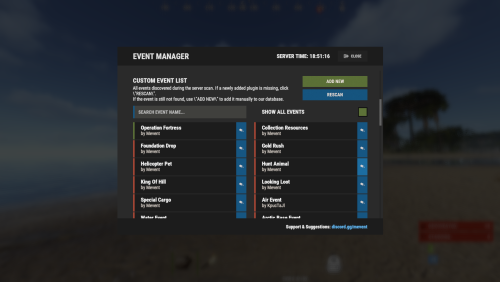 Hi, @Kobani EventsManager (main plugin) - This is the core plugin that handles event scheduling and management. It provides a user interface to set up and manage various events in your server. EventsManagerNotifier (optional) - This plugin handles notifications when events start. It can display messages either in chat or through GUI announcements. EventsManagerConverter (optional) - This is a utility plugin that helps convert data from older versions (v2) to the current version (v3). You only need this if you're upgrading from an older version. You only need to install the main EventsManager plugin. The other two are optional additions depending on your needs!
- 343 comments
-
- 1
-

-
- #eventmanager
- #manager
- (and 5 more)
-
So skilltree and taxi commands are taken up by other plugins.
-
It should be without the "/": "Commands": [ "skilltree". ],
-
Wdym?
-
Changed Status from Pending to Fixed Changed Fixed In to 3.2.3
-
Changed Status from Pending to Fixed Changed Fixed In to 3.2.3
-
hello! We will be releasing this update soon! We have a few bugs left to fix and we will be able to release an update.
-
Hi! You sent an empty "TimesSettings" file.
-
Doesn't it show up in your command list? Or what's your problem?
-
 Why?
-
It's not currently available, but we're working on something similar!
-
hello! Great idea, I'll get on it.
- 72 comments
-
- 3
-

-
- #ultimateleaderboard
- #leaderboard
- (and 22 more)
-
Version 1.5.85
11,461 downloads
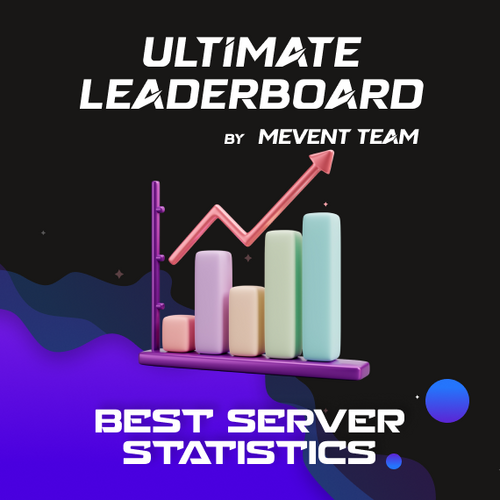
UltimateLeaderboard is a leaderboard system for Rust servers. It tracks a wide range of player statistics: kills and deaths, resources gathered, items crafted, structures built and more. UltimateLeaderboard has a sleek, customizable interface, works with popular plugins and puts your players' achievements on display. Features of Ultimate Leaderboard Track a wide variety of player statistics, including kills, deaths, resources gathered, items crafted, structures built, and more. Fully customizable leaderboard: choose which stats to display and match it to your server's style. A clear, good-looking interface where players view their stats and compare rankings. Integration with plugins like ServerPanel for displays and Notify/UINotify for in-game alerts. Flexible data storage options: choose between JSON, SQLite, or MySQL to suit your server's needs. Two reward systems: post-wipe awards that give actual items, kits, and money to top players when they connect, plus an optional companion plugin UltimateLeaderboardTop for real-time privilege management based on current rankings. Players can pick up their awards on demand with a claim command instead of receiving them on connect. Scheduled top announcements, posted to chat and to a Discord webhook. Custom Titles system that automatically displays achievement-based chat titles for top performers (requires BetterChat plugin). Optimized for performance, so it runs smoothly even with many players and a lot of data. Configurable templates. Optional real-time database updates for integrations (e.g., Discord Bot). Showcase Fullscreen Template ServerPanel V1 (V1.1) ServerPanel V2 Video Overview Commands /leaderboard or /stats - Opens the leaderboard interface for players to view stats and rankings. /leaderboard <steamid> - Opens another player's profile (requires ultimateleaderboard.profile permission). /leaderboard.hide - Allows players to hide themselves from the leaderboard (requires ultimateleaderboard.hide.self permission). /claimreward or /claim - Lets players collect awards that are waiting for them. Disabled by default; turn it on under Awards → Claim Reward in the config, where you can also rename the commands. leaderboard.manage hide <steamid> - Console command to hide a player from the leaderboard (server console only). leaderboard.wipe - Console command to reset all leaderboard data (server console only). leaderboard.migrate <migration_id> - Console command to perform database migrations (server console only). Available: leaderboard.migrate 1: adds HiddenFromLeaderboard column to PlayerStats table (upgrade from v1.1.7 to v1.1.8) leaderboard.migrate 2: migrates BodyHits data to the new format (upgrade to v1.5.10) leaderboard.find.short.prefab <search_term> - Console command to search for prefabs containing the specified search term (server console only). Useful for finding correct prefab names for configuration. leaderboard.manage - Console command to manage player statistics (server console only). Use leaderboard.manage help for detailed usage information. Permissions ultimateleaderboard.use - grants players access to leaderboard commands and interface. This one is optional: it is whatever name you put in Permission to use plugin in the config, and an empty value leaves the leaderboard open to everyone. ultimateleaderboard.profile - allows players to view other players' profiles using the leaderboard command. ultimateleaderboard.hide.self - allows players to hide themselves from the leaderboard using the /leaderboard.hide command. ultimateleaderboard.ignore.titles - stops the plugin from giving this player a custom chat title. Tabs, categories, and award categories each take their own permission field in the config, so you can lock individual parts of the interface to a group without touching the permissions above. Web Config Editor Manage the UltimateLeaderboard settings in our web config editor. You change the config in a browser form instead of editing files on the server by hand. P.S. The web config editor is open to members of the "UltimateLeaderboard" group in our Discord server. Join at https://discord.gg/mevent and ask for the group. FAQ Q: How do I install UltimateLeaderboard? A: Download the UltimateLeaderboard.cs file, place it in your oxide/plugins directory, and restart your server or reload the plugin using the Oxide command oxide.reload UltimateLeaderboard. Q: Can I choose which statistics to track and display? A: Yes. Tracked statistics and leaderboard displays are set in the configuration file, where you can enable or disable specific stats like kills, resources, or events to suit your server. Q: What data storage options are available? A: UltimateLeaderboard supports JSON, SQLite, and MySQL. You select the storage method in the config file, which suits both small and large servers. Q: How do I set up the awards system? A: In the configuration file, define award categories (e.g., most kills, top gatherer) and their criteria. The plugin tracks and assigns awards to top players automatically based on your settings. Q: Where can I configure the UI? A: The UI is built from templates. Use configurable templates stored at oxide/data/UltimateLeaderboard/Templates. Q: What languages does the plugin come in? A: The archive ships English and Russian files in the lang folder. Copy them to oxide/lang (or carbon/lang for Carbon) and the plugin picks up each player's client language. Any text you edit in those files is kept on reload, and new keys from an update are added around it. Q: What happens to the data on a server wipe? A: By default, data wipes with a new save file, but you can disable this in the config (Wipe data on new save) to persist stats across wipes if desired. Q: How do I add UltimateLeaderboard to the ServerPanel menu? A: Follow these steps: 1. Open ServerPanel menu in-game and click "+ADD CATEGORY" button 2. Set these exact parameters: Type: Plugin Plugin Name: UltimateLeaderboard Plugin Hook: API_OpenPlugin 3. Click "SAVE" button to create the category Q: I see black images with Rust logo or get error 429 when loading images. What should I do? A: These issues occur when there are problems downloading images from the internet. The UltimateLeaderboard plugin sends images to ImageLibrary but is not responsible for the downloading process itself. Error 429 typically occurs due to rate limits imposed by image hosting services like Imgur (see HTTP 429 documentation for more details). To fix this, enable Offline Image Mode, which uses local images instead: Enable the mode in config: Open "oxide/config/UltimateLeaderboard.json" (or "carbon/config/UltimateLeaderboard.json" for Carbon) Set "Enable Offline Image Mode": true Set up the images: Create folder "TheMevent" in "oxide/data" (or "carbon/data" for Carbon) Download PluginsStorage (click "CODE" → "Download ZIP") Extract the ZIP and copy all contents to the "TheMevent" folder Reload the plugin: Type o.reload UltimateLeaderboard (Oxide) or c.reload UltimateLeaderboard (Carbon) Note: If you want to add your own custom images, place them in the "TheMevent" folder and reference them with the "TheMevent/" prefix. For example: "TheMevent/Icon1.png", "TheMevent/MyCustomIcon.jpg", etc. Q: What's the difference between UltimateLeaderboard awards and UltimateLeaderboardTop? A: UltimateLeaderboardTop is a companion plugin that automatically manages player privileges based on leaderboard positions. Main Plugin Awards: Gives actual rewards (kits, money, commands) to top players after the wipe. Rewards are given once, when the player connects. UltimateLeaderboardTop: Continuously manages privileges (VIP groups, permissions) as players enter/exit top positions in real-time. To display awards in UI while using UltimateLeaderboardTop: Configure awards in UltimateLeaderboard config Configure awards in UltimateLeaderboardTop config Set "Automatically give rewards after the wipe": false Q: Can UltimateLeaderboardTop give items/kits to players? A: No, UltimateLeaderboardTop is designed only for reversible actions (permissions, groups, etc.). Since items can't be taken back from players when they leave top positions, item rewards are not supported. Use the main plugin's awards system for item rewards instead. Q: How do I configure rewards for top players? A: There are two reward systems available: UltimateLeaderboard Awards (Post-Wipe Rewards): Configure in the main plugin's config file under "Awards": Set award categories (e.g., "Most Kills", "Top Gatherer") Define criteria: loot type, prefab, and minimum amount required Set rewards: commands to execute (give items, kits, money, etc.) Awards are given once when top players connect after a wipe UltimateLeaderboardTop (Real-time Privileges): Configure in UltimateLeaderboardTop.json: Set leaderboard types to monitor (kills, points, playtime, etc.) Define top positions (1st, 2nd, 3rd, etc.) Configure "Enter place commands" (given when player reaches position) Configure "Exit place commands" (executed when player loses position) Use for permissions, groups, temporary privileges Example UltimateLeaderboardTop configuration: { "Loot type": "Kill", "Prefab": "kills", "Places settings": { "1": { "Enter place commands": ["o.usergroup add %steamid% vip"], "Exit place commands": ["o.usergroup remove %steamid% vip"] } } } Q: What are Custom Titles and how do they work? A: Custom Titles automatically display achievement-based titles in chat for top players. For example, top killers get "[Killer]" title, top builders get "[Builder]" title, etc. Requires BetterChat plugin to work. Titles are updated automatically based on leaderboard positions and can be configured with priority system and limits. Q: Why don't I see my statistics updated immediately on the leaderboard? A: The leaderboard is cached and refreshes periodically (the interval is configurable) to keep server load low. Statistics may take a few minutes to appear on the leaderboard after the action. Caching keeps the server running smoothly even with many players and a lot of tracked statistics. Q: How can I track multiple similar items or entities with one statistic? A: You can combine multiple prefabs using the pipe symbol | in the prefab field. For example, to track all types of scientists as one "NPC Kills" statistic, use: npc_tunneldweller|npc_underwaterdweller|scientistnpc_arena|scientistnpc_bradley. This is useful for grouping similar items, resources, or entities into a single tracked category. Q: How do I find the correct prefab names for items, entities, or events? A: There are several ways to find prefab names: In-game console command: Use leaderboard.find.short.prefab <search_term> in the server console to search for prefabs containing your search term. For example: leaderboard.find.short.prefab scientist will show all prefabs containing "scientist". F1 console spawn command: In-game, open F1 console and use the spawn command to see available entity prefabs. Type spawn followed by part of the name to see matching options. Item shortnames: For items, use their shortname (e.g., "stones", "metal.ore", "wood"). You can find these by examining items in your inventory or using item-related commands. Plugin documentation: Check the "Custom Prefabs" and "Available Loot Types" sections in this plugin's description for full lists of supported prefabs and loot types. Q: How can I output the sum of all values by type of statistics (for example, all kills, all loot collected)? A: Use the prefab total_sum for the desired LootType. For example, to show the total number of all player kills, specify the LootType Kill and the prefab total_sum in the column or block settings. It works for any type: Kill, Gather, Craft, Event, and others. Q: How does the leaderboard scoring system work? A: The leaderboard uses a points-based scoring system. Points are earned from in-game actions, and each action has: Loot Type - The category of action (e.g., Kill, Gather, Construction, Craft, Event) Prefab/Short Name - The specific item or entity (e.g., "kills", "stones", "helicopter", "supply_drop") Score Value - The points awarded for this action (configured in Loot Settings) When a player performs an action: The plugin looks up the score for that action type + prefab combination Multiplies the score by the action value (usually 1 per action) Adds it to the player's total Points Example scores (from config): Player kills: +1.0 point per kill Deaths: -1.0 point per death Gathering stone: +0.1 point per stone Supply drop looted: +3.0 points Bradley crate: +5.0 points Helicopter kill: +15.0 points Bradley kill: +10.0 points How to become top player: Perform actions that have scores configured in Loot Settings Accumulate the most total Points The leaderboard ranks players by their Points value (or other tracked stats) Q: What award types are available and how do I configure them? A: UltimateLeaderboard supports 7 award types: Command - Execute console commands. Supports %steamid% placeholder. Use | to separate multiple commands. Example: "Command (%steamid%)": "inventory.giveto %steamid% rifle.ak 1|oxide.usergroup add %steamid% vip" Kit - Give kits from Kits plugin. Requires Kits plugin to be loaded. Example: "Type": "Kit", "Kit Name": "vip_starter" ServerRewards - Add reward points. Requires ServerRewards plugin. Example: "Type": "ServerRewards", "Amount": 1000 Economics - Deposit money via Economics plugin. Example: "Type": "Economics", "Amount": 5000 BankSystem - Deposit money to player's bank account. Example: "Type": "BankSystem", "Amount": 2500 GameStores - Add balance via GameStoresRUST plugin. Example: "Type": "GameStores", "Amount": 100 MoscowOVH - Add balance via RustStore plugin (Moscow OVH integration). Example: "Type": "MoscowOVH", "Amount": 50 Custom Prefabs UltimateLeaderboard supports custom prefabs for detailed statistics tracking and display: total_play_time - Total playtime (in seconds) current_playtime - Current session duration kdr - Kill/Death ratio points - Internal points system longest_kill_distance - Longest kill distance record total_hits - Total player hits total_resources - Total resources gathered total_items_crafted - Items crafted events_won - Event victories structures_built - Structures built upgrades_performed - Building upgrades name/nickname - Player display name clan_tag - Player clan tag formatted_total_playtime - Human-readable playtime (Xd Xh Xm) kd - K/D formatted as "Kills/Deaths" favorite_resource - Most gathered resource favorite_crafted_item - Most crafted item favorite_event - Most won event favorite_building_material - Preferred building material favorite_weapon - Most used weapon total_quests_completed - Total completed quests total_sum - Sum of all values for the selected LootType. For example, using total_sum with LootType Kill will show the total number of all kills for the player (across all kill categories). Works for any LootType: Kill, Gather, Craft, Event, etc. Available Loot Types None Construction Medical Event Available prefabs: Convoy Sputnik Caravan GasStationEvent AirEvent SatDishEvent Triangulation WaterEvent HarborEvent FerryTerminalEvent ArcticBaseEvent JunkyardEvent SupermarketEvent PowerPlantEvent ArmoredTrainEvent SurvivalArena KillBoss PaintballTeam PaintballFFA GunGame ZombieInfection TugboatPirates SpaceEvent AbandonedBase DungeonEvent FlyingCargoEvent AirfieldEvent FishingContest CargoPlaneCrash GuardedCrate OperationFortress F15CrashEvent Shipwreck LighthouseEvent ZigguratEvent HeavyExcavatorEvent Gather Kill Available custom prefabs: helisignals_{skin} - Tracks helicopter kills from HeliSignals (e.g., "helisignals_2920175997") bradleydrops_{skin} - Tracks bradley kills from BradleyDrops (e.g., "bradleydrops_2905355269") roadbradley_{profile} - Tracks bradley kills from RoadBradley (e.g., "roadbradley_easy") helicopter - Tracks helicopter kills Custom NPC support: horde_npc - For NPCs from ZombieHorde plugin raidbase_npc - For NPCs from Raidable Bases plugin For NPCs from NpcSpawn use NPC name as key (BossMonster, BetterNpc, NPCs from events, etc.) Other entity prefabs can be found in-game by using the "spawn" command in the F1 console Consume Raid Death Available custom prefabs: Custom NPC support: horde_npc - For NPCs from ZombieHorde plugin raidbase_npc - For NPCs from Raidable Bases plugin For NPCs from NpcSpawn use NPC name as key (BossMonster, BetterNpc, NPCs from events, etc.) Craft Crate LootItems Fishing Puzzle Available prefabs: keycard_1 keycard_2 keycard_3 Custom Upgrade ShotFired ExplosiveUsed RecycleItem BodyHits WeaponUsed RaidableBases Available prefabs: easy medium hard expert nightmare RaidableBoats Available prefabs: easy medium hard nightmare Economy Available prefabs: ShoppyStock Economics IQEconomic Quest EconomyBalance Available prefabs: Economics ServerRewards BankSystem IQEconomic Gambling Available prefabs: BlackjackDeposit BlackjackWon SlotDeposit SlotWon PockerDeposit PockerWon WheelDeposit WheelWon SkillTree Available prefabs: xp - Experience points earned level - Skill tree level reached Trivia MixingTable API for Developers UltimateLeaderboard has an API for integration with other plugins: Methods JArray API_GetUltimateLeaderboardUsers(int offset, int limit, int? columnIndex = null) - Get leaderboard users with pagination float API_GetPlayerStat(ulong playerId, string lootType, string shortname) - Get specific player statistic bool API_IsHiddenFromLeaderboard(ulong playerId) - Check if player is hidden from leaderboard void API_OnItemGather(ulong player, string shortname, int amount) - Add gather statistics for a player void API_OnEventWin(ulong userID, string eventName, int amount = 1) - Record event wins for a player void API_GetTopPlayers(int lootType, string prefab, int limit, Action<JObject> callback) - Get the top players for a loot type and prefab; the result arrives in the callback bool API_HasPendingRewards(ulong playerId) - Check whether a player has awards waiting to be collected bool API_ClaimRewards(BasePlayer player) - Give a player the awards waiting for them Hooks void OnUltimateLeaderboardContent(BasePlayer player, string categoryType, CuiElementContainer container) - Called when displaying custom category content void OnUltimateLeaderboardCached() - Called when leaderboard data is cached and ready object CanUltimateLeaderboardAddPoints(ulong userId, string lootType, string prefab, float points) - Called before points are added to a player. Return a non-null value to block the points; the statistic itself is still recorded. lootType is the LootType name, for example "Kill", "Gather" or "Crate".$45.00- 72 comments
- 26 reviews
-
- 10
-
-
-
- #ultimateleaderboard
- #leaderboard
- (and 22 more)
-
At the same time, the server time is displayed in the plugin.
- 343 comments
-
- 1
-
-
- #eventmanager
- #manager
- (and 5 more)
-
You can do it in the Random tab
- 343 comments
-
- 1
-
-
- #eventmanager
- #manager
- (and 5 more)
-
Changed Status from Pending to Fixed Changed Fixed In to 2.1.5
-
Changed Status from Pending to Closed
-
Changed Status from Pending to Closed