Jump to content
Message added by imthenewguy,

Trialing a web based config editor. Let me know if you have any feedback.
You can access it here: https://skilltree-config.pages.dev/

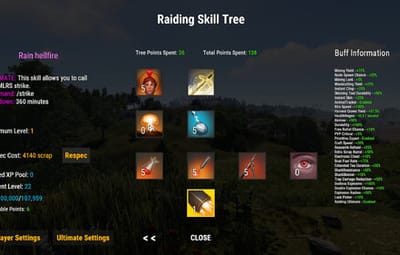
16 Screenshots
  • 692.9k
  • 36.3k
  • 1.3 MB
  • Update details
    v1.8.1
    Released
    Download size 1.3 MB
    Total versions 121
    Typical update pace About every 9 days
    Freshness Updated today

This area is for discussion and questions. Please use the support area for reporting issues or getting help.

Recommended Comments


imthenewguy

Posted

Was an oversight. Will add to the next release.

  • Love 1
Goodwin

Posted

After the update, the hqm nodes still aren’t displayed via /locatenodes.


Legendary Eric

Posted (edited)

just need to add to list in mining ultimate action this hqm-ore and no problem whit  that i fixed 🙂 

Edited by Legendary Eric
imthenewguy

Posted

Hey guys, yeah its on the default config, but I cant force a config update without permanently forcing it on every server.


dustyhansen

Posted

4 hours ago, imthenewguy said:

Hey guys, yeah its on the default config, but I cant force a config update without permanently forcing it on every server.


I don't get it. No offense, but every other plugin dev out there updates the config when the plugin updates and we are all just fine. Why are you different? And how are we supposed to know what to manually add to the config with each release? It doesn't look like you post that anywhere. Are we supposed to generate a default config and compare it to our config every time you have a new version?

Sulfur

Posted

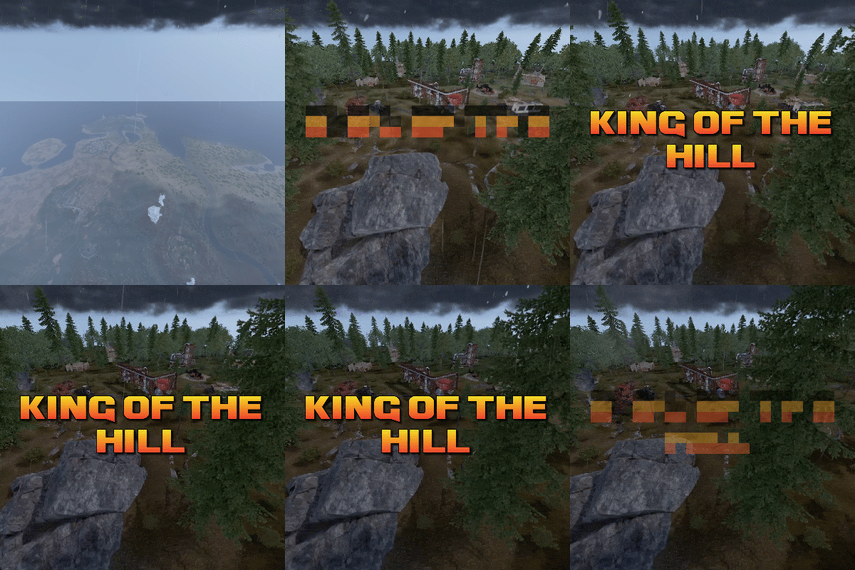
I like this little joke you put under the map teehee

image.png.384ac209946eafaea285ad43add88de5.png

imthenewguy

Posted

9 hours ago, Sulfur said:

I like this little joke you put under the map teehee

image.png.384ac209946eafaea285ad43add88de5.png

Lol. That's rust's dumping ground.

The workbenches are mine (1 of each). Other stuff is from the map or other plugins.


0g.Ghost.7373

Posted

On 10/5/2026 at 9:59 AM, Legendary Eric said:

just need to add to list in mining ultimate action this hqm-ore and no problem whit  that i fixed 🙂 

Where do we add it?

imthenewguy

Posted

It should actually be on there.

"UI Colour for hqm nodes [0:red, 1:green, 2:blue, 3:white, 4:black, 5:yellow, 6:cyan, 7:magenta]": 7,

8bit

Posted

I get a - skipping saving entity playername and ID - because save cache is 0
after I reload the plugin and the saves happen it says that and my players are stuck crafting and cannot craft or upgrade or do much of anything.
any thoughts?

illknown

Posted

3 hours ago, 8bit said:

I get a - skipping saving entity playername and ID - because save cache is 0
after I reload the plugin and the saves happen it says that and my players are stuck crafting and cannot craft or upgrade or do much of anything.
any thoughts?

Does reconnecting fix an affected player, and does it also happen after a full server restart, or only a plugin reload? It’d also help to list any crafting or building plugins you’re running, in case there’s a conflict.

8bit

Posted (edited)

28 minutes ago, illknown said:

Does reconnecting fix an affected player, and does it also happen after a full server restart, or only a plugin reload? It’d also help to list any crafting or building plugins you’re running, in case there’s a conflict.

It seems to be every time SkillTree saves it gives me that error message and its the only error message I see, they are unable to craft the whole time after relog reinstall and restart, I managed to fix it for one player on a separate server but that was just unloading plugin restarted server and he validated and reinstalled the game and that worked the other 2 have restarted and reinstalled but did not work with the same unload plugin restart server and validate then log in they were still both unable to craft. sorry its vague been going through rabbit holes that say delete sleeping bags and stuff lol. Thank You for your time..

Edited by 8bit
tacman1981

Posted (edited)

1 hour ago, 8bit said:

It seems to be every time SkillTree saves it gives me that error message and its the only error message I see, they are unable to craft the whole time after relog reinstall and restart, I managed to fix it for one player on a separate server but that was just unloading plugin restarted server and he validated and reinstalled the game and that worked the other 2 have restarted and reinstalled but did not work with the same unload plugin restart server and validate then log in they were still both unable to craft. sorry its vague been going through rabbit holes that say delete sleeping bags and stuff lol. Thank You for your time..

you might have it wrong there, that error comes directly from within the games code. the cause of it should be above it, 1-3 lines. 1 of your crafting plugins might causing it, I had this before with CraftingController being set too high when they changed from percent to multiplier

Edited by tacman1981
  • Like 1
imthenewguy

Posted

Tacman is right. SkillTree saves it's data when the server saves. 

  • Like 1

Create an account or sign in to comment

You need to be a member in order to leave a comment

Create an account

Sign up for a new account in our community. It's easy!

Register a new account

Sign in

Already have an account? Sign in here.

Sign In Now
  • Like 23
  • Haha 1
  • Love 24

User Feedback

About Us

Codefling is the largest marketplace for plugins, maps, tools, and more, making it easy for customers to discover new content and for creators to monetize their work.

Downloads
3.2m
Total downloads
Customers
12.3k
Customers served
Files Sold
175.2k
Total sales
Payments
3.8m
Processed total
×
×
  • Create New...

Important Information

We have placed cookies on your device to help make this website better. You can adjust your cookie settings, otherwise we'll assume you're okay to continue.