Jump to content

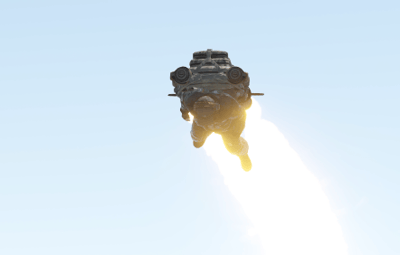
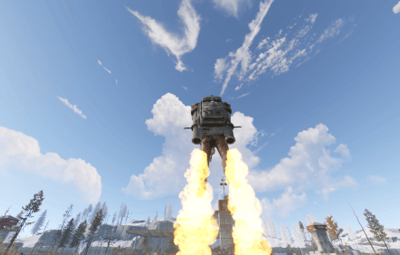
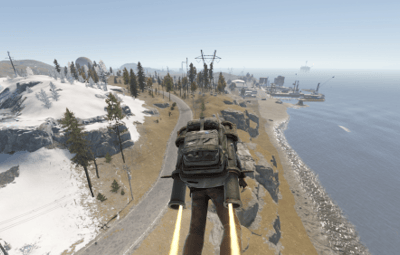
12 Screenshots

  • 176.7k
  • 4.5k
  • 97.4 kB
  • Update details
    v1.3.4
    Released
    Download size97.4 kB
    Total versions32
    Time between versions 1 day
    Typical update pace About every 47 days
    Freshness 25 days ago

This area is for discussion and questions. Please use the support area for reporting issues or getting help.

Recommended Comments


Deicide

Posted

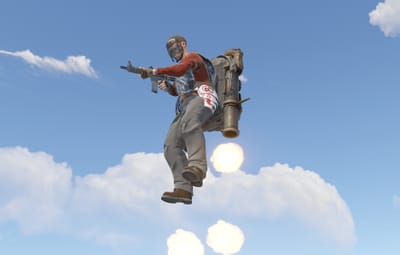
Not sure if anything was changed or not but ive had a BUNCH of players reporting the jetpacks are just operating uncontrollable this wipe compared to last.  Is this something you could look into please?

Hawkhill

Posted

Adem is working on a fix

  • Like 1
  • Love 1
Deicide

Posted

7 minutes ago, Hawkhill said:

Adem is working on a fix

i COMPLETELY missed the banner, thank you.

  • Like 1
RICK

Posted

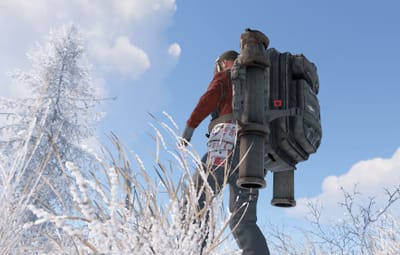
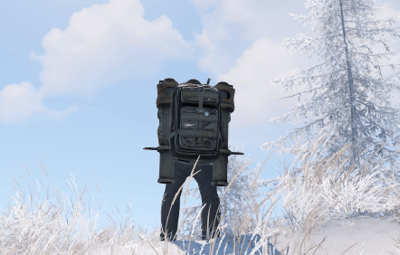
I noticed the backpack model has been changed. Is the large backpack no longer supported? I think the large backpack looks better. I bought this plugin on the lone.design website.

Adem

Posted

41 minutes ago, RICK said:

I noticed the backpack model has been changed. Is the large backpack no longer supported? I think the large backpack looks better. I bought this plugin on the lone.design website.

Hi.
The developers changed the physics of the large backpack in the Naval update. It doesn’t work the way it used to.
I wasn’t able to get the jetpack working with the large backpack, so I was forced to use this one instead.

  • Like 1
zombiedge

Posted

When throwing C4 it attaches to the backpack.  Not sure if there's something I'm missing but getting reports about that today.  


jetpack.png

Adem

Posted

10 hours ago, zombiedge said:

When throwing C4 it attaches to the backpack.  Not sure if there's something I'm missing but getting reports about that today.  


jetpack.png

Thanks for the information

andyb_83

Posted

This plugin will not work at all for us any longer. When we reload the plugin we get the below error message and then also get errors when using command /jet

c.reload jetpack
Unloaded plugin JetPack v1.3.4 by Adem
Loaded plugin JetPack v1.3.4 by Adem [139ms]
Failed to call internal hook 'OnServerInitialized' on plugin 'JetPack v1.3.4' [352240293] (Object reference not set to an instance of an object)
   at void Oxide.Plugins.JetPack.UpdateConfig() in /home/container/carbon/plugins/JetPack.cs:line 308
   at void Oxide.Plugins.JetPack.OnServerInitialized() in /home/container/carbon/plugins/JetPack.cs:line 58
   at object Oxide.Plugins.JetPack.InternalCallHook(uint hook, object[] args) in JetPack.cs/Internal:line 200

zombiedge

Posted

1 hour ago, andyb_83 said:

This plugin will not work at all for us any longer. When we reload the plugin we get the below error message and then also get errors when using command /jet

c.reload jetpack
Unloaded plugin JetPack v1.3.4 by Adem
Loaded plugin JetPack v1.3.4 by Adem [139ms]
Failed to call internal hook 'OnServerInitialized' on plugin 'JetPack v1.3.4' [352240293] (Object reference not set to an instance of an object)
   at void Oxide.Plugins.JetPack.UpdateConfig() in /home/container/carbon/plugins/JetPack.cs:line 308
   at void Oxide.Plugins.JetPack.OnServerInitialized() in /home/container/carbon/plugins/JetPack.cs:line 58
   at object Oxide.Plugins.JetPack.InternalCallHook(uint hook, object[] args) in JetPack.cs/Internal:line 200

delete your oxide/config/JetPack.json and reload JetPack.  Should solve your issue.  Your config is borked

  • Love 1
andyb_83

Posted

On 2/26/2026 at 10:15 PM, zombiedge said:

delete your oxide/config/JetPack.json and reload JetPack.  Should solve your issue.  Your config is borked

Thank you very much, always worried about deleting configs but that worked perfect, legend!!!

  • Like 1
Русский Ниндзя

Posted

You have a bug with Jet Pack, people walk through walls. Standing against the wall , you can put on clothes and fly against the wall . Here's what they write to me word for word: it's just a shame that someone can get into people's hut on the server with a bug, no matter what it is , because you need to jet packs at point-blank range, go to any object, the command block is uneven and use the jet pa Solving the problem for developers in the plugin is possible (enable/activate) standing close to any objects – walls, command blocks, etc. Now, most likely, when trying to put on a jetpack next to a wall, nothing happens or a message is issued about a ban. Why is this happening The JetPack plugin has a built-in IsPlayerAtHome check, which does not allow you to put on a jetpack if the player is near buildings (walls, foundations, etc.). The check is done by beams in all directions at a distance of 2 meters along the layers of building blocks. If the beam hits something, it is considered that you are "at home", and activation is blocked. What can be done You can disable this check manually. Find the IsPlayerAtHome method in the file (line approximately 500-520) and either comment out all its contents or change it so that it always returns false. Example: ``csharp private static bool IsPlayerAtHome(BasePlayer player) { return false; // always allowed to put on } `` add a parameter like "DisableHomeCheck" to the config: true or change the code yourself (if possible). You owe me a gift)

Create an account or sign in to comment

You need to be a member in order to leave a comment

Create an account

Sign up for a new account in our community. It's easy!

Register a new account

Sign in

Already have an account? Sign in here.

Sign In Now
  • Like 10
  • Confused 1
  • Love 6

User Feedback

2.3m

Downloads

Total number of downloads.

10.5k

Customers

Total customers served.

151.9k

Files Sold

Total number of files sold.

3.2m

Payments Processed

Total payments processed.

×
×
  • Create New...

Important Information

We have placed cookies on your device to help make this website better. You can adjust your cookie settings, otherwise we'll assume you're okay to continue.