
Xenia87's Wishlist
-
$20.00
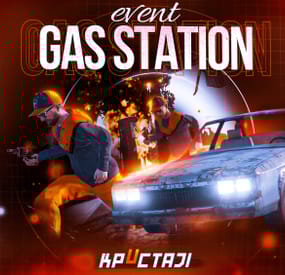
Gas Station Event
In a tense multiplayer event, players are thrust into a violent dispute between two warring gangs, witnessing a high-speed chase and explosive confrontation at Oxum's Gas Station, and then choosing sides or taking all the spoils for themselves, while customization options offer control over NPC settings, loot rooms, and crate contents
Description
The event begins with a message in chat that there has been a dispute between to warring gangs. One gang has taken members from their rivals hostage. A car chase ensues chase where the rival gang is coming to save or avenge their own!
The chase comes to an explosive end at Oxum's Gas Station when the car being pursued crashes into the gas pumps! This is the beginning of the event for your players. Both gangs jump out of their vehicles and a shootout immediately ensues! When a player decides to approach, they will have a few choices.
Will they take up arms with the ruthless gang willing to do anything? Will they stand beside the more honorable outlaws? Or will they simply kill both gangs and take all of the loot? The choice, is theirs!
If the player decides to kill the first gang, the second gang will give the player access to their loot room, a bunker inside the basement of the auto repair shop, as a sign of gratitude.
If the player decides to kill the second gang, then the first gang will give access to their hidden stash in the restroom inside the station, to show their appreciation.
If the player decides to just wipe both gangs out, well then they deserve all of the loot! And regardless of what team the player decides to destroy, the chasing vehicle is always left unattended at the end of the event. The player can grab this as a thank you for cleaning up the servers streets! It's a junker but you can take it for parts, drive to Junkyard to scrap it, or just use it to get home quick and take the parts you want from it.
The configuration file has many customization options, including NPC settings, their numbers, and you can fully customize the loot rooms, the crates and their loot for the event.
Dependencies (optional, not required)
True PVE PveMode GUI Announcements Notify Discord Messages AlphaLoot CustomLoot NTeleportation Economics Server Rewards IQEconomic Kits
Chat commands (only for administrators)
/gsstart - start the event
/gsstop - end the event
Console commands (RCON only)
gsstart - start the event
gsstop - end the event
Plugin Config
en - example of plugin configuration in English ru - example of plugin configuration in Russian
Hooks
void OnGasStationEventStart() – called when the event starts
void OnGasStationEventEnd() – called when the event ends
void OnGasStationEventWinner(ulong winnerId) – called at the end of the event, where the winnerId is the player who did more actions to complete the event
My Discord: KpucTaJl#8923
Join the Mad Mappers Discord here!
Check out more of my work here!
- #gas station
- #crates
- (and 20 more)
-

$20.00
Supermarket Event
A new event that takes place at the Supermarket monument, made for beginners on your server
Description
The event begins with a message in the chat that soon a merchant who sells valuable cargo will arrive at a Supermarket on your island. The merchant and their guards with trained dogs appear around the supermarket.
Players then have the opportunity to rob the Merchant in order to get all the Supermarket loot for themselves. As soon as the players begin to attack the Merchant, an armored helicopter arrives there with additional security and a Debt Collector. The Debt Collector enters the Supermarket and begins the process of collecting his loot and the Merchant for evacuation. If the player manages to kill all the guards outside the supermarket before the end of this process, then he can enter and loot.
There are several more guards, the Merchant and the Debt Collector waiting for the player. The Merchant and the Debt Collector need to be eliminated to get the most valuable loot that they wanted to evacuate. There are also several loot crates inside the Supermarket to be looted. If the Merchant and or the Debt Collector survive, they will fly away in the armored helicopter and the player will not receive the juicy loot they were dealing.
In the plugin configuration, it is possible to configure all timers, the guards outside the supermarket, inside the Supermarket, Debt Collector guards, and guard dogs patrolling outside the Supermarket. The Merchant and Debt Collector can also be configured as well. A list of all the loot crates inside the supermarket, map marker, event icons on the players screen, and more are all able to be adjusted in the config file.
Dependencies (optional, not required)
True PVE PveMode GUI Announcements Notify Discord Messages AlphaLoot CustomLoot NTeleportation Economics Server Rewards IQEconomic XPerience Kits Better Npc Monument Owner
Chat commands (only for administrators)
/supermarketstart - start the event
/supermarketstop - end the event
Console commands (RCON only)
supermarketstart - start the event
supermarketstop - end the event
Plugin Config
en - example of plugin configuration in English ru - example of plugin configuration in Russian
Hooks
void OnSupermarketEventStart(Vector3 pos, float radius) – called when the event starts
void OnSupermarketEventEnd() – called when the event ends
void OnSupermarketEventWinner(ulong winnerId) – called at the end of the event, where the winnerId is the player who did more actions to complete the event
My Discord: kpuctajl
Join the Mad Mappers Discord here!
Check out more of my work here!
- #supermarket
- #crates
- (and 20 more)
-
.thumb.png.ac72dca13c4e30a2d2181ddd2b0fdc0a.png)
$29.99$24.99Armored Train
Halloween Update
Have you already prepared your server for Halloween?
On the eve of the Halloween Rust update, I have prepared for customization of all armored train cars.
After installing the update, customization will be automatically applied to all cars in the configuration of the armored train. To disable this, make the "Customization preset" parameter empty in the config.
New Year Update
The New Year is coming and I have prepared for you a new preset customization for the train!After installing the update, customization will be automatically applied to all cars in the configuration of the armored train. To disable this, make the "Customization preset" parameter empty in the config.
You can also disable the customization of certain wagons or change the customization of the NPCs in the file oxide/data/ArmoredTrain/NewYear
New Year's map from the video:
This plugin will add an armored train to your server, which can travel both in the subway and by rail.
It can consist of any number of wagons. A helicopter can accompany it.
Bradley, npc, turrets, simsites can be installed on the train.
The plugin allows you to create any number of train presets, for which the order of wagons, the helicopter preset, the probability of spawn and the duration of patrolling can be specified. Each wagon or locomotive can be configured separately. Any speed can be set by the locomotive.If there is no spawn of trains on the surface on your custom map, read the section "Custom spawn points”
Custom spawn points
If you are using a custom map in which there are no spawn trains on the surface, but there is a railway, then for the train to work on the surface, you need to add custom spawn points of the train.
Instruction:
Stand at the point where you want the train to spawn Enter the command /atrainpoint If you receive a message that a point has been created, enable "Use custom spawn coordinates [true/false]” in config For correct operation, it is recommended to create several spawn points of the train
Chat commands (only for administrators)
/atrainstart– launches the event in a random configuration /atrainstartunderground - forcibly launches an event underground /atrainstartaboveground - forcibly launches an event aboveground /atrainstart <trainPresetName> – launches the event in the <trainPresetName> configuration /atrainstartunderground <trainPresetName> /atrainstartaboveground <trainPresetName> /atrainstop– stops the event /atrainpoint– creates a custom spawn point of the train in your position
Console commands (RCON only)
atrainstart– launches the event in a random configuration atrainstartunderground - forcibly launches an event underground atrainstartaboveground - forcibly launches an event aboveground atrainstart <trainPresetName> – launches the event in the <trainPresetName> configuration atrainstartunderground <trainPresetName> atrainstartaboveground <trainPresetName> atrainstop – stops the event
Config
en – example of plugin configuration in English ru – example of plugin configuration in Russian
Dependencies (optional, not required)
True PVE PveMode GUI Announcements Notify DiscordMessages AlphaLoot CustomLoot Economics Server Rewards IQEconomic Api
bool IsArmoredTrainActive() bool StopArmoredTrain() bool StartArmoredTrainEvent() bool EndArmoredTrainEvent() bool IsTrainBradley(uint netID) bool IsTrainHeli(uint netID) bool IsTrainCrate(uint netID) bool IsTrainSamSite(uint netID) bool IsTrainWagon(uint netID) bool IsTrainTurret(uint netID) Vector3 ArmoredTrainLocomotivePosition()
Hooks
OnArmoredTrainEventStart OnArmoredTrainEventStop
Contact me in Discord: Adem#955
-
$29.99
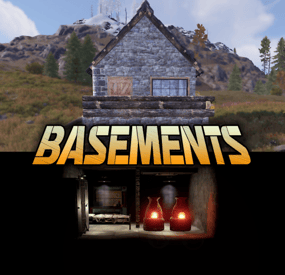
Basements
Basements lets players build underground rooms beneath their bases. Place a hatch on your foundation and dig straight down into a hidden basement with walls, ceilings, and full building privileges. Great for stashing loot, setting up secret bunkers, or just adding extra space.
Readme Link - Click Here for Instruction and Documentation
👆Highly recommend reading the FAQ section!
BUILD
Build basements easily from your tool cupboard. Just place an entrance to get started.
EXPAND
Expand your basement by drilling underground. But don't forget to bring a headlamp - its dark down there!
TRAVERSE
Place multiple entryways, building out your labyrinth of tunnels beneath your base.
DECORATE
All deployables, electricity, and storage items can be placed in your basement. Take advantage of your new space!
RAID
Nothing is safe in Rust, including your basement. If all the entrances are destroyed, then the basement is too. Any loot below will float to the surface. Protect the entrance at all costs!
API METHODS (For Plugin Developers)
// Returns true if the given entityId is part of a basement. bool IsBasementEntity(ulong entityId) // Returns the building ids of the basements connected to a given surface building id. uint[] GetBasementBuildingIds(uint surfaceBuildingId) // Returns the building ids of the surface buildings connected to a given basement building id. uint[] GetSurfaceBuildingIds(uint basementBuildingId) Extension Plugins
These are free plugins that add additional functionality to Basements.
BasementsManager
Provides a UI for admins to view and manage the basements on the server. Useful for debugging & fixing issues. Use with the /bm command, requires the basements.admin permission to use.
BasementsManager.cs
-
$9.99
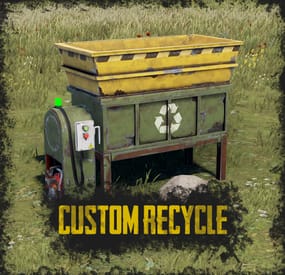
Custom Recycle
By ThePitereq in Plugins
RUST Plugin Test Server
TEST MY PLUGINS THERE!
connect play.thepitereq.ovh:28050
Custom Recycle plugin expands the possibilities of RUST recycler recipes.
You can customize and remove existing recipes, and add new ones, even for non-recyclable items.
Additionally, you can add levels to your recycler to increase its speed.
The only limit with this plugin is your imagination!
Edit existing recycler recipes and add your own. Disable RUST's default recipes. Set editable chances for custom recipe items. Change the speed of the recycler. Place and pick up the recycler. Set custom recycle amounts with levels. A RUST-themed level UI. Supports currency plugins. Level progress is saved when the recycler is picked up.
giverecycler <userId> [green/yellow/red] - Gives you or player (if ID is set) an placeable recycler. with certain recycler type, green by default (From player console - requires permission)
customrecycle.give - Required to use giverecycler command from player console.
When you have problems like DOUBLE RECYCLER PLACING try CHANING ITEM NAME in configuration!
{ "Recycler Speed (5 = Default)": 5.0, "Recycler Speed Permissions": { "customrecycle.admin": 1.0, "customrecycle.vip": 4.0 }, "Default Placed Recycler Tier (0 - Green, 1 - Yellow, 2 - Red)": 0, "Default Placed Recycler Permission Override (perm: tier)": { "customrecycle.red": 2, "customrecycle.yellow": 1 }, "Green Recycler - Skin ID": 2795785961, "Yellow Recycler - Skin ID": 3778019769, "Red Recycler - Skin ID": 3778019830, "Require Power Plant Power For Player Placed Red Recyclers": true, "Require Permission To Place": false, "Placed Recycler Amount Permissions": { "customrecycle.admin": 1000, "customrecycle.default": 1, "customrecycle.vip": 3 }, "Recycler Item Name": "Recycler", "Yellow Recycler Item Name": "Outpost Recycler", "Red Recycler Item Name": "Power Plant Recycler", "Allow Placing Only On Floor": false, "Allow Placing On Tug Boat": false, "Allow Placing On Trains": false, "Enable Better Amount Accuracy (More Calculations)": true, "Lock Picking Up All Recyclers": false, "Pickup Required Permission": "", "Allow Pickup Recycler To Everyone Authed": true, "Disabled Vanilla Recipes": [ "axe.salvaged", "box.wooden.large" ], "Recycler Levels - Enable": true, "Recycler Levels - Save Levels On Pickup In Name": false, "Recycler Levels - Enable For No Owner": false, "Recycler Levels - Money Plugin (0 - None, 1 - Economics, 2 - ServerRewards, 3 - ServerRewards)": 0, "Recycler Levels - Money Plugin Currency (If ShoppyStock Is Used)": "rp", "Recycler Levels": [ { "Recycler Stack Percentage Per Tick": 0.15, "Recycler Stack Percentage Per Tick (if recycler owner is 0)": 0.15, "Custom Recycle Chance Multiplier": 1.0, "Permission Required To Upgrade (not required, if empty)": "", "Next Level Currency Cost (0 to disable)": 1000, "Required For Next Level": [ { "Item Shortname": "wood", "Item Skin": 0, "Item Amount": 1000 }, { "Item Shortname": "stones", "Item Skin": 0, "Item Amount": 1000 } ] }, { "Recycler Stack Percentage Per Tick": 0.2, "Recycler Stack Percentage Per Tick (if recycler owner is 0)": 0.2, "Custom Recycle Chance Multiplier": 1.0, "Permission Required To Upgrade (not required, if empty)": "", "Next Level Currency Cost (0 to disable)": 1000, "Required For Next Level": [ { "Item Shortname": "wood", "Item Skin": 0, "Item Amount": 3000 }, { "Item Shortname": "stones", "Item Skin": 0, "Item Amount": 3000 } ] } ], "Virtual Recycler Plugin - Enable Check": false, "Custom Recyclables - Show Level Bonus": true, "Custom Recyclables - Allow Only In Placed Recyclers": false, "Custom Recyclables (Shortname or SkinID)": { "2483299228": { "Give Default Output": true, "Custom Output Items": [ { "Item Shortname": "coal", "Item Chance (0-100)": 50.0, "Minimum Item Amount": 1, "Maximum Item Amount": 1, "Item Skin": 2550800428, "Item Display Name": "Golden Jackhammer Body" }, { "Item Shortname": "coal", "Item Chance (0-100)": 50.0, "Minimum Item Amount": 1, "Maximum Item Amount": 1, "Item Skin": 2550800641, "Item Display Name": "Golden Jackhammer Drill" } ] }, "metal.refined": { "Give Default Output": true, "Custom Output Items": [ { "Item Shortname": "metal.fragments", "Item Chance (0-100)": 100.0, "Minimum Item Amount": 50, "Maximum Item Amount": 100, "Item Skin": 0, "Item Display Name": "" } ] }, "rifle.ak": { "Give Default Output": true, "Custom Output Items": [ { "Item Shortname": "techparts", "Item Chance (0-100)": 100.0, "Minimum Item Amount": 1, "Maximum Item Amount": 2, "Item Skin": 0, "Item Display Name": "" }, { "Item Shortname": "scrap", "Item Chance (0-100)": 100.0, "Minimum Item Amount": 30, "Maximum Item Amount": 70, "Item Skin": 0, "Item Display Name": "" } ] } } }