
Jedchado's Wishlist
-
$24.00
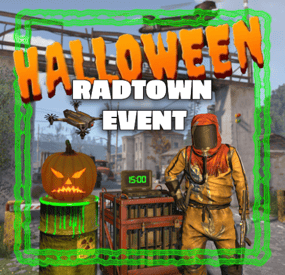
Radtown Event
By The_Kiiiing in Plugins
This plugin adds a high-risk, high-reward element to the newly introduced Radtown Monument. This dynamic event spawns a hazardous shipping container filled with valuable loot but surrounded by dangerous radioactive material. The challenge is twofold: not only must players manage the intense radiation levels, but they must also defend the container from relentless attack drones that aim to destroy it.
New with version 1.1.0: Drones can now target players with a configurable chance
Key Features:
Valuable Loot: The container holds rare and powerful resources, making it a highly coveted prize.
Multiple drone attack waves: Drones attack in mul
Intense Radiation: High levels of radiation require careful planning and protective gear to approach safely.
Drone Defense: As players attempt to claim the loot, AI-controlled drones will attack the container. Players must defend it until the crate unlocks.
Catastrophic Explosion: If players fail to protect the container or take too long, it will trigger a massive explosion, devastating the area and killing any nearby players.
Configuration options:
Drone wave count, drone count per wave Drone health and damage Container health Crate Loot and much more ...
This plugin enhances the Radtown Monument with intense, timed gameplay, rewarding those who can outlast both the environment and the drones—but punishing failure with explosive consequences!
Permissions:
radtownevent.admin - Required to run admin commands
Commands:
radtown start - Start the event radtown stop - Stop the event
Developer Api:
void OnRadtownEventContainerDelivered() // Called when the container has been delivered and the event is ready to start void OnRadtownEventStart() // Called when the locked crate inside the container has been hacked void OnRadtownEventWin(ulong steamId) // Called when the event was successfully completed by a player void OnRadtownEventEnd(bool success) // Called when the event is over. Success is false when the container exploded
Configuration:
{ "Custom chat prefix": null, "Use Notify instead of chat messages": false, "Notify notification type": 0, "Time between events (minutes)": 60, "Crate hack time (seconds; drone waves will spawn until the crate is fully hacked)": 600, "Container health": 8000, "Container position": { "x": 0.0, "y": 0.0, "z": 0.0 }, "Container rotation": { "x": 0.0, "y": 30.0, "z": 0.0 }, "Time before despawn after event has been completed (seconds)": 300, "Time before despawn if event is not started (minutes)": 30, "Make event zone visible": false, "Radiation duration after the event failed in seconds (this also affects the fog duration)": 60, "Radiation amount per second after the event failed": 100, "Drone damage scale factor (damage increases by this multiplier every time a drone deals damage)": 1.3, "Drone wave configuration": [ { "Wave number": 1, "Preparation time before drones spawn (seconds)": 5, "Maximum number of concurrent drones": 3, "Explosive drone configuration": { "Number of attack drones to spawn (0 to disable)": 20, "Drone health": 100, "Damage per shell": 40, "Player targeting chance (1 = always target players, 0 = never target players)": 0.0 }, "Kamikaze drone configuration": { "Number of kamikaze drones to spawn (0 to disable)": 0, "Drone health": 100, "Damage on explosion": 60, "Player targeting chance (1 = always target players, 0 = never target players)": 0.3 } }, { "Wave number": 2, "Preparation time before drones spawn (seconds)": 20, "Maximum number of concurrent drones": 4, "Explosive drone configuration": { "Number of attack drones to spawn (0 to disable)": 20, "Drone health": 150, "Damage per shell": 50, "Player targeting chance (1 = always target players, 0 = never target players)": 0.2 }, "Kamikaze drone configuration": { "Number of kamikaze drones to spawn (0 to disable)": 30, "Drone health": 150, "Damage on explosion": 60, "Player targeting chance (1 = always target players, 0 = never target players)": 0.4 } }, { "Wave number": 3, "Preparation time before drones spawn (seconds)": 20, "Maximum number of concurrent drones": 5, "Explosive drone configuration": { "Number of attack drones to spawn (0 to disable)": 40, "Drone health": 200, "Damage per shell": 40, "Player targeting chance (1 = always target players, 0 = never target players)": 0.3 }, "Kamikaze drone configuration": { "Number of kamikaze drones to spawn (0 to disable)": 40, "Drone health": 200, "Damage on explosion": 60, "Player targeting chance (1 = always target players, 0 = never target players)": 0.5 } }, { "Wave number": 4, "Preparation time before drones spawn (seconds)": 20, "Maximum number of concurrent drones": 8, "Explosive drone configuration": { "Number of attack drones to spawn (0 to disable)": 40, "Drone health": 250, "Damage per shell": 70, "Player targeting chance (1 = always target players, 0 = never target players)": 0.4 }, "Kamikaze drone configuration": { "Number of kamikaze drones to spawn (0 to disable)": 40, "Drone health": 250, "Damage on explosion": 80, "Player targeting chance (1 = always target players, 0 = never target players)": 0.6 } }, { "Wave number": 5, "Preparation time before drones spawn (seconds)": 20, "Maximum number of concurrent drones": 8, "Explosive drone configuration": { "Number of attack drones to spawn (0 to disable)": 40, "Drone health": 250, "Damage per shell": 70, "Player targeting chance (1 = always target players, 0 = never target players)": 0.5 }, "Kamikaze drone configuration": { "Number of kamikaze drones to spawn (0 to disable)": 40, "Drone health": 250, "Damage on explosion": 80, "Player targeting chance (1 = always target players, 0 = never target players)": 0.7 } } ], "Locked crate loot table": { "Enabled": false, "Minimum items": 4, "Maximum items": 8, "Item list": [ { "Short name": "scrap", "Min amount": 12, "Max amount": 48, "Chance (1 = 100%)": 1.0, "Skin id": 0, "Custom name": "" } ] }, "Chance for drone to drop loot box (%)": 100.0, "Drone loot table": { "Enabled": true, "Minimum items": 1, "Maximum items": 4, "Item list": [ { "Short name": "gunpowder", "Min amount": 10, "Max amount": 30, "Chance (1 = 100%)": 0.2, "Skin id": 0, "Custom name": "" }, { "Short name": "sulfur", "Min amount": 10, "Max amount": 30, "Chance (1 = 100%)": 0.4, "Skin id": 0, "Custom name": "" }, { "Short name": "charcoal", "Min amount": 20, "Max amount": 60, "Chance (1 = 100%)": 0.7, "Skin id": 0, "Custom name": "" }, { "Short name": "metal.fragments", "Min amount": 10, "Max amount": 60, "Chance (1 = 100%)": 0.5, "Skin id": 0, "Custom name": "" }, { "Short name": "explosives", "Min amount": 1, "Max amount": 2, "Chance (1 = 100%)": 0.08, "Skin id": 0, "Custom name": "" } ] }, "Disable map marker": false }
NEW: Halloween Update
The Halloween update adds pumpkin drones and spooky decorations to the container
-
$20.00$15.00Water Treatment Showdown Event
By Yac Vaguer in Plugins
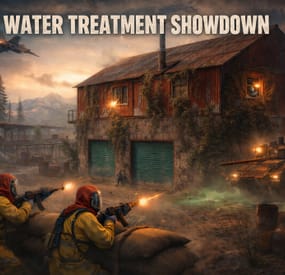
Water Treatment Showdown Event
Operation Cobalt Siege. A timed fight over the Water Treatment Plant that ends with the monument getting nuked, whether your players got out or not.
Runs on Oxide and Carbon.
What actually happens on your server
Every two hours by default, the plugin announces unusual activity at Water Treatment. Two minutes later the monument turns hostile.
Cobalt guards take up positions across the yard. Snipers with scoped M39s hold the high ground. A Bradley APC starts its patrol route. Zombies fill the main building, and if you leave the setting on, the building takes a visible explosion on spawn and the sprinklers kick in. SAM sites cover the airspace so nobody solves this from a minicopter.
The loot is military crates, elite crates and one hackable crate. Starting the hack is the point of no return: the noise calls in a patrol helicopter, and now your players are fighting a Bradley, a heli and whatever NPCs are left, all at once, on a clock.
Four minutes after somebody loots the hackable crate, an F15 comes in and drops the nuke. If nobody finishes in time, the event's own timer does it instead. Either way the monument gets hit with an MLRS barrage and then sits irradiated for five minutes. Anyone still inside picking up loose loot takes rads for it.
That last part is the reason I keep the event on my own server. The evacuation window turns a won fight into a decision, and players get greedy.
Difficulty tiers
One config field, four presets: Easy, Normal, Hard, Nightmare.
The tier multiplies NPC count, NPC health, NPC damage, Bradley HP and every reward payout by the same number (0.75, 1.0, 1.35, 1.75). Normal is 1.0, so an existing config behaves exactly as it did before tiers existed.
The tier is frozen when an event starts. If you reload config mid-event to change it, the running event finishes on the numbers it spawned with, and the new tier applies to the next one.
PVE support
Two options, and you pick one. Never both.
PveMode by KpucTaJl is the fuller integration (Recommended).
SimplePVESphere is the lighter option. A sphere, an owner, done.
If both are configured, PveMode wins and SimplePVESphere is ignored. The plugin logs which one it picked.
Leave both off and the event is straight PvP over a shared monument, which is what most vanilla-ish servers want.
Rewards
Economics, ServerRewards RP and SkillTree XP. You can run all three at once if that's your setup.
Each backend gets its own payout table with four entries: looting the hackable crate, destroying the Bradley, downing the patrol helicopter, killing an NPC. The difficulty tier scales all of them. Everything is disabled by default, so installing the plugin does not quietly start printing currency.
Loot control
Works with AlphaLoot and CustomLoot. Pick one.
AlphaLoot needs nothing configured on this side. Leave every "Use Custom loot plugin?" key false and it fills the event's crates from the profile matching each crate prefab, exactly as it does everywhere else on your map. One gotcha worth knowing: the elite crate's prefab lives under underwater_labs/, so its AlphaLoot profile is underwater_labs/crate_elite, not crate_elite. Edit the wrong one and you'll swear the event is ignoring you.
If you want the event paying differently from the rest of the world, point a crate at a prefab nothing else on your map spawns and give that prefab its own AlphaLoot profile. AlphaLoot matches on prefab, so sharing one means sharing the table.
Turning CustomLoot on while AlphaLoot is installed does not blend the two. CustomLoot wins and AlphaLoot's work is discarded with no error in the log.
Every crate type and every NPC type takes a CustomLoot profile name if you want your own tables. Guards, snipers, zombies, military crates, elite crates and the hackable crate each have their own slot, so you can hand-tune the hackable crate and leave the rest on Rust defaults.
The hackable crate also takes an optional bonus item: a shortname, an amount, a skin ID, a display name and a drop chance. Added on top of whatever table produced the rest of the crate. This is how you seed a custom skin or a server-specific item as the reward for finishing the event.
NPC tuning
Guards and snipers each have a full settings block: name, health, roam range, chase range, sense range, attack range multiplier, target memory duration, damage scale, aim cone scale, vision cone and whether it's checked at all, movement speed, radio chatter on or off, stationary or roaming, and corpse removal.
Loadouts are explicit. Clothing and belt items by shortname, with skin IDs, weapon mods and ammo type. Defaults ship the guards in road sign armour with a flashlight LR300 and an F1, and the snipers with a 16x scoped M39. Kit plugin support is there too, though it costs performance and the config says so.
Zombies get a count and a loot profile.
Bradley and the helicopter
The Bradley has its own health, the number of crates it drops, whether the crate fire keeps burning, whether gibs stick around, and its coax bullet damage. It patrols a waypoint route rather than sitting still.
The patrol helicopter is the newest addition. It spawns when the hackable crate hack starts, not on a timer, so it always lands on top of the fight rather than in a quiet moment. Count, health and crate drops are configurable, and you can turn it off entirely if your player base is small.
Notifications
Chat or GUIAnnouncements, chosen in config. Chat messages take a prefix, prefix colour and size, body colour and size, and a Steam icon ID.
There's also a Discord webhook for the event log, off by default.
Commands
Chat, requires watertreatmentevent.admin:
/wtestart starts the event now /wtestop stops a running event and re-arms the automatic schedule /wte.admin opens the admin panel Console, requires the permission or server admin:
wtestart [steamID] starts the event. The optional Steam ID pre-assigns event ownership to an online player, which is useful for testing PVE rules without having to shoot your way to ownership first wtestop wte.admin wte.nuke skips straight to the finale on a running event. This is the fastest way to check that your radiation and cleanup settings behave, without waiting out a full forty minute cycle wte.selfcheck Permission
watertreatmentevent.admin
For plugin developers
Two hooks fire:
void OnWaterTreatmentEventStart(Vector3 center, float radius) void OnWaterTreatmentEventEnded(Vector3 center, float radius) Both carry the event centre and the configured zone radius, so a leaderboard or a zone plugin can react without having to guess where the monument is.
Two API methods:
bool IsWaterTreatmentEventActive() void ResetWaterTreatmentEventInterval() ResetWaterTreatmentEventInterval restarts the countdown to the next automatic event, which event manager plugins use to stagger events so two don't fire at once.
Configuration you'll probably touch first
"Event Start every [sec]": 7200.0, "Duration of the event [sec]": 2400.0, "Run the event ONLY manually with the commands": false, "Warning time before the Event Spawn [sec]": 120.0, "Time after player loot the hackable crate to end the event and drop the nukes [sec]": 240.0, "Difficulty Tier (Easy, Normal, Hard, Nightmare)": "Normal", "Radius of the event zone in meters (PVE sphere and map marker)": 120.0, "Add Radiation when the F15 drop the nuke": true, "How long the radiation stays in the event area after the nuke [sec]": 300.0, "Clean the area of other NPCs before the event starts": false That last one is worth knowing about if you run BotReSpawn or BetterNpc. Turn it on and anything inside the event zone that this plugin did not spawn gets removed just before the event's own NPCs arrive, along with leftover NPC corpses and loot bags. Player corpses and player backpacks are never touched. It's off by default because most servers don't need it.
-
$9.90
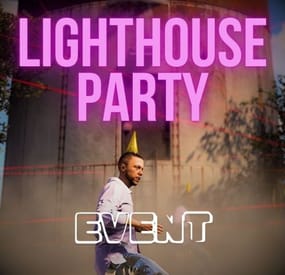
Lighthouse Party Event
This plugin creates a party in the lighthouse where one of the dancers has had too much to drink and feels sick.If you help him and find him a bottle of mineral water in a foodbox in the lighthouse area, he will give you the key to the door.
Chat and Consolecommand available to admins only.:
lpstart lpstop givekey givewater Contact:
Additional free plugins created by me are available on Discord: https://discord.gg/C5CehdJMdK
If you want to try out this plugin, you can do so on the test server. IP: 212.73.137.3:27195
My public Rust server IP: 136.243.135.46:28050
Video:
FoodBox position:
Config:
{ "Version": { "Major": 1, "Minor": 0, "Patch": 2 }, "Automatic event start": false, "Minimum time for event start": 3600.0, "Maximum time for event start": 7200.0, "Duration of the event": 2800.0, "Warning messages before event start": 120.0, "Warning messages before event end": 120.0, "The event starts at night only?": true, "Use mapmarker?": true, "Chat icon": 0, "RadioLink": "https://stream.techno.fm/radio1-192k.mp3", "List of lootable crates": [ { "Prefab": "assets/bundled/prefabs/radtown/crate_normal.prefab", "Position": "(1.572, 27.500, -1.136)", "Rotation": "(0, 54.606, 0)", "Use custom loot?": false, "CustomLoot": { "Minimum items": 1, "Maximum items": 1, "Use minimum - maxium?": false, "List of items": [ { "ShortName": "xmas.present.small", "Minimum": 3, "Maximum": 6, "Chance": 100.0, "Give blueprint?": false, "SkinID": 0, "Displayname": "" } ] } }, { "Prefab": "assets/bundled/prefabs/radtown/crate_normal.prefab", "Position": "(0.282, 29.517, -2.851)", "Rotation": "(0, 90, 0)", "Use custom loot?": false, "CustomLoot": { "Minimum items": 1, "Maximum items": 1, "Use minimum - maxium?": false, "List of items": [ { "ShortName": "xmas.present.small", "Minimum": 3, "Maximum": 6, "Chance": 100.0, "Give blueprint?": false, "SkinID": 0, "Displayname": "" } ] } }, { "Prefab": "assets/bundled/prefabs/radtown/crate_elite.prefab", "Position": "(1.783, 27.500, -2.563)", "Rotation": "(0, 327.260, 0)", "Use custom loot?": false, "CustomLoot": { "Minimum items": 1, "Maximum items": 1, "Use minimum - maxium?": false, "List of items": [ { "ShortName": "xmas.present.small", "Minimum": 3, "Maximum": 6, "Chance": 100.0, "Give blueprint?": false, "SkinID": 0, "Displayname": "" } ] } }, { "Prefab": "assets/bundled/prefabs/radtown/underwater_labs/crate_food_2.prefab", "Position": "(0.428, 28.211, -1.426)", "Rotation": "(0, 327.621, 0)", "Use custom loot?": false, "CustomLoot": { "Minimum items": 1, "Maximum items": 1, "Use minimum - maxium?": false, "List of items": [ { "ShortName": "xmas.present.small", "Minimum": 3, "Maximum": 6, "Chance": 100.0, "Give blueprint?": false, "SkinID": 0, "Displayname": "" } ] } } ], "Key item setting": { "Key item shortname": "door.key", "Key skinID (0 - default)": 3370208540, "Key item displayname": "LIGHTHOUSE PARTY KEY" }, "Mineral water item setting": { "Mineral water item shortname": "smallwaterbottle", "Mineral water skinID (0 - default)": 3371773425, "Mineral water item displayname": "MINERAL WATER" }, "Dancing Npcs name and outfit": { "Name": "Party Face", "Wear items": [ { "ShortName": "shirt.collared", "SkinID (0 - default)": 3035466202 }, { "ShortName": "pants", "SkinID (0 - default)": 2357992772 }, { "ShortName": "shoes.boots", "SkinID (0 - default)": 2673890130 }, { "ShortName": "partyhat", "SkinID (0 - default)": 0 } ] } }
- #lighthouse
- #event
- (and 1 more)
-
$50.00
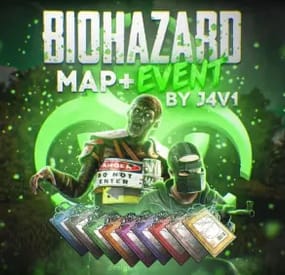
Biohazard Event
The map is designed to provide an intense and strategic gameplay experience, with a central focus on collecting tags and delivering them to specific altars. The map layout includes a central area with several biomes and nine surrounding islands, each dedicated to a different team: Blue, Red, Green, Yellow, Yellow, White, Pink, Purple, Gray and Orange.
Central Zone:
Biomes: The central zone is composed of different biomes, each of which offers unique resources and specific challenges for players.
Resources: This area contains a variety of resources necessary for survival and combat, encouraging exploration and competition.
Equipment Islands:
Each of the nine islands is designed to provide teams with a starting point and a secure base, with the following features:
Central Construction Area: A designated area where teams can build and fortify their bases.
Garden Area: Located next to a river, this area allows teams to grow food and resources necessary for survival.
Gas Station: Each island has its own gas station, with a recycler and other essential resources.
Metro Entrance: Allows players to quickly access the Metro and connect to other parts of the map.
Fishing Zone: Fishing village where vehicles can be purchased, no safe zone.
Zip lines: Installed to facilitate movement to and from the island, allowing fast and strategic movements.
Tag Altar: The most important element of each island, where players must deliver tags obtained by eliminating enemies. Delivering tags to the altar increases team points.
Event Mechanics:
The objective of the event is to eliminate enemies to collect their tags and take them to the altar on the team's island. Each tag delivered to the altar adds points to the corresponding team. The team with the most points at the end of the event will be the winner.
Strategy:
Team coordination: cooperation and communication within the team will be crucial to defend the island and attack enemies efficiently.
Resource management: collecting and managing resources in different areas of the map will be essential to maintain a competitive advantage.
Mobility and tactics: the strategic use of zip lines and subways will allow for quick and surprising movements, adding a layer of tactical complexity to the game.
This map design provides a balanced and exciting gameplay experience where strategy, coordination and skill are key to success.
Biohazard event add-on description:
This add-on creates a PvP event between teams. Each team is assigned an island with an altar to deposit dog tags and accumulate points. The objective is to kill members of other teams, collect their tags and deposit them on your team's altar to earn points.
Main features:
Team assignment: each player is assigned to a team before the event begins.
Team identification: each team is identified with a unique sweatshirt color, so it is essential that players wear their team's sweatshirt for clear identification.
Islands and altars: each team has an assigned island with an altar dedicated to their team color to deposit name tags and score points.
Points reset command: a command is available to reset points at any time.
Mechanics of the event:
Team assignment: each player is assigned to a team and each altar is assigned the corresponding team color.
Identification: players must wear their team color hoodie to ensure that teams are easily identifiable.
Objective: players kill members of other teams, collect their ID tags and deposit them on their team's altar to accumulate points.
Reset points: administrators can reset points using a specific command if necessary.
This add-on enhances the PvP experience by adding team competition, clear team identification and strategic point accumulation.
Monuments:
Airfield
Arctic Research Base
Missile Silo
Water Tractament
Desert military base
Power plant
Launch site
Train yard
Military tunnel
Giant excavator
Port 1x2
Port 2
Scrap yard
Lighthouse x3
Large and small oil platform x2
Satellite dish
Gas station x9
Supermarket x3
Warehouse x3
Quarries
Underwater laboratories x3
Compound
Fishing village x9
If you need to contact me send me a private message or write me on Discord. j4v1rust
-
$24.99
Heavy Oil Rig Event
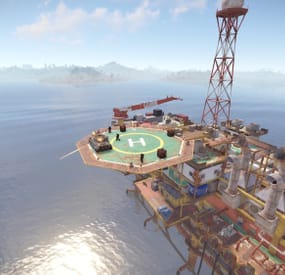
Heavy Oil Rig Event is a configurable plugin that allows for a new type of random event. Randomly a message will appear letting players know that there is a heavy oil rig being formed.
The Oil Rig will then be equipped with extra scientists, auto turrets, and a Bradley. Players must try to clear the oil rig and find the scientist who drops the code to disable the auto turrets OR destroy all the turrets. If the code is found, it can be entered into the code lock on the second to highest floor to disable the turrets. Once the turrets and scientists are dealt with, players must defeat the Bradley which guards the hackable crates. Finally, once the Bradley is defeated, players can collect all the loot. That's if someone else doesn't get to it first!
This is a great event to add to your server to give it a little more variety. It can be a fun PVP zone or a PVE event for non PVP servers.
EASY OPTIONAL SETUP - NO SETUP REQUIRED
You can simple drop the plugin in as-is and it will start the random event every 1 to 2 hours OR you can modify the config to your specific needs.
Configuration
Example - en
Admin Only Commands
/HeavyOilStart
/HeavyOilStop
Hooks
void HeavyOilRigEventStarted()
void HeavyOilRigEventStopped()
Customization
Spawn locations as well as the total number turrets, scientists, hackable crates, & APCbradleys can be modified. Simply go to the location in game you want to place the new item and use the command /HoPOS. It will message you the location. You can the add that location to the config in the appropriate section for want you want to modify. Reload the plugin and you're good to go!
Discord: cahnu