
FeniexGaming's Wishlist
-
$19.95$11.95Helpful Supply
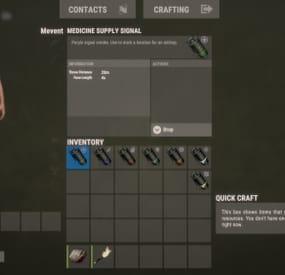
Adds supply signals to your server, split into loot categories such as medicine, weapons, clothing, explosives, and others.
Features
Performance (algorithms are optimized, data are cached) Item customization (icons, display name, etc.) Loot customization (amount of items in the container, the chance of items, custom items) Drop customization (supply signal can spawn in barrels, containers, etc.) Fall customization (supply signal can fall at a different rate)
Commands
hsupply.give [name/steamid] [supply name] [amount] (give a player a supply signal)
Video
⚙️ Web Config Editor
Manage the HelpfulSupply settings in our web config editor. You change the config in a browser form instead of editing files on the server by hand.
P.S. The web config editor is open to members of the "HelpfulSupply" group in our Discord server. Join at https://discord.gg/mevent and ask for the group.
Config
{ "Supplies": [ { "Name": "heal", "Item Settings": { "Display Name": "Medicine Supply Signal", "ShortName": "supply.signal", "Skin": 2912968568 }, "Loot Settings": { "Speed": { "Enabled?": false, "Incoming Space Delivery Supply Drop velocity": 120.0, "Parachute deploy distance from ground": 120.0 }, "Amount": { "Minimal amount": 2, "Maximum amount": 12 }, "Items": [ { "Amount": { "Minimal amount": 2, "Maximum amount": 4 }, "Chance": 70.0, "Display Name": "", "ShortName": "antiradpills", "Skin": 0 }, { "Amount": { "Minimal amount": 5, "Maximum amount": 10 }, "Chance": 50.0, "Display Name": "", "ShortName": "bandage", "Skin": 0 }, { "Amount": { "Minimal amount": 1, "Maximum amount": 2 }, "Chance": 60.0, "Display Name": "", "ShortName": "largemedkit", "Skin": 0 }, { "Amount": { "Minimal amount": 1, "Maximum amount": 2 }, "Chance": 60.0, "Display Name": "", "ShortName": "syringe.medical", "Skin": 0 }, { "Amount": { "Minimal amount": 10, "Maximum amount": 15 }, "Chance": 20.0, "Display Name": "", "ShortName": "bandage", "Skin": 0 }, { "Amount": { "Minimal amount": 10, "Maximum amount": 12 }, "Chance": 5.0, "Display Name": "", "ShortName": "largemedkit", "Skin": 0 }, { "Amount": { "Minimal amount": 15, "Maximum amount": 25 }, "Chance": 10.0, "Display Name": "", "ShortName": "syringe.medical", "Skin": 0 } ] }, "Drop Settings": { "Enabled": false, "Containers": [ { "Prefab": "assets/bundled/prefabs/radtown/crate_normal.prefab", "Chance": 5.0, "Amount": { "Minimal amount": 1, "Maximum amount": 1 } }, { "Prefab": "assets/bundled/prefabs/radtown/loot_barrel_2.prefab", "Chance": 5.0, "Amount": { "Minimal amount": 1, "Maximum amount": 1 } }, { "Prefab": "assets/bundled/prefabs/radtown/loot_barrel_1.prefab", "Chance": 5.0, "Amount": { "Minimal amount": 1, "Maximum amount": 1 } } ] } }, { "Name": "guns", "Item Settings": { "Display Name": "Guns Supply Signal", "ShortName": "supply.signal", "Skin": 2912968440 }, "Loot Settings": { "Speed": { "Enabled?": false, "Incoming Space Delivery Supply Drop velocity": 120.0, "Parachute deploy distance from ground": 120.0 }, "Amount": { "Minimal amount": 2, "Maximum amount": 12 }, "Items": [ { "Amount": { "Minimal amount": 1, "Maximum amount": 1 }, "Chance": 15.0, "Display Name": "", "ShortName": "rifle.ak", "Skin": 0 }, { "Amount": { "Minimal amount": 1, "Maximum amount": 1 }, "Chance": 15.0, "Display Name": "", "ShortName": "rifle.lr300", "Skin": 0 }, { "Amount": { "Minimal amount": 1, "Maximum amount": 1 }, "Chance": 5.0, "Display Name": "", "ShortName": "rifle.l96", "Skin": 0 }, { "Amount": { "Minimal amount": 1, "Maximum amount": 1 }, "Chance": 10.0, "Display Name": "", "ShortName": "rifle.bolt", "Skin": 0 }, { "Amount": { "Minimal amount": 1, "Maximum amount": 1 }, "Chance": 15.0, "Display Name": "", "ShortName": "rifle.m39", "Skin": 0 }, { "Amount": { "Minimal amount": 1, "Maximum amount": 1 }, "Chance": 25.0, "Display Name": "", "ShortName": "rifle.semiauto", "Skin": 0 }, { "Amount": { "Minimal amount": 1, "Maximum amount": 1 }, "Chance": 20.0, "Display Name": "", "ShortName": "pistol.m92", "Skin": 0 }, { "Amount": { "Minimal amount": 1, "Maximum amount": 1 }, "Chance": 25.0, "Display Name": "", "ShortName": "pistol.python", "Skin": 0 }, { "Amount": { "Minimal amount": 1, "Maximum amount": 1 }, "Chance": 25.0, "Display Name": "", "ShortName": "pistol.revolver", "Skin": 0 }, { "Amount": { "Minimal amount": 1, "Maximum amount": 1 }, "Chance": 20.0, "Display Name": "", "ShortName": "pistol.semiauto", "Skin": 0 } ] }, "Drop Settings": { "Enabled": false, "Containers": [ { "Prefab": "assets/bundled/prefabs/radtown/crate_normal.prefab", "Chance": 5.0, "Amount": { "Minimal amount": 1, "Maximum amount": 1 } }, { "Prefab": "assets/bundled/prefabs/radtown/loot_barrel_2.prefab", "Chance": 5.0, "Amount": { "Minimal amount": 1, "Maximum amount": 1 } }, { "Prefab": "assets/bundled/prefabs/radtown/loot_barrel_1.prefab", "Chance": 5.0, "Amount": { "Minimal amount": 1, "Maximum amount": 1 } } ] } }, { "Name": "explosive", "Item Settings": { "Display Name": "Explosive Supply Signal", "ShortName": "supply.signal", "Skin": 2912968298 }, "Loot Settings": { "Speed": { "Enabled?": false, "Incoming Space Delivery Supply Drop velocity": 120.0, "Parachute deploy distance from ground": 120.0 }, "Amount": { "Minimal amount": 2, "Maximum amount": 6 }, "Items": [ { "Amount": { "Minimal amount": 1, "Maximum amount": 2 }, "Chance": 70.0, "Display Name": "", "ShortName": "explosive.satchel", "Skin": 0 }, { "Amount": { "Minimal amount": 8, "Maximum amount": 12 }, "Chance": 55.0, "Display Name": "", "ShortName": "explosive.satchel", "Skin": 0 }, { "Amount": { "Minimal amount": 20, "Maximum amount": 20 }, "Chance": 15.0, "Display Name": "", "ShortName": "explosive.satchel", "Skin": 0 }, { "Amount": { "Minimal amount": 1, "Maximum amount": 1 }, "Chance": 50.0, "Display Name": "", "ShortName": "explosive.timed", "Skin": 0 }, { "Amount": { "Minimal amount": 4, "Maximum amount": 8 }, "Chance": 15.0, "Display Name": "", "ShortName": "explosive.timed", "Skin": 0 }, { "Amount": { "Minimal amount": 4, "Maximum amount": 8 }, "Chance": 5.0, "Display Name": "", "ShortName": "explosive.timed", "Skin": 0 }, { "Amount": { "Minimal amount": 10, "Maximum amount": 20 }, "Chance": 60.0, "Display Name": "", "ShortName": "explosives", "Skin": 0 }, { "Amount": { "Minimal amount": 20, "Maximum amount": 30 }, "Chance": 10.0, "Display Name": "", "ShortName": "explosives", "Skin": 0 }, { "Amount": { "Minimal amount": 64, "Maximum amount": 128 }, "Chance": 75.0, "Display Name": "", "ShortName": "ammo.rifle.explosive", "Skin": 0 }, { "Amount": { "Minimal amount": 128, "Maximum amount": 256 }, "Chance": 40.0, "Display Name": "", "ShortName": "ammo.rifle.explosive", "Skin": 0 }, { "Amount": { "Minimal amount": 256, "Maximum amount": 512 }, "Chance": 10.0, "Display Name": "", "ShortName": "ammo.rifle.explosive", "Skin": 0 }, { "Amount": { "Minimal amount": 1, "Maximum amount": 4 }, "Chance": 40.0, "Display Name": "", "ShortName": "ammo.rocket.basic", "Skin": 0 }, { "Amount": { "Minimal amount": 10, "Maximum amount": 20 }, "Chance": 10.0, "Display Name": "", "ShortName": "ammo.rocket.basic", "Skin": 0 }, { "Amount": { "Minimal amount": 1, "Maximum amount": 1 }, "Chance": 45.0, "Display Name": "", "ShortName": "rocket.launcher", "Skin": 0 }, { "Amount": { "Minimal amount": 4, "Maximum amount": 12 }, "Chance": 55.0, "Display Name": "", "ShortName": "ammo.grenadelauncher.he", "Skin": 0 }, { "Amount": { "Minimal amount": 4, "Maximum amount": 16 }, "Chance": 60.0, "Display Name": "", "ShortName": "grenade.beancan", "Skin": 0 }, { "Amount": { "Minimal amount": 16, "Maximum amount": 24 }, "Chance": 25.0, "Display Name": "", "ShortName": "grenade.beancan", "Skin": 0 } ] }, "Drop Settings": { "Enabled": false, "Containers": [ { "Prefab": "assets/bundled/prefabs/radtown/crate_normal.prefab", "Chance": 5.0, "Amount": { "Minimal amount": 1, "Maximum amount": 1 } }, { "Prefab": "assets/bundled/prefabs/radtown/loot_barrel_2.prefab", "Chance": 5.0, "Amount": { "Minimal amount": 1, "Maximum amount": 1 } }, { "Prefab": "assets/bundled/prefabs/radtown/loot_barrel_1.prefab", "Chance": 5.0, "Amount": { "Minimal amount": 1, "Maximum amount": 1 } } ] } }, { "Name": "clothes", "Item Settings": { "Display Name": "Clothes Supply Signal", "ShortName": "supply.signal", "Skin": 2912968179 }, "Loot Settings": { "Speed": { "Enabled?": false, "Incoming Space Delivery Supply Drop velocity": 120.0, "Parachute deploy distance from ground": 120.0 }, "Amount": { "Minimal amount": 2, "Maximum amount": 12 }, "Items": [ { "Amount": { "Minimal amount": 1, "Maximum amount": 2 }, "Chance": 70.0, "Display Name": "", "ShortName": "coffeecan.helmet", "Skin": 0 }, { "Amount": { "Minimal amount": 1, "Maximum amount": 1 }, "Chance": 60.0, "Display Name": "", "ShortName": "hazmatsuit", "Skin": 0 }, { "Amount": { "Minimal amount": 1, "Maximum amount": 1 }, "Chance": 80.0, "Display Name": "", "ShortName": "hoodie", "Skin": 0 }, { "Amount": { "Minimal amount": 1, "Maximum amount": 1 }, "Chance": 80.0, "Display Name": "", "ShortName": "pants", "Skin": 0 }, { "Amount": { "Minimal amount": 1, "Maximum amount": 1 }, "Chance": 80.0, "Display Name": "", "ShortName": "shoes.boots", "Skin": 0 }, { "Amount": { "Minimal amount": 1, "Maximum amount": 1 }, "Chance": 50.0, "Display Name": "", "ShortName": "roadsign.jacket", "Skin": 0 }, { "Amount": { "Minimal amount": 1, "Maximum amount": 1 }, "Chance": 50.0, "Display Name": "", "ShortName": "roadsign.kilt", "Skin": 0 }, { "Amount": { "Minimal amount": 1, "Maximum amount": 1 }, "Chance": 25.0, "Display Name": "", "ShortName": "metal.facemask", "Skin": 0 }, { "Amount": { "Minimal amount": 1, "Maximum amount": 1 }, "Chance": 25.0, "Display Name": "", "ShortName": "metal.plate.torso", "Skin": 0 }, { "Amount": { "Minimal amount": 1, "Maximum amount": 1 }, "Chance": 15.0, "Display Name": "", "ShortName": "heavy.plate.jacket", "Skin": 0 }, { "Amount": { "Minimal amount": 1, "Maximum amount": 1 }, "Chance": 15.0, "Display Name": "", "ShortName": "heavy.plate.pants", "Skin": 0 } ] }, "Drop Settings": { "Enabled": false, "Containers": [ { "Prefab": "assets/bundled/prefabs/radtown/crate_normal.prefab", "Chance": 5.0, "Amount": { "Minimal amount": 1, "Maximum amount": 1 } }, { "Prefab": "assets/bundled/prefabs/radtown/loot_barrel_2.prefab", "Chance": 5.0, "Amount": { "Minimal amount": 1, "Maximum amount": 1 } }, { "Prefab": "assets/bundled/prefabs/radtown/loot_barrel_1.prefab", "Chance": 5.0, "Amount": { "Minimal amount": 1, "Maximum amount": 1 } } ] } }, { "Name": "cash", "Item Settings": { "Display Name": "Cash Supply Signal", "ShortName": "supply.signal", "Skin": 2912967918 }, "Loot Settings": { "Speed": { "Enabled?": false, "Incoming Space Delivery Supply Drop velocity": 120.0, "Parachute deploy distance from ground": 120.0 }, "Amount": { "Minimal amount": 2, "Maximum amount": 4 }, "Items": [ { "Amount": { "Minimal amount": 5, "Maximum amount": 10 }, "Chance": 75.0, "Display Name": "RUSTNote", "ShortName": "sticks", "Skin": 2536195910 }, { "Amount": { "Minimal amount": 10, "Maximum amount": 20 }, "Chance": 70.0, "Display Name": "RUSTNote", "ShortName": "sticks", "Skin": 2536195910 }, { "Amount": { "Minimal amount": 20, "Maximum amount": 50 }, "Chance": 40.0, "Display Name": "RUSTNote", "ShortName": "sticks", "Skin": 2536195910 }, { "Amount": { "Minimal amount": 50, "Maximum amount": 150 }, "Chance": 20.0, "Display Name": "RUSTNote", "ShortName": "sticks", "Skin": 2536195910 }, { "Amount": { "Minimal amount": 150, "Maximum amount": 300 }, "Chance": 5.0, "Display Name": "RUSTNote", "ShortName": "sticks", "Skin": 2536195910 } ] }, "Drop Settings": { "Enabled": false, "Containers": [ { "Prefab": "assets/bundled/prefabs/radtown/crate_normal.prefab", "Chance": 5.0, "Amount": { "Minimal amount": 1, "Maximum amount": 1 } }, { "Prefab": "assets/bundled/prefabs/radtown/loot_barrel_2.prefab", "Chance": 5.0, "Amount": { "Minimal amount": 1, "Maximum amount": 1 } }, { "Prefab": "assets/bundled/prefabs/radtown/loot_barrel_1.prefab", "Chance": 5.0, "Amount": { "Minimal amount": 1, "Maximum amount": 1 } } ] } }, { "Name": "cars", "Item Settings": { "Display Name": "Cars Supply Signal", "ShortName": "supply.signal", "Skin": 2912968057 }, "Loot Settings": { "Speed": { "Enabled?": false, "Incoming Space Delivery Supply Drop velocity": 120.0, "Parachute deploy distance from ground": 120.0 }, "Amount": { "Minimal amount": 1, "Maximum amount": 2 }, "Items": [ { "Amount": { "Minimal amount": 1, "Maximum amount": 1 }, "Chance": 40.0, "Display Name": "RUSTSharing Ferrari", "ShortName": "box.wooden.large", "Skin": 2591806406 }, { "Amount": { "Minimal amount": 1, "Maximum amount": 1 }, "Chance": 40.0, "Display Name": "RUSTSharing Mazda", "ShortName": "box.wooden.large", "Skin": 2591806406 }, { "Amount": { "Minimal amount": 1, "Maximum amount": 1 }, "Chance": 40.0, "Display Name": "RUSTSharing Skoda", "ShortName": "box.wooden.large", "Skin": 2591806406 }, { "Amount": { "Minimal amount": 1, "Maximum amount": 1 }, "Chance": 40.0, "Display Name": "RUSTSharing Opel", "ShortName": "box.wooden.large", "Skin": 2591806406 } ] }, "Drop Settings": { "Enabled": false, "Containers": [ { "Prefab": "assets/bundled/prefabs/radtown/crate_normal.prefab", "Chance": 5.0, "Amount": { "Minimal amount": 1, "Maximum amount": 1 } }, { "Prefab": "assets/bundled/prefabs/radtown/loot_barrel_2.prefab", "Chance": 5.0, "Amount": { "Minimal amount": 1, "Maximum amount": 1 } }, { "Prefab": "assets/bundled/prefabs/radtown/loot_barrel_1.prefab", "Chance": 5.0, "Amount": { "Minimal amount": 1, "Maximum amount": 1 } } ] } }, { "Name": "lucky", "Item Settings": { "Display Name": "Lucky Supply Signal", "ShortName": "supply.signal", "Skin": 2912968671 }, "Loot Settings": { "Speed": { "Enabled?": false, "Incoming Space Delivery Supply Drop velocity": 120.0, "Parachute deploy distance from ground": 120.0 }, "Amount": { "Minimal amount": 2, "Maximum amount": 12 }, "Items": [ { "Amount": { "Minimal amount": 1000, "Maximum amount": 3000 }, "Chance": 60.0, "Display Name": "", "ShortName": "sulfur", "Skin": 0 }, { "Amount": { "Minimal amount": 3000, "Maximum amount": 9000 }, "Chance": 20.0, "Display Name": "", "ShortName": "sulfur", "Skin": 0 }, { "Amount": { "Minimal amount": 50, "Maximum amount": 100 }, "Chance": 60.0, "Display Name": "", "ShortName": "metal.refined", "Skin": 0 }, { "Amount": { "Minimal amount": 100, "Maximum amount": 250 }, "Chance": 15.0, "Display Name": "", "ShortName": "metal.refined", "Skin": 0 }, { "Amount": { "Minimal amount": 1000, "Maximum amount": 3000 }, "Chance": 55.0, "Display Name": "", "ShortName": "gunpowder", "Skin": 0 }, { "Amount": { "Minimal amount": 3000, "Maximum amount": 9000 }, "Chance": 15.0, "Display Name": "", "ShortName": "gunpowder", "Skin": 0 }, { "Amount": { "Minimal amount": 3000, "Maximum amount": 9000 }, "Chance": 50.0, "Display Name": "", "ShortName": "metal.fragments", "Skin": 0 }, { "Amount": { "Minimal amount": 9000, "Maximum amount": 15000 }, "Chance": 30.0, "Display Name": "", "ShortName": "metal.fragments", "Skin": 0 }, { "Amount": { "Minimal amount": 150, "Maximum amount": 300 }, "Chance": 50.0, "Display Name": "", "ShortName": "scrap", "Skin": 0 }, { "Amount": { "Minimal amount": 300, "Maximum amount": 900 }, "Chance": 25.0, "Display Name": "", "ShortName": "scrap", "Skin": 0 }, { "Amount": { "Minimal amount": 1, "Maximum amount": 1 }, "Chance": 45.0, "Display Name": "", "ShortName": "autoturret", "Skin": 0 } ] }, "Drop Settings": { "Enabled": false, "Containers": [ { "Prefab": "assets/bundled/prefabs/radtown/crate_normal.prefab", "Chance": 5.0, "Amount": { "Minimal amount": 1, "Maximum amount": 1 } }, { "Prefab": "assets/bundled/prefabs/radtown/loot_barrel_2.prefab", "Chance": 5.0, "Amount": { "Minimal amount": 1, "Maximum amount": 1 } }, { "Prefab": "assets/bundled/prefabs/radtown/loot_barrel_1.prefab", "Chance": 5.0, "Amount": { "Minimal amount": 1, "Maximum amount": 1 } } ] } } ] }
-
$35.00
Industrial Recycler
Industrial Recycler | Automated Recycling for Rust
Put recycling to work inside your players' bases.
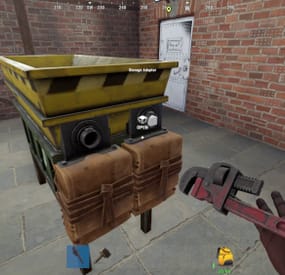
Connect storage, feed in recyclable items and send the materials back into your industrial network. Industrial Recycler gives your players a recycling line they can build into their base, with automatic item transfers, dedicated input and output storage, and control over processing speed and efficiency.
The same plugin also includes standard placeable recyclers, personal virtual recycling and an in-game purchase menu. Offer convenient recycling to your community, then choose the costs, access rules and group benefits that fit your server.
Industrial automation · 48-slot input + 48-slot output · Standard and virtual recyclers · Configurable speed and efficiency · In-game purchases
Watch Industrial Recycler in action
Build a recycling line into the base
An industrial recycler comes with dedicated input and output containers and storage adapters for Rust's industrial piping system.
Feed the input. Add recyclable items manually or connect the input adapter to your industrial network. Let it process. The plugin transfers items into the recycler and starts recycling automatically. Collect the materials. Recycled output goes into the attached output container, ready to be moved through your network. Each attached container has 48 item slots, giving the setup room for incoming items and outgoing materials. Players can leave the inventory screen and let the placed industrial recycler handle the work.
Useful handling is built in: the industrial recycler unloads ammunition and removes weapon attachments into output storage before recycling the weapon. Items without a recycling blueprint are routed from input toward output storage.
Three ways to offer recycling
Recycler type Player experience Best fit Industrial A placed recycler with automatic transfers, input/output storage and industrial adapters Players building automated bases Standard A familiar recycler that players place and operate manually Convenient recycling at home Virtual A personal recycler opened with /irec or /virtualrec Command-based convenience for permitted groups Standard recyclers also support tugboat placement. Industrial recyclers are placed on supported building surfaces.
An owner with the appropriate permission can upgrade a standard recycler using /upgraderecycler, adding the industrial storage and adapters to the existing recycler.
Give resources another purpose
Let players work toward their own recycler through the built-in shop. /buyrecycler opens the standard recycler purchase screen; /buyindustrialrecycler opens the industrial option.
Set a different cost for each type using one or several in-game items. Charge Scrap alone, or combine it with materials such as Metal Fragments, Sheet Metal and High Quality Metal. The menu shows the requirements before the player confirms the purchase.
Purchase permissions are separate, so you can offer one type to everyone and reserve another for a chosen group. Purchase limits count both placed recyclers and matching recycler items in the player's inventory.
The screenshots show example settings and layouts. Purchase costs and storage appearance are configurable.
Build group benefits around features players use
Choose how recycling changes as players gain access to different permission groups:
Processing speed: four configurable cycle-duration tiers for placed recyclers. Recycling efficiency: four configurable efficiency tiers for placed recyclers. Virtual recycling settings: dedicated speed and efficiency tiers for virtual use. Ownership limits: separate standard and industrial limits for regular players, VIP1 and VIP2. For example, give a group access to virtual recycling, allow another group to own more industrial recyclers, or assign a shorter recycling cycle. You choose the values and permissions; the plugin applies the recycler owner's settings.
Fit the setup to the base
Choose between two adapter layouts and configure attached storage to be visible or hidden. Players with the layout permission can switch arrangements after disconnecting the pipes.
Inventory navigation buttons let players move between the recycler, input and output containers. You can also adjust the main recycler UI position and configure distinct item skins for standard and industrial recyclers.
For shared bases, restrict access to the owner or allow Rust teammates and friends. Friend access uses the optional Friends plugin. Permitted players with access can pick up a recycler using a hammer.
Keep virtual convenience under control
Virtual recycling has its own permission and checks the player's situation before opening. Use is blocked while swimming, falling or flying, mounted, or in the supported cargo ship, hot air balloon and elevator checks.
With the optional NoEscape integration, you can also block virtual recycling during raid block or combat block.
The virtual recycler is a temporary session: items left inside are dropped at the player when the session closes. Use a placed industrial recycler for an ongoing automated setup.
Before you buy
Are other plugins required?
No additional plugin is required for the core features. Friends and NoEscape are optional integrations. Connecting to an industrial network uses Rust's industrial components.
Can purchases use Economics or ServerRewards?
The built-in shop uses configured in-game item costs. It does not include a balance integration with Economics or ServerRewards.
Does a standard recycler include automation?
The standard version is manually operated. The industrial version adds the attached storage, adapters and automatic transfers. The permission-controlled upgrade command converts an owned standard recycler.
Can I change speed without changing efficiency?
Yes. Speed and efficiency use separate permissions and configuration values. Dedicated virtual permissions let you tune virtual use as well.
What happens when a recycler is picked up or destroyed?
Remaining contents are dropped into the world. Hammer pickup returns a recycler item to the player; dropping a recycler item on destruction is a separate configuration option, disabled by default.
Which languages are included?
Default messages are included in English, Brazilian Portuguese, German and Spanish.
Setup and reference
Getting started on Oxide
Place IndustrialRecycler.cs in oxide/plugins and let it load. Review oxide/config/IndustrialRecycler.json, including purchase costs, ownership limits and access settings. Grant the permissions for the features you want to offer. To let the default group buy both recycler types, run these commands in the server console: oxide.grant group default industrialrecycler.buystandard oxide.grant group default industrialrecycler.buyindustrial Reload the plugin after configuration changes with oxide.reload IndustrialRecycler. Use /buyindustrialrecycler to purchase an item, place it on a supported building surface, and connect the input and output adapters to your industrial setup. For a purchase-only setup, use the purchase permissions. industrialrecycler.give also allows free recycler grants to yourself or another player; it is not required to buy or place a purchased recycler.
Player commands
Default chat command Action Permission /buyrecycler Open the standard purchase menu industrialrecycler.buystandard /buyindustrialrecycler Open the industrial purchase menu industrialrecycler.buyindustrial /irec or /virtualrec Open a personal virtual recycler industrialrecycler.virtual /upgraderecycler Upgrade an owned standard recycler within reach industrialrecycler.give /togglerecycler Switch the viewed industrial recycler's adapter layout; disconnect its pipes first industrialrecycler.toggle /industrialrecycler [player] Give an industrial recycler without purchase cost industrialrecycler.give /standardrecycler [player] Give a standard recycler without purchase cost industrialrecycler.give /giveindustrialrecycler and /givestandardrecycler are additional default chat aliases. Purchase, give and virtual command aliases are configurable. The upgrade command does not charge the industrial purchase cost.
Console and RCON commands
giveindustrialrecycler STEAM_ID givestandardrecycler STEAM_ID These commands give a recycler item to an online player without charging a purchase cost. Player-issued console use requires industrialrecycler.admin; server console and RCON can issue them directly.
Permissions and tier settings
Permission Purpose industrialrecycler.pickup Hammer pickup, subject to access checks industrialrecycler.toggle Switch adapter layout industrialrecycler.vip Apply VIP1 ownership limits industrialrecycler.vip2 Apply VIP2 ownership limits industrialrecycler.admin Unlimited ownership limit, owner-access bypass and player-console give access; other feature permissions remain separate Tier Placed speed permission Virtual speed permission Default cycle duration 1 industrialrecycler.speed1 industrialrecycler.virtualspeed1 4 seconds 2 industrialrecycler.speed2 industrialrecycler.virtualspeed2 3 seconds 3 industrialrecycler.speed3 industrialrecycler.virtualspeed3 2 seconds 4 industrialrecycler.speed4 industrialrecycler.virtualspeed4 1 second Tier Placed efficiency permission Virtual efficiency permission Default efficiency setting 1 industrialrecycler.efficiency1 industrialrecycler.virtualefficiency1 0.50 2 industrialrecycler.efficiency2 industrialrecycler.virtualefficiency2 0.60 3 industrialrecycler.efficiency3 industrialrecycler.virtualefficiency3 0.70 4 industrialrecycler.efficiency4 industrialrecycler.virtualefficiency4 0.80 All listed tier values are configurable. Higher-numbered permissions take priority within each family. Virtual speed permissions take precedence; if none is assigned, the plugin checks regular speed permissions and uses the corresponding virtual duration. Virtual efficiency uses its own permission family.
The plugin's efficiency fallback is 0.60 when no matching efficiency permission is assigned. Tier 1's default 0.50 is lower than that fallback, so choose your values deliberately when designing group benefits. Cycle duration describes a recycling cycle, not the time to empty a full input container.
Default ownership limits are 1 standard and 1 industrial recycler for regular players, 2 of each for VIP1 and 3 of each for VIP2. These limits are configurable; VIP2 takes precedence over VIP1.
Optional integrations
Plugin Adds Friends Friend access to owned recyclers when enabled NoEscape Raid-block and combat-block checks before opening a virtual recycler Give your players a base upgrade they can put to work every day. Add automated industrial recycling, convenient personal access and group settings you control with Industrial Recycler.
- #recycler
- #industrial
- (and 9 more)
-
$9.99
Loading Messages
By Whispers88 in Plugins
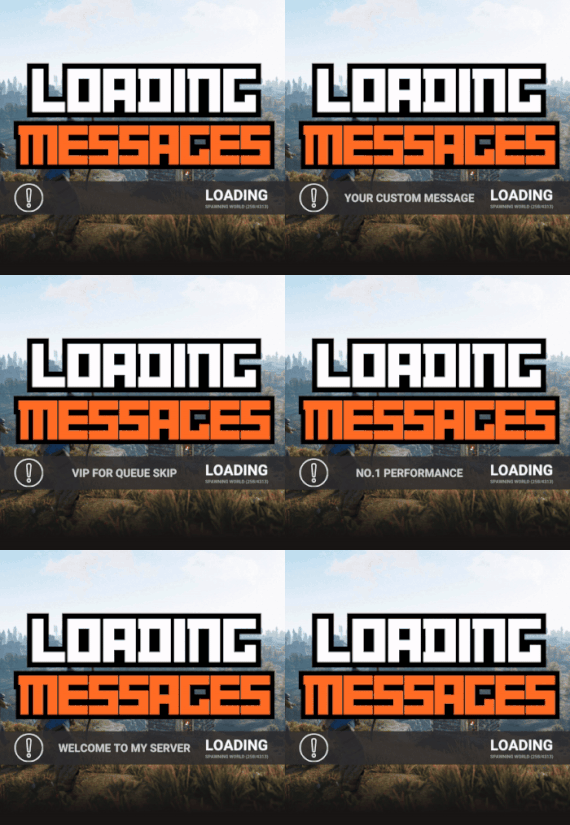
Loading Messages is a high-performance plugin that features customizable loading panel messages with adjustable display times and icons.
Custom Messages for Queued and Loading Players Language Support - Display messages in local languages Loading Messages on Respawn and Teleport Loading Screens Configurable Display Time per Message High Performance Plugin!
Loading Messages has three main message types:
Queued - When a player is in the server queue Joining - When a player is joining the server Loading - The loading screen displayed when a player is teleporting or in a pending gamemode state Each custom type allows for options including icon ID, next message display time & message content.
You can also use the placeholder {{PLAYERNAME}} in any message to display the player name inside a loading message.
New Lines - if you want to have text displayed over two lines the only way to achieve this is by using a lot of spaces to split a single line in two.
Loading Messages can use the following rich text tags - color, b, u, and i
To display local languages set: "Use Language Support": true in you configuration. Custom languages will only be displayed after the first time a user connects to the server.
Add multiple languages in the configuration listing:
"Lang Messages": { "es-ES": { "Queue Messages": [ { "iconID": "0", "NextMessageTime": 5.0, "Message": "Estás en la cola" }, { "iconID": "0", "NextMessageTime": 5.0, "Message": "Por favor espera" }, { "iconID": "0", "NextMessageTime": 5.0, "Message": "Reporta tramposos usando f7" } ] } }
You can see a list of most of the icons by going to https://fontawesome.com/icons.
- #loading messages
- #loading
- (and 15 more)
-
$4.99
Personal Recyclers
By imthenewguy in Plugins
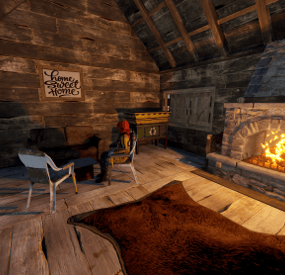
This plugin allows for your players to receive or purchase personal recyclers that they can place inside of their base.
The primary benefit of this plugin vs other similar plugins, is that this plugin will restrict usage of the recyclers to only a user or their team (configurable), and has commands built in that will allow players to purchase it directly via payment gateways like Tebex etc.
It will also work with the VIP Token plugin, allowing for a token to be purchased and traded in game, providing the consumer with a redeemable recycler.
The plugin itself is fairly straight forward - players type the command into chat, which will provide them with a recycler item. This item is a reskinned box, and will be placed using the box prefab, but once deployed, it will spawn a recycler in with the same positioning as the box, then despawn the box. Recyclers can also be picked up using a hammer or toolgun by pressing mouse 3.
Features
Automatically clears data on map wipe. Allows players to keep their unredeemed recyclers between wipes (configurable). Prevents other players from accessing the recycler (configurable). Team mate support (configurable). Configurable starting amount of recyclers. Additional recycler(s) are accrued upon a map wipe, if the player had not redeemed their recycler (configurable). External payment gateway support, allowing for you to sell individual recyclers to your players. VIP Tokens support. Check below for the configuration example. Can pick up own recyclers using your hammer/toolgun and mouse 3. Recyclers will lost max condition each time they are picked up to prevent players from deploying them while grinding the roads (configurable).
Permissions
personalrecycler.use personalrecycler.admin personalrecycler.place
personalrecycler.use commands
/recyclers - will print out how many recyclers a player has left to redeem. /redeemrecycler - will spawn a recycler in the players inventory and deduct a recycler from their redeemable count. /crecycler - Will pickup the targeted recycler (requires a hammer to be wielded) if the player has permission. Players with this permission will automatically get the configured number of starting recyclers upon using the commands for the first time, and will have have recyclers added to their redemption pool at the start of each wipe (configurable).
personalrecycler.admin commands
/addrecycler <player name> - will increase the amount of redeemable recyclers a player has by 1. /clearrecyclers <player name> - will remove all of the saved recycler IDs from the data file, making all of their recyclers publically accessible. /clearrecyclerdata - removes all of the saved recycler IDs from the data file, making all recyclers publically accessible. (Console command) subtractrecycler <target> <optional: amount> - removes recyclers from the players available recyclers pool.
API
This plugin allows for you to add a command to a payment gateway such as Tebex, or via my VIP Tokens plugin.
The command is structured as below:
addrecycler <Steam ID> <quantity> Most payment gateways required the player to log in with their steam ID. An example command using tebex would be:
addrecycler {id} 1 This would add 1 recycler for the steam ID of the account that logged into Tebex.
You can also add this as a VIP Token. See configuration options below:
"recycler": { "name": "Personal Recycler", "days_to_add": 0, "vip_group": null, "vip_description": "Allows you to place a personal recycler that only you can access.", "remove_tokens_on_wipe": false, "token_item": { "name": "Recycler Token", "skin": 2544601457, "item_shortname": "radiationresisttea.pure" }, "_command": { "command": "addrecycler {id} 1", "message": "You redeemed a recycler token.", "public_message": null, "hook": false } } As you can see, the command follows Tebex's variable style, using {id} to capture the players steam ID.
If you require help setting this up with VIP Tokens, or need any assistance with anythign else, feel free to send me a PM.
Enjoy!
- #recycler
- #monetization
- (and 5 more)
-

$34.95$21.95Daily Rewards
Daily Rewards helps Rust admins keep players engaged until the end of the wipe. Players get a different reward for each day they log in, which livens up the game and gets them to play longer. It also helps you draw in new players and keep the ones who come back. 🎁 🎮
🌟 Features of Daily Rewards
Beautiful and user-friendly interface Daily rewards for logging in Gives players a reason to stay in the game longer Keeps players on the server until the end of the wipe Compatibility with many plugins Edit rewards and config via in-game interface (no JSON editing required) By default, the plugin supports English, Russian, and Chinese languages Cooldown time before receiving an award Rewards are saved in the plugin's inventory Players can't claim rewards from the inventory while under a build block, raid block, or combat block
🎮 Commands
daily: open the daily rewards interface dailyrewards.wipe: wipe player data dailyrewards.top [format: csv, empty (default)] [limit (10 is default)]: list players with the reward day each one has reached. dailyrewards.manage: manage daily reward settings dailyrewards.manage playtime set <steam_id> <amount>: sets the playtime for the specified player. dailyrewards.template [fullscreen/inmenu] [target_template]: sets the interface template for daily rewards.
Parameters: [fullscreen/inmenu]: Type of interface template to set. Valid values: fullscreen or inmenu. [target_template]: For the inmenu template, you must specify the template number (1 or 2).
🛡️ Permissions
dailyrewards.use: lets you open the DailyRewards menu dailyrewards.edit: lets you enable edit mode
🎥 Video
⚙️ Web Config Editor
Manage the DailyRewards settings in our web config editor. You change the config in a browser form instead of editing files on the server by hand.
P.S. The web config editor is open to members of the "DailyRewards" group in our Discord server. Join at https://discord.gg/mevent and ask for the group.
📚 FAQ
Q: Where can I see an example of a config?
A: Config
Q: How do I add DailyRewards to the ServerPanel menu?
A: You can do this directly from the ServerPanel in-game:
1. Open the ServerPanel menu in-game.
2. If you have permission to edit, switch the panel to edit mode so you can see the blue "EDIT CATEGORY" and "EDIT PAGES" buttons.
3. Choose the category where you want DailyRewards to appear and click the "EDIT CATEGORY" button for that category.
4. While you are in this category in the ServerPanel, click the "EDIT PAGES" button to create a new page (or edit an existing one) for DailyRewards.
5. For that page, set these exact parameters:
Type: Plugin Plugin Name: DailyRewards Plugin Hook: API_OpenPlugin 6. Save the changes. The DailyRewards button will now appear in the ServerPanel in the category you selected.