

-
Posts
55 -
Joined
-
Last visited
-
Days Won
2
Content Type
Profiles
Warranty Claims
Downloads
Forums
Store
Services
Downloads Plus Support
DOWNLOADS EXTRA
Reels
Everything posted by JulioJuajez
-
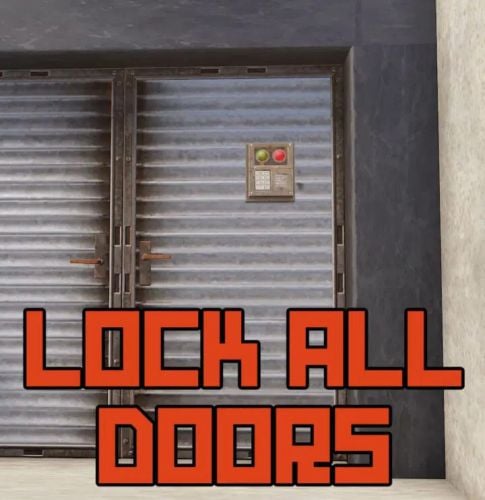
Version 1.0.2
38 downloads
This plugin allows you to authorize the installation of codelock and lock on doors that do not allow it Autorisation : lockalldoors.admin Command: /alock => activates or deactivates the right to modify the locking state of a door You can change this command via the language file. You can customize messages with your server name by modifying SERVERNAME in the configuration file The plugin is translated into English and French.$9.90 -
 hello the plugin does not work for me anymore
 -
Changed Status from Pending to Work in Progress
-
 Hello, I coded this plugin if you want https://codefling.com/plugins/speed-vehicles
 -
 Hello the genetics were lost when the clones split. need to add this in OnItemSplit hook to solve this problem if (item.info.amountType == ItemDefinition.AmountType.Genetics && item.instanceData != null && item.instanceData.dataInt != 0) { split.instanceData = new ProtoBuf.Item.InstanceData() { dataInt = item.instanceData.dataInt, ShouldPool = false }; }
- 1,164 comments
-
- 2
-

-

-
- #loot
- #customloot
- (and 13 more)
-
 Hello, I use a custom map and I don't have the monument where Ivan must spawn. it would be nice if we could configure an NPC that we would place ourselves on the map
 -
(1)(2)(1).thumb.png.5a66f3c79205edcb03200165026adc80.png) thanks
thanks -
hello is it possible to change the logo that is at the bottom right when you upload a photo
-
 Hi, you just need to add this in the plugin to block cloning: object CanTakeCutting(BasePlayer player, GrowableEntity plant) { if (plantsData.currentPlants.Contains(plant.net.ID)) { Message(player, "You cannot clone this plant"); return true; } return null; }
 -
Hello I noticed that once the plugin loaded we can no longer do damage to the npc, I fixed that! you have to replace this: private void OnEntityTakeDamage(BasePlayer player, HitInfo info) { info.damageTypes = new DamageTypeList(); info.HitMaterial = 0; info.PointStart = Vector3.zero; } in this : private void OnEntityTakeDamage(BasePlayer player, HitInfo info) { if (dealersData.Exists(dealer => dealer.NetworkID == player.net.ID)){ info.damageTypes = new DamageTypeList(); info.HitMaterial = 0; info.PointStart = Vector3.zero; } }
-
Hello great plugin, is it possible to have the psd of the images used in order to translate them into another language ?
-
Changed Fixed In to 1.0.9
-
Changed Status from No Response to Closed Changed Fixed In to 1.0.9
-
Changed Status from Work in Progress to Closed Changed Fixed In to Next Version
-
Changed Status from Pending to Work in Progress Hello, sorry for the wait. I will look at this in detail but it seems to me that when you buy it from the bandit camp, you are already the owner of the vehicle. I will look and update the plugin shortly to add also the submarines
-
Changed Status from Pending to Work in Progress
-
Changed Status from Pending to Work in Progress
-
No currently it is not possible, but I will see to add that.
-
Hello it will be done but this month I am on vacation so not before next month, sorry
-
Changed Status from Pending to Closed Changed Fixed In to 1.0.8
-
Great, glad to know that you have succeeded
-
If you pay for the plugin no need to encrypt it. I don't see the point of encrypting it
-
Hello, yes it is possible. we can talk about it in a private message, if nobody has answered your request yet
-
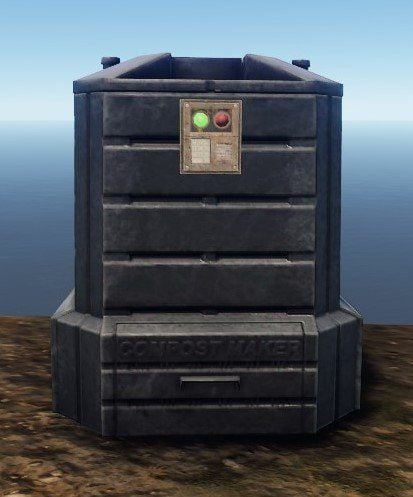
Version 1.0.2
1,620 downloads
Adds a codelock to your composter. To add a codelock, place it as you would on a chest.Free- 15 comments
- 1 review
-
- 4
-
-
-
- #lock
- #composter
- (and 3 more)
-
Version 2.1.2
3,916 downloads
Lock Your Ovens v2.1.2 Make all your furnaces and refineries lockable in Rust! Supports every vanilla furnace, including the new industrial ones, and any custom oven you add. Key Features Auto-lock ovens - All configured ovens become lockable when placed All vanilla furnaces - Furnace, Large Furnace, Legacy Furnace, Small Oil Refinery, Electric Furnace, Industrial Electric Furnace, Large Industrial Furnace Automatic skin support - Skin variants of a supported oven use the settings of their base oven, so future furnace skins work without an update Live lock positioning - Look at an oven and move its lock in game with /lockoven_pos, saved instantly Dynamic Addition - Add new oven types with a hammer Multilingual - English & French support Oxide and Carbon - Tested on both Quick Start Install the plugin Grant admin permission: oxide.grant user <steamid> lockoven.admin (Carbon: c.grant user <steamid> lockoven.admin) Use /lockoven_refresh to make ovens already placed on your server lockable Use /lockoven_add + hammer to add custom ovens Commands /lockoven_refresh - Make all configured ovens lockable /lockoven_add - Toggle oven addition mode /lockoven_list - List supported ovens with lock positions /lockoven_pos [x y z [rx ry rz]] - NEW Look at an oven: show its lock position, or set a new one (moves every lock of that oven type instantly) /lockoven_clean - Remove invalid entries /lockoven_reset - Reset to defaults Server console: lockoven.pos <oven short name> [x y z [rx ry rz]] - same as /lockoven_pos, without looking at the oven Adding Custom Ovens Type /lockoven_add to enable addition mode Equip a hammer Hit any oven/furnace to add it Type /lockoven_add again to disable mode Look at it and use /lockoven_pos to place the lock exactly where you want Supported Ovens (Default) Furnace Legacy Furnace Large Furnace Large Industrial Furnace Small Oil Refinery Electric Furnace Industrial Electric Furnace Configuration Located in oxide/config/Lockoven.json (Carbon: carbon/configs/Lockoven.json { "RefreshCommand": "lockoven_refresh", "AddCommand": "lockoven_add", "ListCommand": "lockoven_list", "CleanCommand": "lockoven_clean", "ResetConfigCommand": "lockoven_reset", "PermAdmin": "lockoven.admin", "ActivatePermUse": false, "PermUse": "lockoven.use", "SupportedOvens": { "assets/prefabs/deployable/furnace/furnace.prefab": { "LockPosition": {"x": -0.02, "y": 0.3, "z": 0.5}, "LockRotation": {"x": 0, "y": 90, "z": 0} } } } Permissions lockoven.admin - Required for all admin commands lockoven.use - Required to lock ovens (optional, disabled by default) Pro Tips Ovens placed before installing or updating the plugin need /lockoven_refresh once New ovens are automatically lockable if in config Use /lockoven_pos instead of editing the config to place locks perfectly Updating from an older version adds the industrial furnaces to your config automatically, your custom positions are kept Language Support Automatically detects player language (French/English)Free