.gif.953391bcc7a1bf59be4f2318c9b6d691.gif)

ThePitereq
-
Posts
1,881 -
Joined
-
Last visited
-
Days Won
7
Content Type
Profiles
Warranty Claims
Downloads
Forums
Store
Services
Downloads Plus Support
DOWNLOADS EXTRA
Everything posted by ThePitereq
-
 Maybe there was some hook that wasn't working correctly and they've patched it, thats maybe why i didn't got it on my server as it's running on carbon.
 -
 Sure, just add composter to your shop with skinId of 3415709965
 -
not sure what you mean. I still don't know how to replicate this issue, many of you reported this issue and it happens on your servers but i've tested on 3 servers, public one, on my testing carbon one and on testing oxide one and i can't make it to break.
-
i am also running on custom map.
-
checked many previously placed on my server and didnt found any with salt water, hard to find whats wrong.
-
Tested it right now with 5 different positions, and still everything works, not sure how i can replicate that issue.
-
even after plugin reload?
-
 wow i didn't knew that you can place water directly there haha, it worked before, but maybne i messed something up, will take a look
 -
Been running plugin since wipe and didn't got report about something like that. All the plugin does is change topology on the place of pump, so it shouldn't be changed mid-game.
-
Hm, it would be possible to make implementation for that. But for now the plugin supports custom monuments, and position saves both with monument rotation, not sure if it works correctly with custom monumetns if you rotate them, but it should work with monument marker also.
-
added added Should be fixed
- 54 comments
-
- 1
-

-
- #teleport
- #teleporting
- (and 14 more)
-
Will be fixed on next update!
-
It's made in this way, becase some monuments like Fishing Village have the same name, but 3 different models, and there would be no possibility of setting different position on each other.
-
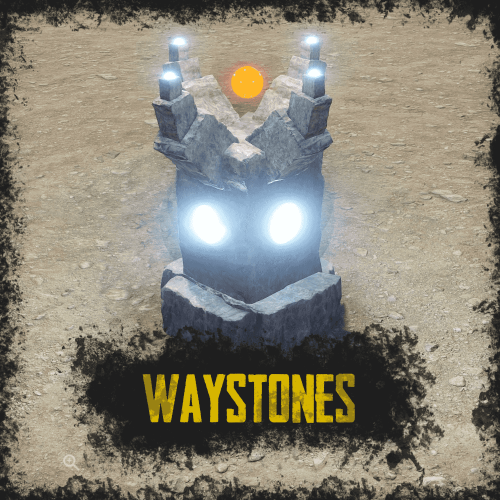
Can add required perm to be able to add qaystone to saved list By default plugin should have configuration for that. If it doesn't assigned the waystone you can do /placeway standing where you want to have the waystone there, then it should appear in config file. Also cool idea, can add it as an option to default waystone.
- 54 comments
-
- 1
-

-
- #teleport
- #teleporting
- (and 14 more)
-
Update Carbon Aliases
-
Version 1.1.1
342 downloads
RUST Plugin Test Server TEST MY PLUGINS THERE! connect play.thepitereq.ovh:28050 Waystones plugin gives you the ability to quickly move from one position to another. It creates a waystone on desired monuments that can be used by players for quick movement around the map. It also allows players for creating their own waystones in their homes. Automatically place waystones on monuments for player teleportation. Supports waystones in player bases with ground, wall and empty space checks. Custom monument support. Configurable marker on map. Easy command waystone placement. Optional command for waystone crafting. RUST-like UI design. A lot of VIP permission options. (points gather, max points, max waystones saved) Auto data clear on map wipe. NoEscape PvP support. Pre-configured default RUST monuments. waystones.admin - Gives access to /placeway, tppoints and givewaystone commands. waystones.craft - Gives ability to craft waystone. (Configurable) Any other permission added in config file. /waystone - Command to craft waystone. (Configurable) /placeway [Optional: MonumentName] - Sets new position for nearest [set] monument waystone. /placestaticway <name> - Sets new position for <name> static waystone. Displayed name of waystone can be changed in settings. tppoints - Command for giving teleport points to players. (Console Command) givewaystone [Optional: userId] - Gives you [user] an waystone for placement. (Console Command) { "PopUpAPI Preset Name": "Inventory", "Waystone Craft Command": "waystone", "Waystone Placeable Shortname": "composter", "Waystone Placeable Display Name": "Waystone", "Waystone Marker - Enabled": true, "Waystone Marker - Marker Alpha": 0.7, "Waystone Marker - Marker Radius": 0.05, "Waystone Marker - Marker Color #1": "#ffd342", "Waystone Marker - Marker Color #2": "#a38729", "Waystone Marker - Enable On Monuments": true, "Waystone Marker - Show Player Waystones By Default": false, "Waystone Marker - Lock Player Waystone Visibility Change": false, "Waystone Crafting - Enable Crafting": true, "Waystone Crafting - Require Permission": true, "Waystone Crafting - Required Workbench Level": 2, "Waystone Crafting - Craft Cost": [ { "Shortname": "stones", "Amount": 5000, "Skin": 0 }, { "Shortname": "targeting.computer", "Amount": 10, "Skin": 0 }, { "Shortname": "industrial.wall.light", "Amount": 4, "Skin": 0 }, { "Shortname": "industrial.wall.light.red", "Amount": 1, "Skin": 0 } ], "NoEscape - Lock Teleporting When PvP Blocked": true, "NoEscape - Lock Teleporting When Raid Blocked": true, "Teleport Cost Per Kilometer": 25.0, "Initial Point Amount": 100, "Initial Point Amount Permissions": { "waystones.admin": 1000, "waystones.svip": 500, "waystones.vip": 250 }, "Teleport Points Default Cap": 1000, "Teleport Points Cap Permissions": { "waystones.admin": 100000, "waystones.svip": 5000, "waystones.vip": 2500 }, "Teleport Points Refill Interval (in seconds, 0 to disable)": 60.0, "Teleport Points Refill Amount": 2, "Teleport Points Refill Amount Permissions": { "waystones.admin": 20, "waystones.svip": 5, "waystones.vip": 3 }, "Max Waystones Saved Default Cap": 6, "Max Waystones Saved Permissions": { "waystones.admin": 100, "waystones.svip": 18, "waystones.vip": 12 }, "God Mode After Teleport (in seconds, 0 to disable)": 0.0, "Waystone Destroy Entity Names": [ "rocket_basic", "explosive.timed.deployed" ], "Generate New Map Market Config Sections": true, "Map Marker Waystones": { "arctic_research_base_a": { "Enabled": true, "Offset": { "x": -34.46, "y": 0.0, "z": -54.53 }, "Rotation": { "x": 0.0, "y": 24.0, "z": 0.0 }, "Teleport Price Multiplier": 1.0 }, "fishing_village_a": { "Enabled": true, "Offset": { "x": 19.59, "y": 1.99, "z": -10.79 }, "Rotation": { "x": 0.0, "y": 0.33, "z": 0.0 }, "Teleport Price Multiplier": 0.3 }, "fishing_village_b": { "Enabled": true, "Offset": { "x": -6.4, "y": 2.0, "z": 15.36 }, "Rotation": { "x": 0.0, "y": 180.4, "z": 0.0 }, "Teleport Price Multiplier": 0.3 }, "fishing_village_c": { "Enabled": true, "Offset": { "x": -7.62, "y": 2.02, "z": 16.37 }, "Rotation": { "x": 0.0, "y": 178.85, "z": 0.0 }, "Teleport Price Multiplier": 0.3 }, "ferry_terminal_1": { "Enabled": true, "Offset": { "x": 11.35, "y": 5.19, "z": 7.14 }, "Rotation": { "x": 0.0, "y": 86.81, "z": 0.0 }, "Teleport Price Multiplier": 1.0 }, "harbor_1": { "Enabled": true, "Offset": { "x": 100.56, "y": 4.28, "z": -59.3 }, "Rotation": { "x": 0.0, "y": 273.79, "z": 0.0 }, "Teleport Price Multiplier": 1.0 }, "harbor_2": { "Enabled": true, "Offset": { "x": -54.15, "y": 4.02, "z": -0.02 }, "Rotation": { "x": 0.0, "y": 88.02, "z": 0.0 }, "Teleport Price Multiplier": 1.0 }, "airfield_1": { "Enabled": true, "Offset": { "x": -163.78, "y": 0.26, "z": -104.47 }, "Rotation": { "x": 0.0, "y": 3.34, "z": 0.0 }, "Teleport Price Multiplier": 1.0 }, "excavator_1": { "Enabled": true, "Offset": { "x": -94.42, "y": 0.61, "z": -57.44 }, "Rotation": { "x": 0.0, "y": 138.7, "z": 0.0 }, "Teleport Price Multiplier": 1.0 }, "military_tunnel_1": { "Enabled": true, "Offset": { "x": -76.77, "y": 19.47, "z": 63.1 }, "Rotation": { "x": 0.0, "y": 91.46, "z": 0.0 }, "Teleport Price Multiplier": 1.0 }, "powerplant_1": { "Enabled": true, "Offset": { "x": -40.84, "y": 0.29, "z": -89.01 }, "Rotation": { "x": 0.0, "y": 90.4, "z": 0.0 }, "Teleport Price Multiplier": 1.0 }, "trainyard_1": { "Enabled": true, "Offset": { "x": -82.86, "y": 0.28, "z": 15.5 }, "Rotation": { "x": 0.0, "y": 91.62, "z": 0.0 }, "Teleport Price Multiplier": 1.0 }, "water_treatment_plant_1": { "Enabled": true, "Offset": { "x": -5.19, "y": 0.28, "z": -152.01 }, "Rotation": { "x": 0.0, "y": 0.08, "z": 0.0 }, "Teleport Price Multiplier": 1.0 }, "lighthouse": { "Enabled": true, "Offset": { "x": 2.3, "y": 5.96, "z": 13.91 }, "Rotation": { "x": 0.0, "y": 84.95, "z": 0.0 }, "Teleport Price Multiplier": 1.0 }, "bandit_town": { "Enabled": true, "Offset": { "x": 27.92, "y": 1.76, "z": -21.08 }, "Rotation": { "x": 0.0, "y": 20.9, "z": 0.0 }, "Teleport Price Multiplier": 0.1 }, "compound": { "Enabled": true, "Offset": { "x": 14.35, "y": 0.19, "z": 32.57 }, "Rotation": { "x": 0.0, "y": 92.0, "z": 0.0 }, "Teleport Price Multiplier": 0.1 }, "junkyard_1": { "Enabled": true, "Offset": { "x": 48.98, "y": 0.07, "z": 46.16 }, "Rotation": { "x": 0.0, "y": 190.78, "z": 0.0 }, "Teleport Price Multiplier": 1.0 }, "nuclear_missile_silo": { "Enabled": true, "Offset": { "x": 41.7, "y": -5.91, "z": -58.81 }, "Rotation": { "x": 0.0, "y": 322.75, "z": 0.0 }, "Teleport Price Multiplier": 1.0 }, "radtown_small_3": { "Enabled": true, "Offset": { "x": -46.11, "y": 19.79, "z": -48.73 }, "Rotation": { "x": 0.0, "y": 82.24, "z": 0.0 }, "Teleport Price Multiplier": 1.0 }, "desert_military_base_a": { "Enabled": true, "Offset": { "x": 26.62, "y": 0.0, "z": -41.89 }, "Rotation": { "x": 0.0, "y": 359.57, "z": 0.0 }, "Teleport Price Multiplier": 1.0 }, "desert_military_base_b": { "Enabled": true, "Offset": { "x": -45.48, "y": 0.0, "z": -21.53 }, "Rotation": { "x": 0.0, "y": 80.83, "z": 0.0 }, "Teleport Price Multiplier": 1.0 }, "desert_military_base_c": { "Enabled": true, "Offset": { "x": -44.95, "y": 0.0, "z": 9.5 }, "Rotation": { "x": 0.0, "y": 89.92, "z": 0.0 }, "Teleport Price Multiplier": 1.0 }, "desert_military_base_d": { "Enabled": true, "Offset": { "x": -63.3, "y": 0.0, "z": 2.77 }, "Rotation": { "x": 0.0, "y": 89.52, "z": 0.0 }, "Teleport Price Multiplier": 1.0 }, "gas_station_1": { "Enabled": true, "Offset": { "x": 6.77, "y": 3.03, "z": -10.93 }, "Rotation": { "x": 0.0, "y": -180.04, "z": 0.0 }, "Teleport Price Multiplier": 1.0 }, "radtown_1": { "Enabled": true, "Offset": { "x": 49.19, "y": 0.24, "z": 10.03 }, "Rotation": { "x": 0.0, "y": 180.21, "z": 0.0 }, "Teleport Price Multiplier": 1.0 }, "supermarket_1": { "Enabled": true, "Offset": { "x": -1.26, "y": 0.0, "z": -18.49 }, "Rotation": { "x": 0.0, "y": 0.29, "z": 0.0 }, "Teleport Price Multiplier": 1.0 }, "warehouse": { "Enabled": true, "Offset": { "x": -18.34, "y": 0.03, "z": -8.99 }, "Rotation": { "x": 0.0, "y": 90.56, "z": 0.0 }, "Teleport Price Multiplier": 1.0 }, "mining_quarry_a": { "Enabled": true, "Offset": { "x": 10.34, "y": 3.6, "z": 24.88 }, "Rotation": { "x": 0.0, "y": 81.5, "z": 0.0 }, "Teleport Price Multiplier": 1.0 }, "mining_quarry_b": { "Enabled": true, "Offset": { "x": 0.8, "y": 0.0, "z": 12.63 }, "Rotation": { "x": 0.0, "y": 159.67, "z": 0.0 }, "Teleport Price Multiplier": 1.0 }, "mining_quarry_c": { "Enabled": true, "Offset": { "x": -11.03, "y": 2.99, "z": 32.86 }, "Rotation": { "x": 0.0, "y": 171.85, "z": 0.0 }, "Teleport Price Multiplier": 1.0 }, "satellite_dish": { "Enabled": true, "Offset": { "x": -0.94, "y": 6.05, "z": -1.25 }, "Rotation": { "x": 0.0, "y": 187.49, "z": 0.0 }, "Teleport Price Multiplier": 1.0 }, "sphere_tank": { "Enabled": true, "Offset": { "x": -33.94, "y": 5.76, "z": -12.03 }, "Rotation": { "x": 0.0, "y": 78.7, "z": 0.0 }, "Teleport Price Multiplier": 1.0 }, "stables_a": { "Enabled": true, "Offset": { "x": 19.44, "y": 3.05, "z": -2.58 }, "Rotation": { "x": 0.0, "y": 271.67, "z": 0.0 }, "Teleport Price Multiplier": 0.5 }, "stables_b": { "Enabled": true, "Offset": { "x": 16.64, "y": 2.99, "z": 2.14 }, "Rotation": { "x": 0.0, "y": 271.24, "z": 0.0 }, "Teleport Price Multiplier": 0.5 }, "launch_site_1": { "Enabled": true, "Offset": { "x": 208.42, "y": 3.25, "z": 54.73 }, "Rotation": { "x": 0.0, "y": 181.44, "z": 0.0 }, "Teleport Price Multiplier": 1.0 } } }$15.00- 54 comments
- 3 reviews
-
- 4
-
-
- #teleport
- #teleporting
- (and 14 more)
-
 There are, you can just set Output Per Hit in Big Meteor COnfig to whatever you want and just change the values.
 -
Hm, didn't had an issue like that. So you mean each meteor takes different amount of rockets to destroy? If you can please contact me through my discord server by creating a ticket or create ticket here so i can follow your issue. Thanks in advance!
-
hey, somehow missed this message, sorry. There is no option to disable these Unity messages rather than making meteors non-scaled, so they are always 1.0 in scale, there is no other way of removing that, its just an message on console that doesnt change anything.
-
 change OnEntityTakeDamage Return Value in config from false to true
 -
 currently there is no option to disable cooldown by owning an permission but can be added in the future.
 -
 contacted through discord
 -
Try setting the name from console `spawn` command. It should work, if not hit me up i'll try to find the correct name.
-
There is no way of limiting tanks for something like that, i mean i can always lock damage of the player that did already the tank limit, but it wont prevent him from getting loot from it. Locking that is dosable but i think there is no way of preventing players of exploiting this lockout.
-
my config is only for preview, its not meant to be used on public server as it doesnt provide real ways of obtaining these resources.