


-
Posts
249 -
Joined
-
Last visited
-
Days Won
2
Content Type
Profiles
Warranty Claims
Downloads
Forums
Store
Services
Downloads Plus Support
DOWNLOADS EXTRA
Reels
Everything posted by xNullPointer95
-

[Giveaway] xSkillSystem + Custom Magazine Capacity
xNullPointer95 replied to xNullPointer95's topic in General
Hello Folks, thank you for participating. Congratulation to the Winners! The Winner results can be found here: xSkillSystem xMagazineCapacity The Winners already received PM and a official copy of the won plugin. -
I was hoping to pay somebody to help me make my own plug-ins
xNullPointer95 replied to Tgx123mgjack's topic in Requests
Now i still dont know if you want to learn how to make custom rust plugins or if you need someone who creates custom plugins for you. You contact me through PM here or Discord -
Failed to create agent because it is not close enough to the NavMesh
xNullPointer95 replied to Soller's topic in General
It might be "impossible" to reproduce, but its definetly possible to catch it. If that problem happens the plugin author should build in debug log and you turn in on -> gather informations and forwarded it to him -> he then will try to fix. - A poor workaround what could be done is to ignore "Failed to create agent because it is not close enough to the NavMesh" messages in the console so it doesnt get print out, i could also do something for your. -
Failed to create agent because it is not close enough to the NavMesh
xNullPointer95 replied to Soller's topic in General
This is the problem of the plugin author, the the plugin author should get acknowledged of this strange behaviour (bug). -
Failed to create agent because it is not close enough to the NavMesh
xNullPointer95 replied to Soller's topic in General
Restarting Plugin is not a solution in my opinion - Instead of this it would make sense to create a support thread for it, right? -
Failed to create agent because it is not close enough to the NavMesh
xNullPointer95 replied to Soller's topic in General
So i was right that there is something Try to kill it with commands or just create a plugin which does that for your. Or just create a plugin that kills each deer. So it seems like i found the root cause of your issue -
what?
-
Failed to create agent because it is not close enough to the NavMesh
xNullPointer95 replied to Soller's topic in General
Something is trying to spawn an NPC somewhere the navmesh doesn’t cover. Fix the spawn point (plugins/custom map) or regenerate the navmesh (nav_gen). If you tell me whether you’re running a custom map and which plugins you have for NPCs, I can point to the exact setting to change. Try: Teleport to position (0, 0) and see if there is something if so, kill and remove it. Kill all NPCs when server is started up and let them spawn again, seems like an NPC or objects are somewhere where they couldn't be, like bouncing to something or under the map GL -
I was hoping to pay somebody to help me make my own plug-ins
xNullPointer95 replied to Tgx123mgjack's topic in Requests
What exactly do you want to do? Do you have C# skills, or are you an absolute beginner? If so, I would highly recommend learning it before thinking about making your own plug-ins. That way, you’ll really know what you’re doing. Creating custom plug-ins without any knowledge of C# won’t help you learn from a long-term perspective and will mostly lead to a fast "give up". There are well described documentations for Carbon and Oxide (uMod). -
I'm in contact with the requester. I will fulfill his request.
-
Hi there, within this post, you’ll have the chance to win the xSkillSystem and/or Custom Magazine Capacity Plugin! Plugins: What you need to do: > Wishlist the plugin(s) End of giveaway: 12th November 2025 // 8 p.m. (Central European Time (CET)) All users who wishlisted the plugin(s), are automatically counting as participant in the duration of the giveaway. Usernames will be collected and thrown in a neutral random generator (like random.org etc.). When the giveaway ends, the random generator will be started, and the winners will be notified and given a copy of the plugin. >>> Winners be announced in this thread and on discord. <<< DiSCORD: https://discord.com/invite/rGm7VS5ERc Good luck!
-
Hello, just a quick suggestion or bug i found. If a user buys multiple items within 1 purchase (e.g. 2 Plugins in cart and purchase), only 1 notification is received like this: I know that the user purchased 2 files within 1 purchase and i only get 1 notification that he has bought "Auto Purge", but he also bought something else from my plugins. Another example some days ago, a user bought 3 plugins within 1 purchase, i only received 1 notification of the last plugin. The email for the revenue is correct, but would be cool if it says "... has purchased multiple files from you" or just a standalone notifcation like if you buy more plugins seperately. Thanks
-
Oh okay, but it looks nice, good luck to get it finished
-
This looks very neat, how far are you until now? Did you finish it completely?
-
Updated Review Policy - Improving transparency and fairness
xNullPointer95 replied to Death's topic in Announcements
Thank you! -

Version 1.0.3
26 downloads
xRedGreenLight This plugin adds a “Red Light, Green Light” mini-game to your Rust server. Simple and easy to use, no other plugins required. Players can join rounds, try to survive without moving during RED LIGHT, and earn configurable rewards for each step they successfully take during GREEN LIGHT. Inspired by the Netflix Series "Squid Game. Supports automatic game starts on a schedule. Players can die if caught moving on RED. Rewards per step and item type are configurable. Comes with UI panels showing game state and participant roster. Starts anywhere (no exact location needed) Preview 🛠 Admin Commands Game Flow Configuration { "AutoStartEnabled": true, "AutoStartIntervalMinutes": 60.0, "RoundDurationSeconds": 60.0, "RewardItemShortName": "scrap", "RewardPerStep": 1, "ExplosionEffectOnFail": true, "UseEconomics": false, "OnlyEconomicsCashReward": false, "MinRewardCash": 10.0, "MaxRewardCash": 50.0, "CashRewardUseDecimals": false } AutoStartEnabled → Enable/disable automatic game starts. AutoStartIntervalMinutes → Interval between auto starts. (0.5 would be 30 minutes) RoundDurationSeconds → How long each round lasts. RewardItemShortName → The Rust shortname of the reward item (e.g. scrap, wood, metal.fragments). RewardPerStep → How many of the reward item per step. (Default is 1 scrap per step, only rewarded if game has been won) Economics Configs$12.99 -
 Hi, thanks for your feedback - So you mean to increase the gathering rate depending on its level -> Sounds interesting. I will check it and it might get added with a configuration if gather rate should increase on the level Edit: Added Gather Rate depending on its level and more in UPDATE 1.0.7
 -
That plugin you mentioned has really alot of work in it and some nice features. - Ever tried to contact the developer of it to suggest your thoughts? The question is also if people want to have a pet simulator plugin, sometimes the work is not worth because to less people would've interest in
-
Development of high-quality Maps/Prefabs/Monuments
xNullPointer95 replied to m1t1ngg's topic in For Hire
You got a nice showcase!- 1 reply
-
- 1
-

-
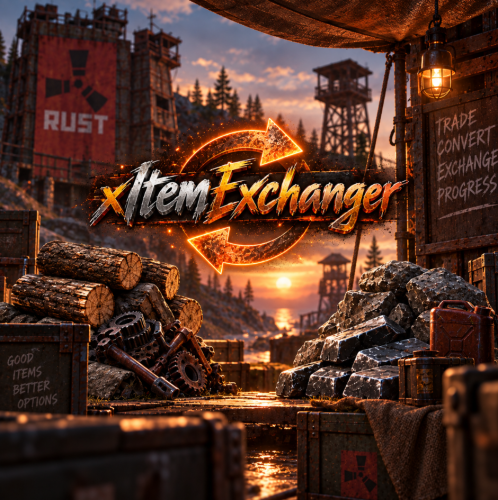
Version 1.0.3
18 downloads
xItemExchanger The item exchanger plugin allows players to trade items in Rust using preconfigured exchange recipes easily. Players can view available trades, check details of specific recipes, and perform exchanges directly through chat commands. Notes Items are pulled directly from your main inventory, belt, and/or clothing slots. Output items respect stack sizes and optional skin IDs. Admins can create custom exchange recipes by editing the config file. Permission xitemexchanger.use Player Commands Config { "ChatCommand": "exchange", "Permission": "xitemexchanger.use", "UseCooldown": false, "CooldownSeconds": 5.0, "CurrencyShortname": null, "CurrencyPerCraft": 0, "Recipes": { "wood2stone": { "InputShortname": "wood", "InputAmount": 1000, "OutputShortname": "stones", "OutputAmount": 500, "SkinId": 0, "DisplayName": "1000 Wood -> 500 Stone" }, "cloth2leather": { "InputShortname": "cloth", "InputAmount": 100, "OutputShortname": "leather", "OutputAmount": 50, "SkinId": 0, "DisplayName": "100 Cloth -> 50 Leather" }, "scrap2lowgrade": { "InputShortname": "scrap", "InputAmount": 25, "OutputShortname": "lowgradefuel", "OutputAmount": 10, "SkinId": 0, "DisplayName": "25 Scrap -> 10 Low Grade" } } } ChatCommand: Command players use (Default: exchange) Permission: Permissionname (Default: xitemexchanger.use) UseCooldown: Enable/disable cooldowns between exchanges CooldownSeconds: How long players must wait if cooldown is enabled CurrencyShortname: Optional extra cost (e.g., scrap) CurrencyPerCraft: How much currency is consumed per exchange Recipes: Dictionary of all exchange recipes$8.99 -

Version 1.0.3
62 downloads
xAutoDoors is a customizable Rust plugin that automatically closes doors after a set delay. Each player can individually enable/disable the feature and configure their own close delay time. Player preferences are saved, so settings persist after reconnects and server restarts. Features Per-player enable/disable toggle Per-player close delay (in seconds) Settings saved Configurable minimum and maximum delay Optional permission requirement Simple chat command system Default Configuration { "DefaultEnabled": true, "DefaultDelay": 3.0, "MinDelay": 0.2, "MaxDelay": 30.0, "RequirePermission": true } DefaultEnabled – whether AutoDoors is enabled for new players by default DefaultDelay – default close delay (seconds) MinDelay / MaxDelay – bounds for per-player delay RequirePermission – if true, only players with permission can use AutoDoors Permission xautodoors.use – Grants permission to use the plugin (only needed if RequirePermission = true) Chat Commands /ad — shows current status and delay /ad on — enable AutoDoors /ad off — disable AutoDoors /ad toggle — toggle AutoDoors on/off /ad time <seconds> — set close delay (clamped between min/max)$7.90 -

Version 1.1.1
246 downloads
Say goodbye to slow deaths and frantic bandaging. xNoBleeding is a plugin that disables the bleeding mechanic for players with the proper permission. Features No More Bleeding: Instantly removes the bleeding effect for authorized players. Permission-Based Works right out of the box. Permission oxide.grant user <steamid> xnobleeding.use oxide.grant group <group> xnobleeding.useFree -
Version 1.8.2
404 downloads
xSkillSystem xSkillSystem adds an RPG-style leveling experience to your gameplay. Whether you're chopping wood, mining for ores, or battling wildlife, every action earns you XP and helps you level up specialized skills. XP Table was testet properly and it should be fine. There are gather rates impact which are configurable and also a passive HP regen for skill "Vitality" depending on its level which is also configurable. Comes with an external config editor! » Discord « PLUG&PLAY PLUGIN, but configs are available to adjust it to your needs Built in image caching/reading (ImageLibrary is NOT needed) => Automatic skill icons download and placement. Skills: Each player starts at Level 1 in every skill and levels up through regular gameplay. Here's what you can master: Woodcutting – Chop trees. (Configurable Gather Rates depending on Level) Mining – Dig deep and extract valuable resources like stone, metal, and sulfur. (Configurable Gather Rates depending on Level) Gathering – Pick up natural items from the environment. (Configurable Gather Rates depending on Level) Slayer – Hunt animals, kill NPCs and fight players. (Configurable player speed boost 'Blood Rush' perk depending on Level) Skinning – Skin downed animals for XP. (Configurable Gather Rates depending on Level) Building - Gain XP by building, upgrading, deploying etc. Crafting – Gain XP as you build tools, weapons, and other items. (Configurable Craft Speed depening on Level) Vitality - Gain XP by using medical syringes & bandages (Configurable passive HP regen depending on Level) Looting - Gain XP by killing barrels or looting different type of crates. Cooking - Gain XP by cooking food. Prospecting - Gain XP by using Metal Detector and have success on it (When flag appears) Custom Level Rewards Double XP Weekends Commands Plugin Preview ( *v1.2.7* ) > Clipchamp didn't allow me 60FPS export, sorry External Config Editor Config Permissions Language API$21.99- 15 comments
- 8 reviews
-
- 6
-
-

-
- #skill system
- #level system
- (and 27 more)
-
Hi, after Codefling+ Pro expired, the usergroup "Creator" was gone in my profile and its displaying "Member" again.
-
Thx for sharing