
-
Posts
25 -
Joined
-
Last visited
Content Type
Profiles
Warranty Claims
Downloads
Forums
Store
Support
DOWNLOADS EXTRA
Services
Everything posted by NINJA WORKS
-
Version 1.0.0b
6 downloads
Features - Global Kill Log: Server-wide kill feed displayed to all connected players - Smooth Animations: Professional slide-in and slide-out effects with easing (FPS depends on the server) - Personal Notifications: Center-screen zoom notifications when you kill or down someone - Sound Effects: Audio feedback for kills and downs - Customizable Position: Display on left or right side of screen, adjustable vertical position - Opacity Fade: Older entries gradually fade out for cleaner visuals - NPC Support: Tracks kills involving NPCs (scientists, animals, etc.) - Multi-language Support: English, Japanese, Chinese (Traditional), Russian (auto-detected) - Custom Background Images: Fully customizable UI backgrounds via ImageLibrary Kill Log Display The kill log shows detailed information for each event: - Attacker name (gold color for players, white for NPCs) - Action type: killed (red), downed (blue), died (purple) - Victim name - Weapon used - Distance in meters Personal Notifications When you kill or down another player, a centered notification appears with: - Zoom-in animation effect - The victim's name highlighted - Action type (Killed/Downed) - Sound effect feedback Dependencies ImageLibrary (for custom background images) If ImageLibrary is not installed, the plugin works without background images. Configuration { "Kill Log Settings": { "Enabled": true, "Max Logs": 8, "Display Duration (seconds)": 10.0, "Position (Right or Left)": "Right", "Position Y (0.0-1.0, 0.5=center)": 0.83, "Font Size": 12, "Fade Opacity": true, "Show Player vs NPC Kills": true, "Show NPC vs Player Kills": true, "Show NPC vs NPC Kills": true }, "Kill Notification Settings": { "Enabled": true, "Display Duration (seconds)": 1.5, "Position Y (0.0-1.0, 0.5=center)": 0.4, "Font Size": 14 }, "Image Settings": { "Kill Log Background Image URL (Right)": "https://www.dropbox.com/scl/fi/phjuyg4zcm3f0w4maaupi/.png?rlkey=woo4to4ree1taaly5z6euahup&st=a47ypflv&dl=1", "Kill Log Background Image URL (Left)": "https://www.dropbox.com/scl/fi/27x7nr9y77eoaq40ybvgb/.png?rlkey=392e8qmzgdmadu9812y1f1psm&st=0j6yvfyv&dl=1", "Kill Notification Background Image URL (Center)": "https://www.dropbox.com/scl/fi/y0j8alca59m7eqnluwhr0/.png?rlkey=u8mk5qajmr6oqnb41dulorpz5&st=9ocyqggb&dl=1" } } Kill Log Settings: - Max Logs: Maximum number of entries displayed at once (default: - Display Duration: How long each entry stays visible (default: 10 seconds) - Position: Screen side for the kill log (Right or Left) - Position Y: Vertical position (0.0 = bottom, 1.0 = top, 0.5 = center) - Fade Opacity: Gradually fade older entries - Show Settings : Display settings for NPC and player kill events Kill Notification Settings: - Display Duration: How long the center notification shows (default: 1.5 seconds) - Position Y: Vertical position for the notification Image Settings: - Provide URLs to custom PNG images for backgrounds - Separate images for left/right positioning and center notification Case studies$12.00 -
Version 1.0.4
123 downloads
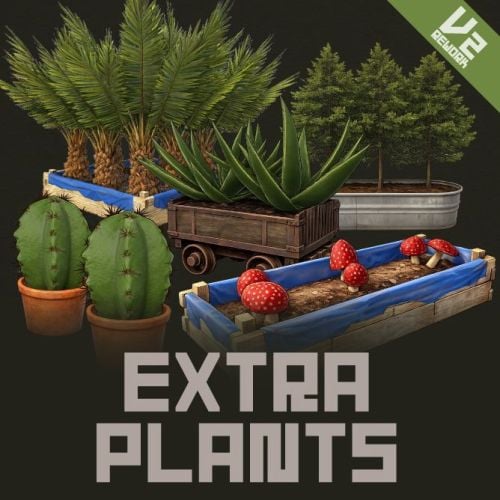
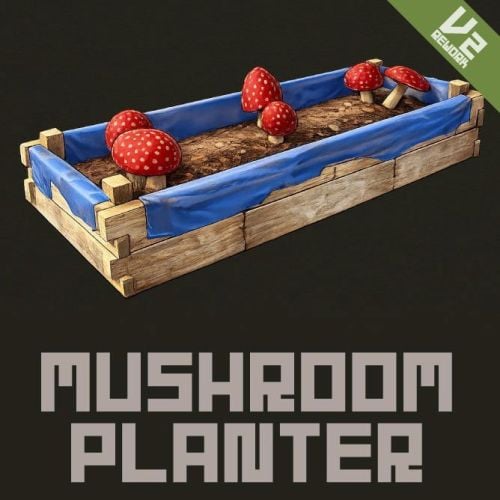
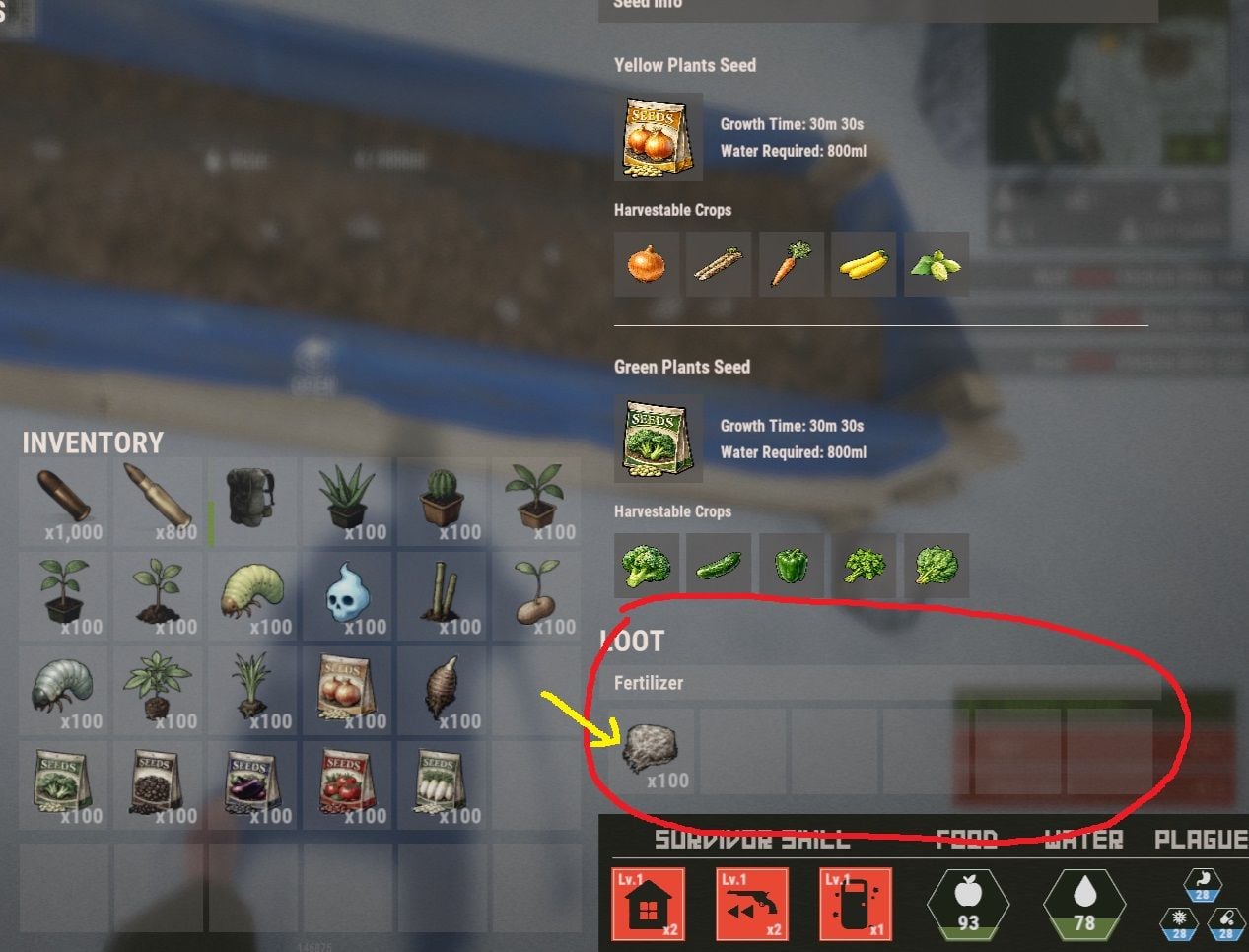
Mushroom Planter MushroomPlanter is a Rust plugin that automatically spawns mushroom clusters in the empty spaces of planter boxes. With just water, your planters will naturally transform into mushroom farms. A paid version of this plugin will allow you to grow even more plants, and is currently under development. Features Automatic Mushroom Generation Mushrooms automatically grow in empty planter spaces Compatible with all planter types: large planters, small planters, bathtub planters, minecart planters, and more Works with single plant pots and triangle planters too Water Management System Mushrooms require water to grow Consumes a configured amount of water when spawning No mushrooms will spawn if water is insufficient Randomization Growth chance is configurable (default 80%) Randomly selects from 2 types of mushroom clusters Placed with random rotations Persistence Mushroom positions are saved across server restarts Mushroom positions cleaned up when planters are destroyed How to Use Basic Usage Install the plugin on your server Place planter boxes Supply water to the planters Plant some crops, leaving empty spaces Mushrooms will automatically grow over time Player Consideration Mushrooms won't spawn when players are standing on planters Won't spawn under sleeping players either Harvesting Mushrooms Spawned mushrooms can be harvested just like natural mushroom clusters. Configuration Customize the following settings in the config file MushroomPlanter.json { "MushroomGrowthChance": 0.8, "MushroomGrowthInterval": 1800.0, "MushroomWaterRequired": 100.0, "MinimumWaterForGrowth": 0.0, "RequireFertilizer": false } - MushroomGrowthChance: Probability of mushroom spawning (0.0-1.0, default 0.8 = 80%) - MushroomGrowthInterval: Check interval in seconds (default 1800 = 30 minutes) - MushroomWaterRequired: Amount of water required per mushroom (default 100) - MinimumWaterForGrowth: Minimum water level needed for growth (default 0 , Normally, there is no need to change this.) - RequireFertilizer: Set whether to use fertilizer for mushroom growth Permission mushroomplanter.nogrow - prevents players with this permission from growing mushrooms in their planters. Server Console Command mushroom.clear - Clears all mushroom data and removes currently spawned mushrooms. You can set whether mushrooms require fertilizer to grow. Troubleshooting Q: Mushrooms aren't spawning Check if the planter has enough water Verify there are empty spaces available Wait for the configured growth interval (default 30 minutes) Q: Mushrooms disappeared after server restart Wait approximately 5 seconds for the plugin to fully load Mushrooms should automatically restore Information A paid version of this plugin will allow you to grow even more plants, and is currently under development. Coming soon...Free -
I submitted my plugin on october. More than one month has now passed, yet I have received no progress whatsoever—no approval, no rejection, and no movement visible in the queue.While I fully understand that the volume of submissions has increased, I have noticed that many of the recently uploaded plugins appear to be generated by AI tools such as ChatGPT or Claude. A large number of plugins with nearly identical or very similar functionality are piling up in the review queue, and I strongly suspect that this is the main cause of the current bottleneck.If AI-generated content is indeed the primary reason for the delay, I kindly ask that you consider the following measure. ・Rejecting plugins that lack originality and are nearly identical to existing ones. Codefling is truly a wonderful platform, and I would love to continue contributing high-quality, original work in the future.
-
- 17 comments
-
Plugin Update Fixed an issue where sound effects would be played twice when operating the UI. Optimized UI animations to be unaffected regardless of server FPS. Added a server console command to give players a custom fishing rod . Added Chinese to Lang file. I have optimized it, but we have confirmed that flickering still occurs, so I will update if there is any progress. If it interferes with game progress, please turn off animations in the configuration.
- 17 comments
-
- 1
-
-
- 17 comments
-
- 17 comments
-
- 1
-
-
- 17 comments
-
- 17 comments
-
Version 1.0.0
20 downloads
This plugin is a simple cosmetic plugin that plays a game over animation on death. Transform monotonous death screens into movie-like dramatic game over presentations. Players experience stronger impact and immersion when they die. Game Over Screen Features Automatic game over screen display on player death Smooth fade-in and fade-out animations Customizable background and overlay images Cinematic zoom effects for dramatic impact Config { "BackgroundImageUrl": "https://i.imgur.com/RY3DrU6.jpeg", // Background image URL "OverlayImageUrl": "https://i.imgur.com/RHw6pie.png", // Overlay image URL "OverlayScaleFactor": 1.2, // Overlay imageZoom multiplier "AnimationFPS": 60, // FPS "SoundEnabled": true // Enable/disable sound effects } It will work in Carbon, but it is not optimized and will flicker; animations may rely on network PNG.$3.00- 1 review
-
- #death screen
- #ui
-
(and 8 more)
Tagged with:
-
Version 1.0.7
48 downloads
ExtraFishing is a feature-rich fishing enhancement plugin for Rust. It introduces custom fish species, dynamic UI displays, rod quality effects, economy integration, and fishing record systems—all fully configurable and optimized for performance. Extra Fishing Features Custom Fish System Easily define new fish via JSON including size range, rarity, biome, and growth curves. You can increase the number of fish species by adding the included 60 Fish Data.json fish data to your configuration. More fish species will be added as add-ons in the future. Dynamic UI Display Uses ImageLibrary to show results, records, and fish selling screens with optional background images. Rod Quality & Bonus Fishing rods with different skins can have bonus catch chances, making equipment progression meaningful. Economy Support Fully supports Scrap or Economics or ServerRewards or CustomItem to allow players to sell fish for currency. Fishing Records & Ranking Automatically tracks each player’s biggest catch, with optional server-wide leaderboards. Multilingual Support Built-in English , Japanese , Russian localization. Permission extrafishing.records - Control use of commands "/fish" extrafishing.sell - Controls permission to sell fish Chat Commands /fish – Open your personal fishing records. If you have fish, open the fish selling UI. /rod - Get all custom fishing rods. (Admin only) ServerConsole Commands clearfishdata - Delete all fishing records fishbuff - Adds a fishing boost to players. Usage : fishbuff "SteamID" "amount" "Time(Minutes)" Example(Fish Boost 130%, 10 Minutes for 76561198100000000) fishbuff 76561198100000000 130 10 giverod- Adds a custom fishing rod to players. Usage : giverod "SteamID" "Rod skinID" Example( 3157356052 for 76561198100000000) giverod 76561198100000000 3157356052 Config You can easily add fish and change settings with the included ExtraFishing_editor (Web UI) tool. You can increase the number of fish species by adding the included 60 Fish Data.json fish data to your configuration. More fish species will be added as add-ons in the future. { "EnableUIDisplay": true, // Show fishing result UI when catching fish "EnableSoundEffects": true, // Play sound effects for fishing actions "ShowMessages": false, // Display chat messages for catches/breaks "EnableBiomeCheck": true, // Restrict fish spawning by biome "EnableUIAnimation": true, // Enable smooth UI Animation "CaloriesPerFishing": 1, // Calories consumed per fishing attempt "CaloriesPerTensionBreak": 3, // Calories consumed when line breaks "SizeInterval": 20.0, // Get items by size. "TrapFishSizeMultiplier": 0.5, // Size reduction for trap-caught fish // === UI CONFIGURATION === "UI": { "DisplayDuration": 8.0, "Result": { "AnchorMin": "0.35 0.75", "AnchorMax": "0.65 0.9", "BackgroundColor": "0.1 0.1 0.1 0.9", "TitleColor": "0.678 0.643 0.616 1.0", "FishNameColor": "0.678 0.643 0.616 1.0", "FishNameFontSize": 16, "DetailsColor": "0.447 0.427 0.404 1.0", "DetailsFontSize": 14, "BackgroundImage": "https://i.imgur.com/C30zzZ5.png", "UseBackgroundImage": true }, // Fish Records UI (opened with /fish command) "Record": { "AnchorMin": "0.25 0.15", "AnchorMax": "0.75 0.85", "BackgroundColor": "0.086 0.086 0.086 1.0", "TitleColor": "0.678 0.643 0.616 1.0", "TitleFontSize": 20, "FishButtonColor": "0.086 0.086 0.086 1.0", "FishNameColor": "0.678 0.643 0.616 1.0", "FishNameFontSize": 14, "FishDetailColor": "0.678 0.643 0.616 1.0", "FishDetailFontSize": 16, "SectionTitleColor": "0.678 0.643 0.616 1.0", "SectionTitleFontSize": 18, "DetailsColor": "0.447 0.427 0.404 1.0", "DetailsFontSize": 14, "HighlightColor": "0.447 0.427 0.404 1.0", "NavButtonColor": "0.090 0.263 0.400 1.0", "NavTextColor": "0.259 0.620 0.875 1.0", "NavFontSize": 14, "CloseButtonColor": "0.722 0.227 0.149 1.0", "CloseTextColor": "0.792 0.643 0.608 1.0", "CloseFontSize": 18, "DescriptionColor": "0.447 0.427 0.404 1.0", "DescriptionFontSize": 14, "BackgroundImage": "https://i.imgur.com/IhEjX5Q.png", "UseBackgroundImage": true }, // Fish Selling UI (opened with /fish) "Sell": { "AnchorMin": "0.25 0.15", "AnchorMax": "0.75 0.85", "BackgroundColor": "0.086 0.086 0.086 1.0", "TitleColor": "0.678 0.643 0.616 1.0", "TitleFontSize": 20, "FishButtonColor": "0.086 0.086 0.086 1.0", "FishNameColor": "0.678 0.643 0.616 1.0", "FishNameFontSize": 14, "DetailColor": "0.447 0.427 0.404 1.0", "DetailFontSize": 12, "PriceColor": "0.259 0.620 0.875 1.0", "PriceFontSize": 13, "BalanceTextColor": "0.678 0.643 0.616 1.0", "BalanceFontSize": 14, "SellButtonColor": "0.3 0.6 0.3 1", "NavButtonColor": "0.090 0.263 0.400 1.0", "NavTextColor": "0.259 0.620 0.875 1.0", "NavFontSize": 14, "CloseButtonColor": "0.722 0.227 0.149 1.0", "CloseTextColor": "0.792 0.643 0.608 1.0", "CloseFontSize": 18, "SellAllButtonColor": "0.314 0.380 0.200 1.0", "SellAllTextColor": "0.569 0.765 0.231 1.0", "SellAllFontSize": 14, "BackgroundImage": "https://i.imgur.com/IhEjX5Q.png", "UseBackgroundImage": true } }, // === TIME-BASED FISHING BONUSES === "ChanceTime": { "MorningStart": 4.0, // Morning golden hour start (4:00 AM) "MorningEnd": 8.0, // Morning golden hour end (8:00 AM) "EveningStart": 16.0, // Evening golden hour start (4:00 PM) "EveningEnd": 20.0, // Evening golden hour end (8:00 PM) "PeakTimeChanceBonus": 15 // Extra 15% chance for rare fish during golden hours }, // === FISHING ROD QUALITY SYSTEM === "FishingRods": { "0": { // Default fishing rod (no skin) "Name": "Low Quality Rod", "ChanceBonus": 0 // No bonus chance }, "3157356052": { // Workshop skin ID for mid-tier rod "Name": "Mid Quality Rod", "ChanceBonus": 5 // +5% catch chance }, "3157356205": { // Workshop skin ID for high-tier rod "Name": "High Quality Rod", "ChanceBonus": 10 // +10% catch chance } }, // === FISH RARITY CHANCES === "RarityChances": { "1": 70, // Common fish: 70% base chance "2": 15, // Uncommon fish: 15% base chance "3": 10, // Rare fish: 10% base chance "4": 5, // Epic fish: 5% base chance "5": 1 // Legendary fish: 1% base chance }, // === ECONOMY SYSTEM === "Economy": { "PreferredEconomy": "Scrap", // Currency type: "Scrap","Economics","ServerRewards","Custom" "RarityMultipliers": { // Price multipliers for each rarity level "1": 1.0, // Common: 100% base price "2": 1.2, // Uncommon: 120% base price "3": 1.3, // Rare: 130% base price "4": 1.5, // Epic: 150% base price "5": 1.8 // Legendary: 180% base price }, "BasePriceMultiplier": 1.0 // Global price adjustment (1.0 = normal, 2.0 = double) "CustomItem": { // Must be set if PreferredEconomy is Custom. "ItemShortName": "sulfur", "ItemSkinId": 0, "DisplayName": null } }, // === FISH STACKING SYSTEM === "EnableFishStackLimit": true, // If you set this to false, you can stack fish, but the size and weight of the item will not be saved. When selling, the value will be calculated as "FishBaseValuesForDisableFishStackLimit" × "RarityMultipliers". changed to this setting require a server restart. // Base scrap values when stacking is DISABLED (EnableFishStackLimit = false) "FishBaseValuesForDisableFishStackLimit": { "fish.anchovy": 2, // Anchovy worth 2 scrap each "fish.catfish": 32, // Catfish worth 32 scrap each "fish.herring": 4, // Herring worth 4 scrap each "fish.orangeroughy": 37, // Orange Roughy worth 37 scrap each "fish.salmon": 27, // Salmon worth 27 scrap each "fish.sardine": 2, // Sardine worth 2 scrap each "fish.smallshark": 45, // Small Shark worth 45 scrap each "fish.troutsmall": 6, // Small Trout worth 6 scrap each "fish.yellowperch": 10 // Yellow Perch worth 10 scrap each }, // === FISH SPECIES DEFINITIONS === "Fish": [ { "ItemShortName": "fish.anchovy", // Rust's internal item name "SkinId": 0, // Skin ID (0 = default, custom number = workshop skin) "Name": "Anchovy", // Display name in UI "MaxSize": 24.0, // Maximum size in centimeters "MinSize": 15.0, // Minimum size in centimeters "Growth_A": 0.0051, // Weight calculation parameter A "Growth_B": 3.27, // Weight calculation parameter B // Formula: Weight = Growth_A × (Size ^ Growth_B) ÷ 1000 "Biome": "All", // Where fish can be caught: "All", "Arid", "Temperate", "Tundra", "Arctic", "Jungle" "Rarity": 1, // Rarity level 1-5 (1=common, 5=legendary) "ProcessedItemShortName": "fish.raw", // Item given when fish is processed "ProcessedItemSkinId": 0, // Skin for processed item "DisplayName": null, // Custom name for processed item (null = default) "ProcessedItemAmount": 1, // How many processed items to give "Description": "Widely known for its role in the seafood industry and seasonal migrations." }, { "ItemShortName": "fish.catfish", "SkinId": 0, "Name": "Catfish", "MaxSize": 62.0, "MinSize": 30.0, "Growth_A": 0.0052, "Growth_B": 3.22, "Biome": "All", "Rarity": 1, "ProcessedItemShortName": "fish.raw", "ProcessedItemSkinId": 0, "DisplayName": null, "ProcessedItemAmount": 1, "Description": "A bottom-dwelling freshwater fish native to North America, recognizable by its long whisker-like barbels and nocturnal habits." }, { "ItemShortName": "fish.herring", "SkinId": 0, "Name": "Herring", "MaxSize": 45.0, "MinSize": 30.0, "Growth_A": 0.007, "Growth_B": 3.12, "Biome": "All", "Rarity": 1, "ProcessedItemShortName": "fish.raw", "ProcessedItemSkinId": 0, "DisplayName": null, "ProcessedItemAmount": 1, "Description": "A key commercial fish found in the North Atlantic, famous for its massive schools and historical importance in global fisheries." }, { "ItemShortName": "fish.orangeroughy", "SkinId": 0, "Name": "Orange Roughy", "MaxSize": 75.0, "MinSize": 45.0, "Growth_A": 0.00014, "Growth_B": 2.66, "Biome": "All", "Rarity": 1, "ProcessedItemShortName": "fish.raw", "ProcessedItemSkinId": 0, "DisplayName": null, "ProcessedItemAmount": 1, "Description": "A deep-sea fish known for its striking orange color, longevity, and tough scales, often caught at great ocean depths." }, { "ItemShortName": "fish.salmon", "SkinId": 0, "Name": "Salmon", "MaxSize": 70.0, "MinSize": 30.0, "Growth_A": 0.0075, "Growth_B": 3.02, "Biome": "All", "Rarity": 1, "ProcessedItemShortName": "fish.raw", "ProcessedItemSkinId": 0, "DisplayName": null, "ProcessedItemAmount": 1, "Description": "An anadromous fish that migrates between rivers and the ocean, revered for its powerful upstream spawning journeys." }, { "ItemShortName": "fish.sardine", "SkinId": 0, "Name": "Sardine", "MaxSize": 24.99, "MinSize": 20.0, "Growth_A": 0.005, "Growth_B": 3.26, "Biome": "All", "Rarity": 1, "ProcessedItemShortName": "fish.raw", "ProcessedItemSkinId": 0, "DisplayName": null, "ProcessedItemAmount": 1, "Description": "Widely known for its role in the seafood industry and seasonal migrations." }, { "ItemShortName": "fish.smallshark", "SkinId": 0, "Name": "Small Shark", "MaxSize": 60.0, "MinSize": 30.0, "Growth_A": 0.012, "Growth_B": 3.13, "Biome": "All", "Rarity": 1, "ProcessedItemShortName": "fish.raw", "ProcessedItemSkinId": 0, "DisplayName": null, "ProcessedItemAmount": 1, "Description": "A small-bodied shark species typically found in coastal or deep waters, known for their slender shape, bottom-dwelling habits, and relatively harmless nature." }, { "ItemShortName": "fish.troutsmall", "SkinId": 0, "Name": "Small Trout", "MaxSize": 40.0, "MinSize": 20.0, "Growth_A": 0.0053, "Growth_B": 3.26, "Biome": "All", "Rarity": 1, "ProcessedItemShortName": "fish.raw", "ProcessedItemSkinId": 0, "DisplayName": null, "ProcessedItemAmount": 1, "Description": "A popular freshwater fish native to North America, with some individuals developing into ocean-going steelhead trout." }, { "ItemShortName": "fish.yellowperch", "SkinId": 0, "Name": "Yellow Perch", "MaxSize": 50.0, "MinSize": 25.0, "Growth_A": 0.0135, "Growth_B": 2.97, "Biome": "All", "Rarity": 1, "ProcessedItemShortName": "fish.raw", "ProcessedItemSkinId": 0, "DisplayName": null, "ProcessedItemAmount": 1, "Description": "A widely distributed North American freshwater species, easily identified by its golden body and vertical black bars." } ] }$20.00- 17 comments
-
- 31 comments
-
- #underwear
- #skin
-
(and 1 more)
Tagged with: