
-
Posts
407 -
Joined
-
Last visited
-
Days Won
6
Content Type
Profiles
Warranty Claims
Downloads
Forums
Store
Services
Downloads Plus Support
DOWNLOADS EXTRA
Everything posted by Bad Cop
-
 put 99999 in time Minutes until decay starts
 -
.thumb.jpg.e9d17b75aae5d2248cd203bab27522eb.jpg) Should be soon. Give adem some time to re-work and do conversion logic again back to old format
Should be soon. Give adem some time to re-work and do conversion logic again back to old format- 78 comments
-
- 2
-

-

-
- #loot
- #lootmanager
- (and 2 more)
-
 Thanks, i found this was a false alarm, the hook is still working, but will be removed in the future. I will update it to the new hook soon.
 -
 This one might be a problem, because it is not technically a vehicle as far as the game is concerned. Seems more like items attached and surrounding a kayak for visuals, possibly the parented items blocking entrance with collision. I would recommend checking with Adem, I have a feeling he would already be thinking how to change this behavior. In case of karuza's vehicles, despite consisting of many different prefabs, they are done in a way so the game considers the whole thing to be a vehicle rather than individual parts, they even get their own unique prefab path, hence they go through the portal just fine
 -
Version 1.0.1
50 downloads
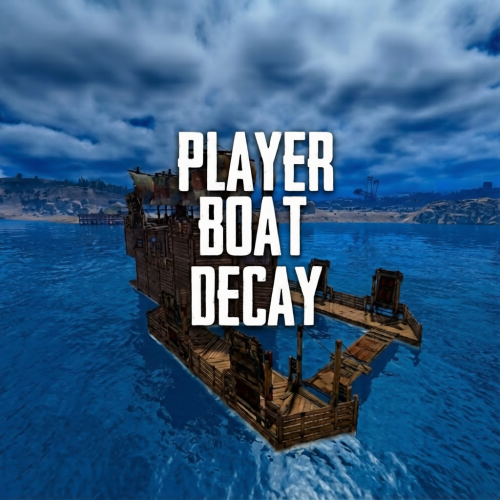
Player Boat Decay lets you tune player buildable boat global decay with straightforward configuration. Set how many minutes a boat takes to fully decay, and optionally add a “grace period” after last use before decay starts. Can easily reset back to vanilla and even apply updated settings without reloading plugin. Permissions playerboatdecay.admin Required to use the chat commands (if not server admin) Commands /boatdecay status Confirms current decay values /boatdecay reload Reloads the config, reapplies the global decay minutes immediately. Config notes Minutes to fully decay (-1 = vanilla): sets time to fully decay Minutes until decay starts (-1 = vanilla): sets how often after no interaction the decay starts Custom tick interval seconds: How often decay should tick when active Skip decay when indoors: optional ignor decay if boat is considered inside Log debug in console: prints decay details when enabled.$5.99 -
Hey, no problem. I meant if you enter the deepsea while in noclip Mounted on vehicle doesnt seem to have this behavior so all good there
-
Tested with vanilla minis, karuza helis and planes . Tbh i only notice the sleep if vanishing through the deepsea portal
-
Write /deepsea close then wait for it to open and check again they dont show in the map so will need to look around or teleport to ptboat ptboat.deepsea (in F1 console teleportany ptboat.deepsea )
-
The plugin does not currently affect vanilla scientists or ghost ships. However it behaves in vanilla, will be the same. I am however looking at options to allow respawns if possible.
-
I probably over complicated this setting, but here's the explainer: "DeepSea Enabled" = Do you want Deep Sea ON or OFF? "Set DeepSea Enabled Flag" = This is permission for the plugin to change it, eg if you change setting and reload ^ If you want deepsea to be enabled (its default on all servers anyway, unless other plugin or server convar disabling), you would set true/true If you want deepsea to be disabled, set false/true
-
Everything spawns when the deep sea is generated. I'm looking into possibilities for respawning if they're looted. Already succeeded in having the island crates respawned. Hopefully can do something for ships too.
-
The ghost ships are most likely there, but not visible. Try disabling deepsea, reloading plugin then /deepsea close , after few minutes enable again, and run /deepsea open But i think you might be experiencing a game bug or known issue with Circular Networking. Similar to invisible patrol helis. If you have the circular networking plugin, remove it. If you use Carbon, disable circular networking Hopefully some more game patches coming soon.
-
Looks like both closing and opening is not very performant in general. The plugin levarages the vanilla behavior for opening and closing. There's a few complaints about this already with Facepunch. Most servers are seeing these spikes which can last up to few seconds. For me when testing, i notice a slight drop for about 1-4 seconds for both open/close. This can vary by server performance, map size, how much stuff you're spawning in deep sea. But even with minimal content it does that. There should be some hotfixes coming from facepunch over the next days including for other bugs. This update definitely wasn't ready to go. Im gonna keep an eye on things and if there is something that can be further improved on the plugin side, I will definitely include in updates, though at the moment best explanation is the classic 'Blame Facepunch'
-
Refresh as in, closes existing and opens new deep sea?
-
At the moment just crates. Will work on anything else that is possible for next updates.
-
Will look into that. If necessary, will do some spawn logic.
-
 Let me join your error club please
 -
Why no error for me! I feel like im missing out :<
-
Switch to carbon = no problem
-
Fine for me. #carbon
- 1,131 comments
-
- 1
-
-
- #loot
- #customloot
- (and 13 more)
-
Version 1.0.9
1,174 downloads
Deep Sea Options is a single config control plugin for Rust’s new Deep Sea feature. It lets server owners fully control when Deep Sea opens, what spawns inside it, what vehicles can enter, and how access rules are enforced. You can also configure if players can build inside deep sea. Building Control Enforce building allowed / blocked inside Deep Sea * Limit how many foundations a player can build in Deep Sea * Buildings persist restart, as long as the deep sea isnt being closed. Deep Sea Behavior Control Configure defaults: Whether the deep sea should always remain open, be on timers, or disabled Control all phase timers GameTip messages to announce deep sea openinig/closing Deep Sea Content Control Configure procedural spawns: Island counts Ghost Ships counts RHIB counts Control: count spacing radius minimum distance between spawns distance from Deep Sea edges Settings are grouped and explained in the config Loot spawn Configurable respawn option for crates/ore/npc Access & Teleport Rules Control: Allow all vehicles (including planes and helis) or only an allow-listed set players can enter without a boat flying (noclip/admin) players can bypass checks NPC passengers are allowed on vehicles Prevent or allow “vehicle stacking” (boats/helis on deck) Chat Commands /deepsea status Shows current Deep Sea state /deepsea open Opens deep sea if not alrady open /deepsea close Closes current Deep Sea Console Commands dso open - to open the deepsea through the plugin dso close - to close the deepsea through the plugin dso forceclose - to force close the deepsea in case you need it closed but 'AlwaysOpen' is reopening it Note if you make changes to some config values (such as the procedural spawns, you will need to close the deep sea and reopen.) Config options: === GENERAL CONTROLS === Control - Schedule If ON: Plugin controls when Deep Sea opens/closes and how long it stays open. Control - Content If ON: Plugin controls how many islands, ghost ships, and scientist boats spawn and how they are placed. Control - Travel Rules If ON: Plugin controls who/what is allowed to use Deep Sea portals (vehicles, NPCs, players without vehicle, etc). Control - Building If ON: Plugin controls whether players can build while inside Deep Sea. Force Apply On Reload If ON: When plugin reloads, it forces Deep Sea to close and reopen so spawn changes apply immediately. If OFF: Changes apply next time Deep Sea opens normally. === SCHEDULE SETTINGS === Mode Vanilla = Normal Rust Deep Sea cycle. AlwaysOpen = Deep Sea never closes. Disabled = Deep Sea never opens. (plugin manually resests the reopen timer. recommend using the other disable option below if just want it off always) Open Time Seconds How long Deep Sea stays open before closing (Vanilla mode). Cooldown Seconds How long Deep Sea stays closed before opening again (Vanilla mode). Final Phase Seconds End-of-cycle phase used for weather / atmosphere effects. Radiation Warning Phase Seconds When time left is below this, new entry is normally blocked. AlwaysOpen - Keep Time Left Around Seconds In AlwaysOpen mode, Deep Sea time is kept around this value. AlwaysOpen - Refill When Below Seconds If time left drops below this, it refills back up to the target above. Disabled - Push Next Opening To Seconds In Disabled mode, pushes next open time far into the future. Set DeepSea Enabled Flag If ON, plugin forces the core deepsea enabled/disabled flag (may need restart). DeepSea Enabled Only used if above is ON. Turns Deep Sea system on/off at engine level. === CONTENT SPAWNING === (These control placement spacing) Islands / Ghost Ships / RHIB Groups all use same logic: Count How many spawn each time Deep Sea opens. Spacing Size General spacing radius. Bigger = more spread out. Edge Buffer How far from the outer Deep Sea border spawns must stay. Bigger = more toward the center. Minimum Spacing Hard minimum distance between spawns. Overrides spacing size if larger. === RESPAWN (CRATES / NPCs / HACKABLES) === Enable Respawn System If ON: Plugin respawns eligible Deep Sea crates, ores, and NPCs. Check Interval Minutes Time to respawn. Min Distance From Players To Allow Respawn Entities will only respawn if no players are within this distance. Respawn Hackable Crates Via Ghostship If ON: Hackable crates respawn on ghost ships. Hackable Crates Count Number of hackable crates that can spawn. === TRAVEL RULES === Allow Any Vehicle If ON: Any vehicle can use portal. Allowed Vehicle Prefabs If NOT allowing all vehicles, only these are allowed. Require Boat Type Only If ON: Even allowed vehicles must be boats. Allow Players Without Vehicle If ON: Players can teleport without standing on a vehicle. Allow Noclip Players If ON: Flying/admin players bypass vehicle checks. Allow NPC Passengers If OFF: Vehicles with NPC passengers cannot teleport. Allow NPC Player Teleport If ON: NPC player entities themselves can teleport. Allow Entry During Radiation Warning Phase If ON: Players can enter even when Deep Sea is about to close. Ignore Extra Vehicle Onboard Check If ON: Should allow things like helicopters sitting on boats. Log Entry/Exit If ON: Logs allow/deny decisions for debugging. === BUILDING === Allow Building In Deep Sea If OFF: Players cannot build inside Deep Sea. If ON: Building is allowed. DeepSea - Limit Foundations If ON: Limits how many foundations each player can place inside Deep Sea only. DeepSea - Max Foundations Per Player Maximum number of foundations a player can place inside Deep Sea. DeepSea - GameTip: Show remaining on successful place If ON: When a player places a foundation in Deep Sea, shows how many foundations they can still place. DeepSea - GameTip: Show message when denied If ON: When a player hits the Deep Sea foundation limit, shows a GameTip === NOTIFICATIONS === GameTip - Deep Sea Opening If ON: Shows a GameTip when Deep Sea starts opening. GameTip - Deep Sea Opened If ON: Shows a GameTip when Deep Sea is fully open. GameTip - Deep Sea Closing If ON: Shows a GameTip when Deep Sea starts closing. GameTip - Deep Sea Closed If ON: Shows a GameTip when Deep Sea is fully closed.$8.99 -
 Hi bigchenny, can you tell me more, or show me the problem ?
 -
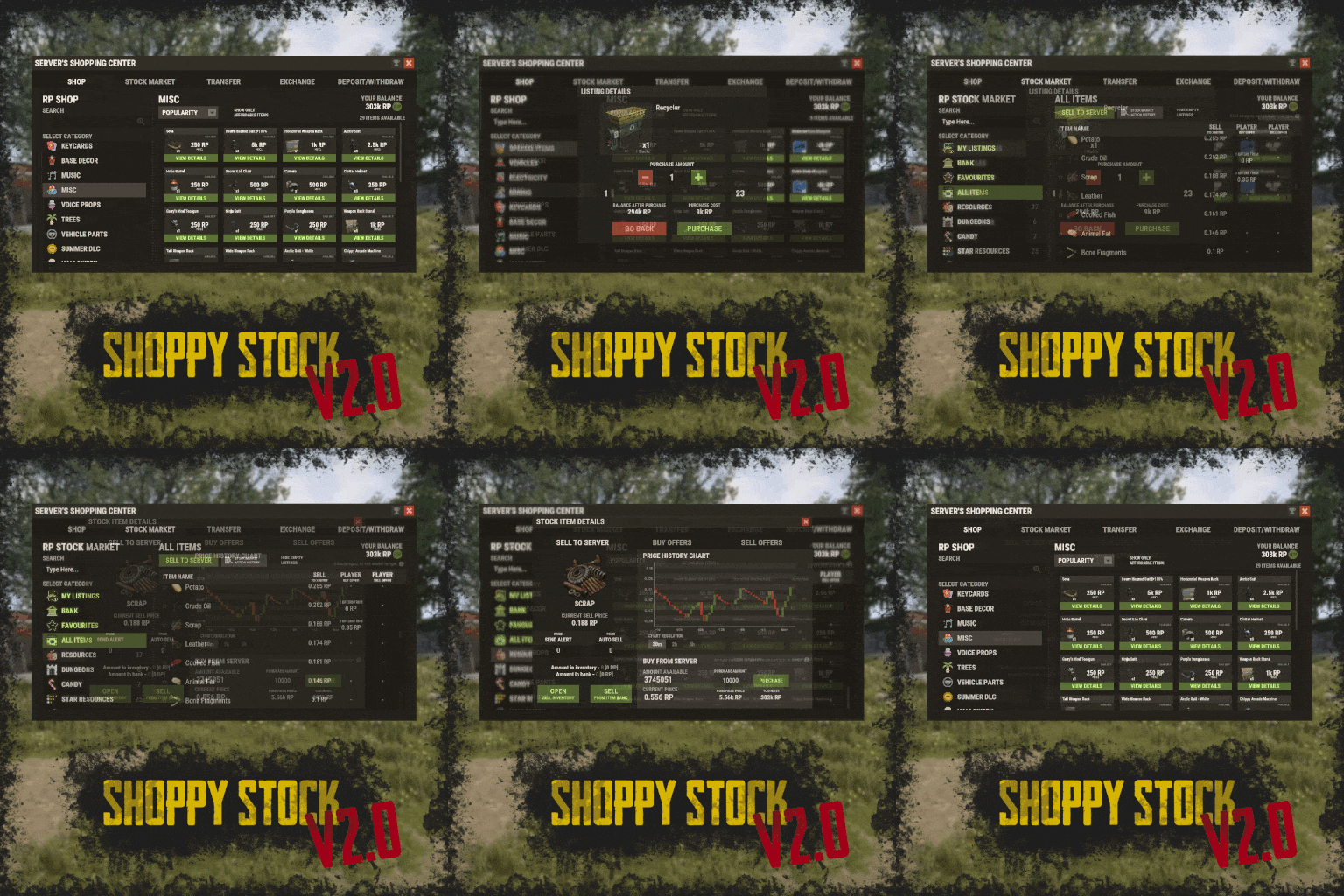 @ZA_Machete make sure you have karuzavehicleitemmanager installed. you can give vehicle items for yourself, example /givevehicleitem littlebird here's a sample from my config in shoppy stock shop (for littlebird) "box.wooden.large-3591733142": { "Console Commands Ran On Purchase (if set, ignores item)": [], "Item Shortname": "box.wooden.large", "Item Skin ID": 3591733142, "Item Amount": 1, "Custom Item Name": "Littlebird", "Shop Display Name": "Littlebird", "Is Blueprint": false, "Player Blueprint Ownership Required": false, "Player Skin Ownership Required": false, "Icon URL/RUST Path/Skin ID (for command listings)": "", "Price": 750.0, "Price Per Purchase Multiplier": 1.0, "Multiply Price Per Daily (true) Or Per Wipe (false) Purchases": true, "Show Description Field (generates line in language file)": false, "Discount Permissions (permission: discountedPrice)": {}, "Disable Discount": false, "Required Permission To Display": "", "Display Blacklist Permission": "", "Count Limits For Whole Server (not per player)": false, "Daily Buy Max": 0, "Daily Buy Permissions (permission: limit)": {}, "Wipe Buy Max": 0, "Wipe Buy Permissions (permission: limit)": {}, "Limit Mass Purchase To One": false, "Cooldown Between Purchases (in seconds, 0 to disable)": 0.0, "Cooldown Permissions (permission: time)": {}, "Offer Roll - Weight (chance)": 1 },
 -
How are you adding it to the shop? I use the vehicles in the shop, using the item option. Player receives vehicle item, and can spawn it wherever they want.
-
Version 1.0.1
8 downloads
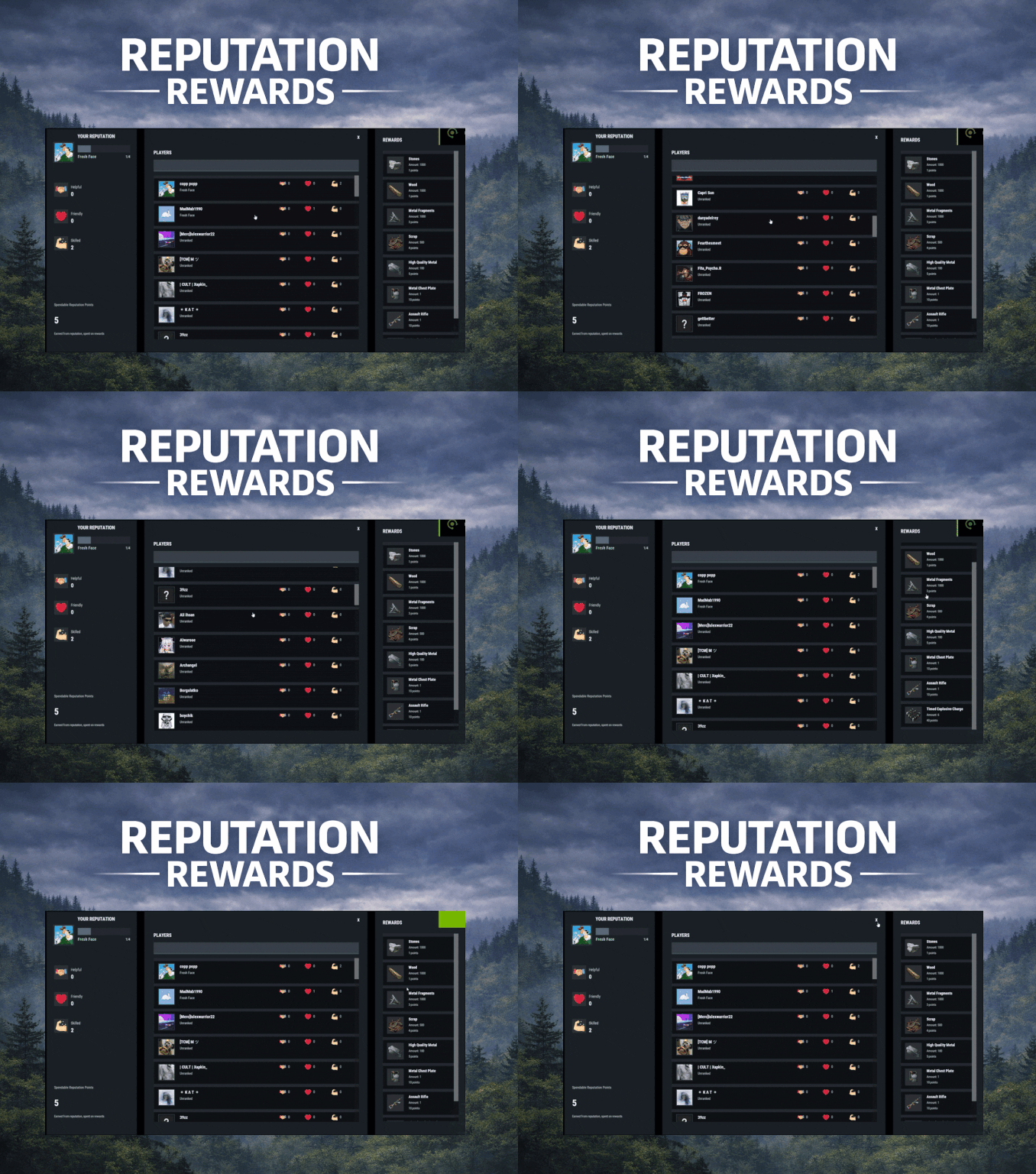
ReputationRewards is built to encourage positive community behaviors by adding an in-game reputation system to your Rust server with a clean 3-column UI, built-in reward shop, and rank progression. Players can reward each other for being Helpful, Friendly, or Skilled, earning spendable reputation points that can be redeemed instantly for configured items. As players gain reputation, they climb ranks and can trigger configurable server commands on rank-up for additional rewards or other triggers (kits, mail, permissions, VIP perks, etc.). Key features In-game UI One command opens a polished reputation interface. Three-column layout: Your Reputation (rep totals, rank, progress bar, spendable points) Players List (searchable, sorted by total rep) Built in Rewards Shop Three reputation categories Helpful Friendly Skilled These can easily be renamed to something else via the Lang files. Anti-abuse limits (configurable) Per-target cooldown: limit how often someone can rep the same player. Total giving limit per window: cap how many reps a player can give during a configurable time window (default 24h). Spendable reputation points Configurable points awarded to: The target (for receiving rep) The giver (for giving rep) Points are spent in the built in reward shop. Built-in reward shop Configure any Rust item shortname + amount + optional skin + optional custom display name. Players select quantity and see the total cost before purchase. Rank system with automatic rewards Define unlimited ranks with a required total reputation threshold. Run server commands on rank-up (supports placeholders like %steamid%). Compatible with all plugins that can trigger a console command against a player, such as my Mail System Visual feedback FX plays when rep is received. FX plays on rank-up to make progression feel rewarding. Integrations BetterChat: If you wish to display player's reputation rank next to their chat name ImageLibrary (recommended): for image loading reliability. Configuration highlights Set cooldown time per target player Set total give limit window (seconds) + max reps per window Configure how many spendable points are earned per rep (giver and target) Configure wipe behavior on new save (rep/rank and/or spendable points) Define ranks and rank-up commands Define reward shop items and pricing Customize UI colors + icon URLs __________________________________ Commands (configurable): /rep or /reputation - Opens the reputation UI __________________________________ Sample/Default Config: { "Commands to open UI": [ "rep", "reputation" ], "How often can a player give rep to the same player": 86400, "How often to reset player's total rep give limit": 86400, "Max reputation gives per total window (per player)": 5, "Spendable points awarded to TARGET per rep received": 2, "Spendable points awarded to GIVER per rep given": 1, "Wipe reputation + rank on new save?": false, "Wipe spendable points on new save?": false, "Ranks / Levels": [ { "Rank Name": "Fresh Face", "Points Required (total rep)": 1, "Commands On Reach (optional)": [ "mail.send %steamid% \"Rank Up: Fresh Face!\" \"Welcome to the community! Here are some starting supplies to help you settle in.\" -img 0 -item wood 1000 0 -item stones 1000 0" ] }, { "Rank Name": "Promising Sapling", "Points Required (total rep)": 5, "Commands On Reach (optional)": [ "mail.send %steamid% \"Rank Up: Promising Sapling!\" \"You're showing great potential! Here are some resources to help you grow.\" -img 0 -item sulfur.ore 1000 0 -item metal.ore 1000 0" ] }, { "Rank Name": "Positive Force", "Points Required (total rep)": 10, "Commands On Reach (optional)": [ "mail.send %steamid% \"Rank Up: Positive Force!\" \"Your positive impact is being felt! Here are some refined materials for your efforts.\" -img 0 -item sulfur 1000 0 -item metal.fragments 1000 0" ] }, { "Rank Name": "Reliable Member", "Points Required (total rep)": 20, "Commands On Reach (optional)": [ "mail.send %steamid% \"Rank Up: Reliable Member!\" \"Your reliability has been noticed! Here are some higher quality materials for your continued contributions.\" -img 0 -item hq.metal.ore 1000 0 -item lowgradefuel 1000 0" ] }, { "Rank Name": "Community Pillar", "Points Required (total rep)": 35, "Commands On Reach (optional)": [ "mail.send %steamid% \"Rank Up: Community Pillar!\" \"You've become a pillar of our community! Here are some valuable processed materials.\" -img 0 -item metal.refined 1000 0 -item charcoal 1000 0" ] }, { "Rank Name": "Guiding Presence", "Points Required (total rep)": 55, "Commands On Reach (optional)": [ "mail.send %steamid% \"Rank Up: Guiding Presence!\" \"Your guidance helps others find their way! Here are materials for advanced crafting.\" -img 0 -item scrap 1000 0 -item gunpowder 1000 0" ] }, { "Rank Name": "Foundation Stone", "Points Required (total rep)": 80, "Commands On Reach (optional)": [ "mail.send %steamid% \"Rank Up: Foundation Stone!\" \"You are a foundational part of our community! Here are some advanced munitions for your dedication.\" -img 0 -item ammo.rifle.hv 500 0 -item ammo.rifle.explosive 500 0" ] }, { "Rank Name": "The Beloved", "Points Required (total rep)": 110, "Commands On Reach (optional)": [ "mail.send %steamid% \"Rank Up: The Beloved!\" \"You are the heart and soul of our community! Here are powerful munitions for a true leader.\" -img 0 -item ammo.rocket.basic 12 0 -item ammo.rocket.hv 12 0" ] } ], "Enable Title In BetterChat (optional, requires BetterChat)": false, "BetterChat Title Format ({0} will place the rank name)": "<color=yellow>{0}</color>", "Rewards": [ { "Shortname": "wood", "Amount": 1000, "SkinId": 0, "DisplayName (blank = default)": "", "Cost (points)": 1 }, { "Shortname": "stones", "Amount": 1000, "SkinId": 0, "DisplayName (blank = default)": "", "Cost (points)": 1 }, { "Shortname": "metal.fragments", "Amount": 1000, "SkinId": 0, "DisplayName (blank = default)": "", "Cost (points)": 3 }, { "Shortname": "metal.refined", "Amount": 100, "SkinId": 0, "DisplayName (blank = default)": "", "Cost (points)": 5 }, { "Shortname": "scrap", "Amount": 500, "SkinId": 0, "DisplayName (blank = default)": "", "Cost (points)": 4 }, { "Shortname": "rifle.ak", "Amount": 1, "SkinId": 0, "DisplayName (blank = default)": "", "Cost (points)": 10 }, { "Shortname": "metal.plate.torso", "Amount": 1, "SkinId": 0, "DisplayName (blank = default)": "", "Cost (points)": 10 }, { "Shortname": "explosive.timed", "Amount": 6, "SkinId": 0, "DisplayName (blank = default)": "", "Cost (points)": 40 } ], "Colors": { "Overlay Background (dim)": "0 0 0 0.35", "Main Panel Background": "0.12 0.14 0.16 0.95", "Inner Panel Background": "0.15 0.17 0.20 0.96", "Modal Frame (border)": "0.06 0.07 0.08 0.98", "Modal Background": "0.10 0.12 0.14 0.995", "Row Background": "0.10 0.12 0.14 0.92", "Row Hover Background": "0.16 0.18 0.21 0.95", "Row Pressed Background": "0.14 0.16 0.19 0.95", "Row Border": "0.06 0.07 0.08 0.98", "Text - Title": "0.95 0.96 0.97 1", "Text - Main": "0.88 0.90 0.92 1", "Text - Sub": "0.72 0.76 0.80 1", "Text - Dark": "0.10 0.10 0.10 1", "Button Background": "0.28 0.32 0.36 1", "Button Hover Background": "0.34 0.39 0.44 1", "Button Pressed Background": "0.31 0.35 0.40 1", "Accent Button Background": "0.36 0.40 0.46 1", "Input Field Background": "0.22 0.25 0.29 1", "Input Field Border Strip": "0.55 0.58 0.62 0.25", "Avatar Backing Plate/Border": "0.18 0.20 0.22 0.98", "Rank Progress Fill Color": "0.36 0.40 0.46 1", "Rank Title Text Color": "0.55 0.90 0.70 1", "Scrollbar Handle": "0.45 0.46 0.47 0.95", "Scrollbar Track": "0.10 0.10 0.10 0.35", "Scrollbar Highlight": "0.55 0.56 0.57 0.98", "Scrollbar Pressed": "0.62 0.63 0.64 0.98", "Positive Text Accent": "0.55 0.90 0.70 1", "Negative Text Accent": "0.90 0.55 0.55 1" }, "Images": { "Helpful Icon URL": "https://i.ibb.co/Y7CFpTLV/handshake.png", "Friendly Icon URL": "https://i.ibb.co/7dsJFVN5/heart-1.png", "Skilled Icon URL": "https://i.ibb.co/3QTJJgt/muscle.png" }, "Use ImageLibrary (recommended)": true }$14.99