



About Zen Team FInder
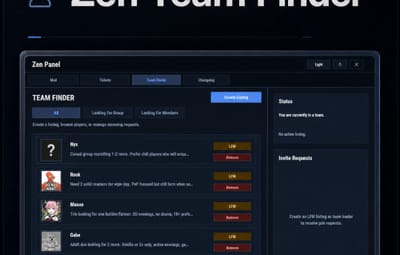
Zen Team Finder adds a clean, in-game Looking For Group / Looking For Members system to your Rust server.
Players can post LFG listings when they’re solo, and team leaders can post LFM listings to recruit. Everything runs through an intuitive UI: browse listings, open player request details, invite, request to join, and manage incoming requests, all without needing repetitive lfg chat spam.
Zen Team Finder run on the free dependency Zen Panel
Key Features
LFG + LFM Listings
- LFG (Looking for Group): solo players post a listing with a description. These listings are public and team leaders can easily invite players.
- LFM (Looking for Members): team leaders post a listing tied to their current team. Solo players can submit an invite request along with a short description.
Simple UI Workflow
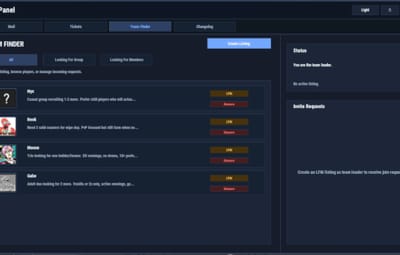
- Full UI with a main listings panel + side panel for invite request management.
- Filters: All / LFG / LFM
-
Click a listing to view:
- Player name + avatar
- Listing type tag (LFG/LFM)
- Full description
Invite & Request System
- LFG listings: team leaders can directly send a team invite.
- LFM listings: solo players can request an invite to join that team.
- Optional request note (short message) included with join requests.
Built-In Safety Rules / Cleanups
- Players can’t request invites if they’re already in a team.
- Players can’t be invited/request if they already have a pending Rust team invite.
- If a player joins a team, their other pending join requests are cleaned up automatically
- Invalid LFM listings (disbanded teams) are auto-removed when detected.
- When team leader changes, the listing ownership is moved to new leader.
Reminders & Notifications
-
Audible invites reminders for:
- Players with pending team invites
- Leaders with pending join requests
- Configurable reminder interval.
- Chat message when a LFG/LFM request is posted.
Editable UI
- customize theme via the ZenPanel config.
-
Localization
- All UI content neatly arranged in the lang file, allowing for easy translation.
________________________________________________________________
Permissions
zenteamfinder.admin - Required to run clear commands and remove other player's listings.
Chat Commands
/lfg - Opens the Party Finder. This command can be changed, and multiple commands added within the config file.
/lfg.clear - Admin command to clear ALL LFG listings
/lfm.clear - Admin command to clear ALL LFMlistings
________________________________________________________________
Default config is created and should meet the needs of most servers.













.thumb.png.e88f28f1c66c6591dd89b4a4b76239e5.png)
.thumb.png.2e1c81ea8e1396446c9e56ed38408572.png)