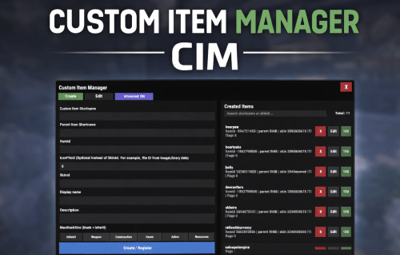





About Custom Item Manager
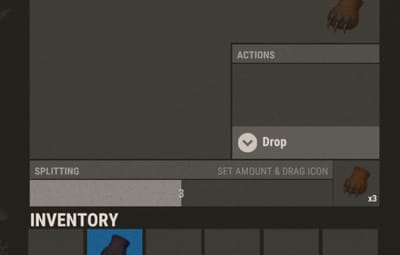
Custom Item Manager is an in-game admin UI for creating true custom Rust items by registering brand-new ItemDefinitions, leveraging the CustomItemDefinitions* framework. Unlike traditional “skinned item” approaches, this plugin adds items directly into the game’s item manifest, allowing them to be spawned, stored, traded, and in many cases interacted with exactly like vanilla items.
Because these items exist as real ItemDefinitions, they can have their own unique itemID, shortname, display names, meaningful descriptions, icons, categories, flags, and blueprint rules**. This solves one of the biggest limitations of skin-based custom items: skinned items can only reuse the original item’s shortname, description and behavior, while CustomItemManager allows you to define entirely new identity and metadata for each item.
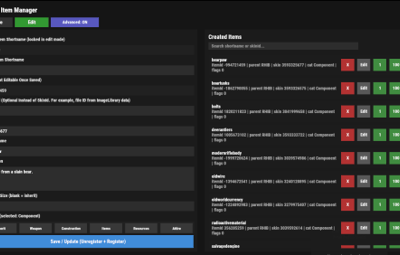
All item creation and editing is done through an in-game UI. Items can be created, edited, unregistered, and re-registered instantly without editing code or restarting the server. Created items are stored persistently and automatically re-registered on server start. A searchable list andone-click give buttons makes testing fast and convenient.
In short, CustomItemManager provides a clean workflow for adding more vanilla-like custom items to Rust servers, not just reskinned vanilla items.

Why use this instead of skinned existing items?
Skinned vanilla items:
- Share the original item’s behavior
- Cannot change the description meaningfully
- Are limited to cosmetic differences
Custom Item Manager items:
- Exist as unique ItemDefinitions
- Have their own display name and custom description, in place of the ownership label, as well as additional customizable labels.
- Can have different rules, eg can/can't be dropped, configurable category (e.g. for sorting).
- Integrate cleanly with most Rust plugins that give or require specific item shortnames.
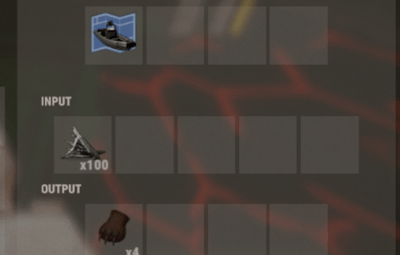
- RECYCLABLE - setting the Craftable value to True, and setting Blueprint Ingredients, will allow the item to be recycled.
- CRAFTABLE- by giving players a blueprint for the custom item, it can be crafted using the industrial workbench
If you want items to feel like true, purpose-built content instead of cosmetic overrides, this plugin is the better approach, and will save you a lot of time chasing down skinIDs when configuring other plugins.
Data and Persistence
All created items are stored in the plugin data file
Items are automatically re-registered on server start and plugin reload
It is safe to reload the plugin without losing definitions
On unload, all existing items will appear as a fallback item, and be restored to their original condition upon plugin load.
Permissions
customitemmanager.admin - required to use the utility
Commands
/cim - opens the CIM UI
Recommendations
Ensure you have the latest version of Custom Item Definitions framework
For non-usable items (eg custom craft components, quest items), use RHIB as the parent item. It has a blank description to avoid confusion.
When using the items in other plugins, you do not need to specify the SkinID again, only the shortname (skinID should be 0)
If the items are already in player containers, prefer editing and re-registering over deleting.
Text of the first, Green label on the item is configured in the lang file for Custom Item Definitions.
All Display Names and Descriptions will be available in the lang file for Custom Item Manager, allowing you to easily translate the items.
Custom Labels Example:
The green label text is configured in the Custom Item Definitions lang file. The text when hovering over it, is the item description configured via my plugin.
The blue and orange labels, can also be created via my plugin, with or without additional text when hovering over it.
SPECIAL ITEM=|QUEST ITEM=
After = you would enter the text you wish to display when hovering over the additional label. It's up to you to experiment and adapt it for your own needs.


* This plugin is a UI utility to easily create and manage custom items, based on the required dependency - Custom Item Definitions framework developed by 0xF
** The plugin allows specifying whether the item can have a blueprint as well as the required components to craft, which allows the custom item to be recycled. The blueprint itself can be given to players and learned, however it will not appear in the vanilla crafting menu. It can however be crafted with an industrial crafter,



.thumb.png.e88f28f1c66c6591dd89b4a4b76239e5.png)