
Duke23er
-
Posts
75 -
Joined
-
Last visited
Content Type
Profiles
Warranty Claims
Downloads
Forums
Store
Services
Downloads Plus Support
DOWNLOADS EXTRA
Everything posted by Duke23er
-
 Very good event which can also be done as a solo player. KpucTaJl creates the best custom events on the market. I highly recommend KpucTaJl events for all servers.
 -
 Very good event which can also be done as a solo player. KpucTaJl creates the best custom events on the market. I highly recommend KpucTaJlevents for all servers.
 -
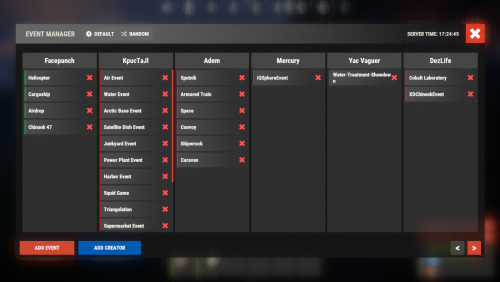 What exactly would I have to change in the config files of each event if I wanted the Event Manager to start an hourly random event? For example here some files from the SatDish Event: "Minimum time between events [sec.]": 7200.0, "Maximum time between events [sec.]": 7200.0, "Is active the timer on to start the event? [true/false]": true, "Duration of the event [sec.]": 3600, "Time before the starting of the event after receiving a chat message [sec.]": 10.0, "Notification time until the end of the event [sec.]": 300,
 -
 You are right. But I bet we all have lerned it the hard way. Never change your files on your server. Take a copy, work on it with a Editor like Notepad++, test it on jsonlint.com. After testing it and it has no errors upload it to your server. That's the way.
 -
That's what happen to all plugins I use if I save it with a syntax error. It`s not a thing from this specific plugin. TiP: Before you change something make shure you have a backup copy of that file. After do some changes (but before saving it), copy the wohle text of your config file you changed and paste it to the website from jsonlint to auto search for errors.
-
Check your Event Hooks for Starting and Stoping/Ending the Events in the Hud config file
-
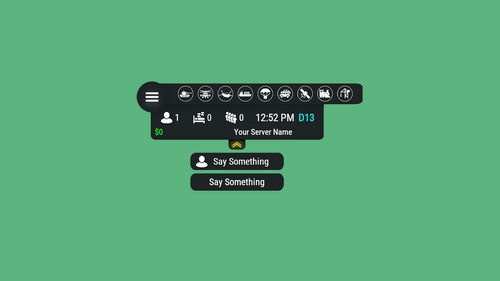
Is it possible to make the letters of the Info Messages bigger, without making the whole Hud bigger? I try it by changeing the Width [px] on the Info Messages section, but the only thing it does is the same as I change the "Offset Left-Right" on the same section.
-
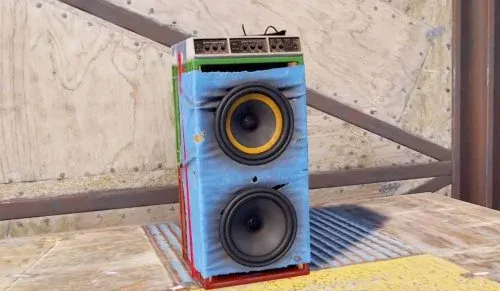 Maybe you can try to use an additional plugin like "Radio Station Manager" from uMod website. But I don`t know if it will work with it. And I think it will be a very long file of Radio Stations by the time.
 -
Does it works with Telekinesis Plugin for better placement?
-
 Sometimes people has to do more important things than waiting on a facepunch update to see if all plugins work fine. At the end we are all humans. So don't need to say sorry for it. You do an amazing job and we all really appreciate it. Thanks alot for it.
- 1,531 comments
-
- 2
-

-

-
- #leveling
- #progression
- (and 19 more)
-
Have a look on his Discord Server. There is an update in the #SkillTree channel
-
Oh looks like I post you the default setting. xD Switch in the config of BackpackButton.json. "Default button position": "Right", to "Default button position": "Left", Thats all. If someone on your server want another position for this button you can change the setting speciffic for him in the Data File by using his ID. For example: { "OverridePositionByPlayer": { "12345678901234567": "Right" }, "OverrideEnabledByPlayer": {} }
-
I moved the Bacckpack Button to the left side if this will helps you. I use an additional plugin for the Backpacks called "Backpack Button" from the umod website. I changed the config for this plugin at the end of the file to this: "Default button position": "Right", "Button positions": [ { "Name": "Left", "Enabled": true, "Offset X": -263.5, "URL": "", "Skin ID": 3050420442, "Image size": 56.0 }, { "Name": "Right", "Enabled": true, "Offset X": 185.0, "URL": "", "Skin ID": 3050420772, "Image size": 56.0 }
-
Could someone tell me the exact folder/file where the skill tree data for all players is saved? My server switch ervery week between "NO BP wipe" and "FULL wipe". I want to set a schedule to my server interface that this file only will deleted at full wipe. Thanks in advance