.jpg.png.bd95e982ff83009f33ce33d3cc6263fd.png)

-
Posts
394 -
Joined
-
Last visited
-
Days Won
1
Content Type
Profiles
Warranty Claims
Downloads
Forums
Store
Services
Downloads Plus Support
DOWNLOADS EXTRA
Everything posted by MichuX
-
same issue with no tugboats and boats spawning. I just saw 1 boat inside the ship like a king
-
same issue and the Tugboats from hard and boats from medium are not appearing at all but counting as a loot so it does not finish the event
-
I am having this problem right now and big fights actually. I cannot ban everyone who steals it at the end with no cooldown timer.
-
Hello, by any chance are you thinking to push an update soon about the sense fix? Just to put everything in track in the server Thank you in advance
-
Yes I did not notice about the sense/assist until some players reach out to me asking about it. There were not a problem about the impact, just only the engage part. There were no console errors.
-
I was testing with 100 bots all together in Airfield, killing 1 by 1 with a sense range of 90 just for the test. Killing it with others near not sensing you but After some time 1 or 2 started to run to infinite without hit them. Maybe this is addressed to the sense bug around it.
-
Thank you! I actually disable it for now because after test it some of them were agro and run to nowhere "out of the map" lol
-
Yes it is. I did not change anything from last wipe.

-
Hello! After the wipe, all bots stop assist each other. players kill waves of 20 bots 1 by 1 without any response.
-
same
-
Changed Status from Pending to Fixed Changed Fixed In to 1.0.6
-
 yes, sorry for the delay.
 -
 it is an update already
 -
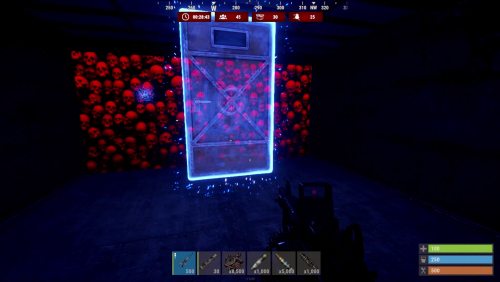 Any of you have problems with the NPCs? Like one or two of them are invulnerable to damage and the player need to leave dungeon and comeback to actually start to give damage to them?! It's only this event doing that
 -
 That is true. Everyone just half wall them! Even with special places they get stuck and players will shoot them freely without the boss response.
- 472 comments
-
- 1
-

-
- #abilities
- #boss
- (and 16 more)
-
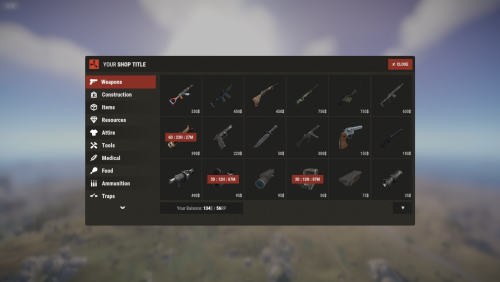 If you want full control over item currencies and the ability to make each item feel truly unique, this plugin is exactly what you’re looking for. I’ve seen other shop plugins with similar concepts, but this is the only one that allows you to choose a specific currency for every individual item. That level of flexibility is unmatched, no other plugin I’ve seen offers this. The configuration is straightforward and easy to understand. Setting up wipe blocks, cooldowns, and item rules is simple and intuitive. Everything is designed in a way that gives you powerful control without making it complicated. In my opinion, this is the best shop plugin. If you’re looking for customization and flexibility, you will not regret getting it.
 -
 funny that I am using this for years too and only recently I am having issues with permissions and other stuff without touching anything
 -
I don’t recommend purchasing this plugin at its current state. The plugin used to be very good, and I genuinely appreciated it when it was actively maintained. Unfortunately, over time it has become outdated, and it feels like the developer is no longer giving it the attention it needs. Several issues have been reported in the support section, but many of them were marked as “Not a Bug” without proper resolution. Meanwhile, the problems continue to affect usability. For example: Permission changes often require reloading the plugin, sometimes more than once, to work correctly. Icon display issues remain unresolved. Other recurring bugs impact overall stability and reliability. Because of these ongoing issues and lack of active maintenance, I feel obligated to look for alternative plugins that are better maintained and up to date. I hope the developer decides to revisit and properly support this plugin in the future, as it once had great potential.
-
let me know one usefull because I am having the same problems as you guys.
-
the plugin is very outdated, everytime you need to give permissions you need to reload the plugin sadly.
-
.thumb.gif.878ab3064f98f856ae6fbb58162fa69d.gif) A question, Is this plugin, when someone loses to claim a daily reward possible to pay "scrap/other item" to recover the day the player lost and get him to track again?
A question, Is this plugin, when someone loses to claim a daily reward possible to pay "scrap/other item" to recover the day the player lost and get him to track again? -
 yes, same. It needs a little update
 -
 I was interested in this plugin too until I heard that after server restart teams were disbanded. So I didn't purchase it at all.
 -
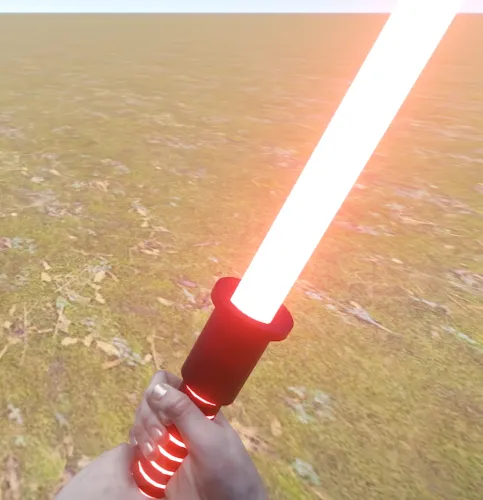 Ikr! That's why I love this plugin!
 -
 Depends, for me works good, if you have 25 npcs there the timer will count for each npc that you kill in order, not the last one. 120 seconds is little, increase the minimum timer, that should work.