Jump to content

Fruster

Creator
  • Posts

    2,493
  • Joined

  • Last visited

  • Days Won

    9

Everything posted by Fruster

  1. Fruster

    Drone Event

    What would you like? so that they shoot from a gun or throw grenades?
  2. Fruster

    Drone Event

    sorry I didn't mean to do that, maybe someday i will do it
  3. Fruster

    Drone Event

    Version 1.2.1

    1,066 downloads

    Adds drones to your server. Drones can attack with grenades and shoot at players, you can destroy drones, they have loot. Drones spawn near monuments, also you can add custom spawn points. Features: Easy to set up. Excellent customization options in the config. You can customize the monuments where the drones will spawn. You can customize the contents of the drone in the config file: you can set up a list of items that will be inside you can choose drop chance (1 - 100%) you can choose skins for items You can also customize the health and respawn time of the drones. Commands(admin only): dreshowpoints - displays all spawn points on the map dreshowdrones - displays all drones on the map dreshowzone - displays nearby areas with drones drerespawndrones - respawn all drones on the map forcibly dreremovedrones - removes all drones from the map dre_removepoint - removes custom spawn point (you need to be close to it) dre_addpoint - adds a custom spawn point (at the place where you are). You can also enter the command with arguments: /dre_addpoint "name" "flightRadius" "use" Developer API: (void) DroneCustomSpawn(Vector3 position, int aggressiveness, int radius, int attackRange, int health, float speed, bool grenade, float grenDmg, bool light, string turWpn, float turDmg) Spawns a drone at the coordinates "position" aggressiveness - drone aggressiveness from 0 to 100 radius - flight radius attackRange - attack range health - drone health speed - drone speed (0.5 - 1 recommended) grenade - if "true", then the drone will attack with grenades grenDmg - grenade damage scale (0-1) light - if "true", then a spotlight will be added to the drone turWpn - short name of the weapon for the turret, if empty, the turret will not be added to the drone turDmg - turret damage scale (0-1) Hooks: void DroneEventDroneKill(BasePlayer player) - called when a drone is destroyed. BasePlayer player- is the last one to deal damage to the drone Config file: { "Minimum respawn time(in minutes)": 15, "Maximum respawn time(in minutes)": 30, "Drone health (hits amount)": 2, "Drone speed(0.5 - 1 recommended)": 0.7, "Grenade damage scale": 1.0, "Attack range": 40, "Drone aggressiveness, from 0 to 100 (the more, the more often the drone attacks)": 10, "Adds a searchlight for drones": false, "Adds a turret for drones": false, "Turret damage scale": 1.0, "Turret weapon short name": "pistol.revolver", "The drone will throw grenades at players": true, "Do not calculate collisions while the drone is just flying (set to true if you have problems with your server performance)": false, "Monument settings": [ { "name": "gas_station", "flightRadius": 15, "offset": { "x": 17.0, "y": 30.0, "z": 0.0 }, "use": true }, { "name": "supermarket", "flightRadius": 15, "offset": { "x": 0.0, "y": 15.0, "z": 0.0 }, "use": true }, { "name": "warehouse", "flightRadius": 15, "offset": { "x": -5.0, "y": 15.0, "z": 0.0 }, "use": true }, { "name": "water_treatment", "flightRadius": 15, "offset": { "x": -60.0, "y": 20.0, "z": 0.0 }, "use": true }, { "name": "junkyard", "flightRadius": 15, "offset": { "x": 0.0, "y": 15.0, "z": 0.0 }, "use": true }, { "name": "lighthouse", "flightRadius": 15, "offset": { "x": 0.0, "y": 35.0, "z": 40.0 }, "use": true }, { "name": "sphere_tank", "flightRadius": 15, "offset": { "x": 60.0, "y": 30.0, "z": 40.0 }, "use": true }, { "name": "harbor_1", "flightRadius": 15, "offset": { "x": 20.0, "y": 15.0, "z": 90.0 }, "use": true }, { "name": "harbor_2", "flightRadius": 15, "offset": { "x": -100.0, "y": 20.0, "z": -20.0 }, "use": true }, { "name": "desert_military_base", "flightRadius": 15, "offset": { "x": -15.0, "y": 20.0, "z": -5.0 }, "use": true }, { "name": "excavator", "flightRadius": 15, "offset": { "x": 65.0, "y": 20.0, "z": -10.0 }, "use": true }, { "name": "swamp", "flightRadius": 15, "offset": { "x": -10.0, "y": 30.0, "z": -15.0 }, "use": false }, { "name": "radtown_small", "flightRadius": 15, "offset": { "x": -5.0, "y": 30.0, "z": -5.0 }, "use": true }, { "name": "water_well", "flightRadius": 15, "offset": { "x": 0.0, "y": 30.0, "z": 0.0 }, "use": true }, { "name": "mining_quarry", "flightRadius": 15, "offset": { "x": 0.0, "y": 25.0, "z": 0.0 }, "use": false }, { "name": "satellite_dish", "flightRadius": 15, "offset": { "x": -40.0, "y": 25.0, "z": -20.0 }, "use": false }, { "name": "cave_small", "flightRadius": 15, "offset": { "x": 0.0, "y": 30.0, "z": 0.0 }, "use": false }, { "name": "cave_medium", "flightRadius": 15, "offset": { "x": 0.0, "y": 30.0, "z": 0.0 }, "use": false }, { "name": "cave_large", "flightRadius": 30, "offset": { "x": 0.0, "y": 35.0, "z": 0.0 }, "use": false }, { "name": "airfield", "flightRadius": 25, "offset": { "x": -75.0, "y": 20.0, "z": 0.0 }, "use": false }, { "name": "launch_site", "flightRadius": 15, "offset": { "x": 0.0, "y": 20.0, "z": 130.0 }, "use": false }, { "name": "powerplant", "flightRadius": 25, "offset": { "x": -75.0, "y": 20.0, "z": -40.0 }, "use": false }, { "name": "trainyard", "flightRadius": 15, "offset": { "x": -70.0, "y": 20.0, "z": 0.0 }, "use": false }, { "name": "arctic_research_base", "flightRadius": 25, "offset": { "x": 10.0, "y": 15.0, "z": -25.0 }, "use": true }, { "name": "ice_lake", "flightRadius": 15, "offset": { "x": 0.0, "y": 20.0, "z": 0.0 }, "use": false }, { "name": "military_tunnel", "flightRadius": 15, "offset": { "x": 20.0, "y": 25.0, "z": -15.0 }, "use": false }, { "name": "power_sub_big", "flightRadius": 10, "offset": { "x": 0.0, "y": 20.0, "z": 0.0 }, "use": false } ], "Custom spawn points settings": [ { "name": "point1", "flightRadius": 15, "position": { "x": 0.0, "y": 100.0, "z": 0.0 }, "use": false }, { "name": "point2", "flightRadius": 15, "position": { "x": 0.0, "y": 200.0, "z": 0.0 }, "use": false } ], "Drop items list": [ { "name": "metal.fragments", "dropChance": 100, "minAmount": 50.0, "maxAmount": 300, "skinID": 0 }, { "name": "metal.refined", "dropChance": 100, "minAmount": 5.0, "maxAmount": 10, "skinID": 0 }, { "name": "scrap", "dropChance": 100, "minAmount": 10.0, "maxAmount": 20, "skinID": 0 }, { "name": "techparts", "dropChance": 50, "minAmount": 1.0, "maxAmount": 2, "skinID": 0 } ] }
    $14.99
  4. Fruster

    Zone Custom UI

    Hi, if the zone name is default, then the placeholder will be default too. If the zone name is not default, but the placeholder is default, then it should automatically take the value as the zone name. If it doesn't, just enter the command /rzinfo
  5. Version 1.0.3

    88 downloads

    Displays the name of the zone the player is in. You can customize text, text color, background color, etc. This plugin takes information about zones from zonemanager, all information is saved in a config file, after which you can customize information about these zones, which will be displayed Commands: /rzinfo - update zone information Config file: { "Settings outside the zone": { "Id": "0", "Name": "Outside", "AnchorMin": "0.649 0.041", "AnchorMax": "0.695 0.081", "Color_Background": "0.1 0.1 0.8 0.8", "Color_Text": "1 1 1 1", "TextSize": "16", "TextPlaceHolder": "Outside" }, "Default settings for the new zone": { "Id": "0", "Name": "Default", "AnchorMin": "0.649 0.041", "AnchorMax": "0.695 0.081", "Color_Background": "0.1 0.8 0.1 0.8", "Color_Text": "1 1 1 1", "TextSize": "16", "TextPlaceHolder": "Default" }, "Zones list": [] }
    $4.99
  6. Hi, you can use these commands to see and change the crash area: /showcrashzone - displays the crash area /setcrashzonecenter - set the center of the crash zone to where the player is also you can reduce "Map size" in config file
  7. That's right, the plugin doesn't use the lang file. The message from the config file should be displayed anyway
  8. Hi, send me a private message with more details please when exactly you get this error
  9. Fruster

    Homing Missiles

    Hi, unfortunately I can't check compatibility with all plugins, sorry
  10. Fruster

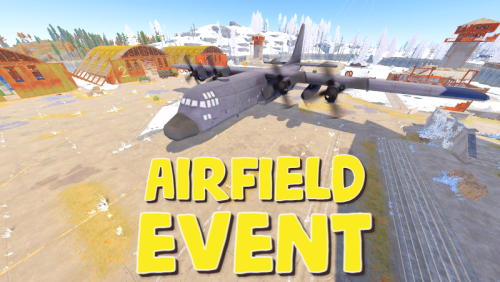
    Airfield Event

    I checked everything is working well. Maybe you changed the speed settings of the cargo plane in the plugin? I can only guess. Try downloading the plugin again and restart. Let me know about the results in the support section please
  11. Fruster

    Airfield Event

    Hi, test it on the server without other plugins, maybe they affect it. Anyway, other users didn't have these problems
  12. Sometimes it happens, maybe it's a problem with the game client, try restarting the server and restarting the client. You may need to reinstall the client
  13. hi, when a plane crashes, there is already an explosion like a helicopter crash

About Us

Codefling is the largest marketplace for plugins, maps, tools, and more, making it easy for customers to discover new content and for creators to monetize their work.

Downloads
2.5m
Total downloads
Customers
11.1k
Customers served
Files Sold
159.2k
Marketplace sales
Payments
3.4m
Processed total
×
×
  • Create New...

Important Information

We have placed cookies on your device to help make this website better. You can adjust your cookie settings, otherwise we'll assume you're okay to continue.