
Fruster
-
Posts
2,761 -
Joined
-
Last visited
-
Days Won
11
Content Type
Profiles
Warranty Claims
Downloads
Forums
Store
Services
Downloads Plus Support
DOWNLOADS EXTRA
Reels
Everything posted by Fruster
-
Changed Status from Pending to Closed
-
No problem! If you have any questions, feel free to send me a PM—I’d be happy to help.
-
It's probably a problem with these settings. The offset should only contain vector3. Try resetting the plugin config. Let me know the results, please. "Dome offset": { "x": 0.0, "y": 0.0, "z": 30.0, "normalized": { "x": 0.0, "y": 0.0, "z": 1.0, "magnitude": 1.0, "sqrMagnitude": 1.0 }, "magnitude": 30.0, "sqrMagnitude": 900.0 },
-
Yes, of course, I’ll check it soon—thanks.
-
All plugins that spawn npcs need an update
Fruster replied to SlayersRust's Support Report in Support
Changed Status from Pending to Closed -
All plugins that spawn npcs need an update
Fruster replied to SlayersRust's Support Report in Support
Alright, so the matter is closed, I suppose? -
All plugins that spawn npcs need an update
Fruster replied to SlayersRust's Support Report in Support
Hey! I’ve tested a few plugins, and there are no operational errors. Have you updated your server? Are you using Carbon or Oxide? -
Hey! That would be helpful. I’ll take a look at your config.
-
Some of the NPCs get stuck in the cliff on crash
Fruster replied to SlayersRust's Support Report in Support
Changed Status from Pending to Fixed Changed Fixed In from Not set to 1.1.9 -
Some of the NPCs get stuck in the cliff on crash
Fruster replied to SlayersRust's Support Report in Support
I’ve tested it and didn’t find any bugs. The only possibility is that if the F-15 fails to find a crash site, it defaults to the coordinates (0,0,0)—which could explain what happened. I can easily fix this by simply not triggering the event if the F-15 doesn’t find a suitable crash location. Would that solution work for you? Alternatively, please provide the seed for your map and specify exactly where on the map this occurred; I will then test it using your specific configuration. -
Some of the NPCs get stuck in the cliff on crash
Fruster replied to SlayersRust's Support Report in Support
Hey! Thanks, I’ll be testing this soon. -
Changed Status from Pending to Fixed Changed Fixed In from Not set to 1.1.7
-
Version 1.0.0
6 downloads
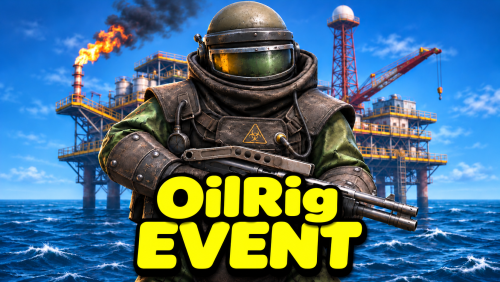
OilRigEvent — More Control Over Oil Rig Events Turn oil rig visits into a full-scale challenge. OilRigEvent lets you configure the large and small oil rigs separately. Strengthen their defenses, add patrol boats and Chinooks, customize NPC loadouts, and control puzzle reset and radiation timing. Settings for each oil rig: Scientist2 health, damage, movement speed, weapons, grenades, and spawn count. PT Boat and RHIB patrols, including boat and crew counts, weapons, health, and damage. Chinook count and heavy scientist health, damage, movement speed, and weapons. Rig reset delay after the red room opens or an event ends. Delay before native radiation activates after the red room opens. Commands (admin only): Syntax: oilrig <command> [large|small|all] [force] If you omit the target, the command applies to all oil rigs. oilrig start [large|small|all] [force] — Starts the selected rig, resets its puzzle and reactivates its NPC spawn groups. By default, the command is skipped if players are within 120 meters. Add force to override this check. oilrig stop [large|small|all] — Stops the selected rig, disables puzzle resets and NPC spawns, and clears its patrol boats and combat NPCs. oilrig end [large|small|all] [force] — Ends the current run and starts the configured reset cooldown. The rig is stopped during the cooldown. Requires a valid reset interval in the config. By default, the command is skipped if players are within 120 meters. Add force to override this check. oilrig restart [large|small|all] [force] — Stops and then restarts the selected rig. By default, the command is skipped if players are within 120 meters. Add force to override this check. oilrig status [large|small|all] — Shows whether each selected rig is running, stopped, or waiting for its reset, along with puzzle, NPC spawn group, Chinook, and patrol boat counts. Targets large, small, and all can be used with each command. Config: { "Large Oil Rig settings": { "Oil Rig reset delay after opening the red room or running the 'oilrig end' command (seconds, 0 = default)": 0.0, "Native radiation delay after red room opens (seconds, 0 = default)": 0.0, "Scientist2 settings": { "Weapons": [ "smg.mp5" ], "Used grenade types (grenade.f1, grenade.bee, grenade.smoke, grenade.flashbang)": [ "grenade.smoke" ], "Health (default 215)": 215.0, "Damage scale (default 1.0)": 1.0, "Movement speed multiplier (default 1.0)": 1.0, "Grenade cooldown (default 60)": 60.0, "Spawn multiplier (default 1.0)": 1.0 }, "Patrol boats": { "PT Boat": { "NPC count (2-7, -1 = default)": -1, "Boat count": 1, "NPC weapons": [ "rifle.lr300" ], "NPC health (default 25)": 25.0, "NPC damage scale (default 1.0)": 1.0 }, "RHIB": { "NPC count (2-6, -1 = default)": -1, "Boat count": 2, "NPC weapons": [ "rifle.lr300" ], "NPC health (default 25)": 25.0, "NPC damage scale (default 1.0)": 1.0 } }, "Chinooks count (0-10, default 1)": 1, "Heavy scientists settings": { "Weapons": [ "lmg.m249", "minigun", "shotgun.spas12", "flamethrower" ], "Health (default 300)": 300.0, "Damage scale (default 1.0)": 1.0, "Movement speed multiplier (default 1.0)": 1.0, "NPC count in each Chinook (0-10, -1 = default)": -1 } }, "Small Oil Rig settings": { "Oil Rig reset delay after opening the red room or running the 'oilrig end' command (seconds, 0 = default)": 0.0, "Native radiation delay after red room opens (seconds, 0 = default)": 0.0, "Scientist2 settings": { "Weapons": [ "smg.mp5" ], "Used grenade types (grenade.f1, grenade.bee, grenade.smoke, grenade.flashbang)": [ "grenade.smoke" ], "Health (default 215)": 215.0, "Damage scale (default 1.0)": 1.0, "Movement speed multiplier (default 1.0)": 1.0, "Grenade cooldown (default 60)": 60.0, "Spawn multiplier (default 1.0)": 1.0 }, "Patrol boats": { "PT Boat": { "NPC count (2-7, -1 = default)": -1, "Boat count": 0, "NPC weapons": [ "rifle.lr300" ], "NPC health (default 25)": 25.0, "NPC damage scale (default 1.0)": 1.0 }, "RHIB": { "NPC count (2-6, -1 = default)": -1, "Boat count": 0, "NPC weapons": [ "rifle.lr300" ], "NPC health (default 25)": 25.0, "NPC damage scale (default 1.0)": 1.0 } }, "Chinooks count (0-10, default 1)": 1, "Heavy scientists settings": { "Weapons": [ "lmg.m249", "minigun", "shotgun.spas12", "flamethrower" ], "Health (default 300)": 300.0, "Damage scale (default 1.0)": 1.0, "Movement speed multiplier (default 1.0)": 1.0, "NPC count in each Chinook (0-10, -1 = default)": -1 } } }$14.99 -
Even with your config, I can't reproduce the issue. I could simply disable picking up this crate. Would that solution work for you?
-
Thanks! I’ll check it out.
-
Hey! I wasn't able to reproduce the issue. Please attach your config and provide a detailed description of how to reproduce the bug. I'll look into it.
-
Changed Status from No Response to Closed
-
Changed Status from Pending to No Response
-
Changed Status from Pending to Fixed Changed Fixed In from Not set to 1.1.8
-
Unfortunately, there’s nothing that can be done about this, but I could try creating a different item for this purpose if the spam in the client console is an issue for you.
-
No problem! Thank you for helping to fix errors.
-
Changed Status from Pending to Fixed Changed Fixed In from Not set to 1.1.4
-
Is the problem still relevant?
-
Is the problem still relevant?
-
Changed Status from Pending to Fixed Changed Fixed In from Not set to 1.1.4