NEXT
-
Posts
813 -
Joined
-
Last visited
Content Type
Profiles
Warranty Claims
Downloads
Forums
Store
Services
Downloads Plus Support
DOWNLOADS EXTRA
Reels
Everything posted by NEXT
-
verrrrryyyy good!!!! → NO GOOD thank you very much
-
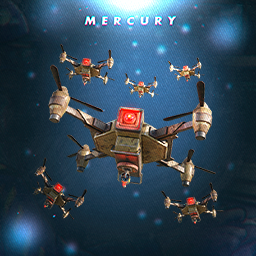 Does the drone work? The drone stopped working yesterday. I deleted all the configuration files and reinstalled them, and the drone disappeared. It still appears on the marker. It attacks while it's disappeared.
 -
"Chance to spawn instead of any spawnable loot [0 - 100]": 3, "LuckyBlock entity limit": 2, Even though the above settings are There are many occurrences.
-
and if (_config.EntityLimit <= LuckyBlocks.Count + WaitingToDunk.Count) return; By managing the upper limit including the waiting queue, you can prevent the number of appearances from exploding. and UnityEngine.Debug.LogWarning("test"); UnityEngine.Debug.LogWarning(commands.Count); UnityEngine.Debug.LogWarning("test1");
-
{ "Server command [%steamid% = player steamid]": [ "chat.say i am lucky", "luckyblock fake_explosion" ], "Weight [directly affects the chance of this command being triggered | 0 - disabled]": 10, "Description": "Explosion without causing damage" }, Is this the chat command? not found.....
-
Error while compiling FireStones: 'PlayerInventory' does not contain a definition for 'AllItems' and no accessible extension method 'AllItems' accepting a first argument of type 'PlayerInventory' could be found (are you missing a using directive or an assembly reference?) | Line: 176, Pos: 77
-
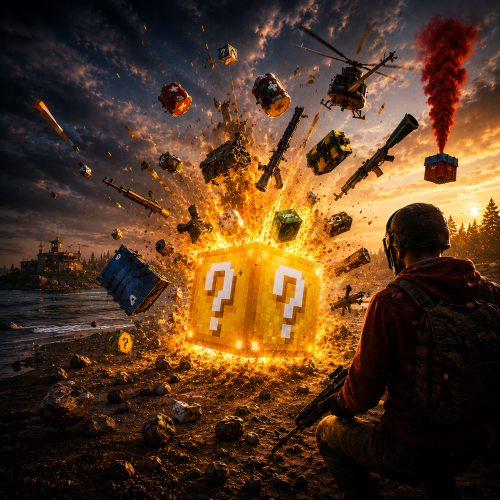 Great mod It adds new and interesting events to your server. Players have a lot of fun opening boxes and being surprised by the commands.
 -
I think the problem is that chat commands aren't working. Maybe I misunderstand how this button works? I thought that pressing the button would activate the command, but am I wrong? The commands aren't working.
-
i use + ADD CATEGORY but no work "Commands": [ "/skilltree" "Commands": [ "skilltree" no work and no log no some errors in the server console Do you have any samples?
-
Why It’s Breaking the Player Once the LuckyBlock overlaps with the player: Player gets stuck inside the collider of the LuckyBlock or one of its children (like the SphereEntity). Even after the block is "killed", the collision or network state may still affect the player — possibly due to: Sphere collider not cleaned up. Network visibility/resizing logic (EntitySubscriptionManager or NetworkSnapshotManager) leaving behind ghost data. Since visibility/network snapshots are manually manipulated, it’s possible the player remains "subscribed" or affected even when it shouldn't be.
-
(0.0.0)point what is this?
-
.thumb.jpg.11381cd0b3f57375a21b5282755e901c.jpg) [ChatCommand("ref.collectowner")] private void CmdChatOwnerCollect(BasePlayer player, string command, string[] args) { if (!RefProfiles.ContainsKey(player.userID)) return; foreach (var check in RefProfiles[player.userID].GetInvited()) { if (!check.Collected) continue; check.Collected = false; // ⬐ check.ProgressInfo = new ProgressInfo(); // foreach (var item in Settings.RewardsForInviter.GetRandom().RefItems) item.ProcessReward(player); } } Has this mod been abandoned by the developer? This mod has a bug. You can get rewards multiple times. If no one reports it, does that mean no one is using it? Be careful when buying
[ChatCommand("ref.collectowner")] private void CmdChatOwnerCollect(BasePlayer player, string command, string[] args) { if (!RefProfiles.ContainsKey(player.userID)) return; foreach (var check in RefProfiles[player.userID].GetInvited()) { if (!check.Collected) continue; check.Collected = false; // ⬐ check.ProgressInfo = new ProgressInfo(); // foreach (var item in Settings.RewardsForInviter.GetRandom().RefItems) item.ProcessReward(player); } } Has this mod been abandoned by the developer? This mod has a bug. You can get rewards multiple times. If no one reports it, does that mean no one is using it? Be careful when buying -
???? "Explosion": 10.0, "ElectricShock": 10.0 Even when I create an item, I have no idea what buffs it has. Item buff information is not displayed in the game. This is fatal. Does this mean I have to create custom item images myself, get the codes, and apply them one by one?
-
I would like it to be linked with the skill tree expansion magazine.
-
Is it because you are the administrator of the MOD yourself? Because overlapping blocks were searched for and the files could no longer be moved. The reason for this is that the original edition is no longer available. Even if you start the new version of the game, the problem will not be solved. Is this because the same person was in the same situation? Luckily it will be fixed in the next version. Thank you for the quick response.
-
/lbtest - use for spawn luckyblock for test A Block is created overlapping the player, Player gets stuck stuck stuck....... After that, the player becomes stuck stuck stuck .......after every few steps. Restarting the client does not resolve the issue. Isn't this a pretty serious bug?
-
Exception while calling NextTick callback (NullReferenceException: Object reference not set to an instance of an object) at Oxide.Plugins.LuckyBlock+<>c__DisplayClass14_0.b__0 () [0x00038] in :0 at Oxide.Core.OxideMod.OnFrame (System.Single delta) [0x00051] in :0
-
i used new category. but no command. What is wrong? { "ID": -494030190, "Enabled": true, "Permission": "", "Title": "SKILL", "Chat Button": true, "Show Pages?": false, "Commands": [ "/skilltree" ], "Icon": "", "Pages": [ { "Title": "", "Command": "", "Type (Plugin/UI)": "UI", "Plugin Name": "", "Plugin Hook": "", "UI Elements": [ { "Enabled?": true, "Visible": true, "Name": "Panel_a2c60ca9ff", "Type (Label/Panel/Button/Image)": "Panel", "Color": { "HEX": "#FFFFFF", "Opacity (0 - 100)": 100.0 }, "Text": [], "Font Size": 14, "Font": 0, "Align": "UpperLeft", "Text Color": { "HEX": "#FFFFFF", "Opacity (0 - 100)": 100.0 }, "Command ({user} - user steamid)": "", "Image": "", "Cursor Enabled": false, "Keyboard Enabled": false, "Sprite": "", "Material": "", "AnchorMin (X)": 0.5, "AnchorMin (Y)": 0.5, "AnchorMax (X)": 0.5, "AnchorMax (Y)": 0.5, "OffsetMin (X)": -50.0, "OffsetMin (Y)": -50.0, "OffsetMax (X)": 50.0, "OffsetMax (Y)": 50.0 }