.thumb.jpg.f2f378cbb4943d7036c8a674f8a23b40.jpg)
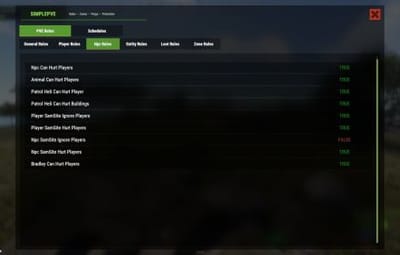
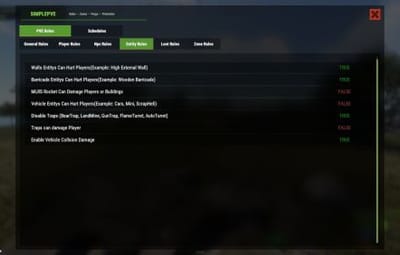
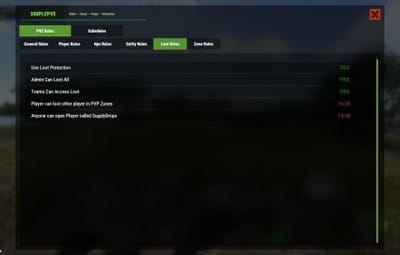
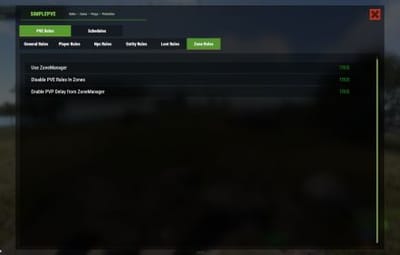


Works with
Compatible add-ons, packages, or tools that pair well with this resource.
-
 Raidable Bases Optional
 -
 ZombieHorde Optional
 -
 Zone Manager Optional
 -
 Clans Optional
 -
 Heli Signals Optional
 -
 Convoy Optional
 -
Custom Helicopter Tiers Optional
-
 NpcRaiders Optional
 -
.thumb.png.d09d873ed8905a9625a3ef8909d913ef.png) Armored Train Optional
Armored Train Optional
About SimplePVE
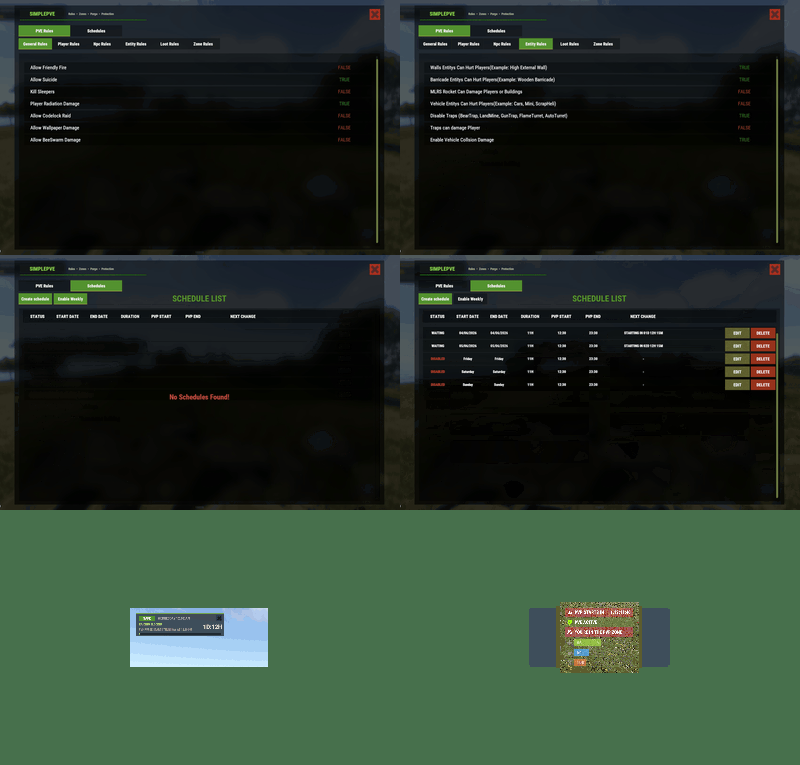
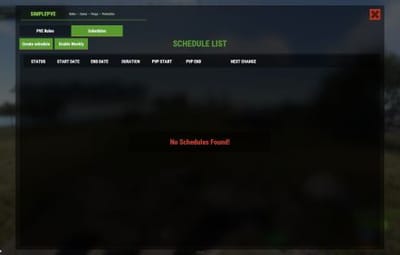
SimplePVE is exactly what the name suggests: a simple and easy-to-use PVE plugin for Rust servers. It allows server owners to control and customize PVE rules individually, either through the config or with a clean in-game CUI. You can also create, edit, and manage PVE/PVP schedules directly, making it easy to run full PVE servers, purge events, or hybrid PVE/PVP setups.
 Key Features
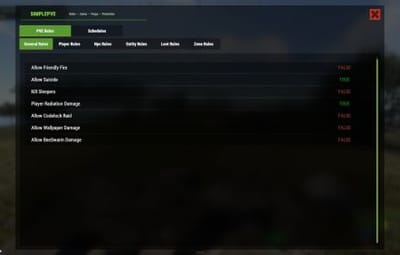
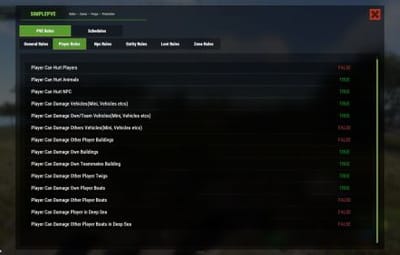
- Control PVE rules directly from in-game CUI or through the config
- Easy-to-understand rule system for managing damage, raiding, looting, and protection
- Enable or disable PVE/PVP manually with commands
- Create automatic PVP schedules for purge times
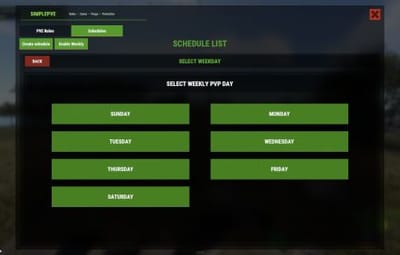
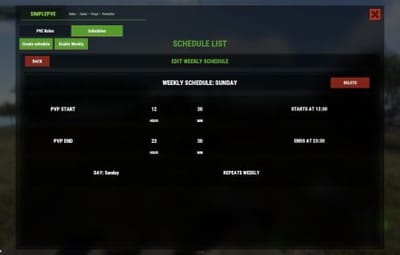
- Supports weekly schedules, such as Sunday to Friday or weekend-only PVP
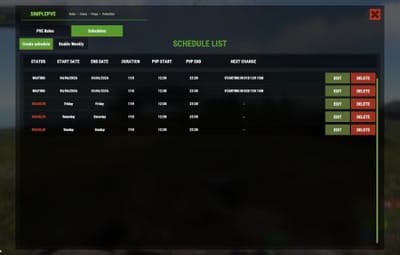
- Supports date-specific schedules, such as January 1 to January 7, holiday events, wipe-weekend events, and custom purge periods
- Automatic PVE/PVP purge events based on your configured schedule
- Loot protection system to prevent unauthorized looting
- Zone Manager support for custom PVE/PVP zones
- Exclude specific zones from global PVE rules
- Supports many popular event plugins
- Works without using `server.pve true`
- In-game rule manager using `/sprules`
- Debug command to help check why damage is blocked or allowed
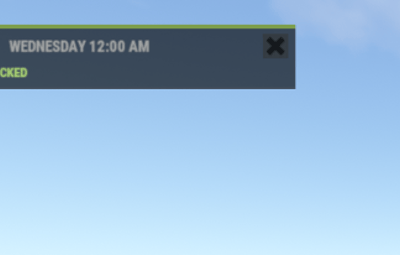
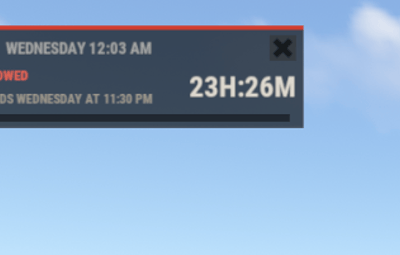
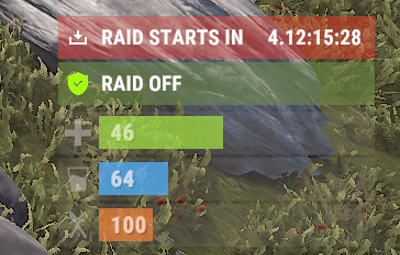
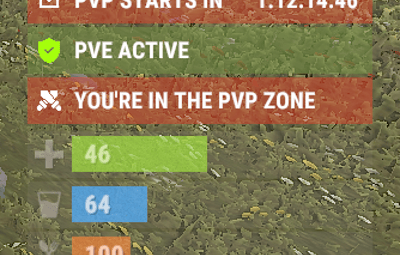
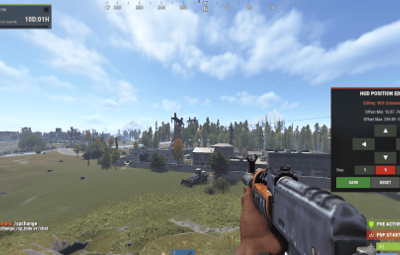
- Optional PVE/PVP status UI for players
- Customizable UI position, status text, icons, and colors
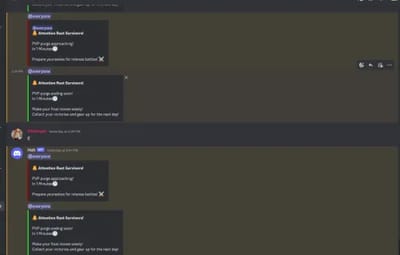
- Discord embed messages when PVP purge starts or ends
- Optional Discord warning messages before PVE/PVP schedule changes
- Run custom server commands when PVP purge starts or ends
- Admin bypass permissions for loot and damage control
- Supports PVP delay when leaving PVP zones
- Flexible config for server owners who want full control
- Designed for simple PVE servers, purge servers, hybrid PVE/PVP servers, and event-based servers
- NEW • CUSTOM STATUS
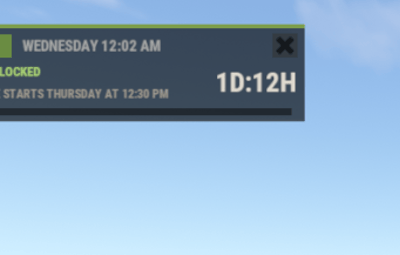
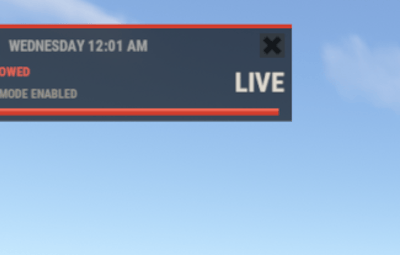
- NEW • PVE/PVP HUD FOR DISPLAYING PURGE EVENTS
 Commands
- /simplepve - Use to enable or disable pve toggle (Chat & Console command)
- /simplepve on or off - Use to enable disable pve (Chat & Console command)
- /sprules - Use to Open a Cui to control PVE Rules & Creating Schedules (Chat command)
- /spdebug - Use this for debuging rules
- /sp_change - Use this to change the SimplePVE hud from ingame (Chat command)
 Permissions
- simplepve.admin - Required to enable or disable SimplePVE
- simplepve.adminloot - Required to view Loots of other players
- simplepve.admindamage - Required for Admin damages to any entity
 Game hosting perfected, that's Physgun
Join the thousands of server owners using Physgun to take their game server communities to the top.

 Video Showcase
 API & Hooks
- void OnSPVEPurgeStarted()
- void OnSPVEPurgeEnded()
- TimeSpan GetPVPStartTimeRemaining()
- TimeSpan GetPVPEndTimeRemaining()
 Configurations
Quote{ "PVE Enabled": true, "Auto Claim Vehicle(Mini, ScrapHeli, Boats, Moudlars etcs) On Engine Start": true, "Auto Claim Vehicle Show Message": false, "Notifications": { "Prefix": "<color=#00ffff>[SimplePVE]</color>: ", "Chat Avatar": 0, "Show PVE Icon Overlay": true, "Show PVE Warning Messages": true, "Show PVE Warning Messages TIP": true, "PVE Warning Type(Chat/UI/Both(Chat & UI)/Toastify/Notify)": "Both(Chat & UI)", "PVE Warning Chat Message": "PVE enabled on this server, blocking damage.", "PVE Warning Tip Message": "PVE enabled on this server, blocking damage.", "PVE Warning Custom UI Message(Toastify/Notify)": "PVE enabled on this server, blocking damage.", "PVE Warning UI Settings": { "Anchor Min": "0.786 0.722", "Anchor Max": "0.99 0.815", "Warning Image URL": "https://i.postimg.cc/0jZNDr9x/Add-a-subheading-2.png" }, "Show Loot Protection Messages": true, "Show Loot Protection Messages TIP": true, "Loot Protection Type(Chat/UI/Both(Chat & UI)/Toastify/Notify)": "Both(Chat & UI)", "Loot Protection Chat Message": "This entity is protected!", "Loot Protection Tip Message": "This entity is protected!", "Loot Protection Custom UI Message(Toastify/Notify)": "This entity is protected!", "Loot Protection UI Settings": { "Anchor Min": "0.786 0.722", "Anchor Max": "0.99 0.815", "Warning Loot UI Image URL": "https://i.postimg.cc/SxSsS67s/Add-a-subheading-1.png" }, "PVE/PVP Icon UI Settings": { "Anchor Min": "0.5 0", "Anchor Max": "0.5 0", "Offset Min": "190 30", "Offset Max": "250 60" } }, "Loot Protection Excluded Entitys": [ "mailbox.deployed", "dropbox.deployed" ], "Schedules Setting": { "UTC Time Difference": 360, "Enable Weekly Schedule Only": false, "PVP On Notify Message": "<#990000>PVP ENABLED: You can now raid other bases and engage in combat!</color>", "PVE On Notify Message": "<#008000>PVE ENABLED: Raiding and fighting are now prohibited. Enjoy peace and safety!</color>", "PVP Purge Start Before Message": "PVP TIME APPROACHING: Only {TIMELEFT} minutes remaining until PVP begins!", "PVP Purge Ending Before Message": "PVP TIME ENDING: Only {TIMELEFT} minutes remaining until PVP ends!" }, "PVP Delay Setting": { "PVP delay time in seconds(If enabled from ZoneRules)": 10, "Show PVP Delay Message": true, "PVP Delay Message": "You will be removed from PVP state in <color=#DC143C>{delay}</color> seconds." }, "Discord Setting": { "Enable Discord Notification": false, "Discord Webhook URL": "", "Enable Message Before PVP Time Start": false, "Before PVP Time Start Minutes": 30, "PVP Message Embed Color(Hexa)": "#990000", "Before PVP Time Start Message Content": [ " **Attention Rust Survivors!**", "", "PVP purge approaching!", "In {Minutes} Minutes", "", "Prepare yourselves for intense battles! " ], "Enable Message Before PVE Time Start": false, "Before PVE Time Start Minutes": 30, "PVE Message Embed Color": "#32CD32", "Before PVE Time Start Message Content": [ " **Attention Rust Survivors!**", "", "PVP purge ending soon!", "In {Minutes} Minutes", "", "Make your final moves wisely!", "Collect your victories and gear up for the next day!" ] }, "Commands when PVP Purge Starts": [], "Commands when PVP Purge Ends": [], "Exclude Zone IDs From Rules": [ "999", "6969" ], "Status UI": { "Enable Status": true, "Interval Time In Seconds": 60, "PVE/PVP Status": { "Status Enable": true, "PVE Status": { "Enable Status": true, "Text List": [ "PVE ACTIVE", "RAID OFF", "PVP OFF" ], "Text Color": "#FFFFFF", "Icon Image Url": "https://i.postimg.cc/ZKhM7c7z/shield-(2).png", "Icon Image Color": "#A4FE0A", "Status Color": "#728D4580" }, "PVP Status": { "Enable Status": true, "Text List": [ "PVP ACTIVE", "RAID ACTIVE", "PVE OFF" ], "Text Color": "#FFFFFF", "Icon Image Url": "https://i.postimg.cc/xTvkmgZF/incapacitate.png", "Icon Image Color": "#FFFFFF", "Status Color": "#CD412A80" } }, "Zone Status": { "Status Enable": true, "In PVP Area Status": { "Enable Status": true, "Text List": [ "YOU'RE IN THE PVP ZONE" ], "Text Color": "#FFFFFF", "Icon Image Url": "https://i.postimg.cc/qRGxrMBR/fighting-game.png", "Icon Image Color": "#FFFFFF", "Status Color": "#CD412A80" } }, "PVP Delay Status": { "Status Enable": true, "PVP Delay Status": { "Enable Status": true, "Text List": [ "PVE RETURNS IN {TIMER}" ], "Text Color": "#FFFFFF", "Icon Image Url": "https://i.postimg.cc/ZK5kP5sW/reload.png", "Icon Image Color": "#FFFFFF", "Status Color": "#D2691E80" } }, "Purge Schedule Status": { "Status Enable": true, "Purge PVP Status": { "Enable Status": true, "Text List": [ "PVP STARTS IN {TIMER}", "RAID STARTS IN {TIMER}", "PVP PURGE IN {TIMER}" ], "Text Color": "#FFFFFF", "Icon Image Url": "https://i.postimg.cc/6QkwYx2D/update-pending.png", "Icon Image Color": "#FFFFFF", "Status Color": "#CD412A80" }, "Purge PVE Status": { "Enable Status": true, "Text List": [ "PVE STARTS IN {TIMER}", "RAID DISABLES IN {TIMER}", "PVE PURGE IN {TIMER}" ], "Text Color": "#FFFFFF", "Icon Image Url": "https://i.postimg.cc/6QkwYx2D/update-pending.png", "Icon Image Color": "#FFFFFF", "Status Color": "#718D4880" } } }, "SIMPLEPVE HUD": { "Enable SIMPLEPVE HUD": true, "Chat Command to hide the HUD": "sp_hide", "Hud command output text": "SimplePVE HUD hidden. Type <color=#e0b34d>/{0}</color> to show it again.", "Parent Layer": "Hud", "Update Interval In Seconds": 60.0, "Safe Text": "SAFE", "Raid Text": "RAID", "Safe Description Text": "RAIDING BLOCKED", "Raid Description Text": "RAIDING ALLOWED", "Manual Raid Status Text": "LIVE", "Manual Raid Description Text": "MANUAL PVP MODE ENABLED", "PVP Purge Starts Text": "PVP PURGE STARTS", "PVP Purge Ends Text": "PVP PURGE ENDS", "PVP Purge At Text": "AT", "Without Schedules UI": { "Anchor Min": "0 1", "Anchor Max": "0 1", "Offset Min": "15.87 -57.85", "Offset Max": "264.09 -15.96", "Background Color": "0.09 0.09 0.085 0.90", "Background Material": "assets/content/ui/uibackgroundblur.mat", "Background Sprite": "", "Frame Color": "0.55 0.52 0.47 0.25", "Top Bar Position": { "Anchor Min": "0 1", "Anchor Max": "1 1", "Offset Min": "0 -3", "Offset Max": "0 0" }, "Mode Pill Position": { "Anchor Min": "0 1", "Anchor Max": "0 1", "Offset Min": "8 -22", "Offset Max": "54 -7.0000014" }, "Close Button Position": { "Anchor Min": "1 1", "Anchor Max": "1 1", "Offset Min": "-21.197226 -21.941666", "Offset Max": "-5 -6" }, "Close Button Color": "0.20 0.19 0.17 0.75", "Close Icon": { "Color": "0.80 0.25 0.16 0.80", "Sprite": "assets/icons/close.png", "Anchor Min": "0.5 0.5", "Anchor Max": "0.5 0.5", "Offset Min": "-6.5517373 -6.503802", "Offset Max": "6.5517173 6.503802" }, "Mode Text": { "Text Color": "0.98 0.97 0.95 1", "Font": "RobotoCondensed-Bold.ttf", "Font Size": 10, "Align": "MiddleCenter", "Anchor Min": "0 0", "Anchor Max": "1 1", "Offset Min": "0 0", "Offset Max": "0 0" }, "Clock Text": { "Text Color": "0.64 0.65 0.65 1.00", "Font": "RobotoCondensed-Bold.ttf", "Font Size": 10, "Align": "MiddleLeft", "Anchor Min": "0 1", "Anchor Max": "1 1", "Offset Min": "60.98 -23.87299", "Offset Max": "-73.34 -4.919814" }, "State Text": { "Text Color": "", "Font": "RobotoCondensed-Bold.ttf", "Font Size": 9, "Align": "MiddleLeft", "Anchor Min": "0 1", "Anchor Max": "1 1", "Offset Min": "8.054316 -38.351395", "Offset Max": "-126.26938 -23.351393" }, "Target Text": { "Text Color": "0.62 0.6 0.557 1", "Font": "RobotoCondensed-Bold.ttf", "Font Size": 8, "Align": "MiddleLeft", "Anchor Min": "0 1", "Anchor Max": "0 1", "Offset Min": "7.774885 -52.161526", "Offset Max": "159.9456 -39.87503" }, "Countdown Text": { "Text Color": "0.87 0.85 0.81 1", "Font": "RobotoCondensed-Bold.ttf", "Font Size": 18, "Align": "MiddleRight", "Anchor Min": "0.5 0.5", "Anchor Max": "0.5 0.5", "Offset Min": "45.737347 -17.61914", "Offset Max": "118.762596 4.560364" }, "Progress Track Position": { "Anchor Min": "0.5 0", "Anchor Max": "0.5 0", "Offset Min": "-116.4 4", "Offset Max": "115.62 8.83" } }, "With Schedules UI": { "Anchor Min": "0 1", "Anchor Max": "0 1", "Offset Min": "15.87 -79.89166", "Offset Max": "264.09 -15.96", "Background Color": "0.09 0.09 0.085 0.90", "Background Material": "assets/content/ui/uibackgroundblur.mat", "Background Sprite": "", "Frame Color": "0.55 0.52 0.47 0.25", "Top Bar Position": { "Anchor Min": "0 1", "Anchor Max": "1 1", "Offset Min": "0 -3", "Offset Max": "0 0" }, "Mode Pill Position": { "Anchor Min": "0 1", "Anchor Max": "0 1", "Offset Min": "8 -22", "Offset Max": "54 -7.0000014" }, "Close Button Position": { "Anchor Min": "1 1", "Anchor Max": "1 1", "Offset Min": "-21.197226 -21.941666", "Offset Max": "-5 -6" }, "Close Button Color": "0.20 0.19 0.17 0.75", "Close Icon": { "Color": "0.80 0.25 0.16 0.80", "Sprite": "assets/icons/close.png", "Anchor Min": "0.5 0.5", "Anchor Max": "0.5 0.5", "Offset Min": "-6.5517373 -6.503802", "Offset Max": "6.5517173 6.503802" }, "Mode Text": { "Text Color": "0.98 0.97 0.95 1", "Font": "RobotoCondensed-Bold.ttf", "Font Size": 10, "Align": "MiddleCenter", "Anchor Min": "0 0", "Anchor Max": "1 1", "Offset Min": "0 0", "Offset Max": "0 0" }, "Clock Text": { "Text Color": "0.64 0.65 0.65 1.00", "Font": "RobotoCondensed-Bold.ttf", "Font Size": 10, "Align": "MiddleLeft", "Anchor Min": "0 1", "Anchor Max": "1 1", "Offset Min": "60.983047 -23.872986", "Offset Max": "-73.336945 -4.9198136" }, "State Text": { "Text Color": "", "Font": "RobotoCondensed-Bold.ttf", "Font Size": 9, "Align": "MiddleLeft", "Anchor Min": "0 1", "Anchor Max": "1 1", "Offset Min": "8.054316 -38.351395", "Offset Max": "-126.26938 -23.351393" }, "Target Text": { "Text Color": "0.62 0.6 0.557 1", "Font": "RobotoCondensed-Bold.ttf", "Font Size": 8, "Align": "MiddleLeft", "Anchor Min": "0 1", "Anchor Max": "0 1", "Offset Min": "7.774885 -52.161526", "Offset Max": "159.9456 -39.87503" }, "Countdown Text": { "Text Color": "0.87 0.85 0.81 1", "Font": "RobotoCondensed-Bold.ttf", "Font Size": 18, "Align": "MiddleRight", "Anchor Min": "0.5 0.5", "Anchor Max": "0.5 0.5", "Offset Min": "45.737347 -17.61914", "Offset Max": "118.762596 4.560364" }, "Progress Track Position": { "Anchor Min": "0.5 0", "Anchor Max": "0.5 0", "Offset Min": "-116.4 4", "Offset Max": "115.62 8.83" } }, "Safe Time Colors": { "Accent Color": "0.49 0.62 0.30 1", "Accent Soft Color": "0.68 0.84 0.46 1", "Mode Pill Background Color": "0.42 0.55 0.26 1", "Mode Pill Text Color": "0.98 0.97 0.95 1", "Clock Text Color": "0.64 0.65 0.65 1.00", "State Text Color": "0.68 0.84 0.46 1", "Target Text Color": "0.62 0.6 0.557 1", "Countdown Text Color": "0.87 0.85 0.81 1", "Progress Track Color": "0.05 0.05 0.05 0.85", "Frame Color": "0.55 0.52 0.47 0.25" }, "Raid Time Colors": { "Accent Color": "0.82 0.24 0.18 1", "Accent Soft Color": "0.92 0.40 0.32 1", "Mode Pill Background Color": "0.74 0.20 0.15 1", "Mode Pill Text Color": "0.98 0.97 0.95 1", "Clock Text Color": "0.64 0.65 0.65 1.00", "State Text Color": "0.92 0.40 0.32 1", "Target Text Color": "0.62 0.6 0.557 1", "Countdown Text Color": "0.87 0.85 0.81 1", "Progress Track Color": "0.05 0.05 0.05 0.85", "Frame Color": "0.55 0.52 0.47 0.25" } }, "Config Version (Don't Edit This)": { "Major": 1, "Minor": 3, "Patch": 0 } }
 Rules Data file in Oxide/data/SimplePVE
Quote{ "General Rules": { "Allow Friendly Fire": true, "Allow Suicide": true, "Kill Sleepers": false, "Player Radiation Damage": true, "Allow Codelock Raid": false, "Allow Wallpaper Damage": false, "Allow BeeSwarm Damage": false }, "Player Rules": { "Player Can Hurt Players": false, "Player Can Hurt Animals": true, "Player Can Hurt NPC": true, "Player Can Damage Vehicles(Mini, Vehicles etcs)": true, "Player Can Damage Own/Team Vehicles(Mini, Vehicles etcs)": true, "Player Can Damage Others Vehicles(Mini, Vehicles etcs)": false, "Player Can Damage Other Player Buildings": false, "Player Can Damage Own Buildings": true, "Player Can Damage Own Teammates Building": true, "Player Can Damage Other Player Twigs": true, "Player Can Damage Own Player Boats": true, "Player Can Damage Other Player Boats": false, "Player Can Damage Player in Deep Sea": false, "Player Can Damage Other Player Boats in Deep Sea": false }, "Npc Rules": { "Npc Can Hurt Players": true, "Animal Can Hurt Players": true, "Patrol Heli Can Hurt Player": true, "Patrol Heli Can Hurt Buildings": true, "Player SamSite Ignore Players": true, "Player SamSite Hurt Players": true, "Npc SamSite Ignore Players": false, "Npc SamSite Hurt Players": true, "Bradley Can Hurt Players": true }, "Entity Rules": { "Walls Entitys Can Hurt Players(Example: High External Wall)": true, "Barricade Entitys Can Hurt Players(Example: Wooden Barricade)": true, "MLRS Rocket Can Damage Players or Buildings": false, "Vehicle Entitys Can Hurt Players(Example: Cars, Mini, ScrapHeli)": false, "Disable Traps (BearTrap, LandMine, GunTrap, FlameTurret, AutoTurret)": true, "Traps can damage Player": false, "Enable Vehicle Collsion Damage": false }, "Loot Rules": { "Use Loot Protection": true, "Admin Can Loot All": true, "Teams Can Access Loot": true, "Player can loot other player in PVP Zones": false, "Anyone can open Player called SupplyDrops": false }, "Zone Rules": { "Use ZoneManager": true, "Disable PVE Rules In Zones": true, "Enable PVP Delay from ZoneManager": true } }
FAQ
-
Question: Does SimplePVE require server.pve to be set to false?
Yes, it requires server.pve set to false. -
Question: Where can I change the rules for my PVE server?
You can use the `/sprules` command to open the in-game CUI rule manager. You must have the `simplepve.admin` permission assigned to use this command. -
Question: PVE/PVP schedules times are not working properly, why is that happening?
You may need to adjust the `UTC Time Difference` value in the config. Make sure the UTC offset matches your server’s intended timezone. For more details, please check the Info tab below. -
Question: How do I enable or disable PVE manually?
You can use `/simplepve on` to enable PVE and `/simplepve off` to disable it. You need the `simplepve.admin` permission to use these commands. -
Question: Can I create automatic PVP purge schedules?
Yes. SimplePVE supports scheduled PVP/PVE times, allowing you to automatically enable PVP during purge events and return to PVE when the schedule ends. -
Question: Can I do Weekly schedules like Sunday To Friday or specific date to another date?
Yes. SimplePVE supports both option and you can only use one of them at once. -
Question: Can admins damage players or entities while PVE is enabled?
Yes, but only if the admin damage settings and permissions allow it. The permission `simplepve.admindamage` is used for admin damage access. -
Question: Why is damage still happening during PVE mode?
This usually means one of your rules allows that damage type, or another plugin is modifying damage before or after SimplePVE. Use `/spdebug` to help debug which rule is being applied. -
Question: What does `/spdebug` do?
The `/spdebug` command helps you debug damage rules. It can be useful when you are trying to understand why damage is blocked or allowed. -
Question: How does loot protection work?
Loot protection prevents players from looting protected entities or containers, depending on your config settings. Admins can be allowed to bypass this using the `simplepve.adminloot` permission. -
Question: Can I exclude specific entities from loot protection?
Yes. You can add entity shortnames to the `Loot Protection Excluded Entitys` list in the config. -
Question: Does SimplePVE support zones?
Yes. SimplePVE supports Zone Manager, allowing you to create different PVE/PVP behavior inside specific zones. -
Question: Can I exclude specific zones from SimplePVE rules?
Yes. You can add zone IDs to the `Exclude Zone IDs From Rules` config option. -
Question: Can SimplePVE send Discord notifications?
Yes. SimplePVE can send Discord embed messages when PVP purge starts, ends, or when a scheduled event is approaching, depending on your Discord config settings. -
Question: Can I run server commands when PVP purge starts or ends?
Yes. You can add commands to the config options for commands that run when PVP purge starts or ends.
Schedules Settings for your own timezone
QuoteSchedules Setting - Found in the config
UTC Time Difference: 360 (You will need to change this for your UTC time difference.)
Example: if my timezone is United Kingdom (GMT+1) then UTC Time Difference will be 60 * 1 = 60 )
Another Example: if Your Timezone is United States -4 Hour Behind from utc then UTC Time Difference will be 60*-4 = -240
Example Config"Schedules Setting": { "UTC Time Difference": 360, "PVP On Notify Message": "<#990000>PVP enabled on the server. Now you can raid others bases and fight!</color>", "PVE On Notify Message": "<#008000>PVE enabled. Raid and fight is now prohibited!</color>" }
 For Developers
QuoteThese hooks allow other plugins to override SimplePVE’s default rule checks. Returning `true` or `false` will force the result and skip the normal SimplePVE evaluation. Returning `null` will allow SimplePVE to continue checking its normal rules. Allows or blocks damage before SimplePVE runs its normal damage checks. return true; // Allow damage return false; // Block damage return null; // Let SimplePVE handle it normally - CanEntityTakeDamage(BaseCombatEntity entity, HitInfo hitinfo): Returning true/false will allow/disallow damage - CanEntityBeTargeted(BasePlayer player, BaseEntity entity): Returning true/false will allow/disallow targeting - CanEntityTrapTrigger(BaseTrap trap, BasePlayer player): Returning true/false will allow/disallow the trap trigger event
 Support





.thumb.png.ef8419f11a36990e7df0310e715d0685.png)