.thumb.jpg.f2f378cbb4943d7036c8a674f8a23b40.jpg)
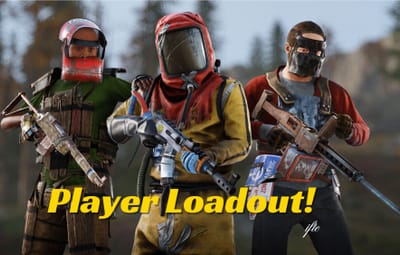
About Player Loadouts
The most convenient Loadout plugin for BattleField servers. Ability to set default loadout for the players and has options for VIP features as well.
.png.3c4c3ffe6af5035301ed975346081166.png)
- Easy to setup in few commands
- Save multiple default loadouts
- Blacklist item and skins in the config
- Whitelist item and skins for VIP features
.png.3a230fb085253abefcc79f3f6c532a02.png)
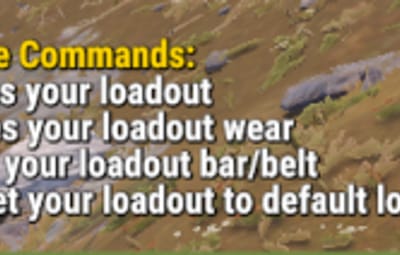
- /loadout - Shows all player commands
- /loadout save - Saves player full inventory, wear & belt
- /loadout bar - Saves player hotbar
- /loadout wear - Saves player wear or clothings
- /loadout reset - Resets player saved loadout & set the default loadout
ADMIN COMMANDS
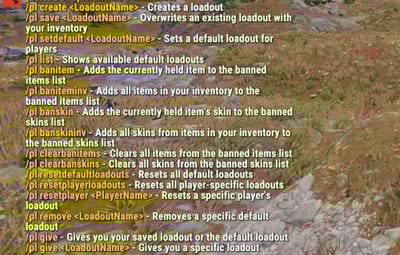
Quote/pl create <LoadoutName> - Creates a loadout copying your inventory /pl save <LoadoutName> - Overwrites an existing loadout with your inventory /pl setdefault <LoadoutName> - Sets a default loadout for players /pl list - Shows available default loadouts /pl banitem - Adds the currently held item to the banned items list /pl baniteminv - Adds all items in your inventory to the banned items list /pl banskin - Adds the currently held item's skin to the banned skins list /pl banskininv - Adds all skins from items in your inventory to the banned skins list /pl clearbanitems - Clears all items from the banned items list /pl clearbanskins - Clears all skins from the banned skins list /pl resetdefaultloadouts - Resets all default loadouts /pl resetplayerloadouts - Resets all player-specific loadouts /pl resetplayer <PlayerName> - Resets a specific player's loadout /pl remove <LoadoutName> - Removes a specific default loadout /pl give - Gives you your saved loadout or the default loadout /pl give <LoadoutName> - Gives you a specific loadout
.png.31e7a8fd725fe62b5b4ec5ede0f06107.png)
- PlayerLoadouts.admin - Required for /pl commands
- PlayerLoadouts.save - Required for save command
- PlayerLoadouts.bar - Required for bar command
- PlayerLoadouts.wear - Required for wear command
- PlayerLoadouts.reset - Required for reset command
.png.c10907ca3ef4bc3450da0979bfb991f1.png)
Quote{ "Default Loadout": "Default", "Black listed Items (ShortNames - https://www.corrosionhour.com/rust-item-list/)": [ "rock", "hammer", "rifle.ak" ], "Black listed Skin IDs": [ 69, 6969, 696969 ], "Whitelisted Items (Perms Based)": [ { "vip": [ "rifle.ak", "l96" ], "vip2": [ "rock", "hammer" ] } ], "Whitelisted Skins (Perms Based)": [ { "vip": [ 69, 6969 ], "vip2": [ 6969, 69 ] } ], "Chat Setting": { "Chat Avatar": 0, "Chat Prefix": "<color=#FFD700>[</color>LOADOUTS<color=#FFD700>]</color> " }, "Version": { "Major": 1, "Minor": 0, "Patch": 0 } }{ "PlayerHelp": "<color=#FFD700>Availale Commands:</color>\n<color=#FFD700>/loadout</color> save - Saves your loadout\n<color=#FFD700>/loadout</color> wear - Saves your loadout wear\n<color=#FFD700>/loadout</color> bar - Saves your loadout bar/belt\n<color=#FFD700>/loadout</color> reset - Reset your loadout to default loadout", "AdminHelp": "<color=#FFD700>Available Commands:</color>\n<color=#00FF00>/pl create <LoadoutName></color> - <color=#808080>Creates a loadout</color>\n<color=#00FF00>/pl save <LoadoutName></color> - <color=#808080>Overwrites an existing loadout with your inventory</color>\n<color=#00FF00>/pl setdefault <LoadoutName></color> - <color=#808080>Sets a default loadout for players</color>\n<color=#00FF00>/pl list</color> - <color=#808080>Shows available default loadouts</color>\n<color=#00FF00>/pl banitem</color> - <color=#808080>Adds the currently held item to the banned items list</color>\n<color=#00FF00>/pl baniteminv</color> - <color=#808080>Adds all items in your inventory to the banned items list</color>\n<color=#00FF00>/pl banskin</color> - <color=#808080>Adds the currently held item's skin to the banned skins list</color>\n<color=#00FF00>/pl banskininv</color> - <color=#808080>Adds all skins from items in your inventory to the banned skins list</color>\n<color=#00FF00>/pl clearbanitems</color> - <color=#808080>Clears all items from the banned items list</color>\n<color=#00FF00>/pl clearbanskins</color> - <color=#808080>Clears all skins from the banned skins list</color>\n<color=#00FF00>/pl resetdefaultloadouts</color> - <color=#808080>Resets all default loadouts</color>\n<color=#00FF00>/pl resetplayerloadouts</color> - <color=#808080>Resets all player-specific loadouts</color>\n<color=#00FF00>/pl resetplayer <PlayerName></color> - <color=#808080>Resets a specific player's loadout</color>\n<color=#00FF00>/pl remove <LoadoutName></color> - <color=#808080>Removes a specific default loadout</color>\n<color=#00FF00>/pl give</color> - <color=#808080>Gives you your saved loadout or the default loadout</color>\n<color=#00FF00>/pl give <LoadoutName></color> - <color=#808080>Gives you a specific loadout</color>", "NoPerm": "You don't have permission to use this command.", "Save": "Your loadout has been saved.", "Bar": "Your loadout bar has been saved.", "Wear": "Your loadout wear has been saved.", "Reset": "Your loadout has been removed.", "NoLoadout": "No loadout data found.", "ItemBlackListed": "<color=#DC143C>{0}</color> item is black listed & will not be saved on your loadout.", "SkinBlackListed": "<color=#DC143C>{0}</color> item skin is black listed & will not be saved on your loadout." }
.png.dc80559822031fc0c007eb8f50c28f5a.png)



.thumb.png.ef8419f11a36990e7df0310e715d0685.png)