Jump to content
Message added by Adem,

Important: Make a backup before updating!
If you’re updating from version 1.1.8 or earlier, you must create a backup of your config before updating.

Starting from version 1.1.9 and above, the plugin requires LootManager to function.
All your loot tables will be automatically transferred to LootManager, and a backup of your config will be created.
After confirming that the loot transfer was successful, you can safely delete the backup.
You don’t need to make any manual changes — everything will be done automatically on first launch.

20 Screenshots

  • 26.5k
  • 2.6k
  • 9.9 MB

This area is for discussion and questions. Please use the support area for reporting issues or getting help.

Recommended Comments


0g.Ghost.7373

Posted

Anyway we can get a "Kill trees in the spawn position of locations? [true/false]" for this?

The pyramid and a few others always seem to have a tree blocking part of the building inside.


Lumin

Posted

So i have already been on contact with the owner of SimplePVE hes saying the following is to do with zone mamager but i do not have any zone mananger on my server nor is it turned on inside the plugin

"Failed to call hook 'OnItemPickup' on plugin 'SimplePVE v1.2.12' (NullReferenceException: Object reference not set to an instance of an object)
  at Oxide.Plugins.SimplePVE.PlayersIsInZone (BasePlayer player) [0x00000] in <96689afd1e7e46baa129a906612c2eb8>:0 
  at Oxide.Plugins.SimplePVE.OnItemPickup (Item item, BasePlayer player) [0x000d4] in <96689afd1e7e46baa129a906612c2eb8>:0 
  at Oxide.Plugins.SimplePVE.DirectCallHook (System.String name, System.Object& ret, System.Object[] args) [0x02f8e] in <96689afd1e7e46baa129a906612c2eb8>:0 
  at Oxide.Plugins.CSharpPlugin.InvokeMethod (Oxide.Core.Plugins.HookMethod method, System.Object[] args) [0x00079] in <42f9bedc659b4f4786eb778d3cd58968>:0 
  at Oxide.Core.Plugins.CSPlugin.OnCallHook (System.String name, System.Object[] args) [0x000de] in <112d89ea5d3348c8b949af0ab1a866d2>:0 
  at Oxide.Core.Plugins.Plugin.CallHook (System.String hook, System.Object[] args) [0x00060] in <112d89ea5d3348c8b949af0ab1a866d2>:0 "

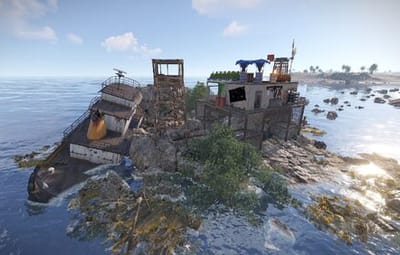
But this error occurs when a player picks up a backpack from "The Broken Giant" ie; cargo

nestormla

Posted

How could i remove boxes (loot crate) from the monument?

0g.Ghost.7373

Posted

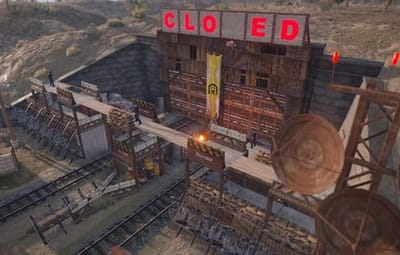
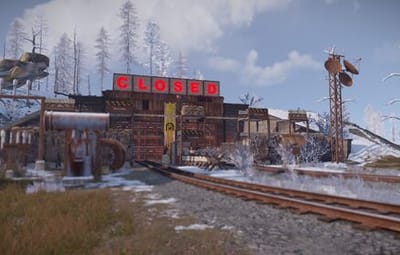
Anyone else not having the OPEN and CLOSE signs not working on the Depot Gates since the update/Force Wipe?

Adem

Posted

On 12/1/2025 at 3:19 AM, nestormla said:

How could i remove boxes (loot crate) from the monument?

image.png.9cad2eab46a191bf0a27296c89be83bd.png

Lumin

Posted

I forgot but where do you go to edit the NPC hit damage and aimcone after a few complaints i decided to go over to rusted dam and got absolutely Snapped and then folded by the guards

  • Haha 1
arno1986

Posted

Any chance of making a heli towers addon that would be great and save me time in rust edit.


athlonclub

Posted

ExType: UnauthorizedAccessException
Failed to call hook 'OnServerInitialized' on plugin 'DynamicMonuments v1.2.3' (IOException: Permission denied)
Loaded plugin DynamicMonuments v1.2.3 by Adem

badger

Posted

I get this error when I load the plugin....
Failed to call hook 'OnServerInitialized' on plugin 'DynamicMonuments v1.2.5' (UnauthorizedAccessException: Access to the path "/home/container/oxide/data/DynamicMonuments/junglePack.json" is denied.)
  at System.IO.FileStream..ctor (System.String path, System.IO.FileMode mode, System.IO.FileAccess access, System.IO.FileShare share, System.Int32 bufferSize, System.Boolean anonymous, System.IO.FileOptions options) [0x0019e] in <f98723dd4586469db5213ec59da723ca>:0 
  at System.IO.FileStream..ctor (System.String path, System.IO.FileMode mode, System.IO.FileAccess access, System.IO.FileShare share, System.Int32 bufferSize, System.IO.FileOptions options) [0x00000] in <f98723dd4586469db5213ec59da723ca>:0 
  at (wrapper remoting-invoke-with-check) System.IO.FileStream..ctor(string,System.IO.FileMode,System.IO.FileAccess,System.IO.FileShare,int,System.IO.FileOptions)
  at System.IO.StreamWriter..ctor (System.String path, System.Boolean append, System.Text.Encoding encoding, System.Int32 bufferSize) [0x00055] in <f98723dd4586469db5213ec59da723ca>:0 
  at System.IO.StreamWriter..ctor (System.String path) [0x00008] in <f98723dd4586469db5213ec59da723ca>:0 
  at (wrapper remoting-invoke-with-check) System.IO.StreamWriter..ctor(string)
  at System.IO.File.WriteAllText (System.String path, System.String contents) [0x00026] in <f98723dd4586469db5213ec59da723ca>:0 
  at Oxide.Core.Configuration.DynamicConfigFile.WriteObject[T] (T config, System.Boolean sync, System.String filename) [0x0003f] in <112d89ea5d3348c8b949af0ab1a866d2>:0 
  at Oxide.Core.DataFileSystem.WriteObject[T] (System.String name, T Object, System.Boolean sync) [0x00007] in <112d89ea5d3348c8b949af0ab1a866d2>:0 
  at Oxide.Core.DataFileSystem.ReadObject[T] (System.String name) [0x0002d] in <112d89ea5d3348c8b949af0ab1a866d2>:0 
  at Oxide.Plugins.DynamicMonuments.LoadDataFile[TYpe] (System.String path) [0x00020] in <339af5d4d89d468398e9b078a4b3dbb8>:0 
  at Oxide.Plugins.DynamicMonuments.TryLoadData () [0x00016] in <339af5d4d89d468398e9b078a4b3dbb8>:0 
  at Oxide.Plugins.DynamicMonuments.OnServerInitialized () [0x00021] in <339af5d4d89d468398e9b078a4b3dbb8>:0 
  at Oxide.Plugins.DynamicMonuments.DirectCallHook (System.String name, System.Object& ret, System.Object[] args) [0x0011e] in <339af5d4d89d468398e9b078a4b3dbb8>:0 
  at Oxide.Plugins.CSharpPlugin.InvokeMethod (Oxide.Core.Plugins.HookMethod method, System.Object[] args) [0x00079] in <42f9bedc659b4f4786eb778d3cd58968>:0 
  at Oxide.Core.Plugins.CSPlugin.OnCallHook (System.String name, System.Object[] args) [0x000de] in <112d89ea5d3348c8b949af0ab1a866d2>:0 
  at Oxide.Core.Plugins.Plugin.CallHook (System.String hook, System.Object[] args) [0x00060] in <112d89ea5d3348c8b949af0ab1a866d2>:0 
Loaded plugin DynamicMonuments v1.2.5 by Adem
I cannot find the file named junglePack.json 

Kapco411

Posted

4 hours ago, badger said:

I get this error when I load the plugin....
Failed to call hook 'OnServerInitialized' on plugin 'DynamicMonuments v1.2.5' (UnauthorizedAccessException: Access to the path "/home/container/oxide/data/DynamicMonuments/junglePack.json" is denied.)
  at System.IO.FileStream..ctor (System.String path, System.IO.FileMode mode, System.IO.FileAccess access, System.IO.FileShare share, System.Int32 bufferSize, System.Boolean anonymous, System.IO.FileOptions options) [0x0019e] in <f98723dd4586469db5213ec59da723ca>:0 
  at System.IO.FileStream..ctor (System.String path, System.IO.FileMode mode, System.IO.FileAccess access, System.IO.FileShare share, System.Int32 bufferSize, System.IO.FileOptions options) [0x00000] in <f98723dd4586469db5213ec59da723ca>:0 
  at (wrapper remoting-invoke-with-check) System.IO.FileStream..ctor(string,System.IO.FileMode,System.IO.FileAccess,System.IO.FileShare,int,System.IO.FileOptions)
  at System.IO.StreamWriter..ctor (System.String path, System.Boolean append, System.Text.Encoding encoding, System.Int32 bufferSize) [0x00055] in <f98723dd4586469db5213ec59da723ca>:0 
  at System.IO.StreamWriter..ctor (System.String path) [0x00008] in <f98723dd4586469db5213ec59da723ca>:0 
  at (wrapper remoting-invoke-with-check) System.IO.StreamWriter..ctor(string)
  at System.IO.File.WriteAllText (System.String path, System.String contents) [0x00026] in <f98723dd4586469db5213ec59da723ca>:0 
  at Oxide.Core.Configuration.DynamicConfigFile.WriteObject[T] (T config, System.Boolean sync, System.String filename) [0x0003f] in <112d89ea5d3348c8b949af0ab1a866d2>:0 
  at Oxide.Core.DataFileSystem.WriteObject[T] (System.String name, T Object, System.Boolean sync) [0x00007] in <112d89ea5d3348c8b949af0ab1a866d2>:0 
  at Oxide.Core.DataFileSystem.ReadObject[T] (System.String name) [0x0002d] in <112d89ea5d3348c8b949af0ab1a866d2>:0 
  at Oxide.Plugins.DynamicMonuments.LoadDataFile[TYpe] (System.String path) [0x00020] in <339af5d4d89d468398e9b078a4b3dbb8>:0 
  at Oxide.Plugins.DynamicMonuments.TryLoadData () [0x00016] in <339af5d4d89d468398e9b078a4b3dbb8>:0 
  at Oxide.Plugins.DynamicMonuments.OnServerInitialized () [0x00021] in <339af5d4d89d468398e9b078a4b3dbb8>:0 
  at Oxide.Plugins.DynamicMonuments.DirectCallHook (System.String name, System.Object& ret, System.Object[] args) [0x0011e] in <339af5d4d89d468398e9b078a4b3dbb8>:0 
  at Oxide.Plugins.CSharpPlugin.InvokeMethod (Oxide.Core.Plugins.HookMethod method, System.Object[] args) [0x00079] in <42f9bedc659b4f4786eb778d3cd58968>:0 
  at Oxide.Core.Plugins.CSPlugin.OnCallHook (System.String name, System.Object[] args) [0x000de] in <112d89ea5d3348c8b949af0ab1a866d2>:0 
  at Oxide.Core.Plugins.Plugin.CallHook (System.String hook, System.Object[] args) [0x00060] in <112d89ea5d3348c8b949af0ab1a866d2>:0 
Loaded plugin DynamicMonuments v1.2.5 by Adem
I cannot find the file named junglePack.json 

It is located here 


badger

Posted

Failed to call hook 'OnServerInitialized' on plugin 'DynamicMonuments v1.2.5' (UnauthorizedAccessException: Access to the path "/home/container/oxide/data/LootManager/LootTables/dm_npc_rustedGates_1.json" is denied.)
I changed my DynamicMonuments.json to one that was uploaded here and it got rid of the old error from my last post but now I get this new error when I load the plugin.
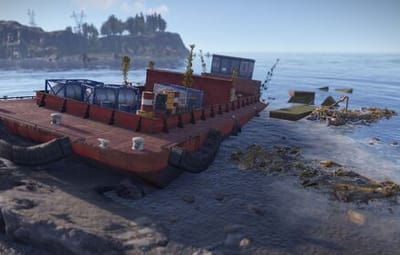
Also I have all the monument .json files in the correct path everything were it should be but when I try to spawn a monument it says "Configuration not Found! (strandedBarge)" It does this for all of the monuments I try to spawn. I see the file in the correct path! home/container/oxide/data/DynamicMonuments
Do I have them in the wrong spot?
I have lootmanager installed and all the files uploaded in the correct paths for both DynamicMonuments and LootManager both most recent updated versions.
Not sure what to do here.

badger

Posted

Found the issue all of the monument json files have commas were they shouldn't be, Using a json validator and removing the commas, then re-did everything and its working now. If anyone else has the issue of "Configuration Not Found" when trying to spawn a monument. Check the oxide/data/DynamicMonuments/  The json files that go in there all of them had comma errors for me. Use a Json validator to find the error and remove the commas and it should work. 

Create an account or sign in to comment

You need to be a member in order to leave a comment

Create an account

Sign up for a new account in our community. It's easy!

Register a new account

Sign in

Already have an account? Sign in here.

Sign In Now
  • Like 6
  • Confused 2
  • Love 3

User Feedback

2.1m

Downloads

Total number of downloads.

9.9k

Customers

Total customers served.

143.7k

Files Sold

Total number of files sold.

3m

Payments Processed

Total payments processed.

×
×
  • Create New...

Important Information

We have placed cookies on your device to help make this website better. You can adjust your cookie settings, otherwise we'll assume you're okay to continue.