
MARKUS's Wishlist
-

$4.99
Skull Trophy
Useful multifunctional plugin related to trophy harvesting.
The ability to automatically add a player's skull to their inventory without the need to harvest it; The ability to replace a player's skull upon harvesting; The ability to set the chance of harvesting a player's heart; The ability to harvest head bags without a special knife; The ability to customize head bags by type and separately for players; The ability to set icons for head bags; The ability to customize the name of head bags by type; The ability to add custom head bags for entities that don't have them by default; The ability to prevent harvesting one's own head bag if the corresponding permission is present.
skulltrophy.vip - Allows players to save their clothing or copy someone else's saved clothing for display on a hunting trophy. skulltrophy.ignore - A player with this permission is protected from custom drop of skull and heart. skulltrophy.admin - Grants the same privileges as skulltrophy.vip. Additionally, it allows saving, modifying, and resetting saves for anyone, including by types.
{ "Chat command": "strophy", "Is it worth enabling GameTips for messages?": true, "List of language keys for creating language files": [ "en" ], "Is it worth ignoring Facepunch's rules regarding skins and DLCs?": false, "Is it worth creating a player's skull in their inventory upon suicide?": false, "Is it worth creating skulls for NPCs(Disabled, EnabledForAll, EnabledForSkinnedOnly)?": "EnabledForSkinnedOnly", "List of NPC skinIDs for skull creation": [ 14922524, 8675309 ], "Is it worth allowing the Head Bag to be harvested without a special knife?": true, "Text format when harvesting the Head Bag": "<color=#FFFFFF>{0}</color>", "List of skin IDs for Head Bag icons": { "Chicken": 3075281761, "Snake": 3470214843, "Boar": 3074393967, "Stag": 3074394545, "Horse": 3074392217, "Wolf": 3074393525, "Panther": 3470215653, "Tiger": 3470216364, "Bear": 3074392575, "Polarbear": 3470216633, "Crocodile": 3470217480, "SimpleShark": 3252067977, "BasePlayer": 3074297551, "ScientistNPC": 3075282198, "ScientistNPC2": 3676211119, "UnderwaterDweller": 3075283082, "TunnelDweller": 3075283387, "BanditGuard": 3075283702, "ScientistHeavy": 3075283936, "ScientistPeacekeeper": 3075284145, "ScientistNVG": 3075284355, "ScientistOutbreak": 3470232890, "NPCShopKeeper": 3534310675, "ScarecrowNPC": 3075284618, "GingerbreadNPC": 3075284816 }, "List of displayed names by type for the Head Bag": { "Chicken": "Chicken", "Snake": "Snake", "Boar": "Boar", "Stag": "Stag", "Horse": "Horse", "Wolf": "Wolf", "Panther": "Panther", "Tiger": "Tiger", "Bear": "Bear", "Polarbear": "Polar Bear", "Crocodile": "Crocodile", "SimpleShark": "Shark", "ScientistNPC": "Scientist", "UnderwaterDweller": "Underwater Dweller", "TunnelDweller": "Tunnel Dweller", "BanditGuard": "Bandit Guard", "ScientistHeavy": "Scientist Heavy", "ScientistPeacekeeper": "Peacekeeper", "ScientistNVG": "Scientist NVG", "ScientistOutbreak": "Scientist Outbreak", "NPCShopKeeper": "Shop Keeper", "ScarecrowNPC": "Scarecrow", "GingerbreadNPC": "Gingerbread" }, "Chance of harvesting the Heart(0-100)": 50, "Shortname of the source item for the Heart": "chicken.cooked", "Skin ID of the icon for the Heart": 3075285011, "Name of the effect when eating the Heart. An empty string disables the effect": "assets/prefabs/misc/xmas/snowball/effects/strike_screenshake.prefab", "Temperature applied when eating the Heart. A negative value adds cold, a positive value adds heat": 30.0, "Text format when harvesting the Heart": "<color=#FFFFFF>{0}</color>", "Is it worth replacing the Skull(vanilla) when it's harvested?": true, "The shortname of the item that replaces the Skull when it's harvested. An empty string removes the item": "skull.trophy", "Text format when harvesting Trophies": "<color=#FFFFFF>{0}</color>", "List of random shortname Trophies upon harvesting": [ "trophy", "skull.trophy", "skull.trophy.table", "skull.trophy.jar", "skull.trophy.jar2", "huntingtrophylarge", "huntingtrophysmall", "fishtrophy" ], "Version": { "Major": 0, "Minor": 1, "Patch": 10 } }
EN: { "CmdMainAdmin": "Available admin commands:\n\n<color=#D1CBCB>/strophy</color> <color=#D1AB9A>clear</color> <color=#D1CBCB>all/types/players/*nameOrId*</color>(optional) - Clear saved data for the hunting trophy\n<color=#D1CBCB>/strophy</color> <color=#D1AB9A>save</color> <color=#D1CBCB>*type*/*nameOrId*</color>(optional) - Save outfit for the hunting trophy\n<color=#D1CBCB>/strophy</color> <color=#D1AB9A>copy</color> <color=#D1CBCB>*nameOrId*</color> - Copy outfit for the hunting trophy from the specified player\n<color=#D1CBCB>/strophy</color> <color=#D1AB9A>add</color> <color=#D1CBCB>*type*</color> - Add an entity type for the hunting trophy\n<color=#D1CBCB>/strophy</color> <color=#D1AB9A>remove</color> <color=#D1CBCB>*type*</color> - Remove an entity type from the hunting trophy\n\n--------------------------------------------------", "CmdMain": "Available commands:\n\n<color=#D1CBCB>/strophy</color> <color=#D1AB9A>clear</color> - Clear saved data for the hunting trophy\n<color=#D1CBCB>/strophy</color> <color=#D1AB9A>save</color> - Save outfit for the hunting trophy\n<color=#D1CBCB>/strophy</color> <color=#D1AB9A>copy</color> <color=#D1CBCB>*nameOrId*</color> - Copy outfit for the hunting trophy from the specified player\n\n--------------------------------------------------", "CmdNotAllowed": "You do not have permissions to use this command!", "CmdPlayerNotFound": "Player '{0}' not found! You must provide the player's name or ID.", "CmdMultiplePlayers": "Multiple players found for '{0}': {1}", "CmdClearAll": "The saved clothing of all players and NPCs has been reset!", "CmdClearAllTypes": "The saved clothing by types has been reset!", "CmdClearAllPlayers": "The saved clothing of all players has been reset!", "CmdClearPlayer": "{0}'s saved clothing has been reset!", "CmdClearMyself": "Your saved clothing has been reset!", "CmdWearSavedForType": "Clothing for type '{0}' has been saved!", "CmdWearSavedFor": "Clothing for player '{0}' has been saved!", "CmdWearSaved": "Your clothing has been saved!", "CmdWearCopied": "{0}'s clothing has been successfully copied!", "CmdPlayerNoSavedWear": "The player did not save their clothing!", "CmdTypeAdded": "A new type of '{0}' has been created! It used your clothing.", "CmdTypeRemoved": "Type '{0}' has been successfully deleted!" } RU: { "CmdMainAdmin": "Доступные админ команды:\n\n<color=#D1CBCB>/strophy</color> <color=#D1AB9A>clear</color> <color=#D1CBCB>all/types/players/*имяИлиАйди*</color>(опционально) - Очистка сохранённых данных для трофейного панно\n<color=#D1CBCB>/strophy</color> <color=#D1AB9A>save</color> <color=#D1CBCB>*тип*/*имяИлиАйди*</color>(опционально) - Сохранение одежды для трофейного панно\n<color=#D1CBCB>/strophy</color> <color=#D1AB9A>copy</color> <color=#D1CBCB>*имяИлиАйди*</color> - Копирование одежды для трофейного панно с указанного игрока\n<color=#D1CBCB>/strophy</color> <color=#D1AB9A>add</color> <color=#D1CBCB>*тип*</color> - Добавить тип сущности для трофейного панно\n<color=#D1CBCB>/strophy</color> <color=#D1AB9A>remove</color> <color=#D1CBCB>*тип*</color> - Удалить тип сущности для трофейного панно\n\n--------------------------------------------------", "CmdMain": "Доступные команды:\n\n<color=#D1CBCB>/strophy</color> <color=#D1AB9A>clear</color> - Очистка сохранённых данных для трофейного панно\n<color=#D1CBCB>/strophy</color> <color=#D1AB9A>save</color> - Сохранение одежды для трофейного панно\n<color=#D1CBCB>/strophy</color> <color=#D1AB9A>copy</color> <color=#D1CBCB>*имяИлиАйди*</color> - Копирование одежды для трофейного панно с указанного игрока\n\n--------------------------------------------------", "CmdNotAllowed": "У вас недостаточно прав для использования этой команды!", "CmdPlayerNotFound": "Игрок '{0}' не найден! Вы должны указать имя или ID игрока.", "CmdMultiplePlayers": "По значению '{0}' найдено несколько игроков: {1}", "CmdClearAll": "Сохраненная одежда всех игроков и NPC была обнулена!", "CmdClearAllTypes": "Сохраненная одежда по типам была обнулена!", "CmdClearAllPlayers": "Сохраненная одежда всех игроков была обнулена!", "CmdClearPlayer": "Сохраненная одежда игрока '{0}' была обнулена!", "CmdClearMyself": "Ваша сохраненная одежда была обнулена!", "CmdWearSavedForType": "Одежда для типа '{0}' была сохранена!", "CmdWearSavedFor": "Одежда для игрока '{0}' была сохранена!", "CmdWearSaved": "Ваша одежда была сохранена!", "CmdWearCopied": "Одежда игрока '{0}' была успешно скопирована!", "CmdPlayerNoSavedWear": "Игрок не сохранял свою одежду!", "CmdTypeAdded": "Новый тип '{0}' был создан! Использовалась ваша одежда.", "CmdTypeRemoved": "Тип '{0}' был успешно удален!" }
Admin commands:
clear all/types/players/*nameOrId*(optional) - Clear saved data for the hunting trophy; save *type*/*nameOrId*(optional) - Save outfit for the hunting trophy; copy *nameOrId* - Copy outfit for the hunting trophy from the specified player; add *type* - Add an entity type for the hunting trophy; remove *type* - Remove an entity type from the hunting trophy. Players commands:
clear - Clear saved data for the hunting trophy; save - Save outfit for the hunting trophy; copy *nameOrId* - Copy outfit for the hunting trophy from the specified player. Example:
/strophy clear all /strophy copy iiiaka
-
$8.99
Oxide Cleaner | Keep your system clean
## 🧩 Description
Finds **orphaned files** in `oxide/config/`, `oxide/data/`, and `oxide/lang/` based on the installed/loaded plugins and provides a sleek **in-game CUI** for selecting and deleting them.
## ⚙️ Features
- **Matching logic (plugin detection)**
- Reads plugin base names from `oxide/plugins` (`*.cs`) **and** from the oxide runtime (loaded plugins).
- Base names `Admin` and `CorePlugin` are always treated as present.
- **Scan areas**
- **config:** Top-level `*.json` **and** top-level folders whose **base name** does not correspond to a plugin.
- **data:** Top-level files (except `*.data`/`*.db`) **and** top-level folders without a plugin match.
- **lang:** `lang/<LOCALE>/*.json` whose base name does not correspond to a plugin.
- **UI (CUI)**
- Three columns: **CONFIG**, **DATA**, **LANG** with count, file size, and checkboxes.
- **Select All** for CONFIG/DATA, **language sections can be expanded/collapsed** for LANG.
- Delete button shows number of selections; after deletion, automatic rescan.
- **Secure deletion**
- Deletes only within the `oxide/` root (path is validated).
- Supports files **and** folders (recursively).
- **Backup**
- You have the option to decide whether you want to back up individual files..
> **Note:** `*.data` and `*.db` in the **data** root are **not** listed as orphaned (are skipped). This protects runtime databases.
---
## 💬 Commands
### In-Game (Chat)
- `/oxidecleaner` — Opens the UI (requires permission).
### Server console
- `oxidecleaner.scan` — Shows number/size of hits.
- `oxidecleaner.delete “<relativePath>|<relativePath>|...”`
Example:
`oxidecleaner.delete “config/Old.json|data/OldFolder|lang/en/Old.json”`
Deletes the specified relative paths under `oxide/`.
---
## 🔐 Permissions
- `oxidecleaner.admin` — required for all functions (chat/UI).
---
# load, run, enjoy 💖
-

$24.99$19.99Builders Island Custom Map 4500K
By SlayersRust in Maps
🏝️BUILDERS ISLAND – 4500K CREATIVE RUST MAP
Builders Island is a fun to explore, builder-friendly 4500k Rust map loaded with every major monument and a ton of custom build spots. Designed for smooth performance, creative freedom, and competitive gameplay.
⭐What Makes It Special
Fully connected train tracks + underground rails for fast travel and tactical control
Endless Custom Buildable areas that players will love!
Diverse terrain: forests, deserts, coasts, cliffs, valleys & plateaus
Perfect for solos, clans, builders, and high-pop servers.
🏗️Dozens of Custom Build Zones marked with an "X" on the Map
Low-prefab, FPS-friendly buildables:
Custom caves
Underwater Locations to build a base
Hidden structures
Unique build pockets
All Facepunch Monuments Included
Launch Site • Military Tunnels • Military Base • Silo • Airfield • Power Plant • Water Treatment • Trainyard • Harbors • Outpost • Excavator • Oil Rigs • Arctic Base • Junkyard • Sphere Tank • Satellite Dish • Ferry Terminal • Sewer Branch — and more.
🗺️Map Info
Size: 4500k
Prefabs: ~10,681
🆘Support
Discord: DarkoRust
- #custom map
- #build zone
- (and 14 more)
-
$4.99
Reputation Master
Adds a reputation system, similar to the well-known Infestation Survivor Stories(The WarZ).
More information on how the plugin works can be found at the bottom in the "Principle of work" section.
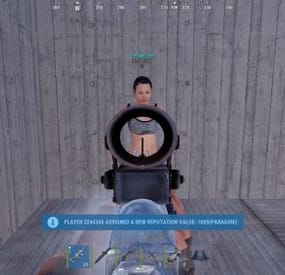
The ability to create an unlimited number of reputations. The only condition is that their value ranges must not overlap; The ability to flexibly customize the bar for each reputation; The ability to automatically reset reputations upon detecting a wipe; The ability to set a prefix for reputations; The ability to show your reputation by waving to players; The ability to see a player's reputation when aiming at them with scope items. Unfortunately, the reputation will also be displayed if a player is in certain bushes; The ability to see the reputation of all players in the bandit zone; The ability to prohibit players with a certain reputation from entering safe zones (except for the bandit zone). Also, notifying players about it; The ability to set fake reputations to confuse players.
reputationmaster.vip - Provides the ability to set a fake rank value. reputationmaster.admin - Provides the ability to set or reset reputation value to other players.
{ "Chat command": "rep", "Is it worth enabling GameTips for messages?": true, "Is it worth using the AdvancedStatus plugin?": true, "List of language keys for creating language files": [ "en" ], "Is it worth using ddraw to display reputation? NOTE: To use, an administrator flag is required, which is granted before rendering and revoked immediately after issuing the command": true, "Is it worth displaying reputation when aiming at a player with a scope(ddraw should be enabled)? NOTE: The player's reputation may be displayed in certain bushes": true, "Is it worth resetting reputations upon detecting a wipe?": true, "Is it worth forbidding bandits from visiting safe zones(except for Banditcamp)?": true, "The time in seconds during which a bandit can stay in the safe zone(except for Banditcamp) before being killed, making their loot available to everyone": 10.0, "The prefab name for the effect when a bandit is killed in the safe zone. An empty string disables the effect": "assets/prefabs/misc/xmas/advent_calendar/effects/open_advent.prefab", "Assigning reputation for NPCs(Disabled, ForVanilla, ForAll)": "ForAll", "Minimum random reputation value for NPCs": -1000.0, "Maximum random reputation value for NPCs": 1000.0, "Is it worth enabling self-defense for NPCs?": false, "The time in seconds during which self-defense will be active for a lawman after being attacked by another lawman": 900, "The minimum value limit for fake reputation": -10000.0, "The maximum value limit for fake reputation": 10000.0, "UI. Position - Left to Right": true, "UI. Position - AnchorMin": "1 0.9", "UI. Position - AnchorMax": "1 0.9", "UI. Position - OffsetMin": "-208 -15", "UI. Position - OffsetMax": "-16 15", "UI. Reputation Positive Value Image - URL": "https://gitlab.com/IIIaKa/images/-/raw/main/ReputationMaster/ReputationMaster_Positive.png", "UI. Reputation Negative Value Image - URL": "https://gitlab.com/IIIaKa/images/-/raw/main/ReputationMaster/ReputationMaster_Negative.png", "UI. Added Value Sound - Prefab Name. An empty string disables the effect": "assets/bundled/prefabs/fx/notice/item.select.fx.prefab", "Wipe ID": null, "Version": { "Major": 0, "Minor": 1, "Patch": 6 } } Note:
To use ddraw, an administrator flag is required, which is granted before rendering and revoked immediately after issuing the command. The player's reputation may be displayed in certain bushes.
[ { "Name": "Assassin", "Prefix": "⁎✧⁎ ", "MinValue": -3.40282347E+38, "MaxValue": -1000.0, "Reward": 20.0, "LawmanPenalty": 0.0, "AllowSafeZone": false, "BarSettings": { "Text_Transparency": 1.0, "SubText_Transparency": 1.0, "Order": 20, "Height": 26, "Main_Color(Hex or RGBA)": "#FF341E", "Main_Transparency": 0.6, "Main_Material": "", "Image_Url": "https://gitlab.com/IIIaKa/images/-/raw/main/ReputationMaster/ReputationMaster_Assassin.png", "Image_Local(Leave empty to use Image_Url)": "ReputationMaster_Assassin", "Image_Sprite(Leave empty to use Image_Local or Image_Url)": "", "Image_IsRawImage": false, "Image_Color(Hex or RGBA)": "#FF341E", "Image_Transparency": 1.0, "Image_Outline_Color(Hex or RGBA)": "0.1 0.3 0.8 0.9", "Image_Outline_Transparency": 0.0, "Image_Outline_Distance(Leave empty to disable). Example '0.75 0.75'": null, "Text_Size": 14, "Text_Color(Hex or RGBA)": "#FF341E", "Text_Font(https://umod.org/guides/rust/basic-concepts-of-gui#fonts)": "RobotoCondensed-Bold.ttf", "Text_Offset_Horizontal": 0, "Text_Outline_Color(Hex or RGBA)": "#000000", "Text_Outline_Transparency": 1.0, "Text_Outline_Distance(Leave empty to disable)": null, "SubText_Size": 12, "SubText_Color(Hex or RGBA)": "#FF341E", "SubText_Font": "RobotoCondensed-Bold.ttf", "SubText_Outline_Color(Hex or RGBA)": "0.5 0.6 0.7 0.5", "SubText_Outline_Transparency": 0.0, "SubText_Outline_Distance(Leave empty to disable)": null } }, ... { "Name": "Civilian", "Prefix": "", "MinValue": -4.99, "MaxValue": 9.99, "Reward": 1.0, "LawmanPenalty": -1.0, "AllowSafeZone": true, "BarSettings": { "Text_Transparency": 1.0, "SubText_Transparency": 1.0, "Order": 20, "Height": 26, "Main_Color(Hex or RGBA)": "#5EC0CA", "Main_Transparency": 0.6, "Main_Material": "", "Image_Url": "https://gitlab.com/IIIaKa/images/-/raw/main/ReputationMaster/ReputationMaster_Civilian.png", "Image_Local(Leave empty to use Image_Url)": "ReputationMaster_Civilian", "Image_Sprite(Leave empty to use Image_Local or Image_Url)": "", "Image_IsRawImage": false, "Image_Color(Hex or RGBA)": "#5EC0CA", "Image_Transparency": 1.0, "Image_Outline_Color(Hex or RGBA)": "0.1 0.3 0.8 0.9", "Image_Outline_Transparency": 0.0, "Image_Outline_Distance(Leave empty to disable). Example '0.75 0.75'": null, "Text_Size": 14, "Text_Color(Hex or RGBA)": "#5EC0CA", "Text_Font(https://umod.org/guides/rust/basic-concepts-of-gui#fonts)": "RobotoCondensed-Bold.ttf", "Text_Offset_Horizontal": 0, "Text_Outline_Color(Hex or RGBA)": "#000000", "Text_Outline_Transparency": 1.0, "Text_Outline_Distance(Leave empty to disable)": null, "SubText_Size": 12, "SubText_Color(Hex or RGBA)": "#5EC0CA", "SubText_Font": "RobotoCondensed-Bold.ttf", "SubText_Outline_Color(Hex or RGBA)": "0.5 0.6 0.7 0.5", "SubText_Outline_Transparency": 0.0, "SubText_Outline_Distance(Leave empty to disable)": null } }, ... { "Name": "Paragon", "Prefix": "⋆☆⋆ ", "MinValue": 1000.0, "MaxValue": 3.40282347E+38, "Reward": 20.0, "LawmanPenalty": -125.0, "AllowSafeZone": true, "BarSettings": { "Text_Transparency": 1.0, "SubText_Transparency": 1.0, "Order": 20, "Height": 26, "Main_Color(Hex or RGBA)": "#0AFBFB", "Main_Transparency": 0.6, "Main_Material": "", "Image_Url": "https://gitlab.com/IIIaKa/images/-/raw/main/ReputationMaster/ReputationMaster_Paragon.png", "Image_Local(Leave empty to use Image_Url)": "ReputationMaster_Paragon", "Image_Sprite(Leave empty to use Image_Local or Image_Url)": "", "Image_IsRawImage": false, "Image_Color(Hex or RGBA)": "#0AFBFB", "Image_Transparency": 1.0, "Image_Outline_Color(Hex or RGBA)": "0.1 0.3 0.8 0.9", "Image_Outline_Transparency": 0.0, "Image_Outline_Distance(Leave empty to disable). Example '0.75 0.75'": null, "Text_Size": 14, "Text_Color(Hex or RGBA)": "#0AFBFB", "Text_Font(https://umod.org/guides/rust/basic-concepts-of-gui#fonts)": "RobotoCondensed-Bold.ttf", "Text_Offset_Horizontal": 0, "Text_Outline_Color(Hex or RGBA)": "#000000", "Text_Outline_Transparency": 1.0, "Text_Outline_Distance(Leave empty to disable)": null, "SubText_Size": 12, "SubText_Color(Hex or RGBA)": "#0AFBFB", "SubText_Font": "RobotoCondensed-Bold.ttf", "SubText_Outline_Color(Hex or RGBA)": "0.5 0.6 0.7 0.5", "SubText_Outline_Transparency": 0.0, "SubText_Outline_Distance(Leave empty to disable)": null } } ] MinRange, MaxRange - Range of values for the group rank; Name - Name of the rank; Reward - Reward for killing or reviving(divided by 2) a player in this rank. If the initiating player has IsLawman = true, the value will be positive, otherwise, it will be negative; LawmanPenalty - Penalty for a peaceful player of this rank, for killing another peaceful player. If the target did not initiate this pvp first; AllowSafeZone - Is this rank allowed to visit Safe Zones (except Bandit Camp)? The "Forbid bandits from visiting the SafeZone (except for Banditcamp)" config should be set to true. Path: *SERVER*\oxide\data\ReputationMaster\ReputationRanks.json
EN: { "CmdNotAllowed": "You do not have permissions to use this command!", "CmdPlayerNotFound": "Player '{0}' not found! You must provide the player's name or Id.", "CmdNpcNotFound": "Npc '{0}' not found or has an invalid entity type! You must provide the npc's network Id.", "CmdEntityNotFound": "Entity not found! Try getting closer to the entity.", "CmdMultiplePlayers": "Multiple players found: {0}", "CmdAdmin": "Available admin commands:\n\n<color=#D1CBCB>/rep</color> <color=#D1AB9A>netId</color> - Get the netId of the entity you are looking at.\n<color=#D1CBCB>/rep</color> <color=#D1AB9A>set *floatValue* *nameOrId*</color> - Set reputation for the specified player.\n<color=#D1CBCB>/rep</color> <color=#D1AB9A>set *floatValue* self</color> - Set reputation for yourself.\n<color=#D1CBCB>/rep</color> <color=#D1AB9A>set *floatValue* npc *netId* force(optional)</color> - Set reputation for the specified npc. The last argument controls forced assignment.\n<color=#D1CBCB>/rep</color> <color=#D1AB9A>fake *floatValue* *nameOrId*</color> - Set fake reputation for the specified player.\n<color=#D1CBCB>/rep</color> <color=#D1AB9A>fake *floatValue* self</color> - Set fake reputation for yourself.\n<color=#D1CBCB>/rep</color> <color=#D1AB9A>fake *floatValue* npc *netId* force(optional)</color> - Set fake reputation for the specified npc. The last argument controls forced assignment.\n<color=#D1CBCB>/rep</color> <color=#D1AB9A>info *nameOrId*</color> - Show full reputation information for the specified player.\n<color=#D1CBCB>/rep</color> <color=#D1AB9A>info self</color> - Show full reputation information for yourself.\n<color=#D1CBCB>/rep</color> <color=#D1AB9A>reset *nameOrId*</color> - Reset reputation for the specified player.\n<color=#D1CBCB>/rep</color> <color=#D1AB9A>reset self</color> - Reset your reputation.\n<color=#D1CBCB>/rep</color> <color=#D1AB9A>reset all</color> - Reset reputation for all players.\n\n--------------------------------------------------", "CmdMain": "Available commands:\n\n<color=#D1CBCB>/rep</color> <color=#D1AB9A>fake *floatValue*</color> - Set fake reputation for yourself.\n\n--------------------------------------------------", "CmdSetNpcFailed": "Failed to set reputation for npc '{0}'! Try adding the 'force' argument for forced assignment.", "CmdSetNpc": "Npc '{0}' has received a new reputation value: {1}({2})!", "CmdSetPlayer": "Player '{0}' has received a new reputation value: {1}({2})!", "CmdFakeNpcFailed": "Failed to set fake reputation for npc '{0}'! Try adding the 'force' argument for forced assignment.", "CmdFakeNpc": "Npc '{0}' has received a new fake reputation value: {1}({2})!", "CmdFakeSelf": "A new fake reputation value has been successfully set: {0}({1})!", "CmdFakePlayer": "Player '{0}' has received a new fake reputation value: {1}({2})!", "CmdNetId": "The NetID of the entity you are looking at: '{0}'({1}).", "CmdInfoPlayer": "Player '{0}' reputation:\n<color=#D1AB9A>Reputation:</color> {1} ({2})\n<color=#D1AB9A>Fake Reputation:</color> {3} ({4})\n<color=#D1AB9A>Last Helper:</color> {5}\n\n--------------------------------------------------", "CmdInfoNPC": "NPC '{0}' reputation:\n<color=#D1AB9A>Reputation:</color> {1}({2})\n<color=#D1AB9A>Fake Reputation:</color> {3}({4})\n<color=#D1AB9A>Last Helper:</color> {5}\n\n--------------------------------------------------", "CmdResetTarget": "{0}'s reputation has been successfully reset!", "CmdResetSelf": "Your reputation has been successfully reset!", "CmdResetAll": "{0} reputations have been successfully reset!", "MsgReputation": "Reputation", "MsgShowPlayerReputation": "Player '{0}' reputation: {1}({2})", "MsgNewReputation": "Congratulations! You have received the reputation '{0}'!", "MsgSelfDefense": "You attacked a peaceful player '{0}'({1}) first. If they kill you within {2} minutes, they will not receive a penalty", "MsgSelfDefenseNoPenalty": "You killed a peaceful player '{0}'({1}). However, since they attacked you first, you will not be penalized", "MsgLawmanEnterBanditZone": "You have entered the Bandit Camp! Stay vigilant, this place is full of thugs!", "MsgLawmanLeaveBanditZone": "You have left the Bandit Camp! We recommend avoiding this area!", "MsgBanditEnterBanditZone": "Welcome to the Bandit Camp! We are glad to have you back!", "MsgBanditLeaveBanditZone": "You have left the Bandit Camp! We hope to see you again soon!", "MsgBanditEnterSafeZone": "You are not welcome here! If you do not leave this place, you will be killed in {0} seconds!", "MsgBanditLeaveSafeZone": "Do not come back here! People like you belong in the Bandit Camp!" } RU: { "CmdNotAllowed": "У вас недостаточно прав для использования этой команды!", "CmdPlayerNotFound": "Игрок '{0}' не найден! Вы должны указать имя или ID игрока.", "CmdNpcNotFound": "Нпц '{0}' не найден, либо не верный тип сущности! Вы должны указать Id нпц.", "CmdEntityNotFound": "Сущность не найдена! Попробуйте подойти ближе к объекту.", "CmdMultiplePlayers": "Найдено несколько игроков: {0}", "CmdAdmin": "Доступные админ команды:\n\n<color=#D1CBCB>/rep</color> <color=#D1AB9A>netId</color> - Получить netId сущности, на которую вы смотрите.\n<color=#D1CBCB>/rep</color> <color=#D1AB9A>set *дробноеЗначение* *имяИлиАйди*</color> - Установить репутацию указанному игроку.\n<color=#D1CBCB>/rep</color> <color=#D1AB9A>set *дробноеЗначение* self</color> - Установить репутацию себе.\n<color=#D1CBCB>/rep</color> <color=#D1AB9A>set *дробноеЗначение* npc *netId* force(опционально)</color> - Установить репутацию указанному npc. Последний аргумент принудительно задаёт значение.\n<color=#D1CBCB>/rep</color> <color=#D1AB9A>fake *дробноеЗначение* *имяИлиАйди*</color> - Установить ложную репутацию указанному игроку.\n<color=#D1CBCB>/rep</color> <color=#D1AB9A>fake *дробноеЗначение* self</color> - Установить себе ложную репутацию.\n<color=#D1CBCB>/rep</color> <color=#D1AB9A>fake *дробноеЗначение* npc *netId* force(опционально)</color> - Установить ложную репутацию указанному npc. Последний аргумент принудительно задаёт значение.\n<color=#D1CBCB>/rep</color> <color=#D1AB9A>info *имяИлиАйди*</color> - Показать полную информацию о репутации указанного игрока.\n<color=#D1CBCB>/rep</color> <color=#D1AB9A>info self</color> - Показать полную информацию о своей репутации.\n<color=#D1CBCB>/rep</color> <color=#D1AB9A>reset *имяИлиАйди*</color> - Сбросить репутацию указанному игроку.\n<color=#D1CBCB>/rep</color> <color=#D1AB9A>reset self</color> - Сбросить свою репутацию.\n<color=#D1CBCB>/rep</color> <color=#D1AB9A>reset all</color> - Сбросить репутацию всем игрокам.\n\n--------------------------------------------------", "CmdMain": "Доступные команды:\n\n<color=#D1CBCB>/rep</color> <color=#D1AB9A>fake *дробноеЗначение*</color> - Установить себе ложную репутацию.\n\n--------------------------------------------------", "CmdSetNpcFailed": "Не удалось установить репутацию нпц '{0}'! Попробуйте добавить аргумент 'force' для принудительной установки.", "CmdSetNpc": "Нпц '{0}' получил новое значение репутации: {1}({2})!", "CmdSetPlayer": "Игрок '{0}' получил новое значение репутации: {1}({2})!", "CmdFakeNpcFailed": "Не удалось установить ложную репутацию нпц '{0}'! Попробуйте добавить аргумент 'force' для принудительной установки.", "CmdFakeNpc": "Нпц '{0}' получил новое значение ложной репутации: {1}({2})!", "CmdFakeSelf": "Новое значение ложной репутации успешно установлено: {0}({1})!", "CmdFakePlayer": "Игрок '{0}' получил новое значение ложной репутации: {1}({2})!", "CmdNetId": "NetID сущности, на которую вы смотрите: '{0}'({1}).", "CmdInfoPlayer": "Репутация игрока '{0}':\n<color=#D1AB9A>Репутация:</color> {1}({2})\n<color=#D1AB9A>Ложная репутация:</color> {3}({4})\n<color=#D1AB9A>Последний помощник:</color> {5}\n\n--------------------------------------------------", "CmdInfoNPC": "Репутация нпц '{0}':\n<color=#D1AB9A>Репутация:</color> {1}({2})\n<color=#D1AB9A>Ложная репутация:</color> {3}({4})\n<color=#D1AB9A>Последний помощник:</color> {5}\n\n--------------------------------------------------", "CmdResetTarget": "Репутация '{0}' успешно сброшена!", "CmdResetSelf": "Ваша репутация успешно сброшена!", "CmdResetAll": "Успешно сброшено {0} репутаций!", "MsgReputation": "Репутация", "MsgShowPlayerReputation": "Репутация игрока '{0}': {1}({2})", "MsgNewReputation": "Поздравляем! Вы получили репутацию '{0}'!", "MsgSelfDefense": "Вы первым атаковали мирного игрока '{0}'({1}). Если он вас убьет в течении {2} минут, то не получит штрафа", "MsgSelfDefenseNoPenalty": "Вы убили мирного игрока '{0}'({1}). Но так как он первым вас атаковал, вас не накажут", "MsgLawmanEnterBanditZone": "Вы пришли в Лагерь Бандитов! Будьте бдительны, здесь полно разных отморозков!", "MsgLawmanLeaveBanditZone": "Вы покинули Лагерь Бандитов! Советуем обходить это место!", "MsgBanditEnterBanditZone": "Добро пожаловать в Лагерь Бандитов! Мы рады вашему возвращению!", "MsgBanditLeaveBanditZone": "Вы покинули Лагерь Бандитов! Надеемся на скорое ваше возвращение!", "MsgBanditEnterSafeZone": "Вам здесь не рады! Если вы не покинете это место, то вас убьет через {0} секунд!", "MsgBanditLeaveSafeZone": "Больше сюда не возвращайтесь! Таким как вы место в Лагере Бандитов!" }
fake *floatValue* - Set a fake reputation. Permission "reputationmaster.vip" required; netId - Get the netId of the entity you are looking at. Permission "reputationmaster.admin" required; set *floatValue* *nameOrId* - Set reputation for the specified player. Permission "reputationmaster.admin" required; set *floatValue* self - Set reputation for yourself. Permission "reputationmaster.admin" required; set *floatValue* npc *netId* force(optional) - Set reputation for the specified npc. The last argument controls forced assignment. Permission "reputationmaster.admin" required; fake *floatValue* *nameOrId* - Set fake reputation for the specified player. Permission "reputationmaster.admin" required; fake *floatValue* self - Set fake reputation for yourself. Permission "reputationmaster.admin" required; fake *floatValue* npc *netId* force(optional) - Set fake reputation for the specified npc. The last argument controls forced assignment. Permission "reputationmaster.admin" required; info *nameOrId* - Show full reputation information for the specified player. Permission "reputationmaster.admin" required; info self - Show full reputation information for yourself. Permission "reputationmaster.admin" required; reset *nameOrId* - Reset reputation for the specified player. Permission "reputationmaster.admin" required; reset self - Reset your reputation. Permission "reputationmaster.admin" required; reset all - Reset reputation for all players. Permission "reputationmaster.admin" required. Example:
/rep fake 150 /rep fake -40 iiiaka /rep set 23 iiiaka /rep set npc 64 4032
ReputationValueUpdated: Called after the player's reputation value has changed. Works only for players that are not NPCs.
void ReputationValueUpdated(ulong userID, string repName, float repValue) { Puts($"{userID} updated a reputation value to {repValue}. Current reputation rank is {repName}."); }
ReputationUpdated: Called after the player receives a new reputation rank. Works only for players that are not NPCs.
void ReputationUpdated(ulong userID, string oldRep, string newRep, bool isLawman, bool allowSafeZone, float repValue) { Puts($"{userID} has updated their rank from {oldRep} to {newRep}. Is peaceful: {isLawman}\nSafe Zones: {allowSafeZone}\nReputation Value: {repValue}"); }
[PluginReference] private Plugin ReputationMaster;
There are 4 api methods:
GetReputationValue:
Used to retrieve the reputation value, real or fake. Returns null on failure.
To call the GetReputationValue method, you need to pass 2 parameters:
userID as a ulong; realRep as a bool. What reputation value to get, real or fake? This parameter is optional.
(float)(ReputationMaster?.Call("GetReputationValue", player.userID, true) ?? 0f);
GetReputationName:
Used to retrieve the reputation name, real or fake. Returns an empty string on failure.
To call the GetReputationName method, you need to pass 2 parameters:
userID as a ulong; realRep as a bool. What reputation name to get, real or fake? This parameter is optional.
(string)(ReputationMaster?.Call("GetReputationName", player.userID, true) ?? string.Empty);
SetReputationValue:
Used to retrieve the reputation name, real or fake. Returns a false on failure.
To call the SetReputationValue method, you need to pass 3 parameters:
Available options: userID as a ulong or a string; player as a BasePlayer. newValue as float; realRep as a bool. What reputation value to get, real or fake? This parameter is optional.
(bool)(ReputationMaster?.Call("SetReputationValue", player.UserIDString, 150f, true) ?? false);//(string)userID (bool)(ReputationMaster?.Call("SetReputationValue", player.userID, 150f, true) ?? false);//(ulong)userID (bool)(ReputationMaster?.Call("SetReputationValue", player, 150f, true) ?? false);//(BasePlayer)player ***recommended option***
SetReputationValues:
Used to retrieve the reputation name, real or fake. Returns a false on failure.
To call the SetReputationValues method, you need to pass 3 parameters:
Available options: userID as a ulong or a string; player as a BasePlayer. value as float; fakeValue as a float.
(bool)(ReputationMaster?.Call("SetReputationValues", player.UserIDString, 150f, 50f) ?? false);//(string)userID (bool)(ReputationMaster?.Call("SetReputationValues", player.userID, 150f, 50f) ?? false);//(ulong)userID (bool)(ReputationMaster?.Call("SetReputationValues", player, 150f, 50f) ?? false);//(BasePlayer)player ***recommended option***
You can create as many reputation ranks as you want, but there are only two main groups:
Lawmen(peaceful or civilians); Outlaws(bandits). Each kill has a different scores depending of the reputation rank of the victim and attacker. For exampe, if you are a Civilian, you will receive:
Paragon: -20 Vigilant: -15 Guardian: -10 Lawman: -4 Deputy: -3 Constable: -2 Civillian: -1 Thug: +2 Outlaw: +3 Bandit: +4 Hitman: +10 Villain: +15 Assassin: +20 Reviving:
For reviving a player, you will receive a reward divided by 2. If the target is a lawman, the reward will be positive, else if a target is a bandit, it will be negative. Also, this is the only way out of bandit rank for bandits.
Outlaw:
When you reach the outlaw reputation, you have no more back! Except for reviving a peaceful player.
You can kill other bandits but still counting as negative reputation! So, after you reach the outlaw reputation rank, scores by killing a player of a certain reputation will be as follows(negative reward value) :
Paragon: -20 Vigilant: -15 Guardian: -10 Lawman: -4 Deputy: -3 Constable: -2 Civillian: -1 Thug: -2 Outlaw: -3 Bandit: -4 Hitman: -10 Villain: -15 Assassin: -20 Lawman:
The scores will be as follows for each kill a outlaw reputation ranks(positive reward value) :
Assassin: +20 Villain: +15 Hitman: +10 Bandit: +4 Outlaw: +3 Thug: +2 But for killing a peaceful player, you will receive penalties based on your rank. A list of penalties for each reputation rank:
Paragon: -125 Vigilante: -60 Guardian: -40 Lawman: -15 Deputy: -2 Constable: -1 Civilian: -1
There is also a self-defense system that works as follows: If a peaceful player initiates an attack on another peaceful player, a timer of 15 minutes(sets from config) is activated, during which the victim can kill the attacker without penalties.
So, it's very hard to become a lawman, and it's very easy to get out from lawman.
- #rust
- #reputation
- (and 25 more)
-
$59.90
Rusty Island | Custom Map By Shemov
FEATURES
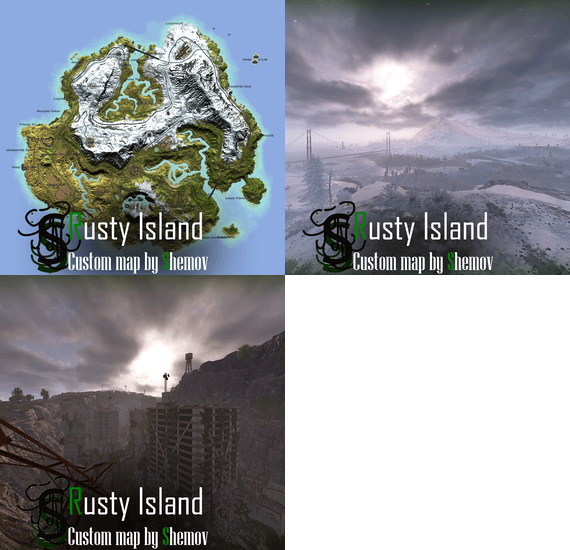
Map size: 4500; Prefab count: ~72k; A lot of attention was paid to nature, and each section of the map was designed in detail; Most of the rocks are hand-crafted, which makes them look much better. The custom config for the BetterNpc plugin is set up so that bots are present at all points of interest; Compatible with BetterNPC plugins (Config for bots in the file), Train Homes and Raidable bases; Underground railway; Custom road junctions; A large number of small settlements/single buildings not marked on the road map by road; Double-track surface railway with 1 entrance to the metro with separate branches for spawn trains; Ring road (compatible with event plugins); Evenly spaced monuments to spread the FPS load of client; Custom building sites (X on the minimap); Custom places for building in the subway (XU on the minimap); Bridges are designed for easy tugboat access; A large number of points with access to fresh water for farms. ( Rivers inside the island work like regular game rivers ) CUSTOM MONUMENTS
Sunken City; Nuclear Cargo; Command Post; Bunkers ( X8 ); Underwater caves (x2 ) ( Zones for underwater farm ); Sunken Containers (x2 ) ( Zones for underwater farm ); A lots custom places to build a base. ( "X"/"XU" on map ); Train Station ( For Train homes plugin ) A lots unmarked buildings. FACEPUNCH MONUMENTS
Combined Outpost; Harbor (2/2); Apartments complex; Launch Site; Ferry Terminal; Radtown; Abandoned Supermarket; Nuclear Missile Silo; Oxum's Gas Station; Airfield; Lighthouse; The Dome; Water treatment plant; Trainyard; Power Plant; Arctic Research Base; Desert Military Base; Giant Excavator Pit; Stone, Sulfur & HQM quarries; Satellite Dish; Small & Large Oil Rig; Large Underwater Lab. My Discord: shemov
A password is attached to the map. You can edit it.
- #custom map
- #4500 size
- (and 5 more)