
kz998651's Wishlist
-
.thumb.png.a167af6d204c8731865ddb8c7651fe66.png)
$12.69
Static Lootables
By Raul-Sorin Sorban in Plugins
Ever wondered why Rust has so many desks, toilets, boxes and even washing machines but you've never been able to see the hidden secrets inside? Now you can!
With Static Lootables you can turn those boring props into loot containers filled with all sorts of goodies. Loot containers that aren't normally supposed to be looted. For best experience, have the UI scale set to 1.
Lootables are being refilled based on each individual configuration set.
Compatible with Static Lootables:
Lootables.Ext
$5.26
Prefab creator that directly works with Static Lootables in order to create custom lootable definitions for your servers!
This plugin provides more than there already is.
See it in action here.
or get it as a bundle! ->
Editor
This plugin now has an integrated editor that allows anyone with the permission to customize the loot that can be found in-game in defined static lootables.
Scroll to the bottom of this page to see it in action.
Modify lootables using all the tools in-game. Update global settings to your liking on the fly.
Dependencies
ImageLibrary (Required) QuickSort ZoneManager
Permissions
StaticLootables.admin: Use the MMB when not holding any item to privately print the name of the object in front of you to chat. StaticLootables.editor: Allows players with the permission to use the /sledit command, which gives them the power to create/update/delete lootables using the editor.
Features
Highly customizable and intuitive system. ZoneManager inclusion / exclusion (per lootable prefab OR global settings). Parented filtering. Locked container system. Hacking system. Interaction icons (with template), customized text and opening container effects. Individual lootable container refilling rates. Consistent support & open to suggestions. Very user-friendly editor for server owners to modify or customize lootables. Unique System: create lootables that only apply on one or more prefabs. Integrated API for manipulating lootable definitions.
Get the default loot-tables
They will be updated in the future. Add StaticLootables.json to your oxide/config folder.
Updated on 23th of October, 2021 #13 (OLD): StaticLootables.json
Updated on 9th of July, 2023 (NEW): StaticLootables.json
To create your own custom icons, you can use this template: staticlootables_template.zip
Please make sure you maintain the margins as weird artifacts will show up if the icons are touching the edges of the icon, in-game.
Lootable Objects
Supermarket Cash Register (locked, 500 HP) Toilets Cardboard Boxes Lockers (closed models are locked, 50 HP) File Cabinets (locked, 50 HP) Desks (locked, 250 HP) Kitchen Fridges Electrical Boxes Washing Machine Trash Bag Gas Pumps Toolboxes (locked, 100 HP) Plant Pots Type-writers Kitchen Cooker (Underwater Labs) Pickup Truck (Rusty), Sedan A (Junkyard), Compact Car C (all locked, 75 HP), can be accessed anywhere but Junkyard Barge Coal Metal Crate (B) (locked, 500 HP; hackable, 120s, code resets every 300m) NEW Pallet Stacks (A-through-C) NEW Bin NEW Vodka Bottle Your suggestions are welcome!
If there are any ideas in regards to prefabs or possible loot to find in them, use the Discussion tab to let me know about it so I add it for everyone to use.
Hacking
This is how Hackable containers work and why they're an OP mini-game:
Hacking one will give you the PIN which will allow you to use with the container for a couple of hours 'till it becomes obsolete and resets. If one has hacked a container, the next hack will double in the amount of time taken. X3 for the third hack, and so on. The PIN can be shared within the team so they can come back every a couple a minutes and loot the hacked box. Press R when looking at an unlocked hacked container to pull up the PIN dialog.
API
Be creative!
Information
Here's to clarify how config properties work and what they mean.
General Settings
Distance: The maximum distance between the player and container. ItemAmountMultiplier: The multiplier for the amount of the items found in containers. LootableHealthMultiplier: The multiplier of the (maximum) health of locked lootable containers. ShadowOpacity: The white glow behind the text which highlights the text more in the dark. ShowLockedLootableApproximateCount: Shows the amount next to the health bar of containers. (e.g ~2 ITEMS APPX.) DamageMultiplierMinimum: The minimum damage dealt to the locked containers by melee weapons. Maximum does the same but for maximum. DamageCUIRefreshRate: The refresh rate for the CUI when containers are being hit at a high rate (with a jackhammer for example). Recommended 0.5. EnforcedFilters: It disallows all definitions from being lootable if their path contain the parent names in this array. EnforcedInZone: It only allows definitions to be lootable only within the zone(s) defined in this array. EnforcedNotInZone: It only allows definitions to be lootable when they're out of the zone(s) defined in this array. Interaction Settings
Icon: The icon of the interaction definition. Text: The text of the interaction definition. OpenEffect: The (usually sound) effect of the interaction definition. Definition Settings
PrefabFilter: The prefab name used by the definition to set this definition as lootable. InteractionIndex: The index of the interaction defined in the Interactions array. It starts at 0. ContainerSize: The slot count of the container non-relative to the contents defined in the contents array. AllowStack: Can items in the container stacked. Mainly used if you have 2 or more slots that have the same kind of item. Liquid: Marks the container as liquid. If this is set to true, no matter the contents defined, only liquid objects (water, salt water, blood?) can get in. Lock: Health: The maximum health of a container. Set to null if you wanna disable it. (e.g "Lock": null) Hack: Wait Time: The time in seconds! players have to wait for the initial hacking attempt. Code Resetting Rate: The time in minutes! until the hack resets the PIN and goes down an increment for how many times has been hacked used for the Wait Time multiplier. Rule: Refill Rate: The rate in minutes! until the container gets wiped from the server & memory is being freed for server resource reasons. OnlyIfParentFilter: It allows all definitions to be lootable if their path contain the parent names in this array. OnlyIfNotParentFilter: It disallows all definitions from being lootable if their path contain the parent names in this array. OnlyIfInZone: It only allows definitions to be lootable only within the zone(s) defined in this array. OnlyIfNotInZone: It only allows definitions to be lootable when they're out of the zone(s) defined in this array. Contents: ShortName: The short name of the item definition. CustomName: The in-game name of the item. SkinId: The skin of the ID. UseRandomSkins: Use the RandomSkins array to create more variety on what skinned items are used. SkinId: The skin of the ID. RandomSkins: The skin ID array used in replacement of SkinID when UseRandomSkins is true. MinimumAmount: The minimum range used for the item amount randomisation. MaximumAmount: The maximum range used for the item amount randomisation. ConditionMinimumAmount: The minimum range used for the item condition / durability randomisation. ConditionMaximumAmount: The maximum range used for the item condition / durability randomisation. SpawnChanceTimes: How many times in the SpawnChanceScale will it be likely for the item to be spawned. SpawnChanceScale: The scale of the odds for the item to be spawned. Contents: It's recursive, has the exact same content structure as this property.
Installation
Download the config which can be found above on this page. Put it in the oxide/config folder. Put StaticLootables.cs file in oxide/plugins. You're good to go! FOR BEST ENTERTAINMENT, USE THE DEFAULT SETTINGS OF THE PLUGIN.
Screenshots
Videos
* The annoying flicker has been fixed in the live version, this was recorded while testing.
-
$35.00
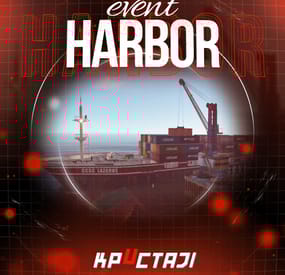
Harbor Event
Creates a unique event at the Harbor monument for players to participate in for rewards. Players must battle numerous NPCs and APCs to access the puzzle to open the loot room!
Description
This event started off as a warning on the chatbox about the ships coming soon to dock in Port, loaded with precious cargo. After the period has passed, a ship appears in one of the locations at Harbour that are accessible from the map, where the crane loads the container.
The loading area is protected by one Tank and 7 NPCs by default. The container door is locked, you must push a button from inside the cranes cockpit to open the door. Inside the container, there is a default security camera, locked box, 2 DMS, 2 Elite, and 2 Military boxes.
The locations and loot from all crates/NPCs can be configured within configurations, and unwanted crates/NPCs added or removed. Also, ships will generate the default ship loot, e.g. The config file allows to modify tank as well as loot inside of the ship.
When the event occurs, the map displays the markers (configured in the config file). All players that are inside the event area will have a timer counting down the amount of time until the event ends.
Dependencies Required
NpcSpawn
Dependencies (optional, not required)
True PVE PveMode GUI Announcements Notify Discord Messages AlphaLoot CustomLoot NTeleportation HeliControl Economics Server Rewards IQEconomic Kits
Chat commands (only for administrators)
/harborstart – starting of the event
/harborstop – ending of the event
/harborpos – determining the position and rotation coordinates for changing the location of NPCs and crates.It should write in the configuration (Attention! The event must be started, the current position of the administrator in relation to the cargoship is read)
Console commands (RCON only)
harborstart – starting of the event
harborstop – ending of the event
Plugin Config
en - example of plugin configuration in English ru - example of plugin configuration in Russian
Hooks
void OnHarborEventStart() – called when the event starts
void OnHarborEventEnd() – called when the event ends
void OnHarborEventWinner(ulong winnerId) – called at the end of the event, where the winnerId is the player who did more actions to complete the event
My Discord: KpucTaJl#8923
Join the Mad Mappers Discord here!
Check out more of my work here!
-
$29.99
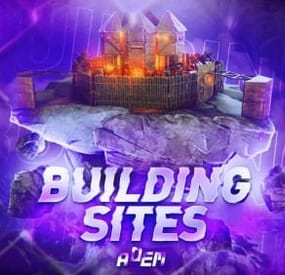
Building Sites
This plugin allows you to quickly and easily add unique locations for building houses to any map.
There are 17 different locations of three types: ground sites, islands, and flying platforms — choose what suits you best!
Key benefits of the plugin:
Suitable for any map; No need to use RustEdit; Random automatic spawn after wipe; Ability to give a Building Site to a certain player. With this plugin, you can build the perfect house for yourself and your friends!
Spawn locations
The plugin has a function for automatically generating spawn points for BuildingSites on any map.
You can independently enable and disable the spawning of water, land, and air BuildingSites.
For each type, you can set the number of BuildingSites that will appear after the wipe.
You can also give players flare to summon a BuildingSite.
With their help, players will be able to call the desired BuildingSite anywhere.
When the player holds the flyer in their hands, they are shown information about whether their position is suitable for spawning the BuildingSite or not.
Players can be given flyers in any way, for example, by kits or in the in-game store.
Chat commands (admin only)
/respawnsites - forcibly launches automatic respawn of BuildingSites /spawnsite PresetName - spawn the BuildingSite in your position /killsite- destroys the BuildingSite you're looking at /killallsites - destroys all BuildingSites on the server /givesite PresetName - give the BuildingSite to yourself /killsiteentity — look at the object you want to remove and enter the command; this object will no longer spawn at new locations of this type
Console commands (RCON only)
respawnsites - forcibly launches automatic respawn of BuildingSites killallsites - destroys all BuildingSites on the server givesite PresetName userID - give the BuildingSites to the player
Plugin Config
en – example of plugin configuration in English ru – example of plugin configuration in Russian
Check out the rest of my work: Adem's Codefling Library
You can reach out to me in Discord: Adem's Discord Profile
Join the Mad Mappers Discord!
- #adem
- #madmappers
- (and 6 more)
-
$0.99
Dangerous Landmine
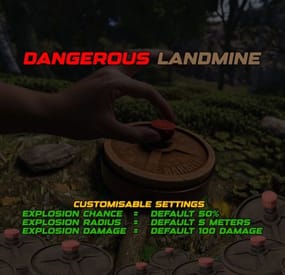
The Dangerous Landmine plugin for Rust improves the realism of landmines by giving them a chance to explode when placed. This feature introduces an element of risk when placing landmines and makes the gameplay more exciting and unpredictable. A nice side effect is that you can reduce the spamming of landmines on the server by certain players. The normal explosion damage is not affected by this plugin.
Features:
Explosive Placement: Landmines have a configurable chance to explode when placed, adding an extra layer of danger.
Configurable Explosion Chance: Adjust the probability of a landmine exploding upon placement through the configuration file.
Adjustable Explosion Radius and Damage: Configure the explosion radius and damage to suit your server’s gameplay style.
Permission-Based Usage: Only players with the appropriate permission can place landmines with the explosive risk feature.
Permissions
Grants players the ability to place landmines with a chance of exploding.
dangerouslandmine.use Config
{ "ExplosionChance": 50.0, // Probability (in %) that a landmine will explode when laid. Default setting is 50%. "ExplosionRadius": 5.0, // Radius (in metres) of the explosion. Default value is 5 metres. "ExplosionDamage": 100.0 // Maximum damage caused by the explosion. Default value is 100 damage. The max value 100 is in the centre of the landmine and weakens outwards } load, run, enjoy 💝
Join my Discord pick the Role -> Flash and find Free Plugins
Support Discord
-
$4.99
Loot Crate Spawner EVENT
By GloryToUkraine in Plugins
LootCrateSpawner is an exciting and innovative Rust plugin designed to add dynamic and thrilling events to your gameplay. This plugin automatically spawns loot crates in random locations on the map, ensuring unpredictability and constant player engagement. With configurable event intervals and crate lifespans, administrators can fine-tune the frequency and duration of these events to suit their server's needs. Each crate appears with a map marker, guiding players to its location and fostering competitive spirit as everyone rushes to claim the loot. Notifications in the chat inform players of the crate's appearance and lifespan, adding urgency and excitement to the hunt. The randomization of crate locations encourages exploration and keeps players on their toes, creating an ever-changing and vibrant game environment. Easy to configure and use, LootCrateSpawner is the perfect addition to any Rust server looking to enhance player interaction and elevate the gaming experience.
Features
Easily customisable. Сommands to start the event and to clear all the boxes and markers.
(/crateventstart - start the event, /clearcratevents - clear all active LootCrateSpawner events)
Customisable marker display time on the map.
Customisable minimum and maximum time interval between the start of the event.
If you use custom loot table, it will be applied to the Military Box.
Does not load your server too much.
An example of a Config file view
{ "CrateLifetime": 40.0, "MarkerLifetime": 40.0, "MaxEventInterval": 60.0, "MinEventInterval": 50.0 } As you can see above, the file configuration is as simple as possible,
which everyone can understand, there is nothing complicated in it and
it is as easy to configure as possible.
CrateLifetime - Military Box lifetime on the map MarkerLifetime - the lifetime of a marker on the map MaxEventInterval - the maximum time after which a new event should start MinEventInterval - the minimum time after which the new event should start
If you have any questions or need any help, feel free to send me a private message on Discord
My Discord: callofglory_anytime
You can see the above described plugin in the video