
JeffG's Wishlist
-
$5.00
Auto Hover
Auto hover V2
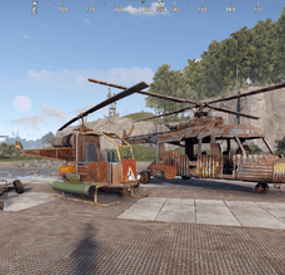
adds auto-hover functionality to helicopters, allowing pilots to engage automatic hovering. The plugin also provides manual control capabilities, enabling pilots to toggle between auto-hover and manual controls with specific permissions. It works with multiple helicopter types, such as minicopters, scrap helicopters, and attack helicopters.
Key Features:
Auto-Hover:
The pilot can engage auto-hover when they switch seats while in control of a helicopter.
The helicopter will maintain its height , with the option to manually control movement while hovering.
Auto-Landing:
If the pilot jumps out while flying the helicopter will try and land safely if they have the relevant permission granted
Manual Controls:
While in auto-hover, the player who toggled auto hover can toggle manual controls by pressing duck / left ctrl (e.g., pitch, roll, and yaw) to steer the helicopter using defined keybindings.
Manual controls can be used in tandem with auto-hover, allowing more dynamic flight control allowing the player to preform flips barrel rolls or just aim the helicopter in a better location to take out their target
Permissions:
Auto hover: this grants access to the auto hover function
AutoHover.attack
AutoHover.mini
AutoHover.scrap
Auto landing: this grants access to the auto landing function. Auto hover permission is also needed to use this
utoHover.attack.autoland
AutoHover.mini.autoland
AutoHover.scrap.autoland
Manual Controls: this grants access to the manual control function. Auto hover permission is also needed to use this
AutoHover.attack.manual_controls
AutoHover.mini.manual_controls
AutoHover.scrap.manual_controls
Controls
W : makes the helicopter lean foward
A : makes the helicopter turn left
S : makes the helicopter lean backwards
D : makes the helicopter turn right
E : makes the helicopter level out
While holding sprint
A : makes the helicopter lean left
D : make the helicopter lean right
Quick video showing what the plugin is capable of
Config
{ "Use toast style messages": true, "How long will the controls toast message stay on screen": 15.0, "Auto level out helicopter when toggling auto hover": true, "Torque settings for manual controls": { "minicopter.entity": { "torque Amount Pitch. Tilt foward / back": 100.0, "torque Amount Yaw. Lean left / right": 100.0, "torque Amount Roll. Turn left / right": 100.0 }, "attackhelicopter.entity": { "torque Amount Pitch. Tilt foward / back": 800.0, "torque Amount Yaw. Lean left / right": 1450.0, "torque Amount Roll. Turn left / right": 800.0 }, "scraptransporthelicopter": { "torque Amount Pitch. Tilt foward / back": 700.0, "torque Amount Yaw. Lean left / right": 700.0, "torque Amount Roll. Turn left / right": 700.0 } } }
Lang
{ "Auto hover on": "Auto hover engaged", "Auto hover on with controls": "Auto hover engaged. Press duck to toggle manual controls", "Auto hover disengaged": "Auto hover disengaged", "Manual Controls on": "Manual controls activated\n\nW = lean foward D = lean back\nA = turn left D = turn right\nWhile holding sprint A = lean left D = lean right\nE = level out helicopter", "Manual Controls off": "Manual controls off", "Auto laning engaged": "Auto landing has begun", "Auto laning complete": "Your helicopter has landed safely", "Auto laning canceled": "Auto landing canceled" } Thank you Kobani for helping with the testing of the plugin
- #minicopter
- #attack heli
- (and 2 more)
-
$34.99
Last Train
This map will plunge you into the world of the recent apocalypse. On it, you will find an abandoned city, underground monuments, a huge factory, a destroyed port and a lot of interesting things both for research and for shootouts with scientists, zombies or other players. The main focus on the map is on the railway. By train, you can travel almost the entire map from the sandy biome to the ice canyon. On the map, you can navigate on anything, be it a surface train, subway, cars, boats. On the railway, Workcart (a plug-in from Cashr) is spawned, the plug-in comes with the map. Along the length of the railway there are stations where you can recycle loot (2 station creator by Jtedal). Quite an interesting map with its own atmosphere. The landscape is still made in the World Creator 2 program and looks perfect, the multi-level map will allow you to observe beautiful views and landscapes. Good luck fighters!
Features:
Map Size – 4000
Prefab Count: – 50202
Custom monuments:
Dead City;
Yantar Plant;
Cargo Camp;
Destroyed Harbor;
Village;
Rad Village;
Ice Canyon;
Water Camp;
Auto Service;
Garage;
Passenger Barge;
Abandoned Barge;
Diner;
Food Market;
13 Station (5 varieties);
4 places to build a base;
Monuments FP:
– Train Tunnel
- Nuclear Missile Silo
– Launch Site
– Giant Excavator
– JunkYard
– Outpost
– Sewer Branch
– Water Treatment
– Bandit camp
– Sphere
– Quarry
– Harbor
– Military tunnels
– OilRig (One is glazed and is located on the ground)
– Fishing Village
– Ranch
– Lighthouse
– Power Plant
– Train Yard
- Zigurat
-
$14.99
Collection Log
By imthenewguy in Plugins
Collection Log is a plugin that will track items collected from multiple sources against multiple collection logs. When a player discovers a new item that is contained in one of the logs, it is marked as found. Once a log has been entirely collected, the player is rewarded with that logs prizes. The sources that players can obtain items from are completely customizable, allowing for some unique logs to be created.
Fully customizable logs that also support custom items. 11 different sources that can be collected from (Crates, barrels, Farming, Fishing, Woodcutting etc). Support for item rewards and command rewards included. Supports UINotify for communicating newly collected items.
Here is an example of 2 collection logs with different sources:
The "Farming" collection log contains growable items such as cloth, corn and pumpkins, but the only valid source to obtain these items from is the Farming source. The "Resources" collection log contains many types of items, but has some overlap with the "Farming" log, which includes cloth, corn and pumpkins. The key difference is that this log supports multiple sources (Collecting, Crates, Barrels, and Woodcutting), but it does not contain the Farming source. In this situation: When a player collects a map generated hemp plant (hemp-collectible), it would register cloth under the "Resources" log as collected, but it will not do the same for the "Farming" log.
The "Farming" log would only register if the cloth was obtained from a grown hemp plant (hemp.entity).
This is an example of how you can differentiate the same items using different sources.
The plugin allows for multiple sources per collection log.
Barrel - Triggered when the player destroys a barrel or road sign Collecting - Triggered when the player picks up an entity (hemp-collectible, diesel_collectible etc). Crates - Triggered when the player opens a create (only the first player to open the crate will trigger it). Farming - Triggered when the player collects grown entities. Fishing, - Triggered when the player catches a fish. Mining - Triggered when the player mines ore. Woodcutting - Triggered when the player chops a tree. Skinning - Triggered when a player skins an animal/person. Crafting - Triggered when a craft completes. Unwrap - Triggered when a player uses the unwrap button on an item. Consume - Triggered when a player uses the eat/drink button on an item. Corpse - Triggered when a player loots the corpse of an NPC. Plugin - Triggered by a Third-party plugin.
The only permission in the plugin currently is collectionlog.use.
This is required to use any feature of the plugin.
Menu command (customizable via config): cl or collectionlog
API
// Triggers collection of an item. sourceType should be a CollectionSource enum. void CollectFromPlugin(BasePlayer player, Item item, string sourceType);
- #collecting
- #item
- (and 7 more)
-
![More information about "Skorm Arena [EVENT]"](https://codefling.com/cdn-cgi/image/width=285,height=275,quality=80,fit=cover,format=webp/https://codefling.com/uploads/monthly_2021_09/1585673294_1(9).thumb.jpg.55e6ccf804c9c03137a56424148edf90.jpg)
$9.00
Skorm Arena [EVENT]
By Ionut Shiro in Arenas
This monument was created for holding events in it. The arena is made in such a way that players can be divided into 2 teams, red and blue. The administrator can manage the arena without leaving the place from which he watches the battle. Observers of the battle can sit on the stands, where I have installed invisible chairs. There are 2 entrances to the arena, entrance 1 and entrance 2, in order to get there, you need to open the kinetic doors from the inside, this could be your assistant. What can you manage? I have divided the control view into 2 parts, "light" and "doors".
Which doors can be opened?
- Doors in which gladiators sit
- Doors to the store.
- Doors for buying horses.
- Doors for access to the arena doors(climb up).
- Exit doors to the arena
What kind of electricity can be used?
- Light in the gladiator chambers
- Light between the cameras and the store
- Light at the horse spawn place
-Light between the exit to the arena doors
- Light at the Arena door
- Light in the place where the administrator is sitting
- Circular illumination on the battlefield inside the arena
- Circular lighting around the arena
- Turning on and off the cameras inside the arena
All electricity is divided into 2 teams, you can separately open the doors of the blue or red ones. For greater historicity and convenience, I added an option called "pollice verso", which allows the administrator to give an order to spare or kill the loser, well, or just show everyone what decision he made. I thought that 2 teams would not be enough, and added 2 more exits "Bot1" and "Bot2", there you can spawn bots and open the doors for them to enter the arena. In the arena itself, I placed 2 traps, a barbed post and an electric pressure plate. What can players buy in the store and what are they like?
- Food Store
- Medical supplies Store
- Weapons Store
- Armor Shop
- Clothing store
The weapon is only melee, the armor is only wooden.But you can change the settings at your discretion. Clothing, weapons, can be sold at a price 2 times less. To do this, I divided the stores into "Buy" and "Sell"sections. The currency in the store is bones, gladiators can get bones from those killed in the arena. How do the cameras work?
To turn off the cameras, the administrator should simply move the switch to the "off" position.
Total of 20 cameras
4 cameras are located on the site of the gladiator battle. 5 cameras in the rooms of the red team. 5 cameras in the rooms of the blue team. 3 cameras at the exits of the red team. 3 cameras at the exits of the blue team. Camera names
arena1 arena2 arena3 arena4 Blue Team Cameras
bglad1 bglad2 bglad3 bglad4 bglad5
bglads bglads2 bglads2 Red Team Cameras
rglad1 rglad2 rglad3 rglad4 rglad5
rglads rglads2 rglads2 There are 14500 objects in total.
- #arena
- #colosseum
- (and 15 more)
-
$9.99
LuckyWheel
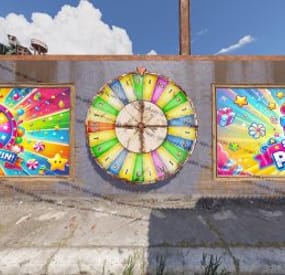
Boost engagement on your Rust server with a fully customizable Prize Wheel at Outpost, inviting players to spin daily for exciting rewards and adding a unique touch to your server. Players spin by pressing a button, and you can configure the location of all signs, the button, and the wheel itself, plus add custom branding with ImageUrls. The highly configurable reward system supports item spawns with custom skin IDs and commands, which is ideal for special rewards like VIP access or grand prizes on lucky spins.
Support
If you have any questions before deciding to purchase, need help setting it up or want more features added, feel free to contact me here or here:
Discord: mvrb
Mvrb's Plugins (Fastest support): https://discord.gg/tSgCUW86kJ
Video of plugin
Default Plugin Config:
LuckyWheel.mp4