walkinrey
-
Posts
1,512 -
Joined
-
Last visited
-
Days Won
7
Content Type
Profiles
Warranty Claims
Downloads
Forums
Store
Services
Downloads Plus Support
DOWNLOADS EXTRA
Everything posted by walkinrey
-
 maybe in the future but no guarantees
 -
i also having problems with GUI offsets and other numbers, hah check these docs https://umod.org/guides/rust/basic-concepts-of-gui#ui-position also there were some GUI editor tools for Rust
-
 can only be done by editing NightPVP plugin
 -
 thanks for the feedback, i will check this out soon
 -
only at a driver place
-
Do you use any plugins with custom npcs, and damage control plugins like TruePVE? Contact me at discord, my name is same there
-
done!
-
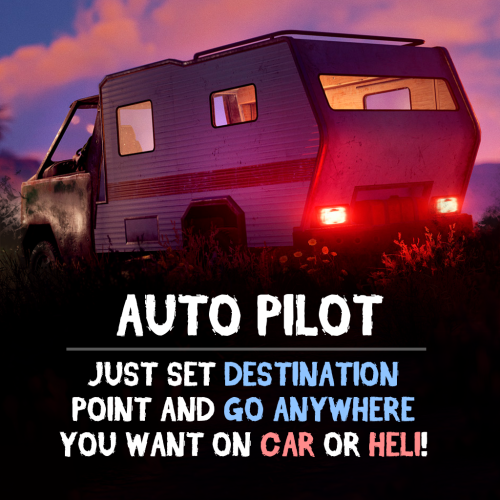
It's working using a permission. "autopilot.car", "autopilot.helicopter". I just didn't add it on the plugin page, thank you for notice I think autopilot will not find a path or will drive to the most closest point
- 24 comments
-
- 1
-

-
- #rust
- #walkinrey
- (and 9 more)
-
The autopilot keeps turning the aircraft in the direction of the destination without locking in the desired direction. Also on the video there are server lags. Thanks for pointing out this visual flaw, will be improved soon
-
Version 1.1.1
178 downloads
Give your players an autopilot, a feature that enables AI-controlled driving and flying! Players simply set a destination, sit back, and let the autopilot take them there! Features: Autopilot for Ground, Air and Water Vehicles • Works with cars, motorcycles, bicycles, helicopters, boats and horses. Navigation System • AI determines the most efficient route to the selected destination. • Obstacle detection helps prevent car crashes. ⚙ Complete Customization & Control • Adjust maximum speed and AI behavior for ground vehicles. • Fine-tune altitude, pitch, and throttle strength for helicopters. How to Use: Type /autopilot in chat. Select a location on the in-game map. Your AI autopilot will take over and drive or fly you there! Permissions: Land Vehicles autopilot.modularcar – Grants access to autopilot for modular cars. autopilot.motorbike – Grants access to autopilot for motor bikes (motorcycles) autopilot.pedalbike – Grants access to autopilot for pedal bikes (bicycles) autopilot.horse – Grants access to autopilot for horses Air Vehicles autopilot.attackhelicopter – Grants access to autopilot for attack helicopters autopilot.scraptransporthelicopter – Grants access to autopilot for scrap transport helicopters autopilot.minicopter – Grants access to autopilot for minicopters Water Vehicles autopilot.motorrowboat – Grants access to autopilot for motor rowboats autopilot.rhib – Grants access to autopilot for RHIBs autopilot.tugboat – Grants access to autopilot for tugboats See It in Action! Watch the Video Configuration: { "Mini helicopter autopilot settings": { "Process control update timer(0 - 0.2)": 0.0, "Disable autopilot when trying to control the player": true, "Max speed": 20.0, "Distance to route control point to reach": 15.0, "Transport push force from obstacle in collision(0 - disables push)": 3.0, "Automatic supply of the specified amount of fuel from the player inventory (0 - disables supply)": 100, "Flight height setting": { "Min": 50.0, "Max": 150.0 } }, "Transport helicopter autopilot settings": { "Process control update timer(0 - 0.2)": 0.0, "Disable autopilot when trying to control the player": true, "Max speed": 20.0, "Distance to route control point to reach": 15.0, "Transport push force from obstacle in collision(0 - disables push)": 3.0, "Automatic supply of the specified amount of fuel from the player inventory (0 - disables supply)": 100, "Flight height setting": { "Min": 50.0, "Max": 150.0 } }, "Attack helicopter autopilot settings": { "Process control update timer(0 - 0.2)": 0.0, "Disable autopilot when trying to control the player": true, "Max speed": 20.0, "Distance to route control point to reach": 15.0, "Transport push force from obstacle in collision(0 - disables push)": 3.0, "Automatic supply of the specified amount of fuel from the player inventory (0 - disables supply)": 100, "Flight height setting": { "Min": 50.0, "Max": 150.0 } }, "Boat Auto Pilot Settings": { "Process control update timer(0 - 0.2)": 0.0, "Disable autopilot when trying to control the player": true, "Max speed": 20.0, "Distance to route control point to reach": 15.0, "Transport push force from obstacle in collision(0 - disables push)": 3.0, "Number of processes per cycle in 1 tick when searching for a route(increasing the parameter - reduces the time of searching for a route, but increases the load on fps)": 10, "Grid step for route search (increasing the parameter - increases the time of searching for a route, but makes it harder to lay out a route in narrow places)": 60, "Automatic supply of the specified amount of fuel from the player inventory (0 - disables supply)": 100, "Minimum depth for determining transport passability when searching for a route": 0.5, "Max speed on obstacle detection": 5.0 }, "RHIB Auto Pilot Settings": { "Process control update timer(0 - 0.2)": 0.0, "Disable autopilot when trying to control the player": true, "Max speed": 20.0, "Distance to route control point to reach": 15.0, "Transport push force from obstacle in collision(0 - disables push)": 3.0, "Number of processes per cycle in 1 tick when searching for a route(increasing the parameter - reduces the time of searching for a route, but increases the load on fps)": 10, "Grid step for route search (increasing the parameter - increases the time of searching for a route, but makes it harder to lay out a route in narrow places)": 60, "Automatic supply of the specified amount of fuel from the player inventory (0 - disables supply)": 100, "Minimum depth for determining transport passability when searching for a route": 0.5, "Max speed on obstacle detection": 5.0 }, "Tugboat Auto Pilot Settings": { "Process control update timer(0 - 0.2)": 0.0, "Disable autopilot when trying to control the player": true, "Max speed": 20.0, "Distance to route control point to reach": 15.0, "Transport push force from obstacle in collision(0 - disables push)": 3.0, "Number of processes per cycle in 1 tick when searching for a route(increasing the parameter - reduces the time of searching for a route, but increases the load on fps)": 10, "Grid step for route search (increasing the parameter - increases the time of searching for a route, but makes it harder to lay out a route in narrow places)": 60, "Automatic supply of the specified amount of fuel from the player inventory (0 - disables supply)": 100, "Minimum depth for determining transport passability when searching for a route": 0.5, "Max speed on obstacle detection": 5.0 }, "Car Auto Pilot Settings": { "Disable autopilot when trying to control the player": true, "Max speed": 20.0, "Distance to route control point to reach": 15.0, "Transport push force from obstacle in collision(0 - disables push)": 3.0, "Number of processes per cycle in 1 tick when searching for a route(increasing the parameter - reduces the time of searching for a route, but increases the load on fps)": 10, "Grid step for route search (increasing the parameter - increases the time of searching for a route, but makes it harder to lay out a route in narrow places)": 60, "Max speed on obstacle detection": 5.0, "Allow you to search for a route on roads (takes precedence over off-road)": true, "Allow you to search for an off-road route": true, "Automatic supply of the specified amount of fuel from the player inventory (0 - disables supply)": 100 }, "Motor Bike Auto Pilot Settings": { "Process control update timer(0 - 0.2)": 0.0, "Disable autopilot when trying to control the player": true, "Max speed": 20.0, "Distance to route control point to reach": 15.0, "Transport push force from obstacle in collision(0 - disables push)": 3.0, "Number of processes per cycle in 1 tick when searching for a route(increasing the parameter - reduces the time of searching for a route, but increases the load on fps)": 10, "Grid step for route search (increasing the parameter - increases the time of searching for a route, but makes it harder to lay out a route in narrow places)": 60, "Max speed on obstacle detection": 5.0, "Allow you to search for a route on roads (takes precedence over off-road)": true, "Allow you to search for an off-road route": true, "Automatic supply of the specified amount of fuel from the player inventory (0 - disables supply)": 100 }, "Pedal Bike Auto Pilot Settings": { "Process control update timer(0 - 0.2)": 0.0, "Disable autopilot when trying to control the player": true, "Max speed": 20.0, "Distance to route control point to reach": 15.0, "Transport push force from obstacle in collision(0 - disables push)": 3.0, "Number of processes per cycle in 1 tick when searching for a route(increasing the parameter - reduces the time of searching for a route, but increases the load on fps)": 10, "Grid step for route search (increasing the parameter - increases the time of searching for a route, but makes it harder to lay out a route in narrow places)": 60, "Max speed on obstacle detection": 5.0, "Allow you to search for a route on roads (takes precedence over off-road)": true, "Allow you to search for an off-road route": true } }$19.90- 24 comments
- 2 reviews
-
- 5
-
-

-
- #rust
- #walkinrey
- (and 9 more)
-
 can i have your config in pm
 -
will be in a next update
-
you can setup same items for every bot. what do you mean by 'dont want players to farm the bots gear' about inventory drop, you want to disable drop or drop specific items, not from the inventory?
-
of course it's working in 2023. you can customize everything you want, armor/clothing/weapons/skins too
-
yep, you can add it into a shop if it supports skin id's
-
 yep, you can add it into a shop if it supports skin id's
 -
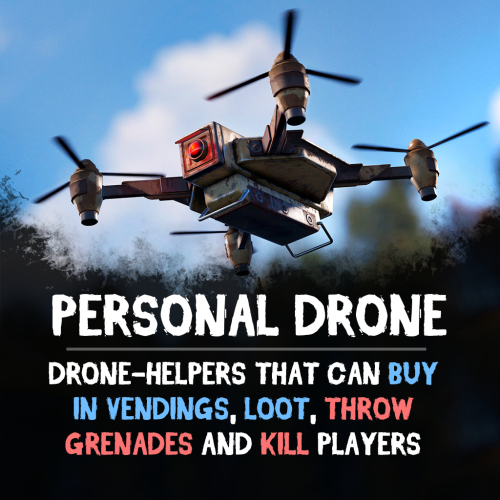
drone & npc UI's are working as you described. drone will fly over the map to you if follow option is enabled. when you're staying at position, drone will hover above you, if you have turret it will shoot all players, npc, animals and protect you (u can setup this in DroneTurrets plugin) drone ammo requirement is a good idea for new update, thanks about truepve - you can block shooting at players from DroneTurrets config
-
Version 1.1.4
154 downloads
Adds an AI drone companion that can fight, collect, purchase items, and even be your own flying vehicle! Easy to use and fully customizable, this drone is perfect for players who want to dominate battlefields, automate resource gathering or travel. Features: Universal Companion • Attack enemies using turrets or drop grenades from above. • Purchase products via vending machines remotely • Collect wood, stone, and ore. • Store loot in its inventory for quick access. • Ride the drone for fast, tactical movement! Battle-Ready • Equip turrets and onboard weapons for defense. • Configurable grenade-dropping mechanics Resource Looting • Loot crates, boxes, and collectibles. • Retrieve your lost items from your body after respawning. • Make purchases from vending machines with controlled safezone access and purchase radius. Customization & Controls Controls & Commands • Assign custom buttons to execute tasks, access inventory, and mount the drone. • Adjust 3D targeting arrows for better tracking. • /pdrone – Spawn or remove your drone. • /pdrone vending – Send your drone to a vending machine for shopping. • /pdrone follow – Make your drone follow you. Drone Performance & Behavior • Set max altitude, acceleration, and movement speed. • Configure obstacle detection. Inventory & Looting System • Inventory with adjustable capacity limits. • Blacklist specific items from being stored in the drone. • Customize pickup rates and resource collection distances. See It in Action! Watch the Video IMPORTANT By default drone's max control range is limited by 500. To increase it, you can use drone.maxcontrolrange command in the server console. Configuration: { "Control setup": { "Which button will assign tasks to the drone, attack/fly to point, etc. (MIDDLE_MOUSE, SECOND_MOUSE, E, RELOAD, SPRINT)": "MIDDLE_MOUSE", "Button to open inventory if it exists (MIDDLE_MOUSE, SECOND_MOUSE, E, RELOAD, SPRINT)": "RELOAD", "Button to mount drone if this option enabled (MIDDLE_MOUSE, SECOND_MOUSE, E, RELOAD, SPRINT)": "E", "Range of action of the assignment button": 25.0, "Display 3D arrows over a target/point?": true, "Arrow display duration": 2 }, "GUI setup": { "How many seconds to update the GUI?": 6, "Panel layer (Hud, Overlay, Overall, Hud.Menu, Under)": "Overlay", "Panel position": { "type": "RectTransform", "anchormin": "1 1", "anchormax": "1 1", "offsetmin": "-170 -104", "offsetmax": "-10 -10" }, "Second position of the panel (used if the player has a personal bot/animal)": { "type": "RectTransform", "anchormin": "1 1", "anchormax": "1 1", "offsetmin": "-335 -104", "offsetmax": "-175 -10" }, "Third position of the panel (used if the player has a personal bot and a personal animal)": { "type": "RectTransform", "anchormin": "1 1", "anchormax": "1 1", "offsetmin": "-500 -104", "offsetmax": "-340 -10" }, "1 panel color": "#7f8c8d", "2 panel color": "#bdc3c7", "Health bar color": "#2ecc71", "Shortcut buttons": [ { "Text on button": "Land Drone", "Executable chat commands": [ "pdrone land" ] } ] }, "Drones Settings": [ { "Drone item": { "Item name": "Personal Drone", "Item skin": 2824523761, "Can pickup?": true }, "Command spawn": { "Can player spawn this drone using a chat command? (/pdrone {name})": true, "Permission to spawn": "personaldrone.drone1", "Spawn cooldown": 3600.0, "Name of this drone preset to spawn": "drone1", "Can player pickup this drone after spawn?": false }, "Drone Movement": { "Altitude acceleration": 30.0, "Movement acceleration": 30.0, "YAW acceleration": 5.0 }, "Obstacle Detectors": { "Forward obstacle detector": { "Obstacle detect distance": 5.0, "How many meters to fly up if an obstacle is detected": 5.0 }, "Backward obstacle detector": { "Obstacle detect distance": 5.0, "How many meters to fly up if an obstacle is detected": 5.0 } }, "Addons": { "Inventory Addon": { "Add inventory to drone?": true, "Inventory capacity": 12, "Black list of items that cannot be put into the inventory of the bot": [ "rocket.launcher" ] }, "Seat Addon": { "Add invisible seat for drone's owner?": true }, "Turret Addon": { "Add turret to drone? (more settings in DroneTurrets plugin's config)": true, "Default weapon shortname (not necessary)": "" }, "Grenade thrower Addon (requires inventory)": { "Enable feature to throw grenades to the target? (player will be need to put the grenades to drone inventory)": true, "Throw cooldown": 1.0, "Distance between target and drone to start throwing": 5.0 }, "Purchase in Vending Addon (requires inventory)": { "Purchase in vending enable? (requires inventory)": true, "Block buy in safezone vendings?": false, "Block buy in non-safezone vendings?": false, "Max distance to buy": 200.0 }, "Loot Collect Addon (requires inventory)": { "Can drone loot crates?": true, "Can drone pickup collectibles? (sulfur, metal, wood etc.)": true, "Collectibles pickup rate (shortname:rate)": {}, "Min distance to pickup": 5.0 } }, "Death marker": { "Show marker on drone's death position?": true, "Display name on map": "Drone's death marker", "Marker radius": 0.35, "Outline color (hex)": "00FFFFFF", "Main color (hex)": "00FFFF", "Alpha": 0.5, "Duration": 20 }, "Drone max. health": 1000.0, "Minimum fly height": 10.0, "Kill in water?": false, "Disable collision damage": true } ] }$29.90 -
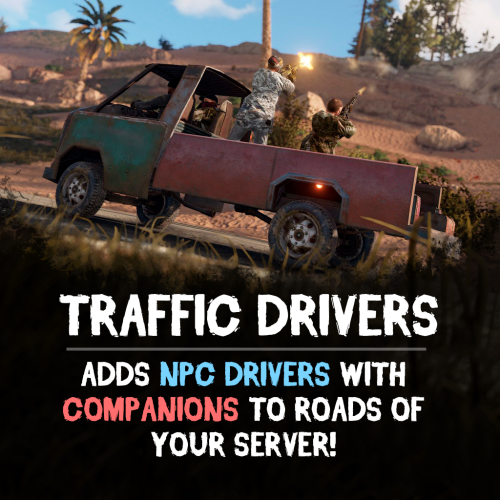
you need to replace Yarik Driver with Glitter Police here is the fixed config TrafficDrivers.json
-
config?
-
english pls