
walkinrey
-
Posts
1,735 -
Joined
-
Last visited
-
Days Won
11
Content Type
Profiles
Warranty Claims
Downloads
Forums
Store
Services
Downloads Plus Support
DOWNLOADS EXTRA
Reels
Everything posted by walkinrey
-
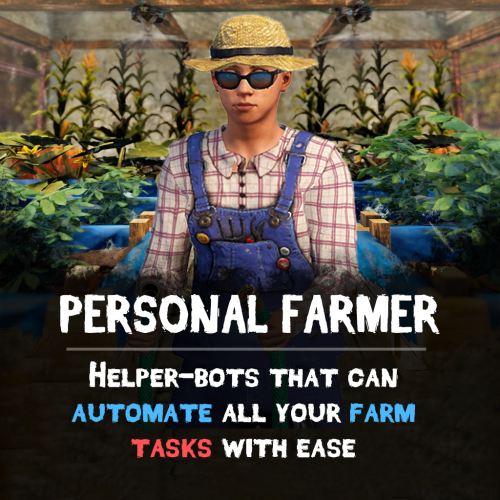 i think it will work but pfarmer will still try to water the planters
 -
i think it should work if they don't move anywhere and you have water source
-
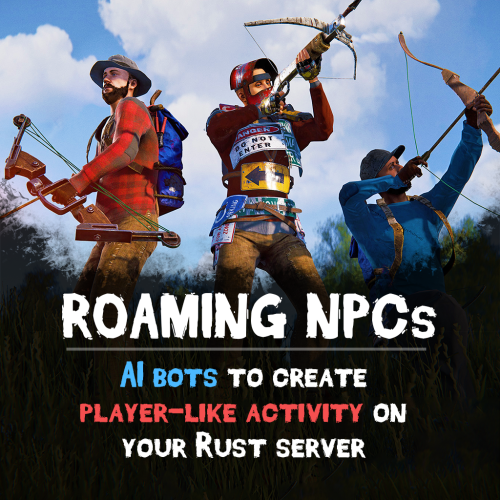 they already use it, if player is marked as hostile and he gets close to rnpc, bot will start to attack/run away
 -
they should gather custom items, let me check on server yep it works, they gather custom items
-
works fine for me on procedural map however i added new option in config which may help try with default config again
-
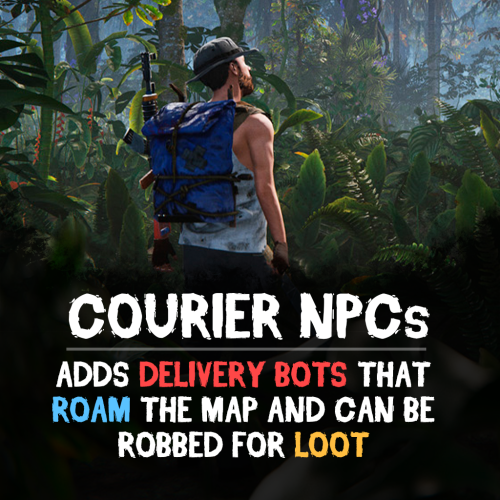
Version 1.0.2
182 downloads
Bring your Rust server to life with Courier NPCs — AI bots that travel across the map carrying valuable loot. Hunt them down for rewards, but be careful — they may not go down without a fight. Features: Traveling Couriers • NPCs spawn with random loot from your config and start travel to point. • At destination, couriers either despawn or dropping a stash. • Setup health, damage rates, spawn frequency, and other. • Configure spawn loadouts — weapons, clothes, and loot for delivery. • Each courier can carry a backpack with its own separate loot. Dynamic Combat • Configurable combat behaviour: Friendly (doesn't attack, continues to run) Defensive (defends if attacked) Aggressive (attacks first) • Uses ranged and melee weapons in fights. • Couriers can deploy mines, bear traps, and other traps while traveling. • Couriers heal themselves during and outside of combat using configurable health thresholds. Flexible Spawn System • Multiple spawn modes available — random map position, road/beach position, or SpawnsDatabase points. • Spawn and destination modes can be mixed for varied and unpredictable routes. • Couriers can prefer road-based pathfinding or take off-road routes. See It in Action! Watch The Video Commands ("couriernpcs.admin" permission): /cnpc vis - shows all couriers on server /cnpc killall - kills all couriers /cnpc tp - teleports all couriers to you Configuration: { "Bots settings": [ { "Enable bot?": true, "How many of these bots can be spawned?": 1, "Bot name (leave empty for random)": "Leon", "Respawn timer (min 3 seconds)": { "Min": 600.0, "Max": 1800.0 }, "Configure the position of the courier's birth. (configure several modes for random selection)": { "Random map position mode": { "Enable this mode?": false }, "Random road position mode": { "Enable this mode?": true }, "Random spawn position mode": { "Enable this mode?": false }, "Mode of selection of a position from the Spawns.cs plugin": { "Enable this mode?": false, "File name with positions": "" } }, "Configure the position of the courier's final path. (configure several modes for random selection)": { "Random map position mode": { "Enable this mode?": false }, "Random road position mode": { "Enable this mode?": true }, "Random spawn position mode": { "Enable this mode?": false }, "Mode of selection of a position from the Spawns.cs plugin": { "Enable this mode?": false, "File name with positions": "" } }, "Maximum health": 500.0, "What spawns on death (PlayerCorpse, NpcCorpse, Backpack)": "PlayerCorpse", "How many items will be destroyed when Backpack is selected (0 - 100%)": 0.0, "Backpack setup": { "Should I give out a backpack?": true, "Backpack item": { "Item shortname or ID": "largebackpack", "Item skin": 0 }, "Lock container? (true - after death loot won't drop)": false, "List of items": [ { "Chance (% 0 - 100)": 10.0, "Item settings": { "Item shortname or ID": "rifle.sks", "Item skin": 0 }, "Random amount": { "Min": 1.0, "Max": 1.0 }, "Attachments": [ { "Item settings": { "Item shortname or ID": "weapon.mod.silencer", "Item skin": 0 }, "Random amount": { "Min": 1.0, "Max": 1.0 }, "Attachments": null } ] }, { "Chance (% 0 - 100)": 5.0, "Item settings": { "Item shortname or ID": "minigun", "Item skin": 0 }, "Random amount": { "Min": 1.0, "Max": 1.0 }, "Attachments": [] }, { "Chance (% 0 - 100)": 20.0, "Item settings": { "Item shortname or ID": "ammo.shotgun.slug", "Item skin": 0 }, "Random amount": { "Min": 100.0, "Max": 500.0 }, "Attachments": [] }, { "Chance (% 0 - 100)": 5.0, "Item settings": { "Item shortname or ID": "explosives", "Item skin": 0 }, "Random amount": { "Min": 100.0, "Max": 500.0 }, "Attachments": [] }, { "Chance (% 0 - 100)": 90.0, "Item settings": { "Item shortname or ID": "wood", "Item skin": 0 }, "Random amount": { "Min": 2000.0, "Max": 5000.0 }, "Attachments": [] }, { "Chance (% 0 - 100)": 80.0, "Item settings": { "Item shortname or ID": "stones", "Item skin": 0 }, "Random amount": { "Min": 1000.0, "Max": 2000.0 }, "Attachments": [] }, { "Chance (% 0 - 100)": 80.0, "Item settings": { "Item shortname or ID": "metal.fragments", "Item skin": 0 }, "Random amount": { "Min": 500.0, "Max": 1000.0 }, "Attachments": [] }, { "Chance (% 0 - 100)": 70.0, "Item settings": { "Item shortname or ID": "sulfur", "Item skin": 0 }, "Random amount": { "Min": 200.0, "Max": 500.0 }, "Attachments": [] }, { "Chance (% 0 - 100)": 60.0, "Item settings": { "Item shortname or ID": "scrap", "Item skin": 0 }, "Random amount": { "Min": 100.0, "Max": 200.0 }, "Attachments": [] }, { "Chance (% 0 - 100)": 50.0, "Item settings": { "Item shortname or ID": "metal.refined", "Item skin": 0 }, "Random amount": { "Min": 50.0, "Max": 100.0 }, "Attachments": [] } ] }, "Wear settings": { "Lock container? (true - after death loot won't drop)": true, "List of items": [ { "Item settings": { "Item shortname or ID": "hazmatsuit.kick", "Item skin": 0 }, "Random amount": { "Min": 1.0, "Max": 1.0 }, "Attachments": [] } ] }, "Belt customization (add weapons, ammo, medicine, traps that the bot can use here)": { "Lock container? (true - after death loot won't drop)": true, "List of items": [ { "Item settings": { "Item shortname or ID": "smg.mp5", "Item skin": 0 }, "Random amount": { "Min": 1.0, "Max": 1.0 }, "Attachments": [ { "Item settings": { "Item shortname or ID": "weapon.mod.silencer", "Item skin": 0 }, "Random amount": { "Min": 1.0, "Max": 1.0 }, "Attachments": null } ] }, { "Item settings": { "Item shortname or ID": "ammo.pistol", "Item skin": 0 }, "Random amount": { "Min": 500.0, "Max": 1000.0 }, "Attachments": [] }, { "Item settings": { "Item shortname or ID": "legacy bow", "Item skin": 0 }, "Random amount": { "Min": 1.0, "Max": 1.0 }, "Attachments": [] }, { "Item settings": { "Item shortname or ID": "arrow.wooden", "Item skin": 0 }, "Random amount": { "Min": 200.0, "Max": 300.0 }, "Attachments": [] }, { "Item settings": { "Item shortname or ID": "salvaged.cleaver", "Item skin": 0 }, "Random amount": { "Min": 1.0, "Max": 1.0 }, "Attachments": [] }, { "Item settings": { "Item shortname or ID": "syringe.medical", "Item skin": 0 }, "Random amount": { "Min": 300.0, "Max": 300.0 }, "Attachments": [] } ] }, "Inventory settings": { "Lock container? (true - after death loot won't drop)": false, "List of items": [ { "Chance (% 0 - 100)": 10.0, "Item settings": { "Item shortname or ID": "rifle.sks", "Item skin": 0 }, "Random amount": { "Min": 1.0, "Max": 1.0 }, "Attachments": [ { "Item settings": { "Item shortname or ID": "weapon.mod.silencer", "Item skin": 0 }, "Random amount": { "Min": 1.0, "Max": 1.0 }, "Attachments": null } ] }, { "Chance (% 0 - 100)": 5.0, "Item settings": { "Item shortname or ID": "minigun", "Item skin": 0 }, "Random amount": { "Min": 1.0, "Max": 1.0 }, "Attachments": [] }, { "Chance (% 0 - 100)": 20.0, "Item settings": { "Item shortname or ID": "ammo.shotgun.slug", "Item skin": 0 }, "Random amount": { "Min": 100.0, "Max": 500.0 }, "Attachments": [] }, { "Chance (% 0 - 100)": 5.0, "Item settings": { "Item shortname or ID": "explosives", "Item skin": 0 }, "Random amount": { "Min": 100.0, "Max": 500.0 }, "Attachments": [] }, { "Chance (% 0 - 100)": 90.0, "Item settings": { "Item shortname or ID": "wood", "Item skin": 0 }, "Random amount": { "Min": 2000.0, "Max": 5000.0 }, "Attachments": [] }, { "Chance (% 0 - 100)": 80.0, "Item settings": { "Item shortname or ID": "stones", "Item skin": 0 }, "Random amount": { "Min": 1000.0, "Max": 2000.0 }, "Attachments": [] }, { "Chance (% 0 - 100)": 80.0, "Item settings": { "Item shortname or ID": "metal.fragments", "Item skin": 0 }, "Random amount": { "Min": 500.0, "Max": 1000.0 }, "Attachments": [] }, { "Chance (% 0 - 100)": 70.0, "Item settings": { "Item shortname or ID": "sulfur", "Item skin": 0 }, "Random amount": { "Min": 200.0, "Max": 500.0 }, "Attachments": [] }, { "Chance (% 0 - 100)": 60.0, "Item settings": { "Item shortname or ID": "scrap", "Item skin": 0 }, "Random amount": { "Min": 100.0, "Max": 200.0 }, "Attachments": [] }, { "Chance (% 0 - 100)": 50.0, "Item settings": { "Item shortname or ID": "metal.refined", "Item skin": 0 }, "Random amount": { "Min": 50.0, "Max": 100.0 }, "Attachments": [] } ] }, "List of items that won't drop on death (applies if the inventory is not locked)": [ { "Item shortname or ID": "smg.mp5", "Item skin": 0 } ], "Courier behavior settings": { "Time for a brain tick (0.01 - 1)": 0.1, "Combat setup (weapons, ammunition, should be given in the belt inventory)": { "Use ammunition from equipment?": true, "The bot's character when meeting players - Aggressive, Friendly, Defensive": "Aggressive", "The bot's character when meeting npc - Aggressive, Friendly, Defensive": "Defensive", "The bot's character when meeting animal - Aggressive, Friendly, Defensive": "Defensive", "Damage settings": { "Damage multiplier for players": 1.0, "NPC damage multiplier": 1.0, "Damage multiplier for animals": 1.0, "Courier damage multiplier from players": 1.0, "Courier damage multiplier from NPCs": 1.0, "Animal damage multiplier for the courier": 1.0 } }, "Treatment settings (medications should be issued in the belt inventory)": { "Percentage of health to enter the healing state (% 50 - 90)": 75.0, "Percentage of health to enter healing state during combat (% 1 - 50)": 30.0, "Use the medicines from the equipment?": true }, "Setting up traps (mines and traps should be given in the belt inventory)": { "Enable this setting?": true, "Use mines and traps from equipment?": false, "Trap usage check timer (min 60 sec.)": { "Min": 300.0, "Max": 300.0 }, "Chance of using a trap (% 0 - 100)": { "Min": 50.0, "Max": 50.0 }, "Life time (0 - will exist until restart)": 3600.0 }, "Setting up movement to the finishing position": { "Allow searching for routes by roads first?": true, "Speed of movement to the finish (Slowest, Slow, Normal, Fast)": "Fast" }, "Setting up behavior when reaching the finish position": { "Use stash mode?": true, "Use suicide mode?": true, "Movement speed while searching for a hiding place (Slowest, Slow, Normal, Fast)": "Fast", "Setting up a stash": { "Stash setup (bot will put items in the stash)": { "Enable?": true, "Hide stash?": true, "Life time (0 - will exist until restart)": 3600.0 }, "Box setup (bot will put items in the box)": { "Enable?": false, "Use small box?": true, "Box skin": 0, "Life time (0 - will exist until restart or until it dies)": 3600.0, "Another container prefab (you can leave it empty)": "" } } } }, "Controller settings": { "Time for a controller tick (0.01 - 0.2)": 0.05, "Allow turrets to attack the courier?": true } }, { "Enable bot?": true, "How many of these bots can be spawned?": 1, "Bot name (leave empty for random)": "Denis", "Respawn timer (min 3 seconds)": { "Min": 600.0, "Max": 1800.0 }, "Configure the position of the courier's birth. (configure several modes for random selection)": { "Random map position mode": { "Enable this mode?": true }, "Random road position mode": { "Enable this mode?": true }, "Random spawn position mode": { "Enable this mode?": true }, "Mode of selection of a position from the Spawns.cs plugin": { "Enable this mode?": false, "File name with positions": "" } }, "Configure the position of the courier's final path. (configure several modes for random selection)": { "Random map position mode": { "Enable this mode?": true }, "Random road position mode": { "Enable this mode?": true }, "Random spawn position mode": { "Enable this mode?": true }, "Mode of selection of a position from the Spawns.cs plugin": { "Enable this mode?": false, "File name with positions": "" } }, "Maximum health": 150.0, "What spawns on death (PlayerCorpse, NpcCorpse, Backpack)": "PlayerCorpse", "How many items will be destroyed when Backpack is selected (0 - 100%)": 0.0, "Backpack setup": { "Should I give out a backpack?": true, "Backpack item": { "Item shortname or ID": "smallbackpack", "Item skin": 0 }, "Lock container? (true - after death loot won't drop)": false, "List of items": [ { "Chance (% 0 - 100)": 10.0, "Item settings": { "Item shortname or ID": "rifle.sks", "Item skin": 0 }, "Random amount": { "Min": 1.0, "Max": 1.0 }, "Attachments": [ { "Item settings": { "Item shortname or ID": "weapon.mod.silencer", "Item skin": 0 }, "Random amount": { "Min": 1.0, "Max": 1.0 }, "Attachments": null } ] }, { "Chance (% 0 - 100)": 5.0, "Item settings": { "Item shortname or ID": "minigun", "Item skin": 0 }, "Random amount": { "Min": 1.0, "Max": 1.0 }, "Attachments": [] }, { "Chance (% 0 - 100)": 20.0, "Item settings": { "Item shortname or ID": "ammo.shotgun.slug", "Item skin": 0 }, "Random amount": { "Min": 100.0, "Max": 500.0 }, "Attachments": [] }, { "Chance (% 0 - 100)": 5.0, "Item settings": { "Item shortname or ID": "explosives", "Item skin": 0 }, "Random amount": { "Min": 100.0, "Max": 500.0 }, "Attachments": [] }, { "Chance (% 0 - 100)": 90.0, "Item settings": { "Item shortname or ID": "wood", "Item skin": 0 }, "Random amount": { "Min": 2000.0, "Max": 5000.0 }, "Attachments": [] }, { "Chance (% 0 - 100)": 80.0, "Item settings": { "Item shortname or ID": "stones", "Item skin": 0 }, "Random amount": { "Min": 1000.0, "Max": 2000.0 }, "Attachments": [] }, { "Chance (% 0 - 100)": 80.0, "Item settings": { "Item shortname or ID": "metal.fragments", "Item skin": 0 }, "Random amount": { "Min": 500.0, "Max": 1000.0 }, "Attachments": [] }, { "Chance (% 0 - 100)": 70.0, "Item settings": { "Item shortname or ID": "sulfur", "Item skin": 0 }, "Random amount": { "Min": 200.0, "Max": 500.0 }, "Attachments": [] }, { "Chance (% 0 - 100)": 60.0, "Item settings": { "Item shortname or ID": "scrap", "Item skin": 0 }, "Random amount": { "Min": 100.0, "Max": 200.0 }, "Attachments": [] }, { "Chance (% 0 - 100)": 50.0, "Item settings": { "Item shortname or ID": "metal.refined", "Item skin": 0 }, "Random amount": { "Min": 50.0, "Max": 100.0 }, "Attachments": [] } ] }, "Wear settings": { "Lock container? (true - after death loot won't drop)": true, "List of items": [ { "Item settings": { "Item shortname or ID": "hazmatsuit.pilot", "Item skin": 0 }, "Random amount": { "Min": 1.0, "Max": 1.0 }, "Attachments": [] } ] }, "Belt customization (add weapons, ammo, medicine, traps that the bot can use here)": { "Lock container? (true - after death loot won't drop)": true, "List of items": [ { "Item settings": { "Item shortname or ID": "rifle.m39", "Item skin": 0 }, "Random amount": { "Min": 1.0, "Max": 1.0 }, "Attachments": [ { "Item settings": { "Item shortname or ID": "weapon.mod.silencer", "Item skin": 0 }, "Random amount": { "Min": 1.0, "Max": 1.0 }, "Attachments": null } ] }, { "Item settings": { "Item shortname or ID": "ammo.rifle", "Item skin": 0 }, "Random amount": { "Min": 100.0, "Max": 300.0 }, "Attachments": [] }, { "Item settings": { "Item shortname or ID": "trap.bear", "Item skin": 0 }, "Random amount": { "Min": 5.0, "Max": 10.0 }, "Attachments": [] }, { "Item settings": { "Item shortname or ID": "trap.landmine", "Item skin": 0 }, "Random amount": { "Min": 5.0, "Max": 10.0 }, "Attachments": [] }, { "Item settings": { "Item shortname or ID": "syringe.medical", "Item skin": 0 }, "Random amount": { "Min": 300.0, "Max": 300.0 }, "Attachments": [] }, { "Item settings": { "Item shortname or ID": "largemedkit", "Item skin": 0 }, "Random amount": { "Min": 1.0, "Max": 1.0 }, "Attachments": [] } ] }, "Inventory settings": { "Lock container? (true - after death loot won't drop)": false, "List of items": [ { "Chance (% 0 - 100)": 10.0, "Item settings": { "Item shortname or ID": "rifle.sks", "Item skin": 0 }, "Random amount": { "Min": 1.0, "Max": 1.0 }, "Attachments": [ { "Item settings": { "Item shortname or ID": "weapon.mod.silencer", "Item skin": 0 }, "Random amount": { "Min": 1.0, "Max": 1.0 }, "Attachments": null } ] }, { "Chance (% 0 - 100)": 5.0, "Item settings": { "Item shortname or ID": "minigun", "Item skin": 0 }, "Random amount": { "Min": 1.0, "Max": 1.0 }, "Attachments": [] }, { "Chance (% 0 - 100)": 20.0, "Item settings": { "Item shortname or ID": "ammo.shotgun.slug", "Item skin": 0 }, "Random amount": { "Min": 100.0, "Max": 500.0 }, "Attachments": [] }, { "Chance (% 0 - 100)": 5.0, "Item settings": { "Item shortname or ID": "explosives", "Item skin": 0 }, "Random amount": { "Min": 100.0, "Max": 500.0 }, "Attachments": [] }, { "Chance (% 0 - 100)": 90.0, "Item settings": { "Item shortname or ID": "wood", "Item skin": 0 }, "Random amount": { "Min": 2000.0, "Max": 5000.0 }, "Attachments": [] }, { "Chance (% 0 - 100)": 80.0, "Item settings": { "Item shortname or ID": "stones", "Item skin": 0 }, "Random amount": { "Min": 1000.0, "Max": 2000.0 }, "Attachments": [] }, { "Chance (% 0 - 100)": 80.0, "Item settings": { "Item shortname or ID": "metal.fragments", "Item skin": 0 }, "Random amount": { "Min": 500.0, "Max": 1000.0 }, "Attachments": [] }, { "Chance (% 0 - 100)": 70.0, "Item settings": { "Item shortname or ID": "sulfur", "Item skin": 0 }, "Random amount": { "Min": 200.0, "Max": 500.0 }, "Attachments": [] }, { "Chance (% 0 - 100)": 60.0, "Item settings": { "Item shortname or ID": "scrap", "Item skin": 0 }, "Random amount": { "Min": 100.0, "Max": 200.0 }, "Attachments": [] }, { "Chance (% 0 - 100)": 50.0, "Item settings": { "Item shortname or ID": "metal.refined", "Item skin": 0 }, "Random amount": { "Min": 50.0, "Max": 100.0 }, "Attachments": [] } ] }, "List of items that won't drop on death (applies if the inventory is not locked)": [ { "Item shortname or ID": "rifle.m39", "Item skin": 0 } ], "Courier behavior settings": { "Time for a brain tick (0.01 - 1)": 0.1, "Combat setup (weapons, ammunition, should be given in the belt inventory)": { "Use ammunition from equipment?": true, "The bot's character when meeting players - Aggressive, Friendly, Defensive": "Defensive", "The bot's character when meeting npc - Aggressive, Friendly, Defensive": "Defensive", "The bot's character when meeting animal - Aggressive, Friendly, Defensive": "Defensive", "Damage settings": { "Damage multiplier for players": 1.0, "NPC damage multiplier": 1.0, "Damage multiplier for animals": 1.0, "Courier damage multiplier from players": 1.0, "Courier damage multiplier from NPCs": 1.0, "Animal damage multiplier for the courier": 1.0 } }, "Treatment settings (medications should be issued in the belt inventory)": { "Percentage of health to enter the healing state (% 50 - 90)": 75.0, "Percentage of health to enter healing state during combat (% 1 - 50)": 30.0, "Use the medicines from the equipment?": true }, "Setting up traps (mines and traps should be given in the belt inventory)": { "Enable this setting?": true, "Use mines and traps from equipment?": true, "Trap usage check timer (min 60 sec.)": { "Min": 300.0, "Max": 300.0 }, "Chance of using a trap (% 0 - 100)": { "Min": 50.0, "Max": 50.0 }, "Life time (0 - will exist until restart)": 3600.0 }, "Setting up movement to the finishing position": { "Allow searching for routes by roads first?": false, "Speed of movement to the finish (Slowest, Slow, Normal, Fast)": "Fast" }, "Setting up behavior when reaching the finish position": { "Use stash mode?": true, "Use suicide mode?": true, "Movement speed while searching for a hiding place (Slowest, Slow, Normal, Fast)": "Fast", "Setting up a stash": { "Stash setup (bot will put items in the stash)": { "Enable?": true, "Hide stash?": true, "Life time (0 - will exist until restart)": 3600.0 }, "Box setup (bot will put items in the box)": { "Enable?": false, "Use small box?": true, "Box skin": 0, "Life time (0 - will exist until restart or until it dies)": 3600.0, "Another container prefab (you can leave it empty)": "" } } } }, "Controller settings": { "Time for a controller tick (0.01 - 0.2)": 0.1, "Allow turrets to attack the courier?": true } }, { "Enable bot?": true, "How many of these bots can be spawned?": 1, "Bot name (leave empty for random)": "Paul", "Respawn timer (min 3 seconds)": { "Min": 600.0, "Max": 1800.0 }, "Configure the position of the courier's birth. (configure several modes for random selection)": { "Random map position mode": { "Enable this mode?": true }, "Random road position mode": { "Enable this mode?": true }, "Random spawn position mode": { "Enable this mode?": true }, "Mode of selection of a position from the Spawns.cs plugin": { "Enable this mode?": false, "File name with positions": "" } }, "Configure the position of the courier's final path. (configure several modes for random selection)": { "Random map position mode": { "Enable this mode?": true }, "Random road position mode": { "Enable this mode?": true }, "Random spawn position mode": { "Enable this mode?": true }, "Mode of selection of a position from the Spawns.cs plugin": { "Enable this mode?": false, "File name with positions": "" } }, "Maximum health": 150.0, "What spawns on death (PlayerCorpse, NpcCorpse, Backpack)": "PlayerCorpse", "How many items will be destroyed when Backpack is selected (0 - 100%)": 0.0, "Backpack setup": { "Should I give out a backpack?": true, "Backpack item": { "Item shortname or ID": "smallbackpack", "Item skin": 0 }, "Lock container? (true - after death loot won't drop)": false, "List of items": [ { "Chance (% 0 - 100)": 10.0, "Item settings": { "Item shortname or ID": "rifle.sks", "Item skin": 0 }, "Random amount": { "Min": 1.0, "Max": 1.0 }, "Attachments": [ { "Item settings": { "Item shortname or ID": "weapon.mod.silencer", "Item skin": 0 }, "Random amount": { "Min": 1.0, "Max": 1.0 }, "Attachments": null } ] }, { "Chance (% 0 - 100)": 5.0, "Item settings": { "Item shortname or ID": "minigun", "Item skin": 0 }, "Random amount": { "Min": 1.0, "Max": 1.0 }, "Attachments": [] }, { "Chance (% 0 - 100)": 20.0, "Item settings": { "Item shortname or ID": "ammo.shotgun.slug", "Item skin": 0 }, "Random amount": { "Min": 100.0, "Max": 500.0 }, "Attachments": [] }, { "Chance (% 0 - 100)": 5.0, "Item settings": { "Item shortname or ID": "explosives", "Item skin": 0 }, "Random amount": { "Min": 100.0, "Max": 500.0 }, "Attachments": [] }, { "Chance (% 0 - 100)": 90.0, "Item settings": { "Item shortname or ID": "wood", "Item skin": 0 }, "Random amount": { "Min": 2000.0, "Max": 5000.0 }, "Attachments": [] }, { "Chance (% 0 - 100)": 80.0, "Item settings": { "Item shortname or ID": "stones", "Item skin": 0 }, "Random amount": { "Min": 1000.0, "Max": 2000.0 }, "Attachments": [] }, { "Chance (% 0 - 100)": 80.0, "Item settings": { "Item shortname or ID": "metal.fragments", "Item skin": 0 }, "Random amount": { "Min": 500.0, "Max": 1000.0 }, "Attachments": [] }, { "Chance (% 0 - 100)": 70.0, "Item settings": { "Item shortname or ID": "sulfur", "Item skin": 0 }, "Random amount": { "Min": 200.0, "Max": 500.0 }, "Attachments": [] }, { "Chance (% 0 - 100)": 60.0, "Item settings": { "Item shortname or ID": "scrap", "Item skin": 0 }, "Random amount": { "Min": 100.0, "Max": 200.0 }, "Attachments": [] }, { "Chance (% 0 - 100)": 50.0, "Item settings": { "Item shortname or ID": "metal.refined", "Item skin": 0 }, "Random amount": { "Min": 50.0, "Max": 100.0 }, "Attachments": [] } ] }, "Wear settings": { "Lock container? (true - after death loot won't drop)": true, "List of items": [ { "Item settings": { "Item shortname or ID": "hazmatsuit.diver", "Item skin": 0 }, "Random amount": { "Min": 1.0, "Max": 1.0 }, "Attachments": [] } ] }, "Belt customization (add weapons, ammo, medicine, traps that the bot can use here)": { "Lock container? (true - after death loot won't drop)": true, "List of items": [ { "Item settings": { "Item shortname or ID": "rifle.lr300.space", "Item skin": 0 }, "Random amount": { "Min": 1.0, "Max": 1.0 }, "Attachments": [] }, { "Item settings": { "Item shortname or ID": "ammo.rifle", "Item skin": 0 }, "Random amount": { "Min": 100.0, "Max": 300.0 }, "Attachments": [] }, { "Item settings": { "Item shortname or ID": "trap.bear", "Item skin": 0 }, "Random amount": { "Min": 5.0, "Max": 10.0 }, "Attachments": [] }, { "Item settings": { "Item shortname or ID": "trap.landmine", "Item skin": 0 }, "Random amount": { "Min": 5.0, "Max": 10.0 }, "Attachments": [] }, { "Item settings": { "Item shortname or ID": "syringe.medical", "Item skin": 0 }, "Random amount": { "Min": 300.0, "Max": 300.0 }, "Attachments": [] }, { "Item settings": { "Item shortname or ID": "largemedkit", "Item skin": 0 }, "Random amount": { "Min": 1.0, "Max": 1.0 }, "Attachments": [] } ] }, "Inventory settings": { "Lock container? (true - after death loot won't drop)": false, "List of items": [ { "Chance (% 0 - 100)": 10.0, "Item settings": { "Item shortname or ID": "rifle.sks", "Item skin": 0 }, "Random amount": { "Min": 1.0, "Max": 1.0 }, "Attachments": [ { "Item settings": { "Item shortname or ID": "weapon.mod.silencer", "Item skin": 0 }, "Random amount": { "Min": 1.0, "Max": 1.0 }, "Attachments": null } ] }, { "Chance (% 0 - 100)": 5.0, "Item settings": { "Item shortname or ID": "minigun", "Item skin": 0 }, "Random amount": { "Min": 1.0, "Max": 1.0 }, "Attachments": [] }, { "Chance (% 0 - 100)": 20.0, "Item settings": { "Item shortname or ID": "ammo.shotgun.slug", "Item skin": 0 }, "Random amount": { "Min": 100.0, "Max": 500.0 }, "Attachments": [] }, { "Chance (% 0 - 100)": 5.0, "Item settings": { "Item shortname or ID": "explosives", "Item skin": 0 }, "Random amount": { "Min": 100.0, "Max": 500.0 }, "Attachments": [] }, { "Chance (% 0 - 100)": 90.0, "Item settings": { "Item shortname or ID": "wood", "Item skin": 0 }, "Random amount": { "Min": 2000.0, "Max": 5000.0 }, "Attachments": [] }, { "Chance (% 0 - 100)": 80.0, "Item settings": { "Item shortname or ID": "stones", "Item skin": 0 }, "Random amount": { "Min": 1000.0, "Max": 2000.0 }, "Attachments": [] }, { "Chance (% 0 - 100)": 80.0, "Item settings": { "Item shortname or ID": "metal.fragments", "Item skin": 0 }, "Random amount": { "Min": 500.0, "Max": 1000.0 }, "Attachments": [] }, { "Chance (% 0 - 100)": 70.0, "Item settings": { "Item shortname or ID": "sulfur", "Item skin": 0 }, "Random amount": { "Min": 200.0, "Max": 500.0 }, "Attachments": [] }, { "Chance (% 0 - 100)": 60.0, "Item settings": { "Item shortname or ID": "scrap", "Item skin": 0 }, "Random amount": { "Min": 100.0, "Max": 200.0 }, "Attachments": [] }, { "Chance (% 0 - 100)": 50.0, "Item settings": { "Item shortname or ID": "metal.refined", "Item skin": 0 }, "Random amount": { "Min": 50.0, "Max": 100.0 }, "Attachments": [] } ] }, "List of items that won't drop on death (applies if the inventory is not locked)": [ { "Item shortname or ID": "rifle.lr300.space", "Item skin": 0 } ], "Courier behavior settings": { "Time for a brain tick (0.01 - 1)": 0.1, "Combat setup (weapons, ammunition, should be given in the belt inventory)": { "Use ammunition from equipment?": false, "The bot's character when meeting players - Aggressive, Friendly, Defensive": "Defensive", "The bot's character when meeting npc - Aggressive, Friendly, Defensive": "Defensive", "The bot's character when meeting animal - Aggressive, Friendly, Defensive": "Defensive", "Damage settings": { "Damage multiplier for players": 1.0, "NPC damage multiplier": 1.0, "Damage multiplier for animals": 1.0, "Courier damage multiplier from players": 1.0, "Courier damage multiplier from NPCs": 1.0, "Animal damage multiplier for the courier": 1.0 } }, "Treatment settings (medications should be issued in the belt inventory)": { "Percentage of health to enter the healing state (% 50 - 90)": 75.0, "Percentage of health to enter healing state during combat (% 1 - 50)": 30.0, "Use the medicines from the equipment?": true }, "Setting up traps (mines and traps should be given in the belt inventory)": { "Enable this setting?": true, "Use mines and traps from equipment?": true, "Trap usage check timer (min 60 sec.)": { "Min": 300.0, "Max": 300.0 }, "Chance of using a trap (% 0 - 100)": { "Min": 50.0, "Max": 50.0 }, "Life time (0 - will exist until restart)": 3600.0 }, "Setting up movement to the finishing position": { "Allow searching for routes by roads first?": false, "Speed of movement to the finish (Slowest, Slow, Normal, Fast)": "Fast" }, "Setting up behavior when reaching the finish position": { "Use stash mode?": true, "Use suicide mode?": true, "Movement speed while searching for a hiding place (Slowest, Slow, Normal, Fast)": "Fast", "Setting up a stash": { "Stash setup (bot will put items in the stash)": { "Enable?": true, "Hide stash?": true, "Life time (0 - will exist until restart)": 3600.0 }, "Box setup (bot will put items in the box)": { "Enable?": false, "Use small box?": true, "Box skin": 0, "Life time (0 - will exist until restart or until it dies)": 3600.0, "Another container prefab (you can leave it empty)": "" } } } }, "Controller settings": { "Time for a controller tick (0.01 - 0.2)": 0.1, "Allow turrets to attack the courier?": true } }, { "Enable bot?": true, "How many of these bots can be spawned?": 1, "Bot name (leave empty for random)": "Mike", "Respawn timer (min 3 seconds)": { "Min": 600.0, "Max": 1800.0 }, "Configure the position of the courier's birth. (configure several modes for random selection)": { "Random map position mode": { "Enable this mode?": false }, "Random road position mode": { "Enable this mode?": false }, "Random spawn position mode": { "Enable this mode?": true }, "Mode of selection of a position from the Spawns.cs plugin": { "Enable this mode?": false, "File name with positions": "" } }, "Configure the position of the courier's final path. (configure several modes for random selection)": { "Random map position mode": { "Enable this mode?": true }, "Random road position mode": { "Enable this mode?": false }, "Random spawn position mode": { "Enable this mode?": false }, "Mode of selection of a position from the Spawns.cs plugin": { "Enable this mode?": false, "File name with positions": "" } }, "Maximum health": 500.0, "What spawns on death (PlayerCorpse, NpcCorpse, Backpack)": "PlayerCorpse", "How many items will be destroyed when Backpack is selected (0 - 100%)": 0.0, "Backpack setup": { "Should I give out a backpack?": true, "Backpack item": { "Item shortname or ID": "kriegbackpack", "Item skin": 0 }, "Lock container? (true - after death loot won't drop)": false, "List of items": [ { "Chance (% 0 - 100)": 10.0, "Item settings": { "Item shortname or ID": "rifle.sks", "Item skin": 0 }, "Random amount": { "Min": 1.0, "Max": 1.0 }, "Attachments": [ { "Item settings": { "Item shortname or ID": "weapon.mod.silencer", "Item skin": 0 }, "Random amount": { "Min": 1.0, "Max": 1.0 }, "Attachments": null } ] }, { "Chance (% 0 - 100)": 5.0, "Item settings": { "Item shortname or ID": "minigun", "Item skin": 0 }, "Random amount": { "Min": 1.0, "Max": 1.0 }, "Attachments": null }, { "Chance (% 0 - 100)": 20.0, "Item settings": { "Item shortname or ID": "ammo.shotgun.slug", "Item skin": 0 }, "Random amount": { "Min": 100.0, "Max": 500.0 }, "Attachments": null }, { "Chance (% 0 - 100)": 5.0, "Item settings": { "Item shortname or ID": "explosives", "Item skin": 0 }, "Random amount": { "Min": 100.0, "Max": 500.0 }, "Attachments": null }, { "Chance (% 0 - 100)": 90.0, "Item settings": { "Item shortname or ID": "wood", "Item skin": 0 }, "Random amount": { "Min": 2000.0, "Max": 5000.0 }, "Attachments": null }, { "Chance (% 0 - 100)": 80.0, "Item settings": { "Item shortname or ID": "stones", "Item skin": 0 }, "Random amount": { "Min": 1000.0, "Max": 2000.0 }, "Attachments": null }, { "Chance (% 0 - 100)": 80.0, "Item settings": { "Item shortname or ID": "metal.fragments", "Item skin": 0 }, "Random amount": { "Min": 500.0, "Max": 1000.0 }, "Attachments": null }, { "Chance (% 0 - 100)": 70.0, "Item settings": { "Item shortname or ID": "sulfur", "Item skin": 0 }, "Random amount": { "Min": 200.0, "Max": 500.0 }, "Attachments": null }, { "Chance (% 0 - 100)": 60.0, "Item settings": { "Item shortname or ID": "scrap", "Item skin": 0 }, "Random amount": { "Min": 100.0, "Max": 200.0 }, "Attachments": null }, { "Chance (% 0 - 100)": 50.0, "Item settings": { "Item shortname or ID": "metal.refined", "Item skin": 0 }, "Random amount": { "Min": 50.0, "Max": 100.0 }, "Attachments": null } ] }, "Wear settings": { "Lock container? (true - after death loot won't drop)": true, "List of items": [ { "Item settings": { "Item shortname or ID": "hazmatsuit.arcticsuit", "Item skin": 0 }, "Random amount": { "Min": 1.0, "Max": 1.0 }, "Attachments": null } ] }, "Belt customization (add weapons, ammo, medicine, traps that the bot can use here)": { "Lock container? (true - after death loot won't drop)": true, "List of items": [ { "Item settings": { "Item shortname or ID": "rifle.ak.ice", "Item skin": 0 }, "Random amount": { "Min": 1.0, "Max": 1.0 }, "Attachments": [] }, { "Item settings": { "Item shortname or ID": "knife.combat", "Item skin": 0 }, "Random amount": { "Min": 1.0, "Max": 1.0 }, "Attachments": [] }, { "Item settings": { "Item shortname or ID": "largemedkit", "Item skin": 0 }, "Random amount": { "Min": 300.0, "Max": 300.0 }, "Attachments": [] } ] }, "Inventory settings": { "Lock container? (true - after death loot won't drop)": false, "List of items": [ { "Chance (% 0 - 100)": 10.0, "Item settings": { "Item shortname or ID": "rifle.sks", "Item skin": 0 }, "Random amount": { "Min": 1.0, "Max": 1.0 }, "Attachments": [ { "Item settings": { "Item shortname or ID": "weapon.mod.silencer", "Item skin": 0 }, "Random amount": { "Min": 1.0, "Max": 1.0 }, "Attachments": null } ] }, { "Chance (% 0 - 100)": 5.0, "Item settings": { "Item shortname or ID": "minigun", "Item skin": 0 }, "Random amount": { "Min": 1.0, "Max": 1.0 }, "Attachments": null }, { "Chance (% 0 - 100)": 20.0, "Item settings": { "Item shortname or ID": "ammo.shotgun.slug", "Item skin": 0 }, "Random amount": { "Min": 100.0, "Max": 500.0 }, "Attachments": null }, { "Chance (% 0 - 100)": 5.0, "Item settings": { "Item shortname or ID": "explosives", "Item skin": 0 }, "Random amount": { "Min": 100.0, "Max": 500.0 }, "Attachments": null }, { "Chance (% 0 - 100)": 90.0, "Item settings": { "Item shortname or ID": "wood", "Item skin": 0 }, "Random amount": { "Min": 2000.0, "Max": 5000.0 }, "Attachments": null }, { "Chance (% 0 - 100)": 80.0, "Item settings": { "Item shortname or ID": "stones", "Item skin": 0 }, "Random amount": { "Min": 1000.0, "Max": 2000.0 }, "Attachments": null }, { "Chance (% 0 - 100)": 80.0, "Item settings": { "Item shortname or ID": "metal.fragments", "Item skin": 0 }, "Random amount": { "Min": 500.0, "Max": 1000.0 }, "Attachments": null }, { "Chance (% 0 - 100)": 70.0, "Item settings": { "Item shortname or ID": "sulfur", "Item skin": 0 }, "Random amount": { "Min": 200.0, "Max": 500.0 }, "Attachments": null }, { "Chance (% 0 - 100)": 60.0, "Item settings": { "Item shortname or ID": "scrap", "Item skin": 0 }, "Random amount": { "Min": 100.0, "Max": 200.0 }, "Attachments": null }, { "Chance (% 0 - 100)": 50.0, "Item settings": { "Item shortname or ID": "metal.refined", "Item skin": 0 }, "Random amount": { "Min": 50.0, "Max": 100.0 }, "Attachments": null } ] }, "List of items that won't drop on death (applies if the inventory is not locked)": [ { "Item shortname or ID": "rifle.ak.ice", "Item skin": 0 } ], "Courier behavior settings": { "Time for a brain tick (0.01 - 1)": 0.1, "Combat setup (weapons, ammunition, should be given in the belt inventory)": { "Use ammunition from equipment?": false, "The bot's character when meeting players - Aggressive, Friendly, Defensive": "Aggressive", "The bot's character when meeting npc - Aggressive, Friendly, Defensive": "Aggressive", "The bot's character when meeting animal - Aggressive, Friendly, Defensive": "Defensive", "Damage settings": { "Damage multiplier for players": 1.0, "NPC damage multiplier": 1.0, "Damage multiplier for animals": 1.0, "Courier damage multiplier from players": 1.0, "Courier damage multiplier from NPCs": 1.0, "Animal damage multiplier for the courier": 1.0 } }, "Treatment settings (medications should be issued in the belt inventory)": { "Percentage of health to enter the healing state (% 50 - 90)": 75.0, "Percentage of health to enter healing state during combat (% 1 - 50)": 30.0, "Use the medicines from the equipment?": true }, "Setting up traps (mines and traps should be given in the belt inventory)": { "Enable this setting?": true, "Use mines and traps from equipment?": false, "Trap usage check timer (min 60 sec.)": { "Min": 300.0, "Max": 300.0 }, "Chance of using a trap (% 0 - 100)": { "Min": 50.0, "Max": 50.0 }, "Life time (0 - will exist until restart)": 3600.0 }, "Setting up movement to the finishing position": { "Allow searching for routes by roads first?": true, "Speed of movement to the finish (Slowest, Slow, Normal, Fast)": "Fast" }, "Setting up behavior when reaching the finish position": { "Use stash mode?": true, "Use suicide mode?": true, "Movement speed while searching for a hiding place (Slowest, Slow, Normal, Fast)": "Fast", "Setting up a stash": { "Stash setup (bot will put items in the stash)": { "Enable?": true, "Hide stash?": true, "Life time (0 - will exist until restart)": 3600.0 }, "Box setup (bot will put items in the box)": { "Enable?": true, "Use small box?": true, "Box skin": 0, "Life time (0 - will exist until restart or until it dies)": 3600.0, "Another container prefab (you can leave it empty)": "" } } } }, "Controller settings": { "Time for a controller tick (0.01 - 0.2)": 0.05, "Allow turrets to attack the courier?": true } } ] }$19.90 -
Changed Status from Pending to Closed
-
Changed Status from Pending to Closed
-
and "sleepies.admin" permission
-
/sleepies vis it will render all sleepers on map so you can check where are they spawned
-
Changed Status from Work in Progress to Closed Changed Fixed In to 1.4.7
-
command is /panimal auto-pickup
-
not related to our plugin, it's DeathNotes needs to be updated i see that they are checking entity by its class, in our plugin we have custom class called CustomPet, how i see it's need to be added to DeathNotes to be working
-
Changed Status from Pending to Work in Progress
-
Changed Status from Pending to Closed
-
hi, what spawn points are you using?
-
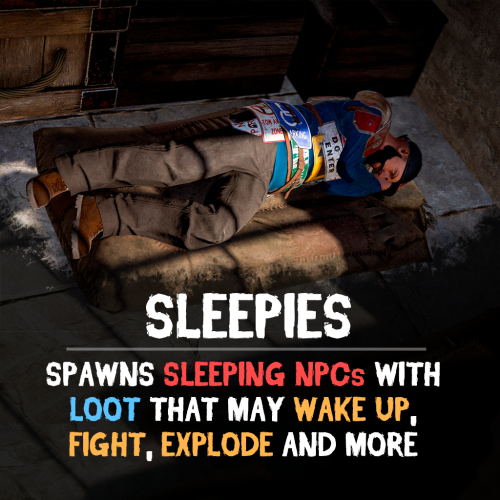
Version 1.0.4
104 downloads
Add more activity to your server with Sleepies — random sleeping bots spawned around the map, filled with loot and unexpected surprises. Will you get easy rewards, or will the sleeper suddenly wake up and attack? Features: Sleepers Spawn • Bots spawn at random locations: beaches, roads, SpawnsDatabase points or random • Setup loot for each sleeper — from junk to something valuable. Unpredictable Scenarios • Inventory opens, loot and go. • The bot wakes up and fights back. • Sleeper explodes on interaction. • Sleeper despawns, without leaving loot. • NPCs or animals spawn around the bot. • Sleeper wakes up with C4, and chases the player until detonation. • Or other unwanted consequences - player gets knocked down, starts bleeding, gets radiation and etc. Bot Setup • Configure bot health, name, amount to spawn, loot, clothing, and appearance. • Set individual probability for each scenario. • Customize C4 fuse timer and damage rate. See It in Action! Watch The Video Configuration: { "Bots setup": [ { "Amount of bots": 1, "Spawn point (Random, Road, Beach, SpawnsDatabase)": "Random", "Spawn points filename (if SpawnsDatabase selected)": "", "Bot display name (empty for random)": "Bob", "Bot appearance (0 for random, also random if bots amount > 1)": 0, "Can be targeted by other NPCs?": false, "Despawn timer after scenario triggered": 60, "On death settings": { "Allow wounded state?": true, "Drop active item on death?": false, "Spawn a backpack with bot's items on death? (otherwise corpse will spawn)": false, "List of items that won't drop on death": [ { "Item name": "", "Item shortname": "rifle.ak", "Item skin": 0, "Item amount": 1, "Destination container (belt, main, wear)": "belt" } ] }, "Fight settings": { "Distance between bot and enemy": 3.0, "Maximum distance bot will remember target": 30.0, "Despawn when player is dead?": true }, "Scenario when bot is attacked or inventory opened": { "Bot will wake up and start fighting": { "Enabled?": true, "Chance of activation": 100 }, "Bot will explode": { "Enabled?": false, "Chance of activation": 100, "Type of explosive (C4, Satchel, F1Grenade, BeancanGrenade, Flashbang, MolotovCocktail, SmokeGrenade)": "C4", "Damage rate": 2.0 }, "Bot will suicide": { "Enabled?": false, "Chance of activation": 100 }, "Bot will wake up and follow player with C4 attached (kamikadze)": { "Enabled?": false, "Chance of activation": 100, "Detonation timer": 10 }, "Spawn NPCs around the sleeping bot": { "Enabled?": false, "Chance of activation": 100, "How many NPCs to spawn?": 3, "Distance to spawn": 5.0, "NPC items": [ { "Item name": "", "Item shortname": "shoes.boots", "Item skin": 0, "Item amount": 1, "Destination container (belt, main, wear)": "wear" }, { "Item name": "", "Item shortname": "pants", "Item skin": 0, "Item amount": 1, "Destination container (belt, main, wear)": "wear" }, { "Item name": "", "Item shortname": "hoodie", "Item skin": 0, "Item amount": 1, "Destination container (belt, main, wear)": "wear" }, { "Item name": "", "Item shortname": "mask.bandana", "Item skin": 0, "Item amount": 1, "Destination container (belt, main, wear)": "wear" }, { "Item name": "", "Item shortname": "hat.boonie", "Item skin": 0, "Item amount": 1, "Destination container (belt, main, wear)": "wear" }, { "Item name": "", "Item shortname": "sunglasses", "Item skin": 0, "Item amount": 1, "Destination container (belt, main, wear)": "wear" }, { "Item name": "", "Item shortname": "rifle.ak", "Item skin": 0, "Item amount": 1, "Destination container (belt, main, wear)": "belt" } ], "List of items that won't drop on death of NPC": [ { "Item name": "", "Item shortname": "rifle.ak", "Item skin": 0, "Item amount": 1, "Destination container (belt, main, wear)": "belt" } ] }, "Spawn animals around the sleeping bot": { "Enabled?": false, "Chance of activation": 100, "How many animals to spawn?": 3, "Distance to spawn": 5.0, "Animal prefab": "assets/rust.ai/agents/wolf/wolf.prefab" }, "Player will lose health": { "Enabled?": false, "Chance of activation": 100, "Damage amount": 50 }, "Player will get bleeding": { "Enabled?": false, "Chance of activation": 100, "Bleeding amount": 50 }, "Player will get radiation": { "Enabled?": false, "Chance of activation": 100, "Radiation amount": 50 }, "Player will become wounded": { "Enabled?": false, "Chance of activation": 100 } }, "Items": [ { "Item name": "", "Item shortname": "shoes.boots", "Item skin": 0, "Item amount": 1, "Destination container (belt, main, wear)": "wear" }, { "Item name": "", "Item shortname": "pants", "Item skin": 0, "Item amount": 1, "Destination container (belt, main, wear)": "wear" }, { "Item name": "", "Item shortname": "hoodie", "Item skin": 0, "Item amount": 1, "Destination container (belt, main, wear)": "wear" }, { "Item name": "", "Item shortname": "mask.bandana", "Item skin": 0, "Item amount": 1, "Destination container (belt, main, wear)": "wear" }, { "Item name": "", "Item shortname": "hat.boonie", "Item skin": 0, "Item amount": 1, "Destination container (belt, main, wear)": "wear" }, { "Item name": "", "Item shortname": "sunglasses", "Item skin": 0, "Item amount": 1, "Destination container (belt, main, wear)": "wear" }, { "Item name": "", "Item shortname": "rifle.ak", "Item skin": 0, "Item amount": 1, "Destination container (belt, main, wear)": "belt" } ] } ] }$14.90 -
 update bikedrivers then helipilots upload to server ALL files from archive every time please
 -
Changed Status from Pending to Closed
-
Changed Status from Work in Progress to Closed Changed Fixed In to 1.1.8
-
Changed Status from Pending to Closed Changed Fixed In to 1.1.8
-
did you enable auto-collect in config? it's disabled by default
-
unity's random often returning same values when range is low, you can try to duplicate same phrases like this and it'll help: "Phrases": [ "uinston/attacker/not_visible/1", "uinston/attacker/not_visible/2", "uinston/attacker/not_visible/3", "uinston/attacker/not_visible/1", "uinston/attacker/not_visible/2", "uinston/attacker/not_visible/3" ],