

About Fishing Status
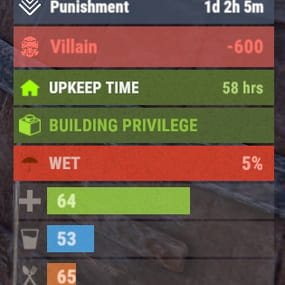
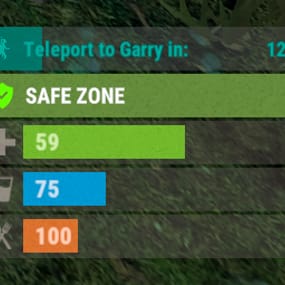
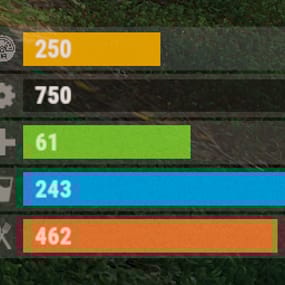
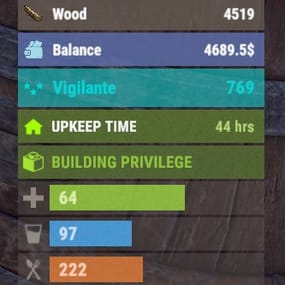
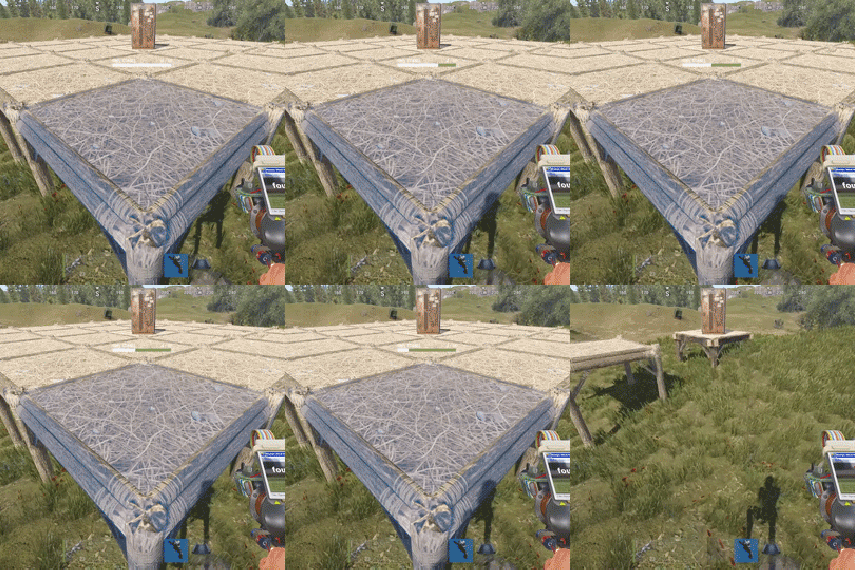
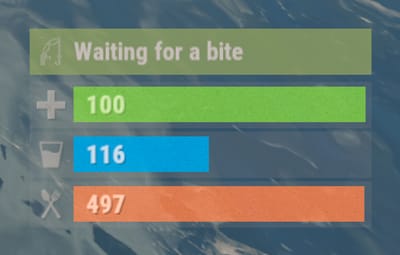
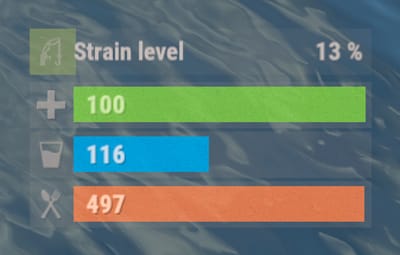
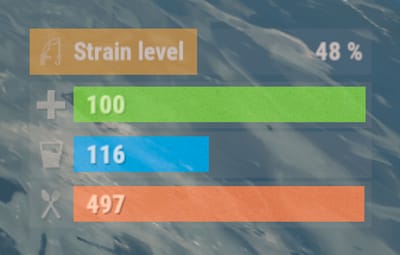
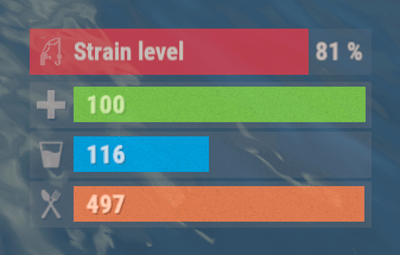
The plugin displays the fishing rod strain level in the status bar. Depends on AdvancedStatus plugin.

- The ability to display the strain level of the fishing rod in the status bar;
- The ability to notify when a high strain level is reached;
- The ability to set a color for each strain percentage;
- The ability to automatically generate language files for different languages(filled in English);
- The ability to specify the order of the bar;
- The ability to change the height of the bar;
- The ability to customize the color and transparency of the background;
- The ability to set a material for the background;
- The ability to switch between CuiRawImageComponent and CuiImageComponent for the image;
- The ability to get images from the local folder (*SERVER*\oxide\data\AdvancedStatus\Images);
- The ability to set own image and customize the color and transparency of the image;
- The ability to set sprite instead of the image;
- The ability to customize the color, size, font and outline of the text.

- fishingstatus.use - Provides access to display the status bar.

{
  "Interval in seconds to update the rod strain state": 0.3,
  "Strain percentage(0.0 to 1.0) threshold for player notification. A value of 0 disables this": 0.7,
  "The effect that will be triggered upon a warning(Choose the effect carefully). An empty string disables the effect call": "assets/prefabs/locks/keypad/effects/lock.code.denied.prefab",
  "List of language keys for creating language files": [
    "en"
  ],
  "Status. Bar - Height": 26,
  "Status. Bar - Order": 2,
  "Status. Background - Color(Hex or RGBA)": "#FFFFFF",
  "Status. Background - Transparency": 0.15,
  "Status. Background - Material(empty to disable)": "",
  "Status. Image - Url": "https://gitlab.com/IIIaKa/images/-/raw/main/StatusBars/FishingStatus_Strain.png",
  "Status. Image - Local(Leave empty to use Image_Url)": "FishingStatus_Strain",
  "Status. Image - Sprite(Leave empty to use Image_Local or Image_Url)": "",
  "Status. Image - Is raw image": false,
  "Status. Image - Color(Hex or RGBA)": "#E2DBD6",
  "Status. Image - Transparency": 0.55,
  "Status. Image Outline - Color(Hex or RGBA)": "0.1 0.3 0.8 0.9",
  "Status. Image Outline - Transparency": 1.0,
  "Status. Image Outline - Distance(Leave empty to disable). Example '0.75 0.75'": "",
  "Status. Text - Size": 14,
  "Status. Text - Color(Hex or RGBA)": "#E2DBD6",
  "Status. Text - Transparency": 1.0,
  "Status. Text - Font(https://umod.org/guides/rust/basic-concepts-of-gui#fonts)": "RobotoCondensed-Bold.ttf",
  "Status. Text - Offset Horizontal": 0,
  "Status. Text Outline - Color(Hex or RGBA)": "#000000",
  "Status. Text Outline - Transparency": 1.0,
  "Status. Text Outline - Distance(Leave empty to disable)": "",
  "Status. SubText - Size": 14,
  "Status. SubText - Color(Hex or RGBA)": "#E2DBD6",
  "Status. SubText - Transparency": 1.0,
  "Status. SubText - Font": "RobotoCondensed-Bold.ttf",
  "Status. SubText Outline - Color(Hex or RGBA)": "0.5 0.6 0.7 0.5",
  "Status. SubText Outline - Transparency": 1.0,
  "Status. SubText Outline - Distance(Leave empty to disable)": "",
  "Status. Progress - Transparency": 0.8,
  "Status. Progress - OffsetMin": "0 0",
  "Status. Progress - OffsetMax": "0 0",
  "List of colors for strain levels": [
    {
      "MinRange": 0.0,
      "MaxRange": 0.4,
      "Color(Hex or RGBA)": "#B1C06E"
    },
    {
      "MinRange": 0.4,
      "MaxRange": 0.7,
      "Color(Hex or RGBA)": "#F7BB00"
    },
    {
      "MinRange": 0.7,
      "MaxRange": 1.0,
      "Color(Hex or RGBA)": "#F70000"
    }
  ],
  "Version": {
    "Major": 0,
    "Minor": 1,
    "Patch": 1
  }
}
The values of MaxRange and MinRange set the range of values over which the color applies.
The values for MaxRange and MinRange must be between 0.0 and 1.0 (inclusive), where 0.0 equals 0%, and 1.0 equals 100%.
The value of MaxRange must be equal to the value of MinRange of the previous.

EN:
{
  "BarWaiting": "Waiting for a bite",
  "BarStrain": "Strain level"
}
RU:
{
  "BarWaiting": "Ожидание поклёвки",
  "BarStrain": "Натяжение лески"
}