Jump to content

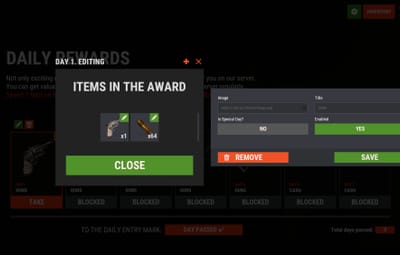
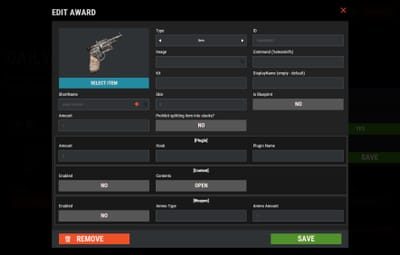
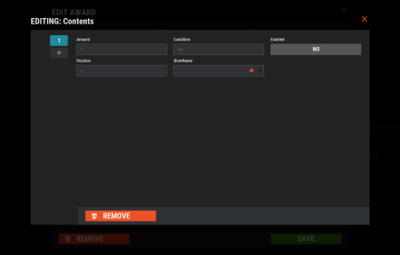
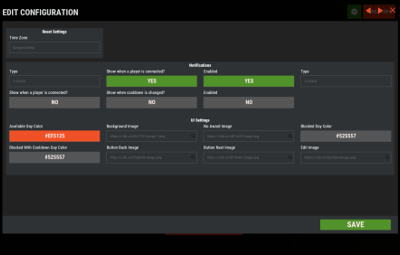
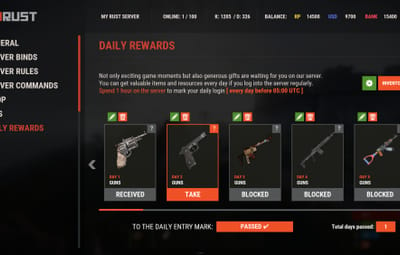
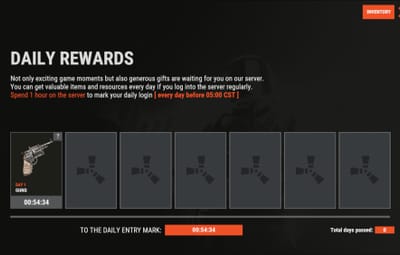
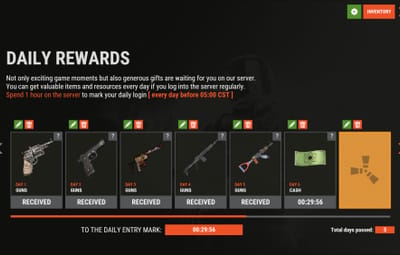
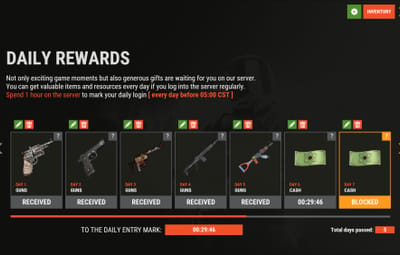
16 Screenshots

  • 49.9k
  • 2.5k
  • 56.4 kB
  • Update details
    v1.1.14
    Released
    Download size56.4 kB
    Total versions24
    Time between versions 20 days
    Typical update pace About every 36 days
    Freshness 30 days ago

This area is for discussion and questions. Please use the support area for reporting issues or getting help.

Recommended Comments


Frook

Posted

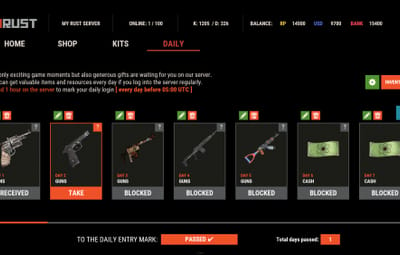
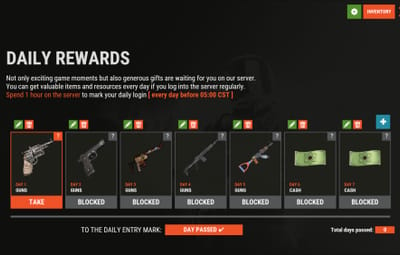
Hi, how can I change the size of the entire menu like you have here, so that it's a small menu and not the whole screen?
image.png.3ee9e329368cd750029963d91b96b6ab.png

  • Curator
Mevent

Posted

42 minutes ago, Frook said:

Hi, how can I change the size of the entire menu like you have here, so that it's a small menu and not the whole screen?
image.png.3ee9e329368cd750029963d91b96b6ab.png

Hey! You can switch between UI templates using the console command:
dailyrewards.template inmenu 2

This gives you a more compact menu layout. If you want to customize the size further, you can edit the panel dimensions in your config file - look for the "OffsetMin" and "OffsetMax" values under the Content Panel section in your UI settings. For example, changing the anchor values from "0 0.5" / "1 0.5" to something like "0.15 0.3" / "0.85 0.7" will make the panel narrower and not stretch edge-to-edge.

  • Sad 1
Frook

Posted

I entered this command, but it doesn't work. I've already tried restarting the plugin, deleting the config file to make a new one, but the panel still takes up the entire screen.
dailyrewards.template inmenu 2
[13:16:55][Daily Rewards] 'inmenu'  UI successfully set!

Frook

Posted

On 3/3/2026 at 7:49 PM, Mevent said:

Hey! You can switch between UI templates using the console command:
dailyrewards.template inmenu 2

This gives you a more compact menu layout. If you want to customize the size further, you can edit the panel dimensions in your config file - look for the "OffsetMin" and "OffsetMax" values under the Content Panel section in your UI settings. For example, changing the anchor values from "0 0.5" / "1 0.5" to something like "0.15 0.3" / "0.85 0.7" will make the panel narrower and not stretch edge-to-edge.

I'd be grateful if you could send me the finished config with the panel already reduced in size. It's not working for me, maybe because I'm using the Russian format. I entered the command, but nothing happens. The console says something has changed, but there are no changes in FAT.
image.png.d75b4765f77773b6a5c91ed9ae707791.png

illknown

Posted (edited)

.

Edited by illknown
illknown

Posted

5 minutes ago, Frook said:

I entered this command, but it doesn't work. I've already tried restarting the plugin, deleting the config file to make a new one, but the panel still takes up the entire screen.
dailyrewards.template inmenu 2
[13:16:55][Daily Rewards] 'inmenu'  UI successfully set!

could store in data rather than config?

MeventSupport

Posted

7 minutes ago, Frook said:

I entered this command, but it doesn't work. I've already tried restarting the plugin, deleting the config file to make a new one, but the panel still takes up the entire screen.
dailyrewards.template inmenu 2
[13:16:55][Daily Rewards] 'inmenu'  UI successfully set!

Hey! So the thing is, the inmenu template only applies when DailyRewards is opened through a menu like ServerPanel. If you're opening it directly via command or button, it uses the fullscreen template instead - that's a separate setting in your config (UI vs MenuUI). If you want to change how it looks when opened directly, you'd need to tweak the UI section in your config file, specifically the panel offsets and anchor values. Are you using ServerPanel or opening DailyRewards on its own?

Frook

Posted

4 minutes ago, MeventSupport said:

Привет! Дело в том, что шаблон меню применяется только тогда, когда DailyRewards открывается через меню, например, ServerPanel. Если вы открываете его напрямую с помощью команды или кнопки, используется шаблон полноэкранного режима — это отдельная настройка в вашем файле конфигурации (UI против MenuUI). Если вы хотите изменить внешний вид при прямом открытии, вам нужно будет изменить раздел UI в вашем файле конфигурации, в частности, смещения панели и значения привязки. Вы используете ServerPanel или открываете DailyRewards отдельно?

I open daily rewards separately, I don't use the server panel

Create an account or sign in to comment

You need to be a member in order to leave a comment

Create an account

Sign up for a new account in our community. It's easy!

Register a new account

Sign in

Already have an account? Sign in here.

Sign In Now
  • Like 1
  • Love 2

Mevent's Collection

User Feedback

About Us

Codefling is the largest marketplace for plugins, maps, tools, and more, making it easy for customers to discover new content and for creators to monetize their work.

Downloads
2.3m
Total downloads
Customers
10.7k
Customers served
Files Sold
154.8k
Marketplace sales
Payments
3.3m
Processed total
×
×
  • Create New...

Important Information

We have placed cookies on your device to help make this website better. You can adjust your cookie settings, otherwise we'll assume you're okay to continue.