 WARNING: this is a Discord bot for the
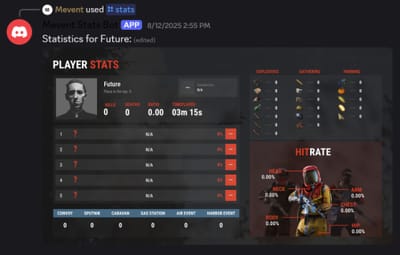
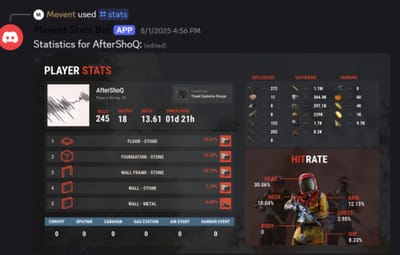

About UltimateLeaderboard Discord Bot
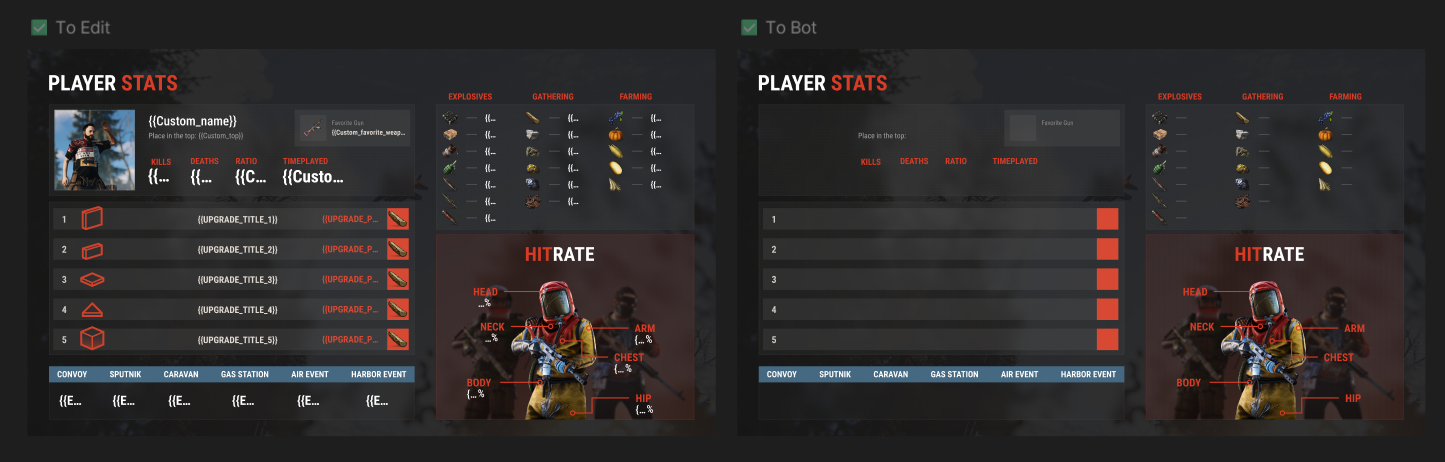
Introducing UltimateLeaderboard Discord Bot, the ultimate companion for your Rust server's leaderboard system! This powerful Discord bot seamlessly integrates with your UltimateLeaderboard plugin data to bring beautiful, interactive player statistics directly to your Discord server. Featuring stunning Figma-powered visual stats cards and comprehensive player data display, this bot is the perfect addition to keep your community engaged.

 Features
- Beautiful statistics cards generated using Figma templates with real player data
- Display kills, deaths, KDR, playtime, favorite weapons, and building statistics
- Real-time data from your UltimateLeaderboard MySQL database
- Steam profile integration with automatic avatar fetching
- Multi-language support with customizable language files
- Modern Discord slash commands
 Showcase
Interactive Stats Command
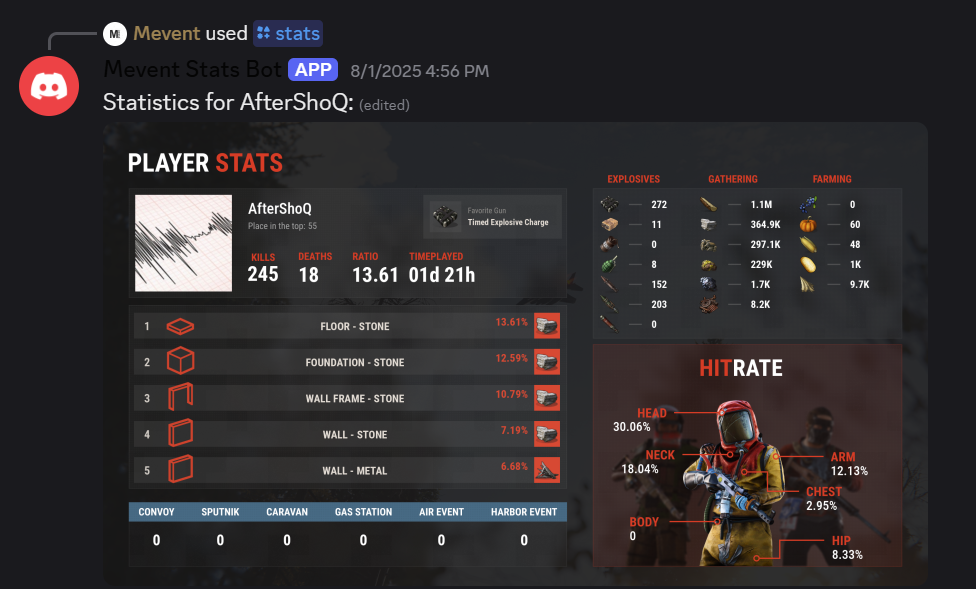
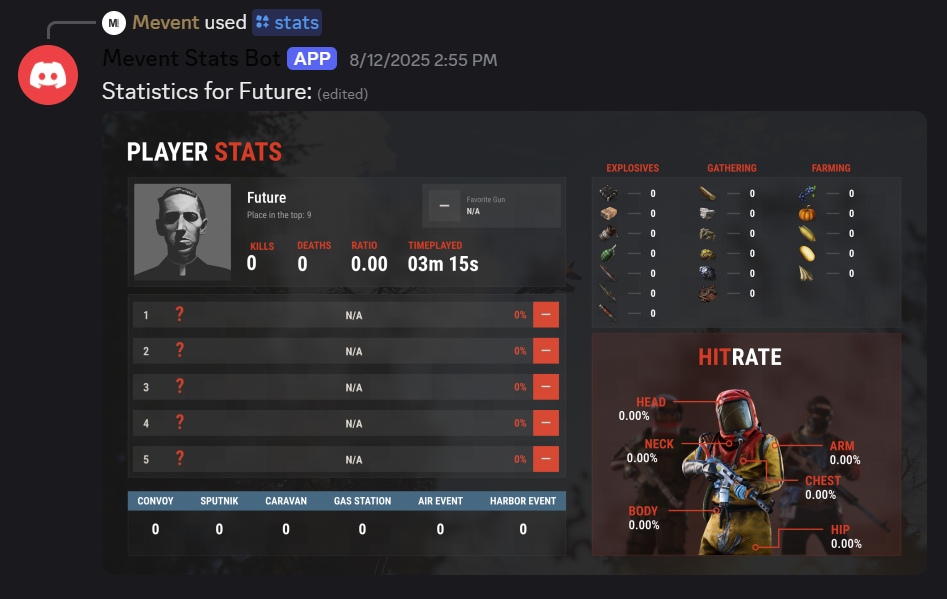
Beautiful Figma-Generated Statistics Cards
 Video Overview
Complete setup tutorial with live demonstration, Discord bot configuration, Figma integration, and installation guide.
 Commands
- /stats [steam_id] - Display comprehensive player statistics with beautiful visual cards
 Requirements
- UltimateLeaderboard plugin with MySQL database
- Discord bot token
- Python 3.12 hosting environment
- Important: Enable "Enable real-time stats updates to database" option in UltimateLeaderboard config for accurate data display
 Configuration
Simple JSON configuration file:
{
  "discord": {
    "botToken": "your-discord-bot-token"
  },
  "database": {
    "host": "localhost",
    "port": 3306,
    "username": "username",
    "password": "password",
    "database_name": "database_name",
    "table_prefix": ""
  }
}
Note: The bot uses cached Figma template data. Cache files are already included in the archive. If you want to use your own Figma template, run refresh_figma_cache.py script once (Figma API credentials only needed for that script, not for the bot itself).
 Displayed Statistics
- Kills, Deaths & KDR
- Total playtime with formatting
- Favorite weapons with icons
- Building materials usage
- Combat accuracy by body parts
- Leaderboard position and points
- Steam profile integration
 FAQ
FAQ
Q: What should I read before installation?
A: Before installation, please read the docs/USER_GUIDE.md file for detailed setup instructions.
Q: Do you have a default template?
A: Yes, we have a default template located at: "docs/UltimateLeaderboard Discord Stats.fig"
Q: Do I need the UltimateLeaderboard plugin?
A: Yes, this bot reads data from the UltimateLeaderboard plugin's MySQL database.
Q: Can I customize the statistics cards?
A: Yes! The bot uses Figma templates which you can fully customize to match your server's style.
Q: What hosting options are supported?
A: Windows, Linux, Pterodactyl, Docker, and cloud services. Full setup guide included.
Q: Do I need Figma API credentials?
A: No, the bot works with cached data. The archive includes pre-populated cache files. If you want to use your own Figma template design, you can run refresh_figma_cache.py script once to fetch your design into the cache. Figma API credentials are only needed for that script, not for the bot itself.
Q: How does the cache system work?
A: The bot uses cached Figma template data instead of calling Figma API during runtime. This makes it faster and more reliable. Cache files are stored in cache/figma directory. The archive already includes these files, so you can start using the bot immediately. If you want to update the template design later, just run refresh_figma_cache.py again.
 Quick Installation
- Download and extract the bot files
-
Install dependencies:
pip install -r requirements.txt -
Configure
config.jsonwith your Discord bot token and database settings -
Optional: Run
refresh_figma_cache.pyif you want to use your own Figma template (cache files are already included) -
Run:
python bot.py
 Support
Comprehensive USER_GUIDE.md included with step-by-step setup instructions. Join our Discord for support: https://discord.gg/mevent




(1).thumb.png.d56d18605bed9090caa8ebd3d3539349.png)
.thumb.gif.4707aef13cba7c3b9ad410f5f982b71c.gif)
.thumb.png.bcb832e22f0a48b6833fee517e444bff.png)