.thumb.png.5dabf399cc80797fa3a71fb52740e649.png)
.thumb.png.a08cc240a0f04c47a08292700663a0e6.png)
.thumb.png.7bcb10f6e114f57b141364049cacca54.png)


About Ship Vendor
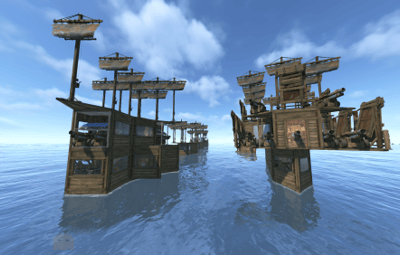
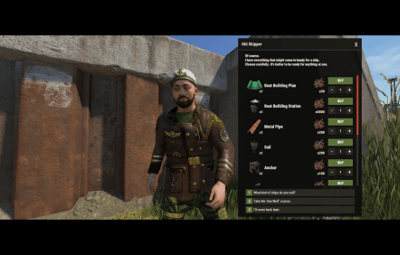
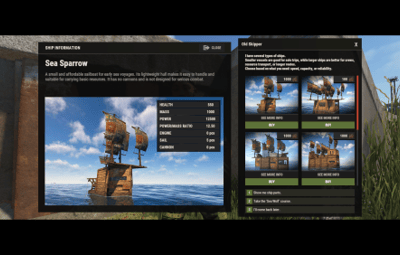
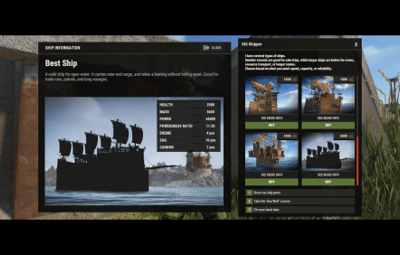
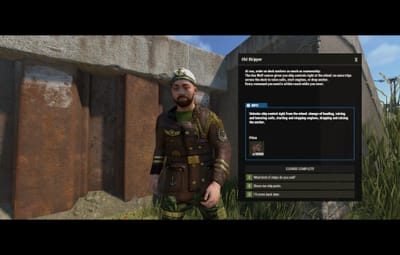
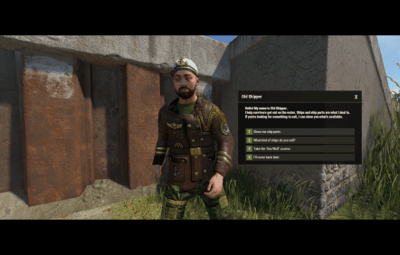
Ship Vendor is an NPC merchant that sells players whole ships, ready to sail, with every block, device, skin, and inventory item already in place, plus the parts to build their own. You build a ship by hand, save it with one command, and it shows up in the vendor's window right away. The player buys it from the NPC, gets a Boat Building System item, drops it next to water, and watches it open into an exact copy of your original, with the owner already authorized.
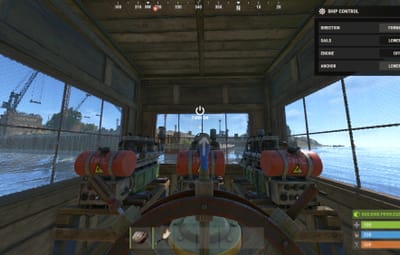
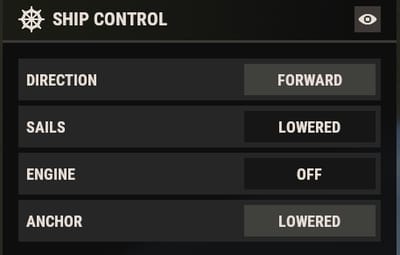
Everything is set up from inside the game. Place vendors at monuments where they keep their spot after a map wipe, run prices that move with demand, hand out discounts by permission, and let captains take the helm to raise the sails, drop the anchor, and steer a course.

 Features of Ship Vendor
- NPC ship merchants you place at any monument, bound to the monument so they keep their spot after a map wipe
- Sells whole ships and individual parts: the planner, the building station, sails, anchors, engines, cannons, and more
- Build a ship by hand and save it with one command; it appears in the vendor's window right away
- Bought ships open into exact copies, with every block, device, skin, fuel load, and the owner's authorization carried over
- A helm panel for raising and lowering sails, dropping and raising the anchor, switching engines and lights, and setting the course
- Sea Wolf status players can buy with in-game currency to unlock helm control
- Dynamic pricing that nudges prices up or down based on how much players buy, inside limits you set
- Purchase discounts by permission, stacking up to a cap you choose
- Pay with any item, or through Economics, ServerRewards, BankSystem, or IQEconomic
- Purchases blocked during combat, raids, building block, swimming, duels, and more
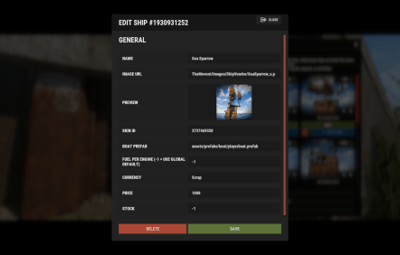
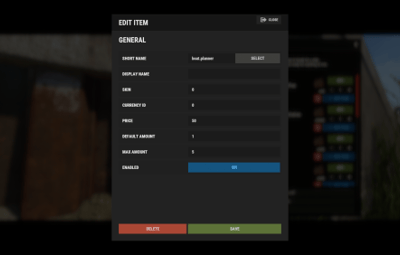
- Full in-game editor for ships, parts, vendors, and every line of UI text, no JSON editing
- English and Russian built in, with Notify and UINotify support and an offline image mode
 Commands
- /ship (or /ships) – admin command to save ships, give them out, edit their content, and place NPC vendors. Players do not need a command; they buy from the NPC.
- shipvendor.give <userId> <shipId> – server console command to give a saved ship to a player.
 Permissions
- shipvendor.admin – save, give, and edit ships, and place NPC vendors
- shipvendor.helm – control a ship's helm: sails, anchor, engines, lights, and course
- shipvendor.helm.sails – raise and lower the sails
- shipvendor.helm.anchor – drop and raise the anchor
- shipvendor.helm.engine – turn the engines on and off
- shipvendor.helm.lights – toggle the ship's lights
- shipvendor.helm.direction – set the ship's course
- shipvendor.discount1 / shipvendor.discount2 / shipvendor.discount3 – purchase discount tiers, 5%, 10%, and 15% by default
 Ships Included
- Sea Sparrow – a cheap starter sailboat for early voyages, light and easy to handle, no cannons
- Freewind – a fast scout and cargo runner with the best power-to-mass ratio, no weapons
- Sharp Fang – a light combat boat for a small crew, quick, with four cannons
- Stormrunner – a mid-class ship with a reinforced hull and five cannons for long trips
- Grey Corsair – a tough combat ship built around firepower for naval fights and escorts
- Iron Tide – a heavy all-rounder with eight cannons for an experienced crew
- Abyssal Wrath – the heaviest ship here, a thirteen-cannon floating fortress
 Video
Video
 TEST SERVER
Join our test server to view and experience all our unique features yourself!
Copy the IP Address below to start playing!
connect 155.103.86.38:28015
 Web Config Editor
Easily manage your ShipVendor settings with our web-based configuration editor. This tool allows you to adjust plugin configurations through a user-friendly interface, eliminating the need to manually edit files on your server.

P.S. To access the web config editor, you must be part of the "ShipVendor" group in our Discord server. Join us at https://discord.gg/mevent and request the group to get started.
 FAQ
FAQ
Q: Where can I see an example of a config?
A: Config
Q: Where can I edit the names in the plugin or add my own language?
A: You can edit lang files that are located (for example) at "oxide/lang/en/ShipVendor.json" or "carbon/lang/en/ShipVendor.json".
Q: Players get "The plugin does not work correctly, contact the administrator!" message. How to fix?
A: This error occurs when the ImageLibrary plugin is not working properly. Solutions:
- Install the ImageLibrary plugin if it's not installed.
- Make sure ImageLibrary is loaded and running properly (check with o.plugins command).
- Restart the server after installing ImageLibrary.
- Check server console for ImageLibrary errors and fix them.
Q: I see black images with Rust logo or get error 429 when loading images. What should I do?
A: These issues occur when there are problems downloading images from the internet. The ShipVendor plugin sends images to ImageLibrary but is not responsible for the downloading process itself. Error 429 typically occurs due to rate limits imposed by image hosting services like Imgur (see HTTP 429 documentation for more details). The bundled ships use local images with the "TheMevent/" prefix, so set up the local images:
-
Set up the images:
- Create folder "TheMevent" in "oxide/data" (or "carbon/data" for Carbon)
- Download PluginsStorage (click "CODE" → "Download ZIP")
- Extract the ZIP and copy all contents to the "TheMevent" folder
-
Reload the plugin:
-
Type
o.reload ShipVendor(Oxide) orc.reload ShipVendor(Carbon)
-
Type
Note: If you want to add your own custom images, place them in the "TheMevent" folder and reference them with the "TheMevent/" prefix. For example: "TheMevent/Icon1.png", "TheMevent/MyCustomIcon.jpg", etc.
Q: How to use BankSystem to store the economy
A:
  "Currencies": {
    "0": {
      "ID": 0,
      "Enabled": true,
      "Title": "Coins",
      "Icon": null,
      "Type (Plugin/Item)": "Plugin",
      "Plugin name": "BankSystem",
      "Balance add hook": "Deposit",
      "Balance remove hook": "Withdraw",
      "Balance show hook": "Balance",
      "ShortName": "",
      "Display Name (empty - default)": "",
      "Skin": 0
    }
  },
Q: How to use ServerRewards to store the economy
A:
  "Currencies": {
    "0": {
      "ID": 0,
      "Enabled": true,
      "Title": "RP",
      "Icon": null,
      "Type (Plugin/Item)": "Plugin",
      "Plugin name": "ServerRewards",
      "Balance add hook": "AddPoints",
      "Balance remove hook": "TakePoints",
      "Balance show hook": "CheckPoints",
      "ShortName": "",
      "Display Name (empty - default)": "",
      "Skin": 0
    }
  },
Q: How to use Economics to store the economy
A:
  "Currencies": {
    "0": {
      "ID": 0,
      "Enabled": true,
      "Title": "Money",
      "Icon": null,
      "Type (Plugin/Item)": "Plugin",
      "Plugin name": "Economics",
      "Balance add hook": "Deposit",
      "Balance remove hook": "Withdraw",
      "Balance show hook": "Balance",
      "ShortName": "",
      "Display Name (empty - default)": "",
      "Skin": 0
    }
  },
Q: How to use IQEconomic to store the economy
A:
  "Currencies": {
    "0": {
      "ID": 0,
      "Enabled": true,
      "Title": "Coins",
      "Icon": null,
      "Type (Plugin/Item)": "Plugin",
      "Plugin name": "IQEconomic",
      "Balance add hook": "API_SET_BALANCE",
      "Balance remove hook": "API_REMOVE_BALANCE",
      "Balance show hook": "API_GET_BALANCE",
      "ShortName": "",
      "Display Name (empty - default)": "",
      "Skin": 0
    }
  },
Q: How to use scrap (or any item) to pay
A:
  "Currencies": {
    "0": {
      "ID": 0,
      "Enabled": true,
      "Title": "Scrap",
      "Icon": null,
      "Type (Plugin/Item)": "Item",
      "Plugin name": null,
      "Balance add hook": null,
      "Balance remove hook": null,
      "Balance show hook": null,
      "ShortName": "scrap",
      "Display Name (empty - default)": null,
      "Skin": 0
    }
  },
 API
API
bool API_GiveShip(BasePlayer player, int shipId)
bool IsSeaWolfOwner(ulong userId)
Set up a vendor, save a few ships, and your players have a fleet to buy and sail.


.thumb.gif.30bb4fb1ad6b9cbba98fad72b9533086.gif)
.thumb.png.bcb832e22f0a48b6833fee517e444bff.png)
.thumb.gif.4707aef13cba7c3b9ad410f5f982b71c.gif)




![More information about "Build Tools [grade/remove/skins]"](https://codefling.com/cdn-cgi/image/width=285,height=285,quality=80,fit=cover,format=webp/https://codefling.com/uploads/monthly_2024_02/v4final.thumb.gif.47c01c6bcae439a1dad6cea581e5ec41.gif)