
FEATURES
Map size: 4500;
Prefab count: ~54k;
A lot of attention was paid to nature, and each section of the map was designed in detail;
Most of the rocks are hand-crafted, which makes them look much better.
The custom config for the BetterNpc plugin is set up so that bots are present at all points of interest;
Compatible with BetterNPC plugins (Config for bots in the file), Train Homes and Raidable bases;
Underground railway;
A large number of small settlements/single buildings not marked on the road map by road;
Double-track surface railway with 1 entrance to the metro with separate branches for spawn trains;
Ring road (compatible with event plugins);
There are custom trawlers;
Evenly spaced monuments to spread the FPS load of client;
A lot custom building places (X on the minimap);
Custom places for building in the subway (XU on the minimap);
Bridges are designed for easy tugboat access;
A large number of points with access to fresh water for farms. ( Rivers inside the island work like regular game rivers )
CUSTOM MONUMENTS
Oil Refinery;
Destroyed satellite dishes;
Heli towers (1-5);
Construction Site;
Abandoned Oil Tanks;
Oil Tanks;
Crash Site;
Oil Platform;
Deep Seeker ( Trawler );
Northwind ( Trawler );
Storm Trawler ( Trawler );
Sea Wolf ( Trawler );
Silver Catch ( Trawler );
Bering Beauty ( Trawler );
Underwater caves (x2 ) ( Zones for underwater farm );
Sunken Containers (x2 ) ( Zones for underwater farm );
A lots custom places to build a base. ( "X"/"XU" on map );
Train Station ( For Train homes plugin )
A lots unmarked buildings.
FACEPUNCH MONUMENTS
Combined Outpost;
Apartment Complex;
Launch Site;
Military Tunnel;
Harbor (2/2);
Ziggurat;
Ferry Terminal;
Radtown;
Abandoned Supermarket;
Nuclear Missile Silo;
Oxum's Gas Station;
Airfield;
Lighthouse;
The Dome;
Water treatment plant;
Trainyard;
Power Plant;
Arctic Research Base;
Desert Military Base;
Giant Excavator Pit;
Stone, Sulfur & HQM quarries;
Satellite Dish;
Small & Large Oil Rig;
Large Underwater Lab.
My Discord: shemov
Discord Server: https://discord.gg/UpUXuxs4Vx
A password is attached to the map. You can edit it.
Featured framework
Carbon for modern Rust servers
Fast, self-updating, and built for performance with seamless in-game plugin and server management.
1,800+
servers powered by Carbon
$19.99
SimplePVE is exactly what the name suggests: a simple and easy-to-use PVE plugin for Rust servers. It allows server owners to control and customize PVE rules individually, either through the config or with a clean in-game CUI. You can also create, edit, and manage PVE/PVP schedules directly, making it easy to run full PVE servers, purge events, or hybrid PVE/PVP setups.
⭐ Key Features
Control PVE rules directly from in-game CUI or through the config
Easy-to-understand rule system for managing damage, raiding, looting, and protection
Enable or disable PVE/PVP manually with commands
Create automatic PVP schedules for purge times
Supports weekly schedules, such as Sunday to Friday or weekend-only PVP
Supports date-specific schedules, such as January 1 to January 7, holiday events, wipe-weekend events, and custom purge periods
Automatic PVE/PVP purge events based on your configured schedule
Loot protection system to prevent unauthorized looting
Zone Manager support for custom PVE/PVP zones
Exclude specific zones from global PVE rules
Supports many popular event plugins
Works without using `server.pve true`
In-game rule manager using `/sprules`
Debug command to help check why damage is blocked or allowed
Optional PVE/PVP status UI for players
Customizable UI position, status text, icons, and colors
Discord embed messages when PVP purge starts or ends
Optional Discord warning messages before PVE/PVP schedule changes
Run custom server commands when PVP purge starts or ends
Admin bypass permissions for loot and damage control
Supports PVP delay when leaving PVP zones
Flexible config for server owners who want full control
Designed for simple PVE servers, purge servers, hybrid PVE/PVP servers, and event-based servers
NEW • CUSTOM STATUS
NEW • PVE/PVP HUD FOR DISPLAYING PURGE EVENTS
📌 Commands
/simplepve - Use to enable or disable pve toggle (Chat & Console command)
/simplepve on or off - Use to enable disable pve (Chat & Console command)
/sprules - Use to Open a Cui to control PVE Rules & Creating Schedules (Chat command)
/spdebug - Use this for debuging rules
/sp_change - Use this to change the SimplePVE hud from ingame (Chat command)
📜 Permissions
simplepve.admin - Required to enable or disable SimplePVE
simplepve.adminloot - Required to view Loots of other players
simplepve.admindamage - Required for Admin damages to any entity
🎉 Game hosting perfected, that's Physgun
Join the thousands of server owners using Physgun to take their game server communities to the top.
🎬 Video Showcase
🚀 API & Hooks
void OnSPVEPurgeStarted()
void OnSPVEPurgeEnded()
TimeSpan GetPVPStartTimeRemaining()
TimeSpan GetPVPEndTimeRemaining()
⚙️ Configurations
🗃️ Rules Data file in Oxide/data/SimplePVE
📜 FAQ
Question: Does SimplePVE require server.pve to be set to false?
Yes, it requires server.pve set to false.
Question: Where can I change the rules for my PVE server?
You can use the `/sprules` command to open the in-game CUI rule manager. You must have the `simplepve.admin` permission assigned to use this command.
Question: PVE/PVP schedules times are not working properly, why is that happening?
You may need to adjust the `UTC Time Difference` value in the config. Make sure the UTC offset matches your server’s intended timezone. For more details, please check the Info tab below.
Question: How do I enable or disable PVE manually?
You can use `/simplepve on` to enable PVE and `/simplepve off` to disable it. You need the `simplepve.admin` permission to use these commands.
Question: Can I create automatic PVP purge schedules?
Yes. SimplePVE supports scheduled PVP/PVE times, allowing you to automatically enable PVP during purge events and return to PVE when the schedule ends.
Question: Can I do Weekly schedules like Sunday To Friday or specific date to another date?
Yes. SimplePVE supports both option and you can only use one of them at once.
Question: Can admins damage players or entities while PVE is enabled?
Yes, but only if the admin damage settings and permissions allow it. The permission `simplepve.admindamage` is used for admin damage access.
Question: Why is damage still happening during PVE mode?
This usually means one of your rules allows that damage type, or another plugin is modifying damage before or after SimplePVE. Use `/spdebug` to help debug which rule is being applied.
Question: What does `/spdebug` do?
The `/spdebug` command helps you debug damage rules. It can be useful when you are trying to understand why damage is blocked or allowed.
Question: How does loot protection work?
Loot protection prevents players from looting protected entities or containers, depending on your config settings. Admins can be allowed to bypass this using the `simplepve.adminloot` permission.
Question: Can I exclude specific entities from loot protection?
Yes. You can add entity shortnames to the `Loot Protection Excluded Entitys` list in the config.
Question: Does SimplePVE support zones?
Yes. SimplePVE supports Zone Manager, allowing you to create different PVE/PVP behavior inside specific zones.
Question: Can I exclude specific zones from SimplePVE rules?
Yes. You can add zone IDs to the `Exclude Zone IDs From Rules` config option.
Question: Can SimplePVE send Discord notifications?
Yes. SimplePVE can send Discord embed messages when PVP purge starts, ends, or when a scheduled event is approaching, depending on your Discord config settings.
Question: Can I run server commands when PVP purge starts or ends?
Yes. You can add commands to the config options for commands that run when PVP purge starts or ends.
⚙️ Schedules Settings for your own timezone
🛠️ For Developers
💬 Support
Check Out My Other plugins as Well
$9.99
Offline Raid Limiter
Stop Unfair Offline Raids in Their Tracks
Tired of seeing your Rust server overrun by offline raid abuse? Offline Raid Limiter steps in to restore balance and fair play. With powerful tracking and immediate damage blocking, your players can enjoy a more authentic Rust experience—and you can enjoy worry-free server management.
Key Benefits
Prevent Offline Raid Abuse
Daily + Per-Wipe raid limits
Run daily limits, wipe limits, or both at the same time (fully configurable).
Proximity-Based Tracking: Only counts raids when attackers are within range of a Tool Cupboard (TC), ensuring offline raid limits don’t trigger prematurely.
Smart Raid Session Management
Team & Additional Raider Tracking: Keeps tabs on individual players as well as entire teams—even if they leave and rejoin. Plus, if additional players jump into the same raid, their involvement is recorded.
Edge Case Handling: No more confusion or gaps in coverage if a defender goes offline mid-raid or when multiple attackers are involved. Offline Raid Limiter’s robust logic sorts out these scenarios seamlessly.
Instant Damage Blocking
Enforce Fair Play: Once a team or individual hits their daily offline raid quota, further damage is blocked automatically. That means no more sneaky workarounds or unstoppable raids.
Modded Server UI
In-Game Control: For modded servers, gain access to a simple in-game UI that displays raid history, player statistics, and real-time session data.
Player-Friendly Features: Grant permissions so your players can check their offline raid counts with the /orl.mystats command—helping everyone stay within the rules.
Detailed Alerts & Reporting
Discord Integration: Offline Raid Limiter sends comprehensive alerts to Discord, making admin oversight a breeze.
Export & Clear Sessions: Use /orl.export to log and share your entire raid history for deeper analysis, then wipe all sessions with a simple console command if you need a fresh start.
Designed for Vanilla & Modded Servers
Flexible Configuration: If you set your server to "Vanilla,” the plugin automatically disables UI and direct damage blocks, limiting itself to Discord notifications so admins can monitor raiding behind the scenes.
Seamless Integration: Works hand-in-hand with Rust’s existing frameworks and requires only the Simple Status & Image Library for certain UI elements.
Why Choose Offline Raid Limiter?
Enhanced Fairness: Players can’t take shortcuts with offline raids for easy loot.
Clear Oversight: Admins see exactly who’s raiding and how often, helping you enforce balanced gameplay.
Configurable & User-Friendly: Tailor the plugin to your server’s needs in just a few clicks, with plenty of documentation to guide you.
If you’re ready to level the playing field and protect your community from unfair offline raids, Offline Raid Limiter has you covered. Bring your Rust server to new heights of balance, transparency, and peace of mind!
Commands & Usage
Player Commands (permission based)
/orl.mystats — Shows your overall stats (daily + wipe, plus active limits).
/orl.mydaily — Shows your daily offline raids and daily limit.
/orl.mywipe — Shows your wipe offline raids and wipe limit.
Admin Commands
/orl.disable <hours> — Temporarily disables enforcement for X hours.
/orl.enable — Re-enables immediately.
/orl.clearall — Clears all stored raid sessions (and fully resets tracking).
/orl.clearplayer <SteamID64 or name> — Clears raids for a specific player/team.
/orl.export — Exports raid sessions to JSON via the debug webhook.
/orl.dailyall [top] — Shows a “top raiders” list for daily scope.
/orl.wipeall [top] — Shows a “top raiders” list for wipe scope.
/orl.dailyplayer <name/id> — Check a player’s daily count.
/orl.wipeplayer <name/id> — Check a player’s wipe count.
Damage / Raid Logic
OfflineRaidLimiter checks incoming damage to building blocks, doors, external walls, and more.
If a team or player has exceeded the daily offline raid limit, all further damage to offline bases is blocked—and you can optionally broadcast an alert to Discord.
Key Points to Note About Commands
Some commands differ depending on your permissions and server setup. For instance, if a player types /exportraidsessions in chat, it won’t work unless they have OfflineRaidLimiter.admin.
For "Vanilla” servers (as set in the config), UI, damage blocking, and certain other features may be disabled—so commands like clearraidsessions and clearraidsforplayer will still work, but may only be visible to server admins via console.
When Commands Might Defer
Cleanup Commands: If the plugin detects that some raid sessions are still "cooling down” (meaning the raid window hasn’t fully expired), the system may defer clearing them until the next pass. This prevents conflicts with currently active raids.
Blocking Logic: After the daily limit is reached, the blocking triggers immediately and remains in place until the next server reset or cleanup routine (depending on how you configure it).
$9.99
An excellent plugin for remote trading between players with extensive functionality.
The ability to log successful trades;
The ability to create new permissions;
The ability to customize permissions flexibly, including both new and existing ones;
The ability to limit slots in trade;
The ability to configure the method(Personal, CommonMinimum, CommonMaximum) for limiting the number of slots;
The ability to set a cooldown on sending trade requests;
The ability to configure the method(InitiatorOnly, TargetOnly, Both) for applying cooldown to players;
The ability to purchase a bypass for the trade request cooldown;
The ability to set a daily limit on sending trade requests;
The ability to purchase additional trade requests after reaching the daily limit;
The ability to forbid trading when wounded;
The ability to forbid trading while swimming;
The ability to forbid trading while mounted on certain seats;
The ability to forbid trading in specified monuments, by name or by monument type;
The ability to forbid trading in someone else's building privileges;
The ability to forbid trading when taking damage;
The ability to forbid trading during a combat block;
The ability to forbid trading during a raid block;
The ability to forbid certain items from being traded;
The ability to automatically generate language files for specified languages(with content filled in English);
The ability to set an effect upon receiving a trade request;
The ability to change the effect upon a successful trade completion;
The ability to display a status bar while waiting for a trade;
The ability to choose between bar types(TimeCounter and TimeProgressCounter);
The ability to specify the order of the bar;
The ability to change the height of the bar;
The ability to customize the color and transparency of the background;
The ability to set a material for the background;
The ability to switch between CuiRawImageComponent and CuiImageComponent for the image;
The ability to get images from the local folder(*SERVER*\oxide\data\AdvancedStatus\Images);
The ability to set own image and customize the color and transparency of the image;
The ability to set sprite instead of the image;
The ability to customize the color, size and font of the text.
{
"Chat command": "trade",
"List of 'accept' commands": [
"accept",
"yes"
],
"List of 'cancel' commands": [
"cancel",
"no"
],
"Is it worth enabling GameTips for messages?": true,
"Is it worth using Notify plugins for messages instead of the vanilla UI?": false,
"Specify the regular message type for notify": 0,
"Specify the warning message type for notify": 1,
"Selected economic plugin(None, Economics, ServerRewards, IQEconomic, BankSystem)": "Economics",
"Is it worth using the AdvancedStatus plugin?": true,
"Is it worth saving trade logs to a file?": true,
"List of language keys for creating language files": [
"en"
],
"Slot limit calculation mode(Personal, CommonMinimum, CommonMaximum)": "CommonMaximum",
"Trade cooldown apply mode(InitiatorOnly, TargetOnly, Both)": "InitiatorOnly",
"Is it worth checking the target's trade cooldown?": false,
"Time in seconds given to respond to a trade request": 15.0,
"Price to skip 60 seconds of the trade request cooldown": 10.0,
"The prefab name for the effect triggered when a trade request is received": "assets/bundled/prefabs/fx/invite_notice.prefab",
"The prefab name for the effect triggered when a trade is successfully completed": "assets/prefabs/building/wall.frame.shopfront/effects/metal_transaction_complete.prefab",
"List of mount names where trading is prohibited": [
"horsesaddle",
"horsesaddlerear",
"bikedriverseat",
"bikepassengerseat",
"motorbikedriverseat",
"motorbikepassengerseat",
"modularcardriverseat",
"modularcarpassengerseatleft",
"modularcarpassengerseatright",
"modularcarpassengerseatlesslegroomleft",
"modularcarpassengerseatlesslegroomright",
"modularcarpassengerseatsidewayleft",
"miniheliseat",
"minihelipassenger",
"transporthelipilot",
"transporthelicopilot",
"attackhelidriver",
"attackheligunner",
"submarinesolodriverstanding",
"submarineduodriverseat",
"submarineduopassengerseat",
"snowmobiledriverseat",
"snowmobilepassengerseat",
"snowmobilepassengerseat tomaha",
"workcartdriver",
"locomotivedriver",
"craneoperator",
"batteringramseat",
"ballistagun.entity"
],
"Status. Bar - Display time in seconds. A value of 0 keeps it visible until the cooldown ends": 15.0,
"Status. Bar - Type(TimeProgressCounter or TimeCounter)": "TimeCounter",
"Status. Bar - Height": 26,
"Status. Bar - Order": 10,
"Status. Background - Color(Hex or RGBA)": "#EFC570",
"Status. Background - Transparency": 0.7,
"Status. Background - Material(Leave empty to disable)": "",
"Status. Image - Url": "https://gitlab.com/IIIaKa/images/-/raw/main/StatusBars/Trader_Request.png",
"Status. Image - Local(Leave empty to use Image_Url)": "Trader_Request",
"Status. Image - Sprite(Leave empty to use Image_Local or Image_Url)": "",
"Status. Image - Is raw image": false,
"Status. Image - Color(Hex or RGBA)": "#EFC570",
"Status. Image - Transparency": 1.0,
"Status. Image Outline - Color(Hex or RGBA)": "0.1 0.3 0.8 0.9",
"Status. Image Outline - Transparency": 1.0,
"Status. Image Outline - Distance(Leave empty to disable). Example '0.75 0.75'": "",
"Status. Text - Size": 12,
"Status. Text - Color(Hex or RGBA)": "#FFFFFF",
"Status. Text - Transparency": 1.0,
"Status. Text - Font(https://docs.oxidemod.com/guides/developers/basic-cui/basic-cui#fonts)": "RobotoCondensed-Bold.ttf",
"Status. Text - Offset Horizontal": 0,
"Status. Text Outline - Color(Hex or RGBA)": "#000000",
"Status. Text Outline - Transparency": 1.0,
"Status. Text Outline - Distance(Leave empty to disable)": "",
"Status. SubText - Size": 12,
"Status. SubText - Color(Hex or RGBA)": "#FFFFFF",
"Status. SubText - Transparency": 1.0,
"Status. SubText - Font": "RobotoCondensed-Bold.ttf",
"Status. SubText Outline - Color(Hex or RGBA)": "0.5 0.6 0.7 0.5",
"Status. SubText Outline - Transparency": 1.0,
"Status. SubText Outline - Distance(Leave empty to disable)": "",
"Status. Progress - Background Color(Hex or RGBA)": "1 1 1 0.15",
"Status. Progress - Background Transparency": 0.15,
"Status. Progress - Reverse": true,
"Status. Progress - Color(Hex or RGBA)": "#EFC570",
"Status. Progress - Transparency": 0.7,
"Status. Progress - OffsetMin": "0 0",
"Status. Progress - OffsetMax": "0 0",
"List of trade permissions": [
{
"Permission Name": "trader.default",
"Number of available trade slots": 3,
"Cooldown time(in seconds) before next trade": 600.0,
"Daily trade request limit. A value of 0 disables the limit": 50,
"Price to purchase a trade after exceeding the daily limit. A value of 0 disables the purchase": 5.0,
"Is it worth forbidding trade if the player is in a wounded state?": true,
"Is it worth forbidding trade if the player is swimming?": true,
"Is it worth forbidding trade if the player is mounted?": true,
"Is it worth forbidding trade if the player is in someone else's building privilege area?": true,
"Is it worth forbidding trade if the player has taken damage?": true,
"Is it worth forbidding trade if the player has combat block?": true,
"Is it worth forbidding trade if the player has raid block?": true,
"List of monuments where trade is forbidden": null,
"List of monument categories where trade is forbidden": [
"RadTown",
"RadTownWater",
"RadTownSmall",
"TunnelStation",
"Custom"
],
"List of forbidden trade items": [
"rock"
]
},
{
"Permission Name": "trader.vip",
"Number of available trade slots": 6,
"Cooldown time(in seconds) before next trade": 450.0,
"Daily trade request limit. A value of 0 disables the limit": 100,
"Price to purchase a trade after exceeding the daily limit. A value of 0 disables the purchase": 2.5,
"Is it worth forbidding trade if the player is in a wounded state?": true,
"Is it worth forbidding trade if the player is swimming?": true,
"Is it worth forbidding trade if the player is mounted?": true,
"Is it worth forbidding trade if the player is in someone else's building privilege area?": true,
"Is it worth forbidding trade if the player has taken damage?": true,
"Is it worth forbidding trade if the player has combat block?": true,
"Is it worth forbidding trade if the player has raid block?": true,
"List of monuments where trade is forbidden": null,
"List of monument categories where trade is forbidden": [
"RadTown",
"RadTownWater",
"TunnelStation"
],
"List of forbidden trade items": [
"rock"
]
},
{
"Permission Name": "realpve.vip",
"Number of available trade slots": 9,
"Cooldown time(in seconds) before next trade": 300.0,
"Daily trade request limit. A value of 0 disables the limit": 0,
"Price to purchase a trade after exceeding the daily limit. A value of 0 disables the purchase": 0.0,
"Is it worth forbidding trade if the player is in a wounded state?": false,
"Is it worth forbidding trade if the player is swimming?": false,
"Is it worth forbidding trade if the player is mounted?": false,
"Is it worth forbidding trade if the player is in someone else's building privilege area?": false,
"Is it worth forbidding trade if the player has taken damage?": false,
"Is it worth forbidding trade if the player has combat block?": false,
"Is it worth forbidding trade if the player has raid block?": false,
"List of monuments where trade is forbidden": [
"oilrig_1"
],
"List of monument categories where trade is forbidden": null,
"List of forbidden trade items": [
"rock"
]
}
],
"Version": {
"Major": 0,
"Minor": 1,
"Patch": 5
}
}
EN:
{
"CmdNotAllowed": "You do not have permission to use this command!",
"CmdPlayerNotFound": "Player '{0}' not found! You must provide the player's name or ID.",
"CmdMultiplePlayers": "Multiple players found: {0}",
"CmdEconomicsNotEnough": "Not enough funds!",
"CmdMain": "Available trade commands:\n\n<color=#D1CBCB>/trade</color> <color=#D1AB9A>bars *boolValue*(optional)</color> - Toggle status bar display\n<color=#D1CBCB>/trade</color> <color=#D1AB9A>*nameOrId*</color> - Send a trade request to the specified player\n<color=#D1CBCB>/trade</color> <color=#83BA7C>accept/yes</color> - Accept a pending trade request\n<color=#D1CBCB>/trade</color> <color=#DE5757>cancel/no</color> - Decline a pending or active trade\n<color=#D1CBCB>/trade</color> <color=#D1AB9A>limits</color> - View your trade limits\n<color=#D1CBCB>/trade</color> <color=#D1AB9A>buy limits *amount*(optional)</color> - Purchase additional trade requests\n<color=#D1CBCB>/trade</color> <color=#D1AB9A>buy cd *amount*(optional)</color> - Purchase a 60 second(* by amount) cooldown skip\n\n--------------------------------------------------",
"CmdBarsEnabled": "Status bar display enabled!",
"CmdBarsDisabled": "Status bar display disabled!",
"CmdDailyLimitExtra": "You have exceeded the daily limit({0}) for sending trade requests!\n<size=10>However, you can buy additional requests using the <color=#D1AB9A>/trade buy limits</color> command for <color=#D1CBCB>${1}</color></size>",
"CmdDailyLimit": "You have exceeded the daily limit({0}) for sending trade requests!",
"CmdCooldownSkip": "You must wait {0} seconds before sending another trade request!\n<size=10>However, you can skip the cooldown using the <color=#D1AB9A>/trade buy cd</color> command for <color=#D1CBCB>${1}</color> per 60 seconds</size>",
"CmdCooldown": "You must wait {0} seconds before sending another trade request!",
"CmdWoundBlock": "You can't trade while wounded!",
"CmdSwimming": "You can't trade while swimming!",
"CmdMountBlock": "You can't trade while mounted here!",
"CmdBuildingBlock": "You can't trade inside someone else's base!",
"CmdDamageBlock": "You can't trade while taking damage!",
"CmdCombatBlock": "You can't trade during combat block!",
"CmdRaidBlock": "You can't trade during a raid block!",
"CmdAcceptEmpty": "You have no pending trade requests!",
"CmdAcceptOngoing": "You already have an active trade with player '<color=#D1AB9A>{0}</color>'!",
"CmdDeclineEmpty": "You have no pending or active trades!",
"CmdDecline": "Trade between you and player '<color=#D1AB9A>{0}</color>' has been canceled!",
"CmdDeclineOther": "Player '<color=#D1AB9A>{0}</color>' canceled the trade with you!",
"CmdSendSelf": "You cannot send a trade request to yourself!",
"CmdSendNoRespond": "Player '<color=#D1AB9A>{0}</color>' has not responded to your trade request!",
"CmdSendAlredyHave": "You already have a pending or active trade with player '<color=#D1AB9A>{0}</color>'!\n<size=10><color=#83BA7C>/trade yes</color> - Accept the pending trade request\n<color=#DE5757>/trade no</color> - Decline the pending or active trade</size>",
"CmdSendTargetNotAllowed": "Player '<color=#D1AB9A>{0}</color>' does not have permission to use trading!",
"CmdSendTargetAlredyHave": "Player '<color=#D1AB9A>{0}</color>' already has a pending or active trade with player '<color=#D1AB9A>{1}</color>'!",
"CmdSendTargetHasCooldown": "Player '<color=#D1AB9A>{0}</color>' has an active cooldown, {1} seconds remaining!",
"CmdSendTo": "Trade request successfully sent to player '<color=#D1AB9A>{0}</color>'.",
"CmdSendFrom": "Player '<color=#D1AB9A>{0}</color>' has sent you a trade request.\n<size=10><color=#83BA7C>/trade yes</color> - Accept the pending trade request\n<color=#DE5757>/trade no</color> - Decline the pending or active trade</size>",
"CmdPurchaseNotLimited": "You haven't reached your daily limit yet!",
"CmdPurchaseHaveExtra": "You still have {0} additional trade requests! Use them before purchasing more.",
"CmdPurchaseLimitsNotAllowed": "Purchasing additional trade requests is unavailable!",
"CmdPurchasedLimits": "You have successfully purchased <color=#D1CBCB>{0}</color> trade requests!\n<size=10>Now you have <color=#D1CBCB>{1}</color> additional trade requests</size>",
"CmdPurchaseNoCooldown": "You don't have a cooldown for sending trade requests!",
"CmdPurchaseCooldownNotAllowed": "Purchasing a cooldown skip for trade requests is not available!",
"CmdPurchasedCooldown": "You have successfully purchased a cooldown skip for <color=#D1CBCB>{0} seconds</color> for trade requests!\n<size=10>Now you need to wait <color=#D1CBCB>{1} seconds</color></size>",
"CmdMyLimits": "Your trade request limits:\n\n<color=#D1CBCB>Cooldown</color> - <color=#D1AB9A>{0} sec</color>\n<color=#D1CBCB>Daily Limit</color> - <color=#D1AB9A>{1}</color>\n\n--------------------------------------------------",
"BarInitiator": "Trade to: {0}",
"BarTarget": "Trade from: {0}",
"BarCooldown": "Trade cooldown:",
"MsgStarted": "You have started a trade with player '<color=#D1AB9A>{0}</color>'!",
"MsgCompleted": "Trade with player '<color=#D1AB9A>{0}</color>' completed successfully!",
"MsgCanceled": "Player '<color=#D1AB9A>{0}</color>' canceled the trade!"
}
RU:
{
"CmdNotAllowed": "У вас недостаточно прав для использования этой команды!",
"CmdPlayerNotFound": "Игрок '{0}' не найден! Вы должны указать имя или ID игрока.",
"CmdMultiplePlayers": "Найдено несколько игроков: {0}",
"CmdEconomicsNotEnough": "Не достаточно средств!",
"CmdMain": "Доступные команды для трейда:\n\n<color=#D1CBCB>/trade</color> <color=#D1AB9A>bars *булевоеЗначение*(опционально)</color> - Переключение отображения статус баров\n<color=#D1CBCB>/trade</color> <color=#D1AB9A>*имяИлиАйди*</color> - Отправить запрос на трейд указанному игроку\n<color=#D1CBCB>/trade</color> <color=#83BA7C>accept/yes</color> - Принять ожидающий запрос на трейд\n<color=#D1CBCB>/trade</color> <color=#DE5757>cancel/no</color> - Отклонить ожидающий или активный трейд\n<color=#D1CBCB>/trade</color> <color=#D1AB9A>limits</color> - Узнать свои лимиты\n<color=#D1CBCB>/trade</color> <color=#D1AB9A>buy limits *количество*(опционально)</color> - Докупить дополнительное количество трейд запросов\n<color=#D1CBCB>/trade</color> <color=#D1AB9A>buy cd *количество*(опционально)</color> - Купить пропуск 60 секунд(* на количество) задержки перед отправкой трейд запросов\n\n--------------------------------------------------",
"CmdBarsEnabled": "Отображение статус баров включено!",
"CmdBarsDisabled": "Отображение статус баров выключено!",
"CmdDailyLimitExtra": "Вы превысили допустимую дневную норму({0}) на отправку трейд запросов!\n<size=10>Но вы можете купить дополнительные запросы с помощью команды <color=#D1AB9A>/trade buy limits</color> за <color=#D1CBCB>{1}$</color></size>",
"CmdDailyLimit": "Вы превысили допустимую дневную норму({0}) на отправку трейд запросов!",
"CmdCooldownSkip": "Перед отправкой нового запроса на трейд вам необходимо подождать {0} секунд!\n<size=10>Но вы можете купить пропуск задержки с помощью команды <color=#D1AB9A>/trade buy cd</color> за <color=#D1CBCB>{1}$</color> за каждые 60 секунд</size>",
"CmdCooldown": "Перед отправкой нового запроса на трейд вам необходимо подождать {0} секунд!",
"CmdWoundBlock": "Вам запрещено пользоваться трейдом в предсмертном состоянии!",
"CmdSwimming": "Вам запрещено пользоваться трейдом в воде!",
"CmdMountBlock": "Вам запрещено пользоваться трейдом сидя в данном месте!",
"CmdBuildingBlock": "Вам запрещено пользоваться трейдом в чужой базе!",
"CmdDamageBlock": "Вам запрещено пользоваться трейдом при получении урона!",
"CmdCombatBlock": "Вам запрещено пользоваться трейдом во время боя!",
"CmdRaidBlock": "Вам запрещено пользоваться трейдом во время рейда!",
"CmdAcceptEmpty": "У вас нет ожидающих запросов на трейд!",
"CmdAcceptOngoing": "У вас уже есть активный трейд с игроком '<color=#D1AB9A>{0}</color>'!",
"CmdDeclineEmpty": "У вас нет ожидающих или активных трейдов!",
"CmdDecline": "Трейд между вами и игроком '<color=#D1AB9A>{0}</color>' отменён!",
"CmdDeclineOther": "Игрок '<color=#D1AB9A>{0}</color>' отменил трейд с вами!",
"CmdSendSelf": "Нельзя отправить трейд запрос самому себе!",
"CmdSendNoRespond": "Игрок '<color=#D1AB9A>{0}</color>' не ответил на ваш трейд запрос!",
"CmdSendAlredyHave": "У вас уже есть ожидающий или активный трейд с игроком '<color=#D1AB9A>{0}</color>'!\n<size=10><color=#83BA7C>/trade yes</color> - Принять ожидающий запрос на трейд\n<color=#DE5757>/trade no</color> - Отклонить ожидающий или активный трейд</size>",
"CmdSendTargetNotAllowed": "У игрока '<color=#D1AB9A>{0}</color>' недостаточно прав для использования обмена!",
"CmdSendTargetAlredyHave": "У игрока '<color=#D1AB9A>{0}</color>' уже есть ожидающий или активный трейд с игроком '<color=#D1AB9A>{1}</color>'!",
"CmdSendTargetHasCooldown": "У игрока '<color=#D1AB9A>{0}</color>' имеется активный кулдаун, осталось {1} секунд!",
"CmdSendTo": "Игроку '<color=#D1AB9A>{0}</color>' был успешно отправлен запрос на трейд.",
"CmdSendFrom": "Игрок '<color=#D1AB9A>{0}</color>' отправил вам запрос на трейд.\n<size=10><color=#83BA7C>/trade yes</color> - Принять ожидающий запрос на трейд\n<color=#DE5757>/trade no</color> - Отклонить ожидающий или активный трейд</size>",
"CmdPurchaseNotLimited": "Вы ещё не исчерпали свой дневной лимит!",
"CmdPurchaseHaveExtra": "У вас ещё есть {0} дополнительных трейд запросов! Используйте их прежде, чем покупать новые.",
"CmdPurchaseLimitsNotAllowed": "Покупка дополнительных трейд запросов недоступна!",
"CmdPurchasedLimits": "Вы успешно докупили <color=#D1CBCB>{0}</color> трейд запросов!\n<size=10>Теперь у вас <color=#D1CBCB>{1}</color> дополнительных трейд запросов</size>",
"CmdPurchaseNoCooldown": "У вас нет задержки на отправку трейд запросов!",
"CmdPurchaseCooldownNotAllowed": "Покупка пропуска задержки на трейд запросы недоступна!",
"CmdPurchasedCooldown": "Вы успешно купили пропуск на <color=#D1CBCB>{0} секунд</color> задержки для трейд запросов!\n<size=10>Теперь вам нужно подождать <color=#D1CBCB>{1} секунд</color></size>",
"CmdMyLimits": "Ваши лимиты трейд запросов:\n\n<color=#D1CBCB>Время задержки</color> - <color=#D1AB9A>{0} сек</color>\n<color=#D1CBCB>Дневной лимит</color> - <color=#D1AB9A>{1}</color>\n\n--------------------------------------------------",
"BarInitiator": "Трейд с: {0}",
"BarTarget": "Трейд от: {0}",
"BarCooldown": "Задержка трейда:",
"MsgStarted": "Вы начали трейд с игроком '<color=#D1AB9A>{0}</color>'!",
"MsgCompleted": "Трейд с игроком '<color=#D1AB9A>{0}</color>' успешно завершён!",
"MsgCanceled": "Игрок '<color=#D1AB9A>{0}</color>' отменил трейд!"
}
bars *boolValue*(optional) - Toggle status bar display.
*nameOrId* - Send a trade request to the specified player.
accept/yes - Accept a pending trade request.
cancel/no - Decline a pending or active trade.
limits - View your trade limits.
buy limits *amount*(optional) - Purchase additional trade requests.
buy cd *amount*(optional) - Purchase a 60 second(* by amount) cooldown skip.
Example:
/trade bars true
/trade iiiaka
/trade yes
/trade limits
/trade buy limits 1
/trade buy limits 0.5
Free
DemoPro: The Anti Cheat That Works 🎥
DemoPro turns F7 reports into a single evidence bundle with timeline markers + jump points,
so you can jump straight to the key moments fast. It captures footage Before / during / after the f7 report is made
Cheaters can’t hide from this system — no more relying on outdated anti-cheat plugins.
This is clear video evidence that makes decisions easier, faster, and fairer.
100% accurate, No False Positives
Key Features 🎥
✅ Converts **F7 reports** into a single evidence bundle
✅ Records BEFORE, DURING, and AFTER every F7 report. You NEVER miss what happens.
✅ Saves you and your admins loads of time. No more wasting hours spectating players
✅ Smart sorts demos with Timeline markers + jump points to reach key moments fast
✅ Private portal access for you and your admins with **Steam sign-in**
✅ Assignments, notes, outcomes (keeps reviews organised)
✅ Server-friendly: all data is stored off-site on your account, not on your game server, keeping things lightweight and smooth.
✅ Can be use as a content tool, you can make cinematic videos from the demos you receive.
✅ Fully compatible with all Rust server setups.
Proof it works: 🔍
join our Discord and check out the #cheater-clips channel
https://discord.gg/2DCfVFFgvW
7-day free trial: https://rustdemopro.com
RustAdmin Integration: https://www.rustadmin.com
Visual snippet of recoil mapping with each attack in timeline
Shareable filtered portal links
Discord ban feed + global portal search
Redesign the portal + dashboard for a more modern and fluid feel
New portal is now live
Future Updates
AI Integration 🧠
Introduce an AI/ML system that analyses demo files to learn the difference between normal players behaviour vs a cheaters behaviour
All Seeing Eye 👁️
An AI powered monitoring layer that automatically flags suspicious players and triggers evidence capture without relying on F7 reports.
Set Up Guide
Step 1 — Create Your DemoPro Space
Sign in at https://rustdemopro.com using your Steam account
Create your community space
Choose monthly or annual billing (includes a 7-day free trial)
Step 2 — Install the Harmony Mod
Copy the DLL into: server_root/HarmonyMods/
Start the server once to generate: server_root/HarmonyConfig/ (this contains the config)
After editing the config, run: rdm.reloadcfg to apply changes
Step 3 — Connect Your Server
In the portal, generate a Server Key
Paste the key into the plugin config
Make sure uploads are enabled in the config
Reload the config, enter this command in your console rdm.reloadcfg
Step 4 — Reports Create Cases
When an in-game report (F7) happens, DemoPro automatically builds an evidence bundle
The bundle is uploaded to your portal as a case for review
Step 5 — Review & Decide
Open the case, assign it, and add notes
Download the bundle, jump to the timeline markers
Mark the outcome as Reviewed (Clear) or Reviewed (Cheating) with notes for your team
If you need any help setting up DemoPro, please open a ticket on our Discord.
How it works 🎥
Server records players in 15-minute chunks with ~30 minutes rolling history.
When someone is F7 reported, Demo Pro grabs the “before” buffer and keeps recording.
15 minutes later it adds the “after” clip and uploads everything to the portal.
If a player disconnects/reconnects, chunk lengths can be shorter than 15 minutes—that’s normal.
Portal statuses 🎥
Players reported → Clip uploaded → Needs Review → Admin downloads → Admin reviews → Mark result Needs Review — new or reset incidents.
Downloaded (Needs Review) — someone pulled the bundle but hasn’t finished. Reviewed — Clear / Reviewed — Cheating — finished decisions.
Opening & assigning a report 🎥
Click Open on a card to see details.
Assign it to yourself immediately and add notes as you investigate.
Set the review state to Reviewed (Clear) or Reviewed (Cheating) when done.
Assignments and outcomes keep other moderators from duplicating work.
Finding the action fast 🎥
Timeline dots: hits/shots, kills, report moment.
Use the event feed to jump to notable damage or kill events.
Report marker shows where the F7 report landed inside the clip.
Downloading the bundle Use Download bundle for a ZIP containing .dem files and a README.
The README points to the first demo and the timestamp to jump to—start there.
Clip lengths can vary if players disconnect; that’s expected.
Load demos into Rust 🎥
Copy the suggested .dem into C:\Program Files (x86)\Steam\steamapps\common\Rust\demos.
If the demos folder doesn’t exist, create it (restart Rust once if needed). Playing + controls From Rust main menu, open the Demo browser, refresh, pick the file, and play.
Use Alt to toggle cursor, Tab for UI, and debugcamera to free-fly.
Cycle nearby players with Spacebar; pause/rewind/fast-forward as needed.
Review guidance 🎥
Use the README timestamps as a starting point; check other demos if nothing obvious.
If cheating is confirmed: capture proof, upload to the usual place, mark Reviewed (Cheating), and leave clear notes.
If clean: mark Reviewed (Clear) and add a quick note (e.g., desync, valid prefire).
long story short, when someone f7 reports, you can get a clip, you replay in rust of exactly why, and it shows footage before and during the report.
For tips and useful keybinds to help you get the most out of DemoPro, check out the dedicated channels in our Discord.
Discord: https://discord.gg/2DCfVFFgvW
Website: https://rustdemopro.com/
Youtube: https://www.youtube.com/@RustDemoPro
Cheater Videos
$32.99
🌃 Metropolis: Where Concrete Meets Carnage
Dive into Metropolis, a densely packed, abandoned city map where danger lurks on every street corner and the highest loot awaits the bold. This 4700-sized environment transforms the survival sandbox into an intense urban battleground, perfect for players craving high-stakes PVP and intricate exploration.
The heart of the map is the vast Metropolis itself—an urban labyrinth heavily patrolled by two formidable Bradleys and overseen by airborne Scientists. Navigate the city's depths to find multiple puzzle rooms (2 Red, 1 Blue, 2 Green) and unlock the abundant loot scattered throughout its concrete canyons.
Custom Safe Zone: New Haven Outpost
This once-abandoned locale has been meticulously re-energized by a team of Cobalt scientists, providing the starting population with an abundance of supplies and services. This monument retains all the essential features of the original Outpost—and delivers much more:
Striking Architecture: The central compound is now secured by large, custom glass walls, creating a visually stunning and unique aesthetic.
Custom Water Features: A tranquil, custom-built lake and an elegant fountain enhance the environment. Functional water catchers are installed, providing players with a reliable source of hydration.
Expanded Services: A custom Air Wolf vendor has been integrated for convenient helicopter purchases.
High-Stakes Casino: An all-new, dedicated casino allows players to safely gamble their riches, adding a fun and high-risk activity to the safe zone.
Ample Safe Loot: Players can safely gather a generous amount of loot scattered throughout the outpost.
Thrills and Exploration
Experience the map's unique flair with a custom-built, fully working rollercoaster that is plug-in controlled to spawn a vehicle for your player with the press of a button! Explore intricate infrastructure including underground train tunnels, underground roads, and custom bridges, as well as two Heli Towers offering verticality to the fight.
💧 Water Treatment & Sewer Branch Reimagined
Welcome to the New Sewer Treatment Plant, a monument that takes the best features of both Water Treatment Plant and Sewer Branch to create one incredible, high-value loot location. This massive, abandoned facility is loaded with features and rewards.
Cobalt's Control: Don't be fooled by the ruin; Cobalt Scientists still maintain control over the facility's sewer drains.
Underground Puzzles: Navigate two new, exclusive puzzles deep within the piping, featuring a dedicated Blue and Green keycard room.
Lurking Danger: Keep your guard up—a scientist or two may still be lurking in the shadows, guarding their subterranean assets.
Map Prefabs Count: 24,493 | Map Size: 4700
Monument List
Custom Monuments and Prefabs
Metropolis
New Haven Outpost
Murder Farm
The Roller Coaster
Sewage Treatment Plant
19 custom build locations
Underground Train Tunnels
Underground Roads
Custom Bridges
2x Heli Towers
Mod Room For Staff
Facepunch Monuments
Bandit Camp
Missile Silo
Apartment Complex
Launch Site
Artic Research
Stone, Hqm, & Sulfer Quarry
Rad Town
Power Plant
Airfield
Trainyard
Jungle Ziggurat
2x Mining Outpost
Large Harbor
Small Harbor
3x Oxums gas Station
2x lighthouse
Supermarket
Large Barn
Ranch
Military Tunnel
Missile Silo
Ferry Terminal
Giant Excavator
Abandoned Cabins
Large Fishing Village
2x Small Fishing Village
Large Oil Rig
Small Oil Rig
2x WaterWell
For any Assistance or questions Please contact me on Discord @ https://discord.gg/THf6dGN8eW
Acknowledgements
Shoutout to Substrata for helping with making the plugin for the rollercoaster.
Shoutout to MrLiquid and the Luffy Map Testing team for their help polishing this map.
Shoutout to Milky for help with making the video.
🥇Ready to level up your server's raiding experience?
This premium pack contains 210 unique, handcrafted raidable bases divided into 5 distinct difficulty tiers (Easy, Medium, Hard, Expert, and Nightmare). Each tier comes with its own custom, balanced loot tables —the bigger the challenge, the better the reward! Everything is 100% Plug & Play. You don’t need to spend hours editing configurations; just copy, paste, and you're good to go!
🕹️What makes this pack unique:
Easy & Medium Bases: Built to be starter-friendly, utilizing a massive variety of awesome skins to make your server look incredibly alive and high-quality.
Hard, Expert & Nightmare Bases: Features complex layouts, multiple entrances, clever trap placements, and a heavy challenge loaded with top-tier rewards.
Plug & Play Setup: Comes with everything pre-configured—loot tables, difficulty profiles, and the main plugin settings are all included. No setup required!
🎮How to Install (Step-by-Step)
As detailed in the README.txt.txt file, setting this up on your server takes less than 2 minutes:
Base Files: Extract all .json files from the copypaste/ folders and place them directly into: oxide/data/copypaste/ (Do not copy the subfolders, only the files inside them!)
Loot Tables: Copy all files from Difficulty_Loot/ into: oxide/data/RaidableBases/Difficulty_Loot/
Profiles: Copy all files from Profiles/ into: oxide/data/RaidableBases/Profiles/
Plugin Config (Optional): If you want to use the included custom config, copy RaidableBases.json from the config/ folder into: oxide/config/ (Note: This will overwrite your existing config!)
Reload: Run o.reload RaidableBases in your server console.
Note: This pack requires the paid Raidable Bases plugin (by nivex) and the CopyPaste plugin installed on an Oxide/uMod Rust server.
IMPORTANT: Remove Stone Walls (Enclosures):
By default, the plugin spawns a giant stone wall around bases. To remove it:
Open oxide/config/RaidableBases/Profiles/Easy.json
Find the "Arena Walls" section and change "Enabled" to false:
"Arena Walls": {
"Enabled": false,
...
}
Run command: rb.reload in console.
In Case that you feel that it's too much loot:
Open oxide/config/RaidableBases/Profiles/Easy.json or any tother Difficulty
"Amount Of Items To Spawn": 45,
Change the Amount Of Items to a lower number.
Modifying Base Despawn Timers:
If you want to change how long a base stays on the map before disappearing, find these lines under "Raid Management" in config:
"Minutes Until Despawn After Looting (min: 1)": 15,
"Minutes Until Despawn After Inactive (0 = disabled)": 45
Controlling Automatically Maintained Events:
It's spawning 6 bases at every 30 mins - 1h 30 mins, randomly. Easy & Medium got higher chances to spawn. Takes 30 seconds per base to spawn so it's not going to make the server to lag.
"Always Maintain Max Events": true,
"Max Maintained Events": 6
Auto-Cooking & Sorting (Furnace & Base Sorting):
If you want to know how the pack automatically moves resources or food into the right containers when a base spawns, look for these options under "Raid Management" in config:
"Move Cookables Into Ovens": true,
"Move Food Into BBQ Or Fridge": true,
"Move Resources Into Tool Cupboard": true,
"Move Items Into Lockers": true
Turning Lights and Furnaces On Automatically:
"Turn Lights On At Night": true,
"Turn Lights On Indefinitely": true,
"Furnace Starting Fuel": 1000
Automatic Chat Announcements:
If you want the entire server to know when a new raid has appeared on the map, look for "Event Messages" in config:
"Announce Buy Base Messages": false,
"Show Opened Message For PVE Bases": true,
"Show Opened Message For PVP Bases": true
If you already have other bases installed and don't want to use the included Profiles, you can register all 210 bases directly into your difficulty profiles by running the commands below in your server console (F1 or RCON). After pasting all commands, reload the plugin with o.reload RaidableBases.
rb.config add "Easy Bases" easy1 easy2 easy3 easy4 easy5 easy6 easy7 easy8 easy9 easy10
rb.config add "Easy Bases" easy11 easy12 easy13 easy14 easy15 easy16 easy17 easy18 easy19 easy20
rb.config add "Easy Bases" easy21 easy22 easy23 easy24 easy25 easy26 easy27 easy28 easy29 easy30
rb.config add "Easy Bases" easy31 easy32 easy33 easy34 easy35 easy36 easy37 easy38 easy39 easy40
rb.config add "Easy Bases" easy41 easy42 easy43 easy44 easy45 easy46 easy47 easy48 easy49 easy50
rb.config add "Easy Bases" easy51 easy52 easy53 easy54 easy55 easy56 easy57 easy58 easy59 easy60
rb.config add "Medium Bases" medium1 medium2 medium3 medium4 medium5 medium6 medium7 medium8 medium9 medium10
rb.config add "Medium Bases" medium11 medium12 medium13 medium14 medium15 medium16 medium17 medium18 medium19 medium20
rb.config add "Medium Bases" medium21 medium22 medium23 medium24 medium25 medium26 medium27 medium28 medium29 medium30
rb.config add "Medium Bases" medium31 medium32 medium33 medium34 medium35 medium36 medium37 medium38 medium39 medium40
rb.config add "Medium Bases" medium41 medium42 medium43 medium44 medium45 medium46 medium47 medium48 medium49 medium50
rb.config add "Medium Bases" medium51 medium52 medium53 medium54 medium55 medium56 medium57 medium58 medium59 medium60
rb.config add "Hard Bases" hard1 hard2 hard3 hard4 hard5 hard6 hard7 hard8 hard9 hard10
rb.config add "Hard Bases" hard11 hard12 hard13 hard14 hard15 hard16 hard17 hard18 hard19 hard20
rb.config add "Hard Bases" hard21 hard22 hard23 hard24 hard25 hard26 hard27 hard28 hard29 hard30
rb.config add "Expert Bases" expert1 expert2 expert3 expert4 expert5 expert6 expert7 expert8 expert9 expert10
rb.config add "Expert Bases" expert11 expert12 expert13 expert14 expert15 expert16 expert17 expert18 expert19 expert20
rb.config add "Expert Bases" expert21 expert22 expert23 expert24 expert25 expert26 expert27 expert28 expert29 expert30
rb.config add "Nightmare Bases" nightmare1 nightmare2 nightmare3 nightmare4 nightmare5 nightmare6 nightmare7 nightmare8 nightmare9 nightmare10
rb.config add "Nightmare Bases" nightmare11 nightmare12 nightmare13 nightmare14 nightmare15 nightmare16 nightmare17 nightmare18 nightmare19 nightmare20
rb.config add "Nightmare Bases" nightmare21 nightmare22 nightmare23 nightmare24 nightmare25 nightmare26 nightmare27 nightmare28 nightmare29 nightmare30
You will see photos only with 5 bases per Difficulty, beacause I am aware of people stealing my designs.
In the pack you will se a file named: RaidableBases_Testing_cfg (this is another config for the pack, that makes the bases to spawn without any cooldown, while the main configuration in the pack makes the bases to spawn between 30 min up to 1h 30 mins)
🛡️ Optimized NPCs
The number of NPCs is fully optimized for each difficulty tier. You can find and tweak these balanced guard configurations inside the Profiles/ folder!
A Note From Me 👋
Hello and welcome! I’ve put my heart and countless hours into creating this professional, 100% plug-and-play pack. Everything was built by me from absolute scratch on my local server. I am incredibly proud of it, especially the loot tables—honestly, you won't find a better-balanced reward system out there!
Why only $30?
A massive pack like this usually costs around $70–$80. But as a former server owner myself, I know how hard and expensive it is to find high-quality setups that don't break the bank. I wanted to give back and support the Rust community with a top-tier pack at an affordable price.
⭐ Support the Work
If you love this pack, please consider leaving a 5-star review! Your feedback means the world to me and motivates me to keep building and improving the configurations for you!
Thank you for your support, and happy raiding! 🚀
$14.99
Server HUD · Rust · Oxide · CARBON
Your chat is «is heli up?» twelve times an hour
Put the answer on screen. Online count, clock, grid square, balance, and a live bar of every event running — Bradley, heli, cargo, airdrop, both oil rigs. Nine events out of the box, set up entirely from a panel in game.
How it goes
From install to the event you added yourself
MINUTE ONE
Install and it's on screen
It doesn't wait for the next wipe to be useful
Install mid-wipe and the heli that's already flying is on the bar. ImageLibrary is the only other plugin you need.
Nine events on by default. Bradley, Patrol Heli, CH47, Cargo Ship, Airdrop, Harbor cargo, both Oil Rigs, Deep Sea.
Rigs turn red while the crate is being hacked. Players see the fight starting from across the map.
Icons are just URLs. Fetched and cached for you. First install reloads once to pick them up — expected, not a fault.
No file to edit first. Defaults draw a finished HUD with your server name in it.
FROM THEN ON
Every player, every day
The numbers your chat keeps asking for
Updated as they change. A player standing still costs you nothing.
K12 or X:-1204 Z:842
Grid square or raw coordinates. Your choice, your colour.
Online, sleeping, queue. Admins can be left out of the count.
Clock in each player's own format. 12- or 24-hour from their game language, or force one.
Two balances, side by side. Economics, ServerRewards or ShoppyStock.
Only what's live. One switch hides idle events instead of showing a wall of grey.
Info messages on rotation. A random line from your list, any corner, any width.
IN THE WAY
The player decides
Four states, and the choice is remembered
Your logo is the button: full panel → events only → hidden. One command removes it entirely. Still set that way after a reconnect.
Streamers keep coordinates off camera. One permission drops the position readout.
CCTV and drones get a clean screen. Hides on mount, back on dismount, switchable.
Any corner, any scale. Pixel offsets, one scale value, and a toggle to show it over the inventory.
MONTHS LATER
All of it, from in game
The config file is optional
One command opens an admin panel over every setting there is. Change it, it saves, everyone online sees it.
Events from other plugins. A name, an icon, and the hooks it fires. Convoy, Sputnik, Armored Train and Harbor come pre-filled. Adding one rewrites a marked block in the plugin file and reloads it.
A drop-down of command buttons. Any chat or console command, own icon, own permission, closes itself after use.
Updates don't reset your settings. New events land with defaults; a section you deleted comes back.
Or edit the file. Auto reload picks it up the moment you save.
The look
See it running, then make it yours
Every icon is a URL in the config. Take a pack, or draw your own from the blank template.
Free custom HUD icons
Free
Custom HUD icons
Paid
Server HUD custom icon pack
Paid
While you're not looking
Built to be left alone
✓ A typo in the config won't take the HUD down — it falls back to defaults and says so
✓ Switching a counter off stops the work behind it, not just the display
✓ An economy you enabled but never installed shows 0, and the HUD carries on
✓ Unloading clears every panel off every screen — nothing stuck until relog
Reference
One chat command, five words after it
Setup is admins only. Menu buttons take whatever permission you name in the config.
Chat
/h
Show the command list
Chat
/h open
Full panel — counters, clock, position, balance, events
Chat
/h events
Event bar only
Chat
/h hide
Hide the panels, keep the logo button
Chat
/h close
Remove it entirely
Chat
/h setup
Settings panel — admins only
Perm
hud.streamer
Hides the position readout from whoever holds it
Hook
object CanHudChangeState(BasePlayer player, string currentState, string nextState)
Fires before a state change. Return non-null to stop it.
API
string API_PlayerHudState(string playerId)
Returns full, events, hidden or closed for a player.
Straight answers
Asked before buying
Can players turn it off?
Full panel, event bar only, or gone entirely — their choice, and it survives a reconnect.
Do I have to edit the config file?
No, the in-game panel covers all of it. If you prefer a text editor, auto reload picks the file up as you save.
I stream — my coordinates are on screen.
Grant yourself the streamer permission. The position readout goes, everything else stays.
Can I add an event from another plugin?
Yes — name it, give it an icon, and name the hooks it fires. Most plugins list those in their own description.
What if I run no economy plugin?
Leave it off and the HUD closes the gap. Enable it without the plugin and you get a 0, not a broken HUD.
Does it block CCTV and drones?
It hides itself in a Computer Station and comes back on dismount. One toggle if you'd rather it stayed.
9
events out of the box
4
states, chosen per player
2
economy balances at once
1
dependency — ImageLibrary
🔴 Live · 4.4M player profiles ranked
Competitive Analytics for
modern Rust communities.
Live leaderboards, ranked profiles, interactive 3D Event Maps™, seasonal challenges, and 178+ tracked metrics.
Powered by server-side tracking — no client install required for players. Tracking competitive Rust since 2021.
Start Free Trial Browse Servers
Your browser does not support the video tag.
4.4M
Player Profiles
160
Servers Tracked
178+
Tracked Metrics
43M
Events / Day
🏆 Leaderboards & Rating Engine
At the heart of RankEval is a powerful, customizable rating engine. Every tracked stat rolls into a fair, preset-driven ranking.
Track 178+ unique player statistics
From K/D and accuracy to gathering, raiding, and gambling, every action is processed through our proprietary rating algorithm. Diminishing returns discourage single-stat grinding — spreading activity beats farming one number.
Stats are grouped into preset categories. Server owners set category weights to define a PvP-focused, farming-focused, or balanced ladder identity — no two leaderboards are alike.
Browse the full stat catalog in the Knowledgebase →
🔄 Wipe Mode
Resets every server wipe. Current-wipe ratings only.
👥 Team Mode
Aggregates every member of an in-game team automatically.
∞ Lifetime Mode
Cumulative stats across every wipe on a server.
📷 Wipe Snapshots
Each wipe is frozen for historical comparison.
12 tracked stat categories
Every stat lives in one of these categories. Server presets decide which ones count — and how much.
🔫 PvP
Kills, deaths, damage, accuracy & hit-zones.
💀 PvE
Animals, scientists & other NPC kills.
🚩 Events
Oil rigs, Cargo, Heli, Bradley, raids, keycards.
💣 Explosives
C4, rockets, satchels, grenades & ammo.
⛏️ Gathering
Wood, stone, metal, sulfur, HQM & scrap.
🌱 Farming
Berries, pumpkin, corn, potato & hemp.
🎲 Gambling
Blackjack, slots, poker & wheel.
🏰 Building
Blocks placed & base construction activity.
⚠️ Trap
Trap placement & trap-related kills.
🐟 Fishing
Fish caught & fishing activity.
⚡ Electricity
Electrical components & power networks.
🚤 Boat
Boat usage & maritime activity.
🎯 Ranked Player Profiles
Every player earns a public profile that turns raw stats into a competitive identity — rank, archetype, mastery, and rivalries.
🥇
Rank Tiers & Divisions
An overall rating maps to a named tier with five divisions. Pass the placement floor to earn your badge, server rank, and percentile.
🎭
Playstyle Archetypes
A label drawn from the preset category you rate highest in — raider, farmer, sharpshooter, and more.
🎯
Combat Fingerprint
A six-axis radar — aim, head accuracy, K/D, range, power, volume — plus a full body-zone hit map.
⚔️
Weapon Mastery
Every weapon you have killed with, ranked by kills. Mastery climbs from Novice to Grandmaster; your top weapon becomes your signature.
⚔️
Rivalries
Head-to-head kill history surfaces your nemesis, your favourite target, and a log of recent duels.
🏅
Challenge Titles
Prestige titles awarded hourly to the #1 player on a given stat — a single-holder crown to fight over.
🗺️ LiveMap & Event Maps™
An interactive 3D Rust map with real-time player positions, event activity, and heatmaps. Watch your wipe unfold and replay it.
Event Maps™ — Live Replay
See the whole battlefield
Monuments, player and team positions, Attack Helicopter and Bradley tracking, raids, and event activity — all on a true 3D map. Perfect for post-wipe analysis, staff review, and community engagement.
🔥
Kill, gather & build heatmaps reveal hotspots and PvP flashpoints across the map.
🚁
Event tracking for Oil Rigs, Cargo, Excavator, Heli, and Bradley — respawn and taken.
📍
Position playback — scrub through the timeline and watch movement unfold.
⚡
3-second live ingest keeps the map current with what is happening in-game right now.
☁️ Cloud Control Panel
Every deployment is managed from a powerful web-based panel. Configure everything — without touching a line of code.
Complete control over your system
Manage organizations, servers, presets, and access from a single interface. Changes sync to the Harmony mod on the next config pull.
✓
Create custom leaderboards per server or organization.
✓
Define stat weightings, rating presets, and category layout.
✓
Toggle modules — team scoring, challenges, event maps.
✓
Assign roles and access control per org or server.
✓
Manage wipes — snapshot and reset with one action.
No two configs are the same — and you never touch code.
🏢 Orgs & Servers
Create orgs, attach servers, manage access tokens.
🎚️ Rating Presets
Set active categories, weights & which stats count.
🏆 Challenges
Enable titles, set thresholds & control badges.
📍 Event Maps
Attach a map to record position & event data.
💬 Discord Linking
Connect a guild for commands, alarms & alerts.
📷 Wipe Management
Snapshot & reset wipes; lifetime data continues.
🔌 Built for Players & Owners
A complete server-side toolkit. Players install nothing — everything runs through the Harmony mod and your Discord.
🔌
Harmony Mod
Runs server-side. No client install for players. Configurable presets.
💬
Discord Bot
Account linking and /rank commands in any guild where the bot lives.
🛡️
Raid Alarm
Raid events on your base push a Discord alert — even when you are offline from the game.
🎁 14-day free trial
Turn your Rust server into a competitive ecosystem.
Spin up your organization in the cloud control panel. No charge during the trial — cancel anytime. Join the community of server owners who trust RankEval.
Start Free Trial Browse Servers
Want the full breakdown first? Read the Knowledgebase →
Trusted by 200+ Rust organizations worldwide • 4.4M player profiles • Tracking competitive Rust since 2021
This is a custom package designed by us, featuring 210 unique bases and a specialized loot setup for five different difficulty levels, ranging from Easy to Nightmare.
Note: The building skins in the package showcase images may differ from the spawned bases or use the default building skin.
This MEGA PACK is an upgraded version of the FullWiped-110 Bases + Loot Pack we previously offered. If you've already purchased the FullWiped-110 Bases + Loot Pack, you only need to buy the expansion pack, which includes 100 new bases ranging from Easy to Hard. Get it here: https://codefling.com/bases/raidable-bases-pack-100-bases-expanded-package-from-easy-to-hard
Warning: The Raidable Bases plugin requires the Copy Paste plugin to function. You must install both for this bases pack to work.
🔗Raidable Bases (Paid): https://codefling.com/plugins/raidable-bases
🔗Copy Paste (Free): https://umod.org/plugins/copy-paste
This Raidable Bases Pack & Loot Tables package includes:
🏡70 Easy Bases +🗡️Base_Loot Tables (Easy "Vanilla" and "Enhanced" tables included)
🏡60 Medium Bases +🗡️Base_Loot Tables (Medium "Vanilla" and "Enhanced" tables included)
🏡60 Hard Bases +🗡️Base_Loot Tables (Hard "Vanilla" and "Enhanced" tables included)
🏡10 Expert Bases +🗡️Base_Loot Tables (Expert "Vanilla" and "Enhanced" tables included)
🏡10 Nightmare Bases +🗡️Base_Loot Tables (Nightmare "Vanilla" and "Enhanced" tables included)
Beware: Our loot table package includes only the 5-tier loot tables within the Base_loot folder, ranging from easy to nightmare.
It does not include the loot tables from the Difficulty_Loot or Weekday_Loot folders.
VANILLA AND ENHANCED LOOT TABLES FOR RAIDABLE BASES
This package includes 10 different base loot table files, ensuring a well-structured and advanced configuration for every difficulty level, from Easy to Nightmare.
- 5 loot files for the Vanilla setup (Easy, Medium, Hard, Expert, Nightmare), offering a balanced loot experience with some junk items, staying close to a 1x rate.
- 5 loot files for the Enhanced setup (Easy, Medium, Hard, Expert, Nightmare), designed for modded servers with 2x, 3x, or higher gather rates, featuring cleaner loot tables with minimal junk and more valuable rewards.
📁Installation Path:
All loot table files are intended for the 📁/oxide/data/RaidableBases/Base_Loot directory.
⚠️Setup Requirement: You must choose and install only one loot table setup at a time—either Vanilla or Enhanced. If you want to switch, you can replace the current files with the other set, but both cannot be active simultaneously.
For those exclusively seeking the loot table, we offer it as a standalone product: https://codefling.com/customizations/raidable-bases-loot-tables-pack
(Note: If you've purchased our Raidable Bases Mega Pack & Loot Tables (210 Bases) package, there is no need to buy this separately.)
WARNING: TWO DIFFERENT INSTALLATION METHODS
(PLEASE READ BOTH AND APPLY ONLY THE ONE THAT FITS YOUR NEEDS)
⚙️INSTALLATION GUIDE 1:
(If you do not have a custom configuration and are not a professional in server configurations, choose this option. However, if you already have your own configuration and profile settings and do not wish to use the optional configs we provide—in other words, if you only need the bases and loot tables—use the second installation guide instead.)
▶ Step 1: Place the Config File
From the extracted ZIP files, locate the config folder and find the RaidableBases.json file. Move it to the following directory:
📁/serverfiles/oxide/config
▶ Step 2: Place the Bases
From the extracted ZIP files, locate the copypaste folder and move it to the following directory:
📁/serverfiles/oxide/data
▶ Step 3: Place the Base_Loot Tables
From the extracted ZIP files, locate the Base_Loot folder and move it to the following directory:
📁/serverfiles/oxide/data/RaidableBases
Important: If there are any existing JSON files inside this folder that are not part of our loot tables, delete them to ensure proper functionality.
Choose between Vanilla or Enhanced loot tables based on your preference.
If the folder is named "Base_Loot (Enhanced loot)", remove the text in parentheses so that the correct folder name is simply: "Base_Loot" (Otherwise, the loot tables will not work properly.)
▶ Step 4: Place the Profiles Folder
From the extracted ZIP files, locate the profiles folder and move it to the following directory:
📁/serverfiles/oxide/data/RaidableBases
Why Are Profiles Important?
The profiles folder contains crucial settings that allow you to:
✔️ Enable/disable the dome
✔️ Enable/disable NPCs
✔️ Adjust the number of lootable items
These are just a few examples—there are dozens of important settings that directly affect how raid bases function. The config file alone is not enough—these files play a major role in customizing your raid bases.
⚡ I strongly recommend reviewing each difficulty setting (Easy to Nightmare) inside the profiles folder and adjusting them based on your needs.
▶ Step 5: Restart the plugin via RCON:
o.reload RaidableBases
⚙️INSTALLATION GUIDE 2:
(Use this installation method if you do not want to use our configurations and instead prefer to use your own config files and your own 📁/oxide/data/RaidableBases/Profiles configurations.)
In this case, you only need to add the bases. To do this, use the following commands in RCON:
▶ Step 1:
You can add bases one by one or in bulk.
After executing the commands in RCON, the bases will be registered inside the Profiles configuration.
If you do not want to deal with these adjustments, it is recommended to use Installation Guide 1 instead.
A- Example RCON commands:
rb.config add "Easy Bases" fullwipedeasy1
rb.config add "Hard Bases" fullwipedhard1
B- Commands to Integrate Raid Bases in Bulk via RCON:
rb.config add "Easy Bases" fullwipedeasy1 fullwipedeasy2 fullwipedeasy3 fullwipedeasy4 fullwipedeasy5 fullwipedeasy6 fullwipedeasy7 fullwipedeasy8 fullwipedeasy9 fullwipedeasy10 fullwipedeasy11 fullwipedeasy12 fullwipedeasy13 fullwipedeasy14 fullwipedeasy15 fullwipedeasy16 fullwipedeasy17 fullwipedeasy18 fullwipedeasy19 fullwipedeasy20 fullwipedeasy21 fullwipedeasy22 fullwipedeasy23 fullwipedeasy24 fullwipedeasy25 fullwipedeasy26 fullwipedeasy27 fullwipedeasy28 fullwipedeasy29 fullwipedeasy30 fullwipedeasy31 fullwipedeasy32 fullwipedeasy33 fullwipedeasy34 fullwipedeasy35 fullwipedeasy36 fullwipedeasy37 fullwipedeasy38 fullwipedeasy39 fullwipedeasy40 fullwipedeasy41 fullwipedeasy42 fullwipedeasy43 fullwipedeasy44 fullwipedeasy45 fullwipedeasy46 fullwipedeasy47 fullwipedeasy48 fullwipedeasy49 fullwipedeasy50 fullwipedeasy51 fullwipedeasy52 fullwipedeasy53 fullwipedeasy54 fullwipedeasy55 fullwipedeasy56 fullwipedeasy57 fullwipedeasy58 fullwipedeasy59 fullwipedeasy60 fullwipedeasy61 fullwipedeasy62 fullwipedeasy63 fullwipedeasy64 fullwipedeasy65 fullwipedeasy66 fullwipedeasy67 fullwipedeasy68 fullwipedeasy69 fullwipedeasy70
rb.config add "Medium Bases" fullwipedmed1 fullwipedmed2 fullwipedmed3 fullwipedmed4 fullwipedmed5 fullwipedmed6 fullwipedmed7 fullwipedmed8 fullwipedmed9 fullwipedmed10 fullwipedmed11 fullwipedmed12 fullwipedmed13 fullwipedmed14 fullwipedmed15 fullwipedmed16 fullwipedmed17 fullwipedmed18 fullwipedmed19 fullwipedmed20 fullwipedmed21 fullwipedmed22 fullwipedmed23 fullwipedmed24 fullwipedmed25 fullwipedmed26 fullwipedmed27 fullwipedmed28 fullwipedmed29 fullwipedmed30 fullwipedmed31 fullwipedmed32 fullwipedmed33 fullwipedmed34 fullwipedmed35 fullwipedmed36 fullwipedmed37 fullwipedmed38 fullwipedmed39 fullwipedmed40 fullwipedmed41 fullwipedmed42 fullwipedmed43 fullwipedmed44 fullwipedmed45 fullwipedmed46 fullwipedmed47 fullwipedmed48 fullwipedmed49 fullwipedmed50 fullwipedmed51 fullwipedmed52 fullwipedmed53 fullwipedmed54 fullwipedmed55 fullwipedmed56 fullwipedmed57 fullwipedmed58 fullwipedmed59 fullwipedmed60
rb.config add "Hard Bases" fullwipedhard1 fullwipedhard2 fullwipedhard3 fullwipedhard4 fullwipedhard5 fullwipedhard6 fullwipedhard7 fullwipedhard8 fullwipedhard9 fullwipedhard10 fullwipedhard11 fullwipedhard12 fullwipedhard13 fullwipedhard14 fullwipedhard15 fullwipedhard16 fullwipedhard17 fullwipedhard18 fullwipedhard19 fullwipedhard20 fullwipedhard21 fullwipedhard22 fullwipedhard23 fullwipedhard24 fullwipedhard25 fullwipedhard26 fullwipedhard27 fullwipedhard28 fullwipedhard29 fullwipedhard30 fullwipedhard31 fullwipedhard32 fullwipedhard33 fullwipedhard34 fullwipedhard35 fullwipedhard36 fullwipedhard37 fullwipedhard38 fullwipedhard39 fullwipedhard40 fullwipedhard41 fullwipedhard42 fullwipedhard43 fullwipedhard44 fullwipedhard45 fullwipedhard46 fullwipedhard47 fullwipedhard48 fullwipedhard49 fullwipedhard50 fullwipedhard51 fullwipedhard52 fullwipedhard53 fullwipedhard54 fullwipedhard55 fullwipedhard56 fullwipedhard57 fullwipedhard58 fullwipedhard59 fullwipedhard60
rb.config add "Expert Bases" fullwipedexp1 fullwipedexp2 fullwipedexp3 fullwipedexp4 fullwipedexp5 fullwipedexp6 fullwipedexp7 fullwipedexp8 fullwipedexp9 fullwipedexp10
rb.config add "Nightmare Bases" fullwipednight1 fullwipednight2 fullwipednight3 fullwipednight4 fullwipednight5 fullwipednight6 fullwipednight7 fullwipednight8 fullwipednight9 fullwipednight10
▶ Step 2: Place the Base_Loot Tables
From the extracted ZIP files, locate the Base_Loot folder and move it to the following directory:
📁/serverfiles/oxide/data/RaidableBases
Important: If there are any existing JSON files inside this folder that are not part of our loot tables, delete them to ensure proper functionality.
Choose between Vanilla or Enhanced loot tables based on your preference.
If the folder is named "Base_Loot (Enhanced loot)", remove the text in parentheses so that the correct folder name is simply: "Base_Loot" (Otherwise, the loot tables will not work properly.)
▶ Step 3: Restart the plugin via RCON:
o.reload RaidableBases
EXTRA IMPORTANT INFORMATIONS:
We do not use a dome, NPCs, or arena walls around raid bases on our servers, and in the ZIP file we provided, these features are also disabled by default. If you want to enable them, you will need to adjust the settings accordingly.
For example, to enable the dome, follow the steps below:
Navigate to:
📁/oxide/data/RaidableBases/Profiles
Open the files inside the Profiles folder with a text editor.
Locate the following settings:
(This is already set to false because it is required for markers to appear on the map.)
"Spawn Silently (No Notification, No Dome, No Map Marker)": false,
"Create Dome Around Event Using Spheres (0 = disabled, recommended = 5)": 0,
Change the value from 0 to 5 as shown below:
"Create Dome Around Event Using Spheres (0 = disabled, recommended = 5)": 5,
Additionally, the loot amount for bases varies depending on the difficulty level (easy, medium, hard, expert, and nightmare). You can adjust this setting in the same Profiles location according to your needs:
"Amount Of Items To Spawn": 210,
For example, in medium bases, this value is set to 210, which determines the total number of items that will appear in crates, furnaces, and the cupboard.
Our current configuration is specifically adjusted to prevent players from feeling overwhelmed by massive buildings right after a wipe. We have configured Maintained Events accordingly to ensure a balanced experience.
In our setup:
- Timed events and purchasable events are disabled.
- After a wipe, easy bases will start spawning 30 minutes later.
- Nightmare bases will begin spawning 48 hours (2 days) later.
Imagine starting the game with just a torch in hand and immediately encountering a nightmare base on the shore.
You’d likely quit the game right away—this setting is crucial for us to avoid such scenarios.
Configuration Example: 📁/serverfiles/oxide/config
"Maintained Events": {
"Always Maintain Max Events": true,
"Max Maintained Events": 30,
"Enable X Hours After Wipe (0 = immediately)": {
"Easy": 0.5,
"Medium": 1.0,
"Hard": 3.0,
"Expert": 24.0,
"Nightmare": 48.0
All of our bases from Easy to Nightmare are equipped with turret protection.
If you do not want turrets to spawn in your raidable bases on your server, you can use the following method.
Go to the file path /data/RaidableBases/Profiles, open the JSON files inside with a text editor, and apply the following:
"Kill These Prefabs After Paste": [
"assets/prefabs/npc/autoturret/autoturret_deployed.prefab",
"autoturret_deployed"
],
If you are satisfied with this package, you can support us by leaving a 5-star review on the site where you purchased it. Your feedback motivates us to continue improving and providing even better configurations for dedicated server owners like you.
Thank you! ❤️
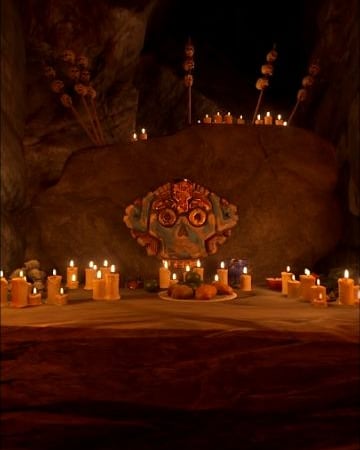
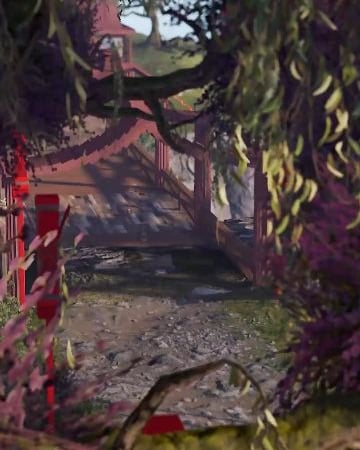
![Nightmare In Rust 3K [Halloween Custom Map]](/cdn-cgi/image/width=360,height=450,fit=cover,quality=85,format=auto/uploads/monthly_2026_09/reel_20.jpg)
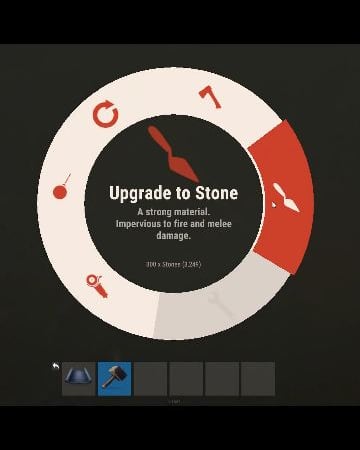
What's New
Fresh uploads, new releases, and recently updated files.
-
-
sale
![More information about "Portugal [ Rust Custom Map ]"](https://codefling.com/cdn-cgi/image/width=285,height=285,quality=80,fit=cover,format=webp/https://codefling.com/uploads/monthly_2026_09/b17kua.thumb.gif.f8e717407c64eace72648c14c629c894.gif)
$12.00$9.60By Ionut Shiro
-
 $8.00
$8.00By jawad
-
sale
$30.00$25.00 -
.thumb.png.24b2872db09415c0fc65daa4469cac4a.png) Free
FreeBy jawad
-
 Free
Free -
 Free
FreeBy Ryven
-
![More information about "Dynamic Monuments [Ocean Bundle]"](https://codefling.com/cdn-cgi/image/width=285,height=285,quality=80,fit=cover,format=webp/https://codefling.com/uploads/monthly_2026_09/adem_prev_ocean_bundle_comp.thumb.jpg.2fdd4f0a882bd1a8c934be55ee1ec59d.jpg)
By Adem
-
 $15.00
By VORON
-
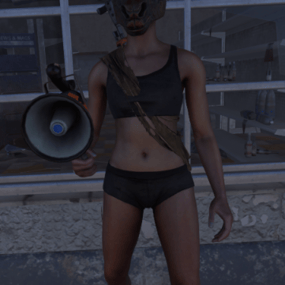
-
sale
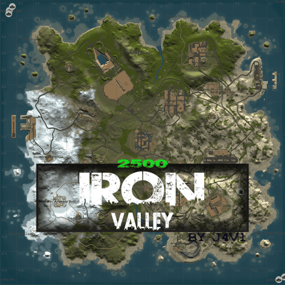
$12.00$9.99By J4V1
-
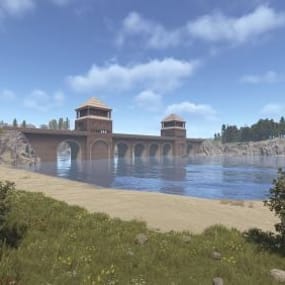 Free
FreeBy Wonder_Fox
-
 $10.00
By chay
-
 $3.00
$3.00By chay
Highest Rated
Top-rated picks trusted and loved by the community.
-
sale
$40.00$30.00By nivex
-
 $16.99
By David
-

-
 $29.99
By LosGranada
-
 $29.99
By imthenewguy
-
sale

$40.00$31.95By Mevent
-
 $24.99
By Whispers88
-
-
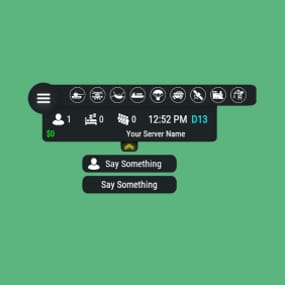 $14.99
By Sheo
-
 Free
FreeBy Steenamaroo
-
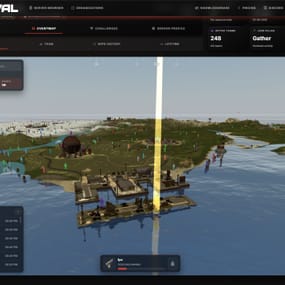
-
sale

$19.99$15.99By Fruster
-
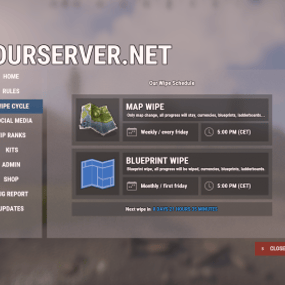 $14.99
By David
-
sale
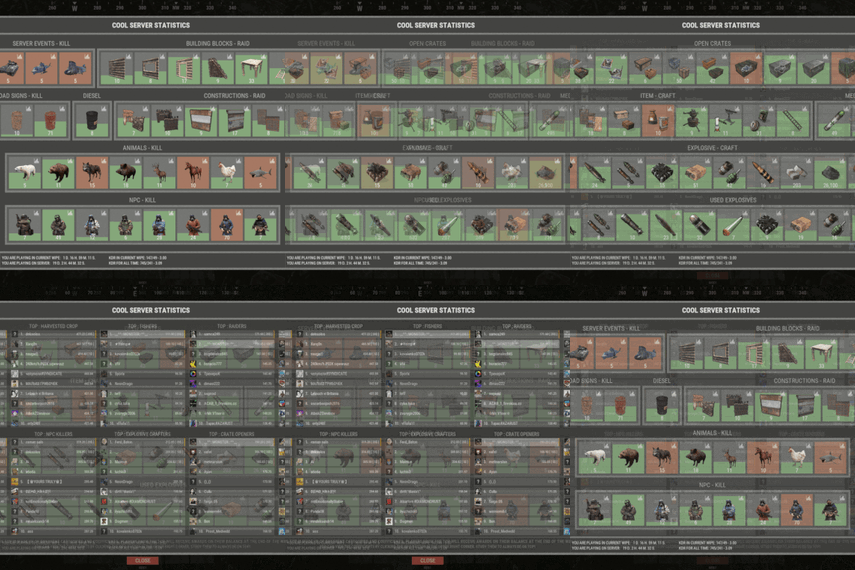
$45.99$36.79By Monster


.thumb.png.913d4ec299161acf94081154072ade61.png)
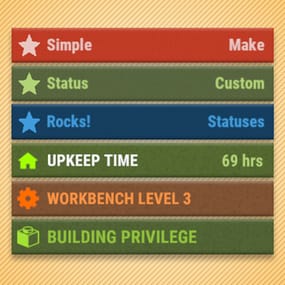

Great Deals
Discounted picks, limited-time deals, and sale items worth grabbing now.
-
sale
-
sale

$49.95$42.46By Niko
-
sale
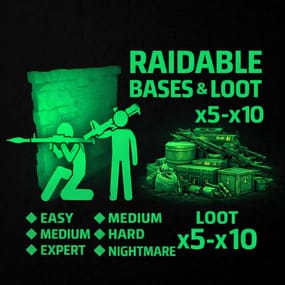
$15.00$10.00By Stormo
-
sale
$9.95$8.46By Niko
-
sale
$8.30$7.05By Shemov
-
sale
$9.95$8.46By Niko
-
sale
$9.98$8.48By Niko
-
sale
$45.00$41.95By Mevent
-
sale
$8.99$7.19By Khaled
-
sale

$46.99$37.59By RobJ
-
sale

$10.00$8.00By Ionut Shiro
-
sale
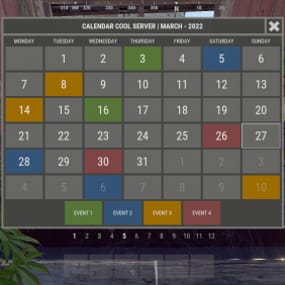
$11.99$9.59By Monster
-
sale
-
sale
$7.00$5.60By Ionut Shiro
Recently Updated
Recently improved files with fresh updates, fixes, and new content.
-
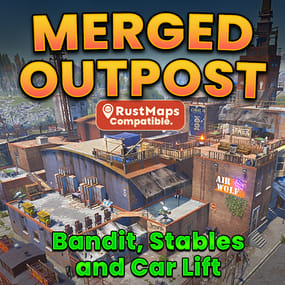
-
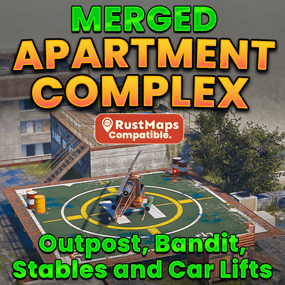
-
sale
$12.00$9.60By Ionut Shiro
-
-
sale
$40.00$30.00By nivex
-
 $30.00
By Yac Vaguer
-
sale
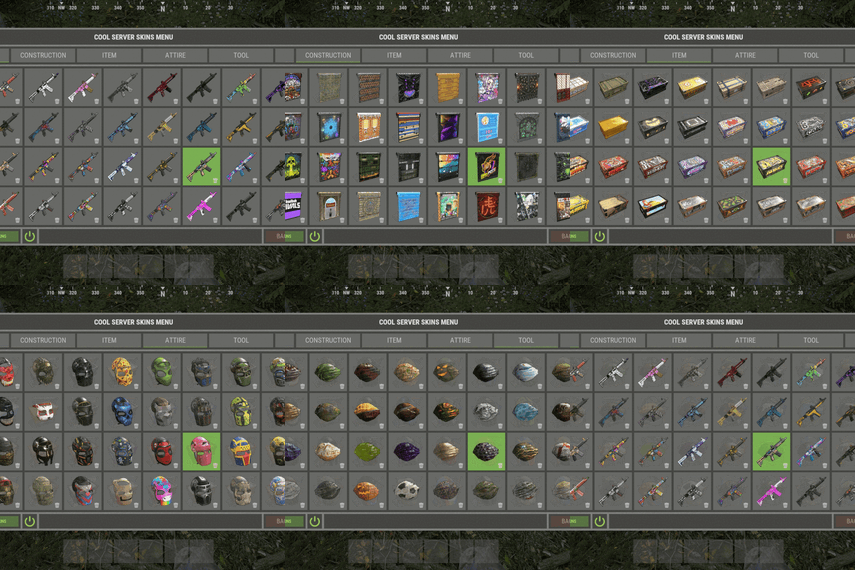
-
sale
$24.95$21.95By Mevent
-
sale
$45.00$41.95By Mevent
-
sale

$40.00$30.00By NINJA WORKS
-
sale
-
sale
-
sale
-
 $10.00
By NooBlet