
Depends on
Required for this file to work correctly.
Works with
Optional integrations and compatible files.



About Business Core
BusinessCore
Let your players decide which events run on your server.
Each player builds a business, and the business is how they start things. They can run a Business Operation, one of the missions that come with the plugin. Or they can sponsor a Special Mission, which fires one of the third-party events you already have installed, like Raidable Bases, Convoy or Armored Train.
Runs on Oxide and Carbon. Six Business Operations come in the package.
Players pick the fight, not a timer
Most servers run events on a schedule. Half the time nobody is online for them, and the other half the same group that's always online gets there first. BusinessCore hands that choice to the players. They pick what to run and when, and they pay for it out of their own pocket.
That changes how people play. Money earned in one operation funds the next one. A group saving up to sponsor an Armored Train has a reason to log in tomorrow, and everyone else on the server has a reason to be ready when it starts.
Building the business
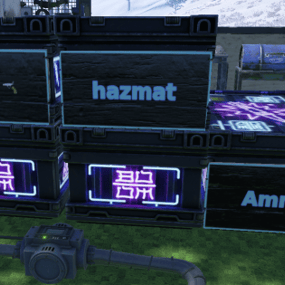
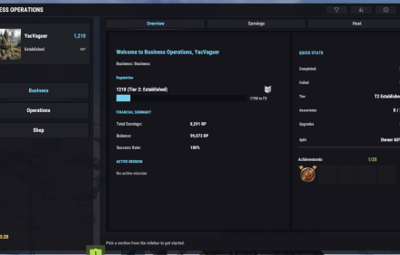
A player types /business and buys an office. That's the business. From there every operation is on the menu, and reputation decides which difficulties they can take on. You can rename /business or add aliases in config.
Their Rust team joins the business automatically. The owner decides how the payout splits, either a cut for the boss with the rest shared, or equal shares for everyone. Teammates earn reputation too, at a lower rate.
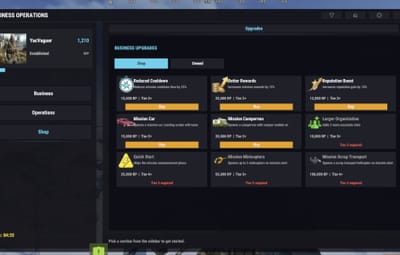
Reputation moves the business up five tiers, Rookie to Legendary. Each tier opens harder difficulties, bigger payouts and more team slots. Earnings go into upgrades like shorter cooldowns and better rewards.
Business Operations
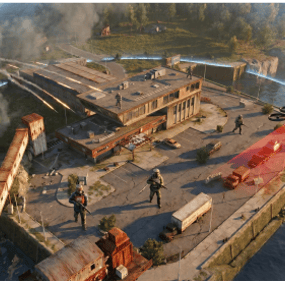
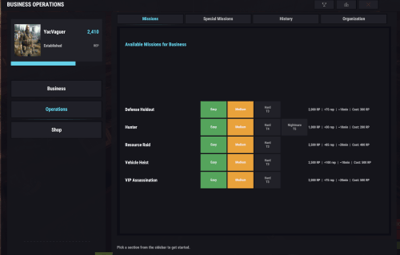
These are the missions that come with the business. Starting one costs money up front. The operation spawns somewhere on the map, far enough from the player's base that they have to travel for it, and the clock starts. Finish it and the business gets paid. Fail it and the start cost is gone.
Six come in the package:
VIP Assassination. Take out a high-value target and their bodyguards. Kill half the guards and reinforcements parachute in. Bonuses for a quiet approach, speed and recovering intel.
Vehicle Heist. A car sits inside a guarded compound. Kill the key holder, take the car and drive it to the buyer while roadblock crews try to stop you. The payout drops if the car arrives wrecked.
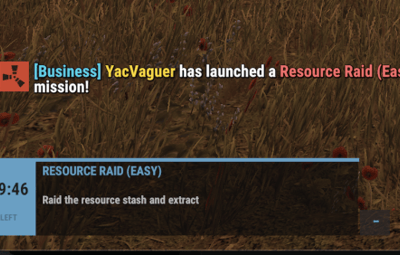
Resource Raid. Loot a guarded stockpile. The longer you take, the more backup shows up, by road and by parachute.
Hunter. A wildlife contract. You get one assigned weapon and a list of animals to take down inside a guarded area. Finish without being spotted and the payout goes up.
Zombie Arena. Pay the entry fee, get dropped into a remote walled arena and survive waves of zombies before the timer runs out. On the higher tiers the Undead Commander shows up for the last wave.
Beast Arena. Same walled arena, but the waves are animals. It starts with stags and boars, then wolves and bears, and on the higher tiers an alpha polar bear closes it out.
Every operation has Easy, Medium, Hard and Elite tiers. Harder tiers spawn farther from the player's base and pay more.
Special Missions
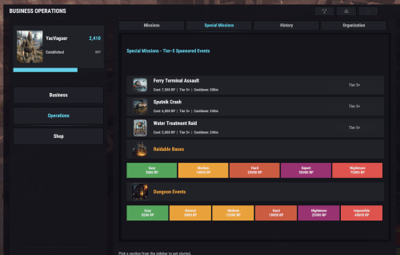
This is the part other business plugins don't do. Your server probably already runs event plugins, and right now they fire on a timer. Special Missions put them in the business menu instead. A player picks the event, pays for it from their balance, and it starts for the whole server.
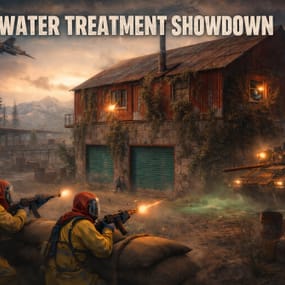
Eighteen ready-made templates are in the package: Airfield, Armored Train, Boss Monster, Convoy, Dungeon Events, F15 Crash, Ferry Terminal, Flying Cargo Ship, Gas Station, Harbor, Heli Crash, Radtown, Raidable Bases, Satellite Dish, Shipwreck, Sputnik, Tugboat Pirates and Water Treatment.
They all ship switched off. You turn on the ones matching the event plugins you own. Each event gets its own difficulties, and each difficulty gets its own price and cooldown. You can also set the reputation tier a player needs before an event unlocks, so the big ones stay a reward for players who've built up their business. An event that isn't in the list takes one small JSON file to add, no code. Raidable Bases and Dungeon Events also get a buy button of their own, so a business owner can purchase a raid or a dungeon for their group.
Why it works for a server
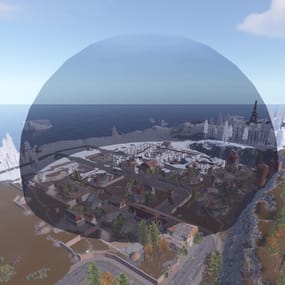
Every operation spawns in its own spot, checked for slope, water, monuments, safe zones and player bases, and scaled to your map size. Two operations never land on top of each other.
Each operation can get its own PvE zone, so another group can't roll in and take the loot from the players who paid for it. PveMode, SimplePVE and SimplePVESphere are all detected automatically. Leave them out and operations are open PvP, which some servers want.
It pays in whatever currency you already use. Economics, ServerRewards or plain scrap, plus SkillTree XP if you run it. Four economy presets come in the package (casual, vanilla, hardcore and wipe-friendly), so you don't have to balance prices from zero.
Wipes are your call. By default offices, businesses, reputation and upgrades carry over and stats reset. Each of those is its own switch.
Also included
- SuperBoss, the final-fight NPC some operations call in at the end. It takes damage only once you've earned it, and it talks back if you turn the voice lines on
- VehicleSpawn, which drives the operation vehicles and the road reinforcements. The operations need it installed
- 44 NPC outfit presets, so guards look like guards on first load instead of wearing hazmat suits
- Translations for English, German, Spanish, French, Portuguese (Brazil), Russian, Japanese, Korean and Chinese
- An admin panel (
/bc.admin gui) for players, wipe settings, operation limits and economy tests - Discord webhook for purchases, completed operations, tier-ups and leaderboard changes
- A reputation leaderboard
Requirements
- NpcSpawn, required for every operation
- ImageLibrary, required for the
/businessinterface - One currency: Economics, ServerRewards or scrap (built in)
Optional: PveMode, SimplePVE or SimplePVESphere for operation zones. SkillTree for XP. UINotify or GUIAnnouncements for on-screen notices. RaidableBases and DungeonEvents for the buyable raids.
Installing
Drop BusinessCoreSetup.cs into your plugins folder. It installs BusinessCore and the operations, then downloads the language files, NPC presets, economy presets and Special Mission templates from media.yacvaguer.cc. It checks a signature before it writes anything. Your server needs outbound HTTPS to that address.
Grant businesscore.use to your players and businesscore.admin to yourself.
For plugin developers
Every Business Operation in the package is built on the same public API, and you can use it to write your own. The API calls them missions. BusinessCore handles the costs, the rewards, the team split, the spawn location, the PvE zone, map markers and cleanup. Your plugin spawns the fight and reports whether the player won.
Registration and lifecycle:
-
RegisterMission,UnregisterMission -
CanStartMission,RequestMissionStart,ActivateMission -
CompleteMission,FailMission
Locations and zones:
-
FindMissionLocation,FindSafeSpawnPoints,GetSafeHeight -
ReserveMissionLocation,ReleaseMissionLocation -
CreateMissionPveZone,RemoveMissionPveZone,AddMissionPveEntities,CanPlayerAccessMissionZone
NPCs and entities:
-
SpawnMissionNpc,SpawnReinforcementWave,DropMissionNpcWithParachute -
RegisterMissionEntity,UnregisterMissionEntity,GetMissionInstanceForEntity CleanupMissionInstance
Markers and stages:
-
CreateMissionPointMarker,RemoveMissionMarkers,CreatePlayerTrackingMarker -
AddMissionObjectiveMarker,RemoveMissionObjectiveMarker -
AdvanceMissionStagefor pickup-then-delivery style operations
Notifications and rewards:
-
NotifyMissionParticipants,NotifyMissionPlayer,NotifyMissionOutsider,NotifyServerWide -
CalculateMissionBonus,AddOrgReputation
Queries:
-
GetBusinessData,GetAvailableMissions,GetOrganizationMembers,GetMissionInstance
Hooks BusinessCore calls on your plugin:
void BusinessCore_OnReady()
void BusinessCore_OnUnloading()
void BusinessCore_OnMissionCompleted(ulong userId, string missionKey, JObject details)
void BusinessCore_OnMissionOwnerDisconnected(string instanceId, ulong ownerId)
void BusinessCore_OnMissionOwnerReconnected(string instanceId, ulong ownerId)
BusinessCore_OnReady fires after every BusinessCore load, so re-register your mission there and a reload of BusinessCore won't leave it missing. BusinessCore_OnMissionCompleted fires once for each connected player who got paid, which makes it the right place to plug in quests, achievements or a battle pass.