About BoxLabels
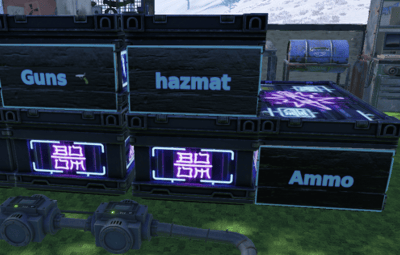
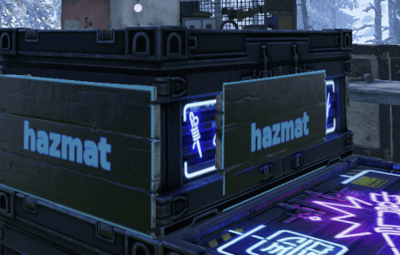
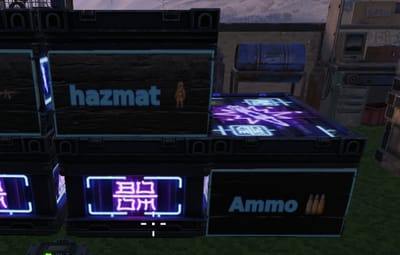
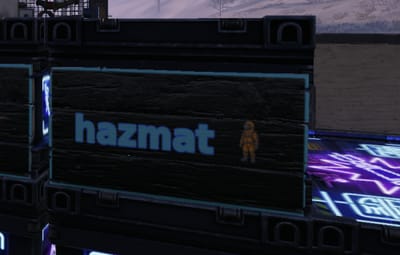
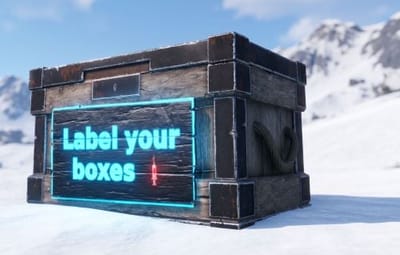
Put a readable sign on your large wood boxes. Aim at a box, run /label, type a short message, pick the colors, and the plugin paints small wooden signs onto the box faces so you can read what is inside without opening it. No more guessing which of the twelve boxes in your base holds the meds.
What it does
- Labels the large wood box, including skinned versions of it.
- Renders your text to a image and paints it on small wooden signs stuck to the box.
- Lets you choose which faces get a sign: front, back, left, right, or any mix. Default is all four.
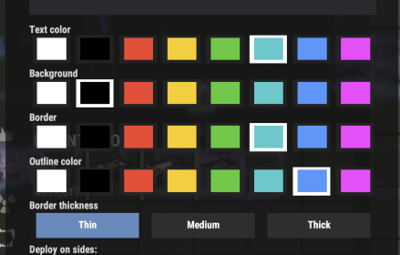
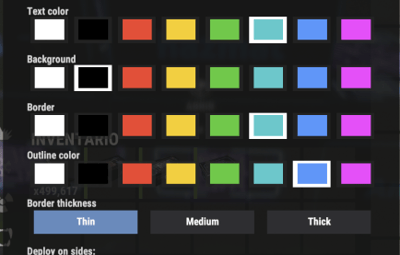
- Supports text color, background color, a border frame with adjustable thickness, and a glyph outline color.
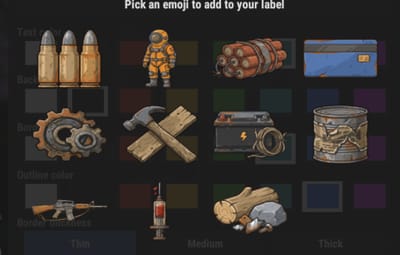
- Supports emoji in the label through :shortcode: syntax, with a built-in picker.
- Cleans up after itself: when a box is picked up or destroyed, its signs and saved data go with it.
Commands
CommandWhat it does
/label Open the label popup for the box you are looking at.
/label <text> Skip the popup and stamp the box right away, reusing your last colors.
/unlabel Remove the label from the box you are looking at.
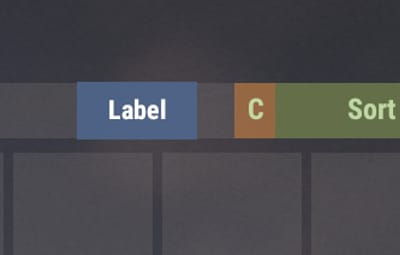
You can also open the popup from inside the box. When you loot a box you are allowed to label, a small Label button appears on the loot screen. It is on by default and can be turned off in the config.
The popup
The popup has two tabs.
Label is where you type the message for the box in front of you, pick its colors and border, and choose which faces carry a sign. Save writes it; Clear removes the label;
Cancel closes without changes.
Settings is where you set your personal defaults. Pick the colors you like once and every new label starts from them. There is also an Apply all button that re-skins every label you have already placed with your chosen defaults, so you can recolor your whole base in one click. The re-skin runs in small batches across several frames so it does not stall the server.
Colors are picked from a swatch palette. Your last choice is remembered between labels.
Emoji
You can drop emoji into a label with :shortcode: syntax. Type something like LOOT  and the matching image is drawn inline with the words, sized to the font. Multiple emoji wrap across lines the same way words do.
The popup has an Emoji button that opens a paged grid. Click one to add its :shortcode: to your text, then Save.
You can fully replace the icons for the one you want
Permissions
Permission Grants
boxlabel.use Use /label and /unlabel on boxes you are authorized on.
boxlabel.admin Label or clear any box, ignoring the tool cupboard check.
A normal player needs boxlabel.use and must be authorized on the tool cupboard that covers the box. Staff with boxlabel.admin can label any box anywhere.