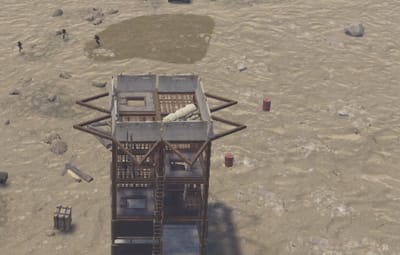



About DefenseHoldout
DEFENSE HOLDOUT
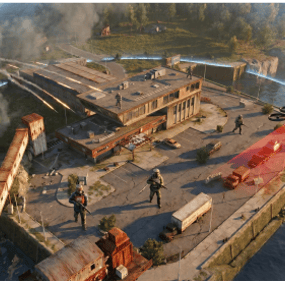
A wave-based defense mission for BusinessCore. Players take a contract from the BusinessCore job board, travel to a marked area, and protect a supply crate while escalating waves of NPCs push in from every direction. Survive to the final wave, optionally accept the bonus wave for
extra reward, then loot the drop.
This plugin is a mission module for BusinessCore. It does not run standalone. BusinessCore handles the job board, mission registration, PvE zones, reputation, payouts, and the parachute drop pipeline for wave NPCs.
REQUIRES
BusinessCore (mission registration, location finder, PvE zones, reputation, payouts, NPC parachute drops).
OPTIONAL
CopyPaste enables admin-built fortresses instead of the procedural fortification rings.
SuperBoss enables the named-boss centerpiece on Medium and Hard.
WHAT YOU GET
Three difficulty tiers registered automatically with BusinessCore: Easy, Medium, Hard. Each tier has its own wave composition, reward, reputation, time limit, and arena layout.
Easy runs three waves in about ten minutes. Light siege, sandbag ring, ammo crate at start. 2,000 base reward.
Medium runs five waves in about sixteen minutes. Mixed wave types including a flanker rush. Fortified arena with concrete and a harbor container. 5,500 base reward.
Hard runs seven waves in about twenty-four minutes ending in a boss finale. Mid-fight ammo drop. Sniper wave. Optional Bradley or Patrol Heli threat that patrols the arena perimeter until mission end. Final wave delivered by CH47 chinook. 10,000 base reward.
All numbers are tunable in the config. Wave counts, NPC health, spawn rings, rewards, time limits, fortification rings, NPC types per wave. The included README covers every config key.
SIDE MISSIONS
Five optional bonuses layer on top of the main contract. Each one ticks independently.
Flawless Defense: supply crate takes zero damage. +25% reward.
No Deaths: no participant dies during the mission. +15% reward.
Headhunter: 10 or more headshot kills on wave NPCs. +500 reputation.
Bonus Wave Survived: accept and clear the bonus wave. +50% reward.
Speed Clear: finish in under half the time limit. +20% reward.
OPTIONAL FEATURES
All off by default unless noted. Turn them on per difficulty.
Vehicle threat: a Bradley APC or Patrol Helicopter patrols the arena perimeter. Accepts Bradley, PatrolHelicopter, or Random. On by default for Hard.
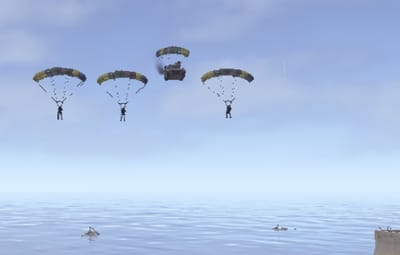
CH47 chinook delivery: a chinook drops the configured wave at the supply crate instead of the perimeter ring. 30s hard fallback if the arrival sequence stalls. On by default for Hard's final wave.
Fortification rings: procedural rings of cover (sandbags, concrete, metal barricades, harbor containers). Any number of rings, each with its own prefab, count, and distance. On by default for Medium and Hard.
CopyPaste structures: per-difficulty file pools of admin-built fortresses. The plugin picks one at random at mission start. Pasted entities are tracked and cleaned up on mission end.
Ambient props: scatter of static world props around the arena. Pure flavor.
SuperBoss centerpiece: named boss spawned at the supply crate alongside the wave mobs. Corpse loot routes through BusinessCore's NPC loot pipeline. Requires the SuperBoss plugin.
MISSION FLOW
1. Player accepts the contract through BusinessCore.
2. The plugin reserves a location and creates a PvE zone around it.
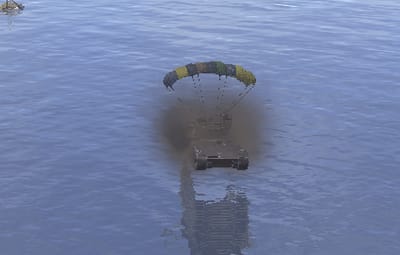
3. Supply crate, fortification, ammo crate, and ambient props spawn. The supply crate and ammo crate sit on opposite sides of a ring around the building, so defenders have to cross the arena to resupply.
4. Setup timer runs (60 seconds, or 10 with the BusinessCore QuickStart upgrade).
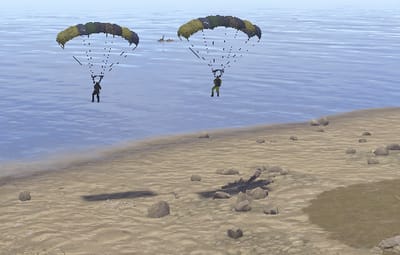
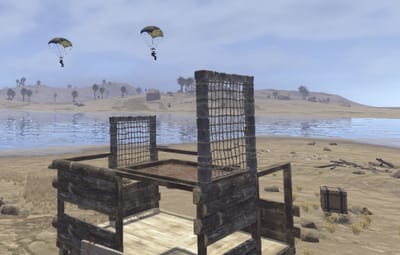
5. Waves spawn from multiple compass directions, with a 45-second break between each one. NPCs drop in under parachutes when BusinessCore has parachute drops enabled, otherwise they arrive on foot at the perimeter ring. They walk in deliberately so defenders have time to pick
targets and rotate cover.
6. After the final wave, a bonus wave is offered for 30 seconds. Stay near the supply crate and it auto-starts. Walk out and you extract with current rewards.
7. Reward crate spawns. Side-mission bonuses are reported in chat. Players have 60 seconds to loot before cleanup.
If the supply crate is destroyed at any point, the mission fails and no rewards drop.
CONFIGURATION
Config lives at oxide/config/DefenseHoldout.json. The plugin runs a migration on every load, so upgrading does not blow away existing tuning. New sections added in later versions are backfilled with sensible defaults and listed in the server log on load.
Full configuration reference is in the bundled README. Every top-level key, every per-difficulty field, every wave option. Leave it alone and it works out of the box.
COMPATIBILITY
Built against current Oxide/uMod. Tested with current BusinessCore and NpcSpawn releases. Works alongside other BusinessCore mission plugins. PvE zones, location reservations, entity tracking, and NPC loot routing all route through BusinessCore, so missions do not collide.
INSTALL
1. Drop DefenseHoldout.cs into oxide/plugins/
2. Drop dh.easy.1.json and dh.hard.1.json into oxide/data/copypaste/
3. Make sure BusinessCore and NpcSpawn are loaded
4. Default config writes itself on first load