

About Player Reports - Advanced Discord Report System
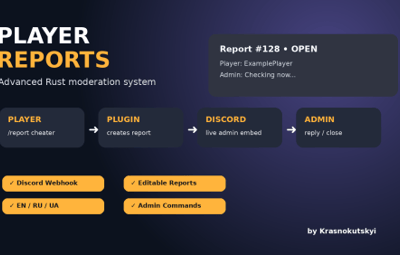
A modern and powerful in-game report system for Rust servers.
Player Reports allows your community to contact server staff directly from the game while keeping everything organized through Discord integration.
FEATURES
✔ In-game player report system
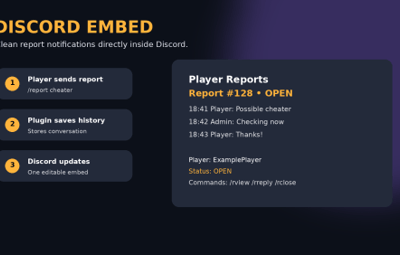
✔ Discord webhook integration
✔ One editable Discord message per report
✔ Admin reply system
✔ Report conversation history
✔ Open / close / reopen reports
✔ Multi-language support (EN / RU / UA)
✔ Automatic player language detection
✔ Permission system
✔ Fully configurable
✔ Clean and lightweight
HOW IT WORKS
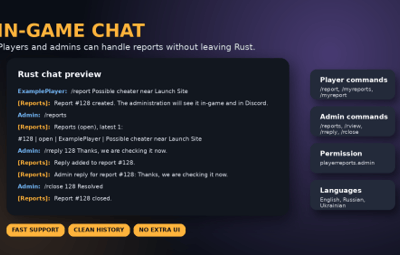
1. Player creates a report:
`/report your message`
2. Staff receives notification:
- In-game notification
- Discord embed message
3. Admin can reply:
`/rreply ID message`
4. Player receives the answer directly in-game.
PLAYER COMMANDS
/report message
Create a report or add a message to an existing report.
/myreports
View your reports.
/myreport ID
View report conversation.
ADMIN COMMANDS
/reports
View open reports.
/reports all
View all reports.
/rview ID
View full conversation.
/rreply ID message
Reply to player.
/rclose ID reason
Close report.
/ropen ID
Reopen report.
PERMISSION
playerreports.admin
DISCORD FEATURES
• Custom webhook
• Custom bot name
• Custom avatar
• Role mentions
• Embed colors
• Automatic message updates
LANGUAGES
English
Russian
Ukrainian
INSTALLATION
1. Upload PlayerReports.cs into:
oxide/plugins/
2. Start server or reload plugin.
3. Edit configuration:
oxide/config/PlayerReports.json
4. Add your Discord webhook.
5. Give permission:
oxide.grant group admin playerreports.admin